Home » Store » Voixto: Offline AI Text-to-Speech for Windows
Voixto: Offline AI Text-to-Speech for Windows
TL;DR
Generate natural-sounding voiceovers directly from text using a Windows desktop app
Work offline after installation without sending your scripts or documents to cloud servers
Best for Content creators, video makers, educators, developers & audiobook creators
Explore alternatives: Google Text-to-Speech
Voixto Lifetime Deal
Most online text-to-speech tools come with a few common limitations:
You need a reliable internet connection to use them.
Your scripts and documents may need to be uploaded to external servers.
Processing large amounts of content can become slow and expensive.
Subscription costs continue to add up over time.
Getting the right pacing and delivery often means repeated exports.
Basic audio finishing may require additional software.
For occasional use, cloud-based tools can work well. But if you regularly convert text into audio, a desktop solution can offer a much more convenient workflow.
Creating a voiceover shouldn’t require uploading every script to a cloud service, waiting for processing, or paying another monthly subscription.
Voixto, Offline Text to Speech Software, gives you a simple way to turn written content into natural-sounding audio directly on your Windows computer. Once installed, you can work offline, create voiceovers, process multiple files, and fine-tune the delivery before exporting your audio.
Whether you’re creating videos, audiobooks, training materials, podcasts, or client projects, Voixto helps you move from written text to usable audio without adding another complicated tool to your workflow.
Create Natural Voiceovers with Offline Text‑to‑Speech
Voixto revolutionizes text-to-speech technology with its AI-powered offline capabilities, delivering natural, human-like voices without the need for an internet connection. Designed for creators and developers, Voixto ensures you never have to rely on slow, subscription-based cloud tools again. Whether you’re creating podcasts, videos, or applications, transform your scripts into studio-quality audio effortlessly.
Enjoy complete independence as Voixto operates entirely offline after installation. This means no delays, maximum privacy, and consistent performance, turning your creative process into a seamless experience.
Demo Video
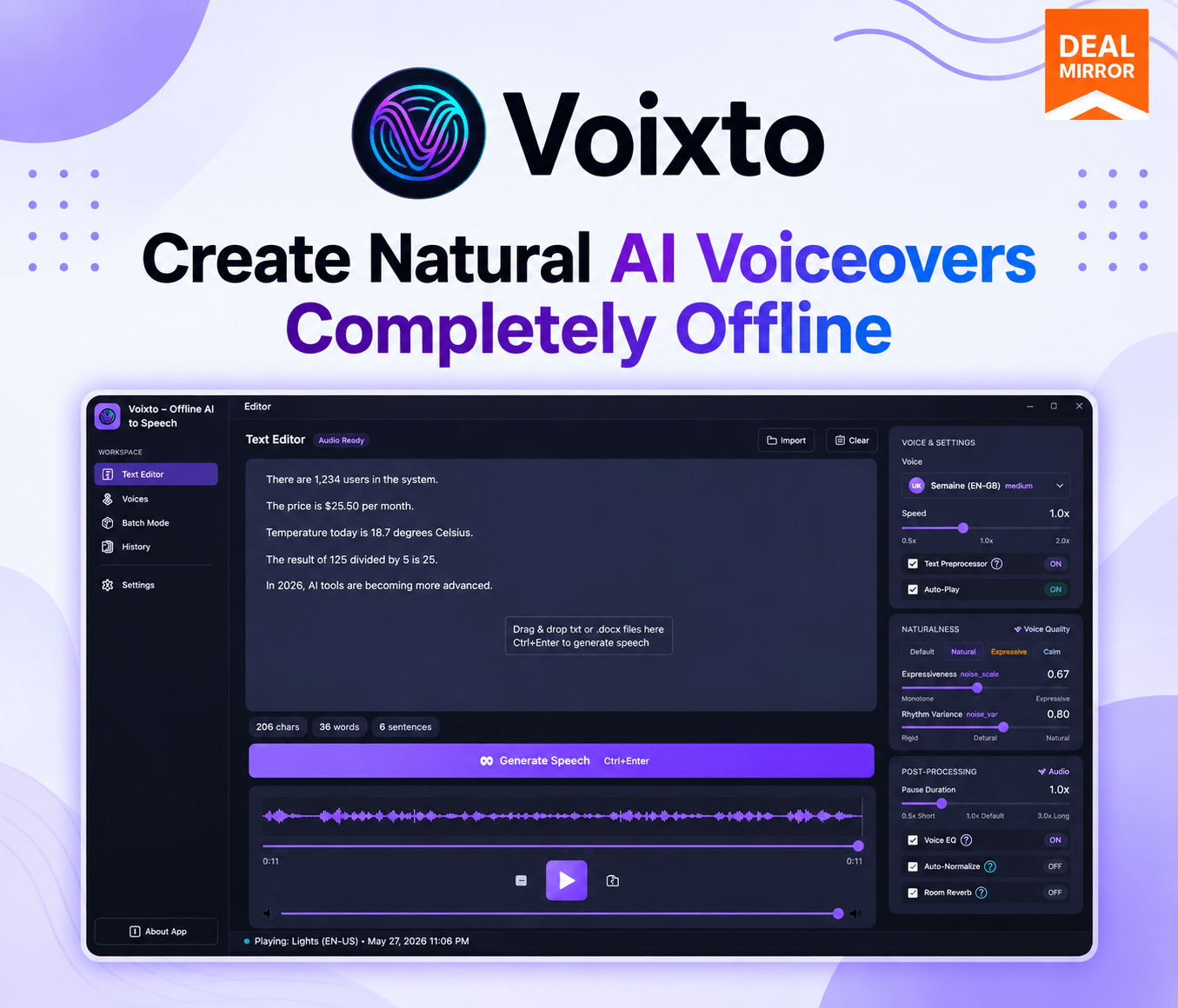
Voixto is an offline AI text-to-speech tool for Windows that helps you create natural voiceovers, process multiple files, preview audio, and adjust voice delivery without a recurring subscription.
Overview Images
Key Features
True Offline Text‑to‑Speech: Enjoy complete independence as Voixto operates entirely offline after installation. This means no delays, maximum privacy, and consistent performance, turning your creative process into a seamless experience.
Natural, Human‑Like Voices: Say goodbye to robotic audio. Voixto’s advanced AI generates voices that are warm, expressive, and lifelike, capturing the subtleties of human speech to enhance your projects.
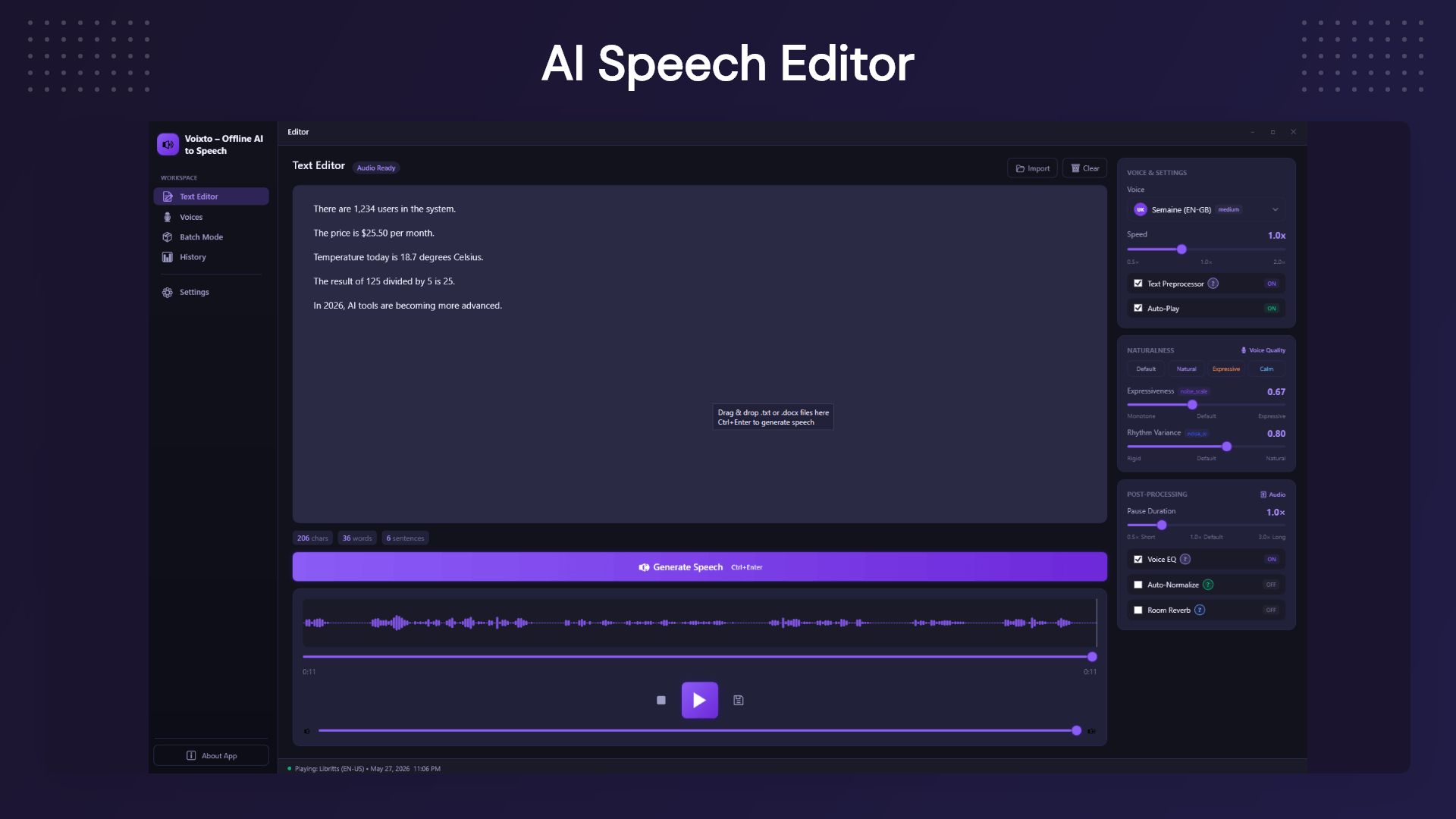
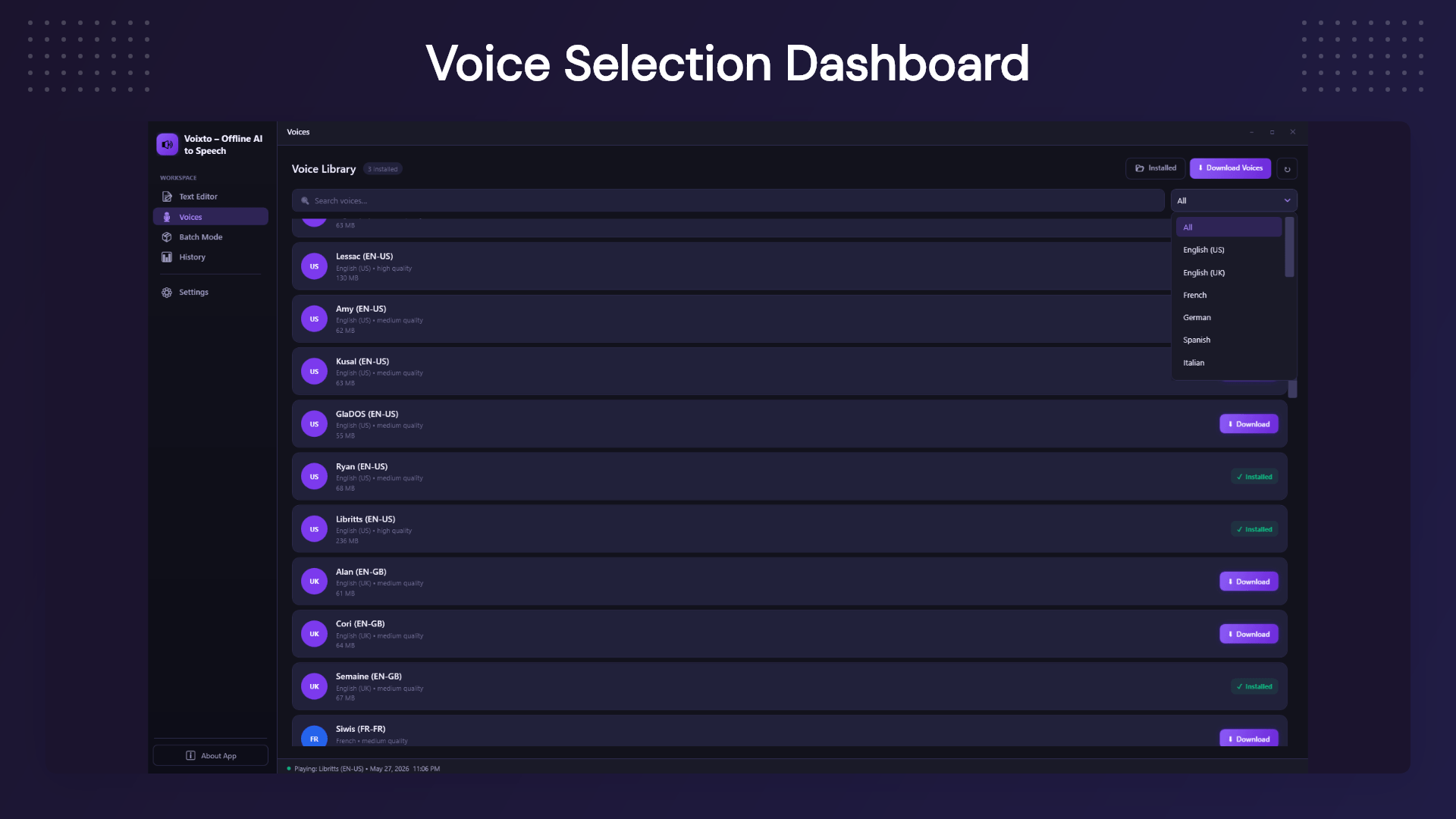
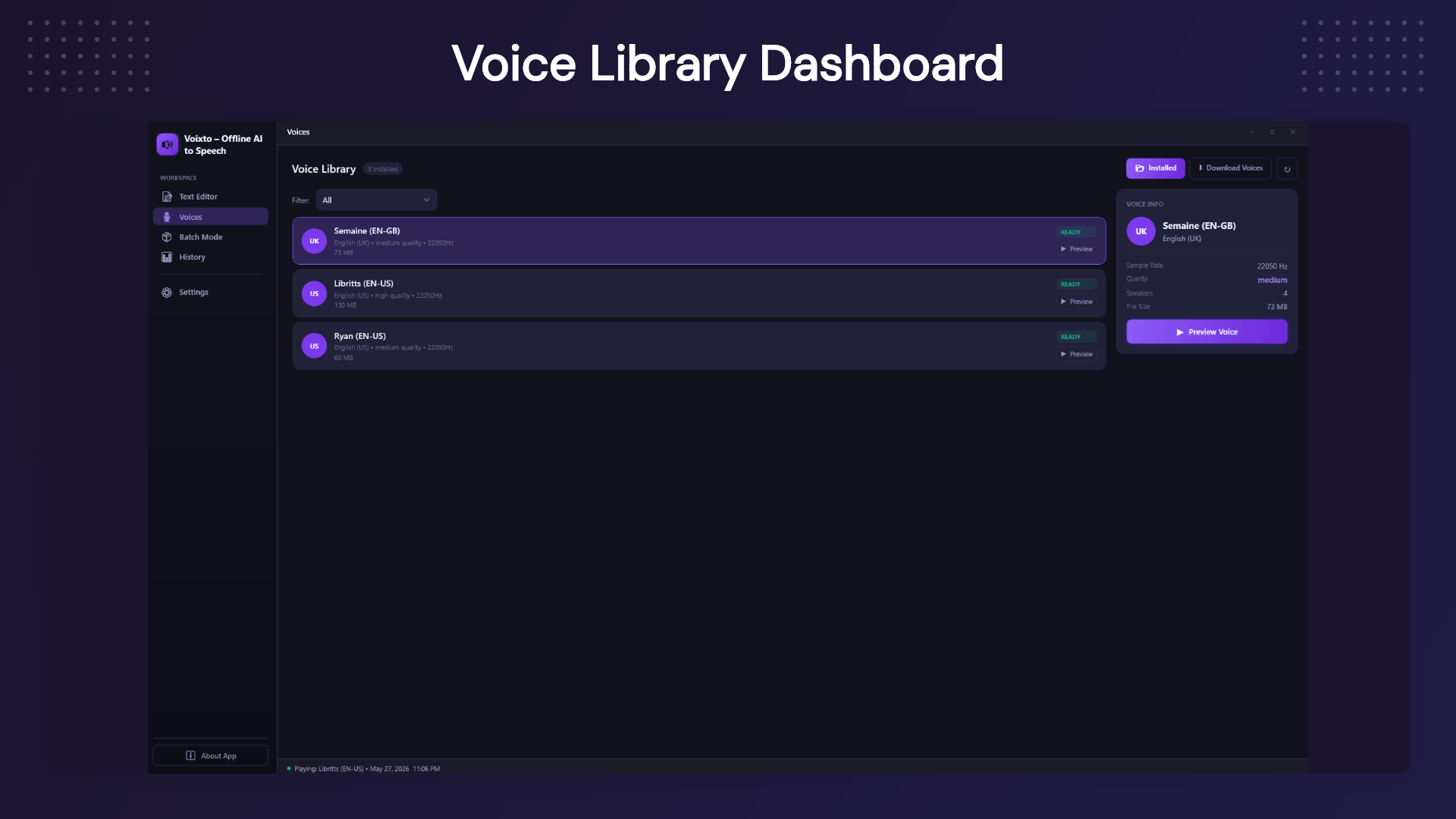
Multiple Voice Options and Styles: Customize your audio with an extensive library of voices and styles, adjusting speed, tone, and expression to perfectly match your script’s intent.
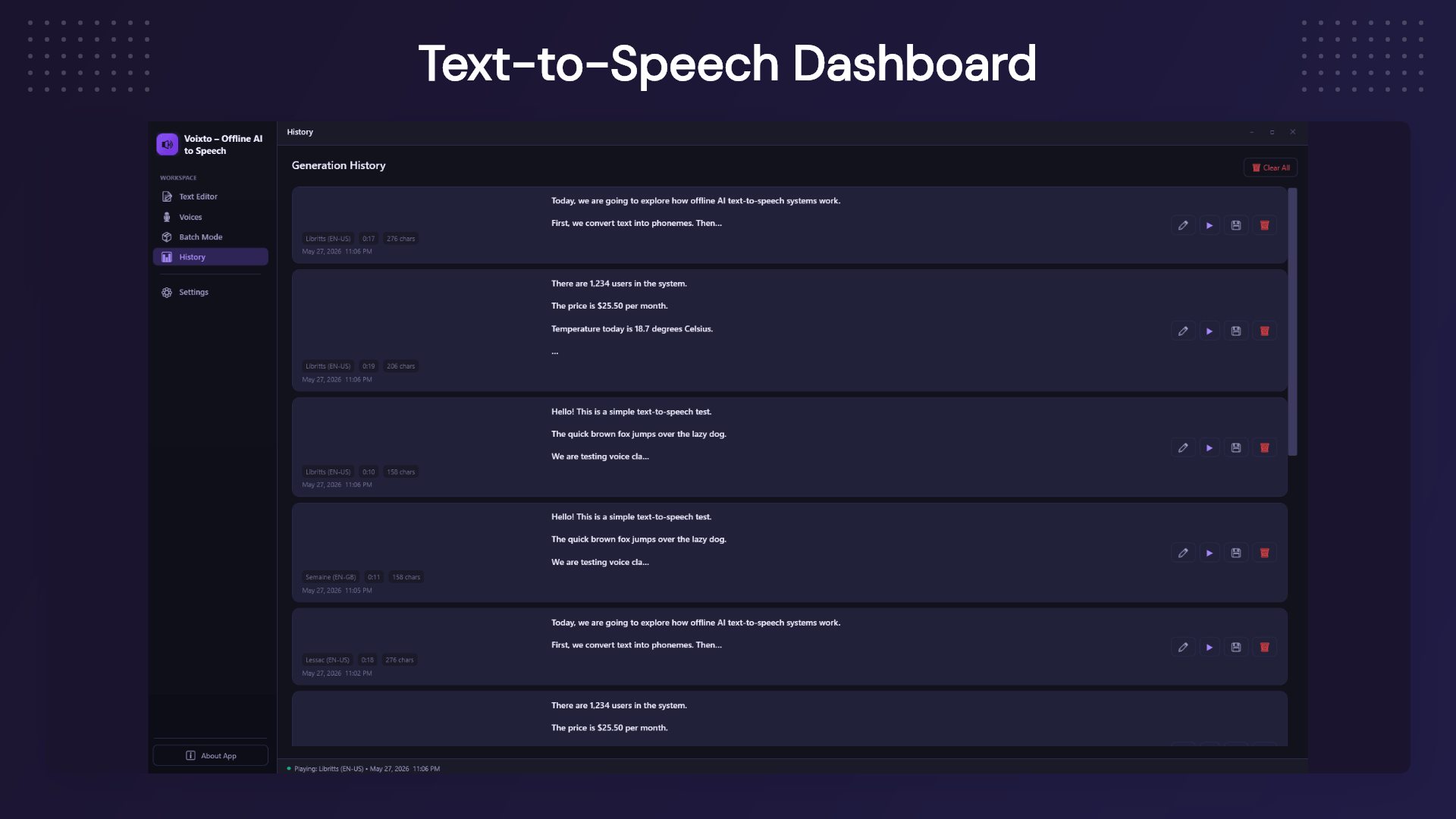
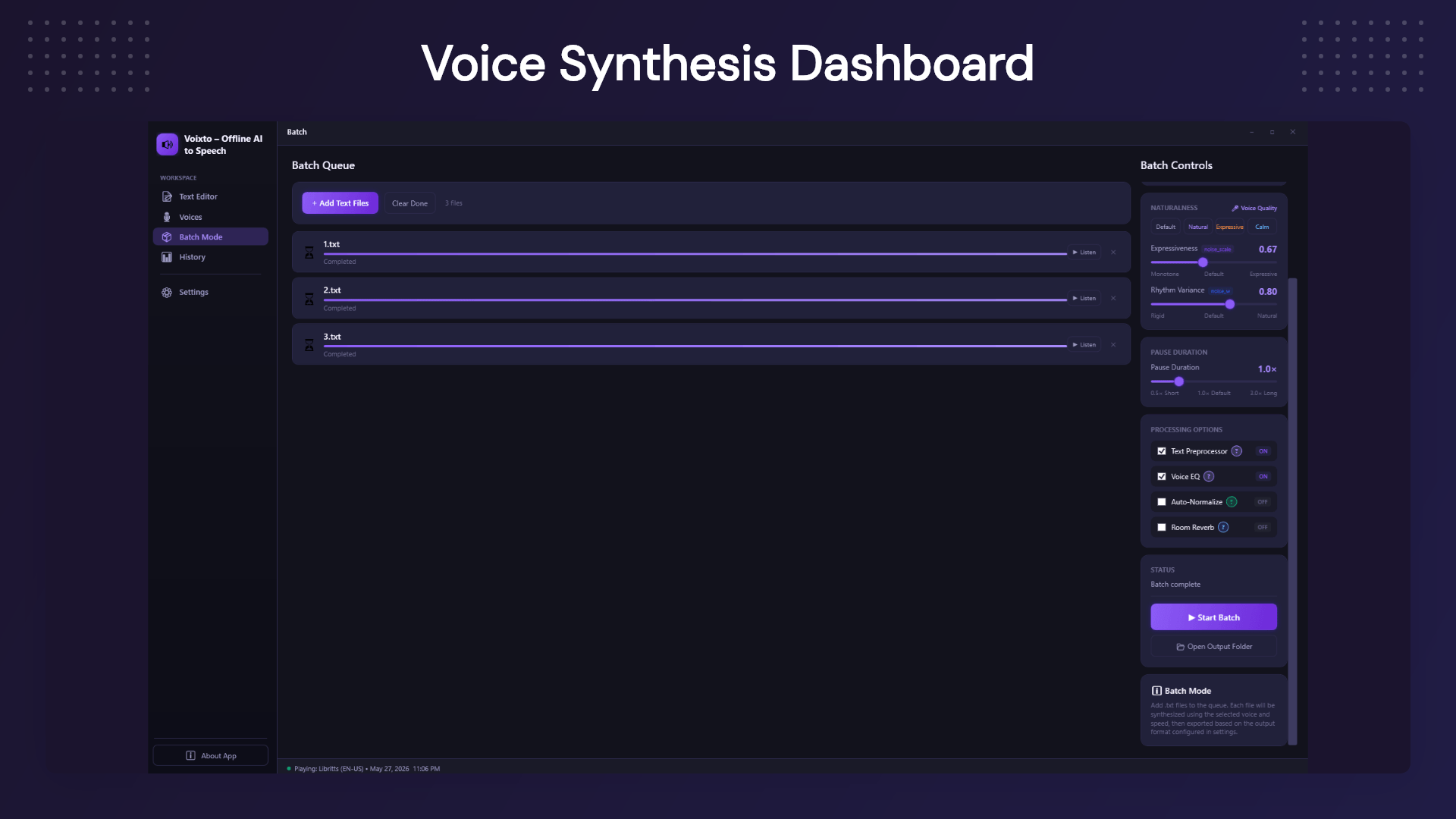
Batch Audio Generation: Efficiently handle large volumes of text with Voixto’s batch processing capabilities. Generate multiple audio files simultaneously, saving you valuable time and effort.
Real‑Time Preview & Playback: Instantly preview your audio productions within the application, allowing for quick adjustments and seamless workflow management.
Use Cases
YouTube & Video Creators: Create voiceovers for explainer videos, tutorials, faceless channels, social media content, and more.
Audiobook Creators: Convert long-form written content into audio and work through larger projects using batch processing.
Online Course Creators: Turn lessons, guides, and training scripts into audio content for learners.
Developers: Use offline text-to-speech generation for applications, prototypes, internal tools, and testing workflows.
Agencies & Freelancers: Create voiceover content for clients without adding another recurring software subscription to your business expenses.
Businesses: Turn documentation, training content, announcements, and internal material into audio.
Content Repurposing: Transform existing written content into a new audio format without starting from scratch.
Product Roadmap
Q 3: 2026
More AI voices
Additional language support
Improved voice quality
Faster generation engine
Q 4: 2026
Batch voice generation
Pronunciation dictionary
SSML support
Additional export options
Q 1: 2027
Voice style presets
Enhanced audio controls
Project management improvements
Performance optimizations
Deal Terms:
Length of access: Lifetime
Redemption deadline: 60 days from purchase
30 Days Money Back Guarantee (For Non-Prime Members/Regular Users).
Generate natural-sounding voiceovers directly from text using a Windows desktop app
Work offline after installation without sending your scripts or documents to cloud servers
Best for Content creators, video makers, educators, developers & audiobook creators
Explore alternatives: Google Text-to-Speech
Voixto Lifetime Deal
Most online text-to-speech tools come with a few common limitations:
You need a reliable internet connection to use them.
Your scripts and documents may need to be uploaded to external servers.
Processing large amounts of content can become slow and expensive.
Subscription costs continue to add up over time.
Getting the right pacing and delivery often means repeated exports.
Basic audio finishing may require additional software.
For occasional use, cloud-based tools can work well. But if you regularly convert text into audio, a desktop solution can offer a much more convenient workflow.
Creating a voiceover shouldn’t require uploading every script to a cloud service, waiting for processing, or paying another monthly subscription.
Voixto, Offline Text to Speech Software, gives you a simple way to turn written content into natural-sounding audio directly on your Windows computer. Once installed, you can work offline, create voiceovers, process multiple files, and fine-tune the delivery before exporting your audio.
Whether you’re creating videos, audiobooks, training materials, podcasts, or client projects, Voixto helps you move from written text to usable audio without adding another complicated tool to your workflow.
Create Natural Voiceovers with Offline Text‑to‑Speech
Voixto revolutionizes text-to-speech technology with its AI-powered offline capabilities, delivering natural, human-like voices without the need for an internet connection. Designed for creators and developers, Voixto ensures you never have to rely on slow, subscription-based cloud tools again. Whether you’re creating podcasts, videos, or applications, transform your scripts into studio-quality audio effortlessly.
Enjoy complete independence as Voixto operates entirely offline after installation. This means no delays, maximum privacy, and consistent performance, turning your creative process into a seamless experience.
Demo Video
Voixto is an offline AI text-to-speech tool for Windows that helps you create natural voiceovers, process multiple files, preview audio, and adjust voice delivery without a recurring subscription.
Overview Images
Key Features
True Offline Text‑to‑Speech: Enjoy complete independence as Voixto operates entirely offline after installation. This means no delays, maximum privacy, and consistent performance, turning your creative process into a seamless experience.
Natural, Human‑Like Voices: Say goodbye to robotic audio. Voixto’s advanced AI generates voices that are warm, expressive, and lifelike, capturing the subtleties of human speech to enhance your projects.
Multiple Voice Options and Styles: Customize your audio with an extensive library of voices and styles, adjusting speed, tone, and expression to perfectly match your script’s intent.
Batch Audio Generation: Efficiently handle large volumes of text with Voixto’s batch processing capabilities. Generate multiple audio files simultaneously, saving you valuable time and effort.
Real‑Time Preview & Playback: Instantly preview your audio productions within the application, allowing for quick adjustments and seamless workflow management.
Use Cases
YouTube & Video Creators: Create voiceovers for explainer videos, tutorials, faceless channels, social media content, and more.
Audiobook Creators: Convert long-form written content into audio and work through larger projects using batch processing.
Online Course Creators: Turn lessons, guides, and training scripts into audio content for learners.
Developers: Use offline text-to-speech generation for applications, prototypes, internal tools, and testing workflows.
Agencies & Freelancers: Create voiceover content for clients without adding another recurring software subscription to your business expenses.
Businesses: Turn documentation, training content, announcements, and internal material into audio.
Content Repurposing: Transform existing written content into a new audio format without starting from scratch.
Product Roadmap
Q 3: 2026
More AI voices
Additional language support
Improved voice quality
Faster generation engine
Q 4: 2026
Batch voice generation
Pronunciation dictionary
SSML support
Additional export options
Q 1: 2027
Voice style presets
Enhanced audio controls
Project management improvements
Performance optimizations
Deal Terms:
Length of access: Lifetime
Redemption deadline: 60 days from purchase
30 Days Money Back Guarantee (For Non-Prime Members/Regular Users).
We built Voixto with one simple goal: to give creators complete freedom from expensive monthly subscriptions and cloud limitations.
Instead of paying every month or relying on external APIs, Voixto lets you generate high-quality AI voiceovers directly on your own computer.
Your data stays private, your workflow stays fast, and your creativity has no limits. We believe powerful AI tools should be affordable, reliable, and owned—not rented.
Thank you for choosing Voixto, and we’re excited to continue improving it based on our community’s feedback.





5 reviews for Voixto: Offline AI Text-to-Speech for Windows
Jessica L. –
Absolutely loved using Voixto! The quality of the voices is remarkable and setting it up was a breeze.
Mark R. –
A great tool for offline TTS. I found the voice customization options particularly useful for my projects.
Emily G. –
Voixto delivered on its promise of creating natural voiceovers easily. Highly recommend it for content creators.
Ryan T. –
Some minor improvements needed, but overall a solid choice for offline text-to-speech.
Sophia K. –
The offline capabilities and voice selections make Voixto a standout tool. It significantly improved my workflow.