Home » Store » VoicePost AI: Create, Repurpose & Publish Content From One Place
VoicePost AI: Create, Repurpose & Publish Content From One Place
TL;DR
All-in-One Content Studio: Create content from voice, text, URLs, PDFs, and DOCX files
Repurpose Videos: Turn existing videos and recordings into ready-to-publish content
Publish Everywhere: Schedule and publish content across supported social platforms
Best For: Creators, freelancers, agencies, consultants, marketers, and businesses
VoicePost AI Lifetime Deal
Creating content consistently often means working across multiple tools. You may need one platform for writing, another for video editing, another for proposals, another for voiceovers, and yet another for social scheduling.
This fragmented workflow can make content production slower and harder to manage, especially when you’re handling multiple clients, brands, or social accounts.
VoicePost AI brings multiple content workflows into one platform.
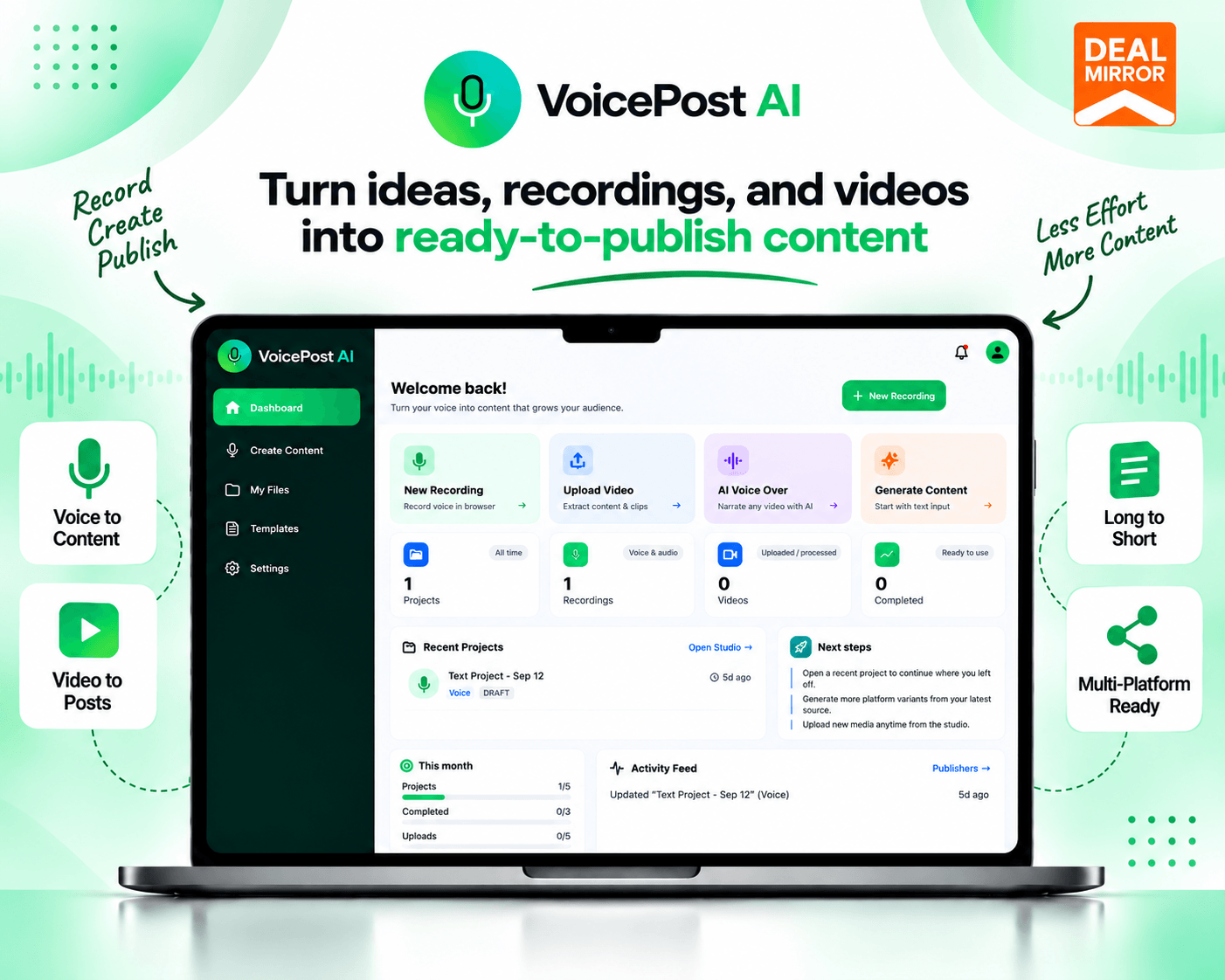
Record or upload your source material, generate and refine content with AI, repurpose videos, create proposals or voiceovers, and publish through supported social integrations—all from a centralized workspace.
What Is VoicePost AI?
VoicePost AI is an AI-powered content creation and repurposing platform that helps you turn ideas, recordings, documents, and videos into ready-to-publish content.
Instead of switching between separate tools for content writing, video repurposing, proposals, AI voiceovers, and social media publishing, VoicePost AI brings these workflows together in one workspace.
You can create content from voice, text, URLs, PDFs, and DOCX files, repurpose videos, generate AI voiceovers, prepare proposals, organize knowledge, and publish to connected social accounts.
Tutorial Video
VoicePost AI is an AI-powered content creation and repurposing platform that helps you turn ideas, recordings, documents, and videos into ready-to-publish content.
Dashboard Images
Key Features
Content Studio:Create and manage content from a centralized AI-powered workspace.
Multiple Input Formats: Start with voice, text, URLs, PDF files, or DOCX documents.
AI Content Generation: Generate content from your ideas, recordings, and source materials.
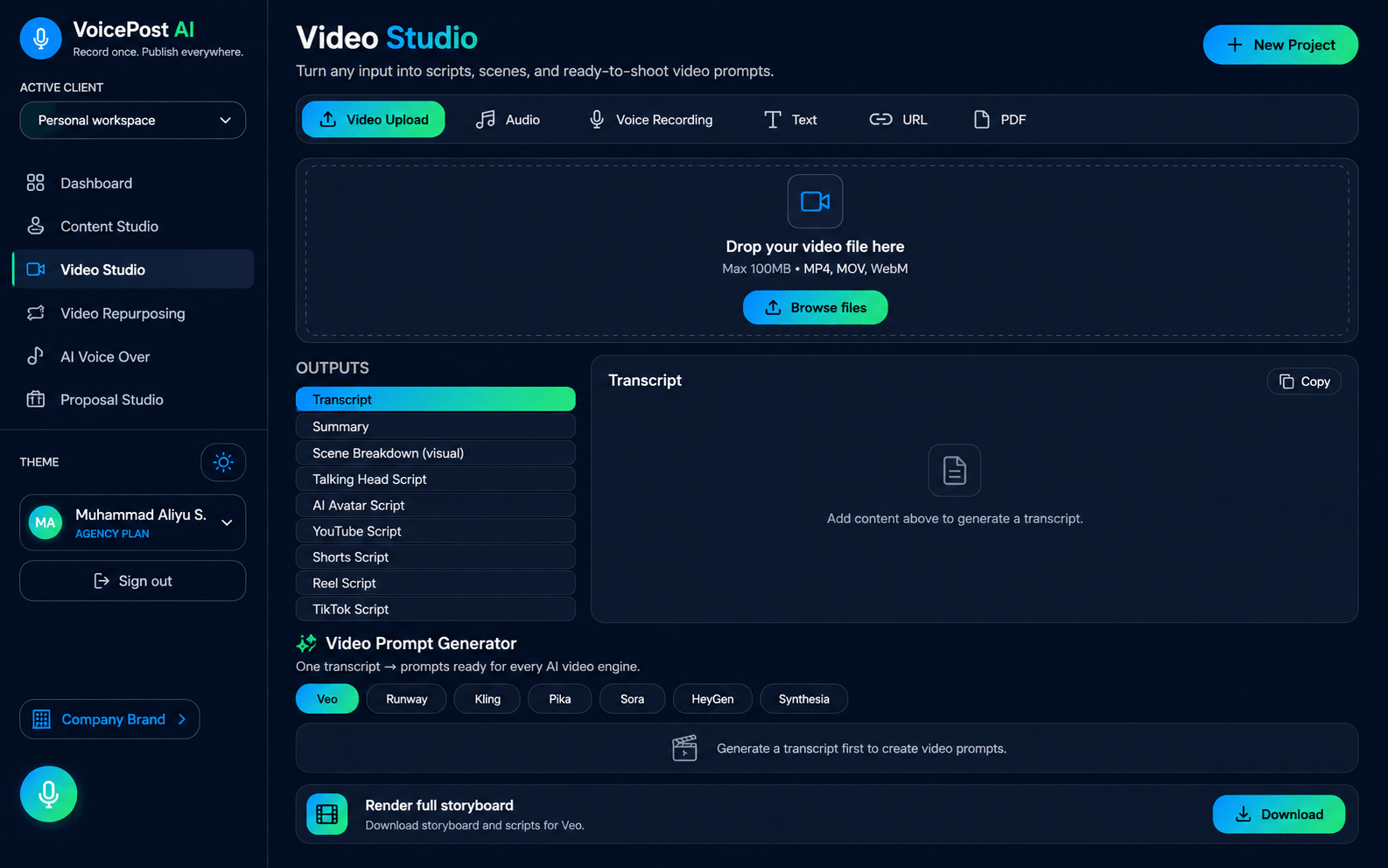
Video Studio: Create and work with video content directly within VoicePost AI.
Video Repurposing: Repurpose existing videos into additional content formats.
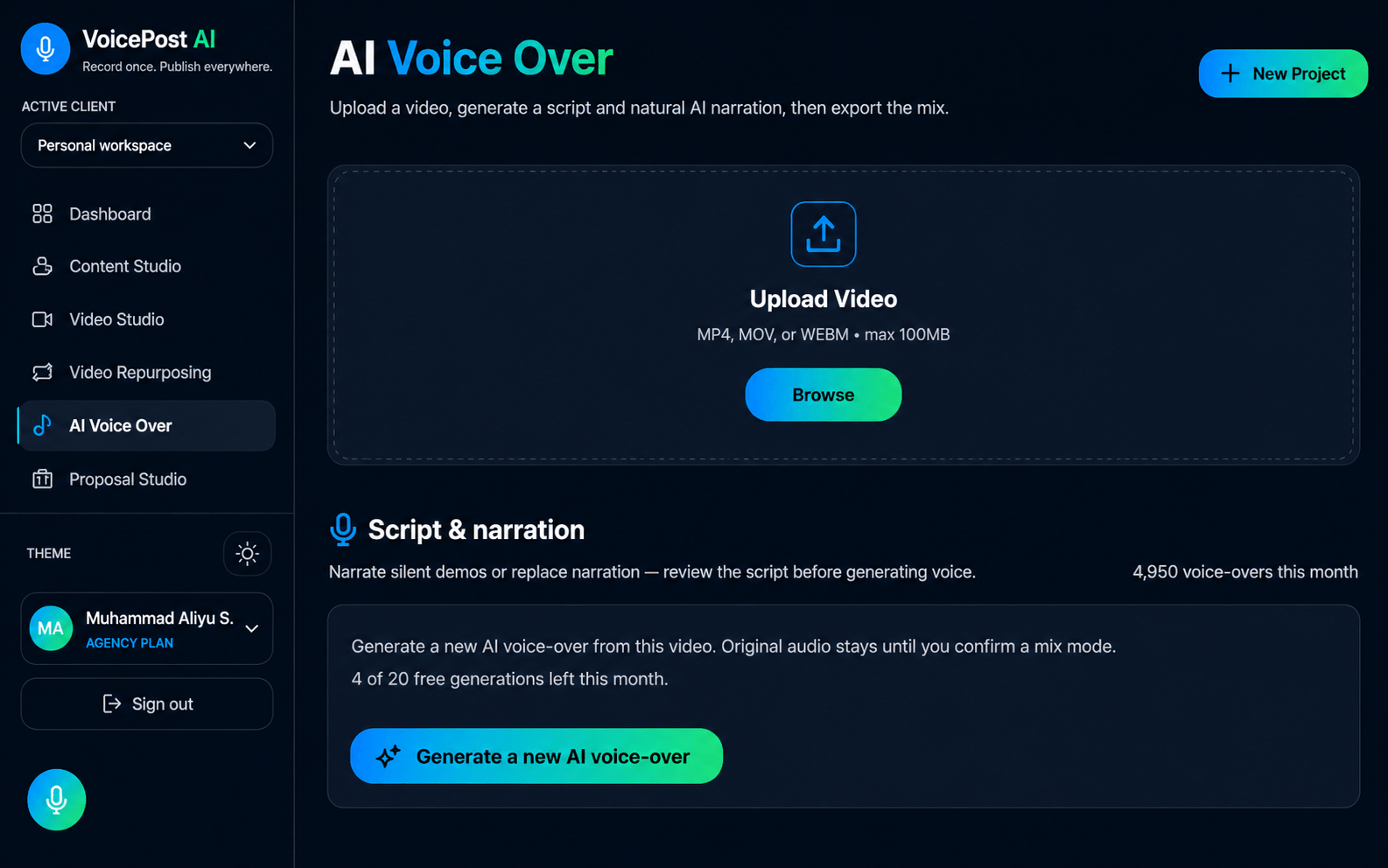
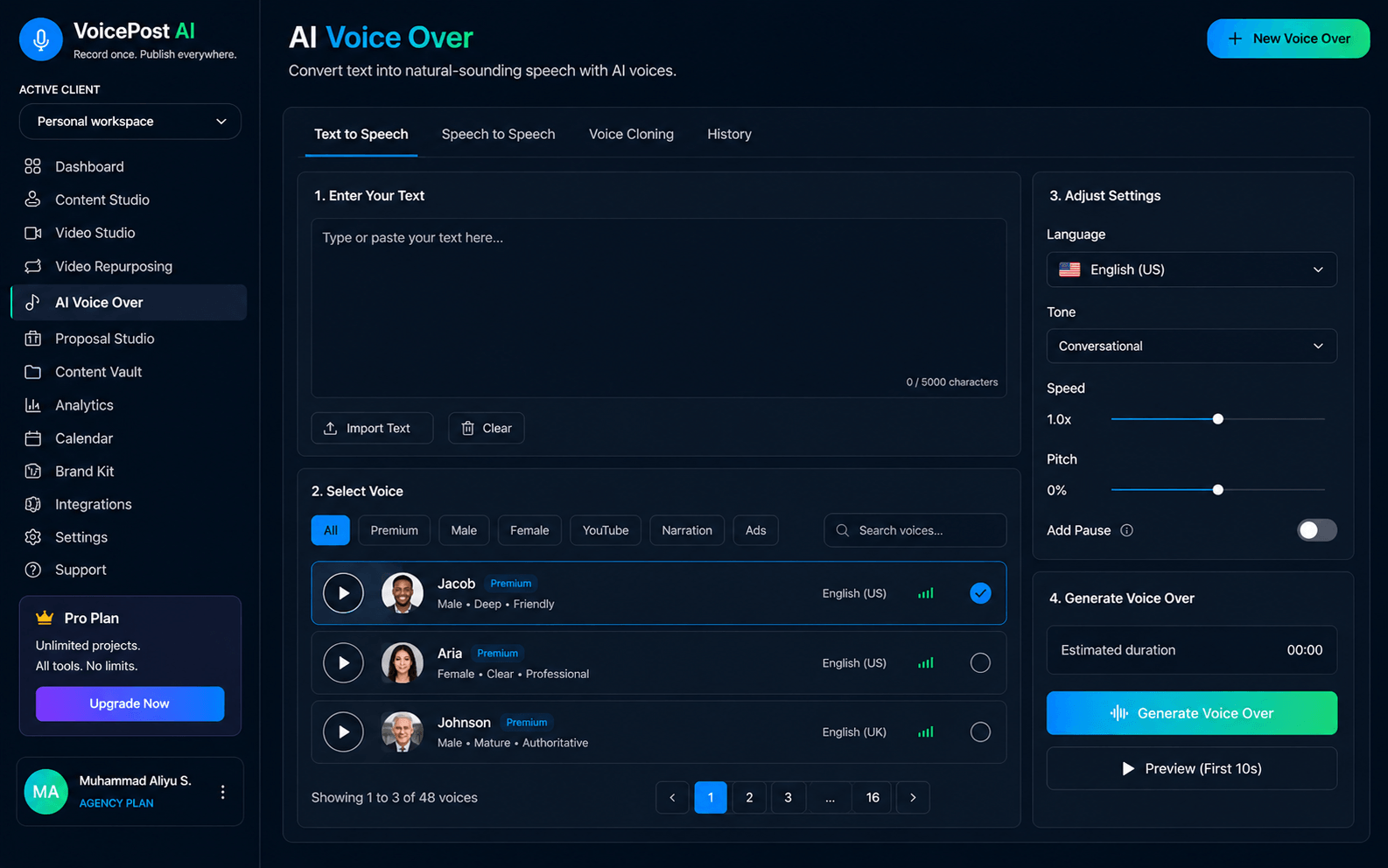
AI Voiceover: Generate AI voiceovers as part of your content workflow.
Proposal Studio: Create professional proposals without switching to another platform.
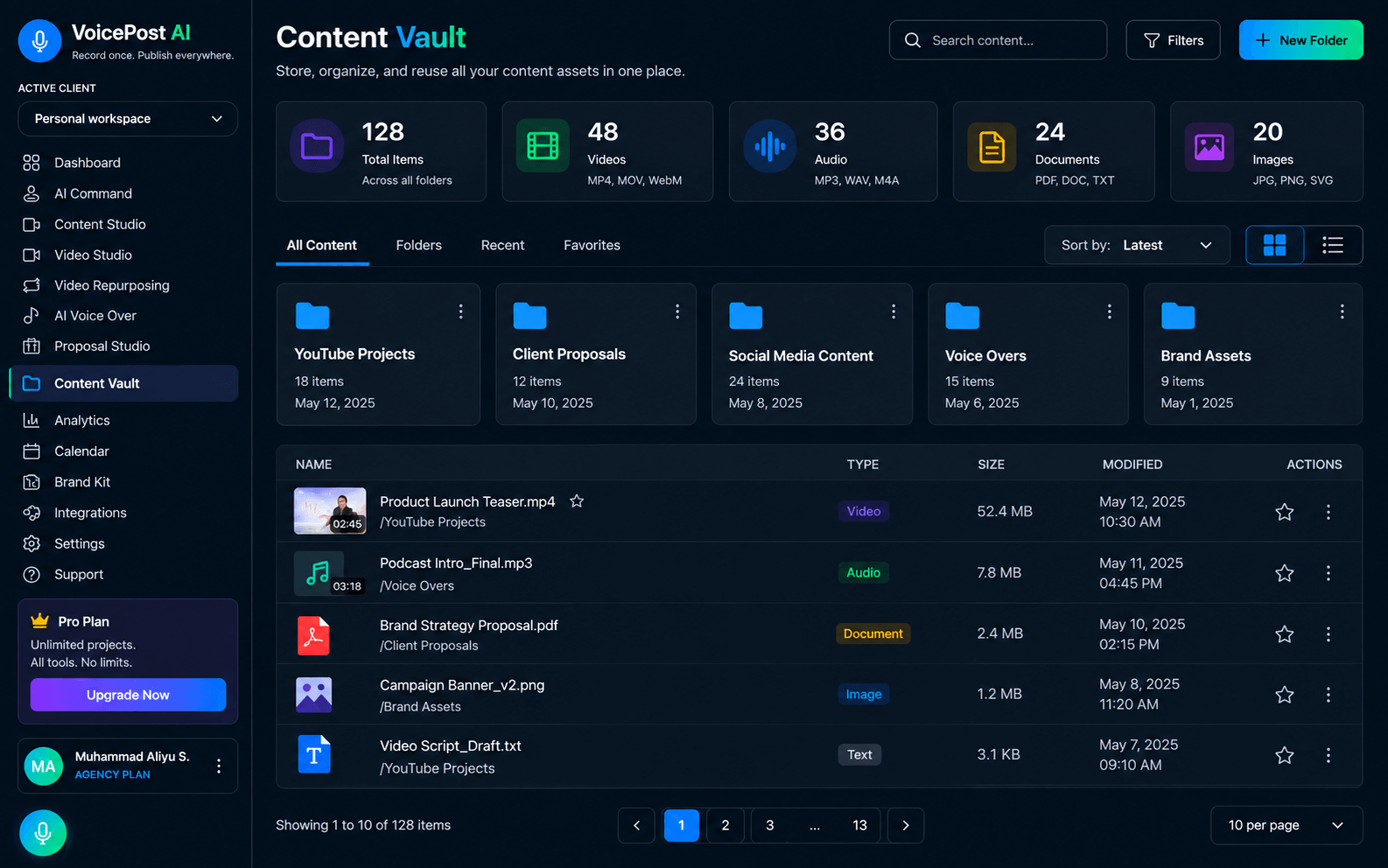
Knowledge Vault: Keep useful information and knowledge organized for your content workflows.
Social Publishing & Scheduling: Prepare, schedule, and publish content to supported social platforms.
Multiple Platform Integrations: Connect supported social platforms and manage publishing workflows.
Team & Client Workspaces: Manage team members and separate client workspaces on eligible plans.
Agency & Reseller Features: Agency plans include white-label capabilities and features designed for client-facing workflows.
How VoicePost AI Works
Add Your Source Material: Start with a voice recording, text, URL, PDF, DOCX file, or video.
Create Content: Use VoicePost AI’s content generation tools to turn your source material into usable content.
Refine & Repurpose: Edit generated content, create additional versions, and repurpose video content.
Prepare for Publishing: Use proposals, voiceovers, templates, and other tools to complete your content workflow.
Publish & Schedule: Publish or schedule content through supported social platform integrations.
Who Is VoicePost AI For?
Content Creators: Create more content from a single recording, idea, or source document.
Freelancers: Manage content creation and client deliverables from one workspace.
Digital Agencies: Handle multiple clients, brands, workspaces, and publishing workflows.
Consultants & Coaches: Turn expertise, recordings, and ideas into reusable content.
Marketers: Create, repurpose, and schedule content without relying on multiple separate tools.
Businesses: Centralize content creation, video repurposing, proposals, and social publishing.
Why Use VoicePost AI?
VoicePost AI is designed around a simple idea: create more content from the material you already have.
A single recording, document, URL, or video can become the starting point for multiple content workflows. Instead of managing separate platforms for content generation, video repurposing, proposals, voiceovers, and social publishing, you can handle these tasks from one platform.
For agencies and teams, higher-tier plans also add client workspaces, team members, brand profiles, and white-label capabilities.
Alternatives
VoicePost AI brings together workflows that are commonly handled by different types of tools.
Jasper—AI content creation
Copy.ai – AI content and workflow automation
CapCut – Video creation and editing
Buffer – Social media publishing and scheduling
Later – Social media management
Rather than positioning VoicePost AI as a direct replacement for every individual competitor, its key distinction is the attempt to bring content creation, video repurposing, proposals, voiceovers, and social publishing into one workflow.
Product Roadmap
VoicePost AI plans to continue expanding its platform across:
All-in-One Content Studio: Create content from voice, text, URLs, PDFs, and DOCX files
Repurpose Videos: Turn existing videos and recordings into ready-to-publish content
Publish Everywhere: Schedule and publish content across supported social platforms
Best For: Creators, freelancers, agencies, consultants, marketers, and businesses
VoicePost AI Lifetime Deal
Creating content consistently often means working across multiple tools. You may need one platform for writing, another for video editing, another for proposals, another for voiceovers, and yet another for social scheduling.
This fragmented workflow can make content production slower and harder to manage, especially when you’re handling multiple clients, brands, or social accounts.
VoicePost AI brings multiple content workflows into one platform.
Record or upload your source material, generate and refine content with AI, repurpose videos, create proposals or voiceovers, and publish through supported social integrations—all from a centralized workspace.
What Is VoicePost AI?
VoicePost AI is an AI-powered content creation and repurposing platform that helps you turn ideas, recordings, documents, and videos into ready-to-publish content.
Instead of switching between separate tools for content writing, video repurposing, proposals, AI voiceovers, and social media publishing, VoicePost AI brings these workflows together in one workspace.
You can create content from voice, text, URLs, PDFs, and DOCX files, repurpose videos, generate AI voiceovers, prepare proposals, organize knowledge, and publish to connected social accounts.
Tutorial Video
VoicePost AI is an AI-powered content creation and repurposing platform that helps you turn ideas, recordings, documents, and videos into ready-to-publish content.
Dashboard Images
Key Features
Content Studio:Create and manage content from a centralized AI-powered workspace.
Multiple Input Formats: Start with voice, text, URLs, PDF files, or DOCX documents.
AI Content Generation: Generate content from your ideas, recordings, and source materials.
Video Studio: Create and work with video content directly within VoicePost AI.
Video Repurposing: Repurpose existing videos into additional content formats.
AI Voiceover: Generate AI voiceovers as part of your content workflow.
Proposal Studio: Create professional proposals without switching to another platform.
Knowledge Vault: Keep useful information and knowledge organized for your content workflows.
Social Publishing & Scheduling: Prepare, schedule, and publish content to supported social platforms.
Multiple Platform Integrations: Connect supported social platforms and manage publishing workflows.
Team & Client Workspaces: Manage team members and separate client workspaces on eligible plans.
Agency & Reseller Features: Agency plans include white-label capabilities and features designed for client-facing workflows.
How VoicePost AI Works
Add Your Source Material: Start with a voice recording, text, URL, PDF, DOCX file, or video.
Create Content: Use VoicePost AI’s content generation tools to turn your source material into usable content.
Refine & Repurpose: Edit generated content, create additional versions, and repurpose video content.
Prepare for Publishing: Use proposals, voiceovers, templates, and other tools to complete your content workflow.
Publish & Schedule: Publish or schedule content through supported social platform integrations.
Who Is VoicePost AI For?
Content Creators: Create more content from a single recording, idea, or source document.
Freelancers: Manage content creation and client deliverables from one workspace.
Digital Agencies: Handle multiple clients, brands, workspaces, and publishing workflows.
Consultants & Coaches: Turn expertise, recordings, and ideas into reusable content.
Marketers: Create, repurpose, and schedule content without relying on multiple separate tools.
Businesses: Centralize content creation, video repurposing, proposals, and social publishing.
Why Use VoicePost AI?
VoicePost AI is designed around a simple idea: create more content from the material you already have.
A single recording, document, URL, or video can become the starting point for multiple content workflows. Instead of managing separate platforms for content generation, video repurposing, proposals, voiceovers, and social publishing, you can handle these tasks from one platform.
For agencies and teams, higher-tier plans also add client workspaces, team members, brand profiles, and white-label capabilities.
Alternatives
VoicePost AI brings together workflows that are commonly handled by different types of tools.
Jasper—AI content creation
Copy.ai – AI content and workflow automation
CapCut – Video creation and editing
Buffer – Social media publishing and scheduling
Later – Social media management
Rather than positioning VoicePost AI as a direct replacement for every individual competitor, its key distinction is the attempt to bring content creation, video repurposing, proposals, voiceovers, and social publishing into one workflow.
Product Roadmap
VoicePost AI plans to continue expanding its platform across:
Record once. Create more. Repurpose effortlessly. Publish everywhere.
VoicePost AI was created to simplify the content creation process by bringing multiple workflows into one place.
Instead of switching between separate tools for writing, video repurposing, proposals, voiceovers, and publishing,
VoicePost AI brings these workflows together so creators, freelancers, agencies, and businesses can spend less time managing content tools and more time focusing on their ideas, clients, and growth.
A: It is designed for creators, freelancers, agencies, consultants, coaches, marketers, and businesses.
Q: 3. Can I edit AI-generated content?
A: Yes, users can edit, refine, and save generated content before publishing.
Q: 4. Does VoicePost AI support video?
A: Yes, Pro and Agency plans include Video Studio and Video Repurposing.
Q: 5. Can I publish directly to social platforms?
A: Yes, VoicePost AI supports publishing through its available social platform integrations.
Q: 6. Does VoicePost AI have agency features?
A: Yes, the agency plan includes team members, client workspaces, brand profiles, white-label capabilities, agency templates, and other agency-focused features.
Q: 7. Does VoicePost AI offer reseller capabilities?
A: Yes, the product provides reseller- and agency-focused features through its partner/reseller offering.
Reviews
3 reviews for VoicePost AI: Create, Repurpose & Publish Content From One Place
Rated 5 out of 5
Sophia Williams –
What I like most is the voice-first workflow. I can speak naturally instead of typing out every detail, then use the generated content as a starting point for my social posts. It saves a lot of time during busy workdays.
Rated 5 out of 5
Alex Morgan –
I can easily record an idea with my voice and turn it into a polished social media post thanks to Voice Post AI. I can create content much more quickly because I don’t have to stop and write everything by hand.
Rated 5 out of 5
Emily Johnson –
I often have ideas while working, but typing them out can be a hassle. Being able to use my voice to get those ideas into a structured post makes the whole content creation process feel much more natural.




3 reviews for VoicePost AI: Create, Repurpose & Publish Content From One Place
Sophia Williams –
What I like most is the voice-first workflow. I can speak naturally instead of typing out every detail, then use the generated content as a starting point for my social posts. It saves a lot of time during busy workdays.
Alex Morgan –
I can easily record an idea with my voice and turn it into a polished social media post thanks to Voice Post AI. I can create content much more quickly because I don’t have to stop and write everything by hand.
Emily Johnson –
I often have ideas while working, but typing them out can be a hassle. Being able to use my voice to get those ideas into a structured post makes the whole content creation process feel much more natural.