Home » Store » Twidget: Automate Backend Workflows Without Code
Twidget: Automate Backend Workflows Without Code
TL;DR
Build and manage APIs using a visual, no-code development platform
Organize application data with managed databases and file storage
Alternative of Bubble.io, Make.com and Zapier
Best for: Entrepreneurs, developers, startups, and teams building web applications
Twidget Lifetime Deal
Turning an app idea into a working product often means dealing with API development, database setup, file storage, authentication, and server configuration before you can focus on the actual product.
You have an idea for an application. Maybe you want to create a customer portal, launch an MVP, or connect different business systems.
But before your idea becomes a usable product, there is plenty to handle behind the scenes. APIs need to be configured, data needs a place to live, authentication must be set up, and routine tasks need to run reliably.
These technical requirements can slow down development, especially for small teams that don’t have the time or resources to manage every part of their infrastructure.
Twidget helps simplify that process. It gives you a visual environment to build APIs, manage backend resources, create scheduled events, and connect data without having to set up every infrastructure component yourself.
Twidget is designed to reduce that workload by bringing essential backend development tools into one platform.
Whether you’re testing a startup idea, building an MVP, or creating internal business tools, Twidget provides a practical starting point for developing and managing your application’s backend.
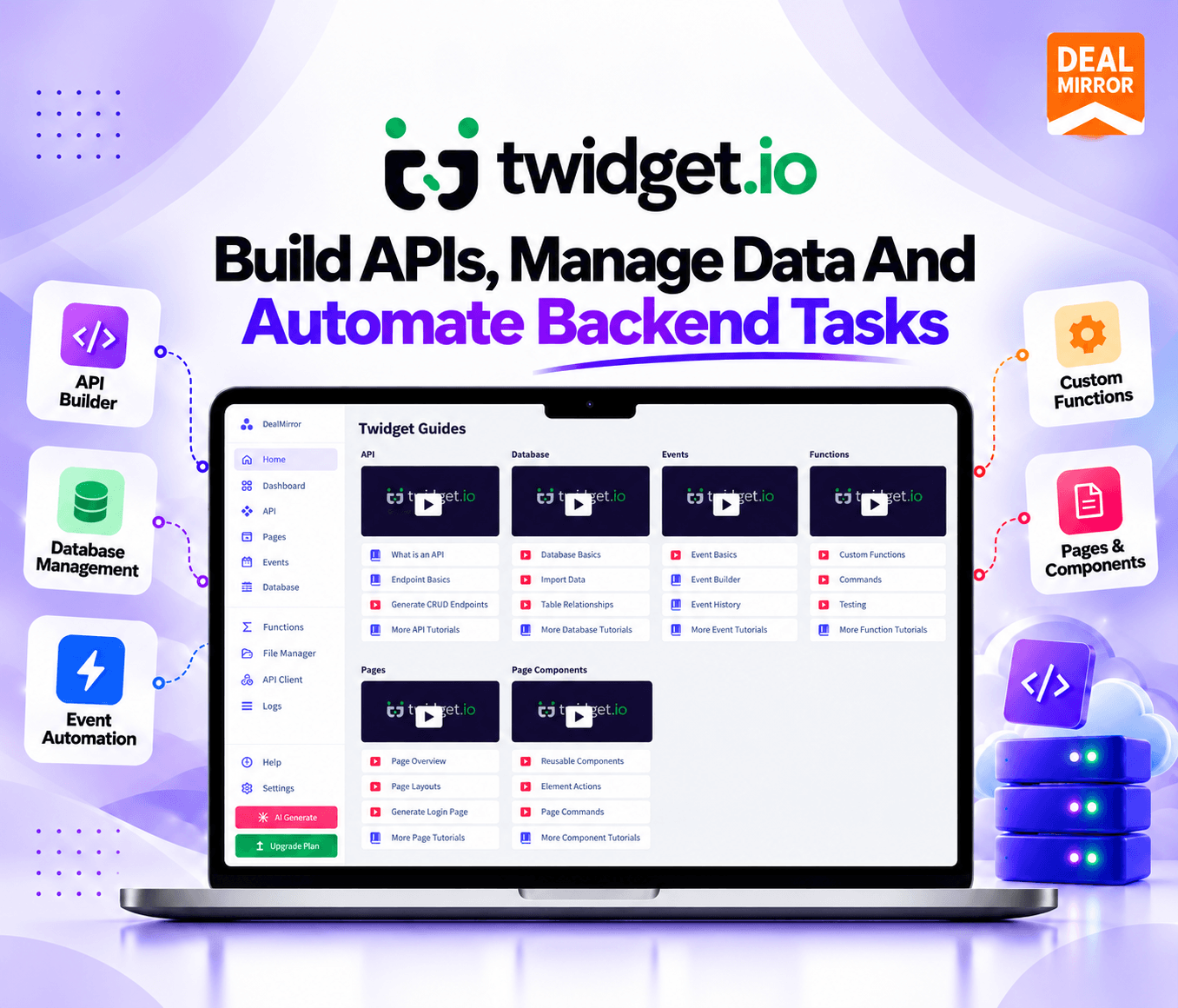
Twidget combines a no-code API builder with managed data storage, file management, authentication, and event scheduling.
Demo Video
Twidget combines a no-code API builder with managed data storage, file management, authentication, and event scheduling.
Dashboard Images
How Twidget Works
Step 1: Create Your Workspace
Sign up for Twidget and organize your project in a workspace.
Step 2: Define Your Backend Requirements
Decide which endpoints, database tables, functions, authentication mechanisms, and events your application needs.
Step 3: Build Your Resources
Use the visual builder to configure backend resources. Where appropriate, use AI-assisted generation to propose an initial structure from a plain-language description.
Step 4: Connect Your Data and Services
Configure your database, file storage, authentication, and external API connections as required by the project.
Step 5: Test Your API
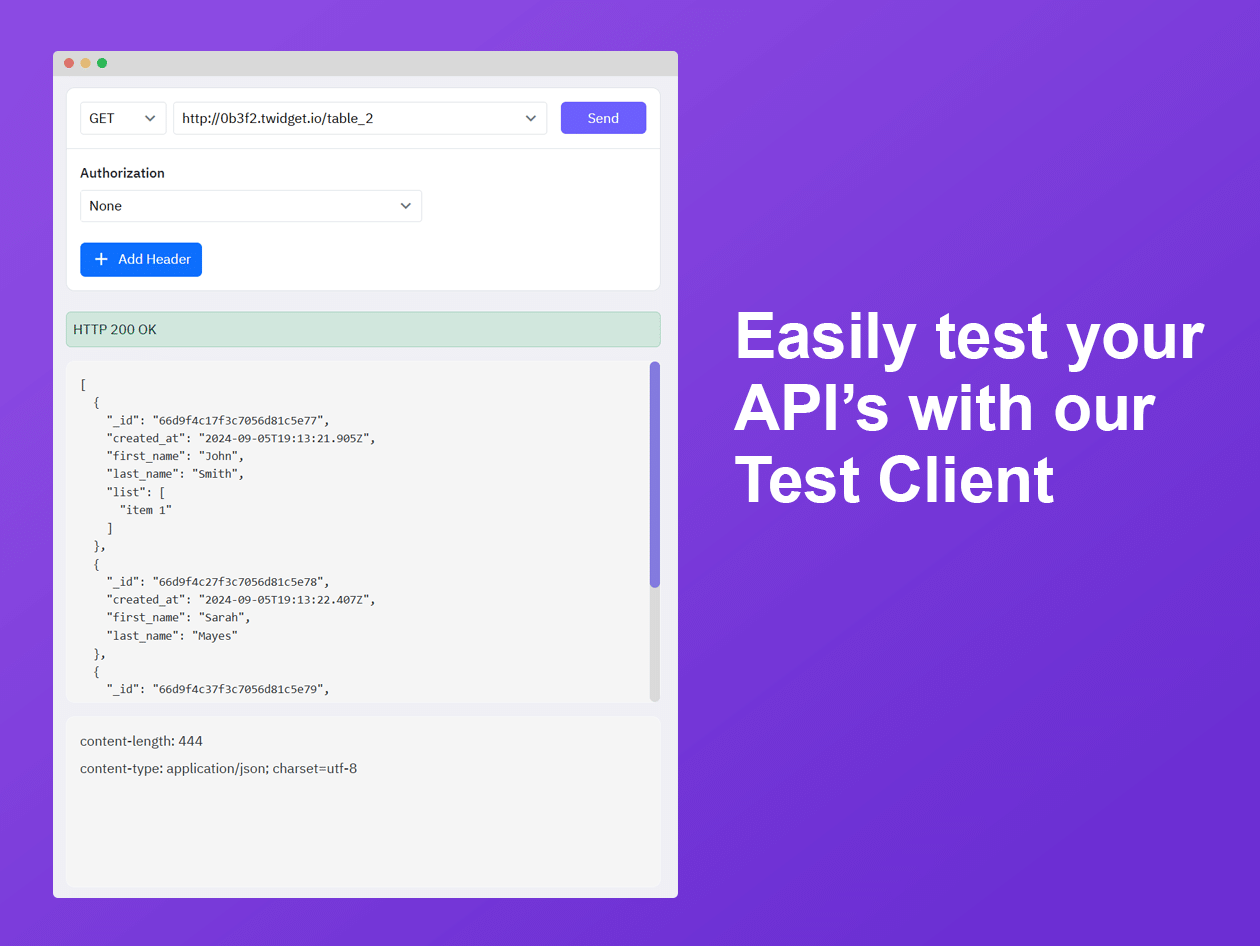
Check endpoints, validate responses, and review your workflow logic before making changes available to users.
Step 6: Publish and Monitor
Publish your changes and monitor relevant usage information. Continue refining the backend as your application grows.
Key Features
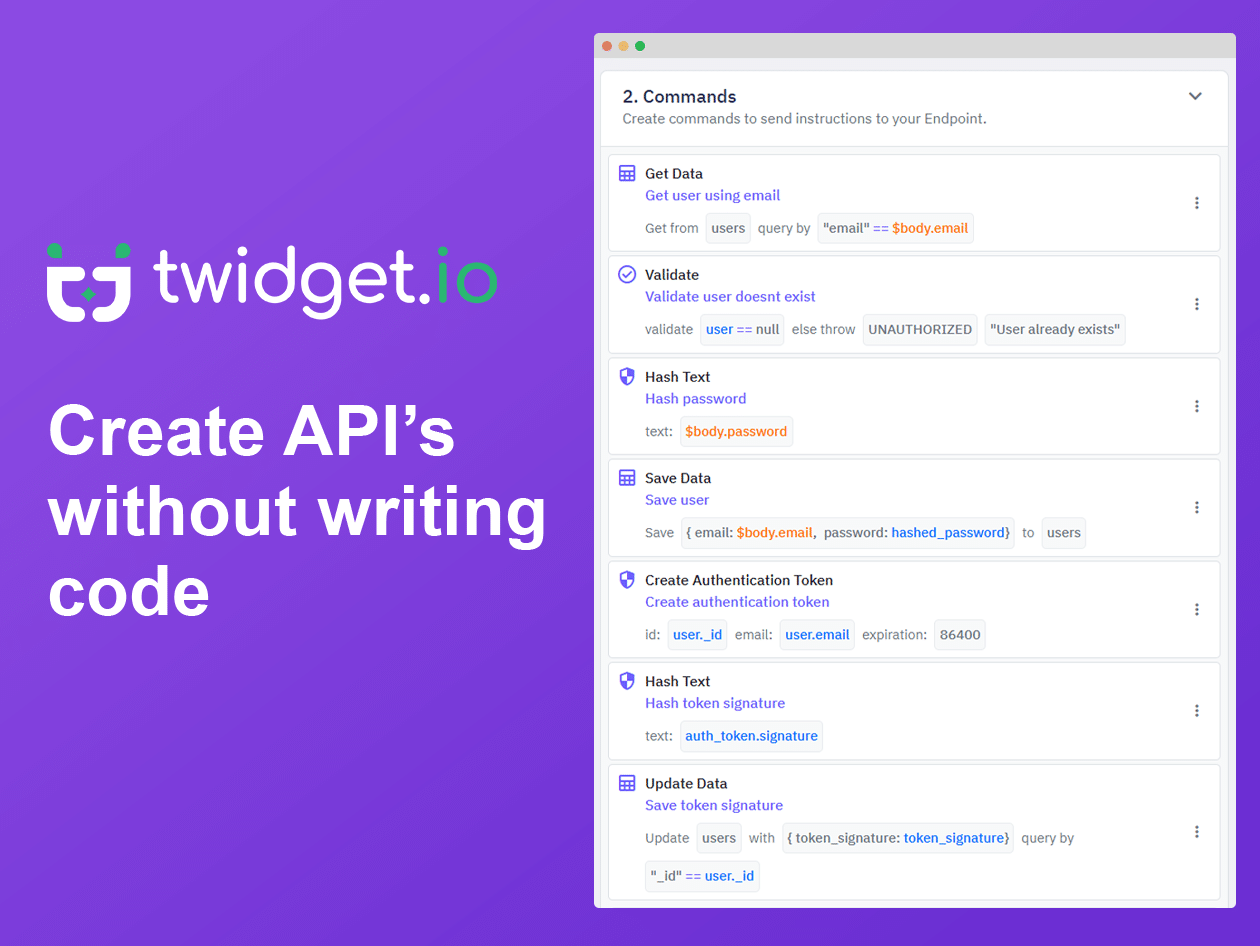
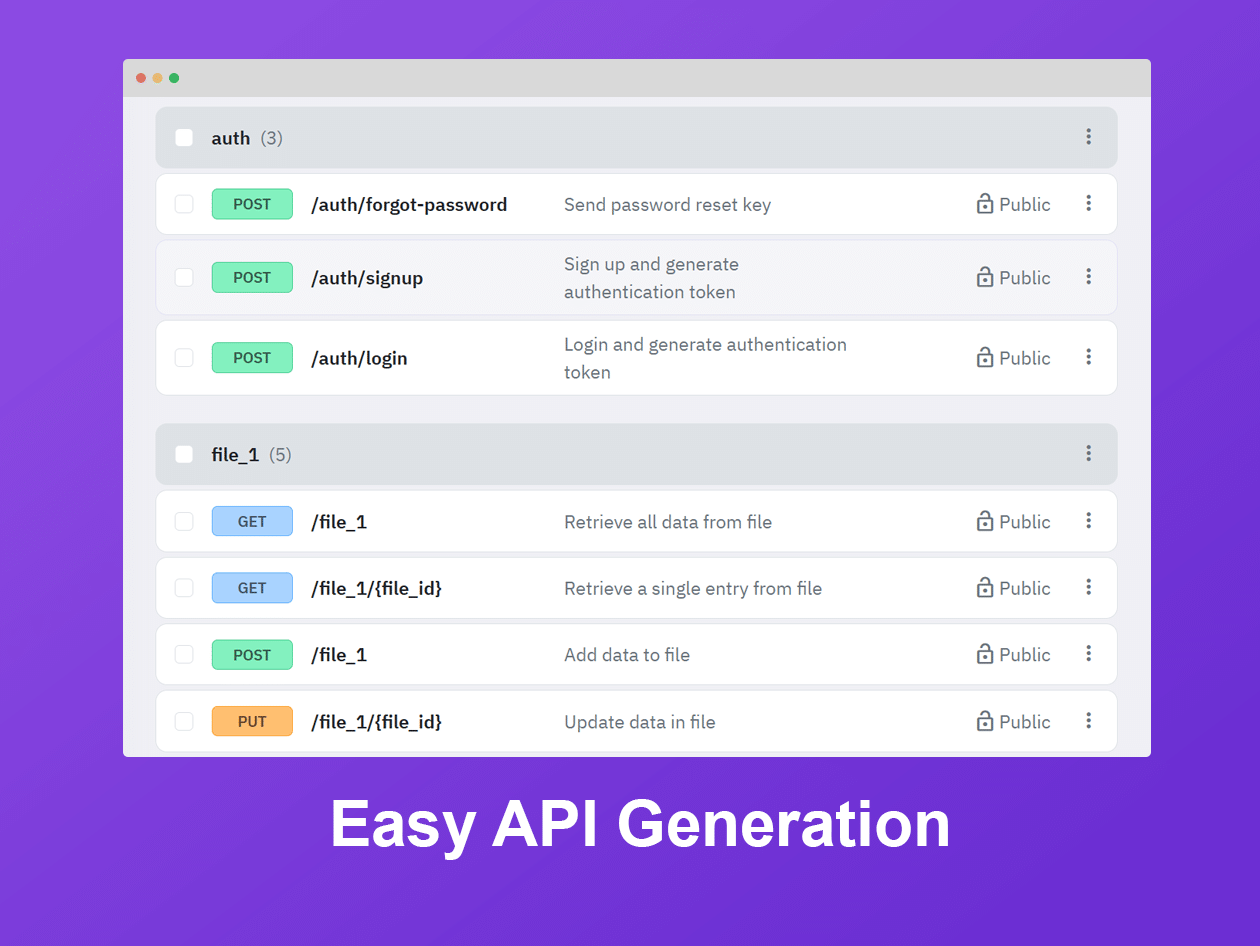
No-Code API Builder: Create and manage API endpoints through a visual interface rather than writing every endpoint from scratch. Configure the logic your application needs and connect backend functionality to your chosen frontend or external services.
Visual Backend Development: Work with backend resources in a structured environment. Twidget helps organize endpoints, functions, data tables, and events so you can develop your application’s logic in one place.
AI-Powered Resource Generation: Describe the backend functionality you want in plain language, and Twidget’s AI generator can propose resources such as API endpoints, database tables, reusable functions, and scheduled events.
AI-Assisted Editing: Twidget’s AI editor can propose changes to supported resources based on your instructions. You can review the proposed edits and decide whether to apply them.
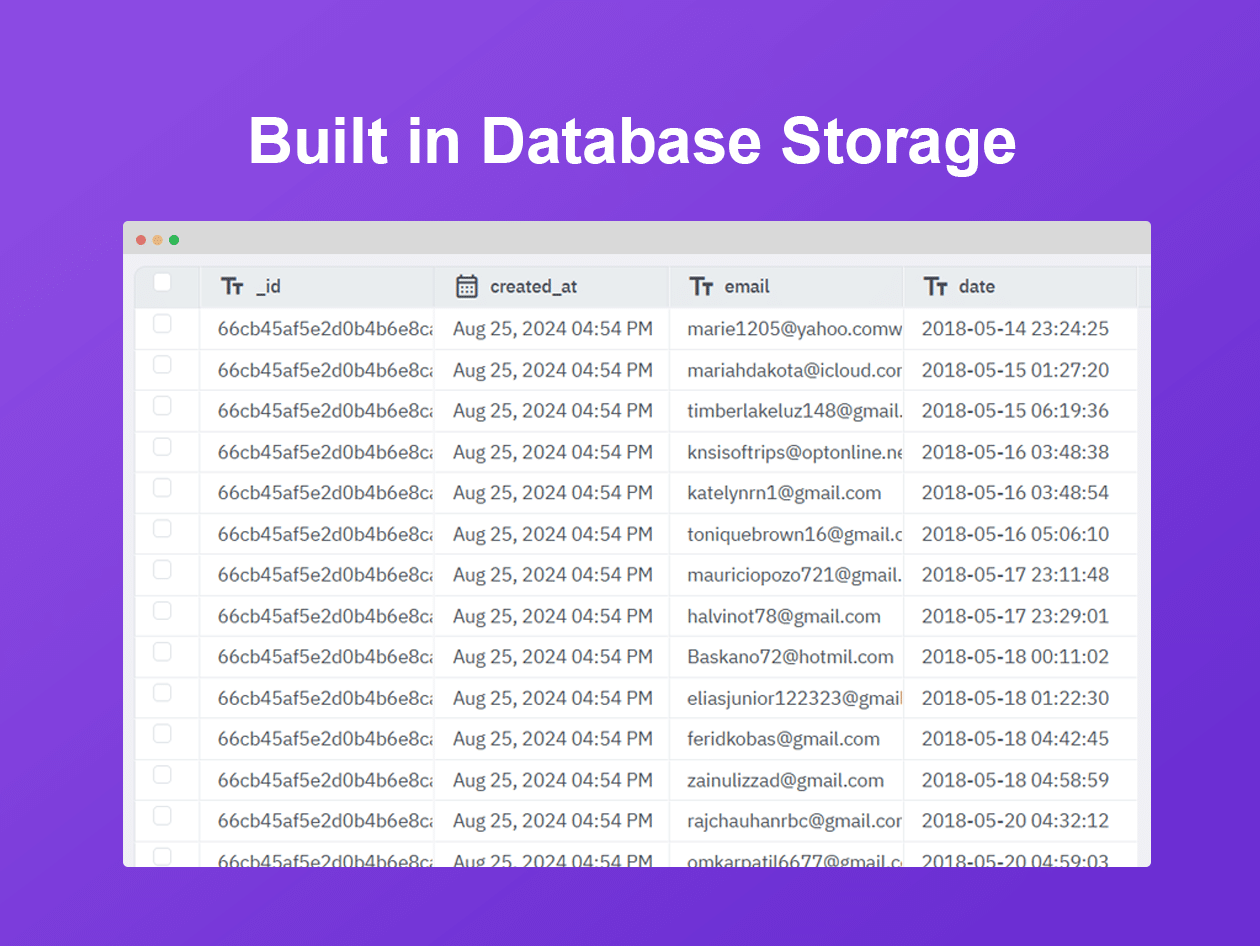
Managed Database: Store and organize application data without setting up a separate database service yourself. Managed data storage can help reduce infrastructure work and keep your application information accessible to the backend resources that use it.
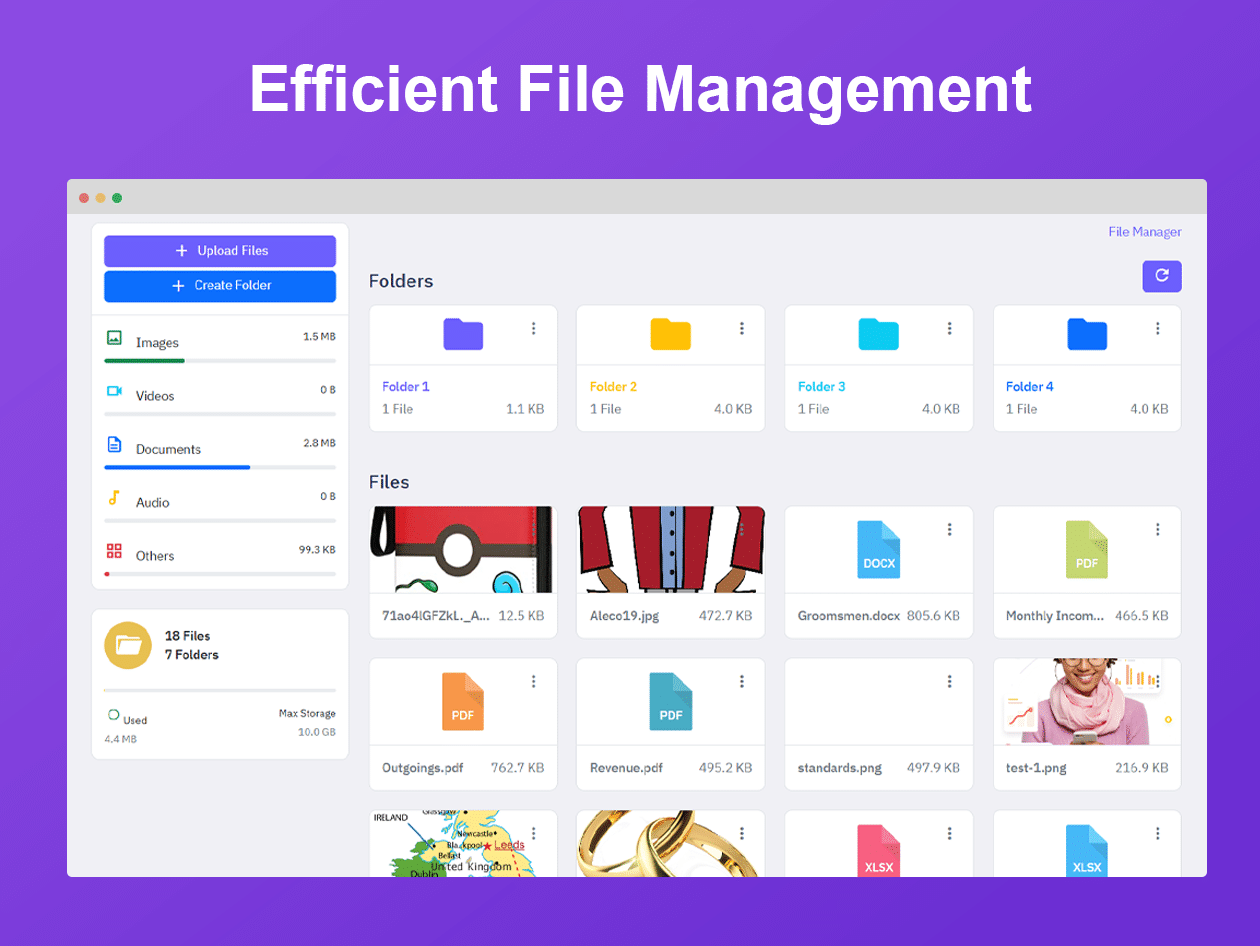
Managed File Storage: Keep files associated with your application in a managed storage environment. This is useful for projects that need to store and retrieve documents, images, or other files.
Built-In Authentication: Add authentication functionality to supported applications and APIs. Built-in authentication can help you manage user access without building every authentication component from scratch.
Scheduled Events and Automation: Create events that run at defined times or trigger supported backend processes. Scheduled tasks can help with recurring maintenance, data processing, reminders, and other routine operations.
Reusable Functions and Workflow Logic: Create reusable functions and combine them with endpoints, data, and events. This helps you organize application logic and reduce the need to recreate the same process in multiple places.
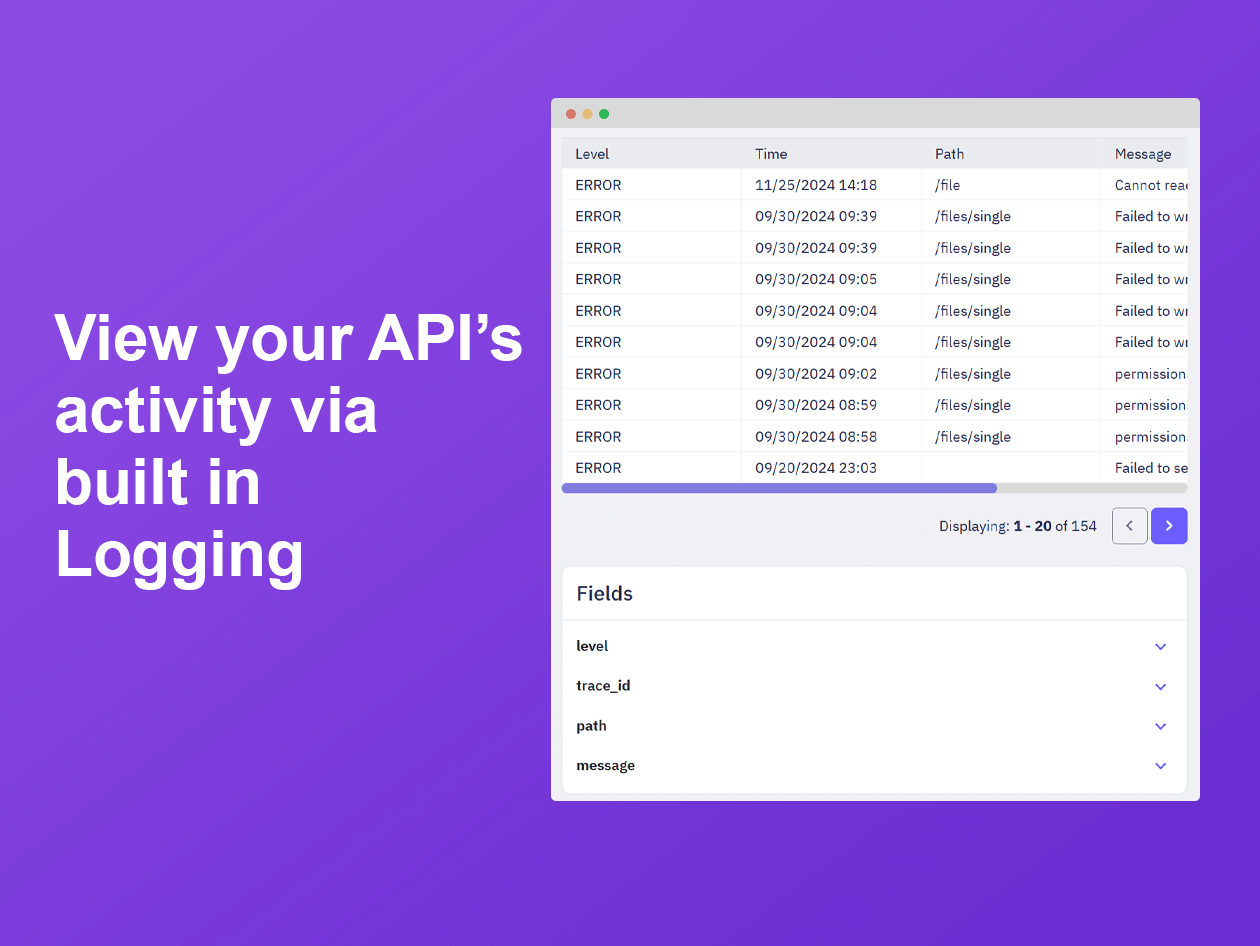
API Testing and Monitoring: Test API behavior and review usage information as part of your development process. Twidget’s platform documentation also describes no-code testing capabilities and dashboards for monitoring API activity.
External API Connections: Connect your backend to compatible external services using HTTP requests and API integrations. This makes it possible to exchange data with other tools and extend your application’s functionality.
Data Import and Export: Import database records from CSV files and export table data when you need to work with your information elsewhere. This can be useful for migrating records, reviewing data, or preparing reports.
Organized Workspaces: Use workspaces to organize development resources and separate projects. Higher-tier plans provide additional workspaces and team seats, depending on the subscription.
Deployment and Development Tools: Twidget provides tools for publishing backend changes and supporting development workflows. Its documentation includes guidance for publishing changes and working with development resources.
Feature availability, usage limits, and storage capacity depend on your Twidget plan.
Use Cases
Entrepreneurs and Startups Founders: Build an early version of your product and test your idea before investing in a larger development setup.
No-Code Builders: Create backend functionality without making traditional programming your only route to development.
Developers: Speed up repetitive backend tasks and use visual tools alongside your existing development workflow.
Small Businesses: Build internal tools and connect business systems without maintaining every backend component independently.
Product Managers: Prototype backend requirements and test application ideas before committing to a full-scale build.
Agencies and Consultants: Explore a practical way to create backend services for suitable client projects.
Build and manage APIs using a visual, no-code development platform
Organize application data with managed databases and file storage
Alternative of Bubble.io, Make.com and Zapier
Best for: Entrepreneurs, developers, startups, and teams building web applications
Twidget Lifetime Deal
Turning an app idea into a working product often means dealing with API development, database setup, file storage, authentication, and server configuration before you can focus on the actual product.
You have an idea for an application. Maybe you want to create a customer portal, launch an MVP, or connect different business systems.
But before your idea becomes a usable product, there is plenty to handle behind the scenes. APIs need to be configured, data needs a place to live, authentication must be set up, and routine tasks need to run reliably.
These technical requirements can slow down development, especially for small teams that don’t have the time or resources to manage every part of their infrastructure.
Twidget helps simplify that process. It gives you a visual environment to build APIs, manage backend resources, create scheduled events, and connect data without having to set up every infrastructure component yourself.
Twidget is designed to reduce that workload by bringing essential backend development tools into one platform.
Whether you’re testing a startup idea, building an MVP, or creating internal business tools, Twidget provides a practical starting point for developing and managing your application’s backend.
Twidget combines a no-code API builder with managed data storage, file management, authentication, and event scheduling.
Demo Video
Twidget combines a no-code API builder with managed data storage, file management, authentication, and event scheduling.
Dashboard Images
How Twidget Works
Step 1: Create Your Workspace
Sign up for Twidget and organize your project in a workspace.
Step 2: Define Your Backend Requirements
Decide which endpoints, database tables, functions, authentication mechanisms, and events your application needs.
Step 3: Build Your Resources
Use the visual builder to configure backend resources. Where appropriate, use AI-assisted generation to propose an initial structure from a plain-language description.
Step 4: Connect Your Data and Services
Configure your database, file storage, authentication, and external API connections as required by the project.
Step 5: Test Your API
Check endpoints, validate responses, and review your workflow logic before making changes available to users.
Step 6: Publish and Monitor
Publish your changes and monitor relevant usage information. Continue refining the backend as your application grows.
Key Features
No-Code API Builder: Create and manage API endpoints through a visual interface rather than writing every endpoint from scratch. Configure the logic your application needs and connect backend functionality to your chosen frontend or external services.
Visual Backend Development: Work with backend resources in a structured environment. Twidget helps organize endpoints, functions, data tables, and events so you can develop your application’s logic in one place.
AI-Powered Resource Generation: Describe the backend functionality you want in plain language, and Twidget’s AI generator can propose resources such as API endpoints, database tables, reusable functions, and scheduled events.
AI-Assisted Editing: Twidget’s AI editor can propose changes to supported resources based on your instructions. You can review the proposed edits and decide whether to apply them.
Managed Database: Store and organize application data without setting up a separate database service yourself. Managed data storage can help reduce infrastructure work and keep your application information accessible to the backend resources that use it.
Managed File Storage: Keep files associated with your application in a managed storage environment. This is useful for projects that need to store and retrieve documents, images, or other files.
Built-In Authentication: Add authentication functionality to supported applications and APIs. Built-in authentication can help you manage user access without building every authentication component from scratch.
Scheduled Events and Automation: Create events that run at defined times or trigger supported backend processes. Scheduled tasks can help with recurring maintenance, data processing, reminders, and other routine operations.
Reusable Functions and Workflow Logic: Create reusable functions and combine them with endpoints, data, and events. This helps you organize application logic and reduce the need to recreate the same process in multiple places.
API Testing and Monitoring: Test API behavior and review usage information as part of your development process. Twidget’s platform documentation also describes no-code testing capabilities and dashboards for monitoring API activity.
External API Connections: Connect your backend to compatible external services using HTTP requests and API integrations. This makes it possible to exchange data with other tools and extend your application’s functionality.
Data Import and Export: Import database records from CSV files and export table data when you need to work with your information elsewhere. This can be useful for migrating records, reviewing data, or preparing reports.
Organized Workspaces: Use workspaces to organize development resources and separate projects. Higher-tier plans provide additional workspaces and team seats, depending on the subscription.
Deployment and Development Tools: Twidget provides tools for publishing backend changes and supporting development workflows. Its documentation includes guidance for publishing changes and working with development resources.
Feature availability, usage limits, and storage capacity depend on your Twidget plan.
Use Cases
Entrepreneurs and Startups Founders: Build an early version of your product and test your idea before investing in a larger development setup.
No-Code Builders: Create backend functionality without making traditional programming your only route to development.
Developers: Speed up repetitive backend tasks and use visual tools alongside your existing development workflow.
Small Businesses: Build internal tools and connect business systems without maintaining every backend component independently.
Product Managers: Prototype backend requirements and test application ideas before committing to a full-scale build.
Agencies and Consultants: Explore a practical way to create backend services for suitable client projects.
A: The sky is the limit when using Twidget. That’s the beauty of a highly customizable and easy-to-use development platform. You can build your online business marketplace, create an app prototype, connect third-party APIs, track and measure performance, and so much more. Of course, you’ll also be saving time and money by centralizing your site’s needs onto one platform.
Q: 3. What are the benefits of using Twidget?
A: We’ve brought site development to the masses by lowering the barrier to entry. You don’t need to know how to write code to get started, and you save money on developers by building it all yourself. If you are a developer, our site’s seamless integration and intuitive design will save you time. Plus, our enhanced safety measures like authentication and secure web hosting provide you with peace of mind.
Q: 4. Who can use Twidget?
A: Our no-code development platform uses simple, user-friendly features that are perfect for beginners. But don’t let this accessibility fool you; we are bonafide experts at site-building. Our expertise means we also know what skilled developers are looking for in application development. Regardless of your technical knowledge or experience, you can use Twidget.
Q: 5. How easy is Twidget to use?
A: Twidget is designed to be user-friendly and easy to use. It provides a straightforward interface and intuitive tools that simplify the process of creating applications and automation workflows without the need for coding. With Twidget, users can expect a seamless experience with pre-built templates and a variety of pre-configured components and integrations. Twidget aims to make software development accessible to individuals without extensive technical expertise, allowing them to quickly bring their ideas to life and build functional solutions.
Q: 6.What if I need help while using Twidget?
A: We have made it our mission to create a platform that is accessible to all users. We believe a lack of technical knowledge shouldn’t stop you from reaching your development goals. If you are having difficulty with a feature of our platform or have questions while building your site, please let us know. We value every opportunity to make Twidget easier to use.
Reviews
Reviews
There are no reviews yet.
Be the first to review “Twidget: Automate Backend Workflows Without Code” Cancel reply



Reviews
There are no reviews yet.