Home » Store » OptimusDesk: All-in-One Small Business CRM, Scheduling & Job Management Software
OptimusDesk: All-in-One Small Business CRM, Scheduling & Job Management Software
TL;DR
Manage customers, projects, appointments, quotes, and tasks from one workspace
Use AI assistant Pip to draft quotes, organize work, and prepare next steps
Simplify scheduling, customer communication, time tracking, and business operations
Best for contractors, local service businesses, consultants, and independent professionals
OptimusDesk Lifetime Deal
Keeping customer details in one place, appointments in another, quotes in separate documents, and job updates across messages can make daily work harder than it needs to be.
Important follow-ups get missed, teams lose track of tasks, and managing the business starts taking time away from serving customers.
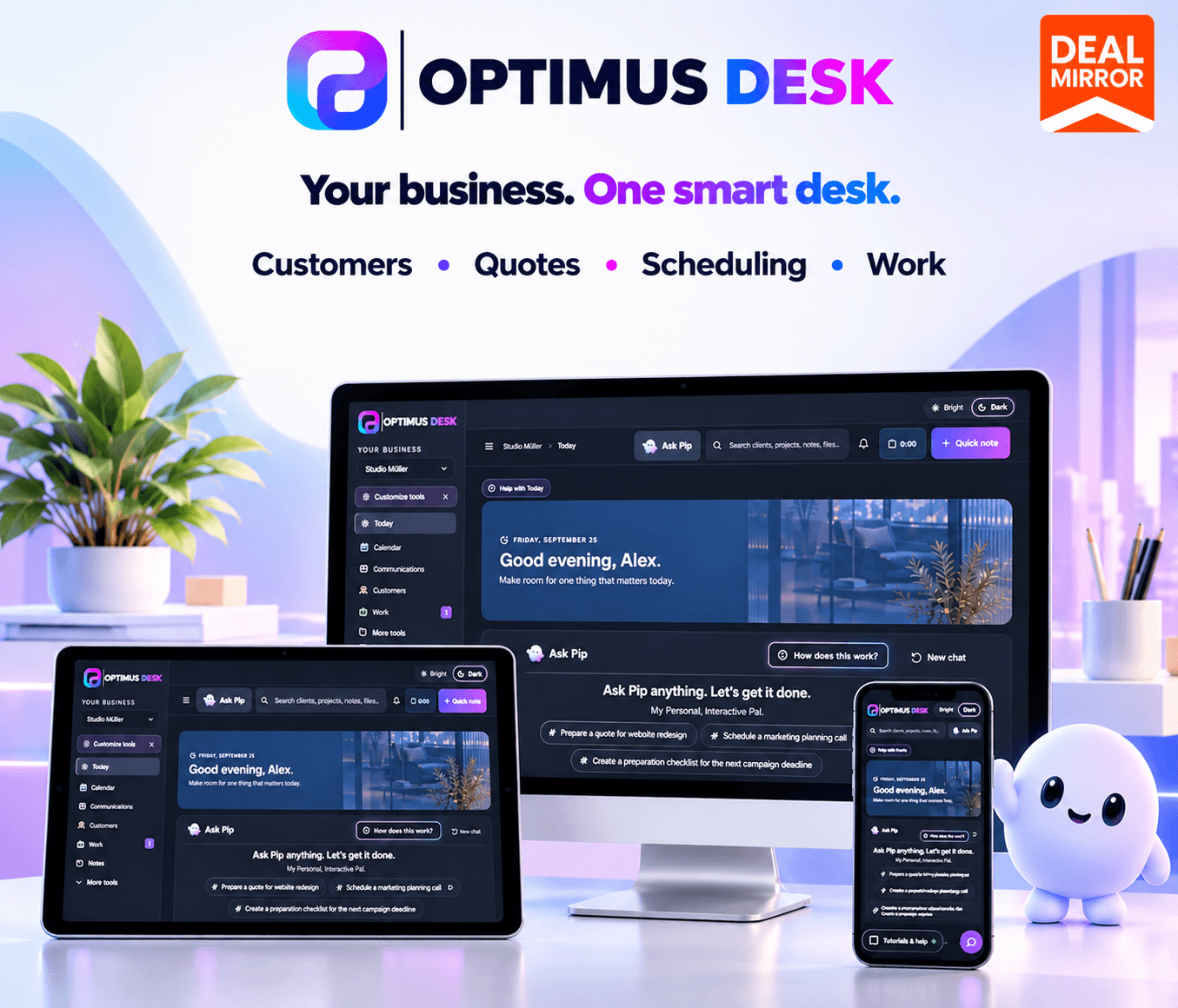
OptimusDesk brings essential small-business operations into one connected workspace. It combines customer relationship management (CRM), scheduling, job management, quotes, agreements, communication, time tracking, and reporting to help businesses manage work from the first inquiry through completion.
It also includes Pip, an AI assistant that can help draft quotes, prepare messages, summarize information, create checklists, and organize next steps. Instead of constantly switching between tools, you can keep more of your business information connected and easier to manage.
Manage customers, quotes, agreements, scheduling, and daily work in one connected workspace.
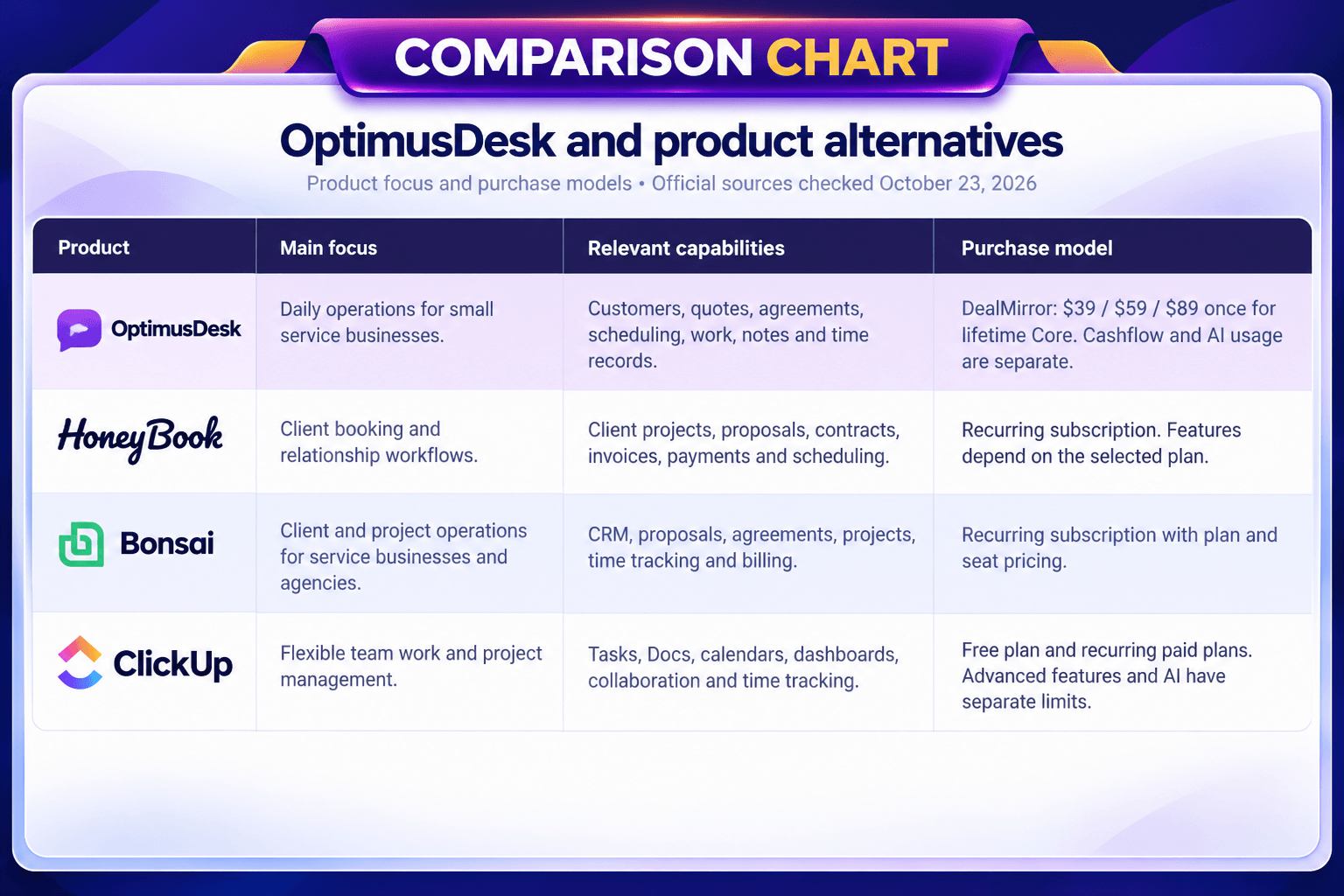
OptimusDesk gives solo operators and small service teams a practical place to organize the business, with lifetime Core access through DealMirror.
How OptimusDesk Works
Create your workspace: First you have to create your workspace.
Set up your tools: Configure the workspace around the customer records, jobs, appointments, and workflows you use.
Add customers and projects: Create records or use the supported guided import flow for existing customer and project information.
Manage daily operations: Schedule appointments, prepare quotes, assign tasks, track work, and organize follow-ups.
Use Pip when needed: Ask the AI assistant to help prepare drafts, summaries, checklists, or suggested next steps.
Add more capabilities: Explore Cashflow for invoicing and payment tracking or Social for business content planning and publishing.
Demo Video
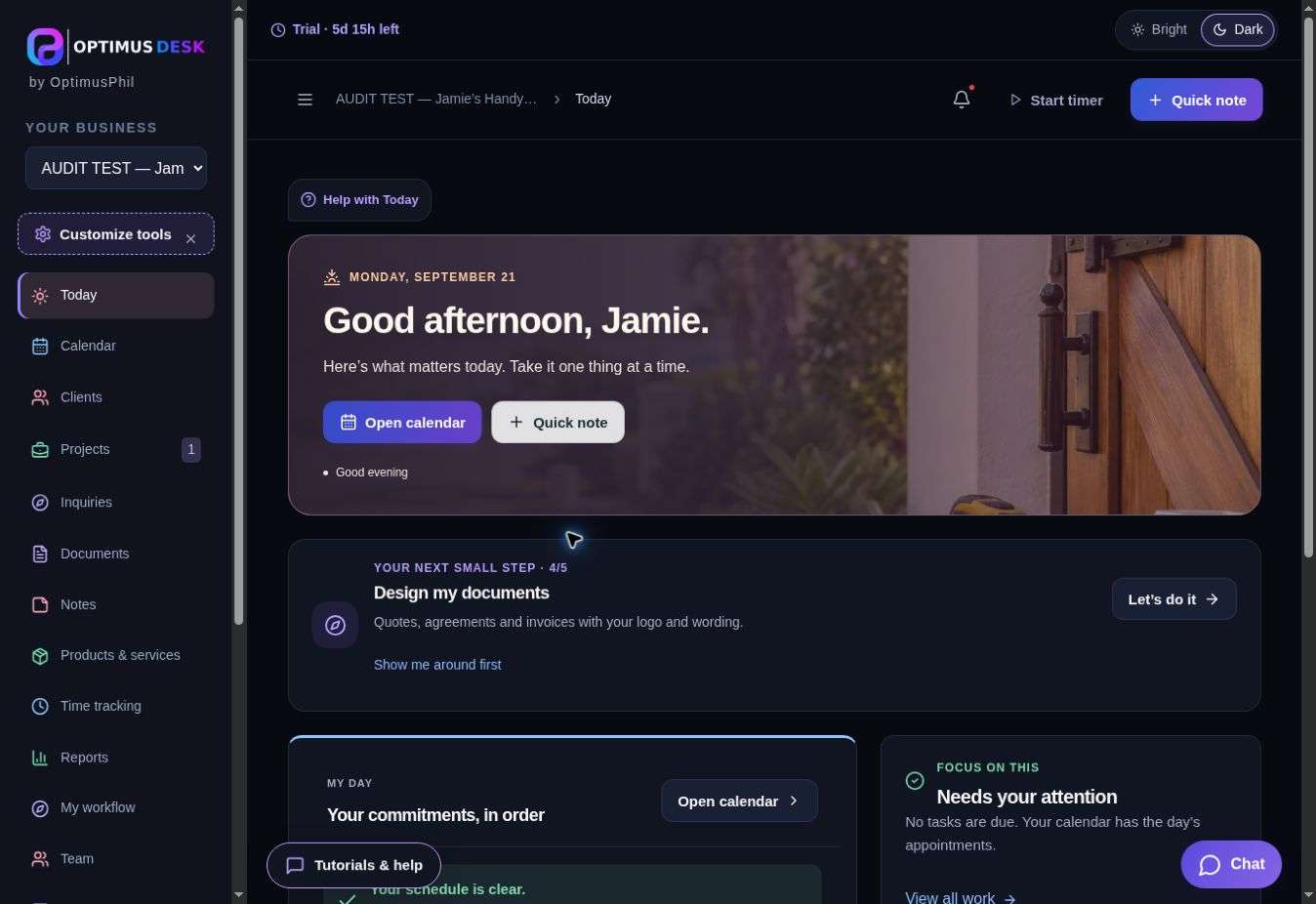
Dashboard Image
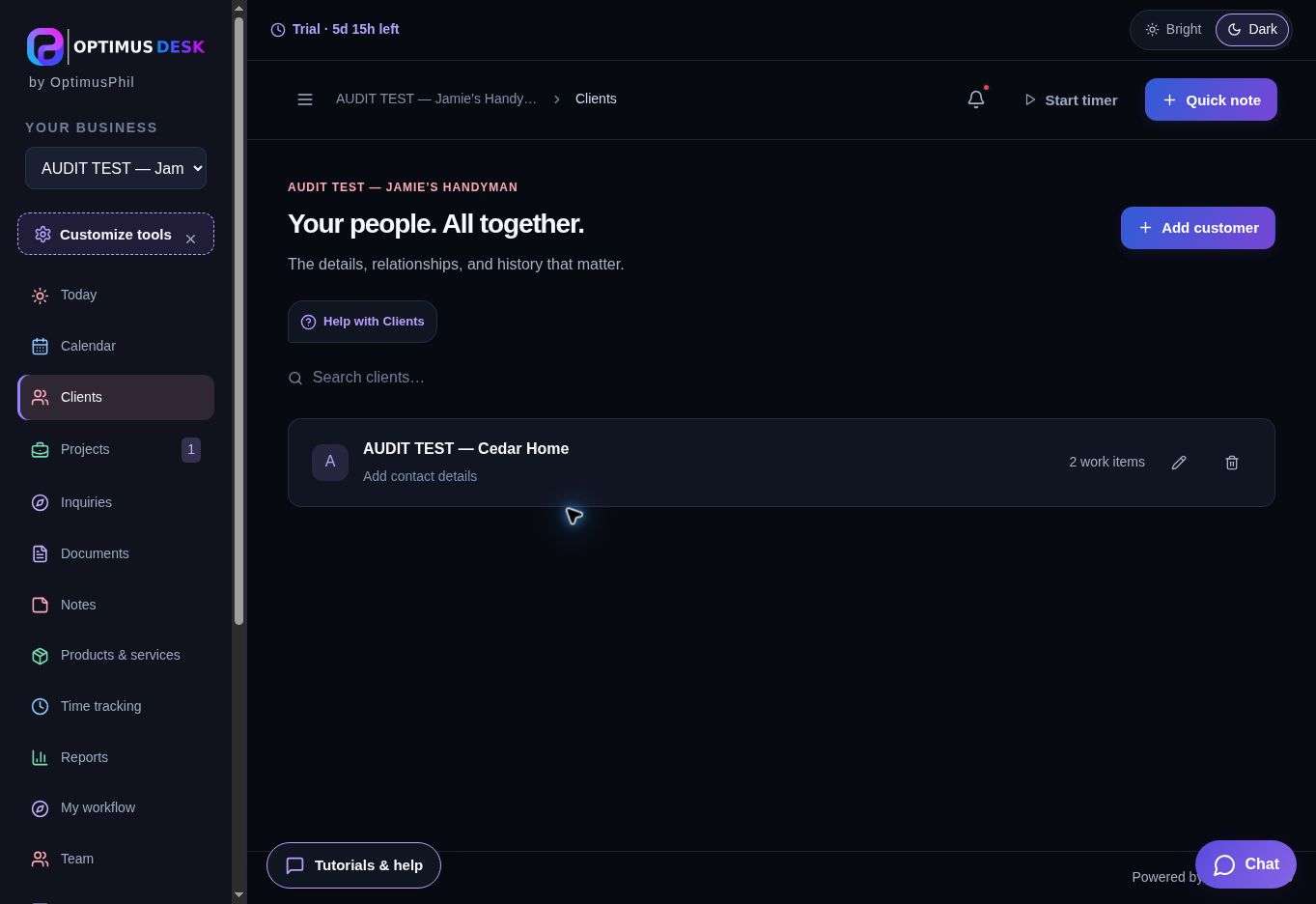
Clients
Key Features
1. Customer Relationship Management (CRM)
Keep customer contact details, service locations, conversations, notes, documents, and work history together. Quickly find relevant information and understand the context before following up with a customer.
2. Project and Job Management
Organize projects, service jobs, tasks, deadlines, and recurring work. Track progress and keep important details connected to the customer and the work being completed.
3. Appointment Scheduling and Online Booking
Manage appointments through a connected calendar and create a public booking page that customers can use to select available times. Keep appointments, reminders, and upcoming work visible in one place.
4. Quotes and Agreements
Prepare branded quotes and agreements, manage revisions, collect online signatures, and convert accepted quotes into connected jobs or projects. Reduce repeated data entry between the sales and delivery stages.
5. AI Assistant Pip
Use Pip to help draft messages, prepare quotes, summarize work, build checklists, and suggest next steps. You can interact with the assistant by typing or speaking, while reviewing its suggestions before using them.
6. Invoicing and Payment Tracking with Cashflow
The optional Cashflow add-on provides branded invoices, tax and currency settings, payment records, outstanding balance tracking, and collection reports. Supported integrations include Stripe and QuickBooks Online.
7. Customer Communication and Follow-Ups
Keep emails, messages, reminders, meetings, notes, and follow-up tasks connected to customer records and ongoing work. This makes it easier to see what has been discussed and what needs attention next.
8. Time Tracking and Reports
Record working time with persistent timers, review time records, and use working-time reports and exports to understand how work is progressing.
9. Social Media Planning and Publishing
The optional social add-on helps you prepare, edit, and schedule business posts for Facebook Pages, professional Instagram accounts, and Google Business Profile. It also provides AI-assisted captions and image generation through a credit-based system.
10. Desktop, Tablet, and Mobile Access
Access your workspace across desktop, tablet, and mobile devices. Keep customer information, appointments, tasks, and business details accessible while working in the office or visiting a job site.
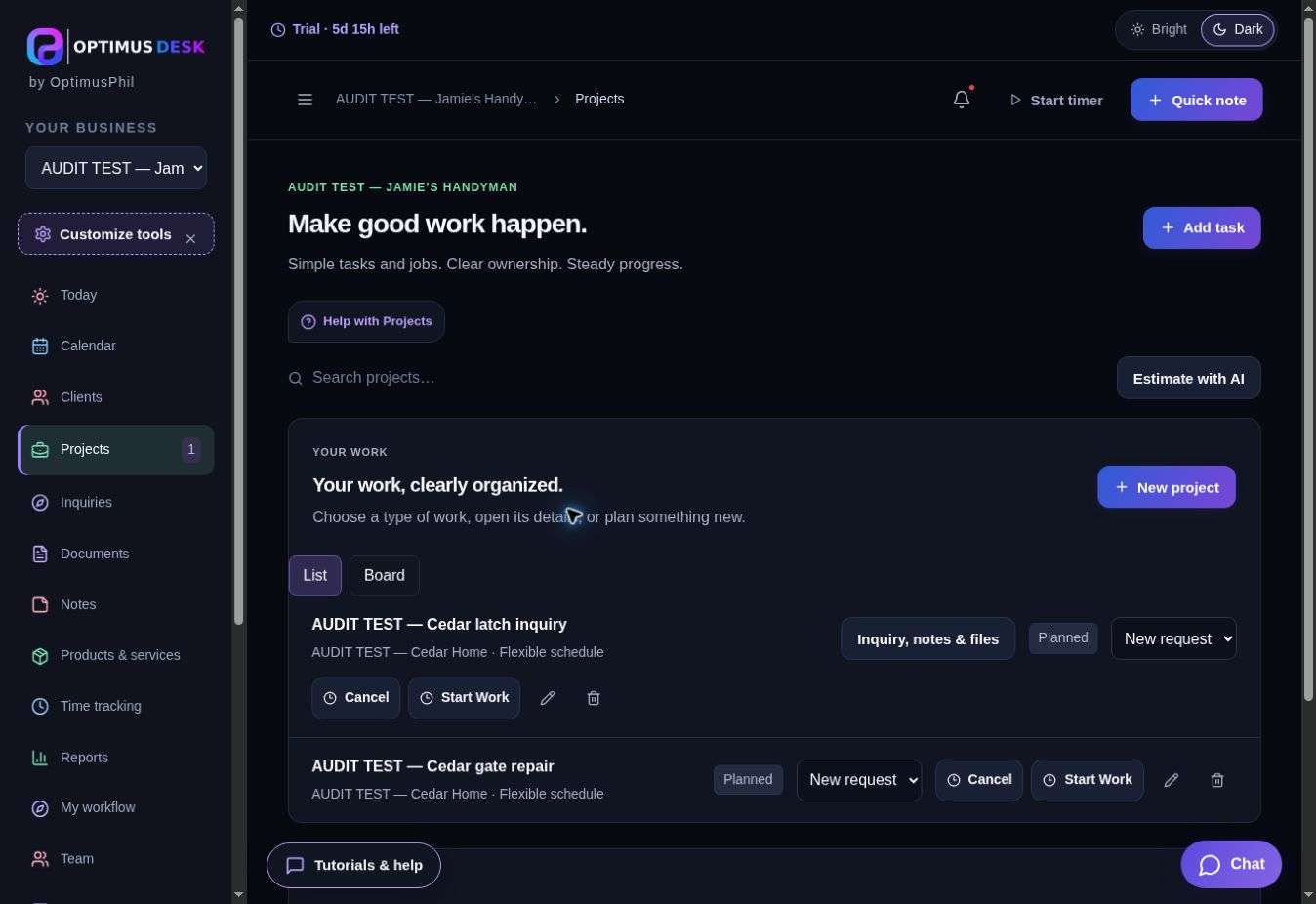
Projects
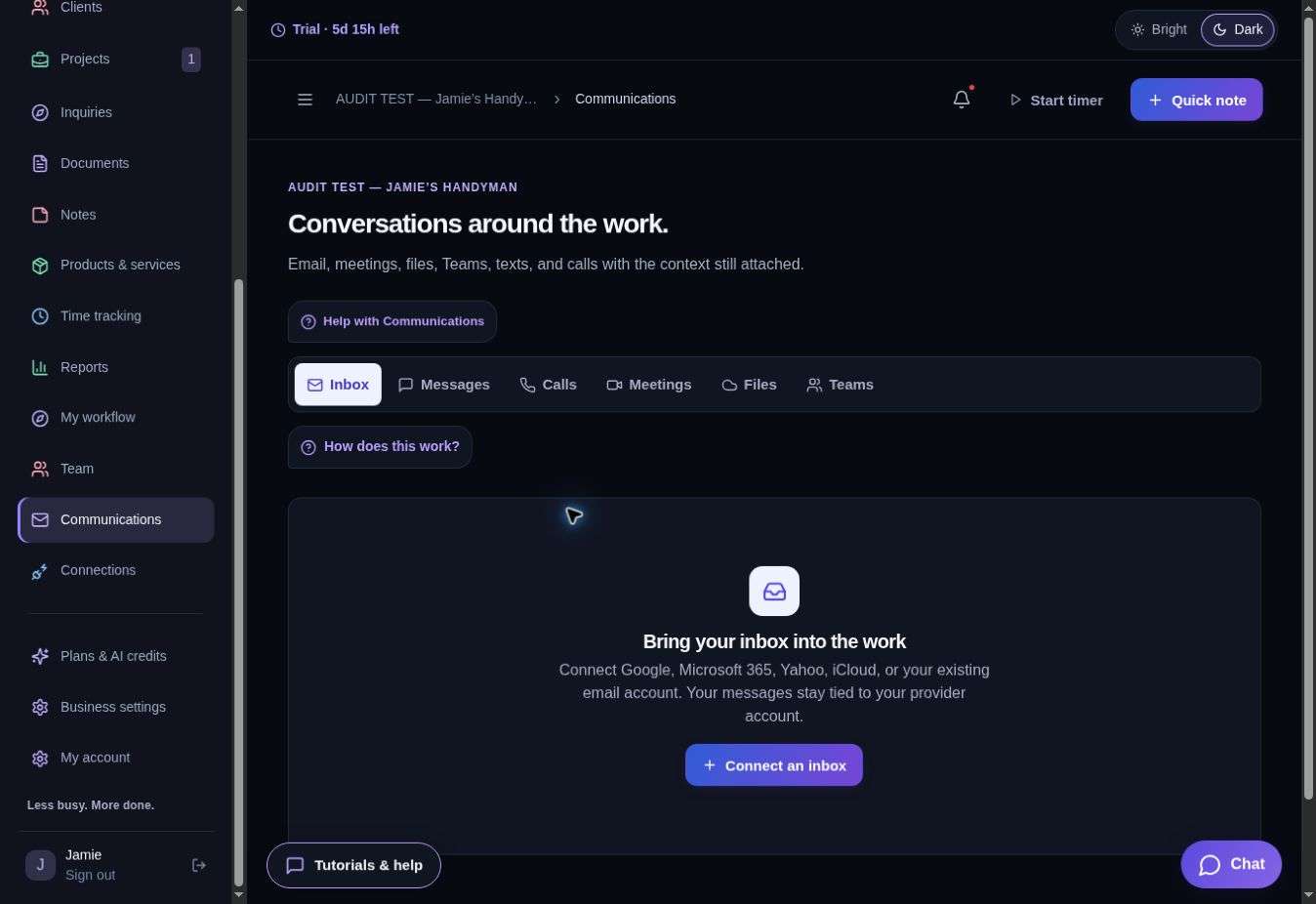
Communications
Use Cases
Cleaning and property services: Keep the customer, property notes, and scope together. Prepare a quote, schedule the visit, assign the work, and record completion notes. Use a follow-up task for any additional work the customer requests. Invoicing and collection require cash flow.
Trades and local contractors: Capture a new inquiry, document the job requirements, and prepare a quote and agreement. Keep site visits and work tasks visible in the calendar and job record so the team can see what comes next.
Consultants and creative freelancers: Keep the client brief, proposal, agreement, meeting dates, and delivery tasks in one workspace. Record time and notes against the work and use them when preparing a non-payment client report.
Small service teams: An owner and one or two colleagues can share customer context and track assigned work within the two-user or three-user tier. Keep appointments and follow-ups visible without handing customer history around in separate notes.
Example journey: A new customer requests a service. You save the customer record, prepare a quote, review the agreement, schedule the work, and assign the next task. After the visit, you capture notes and time, update progress, and arrange the follow-up. The customer record keeps that work connected.
Deal Terms:
Length of access: Lifetime
Redemption deadline: 60 days from purchase
30 Days Money Back Guarantee (For Non-Prime Members/Regular Users).
Manage customers, projects, appointments, quotes, and tasks from one workspace
Use AI assistant Pip to draft quotes, organize work, and prepare next steps
Simplify scheduling, customer communication, time tracking, and business operations
Best for contractors, local service businesses, consultants, and independent professionals
OptimusDesk Lifetime Deal
Keeping customer details in one place, appointments in another, quotes in separate documents, and job updates across messages can make daily work harder than it needs to be.
Important follow-ups get missed, teams lose track of tasks, and managing the business starts taking time away from serving customers.
OptimusDesk brings essential small-business operations into one connected workspace. It combines customer relationship management (CRM), scheduling, job management, quotes, agreements, communication, time tracking, and reporting to help businesses manage work from the first inquiry through completion.
It also includes Pip, an AI assistant that can help draft quotes, prepare messages, summarize information, create checklists, and organize next steps. Instead of constantly switching between tools, you can keep more of your business information connected and easier to manage.
Manage customers, quotes, agreements, scheduling, and daily work in one connected workspace.
OptimusDesk gives solo operators and small service teams a practical place to organize the business, with lifetime Core access through DealMirror.
How OptimusDesk Works
Create your workspace: First you have to create your workspace.
Set up your tools: Configure the workspace around the customer records, jobs, appointments, and workflows you use.
Add customers and projects: Create records or use the supported guided import flow for existing customer and project information.
Manage daily operations: Schedule appointments, prepare quotes, assign tasks, track work, and organize follow-ups.
Use Pip when needed: Ask the AI assistant to help prepare drafts, summaries, checklists, or suggested next steps.
Add more capabilities: Explore Cashflow for invoicing and payment tracking or Social for business content planning and publishing.
Demo Video
Dashboard Image
Clients
Key Features
1. Customer Relationship Management (CRM)
Keep customer contact details, service locations, conversations, notes, documents, and work history together. Quickly find relevant information and understand the context before following up with a customer.
2. Project and Job Management
Organize projects, service jobs, tasks, deadlines, and recurring work. Track progress and keep important details connected to the customer and the work being completed.
3. Appointment Scheduling and Online Booking
Manage appointments through a connected calendar and create a public booking page that customers can use to select available times. Keep appointments, reminders, and upcoming work visible in one place.
4. Quotes and Agreements
Prepare branded quotes and agreements, manage revisions, collect online signatures, and convert accepted quotes into connected jobs or projects. Reduce repeated data entry between the sales and delivery stages.
5. AI Assistant Pip
Use Pip to help draft messages, prepare quotes, summarize work, build checklists, and suggest next steps. You can interact with the assistant by typing or speaking, while reviewing its suggestions before using them.
6. Invoicing and Payment Tracking with Cashflow
The optional Cashflow add-on provides branded invoices, tax and currency settings, payment records, outstanding balance tracking, and collection reports. Supported integrations include Stripe and QuickBooks Online.
7. Customer Communication and Follow-Ups
Keep emails, messages, reminders, meetings, notes, and follow-up tasks connected to customer records and ongoing work. This makes it easier to see what has been discussed and what needs attention next.
8. Time Tracking and Reports
Record working time with persistent timers, review time records, and use working-time reports and exports to understand how work is progressing.
9. Social Media Planning and Publishing
The optional social add-on helps you prepare, edit, and schedule business posts for Facebook Pages, professional Instagram accounts, and Google Business Profile. It also provides AI-assisted captions and image generation through a credit-based system.
10. Desktop, Tablet, and Mobile Access
Access your workspace across desktop, tablet, and mobile devices. Keep customer information, appointments, tasks, and business details accessible while working in the office or visiting a job site.
Projects
Communications
Use Cases
Cleaning and property services: Keep the customer, property notes, and scope together. Prepare a quote, schedule the visit, assign the work, and record completion notes. Use a follow-up task for any additional work the customer requests. Invoicing and collection require cash flow.
Trades and local contractors: Capture a new inquiry, document the job requirements, and prepare a quote and agreement. Keep site visits and work tasks visible in the calendar and job record so the team can see what comes next.
Consultants and creative freelancers: Keep the client brief, proposal, agreement, meeting dates, and delivery tasks in one workspace. Record time and notes against the work and use them when preparing a non-payment client report.
Small service teams: An owner and one or two colleagues can share customer context and track assigned work within the two-user or three-user tier. Keep appointments and follow-ups visible without handing customer history around in separate notes.
Example journey: A new customer requests a service. You save the customer record, prepare a quote, review the agreement, schedule the work, and assign the next task. After the visit, you capture notes and time, update progress, and arrange the follow-up. The customer record keeps that work connected.
Deal Terms:
Length of access: Lifetime
Redemption deadline: 60 days from purchase
30 Days Money Back Guarantee (For Non-Prime Members/Regular Users).
My goal with OptimusDesk is to make the daily work of running a small business easier to organize. Customer details, quotes, appointments, and the next task all belong to the same story. I want the workspace to keep that context close, so business owners can focus on the work in front of them.
OptimusDesk brings those everyday tools together, and Pip is there when a little help with a draft, checklist, or plan would be useful. You stay in control of what gets used and sent.
With this DealMirror offer, you can choose lifetime Core access for a solo business or a small team. We have kept the boundaries clear: AI usage and paid add-ons are separate, so you can decide what makes sense for your business.
I would love to hear which workflows help you most and where the product can become clearer. Practical feedback from people using it in their own businesses will help shape what we improve next.
Thank you for taking a look at OptimusDesk.
Philipp-Marvin Mueller
Founder, OptimusDesk
A: OptimusDesk is a small-business management platform that combines customer management, scheduling, job and project tracking, quotes, agreements, communication, and reporting in one workspace.
Q: 3. What is Pip?
A: Pip is OptimusDesk’s AI assistant. It can help draft messages and quotes, summarize work, prepare checklists, and suggest next steps. You review its suggestions before using them.
Q: 4. Can customers book appointments online?
A: Yes. You can configure a public booking page, set available appointment types and times, and share the booking link with customers.
Q: 5. Can I import existing customer records?
A: Yes. The support documentation describes a guided import flow for customer and project information, including CSV-based data mapping.
Q: 6. Does OptimusDesk include invoicing?
A: Invoicing and payment tracking are provided through the Cashflow add-on and are also included in the Complete plan when available. Check the current pricing page for plan availability.
Q: 7. Can I manage social media posts?
A: Yes. The optional social add-on supports preparing and scheduling business posts for Facebook Pages, professional Instagram accounts, and Google Business Profile.
Q: 8. Can I use OptimusDesk on mobile devices?
A: Yes. OptimusDesk supports desktop, tablet, and mobile access and offers companion mobile apps.
Q: 9. Is OptimusDesk suitable for contractors and local service businesses?
A: Yes. The platform specifically highlights workflows for painting, landscaping, plumbing, electrical, HVAC, pool service, cleaning, and other customer-facing businesses.
Reviews
Reviews
There are no reviews yet.
Be the first to review “OptimusDesk: All-in-One Small Business CRM, Scheduling & Job Management Software” Cancel reply



Reviews
There are no reviews yet.