Home » Store » NotePeel Pro: The Ultimate Sticky Note App
NotePeel Pro: The Ultimate Sticky Note App
TL;DR
Instant note capturing with no save button required.
Nine starter templates for any creative project.
Visual thinking and organizing for innovators.
Alternative: Microsoft OneNote provides structured note-taking.
NotePeel Pro Lifetime Deal
Most note-taking tools force you to organize your thoughts before you’ve even had time to think them through.
You create folders, choose pages, name documents, and decide where something belongs. For quick thoughts and half-formed ideas, that structure can become friction.
Traditional documents are great when your thinking is already organized. Lists are useful for simple tasks. But when ideas need to move, connect, and evolve, a flat page often isn’t enough.
That’s where visual thinking becomes useful.
Most note-taking apps are designed for writing things down. The problem starts when you need to actually make sense of everything you’ve captured.
Ideas end up buried in documents, scattered across folders, or lost inside endless lists. You may have the notes, but not always the bigger picture.
NotePeel Pro takes a more visual approach. Capture thoughts as digital sticky notes, then move them onto a flexible board where you can arrange, connect, group, and organize them into something that makes sense.
Whether you’re planning a project, mapping out a customer journey, outlining a course, brainstorming a campaign, or simply trying to organize the ideas in your head, NotePeel Pro gives you a workspace that feels closer to a real desk covered in sticky notes—without the mess.
Intro Video
NotePeel Pro’s intuitive interface allows you to capture a thought with just one gesture—type a note and drag to peel it off. It’s instantly saved, eliminating the need for a save button or complex folder navigation.
Dashboard Images
Key Feature
<Instant Note Capture: Capture thoughts quickly without navigating through multiple folders or menus. The focus is on getting the idea down before it disappears.
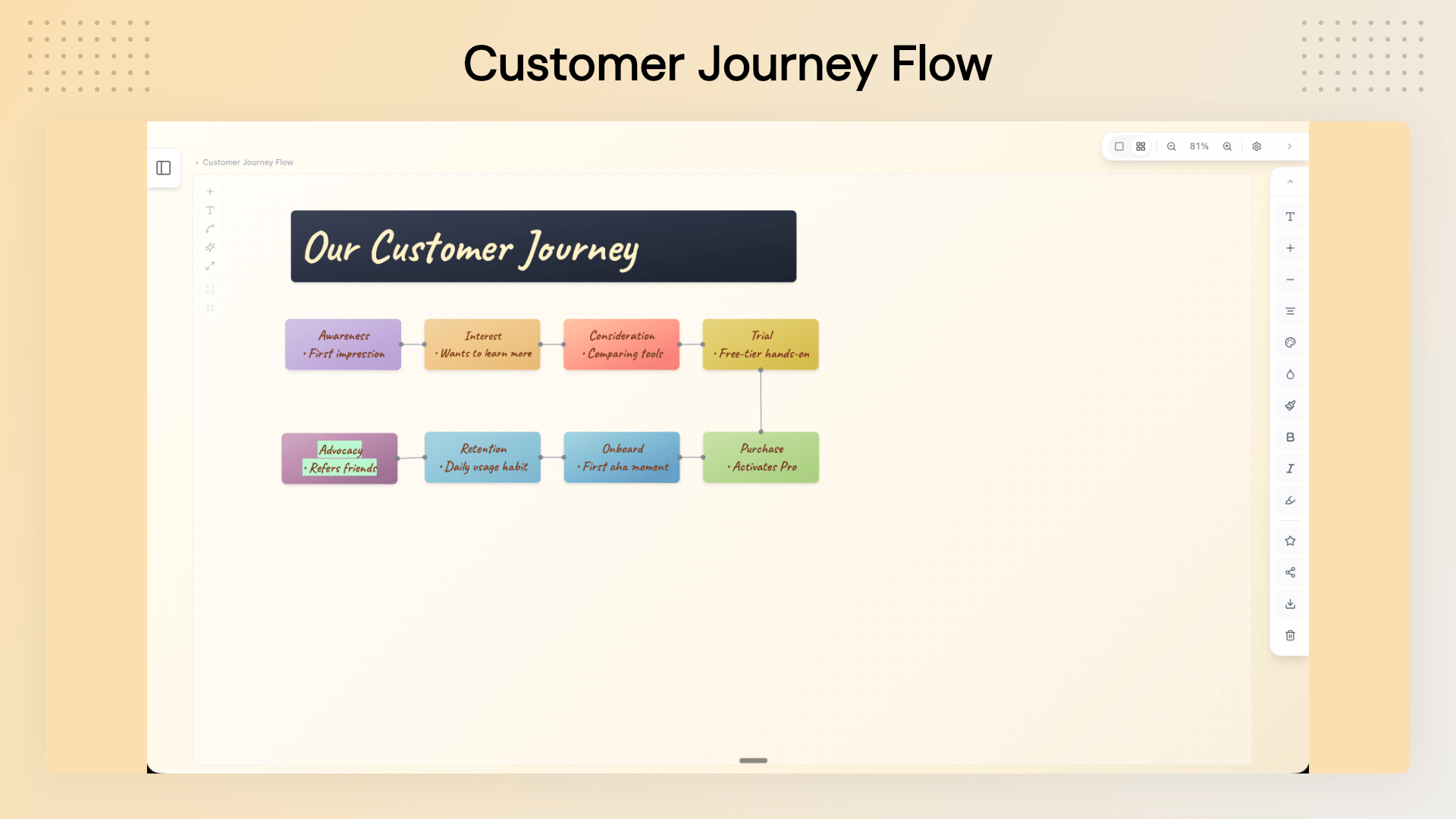
Visual Board Canvas: Move beyond linear notes with a flexible canvas where you can arrange ideas spatially, add headlines, create groups, and connect related thoughts.
Customizable Notes and Boards: Personalize your workspace with different note colors, backgrounds, ink colors, gradients, and font styles.
Connect Ideas Visually: Use connector lines to show relationships between ideas and create a clearer visual structure.
Built-In Templates: Start with a ready-made structure instead of an empty canvas.
Share Boards via Link: Turn a board into a read-only URL that can be shared with clients, teams, or stakeholders. Recipients don’t need a NotePeel Pro account to view it.
Global Quick-Capture Shortcut: Use a system-wide shortcut to open a fresh note without leaving the application you’re currently working in.
Images on the Canvas: Add visual references to your boards alongside your sticky notes and ideas.
Export Your Work: Export your content for use outside NotePeel Pro, including .txt export on the free plan and share-ready PNG exports with Pro.
Cloud Sync: Keep your notes synchronized across desktop and browser with Pro.
Use Cases
For Founders: Plan product launches, organize strategy ideas, map business priorities, and turn scattered thoughts into clear action plans.
For Marketers: Create content calendars, campaign plans, launch timelines, and marketing brainstorms on a visual board.
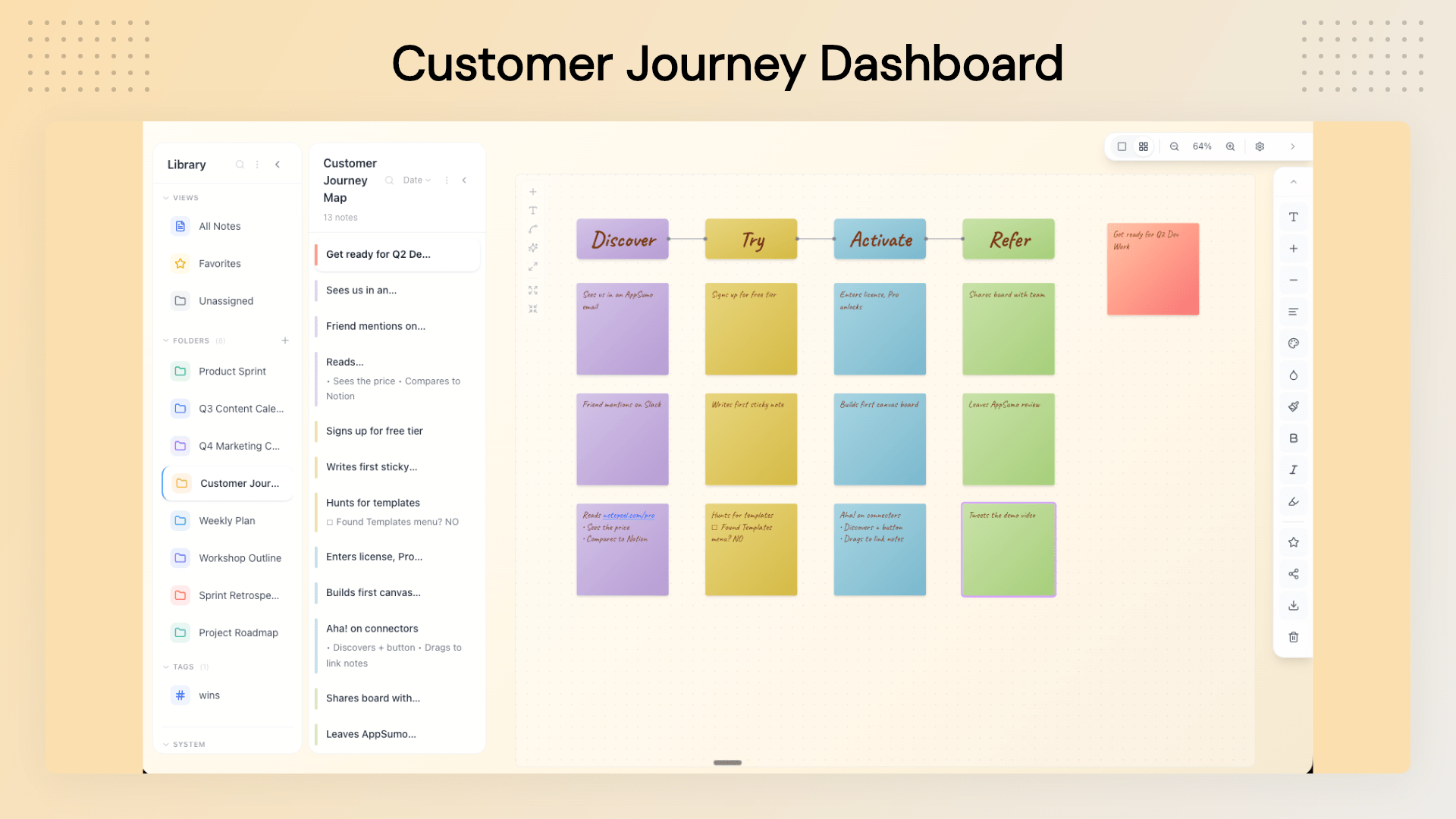
For Coaches and Consultants: Build client journey maps, project plans, workshop structures, and visual presentations that can be shared through a simple link.
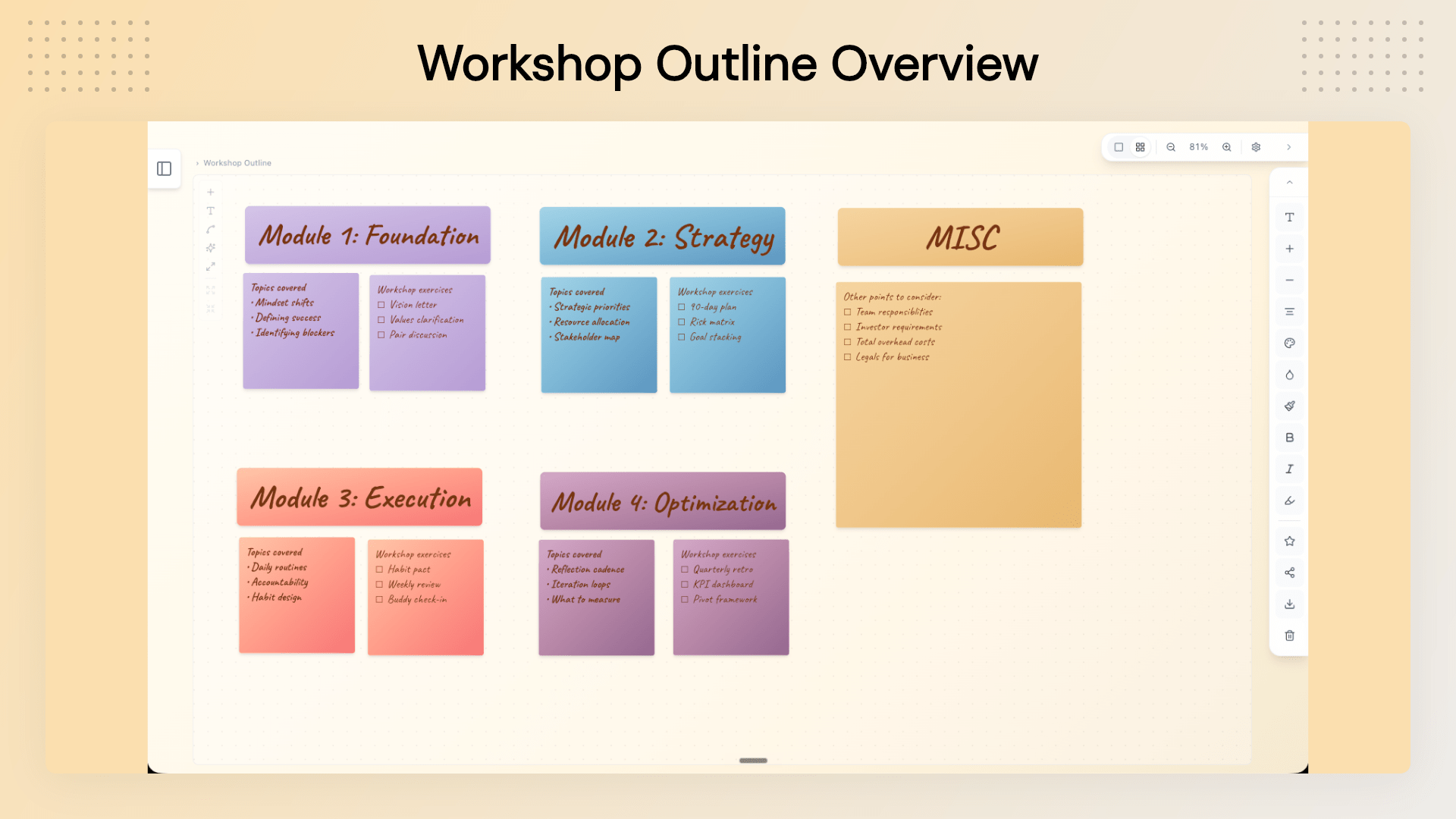
For Creators and Course Makers: Outline courses, organize modules, develop content ideas, and structure creative projects before turning them into finished work.
For Writers: Map out story arcs, characters, plot points, and narrative ideas visually.
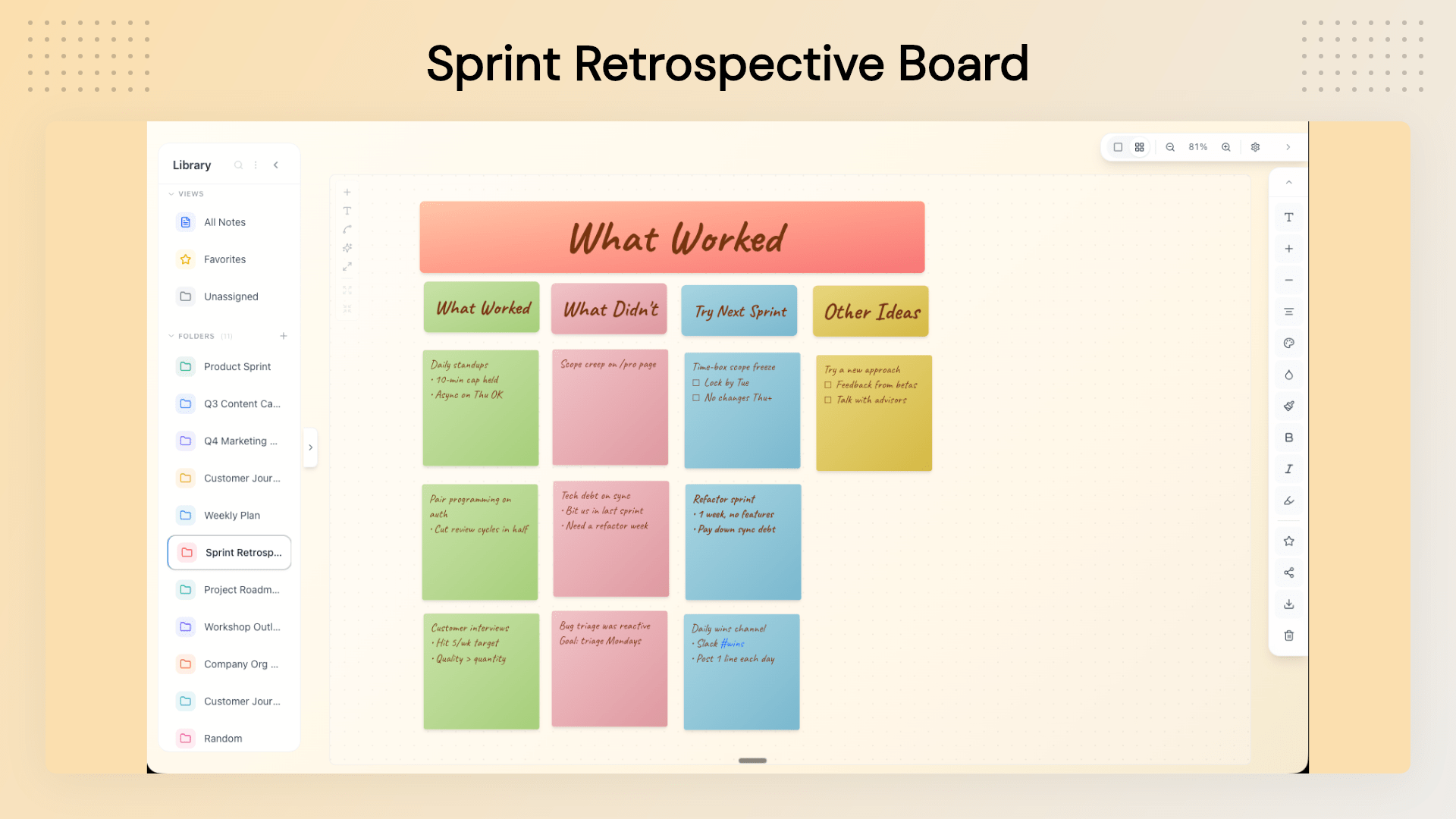
For Product and Project Teams: Create sprint retrospectives, project plans, customer journeys, and workflow boards.
Deal Terms:
Length of access: Lifetime Access
Redemption deadline: 60 days from purchase
30 Days Money Back Guarantee (For Non-Prime Members/Regular Users).
Instant note capturing with no save button required.
Nine starter templates for any creative project.
Visual thinking and organizing for innovators.
Alternative: Microsoft OneNote provides structured note-taking.
NotePeel Pro Lifetime Deal
Most note-taking tools force you to organize your thoughts before you’ve even had time to think them through.
You create folders, choose pages, name documents, and decide where something belongs. For quick thoughts and half-formed ideas, that structure can become friction.
Traditional documents are great when your thinking is already organized. Lists are useful for simple tasks. But when ideas need to move, connect, and evolve, a flat page often isn’t enough.
That’s where visual thinking becomes useful.
Most note-taking apps are designed for writing things down. The problem starts when you need to actually make sense of everything you’ve captured.
Ideas end up buried in documents, scattered across folders, or lost inside endless lists. You may have the notes, but not always the bigger picture.
NotePeel Pro takes a more visual approach. Capture thoughts as digital sticky notes, then move them onto a flexible board where you can arrange, connect, group, and organize them into something that makes sense.
Whether you’re planning a project, mapping out a customer journey, outlining a course, brainstorming a campaign, or simply trying to organize the ideas in your head, NotePeel Pro gives you a workspace that feels closer to a real desk covered in sticky notes—without the mess.
Intro Video
NotePeel Pro’s intuitive interface allows you to capture a thought with just one gesture—type a note and drag to peel it off. It’s instantly saved, eliminating the need for a save button or complex folder navigation.
Dashboard Images
Key Feature
<Instant Note Capture: Capture thoughts quickly without navigating through multiple folders or menus. The focus is on getting the idea down before it disappears.
Visual Board Canvas: Move beyond linear notes with a flexible canvas where you can arrange ideas spatially, add headlines, create groups, and connect related thoughts.
Customizable Notes and Boards: Personalize your workspace with different note colors, backgrounds, ink colors, gradients, and font styles.
Connect Ideas Visually: Use connector lines to show relationships between ideas and create a clearer visual structure.
Built-In Templates: Start with a ready-made structure instead of an empty canvas.
Share Boards via Link: Turn a board into a read-only URL that can be shared with clients, teams, or stakeholders. Recipients don’t need a NotePeel Pro account to view it.
Global Quick-Capture Shortcut: Use a system-wide shortcut to open a fresh note without leaving the application you’re currently working in.
Images on the Canvas: Add visual references to your boards alongside your sticky notes and ideas.
Export Your Work: Export your content for use outside NotePeel Pro, including .txt export on the free plan and share-ready PNG exports with Pro.
Cloud Sync: Keep your notes synchronized across desktop and browser with Pro.
Use Cases
For Founders: Plan product launches, organize strategy ideas, map business priorities, and turn scattered thoughts into clear action plans.
For Marketers: Create content calendars, campaign plans, launch timelines, and marketing brainstorms on a visual board.
For Coaches and Consultants: Build client journey maps, project plans, workshop structures, and visual presentations that can be shared through a simple link.
For Creators and Course Makers: Outline courses, organize modules, develop content ideas, and structure creative projects before turning them into finished work.
For Writers: Map out story arcs, characters, plot points, and narrative ideas visually.
For Product and Project Teams: Create sprint retrospectives, project plans, customer journeys, and workflow boards.
Deal Terms:
Length of access: Lifetime Access
Redemption deadline: 60 days from purchase
30 Days Money Back Guarantee (For Non-Prime Members/Regular Users).






5 reviews for NotePeel Pro: The Ultimate Sticky Note App
John D. –
NotePeel transformed the way I organize my ideas. It’s intuitive and powerful!
Jenny S. –
Great app for visual thinkers. The templates make starting a new project so easy!
Carlos M. –
I love its simplicity and efficiency. Capturing thoughts on-the-go has never been easier.
Alice T. –
The ability to customize notes and boards is fantastic. It suits all my planning needs.
Rakesh K. –
An excellent tool for project planning. The visual boards make managing tasks a breeze.