Q: How do I contact support?
A: You can contact support at- [email protected] (CS Team)
Q: What is Nero AI Video Upscaler 2026?
A: Nero AI Video Upscaler 2026 is an advanced AI video enhancer that upscales videos to 4K/8K, boosts FPS up to 120, enhances faces, improves color, and revives old or low-quality videos with AI.
Q: How do I import videos?
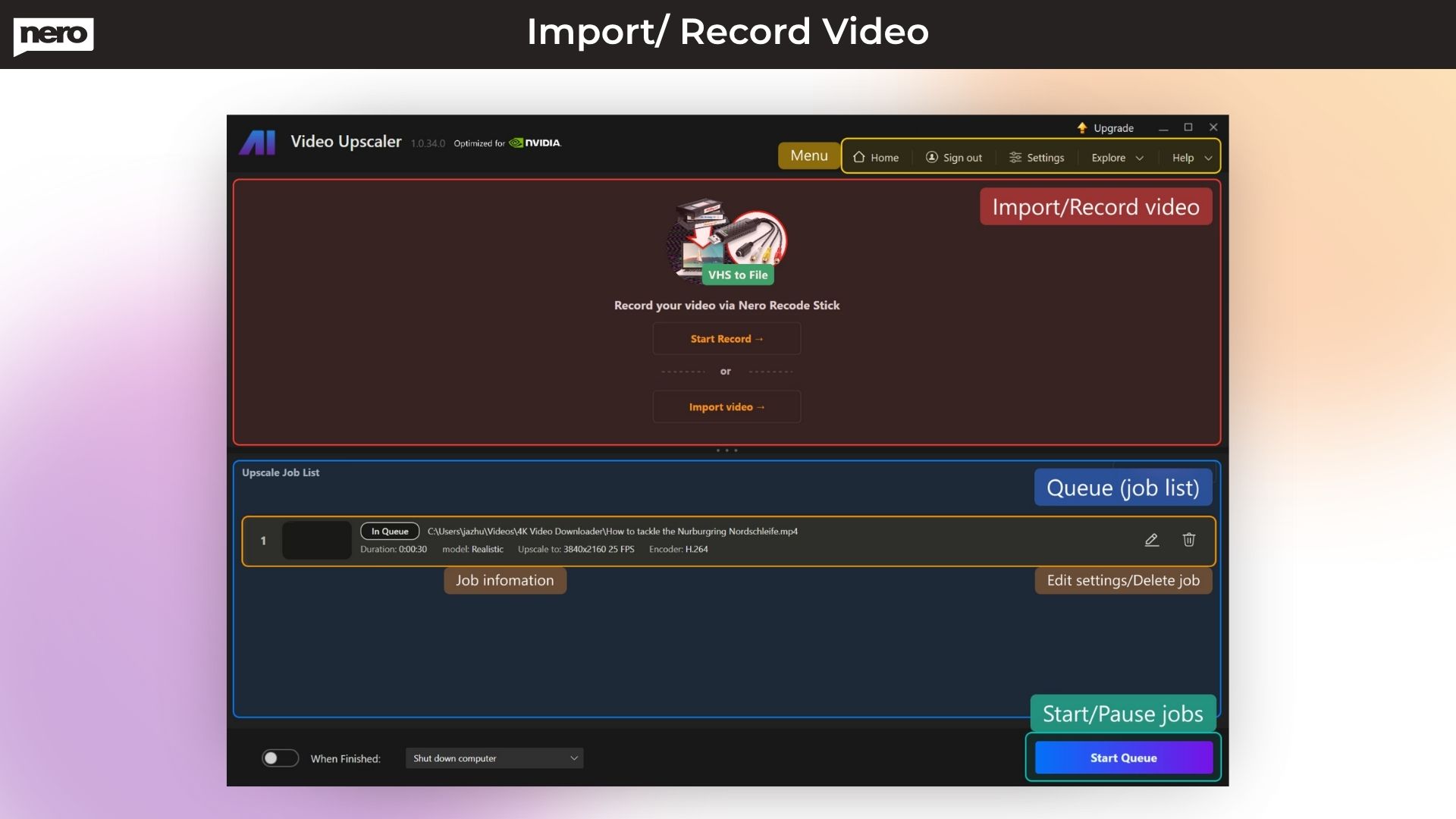
A: You can import by clicking Import Video or by dragging and dropping files. You can also start a recording via Nero Recode Stick or a connected camera.
Q: Is Nero AI Video Upscaler beginner-friendly?
A: Yes. Nero is designed to give professional results with one click, making it ideal for beginners, editors, marketers, photographers, and content creators.
Q: Can I use Nero AI Video Upscaler for commercial projects?
A: Yes, the lifetime deal allows full commercial usage for client projects, agencies, and business purposes.
Q: Which video formats are supported?
A: Nero supports all major formats, including MP4, MOV, AVI, MKV, 3GP, H.264, HEVC, AV1, VP9, and MPEG-2.
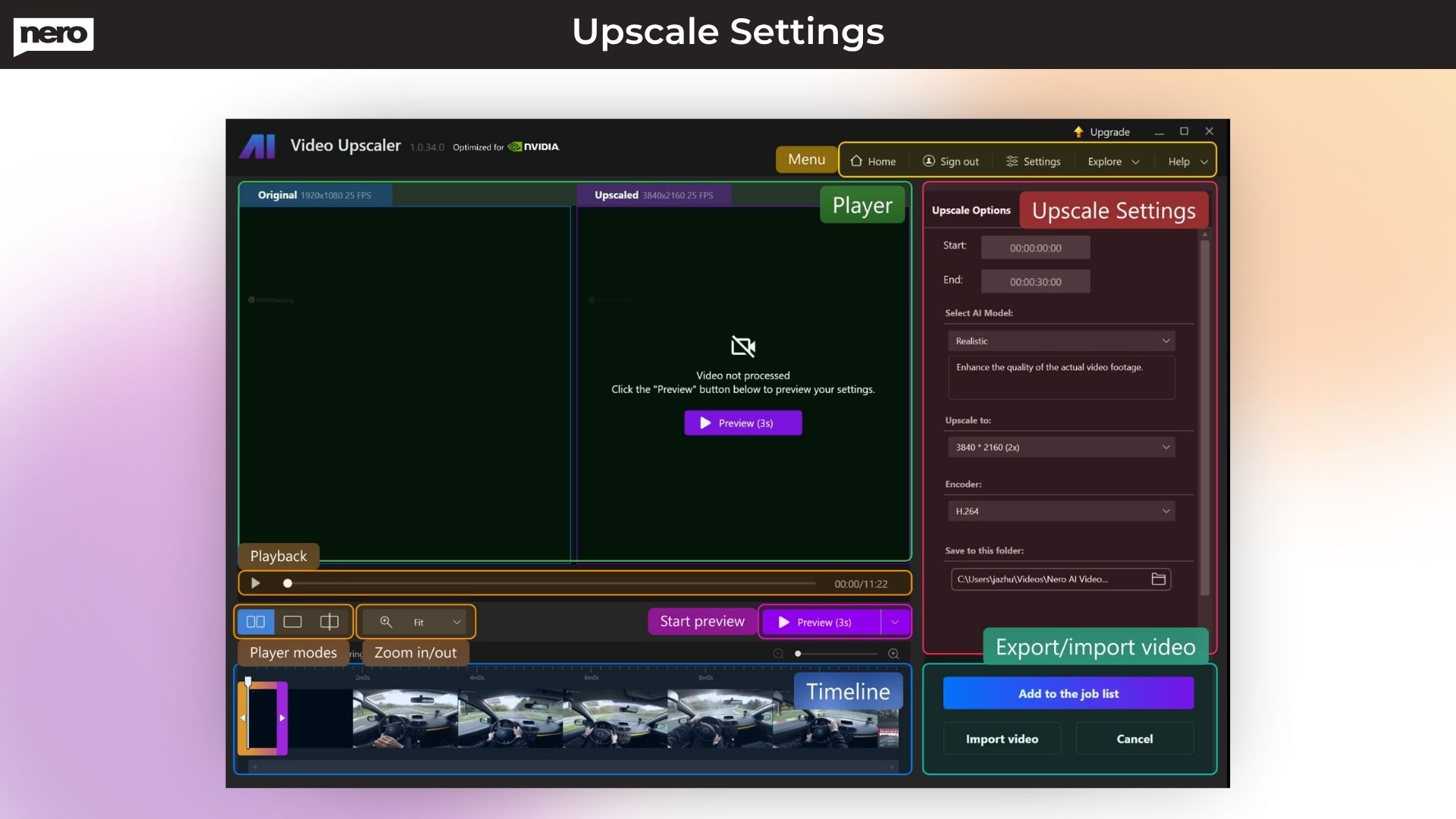
Export is available in MP4 (H.264 / H.265 HEVC).
(*AV1/HEVC may require Microsoft Video Extensions.)
Q: What output resolutions can I upscale to?
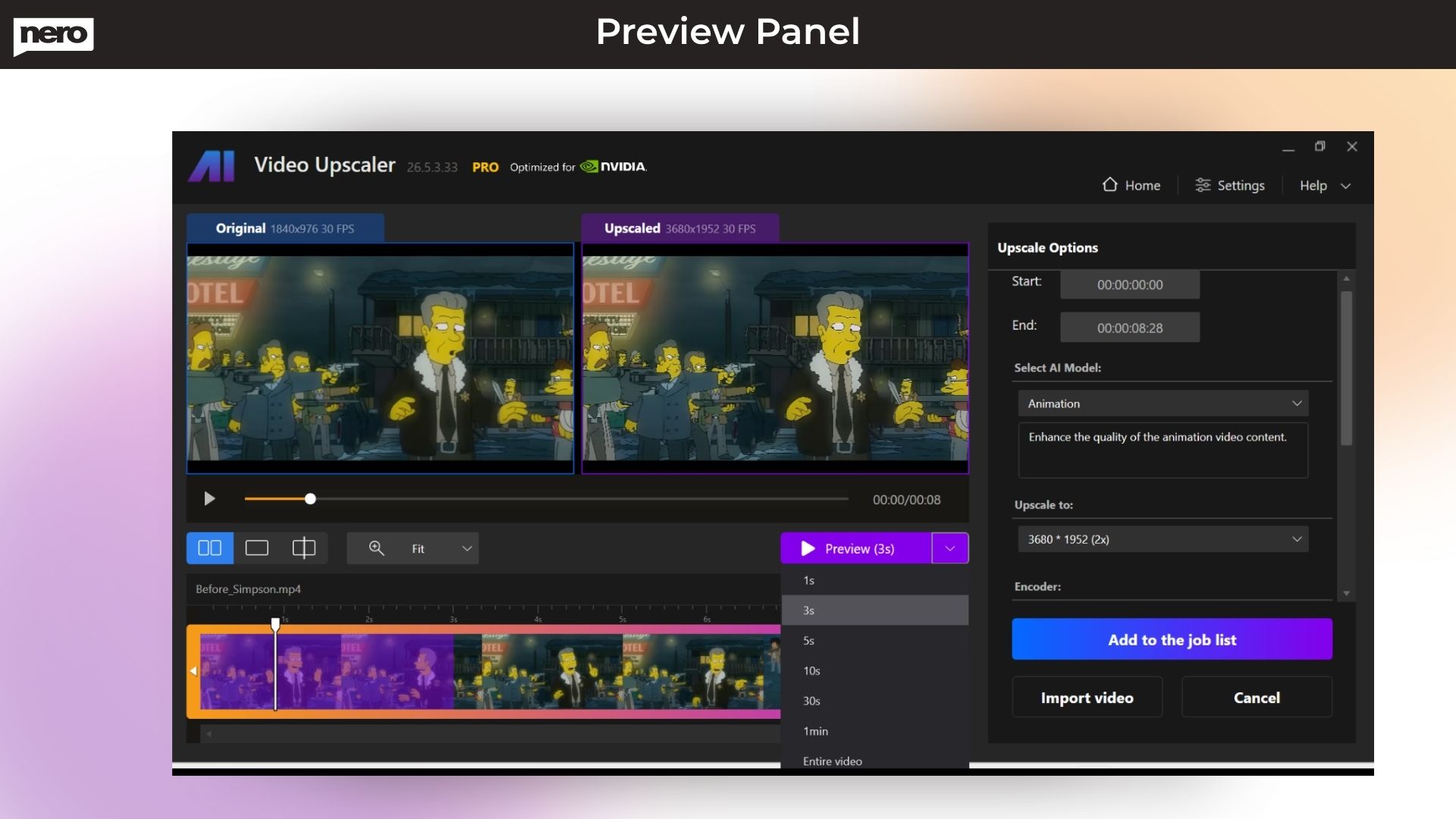
A: You can upscale videos from 720×576 all the way up to 7680×4320 (8K) with 11 preset resolution options.
Q: How do I start a full upscale or batch processing?
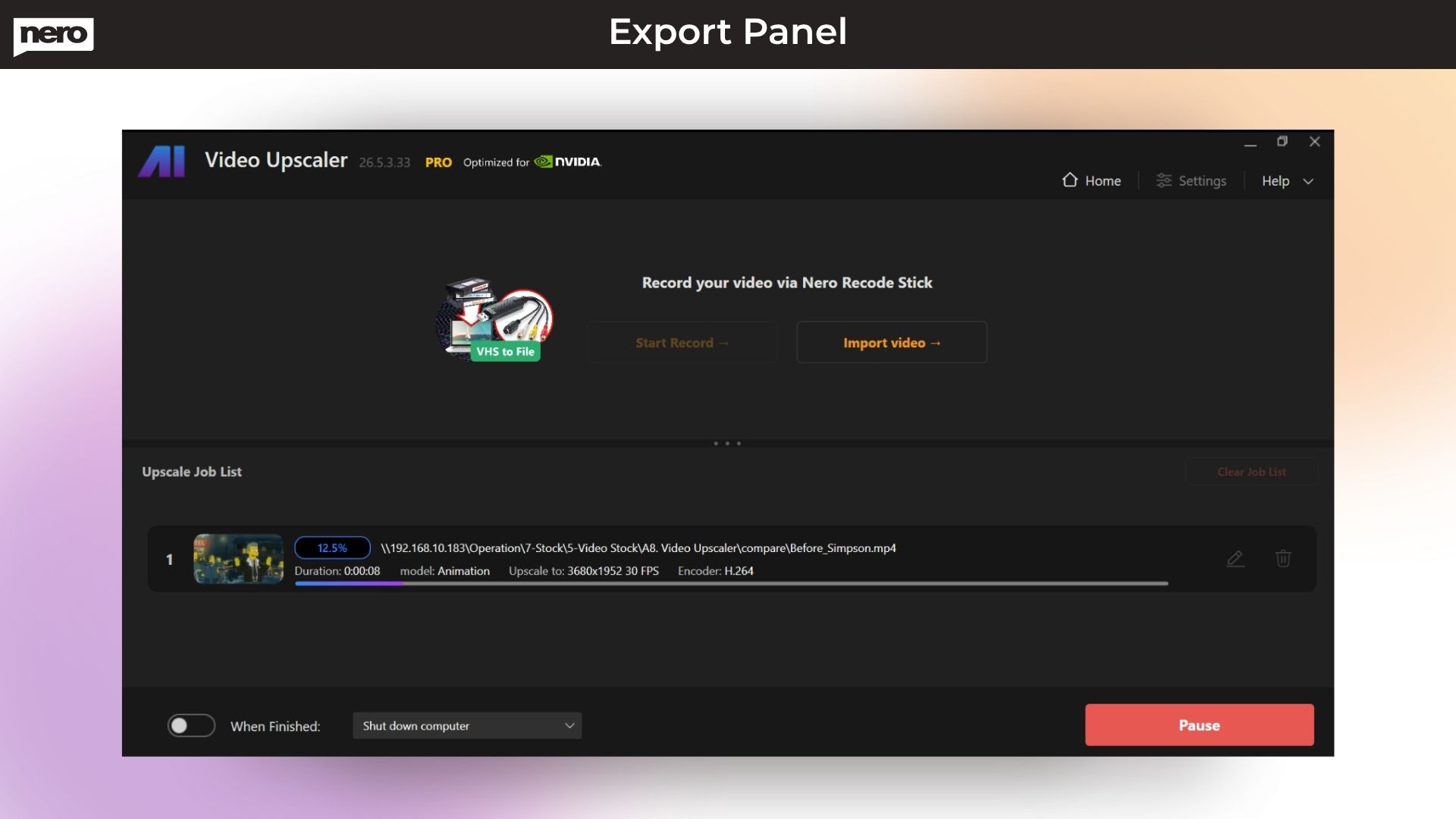
A: Once you finalize your settings, click Upscale Now, then select Start Queue to batch-process multiple videos at once.
Q: Does this software work for old or blurry videos?
A: Absolutely. Nero’s AI models are designed to enhance low-quality, old, noisy, or low-resolution videos and make them clearer, sharper, and smoother.
Q: Can I pause or edit an ongoing job?
A: Yes. You can pause processing, edit settings, and resume.
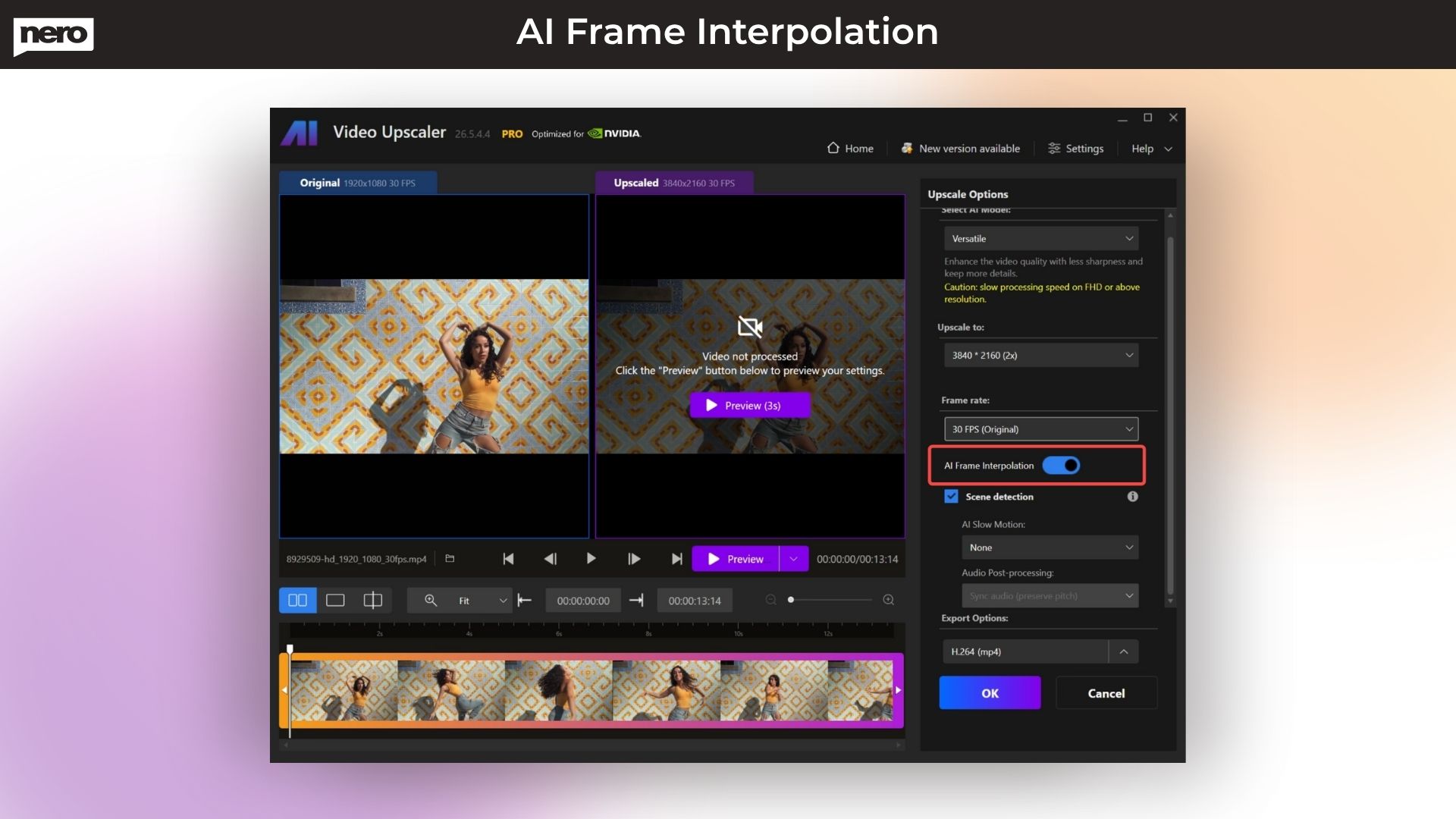
Q: Does Nero AI Video Upscaler improve both resolution and FPS?
A: Yes. Nero can—
- Upscale videos to 4K/8K.
- Boost frame rates to 60–120 FPS
- Enhance faces, sharpness, and color simultaneously







3 reviews for Nero AI Video Upscaler 2026: Make Blurry Videos Sharp & Clear with AI
Steve Litchfield –
It reduces noise and grain, so it’s not just the resolution that improves – the entire video feels refreshed.
DIY Video Editor –
With the right AI model, I was able to turn 720p clips, into clean, crisp 4K.
Mysolutions.tech –
I was able to upscale old home footage to 1080p with great results, much better than I expected.