Your Cart

No products in the cart.

Our Top Picks

RARHost : High-performance servers with NVMe SSD storage and LiteSpeed Web Server
RARHost
$59.00 Starter
Add to Cart
1forAll : Your All-in-One Tool For Voice, Image & Video AI
1forAll
$29.00 Tier 1
Add to Cart
We.Inc: Build Chatbots, Websites & More with AI
We.Inc
$349.00 LTD Tier 1
Add to Cart
Brand2Social : Social Media Management tool for generating automated messages
Brand2Social
$29.00 Brand
Add to Cart

Easter Sale is Live Now – Get 20% OFF Sitewide

Shop Now
00 : 00 : 00 : 00
Day Hour Min Sec
Home » Store » Mailtick: Add a Countdown Timer to Any Email

Mailtick: Add a Countdown Timer to Any Email

Countdown Timer Tool to Boost Clicks and Conversions | Mailtick

TL;DR

Mailtick Lifetime Deal

Ever sent an email and got little or no response? It’s frustrating, right? People open your message, think, “I’ll check it later,” and then… they forget. That’s how you lose clicks, sales, and opportunities every single day.

The truth is simple people act faster when they feel time is running out. And to generate that fomo you need a smart countdown timer that installs right into your email

That’s where Mailtick comes in.

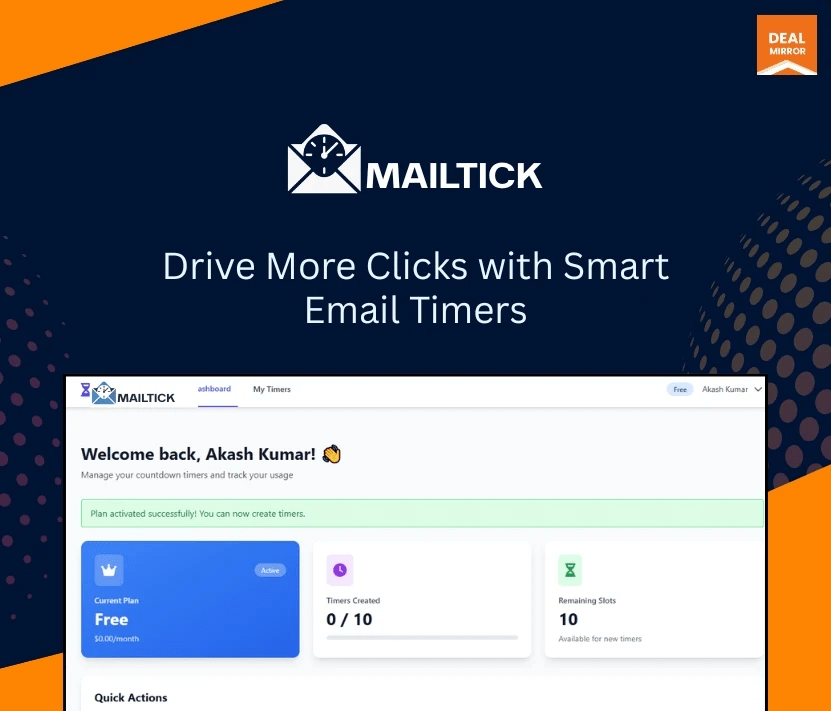
Mailtick is an easy-to-use tool that lets you add a countdown timer inside your emails, websites, or any platform you like. In just a few clicks, you can show your audience that an offer is about to end, a deal is expiring, or something important is happening soon.

And when people see a ticking timer, they don’t wait; they act. You don’t need any coding skills. You don’t need to be tech-savvy. Just create your timer, customize it according to you, copy it, and paste it wherever you want.

Whether you’re running a sale, launching a product, or sending a simple email, Mailtick helps you grab attention and get more clicks without doing extra work.

Mailtick is a tool that helps you add a live countdown timer to your emails to create urgency and get faster responses. It is designed for anyone who wants people to take action quickly without using complicated tools or coding.

Key Features

  • Add Timers To Emails In Seconds: Create a countdown and place it inside your email without any technical setup.
  • Works Everywhere: Use the same timer on emails, websites, landing pages, or any platform you like.
  • Simple Copy-Paste Setup: Just generate your timer, copy the code, and paste it wherever you need it.
  • Fully Customizable Design: Change colors, size, style, and text to match your brand perfectly.
  • Real-Time Countdown: Shows a live ticking timer that updates automatically for every viewer.
  • Creates Instant Urgency: Makes people feel they might miss out, so they click and act faster.
  • Boosts Clicks And Conversions: Turn passive viewers into active users without extra effort.

Use Cases:

  • E-commerce: Put a ticking timer in sale emails to push shoppers to buy before the deal ends.
  • SaaS & Apps: Show trial-ending or upgrade-deadline timers to nudge free users to convert.
  • Marketing Agencies: Add timers to client promo emails to increase urgency and campaign results.
  • Events & Ticketing: Count down to ticket sales, early-bird deadlines, or scheduled event start times.
  • Education: Remind students about enrollment, application, or assignment deadlines.

Deal Terms:

  • Length of access: Lifetime
  • Redemption deadline: 60 days from purchase
  • This deal is non-refundable.

Intro Video

Roadmap & Use Cases:

Discount code auto-applied at checkout.

Mailtick: Add a Countdown Timer to Any Email

One-time payment. Lifetime access.

What you get in this deal

5 timer types
10+ customization settings
No branding
Custom fonts

$0.00/$99.00 100% Saving

Select Plan Check Plan Details


Non-Refundable Deal

Day
Hrs
Min
Sec

TL;DR

Mailtick Lifetime Deal

Ever sent an email and got little or no response? It’s frustrating, right? People open your message, think, “I’ll check it later,” and then… they forget. That’s how you lose clicks, sales, and opportunities every single day.

The truth is simple people act faster when they feel time is running out. And to generate that fomo you need a smart countdown timer that installs right into your email

That’s where Mailtick comes in.

Mailtick is an easy-to-use tool that lets you add a countdown timer inside your emails, websites, or any platform you like. In just a few clicks, you can show your audience that an offer is about to end, a deal is expiring, or something important is happening soon.

And when people see a ticking timer, they don’t wait; they act. You don’t need any coding skills. You don’t need to be tech-savvy. Just create your timer, customize it according to you, copy it, and paste it wherever you want.

Whether you’re running a sale, launching a product, or sending a simple email, Mailtick helps you grab attention and get more clicks without doing extra work.

Mailtick is a tool that helps you add a live countdown timer to your emails to create urgency and get faster responses. It is designed for anyone who wants people to take action quickly without using complicated tools or coding.

Key Features

  • Add Timers To Emails In Seconds: Create a countdown and place it inside your email without any technical setup.
  • Works Everywhere: Use the same timer on emails, websites, landing pages, or any platform you like.
  • Simple Copy-Paste Setup: Just generate your timer, copy the code, and paste it wherever you need it.
  • Fully Customizable Design: Change colors, size, style, and text to match your brand perfectly.
  • Real-Time Countdown: Shows a live ticking timer that updates automatically for every viewer.
  • Creates Instant Urgency: Makes people feel they might miss out, so they click and act faster.
  • Boosts Clicks And Conversions: Turn passive viewers into active users without extra effort.

Use Cases:

  • E-commerce: Put a ticking timer in sale emails to push shoppers to buy before the deal ends.
  • SaaS & Apps: Show trial-ending or upgrade-deadline timers to nudge free users to convert.
  • Marketing Agencies: Add timers to client promo emails to increase urgency and campaign results.
  • Events & Ticketing: Count down to ticket sales, early-bird deadlines, or scheduled event start times.
  • Education: Remind students about enrollment, application, or assignment deadlines.

Deal Terms:

  • Length of access: Lifetime
  • Redemption deadline: 60 days from purchase
  • This deal is non-refundable.

Pricing

Tier 1

One-time payment. Lifetime access.

$0.00$99.00


5 timer types
10+ customization settings
No branding
Custom fonts

FAQ's

Q 1: How do I contact support?
A: You can contact support at [email protected]

Reviews

Reviews

There are no reviews yet.

Be the first to review “Mailtick: Add a Countdown Timer to Any Email”