Your Cart

No products in the cart.

Our Top Picks

RARHost : High-performance servers with NVMe SSD storage and LiteSpeed Web Server
RARHost
$59.00 Starter
Add to Cart
1forAll : Your All-in-One Tool For Voice, Image & Video AI
1forAll
$29.00 Tier 1
Add to Cart
We.Inc: Build Chatbots, Websites & More with AI
We.Inc
$349.00 LTD Tier 1
Add to Cart
Brand2Social : Social Media Management tool for generating automated messages
Brand2Social
$29.00 Brand
Add to Cart

Easter Sale is Live Now – Get 20% OFF Sitewide

Shop Now
00 : 00 : 00 : 00
Day Hour Min Sec
Home » Store » Luminar Neo: AI-Powered Photo Editing Tool For Photos That Describe Your Vision

Luminar Neo: AI-Powered Photo Editing Tool For Photos That Describe Your Vision

Luminar Neo: AI Object Remover, Photo Editor and Smart Photo Enhancer

TL;DR

Luminar Neo lifetime Deal

Have you ever taken a photo that just doesn’t look as awesome as the real thing? Maybe your friend’s face is too dark in a selfie, the sky looks boring and grey, or there’s something in the background you wish wasn’t there. 

It can be so frustrating! But what if you could use a little bit of magic to fix it? That’s exactly what Luminar Neo is for. Think of it as a fun, easy-to-use AI photo editing software that gives your pictures a significant upgrade. 

With just a few clicks, you can remove unwanted objects from photos using GenEraser, swap elements using GenSwap, and expand image dimensions using GenExpand. Luminar Neo is a true AI object remover tool that delivers clean, natural-looking results every time.

Not just this, it has multiple features that can help you restore your old photos, enhance your photos with an AI photo enhancer, and remove unwanted objects from photos. You can magically replace a dull sky with a bright blue one or even a beautiful sunset. 

You may make all of the colors in your photo pop and become really brilliant. It can even automatically brighten people’s faces, ensuring that everyone looks their best.

Skylum Luminar Neo won the Red Dot Award for its smart, user-friendly design and has been crowned “Best Photo Software” at the TIPA World Awards.

Navigating Luminar Neo: A Complete How-To Guide | Luminar Neo

Skylum Luminar Neo is an advanced photo editing software powered by next-generation AI that helps you quickly enhance your images, like making colours pop, replacing skies, or removing unwanted objects in seconds.

Overview Images

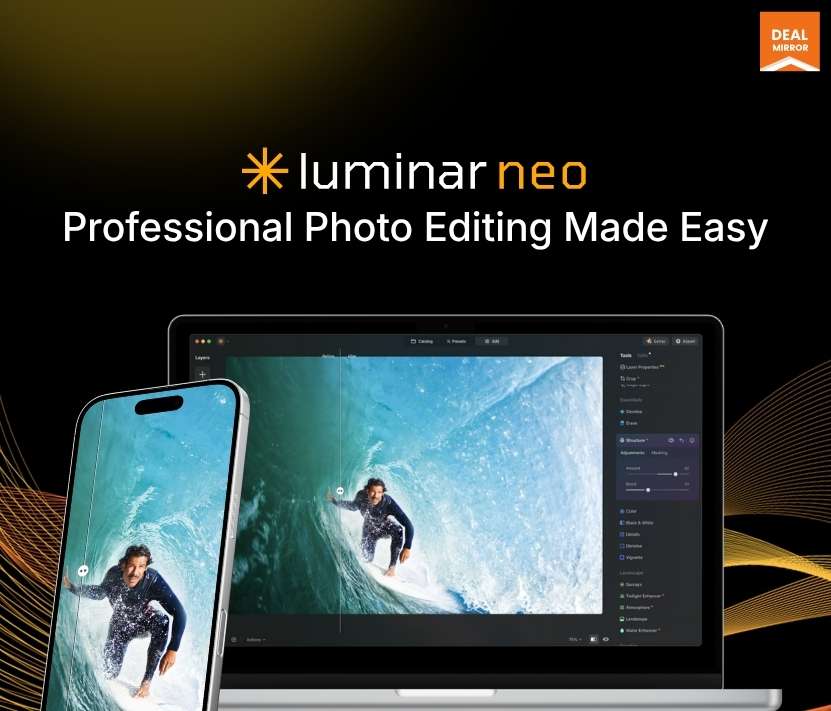
Luminar Neo photo editor with one-click object removal

Skylum Luminar Neo AI photo editing software

Key Features

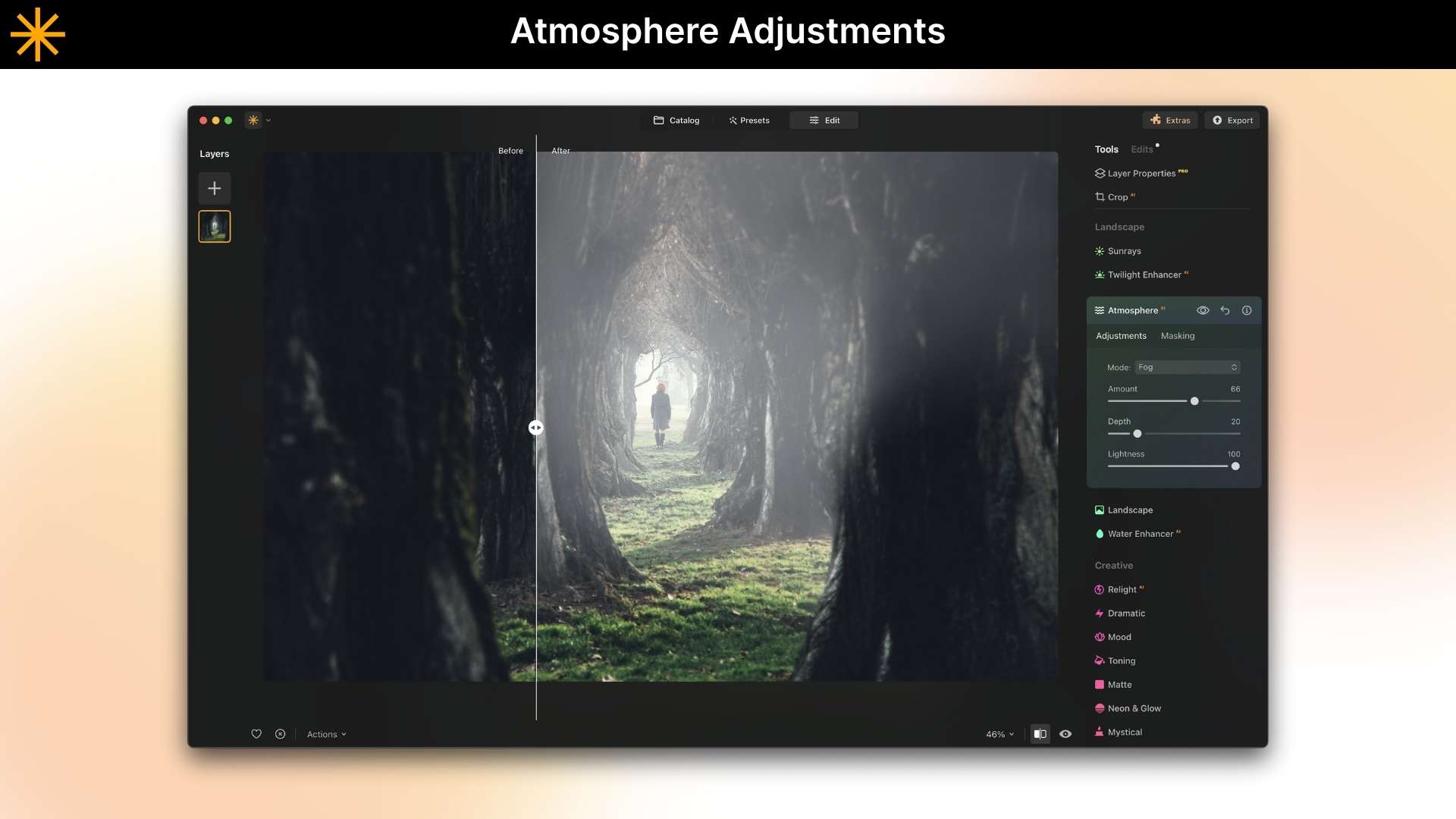
  • AI Sky Replacement: With just one click, you can instantly change a dull or grey sky into a beautiful new one that looks real, like a beautiful sunset or a starry night.
  • Erase Power Lines and Objects with AI: You can easily get rid of things that are in the way, like trash, signs, or even people you don’t know, and leave a clean, natural-looking scene.
  • Portrait Enhancement: Automatically smooths skin, brightens eyes, and makes faces look better, so your subjects look their best without you having to do any editing.
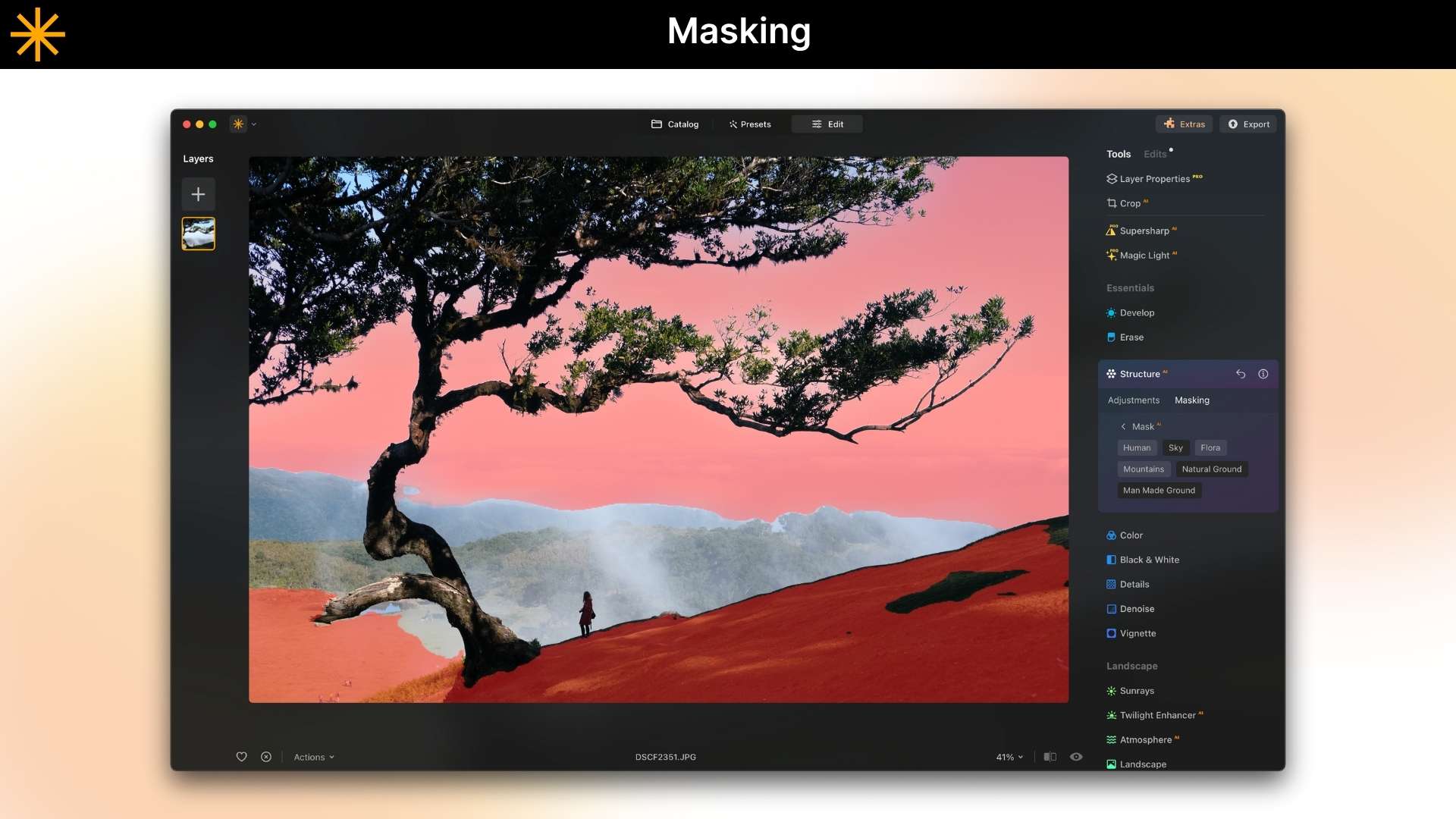
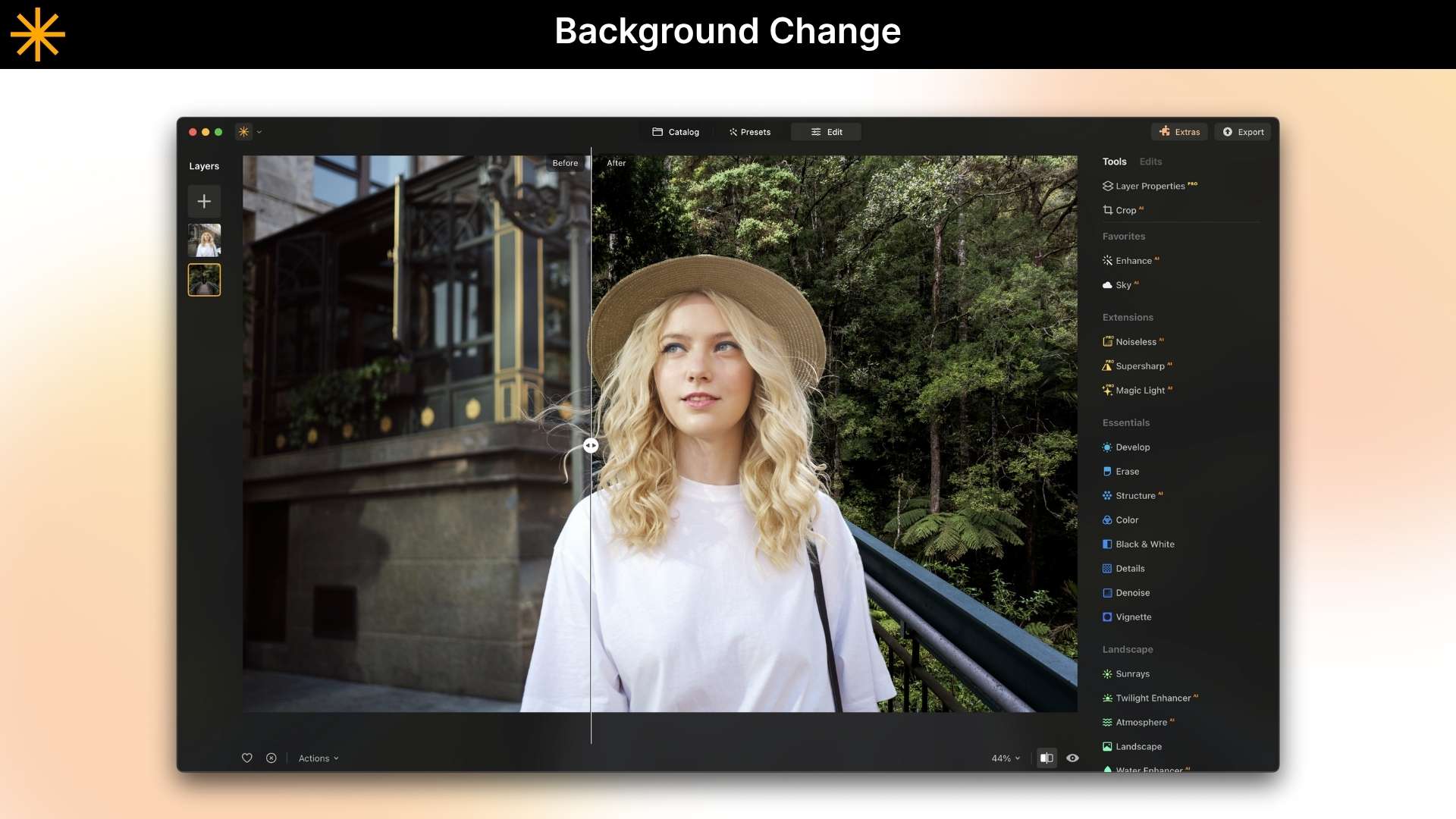
  • AI Background Removal: Erase or replace the background of any photo with next-gen AI-powered background removal, making your main subject pop.
  • One-Click Photo Enhancer: Instantly make any photo look better by automatically changing the lighting, colours, and details to make it look more professional and lively.
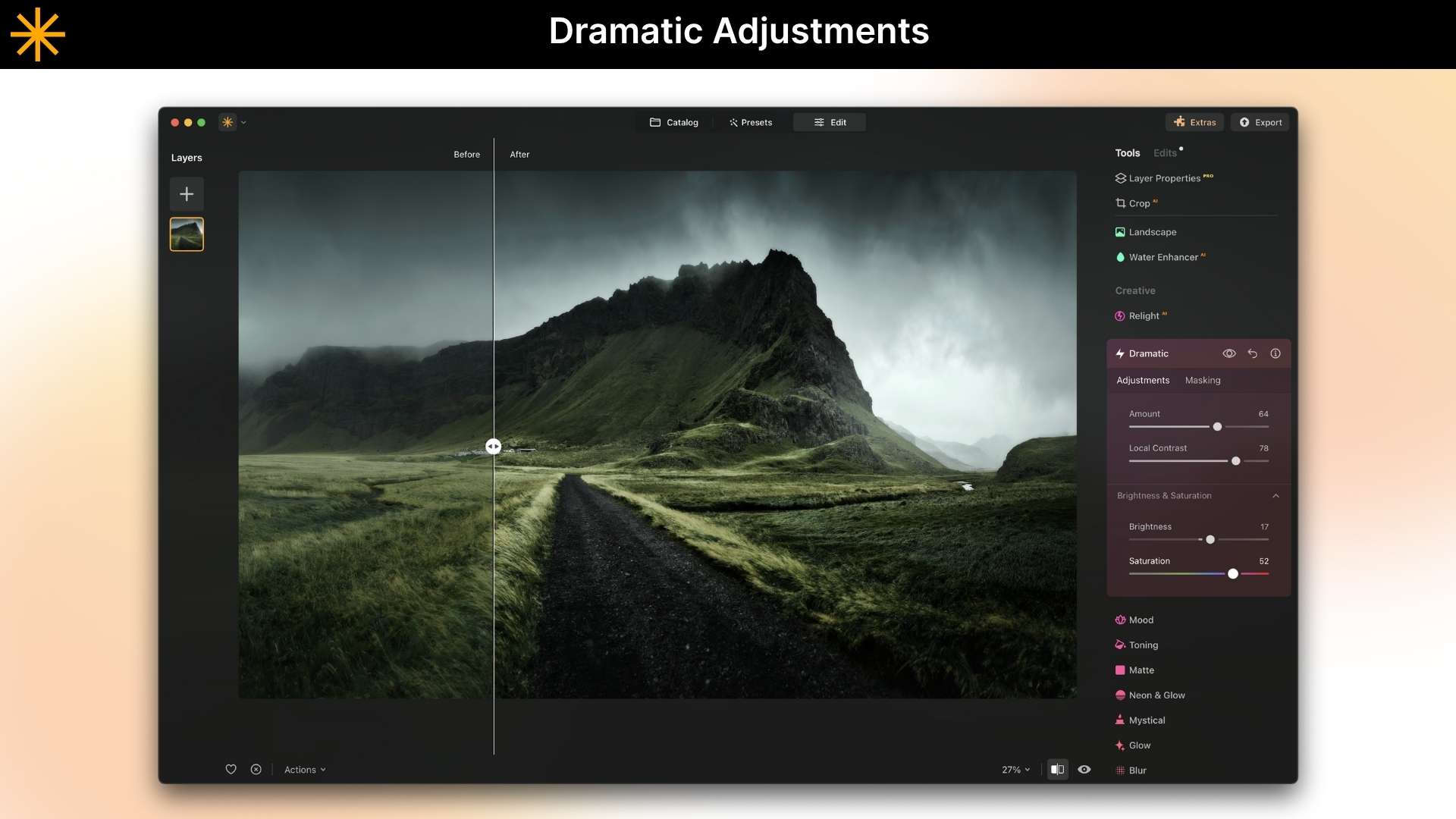
  • Creative Filters and Looks: Use beautiful, pre-made styles and effects to make your photos look unique and artistic in just a few seconds.
  • Easy-to-Use Interface: Made to be simple and easy to understand, so you can focus on being creative instead of learning how to use difficult tools.

luminar neo review

luminar neo photo editor

Use Cases:

  • Real estate: Erase bins, cars, or personal items and brighten skies for nicer listing photos.
  • Travel & tourism: Remove crowds or power lines and replace dull skies with dramatic ones.
  • Social media creators & influencers: Clean up backgrounds, remove people from photos, and apply eye-catching templates.
  • Product photographers & marketplaces: Batch-fix lighting, remove reflections, and keep product colours consistent.
  • Marketing & ad agencies: Remove clutter, create space for text, and tweak colours for campaign images.

Deal Terms:

  • Length of access: Lifetime
  • Redemption deadline: 60 days from purchase
  • 30 Days Money Back Guarantee (For Non-Prime Members/Regular Users).
  • 60 Days Money Back Guarantee (For DealMirror Prime Members Only).

Intro Video

Roadmap & Use Cases:

Discount code auto-applied at checkout.

Luminar Neo: AI-Powered Photo Editing Tool For Photos That Describe Your Vision

One-time payment. Lifetime access.

What you get in this deal

Luminar Neo Perpetual Desktop License
Desktop for Windows/MacOS
100 Creative Add-ons
Luminar Neo Video Course

$79.00/$99.00 20% Saving

Select Plan Check Plan Details


30 Days Money-back Guarantee

Day
Hrs
Min
Sec

TL;DR

Luminar Neo lifetime Deal

Have you ever taken a photo that just doesn’t look as awesome as the real thing? Maybe your friend’s face is too dark in a selfie, the sky looks boring and grey, or there’s something in the background you wish wasn’t there. 

It can be so frustrating! But what if you could use a little bit of magic to fix it? That’s exactly what Luminar Neo is for. Think of it as a fun, easy-to-use AI photo editing software that gives your pictures a significant upgrade. 

With just a few clicks, you can remove unwanted objects from photos using GenEraser, swap elements using GenSwap, and expand image dimensions using GenExpand. Luminar Neo is a true AI object remover tool that delivers clean, natural-looking results every time.

Not just this, it has multiple features that can help you restore your old photos, enhance your photos with an AI photo enhancer, and remove unwanted objects from photos. You can magically replace a dull sky with a bright blue one or even a beautiful sunset. 

You may make all of the colors in your photo pop and become really brilliant. It can even automatically brighten people’s faces, ensuring that everyone looks their best.

Skylum Luminar Neo won the Red Dot Award for its smart, user-friendly design and has been crowned “Best Photo Software” at the TIPA World Awards.

Navigating Luminar Neo: A Complete How-To Guide | Luminar Neo

Skylum Luminar Neo is an advanced photo editing software powered by next-generation AI that helps you quickly enhance your images, like making colours pop, replacing skies, or removing unwanted objects in seconds.

Overview Images

Luminar Neo photo editor with one-click object removal

Skylum Luminar Neo AI photo editing software

Key Features

  • AI Sky Replacement: With just one click, you can instantly change a dull or grey sky into a beautiful new one that looks real, like a beautiful sunset or a starry night.
  • Erase Power Lines and Objects with AI: You can easily get rid of things that are in the way, like trash, signs, or even people you don’t know, and leave a clean, natural-looking scene.
  • Portrait Enhancement: Automatically smooths skin, brightens eyes, and makes faces look better, so your subjects look their best without you having to do any editing.
  • AI Background Removal: Erase or replace the background of any photo with next-gen AI-powered background removal, making your main subject pop.
  • One-Click Photo Enhancer: Instantly make any photo look better by automatically changing the lighting, colours, and details to make it look more professional and lively.
  • Creative Filters and Looks: Use beautiful, pre-made styles and effects to make your photos look unique and artistic in just a few seconds.
  • Easy-to-Use Interface: Made to be simple and easy to understand, so you can focus on being creative instead of learning how to use difficult tools.

luminar neo review

luminar neo photo editor

Use Cases:

  • Real estate: Erase bins, cars, or personal items and brighten skies for nicer listing photos.
  • Travel & tourism: Remove crowds or power lines and replace dull skies with dramatic ones.
  • Social media creators & influencers: Clean up backgrounds, remove people from photos, and apply eye-catching templates.
  • Product photographers & marketplaces: Batch-fix lighting, remove reflections, and keep product colours consistent.
  • Marketing & ad agencies: Remove clutter, create space for text, and tweak colours for campaign images.

Deal Terms:

  • Length of access: Lifetime
  • Redemption deadline: 60 days from purchase
  • 30 Days Money Back Guarantee (For Non-Prime Members/Regular Users).
  • 60 Days Money Back Guarantee (For DealMirror Prime Members Only).

Pricing

Tier 1

One-time payment. Lifetime access.

$79.00$99.00


Luminar Neo Perpetual Desktop License
Desktop for Windows/MacOS
100 Creative Add-ons
Luminar Neo Video Course
Mobile App for iOS/Android/ChromeOS
Creative Library Access

Tier 2

One-time payment. Lifetime access.

$111.00$139.00


Luminar Cross-Device Perpetual License
Desktop for Windows/MacOS
100 Creative Add-ons
Luminar Neo Video Course
Mobile App for iOS/Android/ChromeOS
Creative Library Access

Tier 3

One-time payment. Lifetime access.

$127.00$159.00


Luminar Perpetual Max License
Desktop for Windows/MacOS
100 Creative Add-ons
Luminar Neo Video Course
Mobile App for iOS/Android/ChromeOS
Creative Library Access {1-Year Access to 1000+ creative asstes (Presents, Skies, LUTs, Overlays) and educational video courses for Luminar Neo}

FAQ's

Q 1: How do I contact support?

A: You can contact support at Luminar Neo Team

Q 2: What is Luminar Neo?

A: Luminar Neo is a next-generation AI photo editing software designed for speed, creativity, and professional results. Powered by cutting-edge AI features like GenEraser (AI object remover), GenSwap, and GenExpand, it offers layer-based workflows, portrait enhancement, sky replacement, and precise editing controls all in an intuitive interface.

Q 3: How do I get Luminar Neo?

A: You can purchase Luminar Neo on DealMirror and download the photo editor from your My Account page. It is available for macOS and Windows as both a standalone application and a plug-in.

Q 3: How many devices can I use Luminar Neo on?

A: You can use Luminar Neo lifetime plan on 2 devices.

Two seats allow you to install and activate Luminar Neo on two devices at once, regardless of their operating system. For example, you can use one seat to activate Luminar Neo on a Mac and the other one to activate Luminar Neo on a Windows computer, or you can use both seats for your Windows or macOS computers. Any combination works!

Moreover, you can always manage your activations in your Skylum Account.

Q 4: What does a photo editor do?

A: A photo editor is a software responsible for enhancing and manipulating digital images to achieve a desired visual outcome. Their primary function is to improve the overall quality and appearance of photographs using image enhancement, restoration, composition, and other image manipulations.

Q 5: What makes Luminar Neo different from other photo editors?

A: Luminar Neo uses next-generation AI engines such as GenEraser, GenSwap, and GenExpand to automate complex editing tasks. Unlike traditional editors like Photoshop, Luminar Neo focuses on speed, simplicity, and AI automation, making it easier to create stunning images in minutes.

Q 6: Can Luminar Neo remove unwanted objects from photos?

A: Yes, Luminar Neo’s GenEraser is an amazing AI object removal tool. The object remover removes all sorts of distractions, such as power lines, reflections, people, trash bins, and background distractions, leaving clean, natural-looking images with no manual editing required.

Q 7: How to use Luminar Neo?

A: Luminar Neo is a convenient photo editor that allows you to easily edit images. After installing it, you can import images, sort them in the Catalogue, apply one-click Presets, edit your photo with tools and layers, and then save and export photos for sharing.

Q 8: Can Luminar Neo replace Photoshop or Lightroom?

A: In many workflows, yes. Luminar Neo offers AI-powered automation, fast object removal, sky replacement, and creative editing tools that make it a strong alternative to Photoshop, Lightroom, Canva, Topaz Photo AI, and Pixelmator Pro.

Q 9: Can Luminar Neo restore old, damaged, or low-quality photos?

A: Yes, The AI restoration tools improve sharpness, color, and lighting in old photos while removing noise, scratches, and other damage automatically.

Q 10: Is this a lifetime deal?

A: Yes, the Luminar Neo Lifetime Deal is available exclusively on DealMirror.

Reviews

3 reviews for Luminar Neo: AI-Powered Photo Editing Tool For Photos That Describe Your Vision

  1. Rated 5 out of 5

    Neha Sharma

    Luminar Neo gives me professional-quality photos without hiring an editor. It’s fast, powerful, and perfect for everyday use.

  2. Rated 5 out of 5

    Emily Chen

    AI background removal works perfectly for my photos. I can instantly separate the subject and change the background to match my content style.

  3. Rated 5 out of 5

    Priya Kapoor

    Removing unwanted objects is so easy. I’ve erased power lines, signs, and random people from my photos, and the final result looks clean and realistic.

Add a review