Q: 1. How do I contact support?
A: You can contact support at [email protected]
Q: 2. Is Leapon only a digital business card?
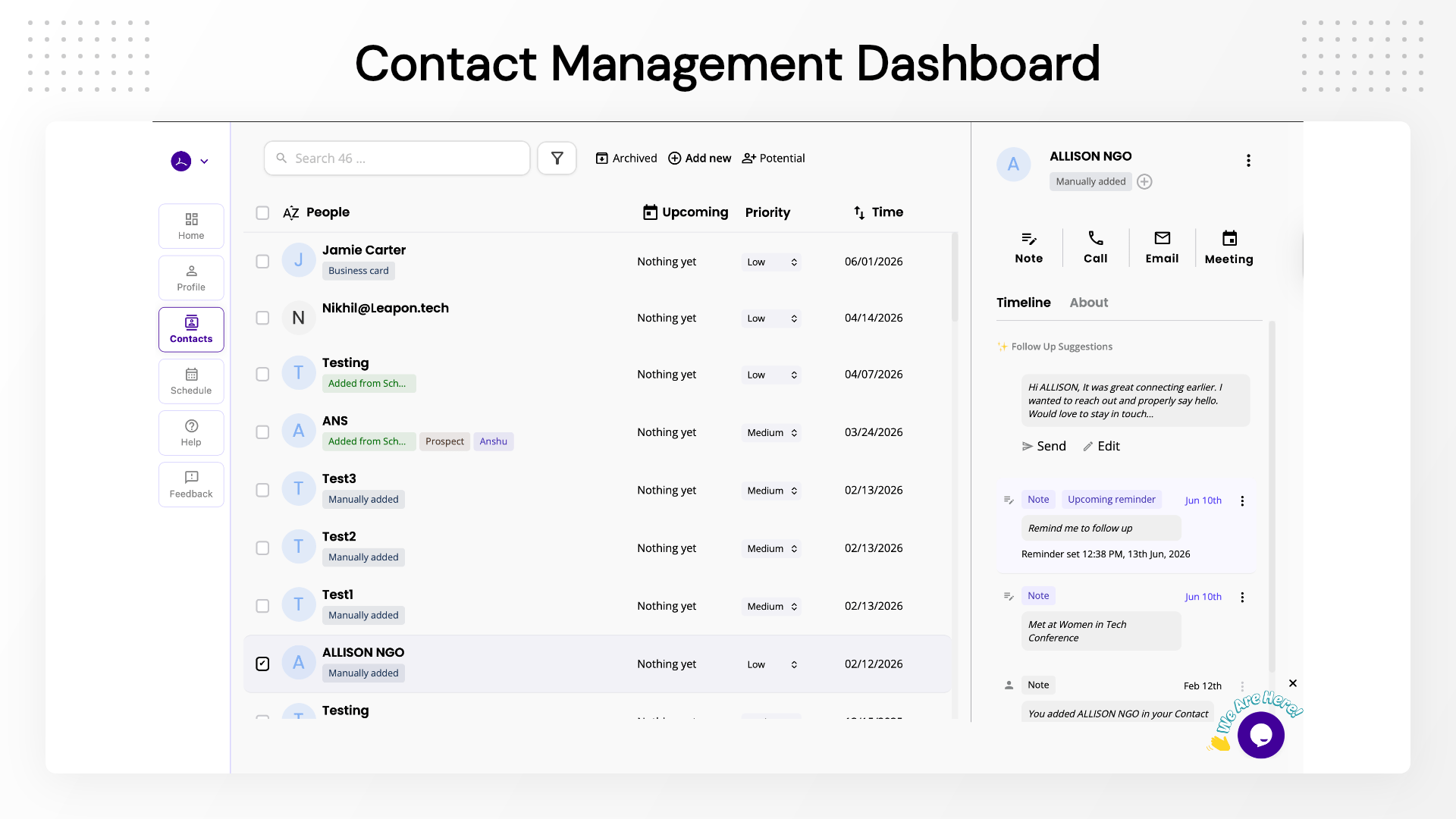
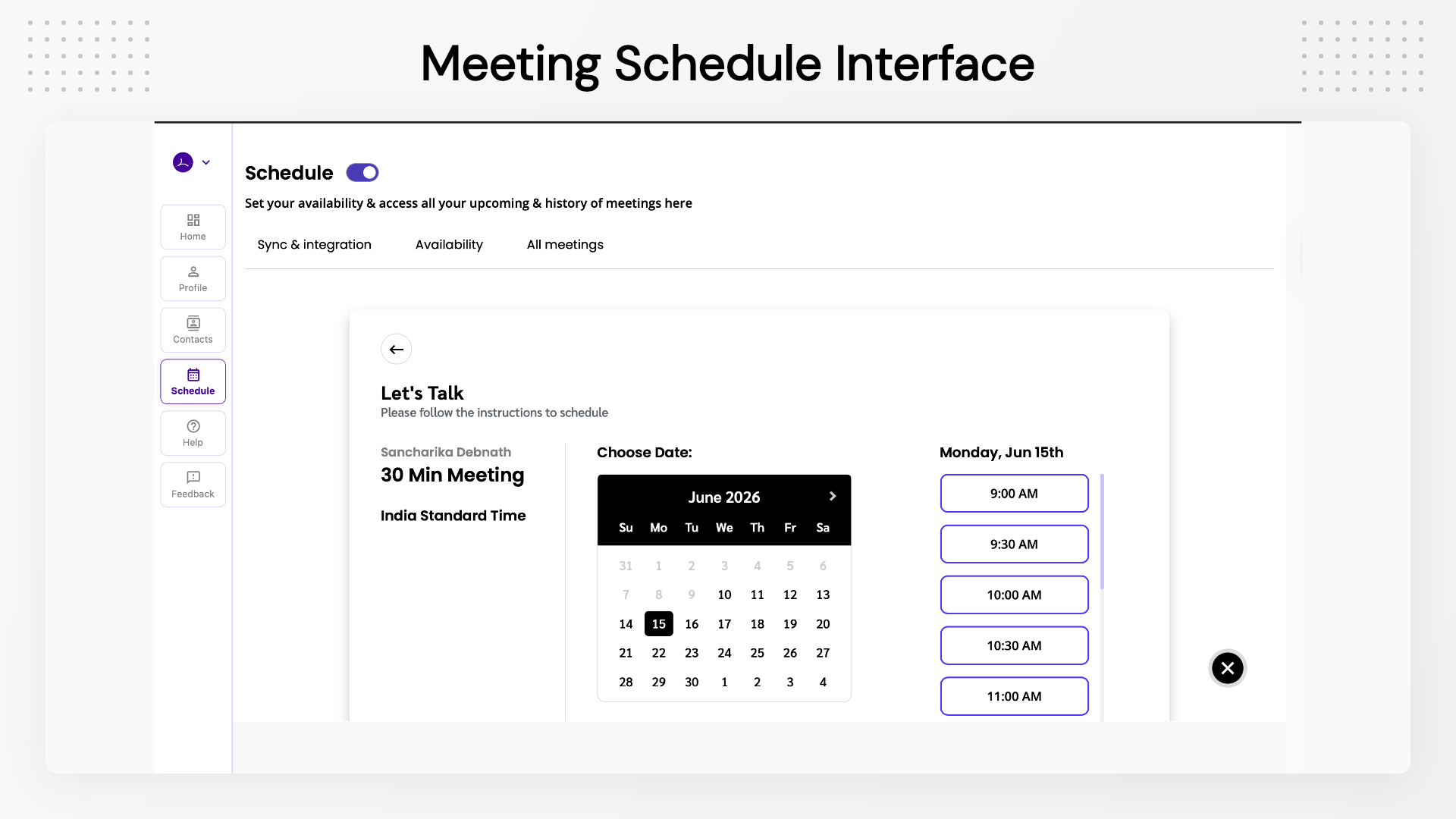
A: No, the digital card is the starting point. Leapon also helps you capture the other person’s details, add notes and tags, set priorities, create reminders, send emails, book meetings, and track interaction history.
Q: 3. How can I share my Leapon profile?
A: Via QR code, direct link, email, Apple Wallet, Google Wallet, and compatible NFC cards.
Q: 4. Does Leapon remind me to follow up?
A: Yes, Leapon sends automated 7-day and 15-day follow-up reminders after you add a contact.
Q: 5. Does Leapon sync with Google or Outlook?
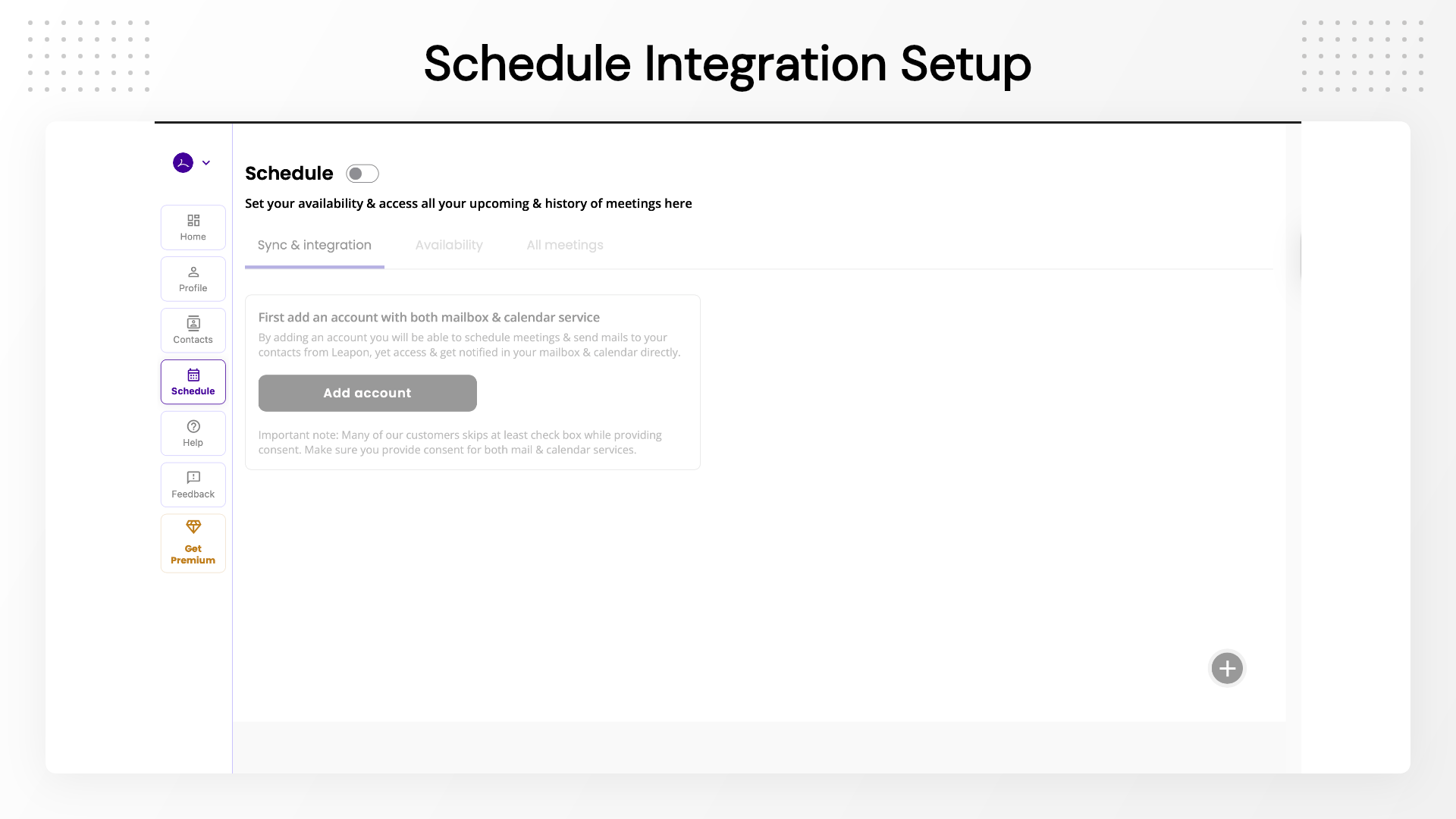
A: Yes, one-way email sync, two-way calendar sync, and one-way contact sync (Tier 2 and above).
Q: 6. Does Leapon replace a full CRM like HubSpot?
A: No, Leapon is a lightweight follow-up CRM for real-world networking, meetings, and events — not a heavy enterprise sales platform.
Q: 7. Are future features included in the LTD?
A: Lifetime access includes the features and limits of your selected tier. Advanced features, AI credits, white-label, and enterprise options may be offered as separate add-ons.
Q: 8. What does Leapon do?
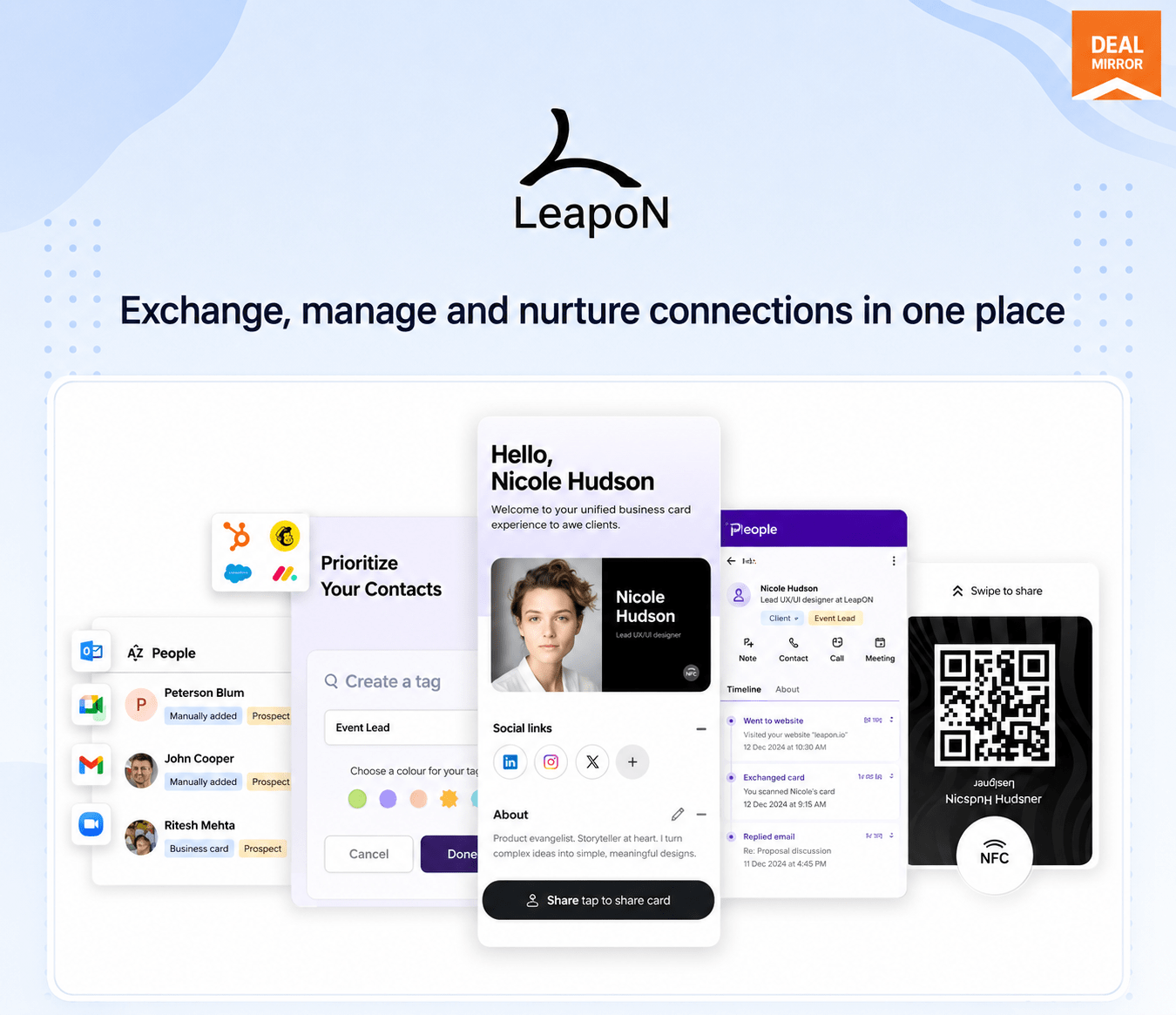
A: Leapon is a networking platform that combines digital business cards with smart contact management. It helps you exchange, organize, and nurture professional relationships in one place — with integrations for Google and Outlook, meeting booking, and follow-up reminders built in.
Q: 9. What makes Leapon’s digital business card unique?
A: Beyond sharing your contact details via QR code, link, or NFC, Leapon lets you capture the other person’s details, organize contacts with notes and tags, set follow-up reminders, and sync with Google/Outlook — all from one profile.
Q: 10. How does a digital business card work?
A: Share your profile via QR code, link, email, or NFC. When someone receives it, they can share their own details back (auto-saved to your contacts), save your info to their phone, or book a meeting directly from your card.
Q: 11. What are the advantages over paper cards?
A: No reprinting costs, instant updates, eco-friendly, and shareable across any device. Leapon goes further by turning every card exchange into an organized follow-up opportunity.
Q: 12. Why should I use smart contact management?
A: It lets you add notes, set reminders, track interaction history, send emails, and book meetings — all from one place. Instead of forgetting who you met, you have a system that tells you who to follow up with and when.
Q: 13. How secure is my data?
A: Leapon uses two-factor encryption and is hosted on AWS, which is certified under ISO 27017 (cloud security), ISO 27701 (privacy management), and ISO 27018 (cloud privacy).
Q: 14. Can I customize my digital business card?
A: Yes, You can add an About section, social media links, featured images, videos, services, and customer reviews — fully tailored to your personal or business brand.
Q: 15. Is Leapon compatible with all devices?
A: Yes, Leapon works on both Android and iOS.
Q: 16. Does Leapon sync with Google or Outlook?
A: Yes, one-way email sync, two-way calendar sync, and one-way contact sync are available on Tier 2 and above.
Q: 17. Does Leapon replace a full CRM like HubSpot?
A: No, Leapon is a lightweight follow-up CRM built specifically for real-world networking, events, and relationship-based business development — not enterprise sales pipelines.
Q: 18. Are future features included in the lifetime deal?
A: Lifetime access includes all features and limits listed in your selected tier. Usage-based features such as AI scans, email sending volume, white-label, custom domains, and enterprise features may require separate add-ons.

3 reviews for Leapon : Smart Digital Business Card for Modern Professionals
Fiona T. –
Great app and love the business card.
Dogan Kose –
This is the best product love the schedule feature has everything you need to keep you track with your business.
Lalit –
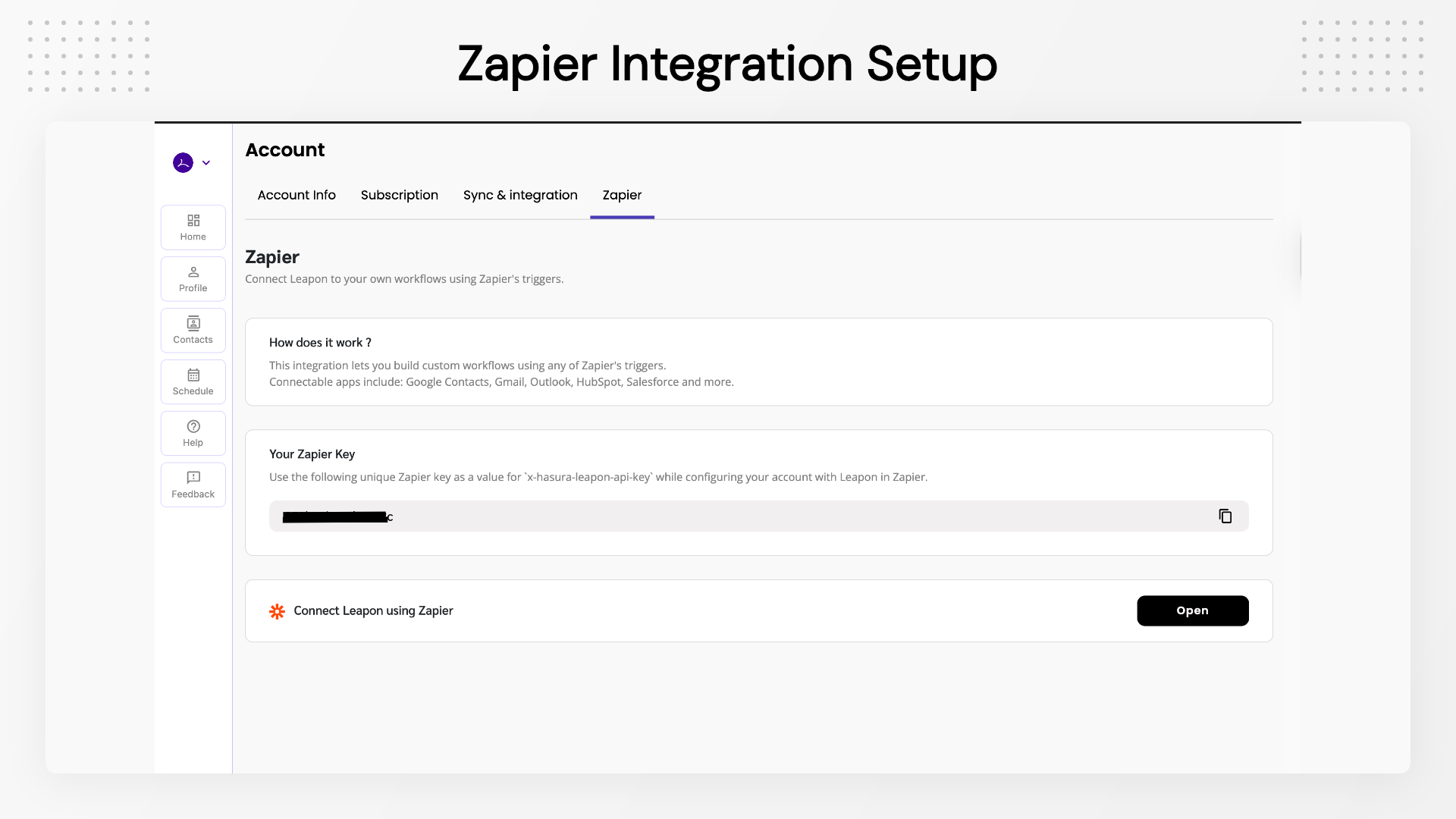
Very useful. zapier automation is the best feature very innovative.