Home » Store » Elasticnote: AI Note-Taking App for Notes, Tasks & Workflows
Elasticnote: AI Note-Taking App for Notes, Tasks & Workflows
TL;DR
AI note-taking app for notes, tasks, wikis, and workflows
Flexible Notion-style block editor with Markdown support
Best for teams, students, creators, and professionals
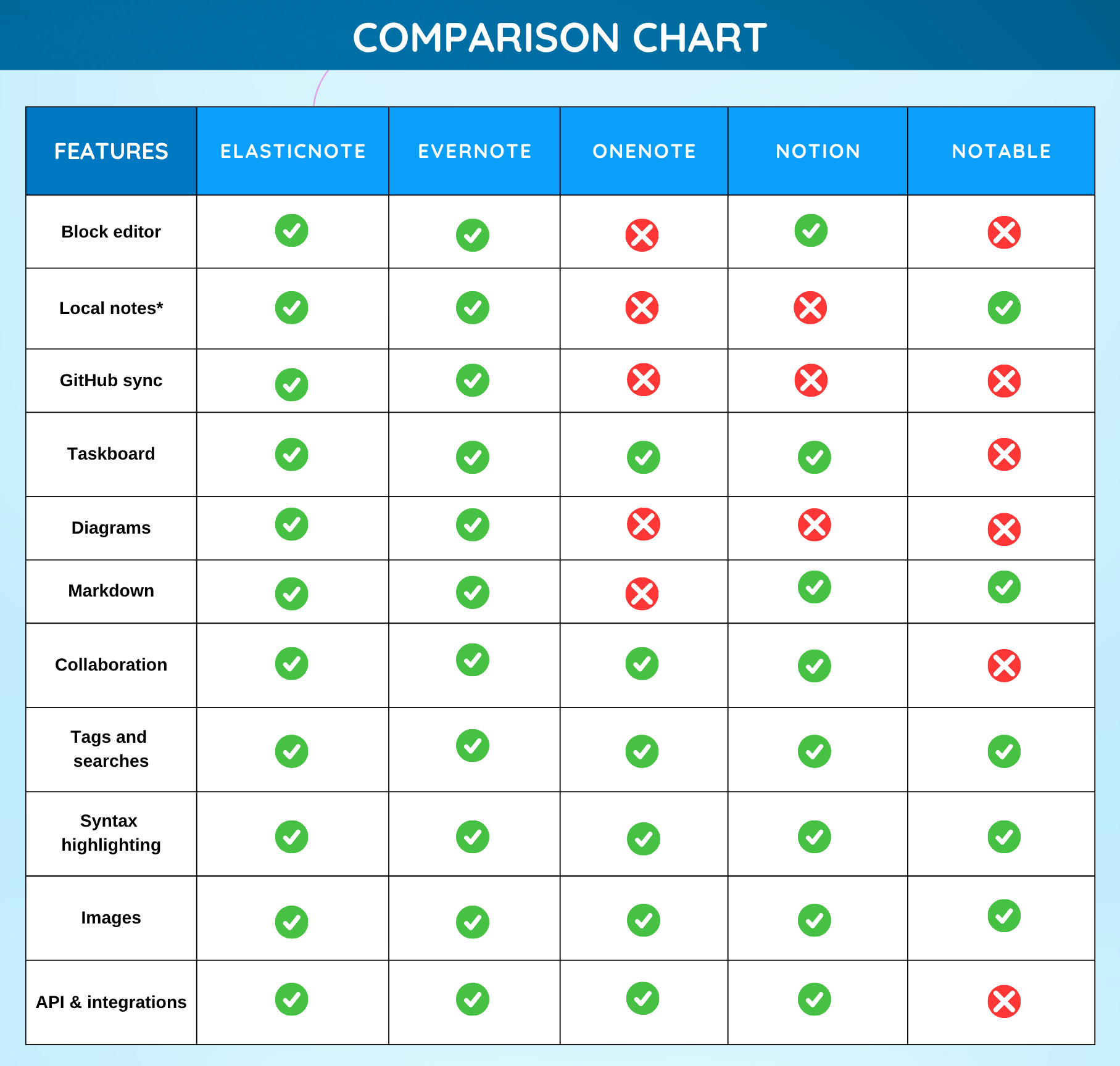
Alternatives to Evernote, Onenote, Simplenote & Google Keep
Elasticnote Lifetime Deal
Looking for an AI note-taking app that gives you powerful productivity features without sacrificing your privacy?
Most note-taking software today locks your data inside expensive cloud subscriptions, tracks your activity, and limits how you organize your knowledge.
Whether you’re a student managing study notes, a creator building content workflows, or a team collaborating on projects, finding a secure and flexible workspace can feel frustrating.
That’s where Elasticnote changes everything.
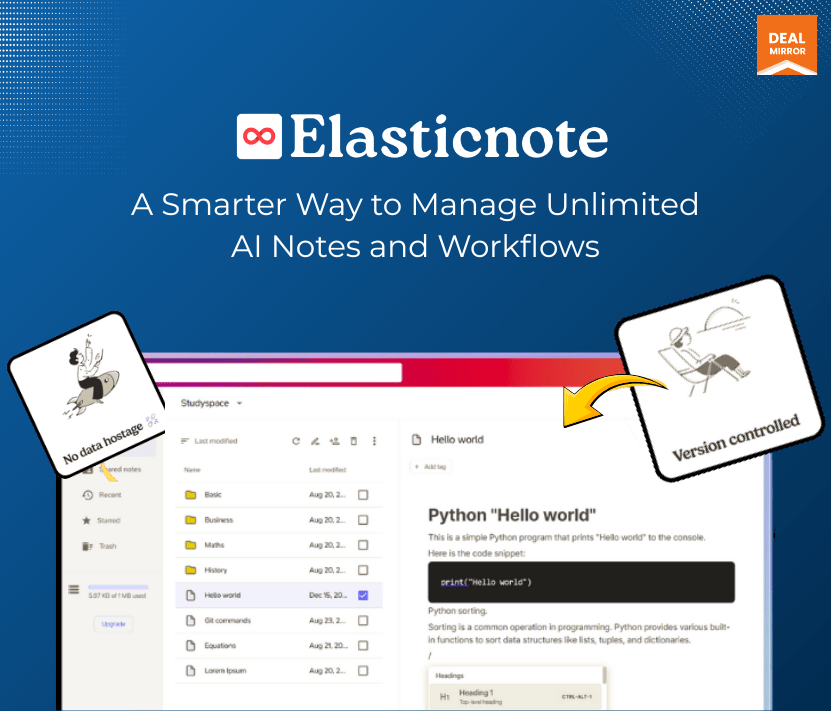
Elasticnote is a modern, privacy-first AI note-taking software for people who want full control over notes, tasks, diagrams, and workflows. Elasticnote lets your work smarter and control your data with a beautiful Notion-style editor, Markdown support, Kanban taskboards, and local-first storage.
Unlike traditional note-taking software, Elasticnote lets you save notes directly to your computer, giving you true ownership of your information. No tracking. No invasive analytics. No unnecessary complexity.
Whether you’re building a personal knowledge base, organizing projects, documenting workflows, or brainstorming ideas, Elasticnote gives you a clean and distraction-free workspace designed for productivity.
Demo Video
Elasticnote is a privacy-first AI note-taking app with unlimited notes, Markdown support, Kanban boards, local storage, workflows, diagrams, and team collaboration features.
Dashboard Images
Key features
Privacy-First Note Management: Elasticnote puts your privacy first by eliminating invasive tracking and unnecessary analytics. Your notes remain yours, stored securely on your local computer or encrypted cloud storage.
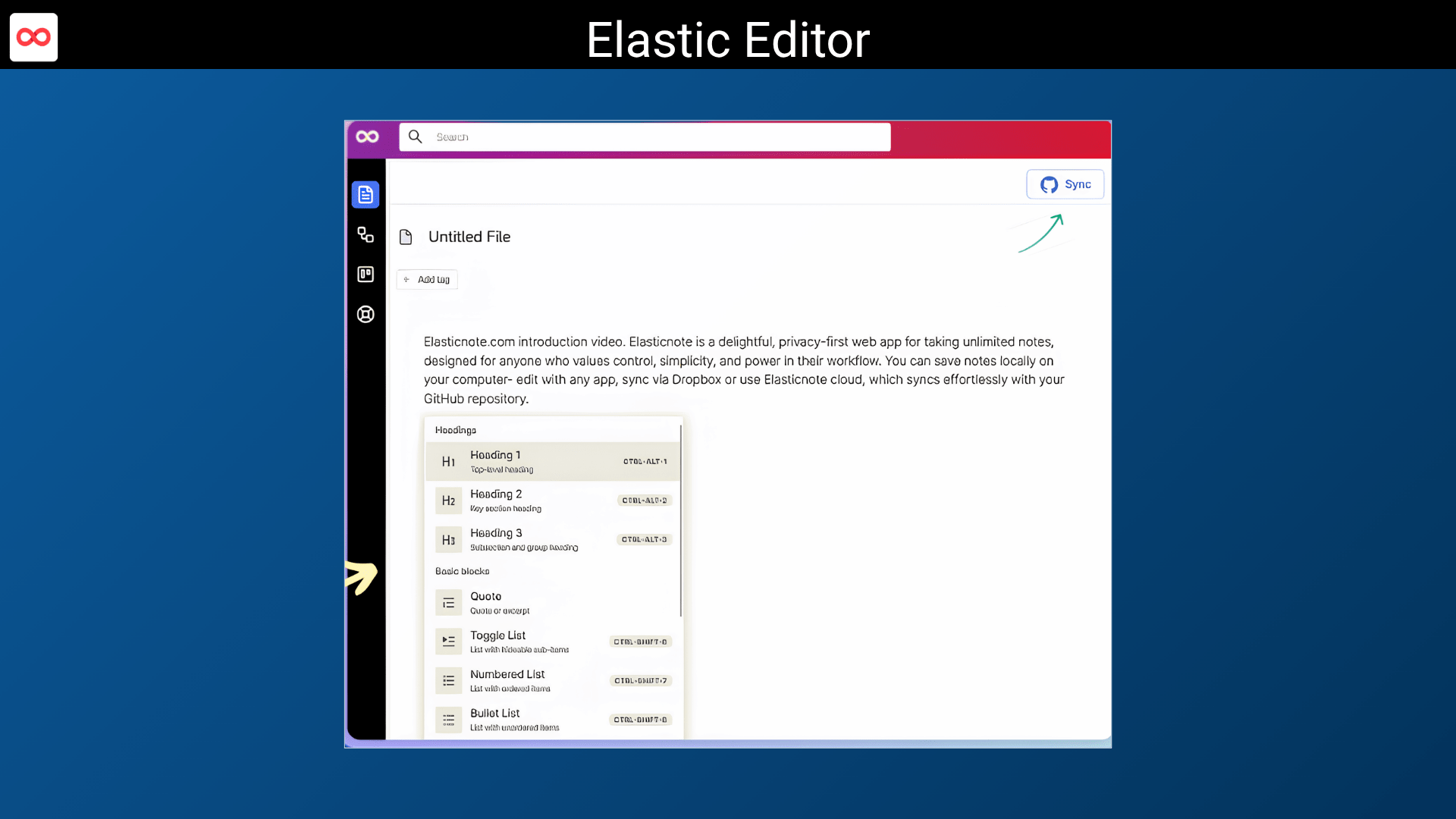
Beautiful Notion-Style Block Editor: Create structured documents effortlessly with a flexible block editor that supports: Text blocks, Checklists, Embedded visuals, Rich formatting & Organized content sections.
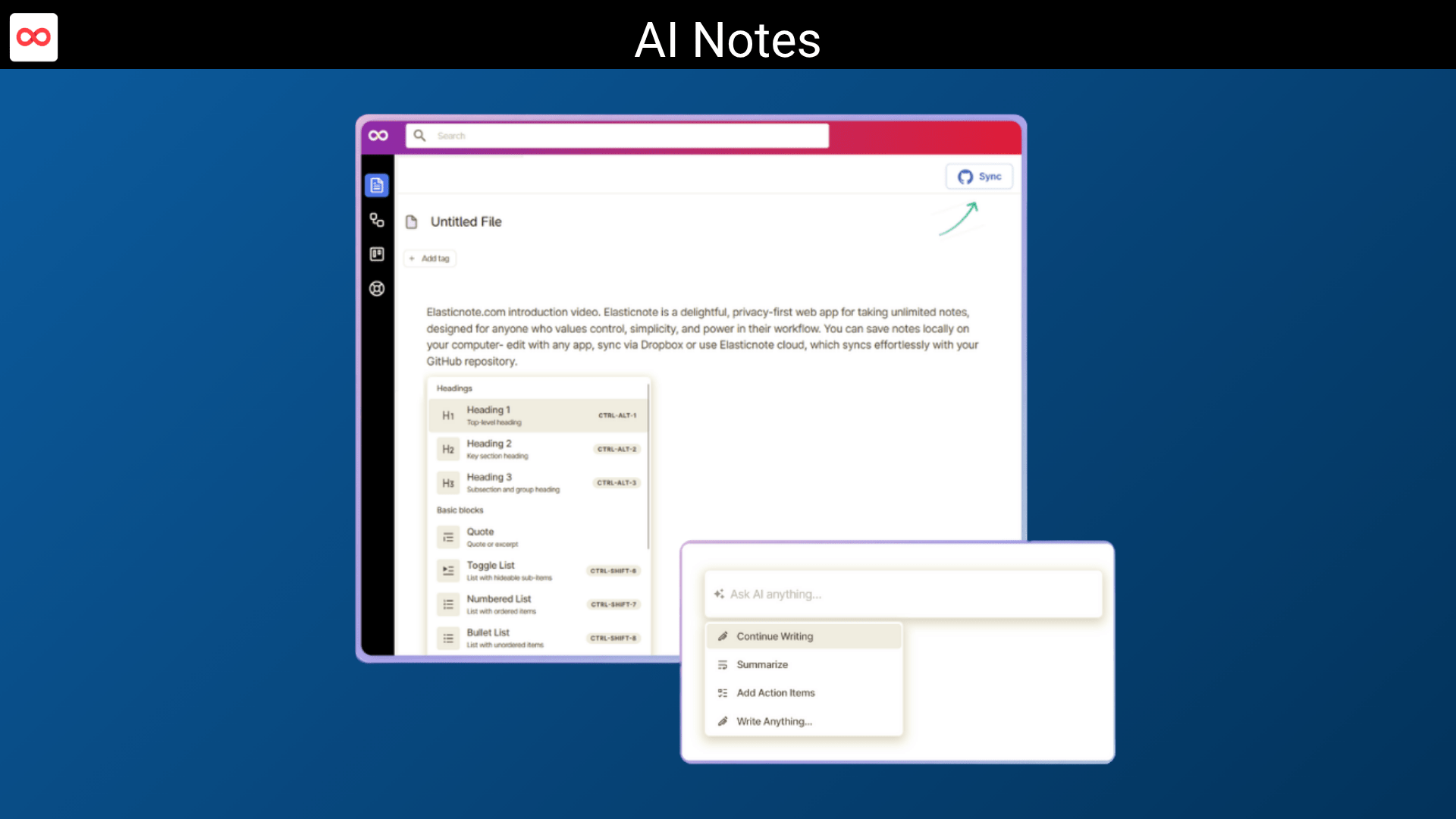
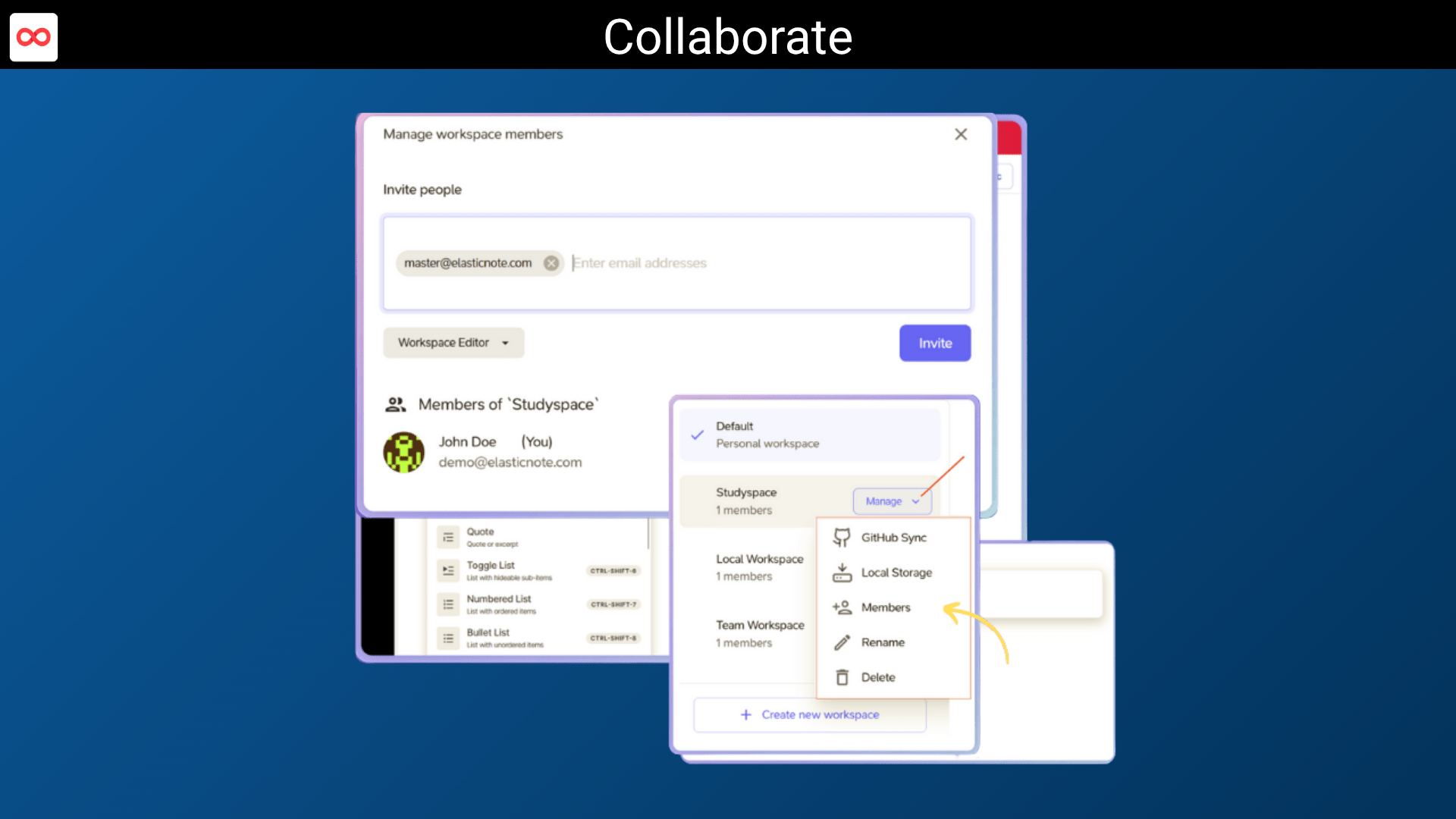
AI Note-Taking Software With Smart Workspaces: Elasticnote helps users organize notes, ideas, tasks, and documentation into structured workspaces for better productivity and knowledge management.
Full Markdown Support: Elasticnote delivers a seamless Markdown editing experience for developers, writers, and technical users who value speed and simplicity.
Local Storage and Data Ownership: Unlike many cloud-only apps, Elasticnote allows users to save notes directly to local folders using supported browsers like Chrome, Edge & Opera.
Kanban Taskboard: Manage tasks visually with a sleek built-in taskboard. With Drag-and-drop task management, Real-time syncing, Task categorization, Workflow organization & Team collaboration support.
Workflow Diagrams & Visual Planning: Elastic Diagram helps you visualize processes, workflows, and project structures using animated flow diagrams and customizable nodes.
Version Control Features: Track changes and maintain note history without unnecessary complexity.
Progressive Web App (PWA): Install Elasticnote on desktop or mobile devices for an app-like experience. Native Windows and Linux apps are also available.
Use cases
For Students & Learners: Organize study materials, lecture notes, and research securely in one workspace.
For Teams & Professionals: Collaborate on documentation, workflows, and project planning without compromising privacy.
For Writers & Creators: Enjoy distraction-free writing with Markdown support and structured note organization.
For Developers & Privacy-Conscious Users: Store notes locally and maintain full control over your data and workflows.
AI note-taking app for notes, tasks, wikis, and workflows
Flexible Notion-style block editor with Markdown support
Best for teams, students, creators, and professionals
Alternatives to Evernote, Onenote, Simplenote & Google Keep
Elasticnote Lifetime Deal
Looking for an AI note-taking app that gives you powerful productivity features without sacrificing your privacy?
Most note-taking software today locks your data inside expensive cloud subscriptions, tracks your activity, and limits how you organize your knowledge.
Whether you’re a student managing study notes, a creator building content workflows, or a team collaborating on projects, finding a secure and flexible workspace can feel frustrating.
That’s where Elasticnote changes everything.
Elasticnote is a modern, privacy-first AI note-taking software for people who want full control over notes, tasks, diagrams, and workflows. Elasticnote lets your work smarter and control your data with a beautiful Notion-style editor, Markdown support, Kanban taskboards, and local-first storage.
Unlike traditional note-taking software, Elasticnote lets you save notes directly to your computer, giving you true ownership of your information. No tracking. No invasive analytics. No unnecessary complexity.
Whether you’re building a personal knowledge base, organizing projects, documenting workflows, or brainstorming ideas, Elasticnote gives you a clean and distraction-free workspace designed for productivity.
Demo Video
Elasticnote is a privacy-first AI note-taking app with unlimited notes, Markdown support, Kanban boards, local storage, workflows, diagrams, and team collaboration features.
Dashboard Images
Key features
Privacy-First Note Management: Elasticnote puts your privacy first by eliminating invasive tracking and unnecessary analytics. Your notes remain yours, stored securely on your local computer or encrypted cloud storage.
Beautiful Notion-Style Block Editor: Create structured documents effortlessly with a flexible block editor that supports: Text blocks, Checklists, Embedded visuals, Rich formatting & Organized content sections.
AI Note-Taking Software With Smart Workspaces: Elasticnote helps users organize notes, ideas, tasks, and documentation into structured workspaces for better productivity and knowledge management.
Full Markdown Support: Elasticnote delivers a seamless Markdown editing experience for developers, writers, and technical users who value speed and simplicity.
Local Storage and Data Ownership: Unlike many cloud-only apps, Elasticnote allows users to save notes directly to local folders using supported browsers like Chrome, Edge & Opera.
Kanban Taskboard: Manage tasks visually with a sleek built-in taskboard. With Drag-and-drop task management, Real-time syncing, Task categorization, Workflow organization & Team collaboration support.
Workflow Diagrams & Visual Planning: Elastic Diagram helps you visualize processes, workflows, and project structures using animated flow diagrams and customizable nodes.
Version Control Features: Track changes and maintain note history without unnecessary complexity.
Progressive Web App (PWA): Install Elasticnote on desktop or mobile devices for an app-like experience. Native Windows and Linux apps are also available.
Use cases
For Students & Learners: Organize study materials, lecture notes, and research securely in one workspace.
For Teams & Professionals: Collaborate on documentation, workflows, and project planning without compromising privacy.
For Writers & Creators: Enjoy distraction-free writing with Markdown support and structured note organization.
For Developers & Privacy-Conscious Users: Store notes locally and maintain full control over your data and workflows.
We built Elasticnote because we were tired of note-taking apps that lock your data in their cloud, track your activity, and charge you forever.
Elasticnote is different.
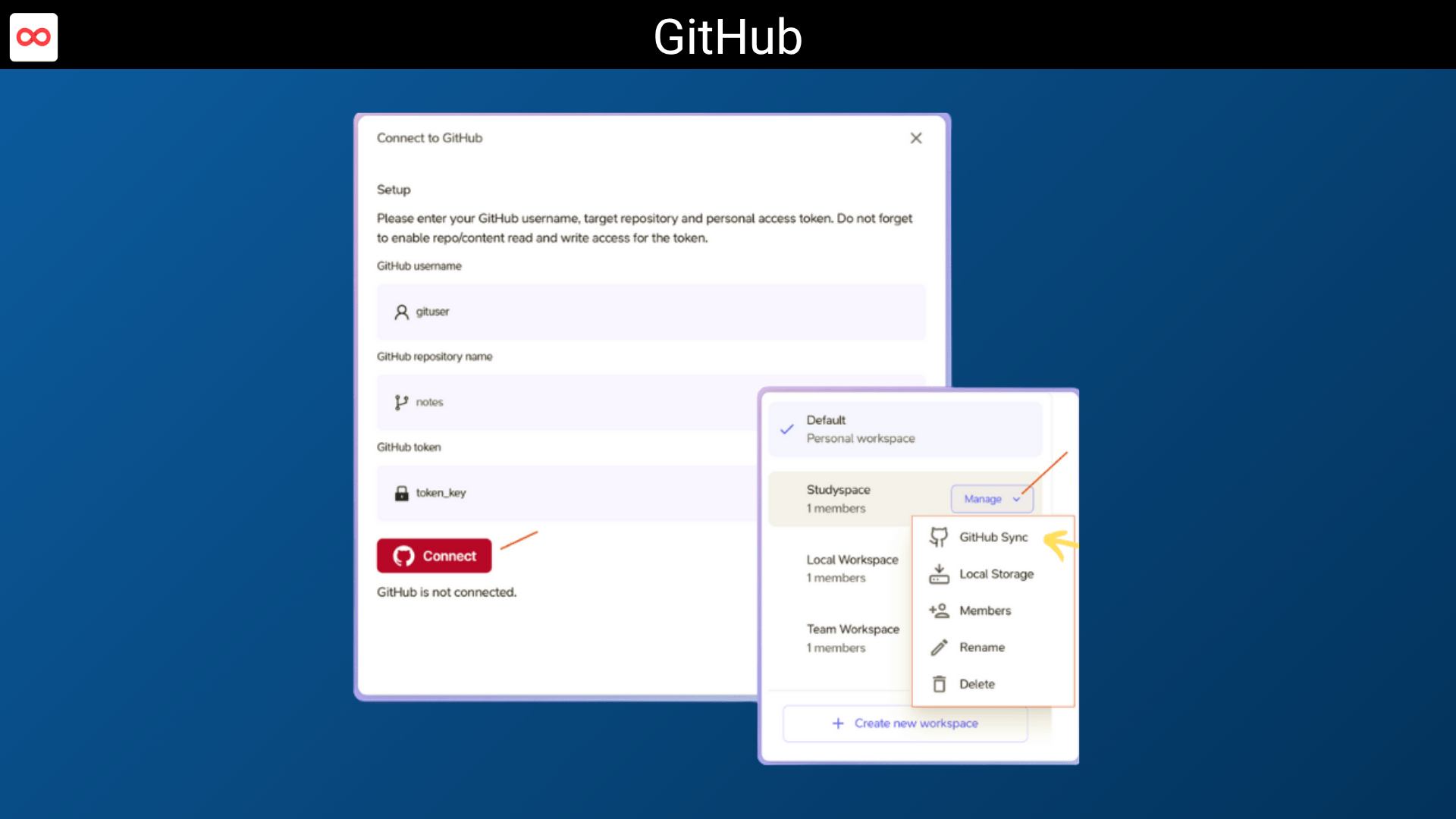
It’s a privacy-first, unlimited note-taking app where you choose where your notes live — locally on your own computer, synced via GitHub, or in the cloud. No tracking. No analytics. No lock-in.
At the same time, you still get power:
Notion-style beautiful block editor
Full Markdown support
AI assistant
Version control
Kanban boards & diagrams
Unlimited notes & workspaces
Elasticnote is for students, professionals, developers, and anyone who believes their ideas should stay under their control.
A: Your locally saved notes stay with you at your full control inside your computer. Your cloud notes are encrypted in transit (forced SSL) and encrypted at rest (AES-256), kept at an AU data center (an EU data center is planned for GDPR compliance). Cloud notes can be further synced with GitHub repositories.
Q: 3. Desktop or mobile app?
A: Elasticnote can be installed as a Progressive Web App (PWA) for a desktop or mobile app-like experience. Simply use the browser option to add it to your device’s home screen. Additionally, free native Windows and Linux apps are available in their respective stores.
Reviews
6 reviews for Elasticnote: AI Note-Taking App for Notes, Tasks & Workflows
Rated 5 out of 5
Remy –
Whether I’m tackling work or my personal notes, it seamlessly adapts to my changing needs.
Rated 5 out of 5
Travis –
Elasticnote has its exceptional support. The team behind this product has been quick to respond.
Rated 5 out of 5
Mira –
Simplicity of Elasticnote has significantly helped my work and life. Its drive-like interface has made my day!
Rated 5 out of 5
Julia –
I appreciate the Local storage enabling capacity of Elasticnote. Makes a big difference, in terms of privacy.
Rated 5 out of 5
John –
Elasticnote one stands out for its innovative features like GitHub sync, Kanban board and diagrams.
Rated 5 out of 5
Daniel –
Elasticnote exceeded my expectations. It’s well-designed, easy-to-use and built to the perfection!






6 reviews for Elasticnote: AI Note-Taking App for Notes, Tasks & Workflows
Remy –
Whether I’m tackling work or my personal notes, it seamlessly adapts to my changing needs.
Travis –
Elasticnote has its exceptional support. The team behind this product has been quick to respond.
Mira –
Simplicity of Elasticnote has significantly helped my work and life. Its drive-like interface has made my day!
Julia –
I appreciate the Local storage enabling capacity of Elasticnote. Makes a big difference, in terms of privacy.
John –
Elasticnote one stands out for its innovative features like GitHub sync, Kanban board and diagrams.
Daniel –
Elasticnote exceeded my expectations. It’s well-designed, easy-to-use and built to the perfection!