Home » Store » DocGPT AI : AI-Powered Assistant For Google Sheets
DocGPT AI : AI-Powered Assistant For Google Sheets
TL;DR
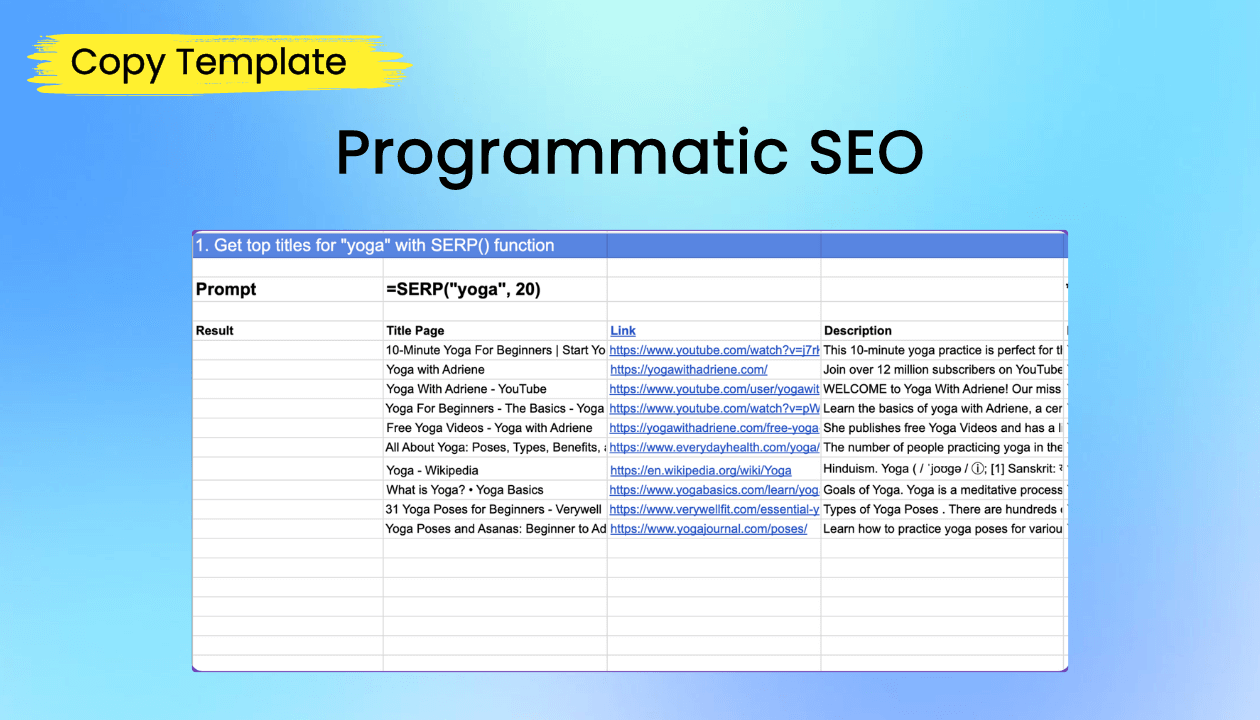
Best fit for Programmatic SEO
API connectors to your services and databases
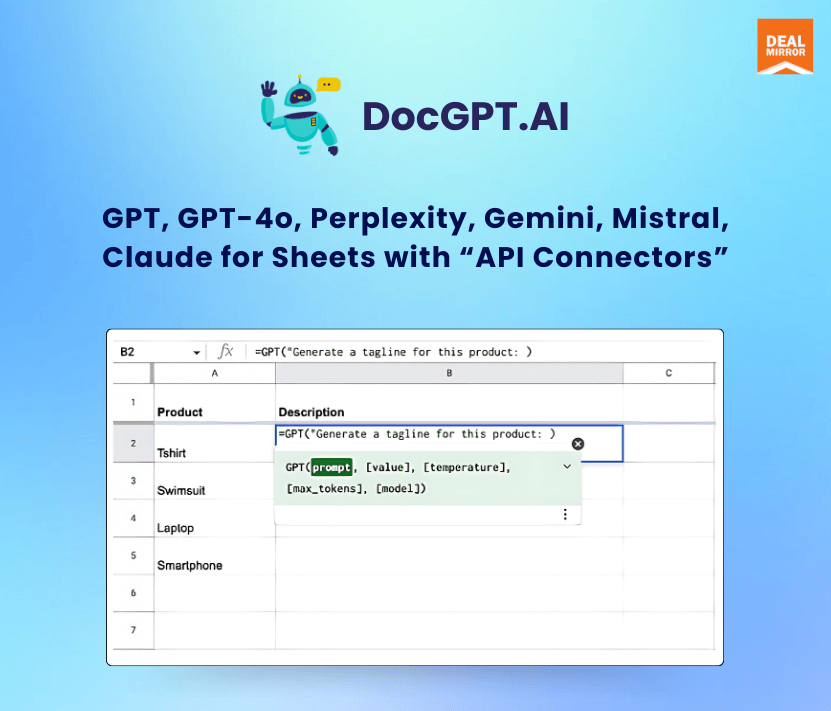
Support for over 100+ AI models (GPT, Perplexity, Gemini, Claude) and OpenRouter to onboard any AI models or your custom model
Built-in functions for SEO content creation with lead & data enrichment in your Google Sheets
Say goodbye to manual data entry and hello to seamless automation.
With GPT for Sheets, you can streamline tasks like content creation, translation, data extraction, and categorization, as well as generate title tags, descriptions, keywords, articles, and product descriptions in bulk, saving time and boosting productivity.
Introducing DocGPT AI (https://docgpt.ai/gpt-for-sheets/)
Your AI-powered assistant for Google Sheets, now with capabilities for bulk SEO tasks.
Demo Video
Get Started
Step 1 Install Add-On
Go to Workspace Marketplace and click on the Install button.
Step 2 Open Google Sheets
Please open a Google Sheets where you want to use the add-on.
Step 3Launch the Add-On
Click on the Extensions button, choose GPT for Docs Sheets, and click Launch.
Step 4 Ready to use
You have now opened the sidebar for add-on functionality.
Leverage GPT, Gemini, Mistral, Claude for Google Sheets to streamline content creation and product description writing directly within Google Sheets.
Seamlessly generate engaging copy and captivating product narratives with the power of AI at your fingertips.
Dashboard Overview Images
Supported Functions:
API() – GET, POST content from Sheets to your site/service
Break down language barriers and expand your global reach by translating text into over 90+ languages instantly.
With GPT, Gemini, Mistral, Claude, and Perplexity for Google Sheets’s translation capabilities, ensure your content resonates with audiences worldwide.
Key Features
Build no-code solutions for your SaaS applications
Programmatic SEO
Learn SEO strategies
Data Enrichment
Lead Enrichment
Bulk image generation
Bulk creation of product descriptions for marketplaces like Shopify, Amazon, eBay
Data extraction from images (using GPT Vision)
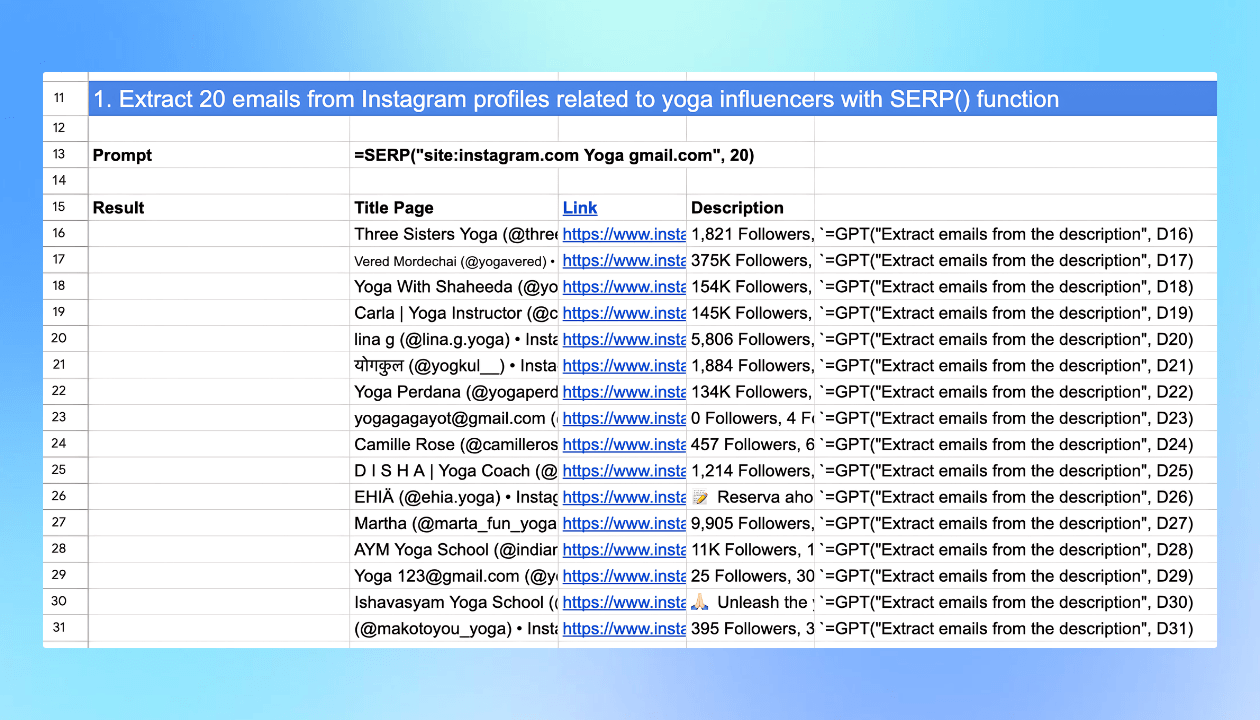
Data extraction from social media platforms like Instagram, Pinterest, LinkedIn, and Twitter (X)
SEO research using integrated SERP() and Google Search API functions
Mass page creation
Bulk creation of SEO-optimized pages for websites on WordPress, Webflow, Weebly, Wix, and Squarespace
Bulk translation of content
Bulk creation of YouTube video scripts
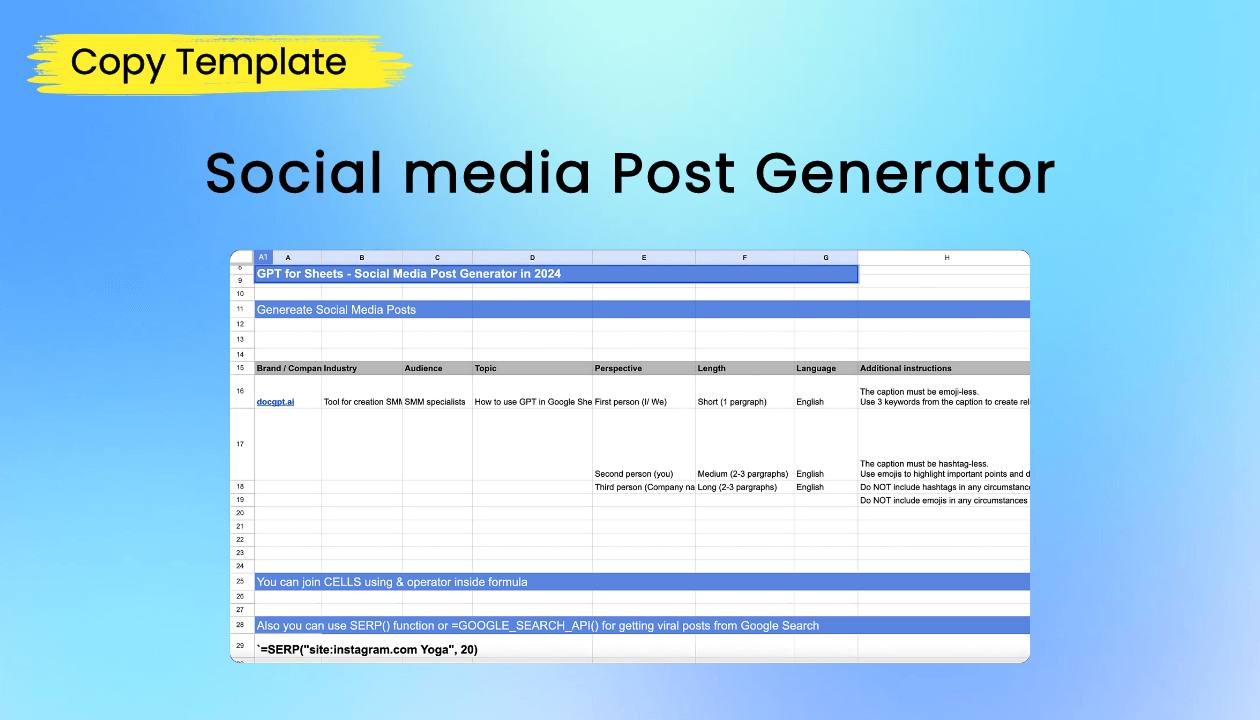
Bulk creation of social media posts
Posting to platforms like Instagram, Twitter (x.com), Pinterest, and LinkedIn using API() functions
Sending personalized emails through your email vendor
Use Cases
Content Creation and SEO Strategy Enhancement: Generate SEO-friendly articles in bulk with =AI() in Power Formulas, boosting organic visibility and website traffic effortlessly.
Dynamic Image Generation for Marketing Campaigns: Produce unique visuals for digital campaigns using =AI_IMAGE(), enhancing engagement across platforms with compelling imagery.
Automated Data Analysis and Reporting: Connect Google Sheets to APIs for real-time data analysis, empowering timely insights and decision-making.
Customer Support and Inquiry Handling: Utilize =AI() for inquiry handling in customer service, speeding up response times and improving efficiency.
AI-Assisted Educational Tools: Enhance learning experiences with AI-integrated educational tools, providing tailored content and feedback within Google Sheets.
Deal Terms
Length of access: Lifetime Access
Redeem your code within 60 days of purchase
30-Days Money-Back Guarantee (For Non-Prime Members and Regular users)
60-Day Money-Back Guarantee (For DealMirror Prime Members Only)
Intro Video
Roadmap & Use Cases:
Discount code auto-applied at checkout.
DocGPT AI : AI-Powered Assistant For Google Sheets
One-time payment. Lifetime access
What you get in this deal
Unlimited credits Unlimited access to features No request limits User can use any provided AI vendor: GPT, Gemini, Mistral, Claude
Support for over 100+ AI models (GPT, Perplexity, Gemini, Claude) and OpenRouter to onboard any AI models or your custom model
Built-in functions for SEO content creation with lead & data enrichment in your Google Sheets
Say goodbye to manual data entry and hello to seamless automation.
With GPT for Sheets, you can streamline tasks like content creation, translation, data extraction, and categorization, as well as generate title tags, descriptions, keywords, articles, and product descriptions in bulk, saving time and boosting productivity.
Introducing DocGPT AI (https://docgpt.ai/gpt-for-sheets/)
Your AI-powered assistant for Google Sheets, now with capabilities for bulk SEO tasks.
Demo Video
Get Started
Step 1 Install Add-On
Go to Workspace Marketplace and click on the Install button.
Step 2 Open Google Sheets
Please open a Google Sheets where you want to use the add-on.
Step 3Launch the Add-On
Click on the Extensions button, choose GPT for Docs Sheets, and click Launch.
Step 4 Ready to use
You have now opened the sidebar for add-on functionality.
Leverage GPT, Gemini, Mistral, Claude for Google Sheets to streamline content creation and product description writing directly within Google Sheets.
Seamlessly generate engaging copy and captivating product narratives with the power of AI at your fingertips.
Dashboard Overview Images
Supported Functions:
API() – GET, POST content from Sheets to your site/service
Break down language barriers and expand your global reach by translating text into over 90+ languages instantly.
With GPT, Gemini, Mistral, Claude, and Perplexity for Google Sheets’s translation capabilities, ensure your content resonates with audiences worldwide.
Key Features
Build no-code solutions for your SaaS applications
Programmatic SEO
Learn SEO strategies
Data Enrichment
Lead Enrichment
Bulk image generation
Bulk creation of product descriptions for marketplaces like Shopify, Amazon, eBay
Data extraction from images (using GPT Vision)
Data extraction from social media platforms like Instagram, Pinterest, LinkedIn, and Twitter (X)
SEO research using integrated SERP() and Google Search API functions
Mass page creation
Bulk creation of SEO-optimized pages for websites on WordPress, Webflow, Weebly, Wix, and Squarespace
Bulk translation of content
Bulk creation of YouTube video scripts
Bulk creation of social media posts
Posting to platforms like Instagram, Twitter (x.com), Pinterest, and LinkedIn using API() functions
Sending personalized emails through your email vendor
Use Cases
Content Creation and SEO Strategy Enhancement: Generate SEO-friendly articles in bulk with =AI() in Power Formulas, boosting organic visibility and website traffic effortlessly.
Dynamic Image Generation for Marketing Campaigns: Produce unique visuals for digital campaigns using =AI_IMAGE(), enhancing engagement across platforms with compelling imagery.
Automated Data Analysis and Reporting: Connect Google Sheets to APIs for real-time data analysis, empowering timely insights and decision-making.
Customer Support and Inquiry Handling: Utilize =AI() for inquiry handling in customer service, speeding up response times and improving efficiency.
AI-Assisted Educational Tools: Enhance learning experiences with AI-integrated educational tools, providing tailored content and feedback within Google Sheets.
Deal Terms
Length of access: Lifetime Access
Redeem your code within 60 days of purchase
30-Days Money-Back Guarantee (For Non-Prime Members and Regular users)
60-Day Money-Back Guarantee (For DealMirror Prime Members Only)
Pricing
Tier 1
One-time payment. Lifetime access
$79.00$299.00
Unlimited credits
Unlimited access to features
No request limits
User can use any provided AI vendor: GPT, Gemini, Mistral, Claude
Bring your API key
From The Founders
Yaroslav Mykhailov
Founder
I created GPT for Google Sheets to address key challenges in the marketplace.
With our solution, I streamline workflows by integrating AI into Google Sheets.
My tool simplifies data management, enhances SEO, and automates content creation.
Key points include:
Efficiency: Automate repetitive tasks, saving time and reducing manual errors.
Data Handling: Manage and analyze large datasets effortlessly.
SEO: Improve visibility with AI-driven SEO strategies.
Content Creation: Generate product descriptions, social media posts, and more with ease.
Customization: Tailor solutions to fit specific needs and platforms.
My goal is to empower users to maximize productivity and achieve their business objectives with cutting-edge AI technology.
FAQ's
Does DocGPT AI provide support?
– Yes, Write to online support on the site Live Chat: https://docgpt.ai/ or [email protected] (if high critical only).
Can I get an invoice for my subscription under my company name?
– Yes, you can. Just send us an email at [email protected] and we will take care of this.
Can one output populate multiple rows?
– Yes, it can. You can use the functions as regular functions in Google Sheets. Just pull down to apply to all rows.
How do you compare other compatitros?
– Our product supports more AI models (Gemini, Mistral, Claude), has a lower price, more reviews in the Workspace Store, and a higher rating. Additionally, we support web scraping functions and GOOGLE INDEXING, API() function to request any other service/database (over http/s).
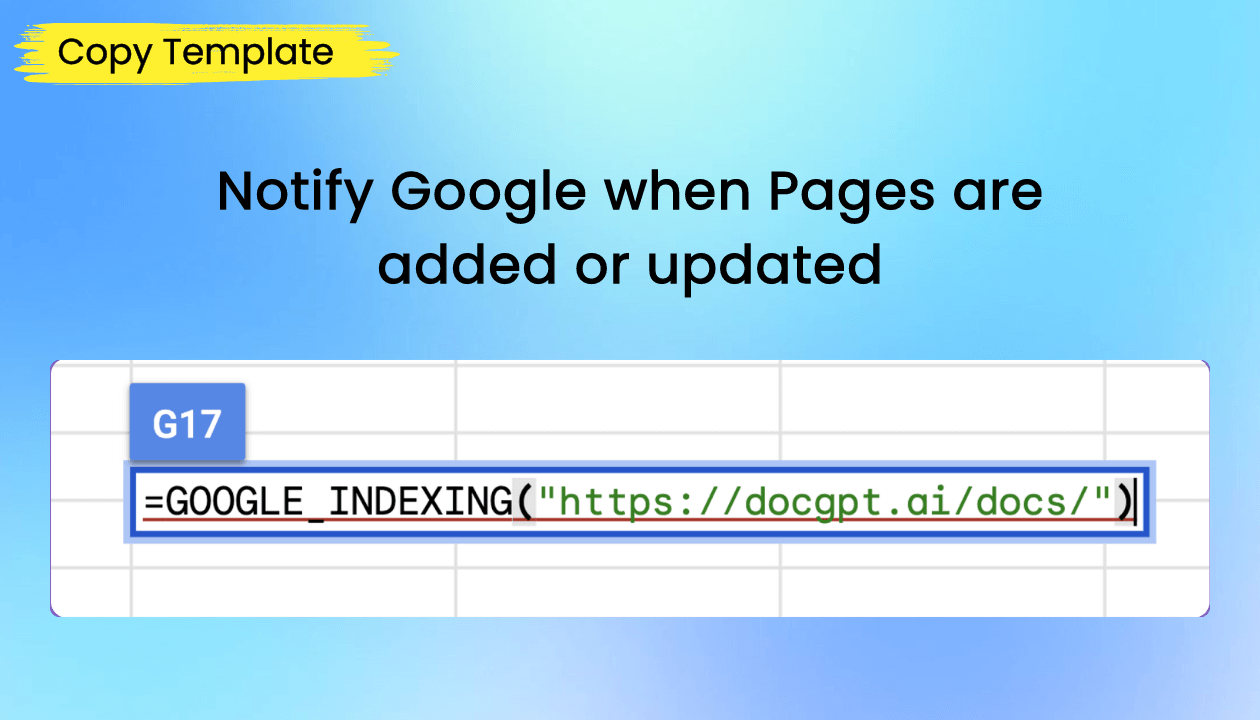
Does it support Google Indexing from Google Sheets?
– Yes, you can use GOOGLE_INDEXING() function to request for indexing by GOOGLE
Is it possible to connect prompts from different Google Sheets cells?
-Yes, you can use functions like GPT_TABLE, GPT_LIST, and GPT_HLIST (horizontal) to generate outputs that populate multiple rows.
Are there scraping capabilities?
– Yes, we support web scraping with functions such as:
=WEB_URL(“https://docgpt.ai”)
=WEB_TITLE(“https://docgpt.ai”)
=WEB_DESCRIPTION(“https://docgpt.ai”)
=WEB_H1(“https://docgpt.ai”)
=WEB_H2(“https://docgpt.ai”)
=WEB_HEADINGS(“https://docgpt.ai”)
=WEB_PARAGRAPHS(“https://docgpt.ai”)
=WEB_URLS_DATA(A37:A39)
If I don’t enter my API key, how many requests do I have per month? Or do I necessarily have to place my API key?
– For lifetime access, an API key is required. However, there are other plans available if you prefer to use the service without an API key.
What does your tool do to avoid timeouts, throttling of requests, and retries for failed requests?
– Our add-on makes direct calls from formulas without any middleware, providing the fastest response time. To refresh failed formulas, simply refresh the page, and Google Sheets will re-request them. There are no limitations on the number of requests from our side; any limitations are imposed by the AI provider.
Can certain functions avoid using an external LLM, like extracting emails using an internal regex script?
– Yes, you can use the =GPT_EXTRACT() function for data extraction or custom prompts like =GPT/Mistral/Gemini/Claude(“Extract email from the text:”, A1).
Can one output populate multiple rows?
– Yes, you can use functions like GPT_TABLE, GPT_LIST, and GPT_HLIST (horizontal) to generate outputs that populate multiple rows.
Are there any plans to integrate with Groq?
– We are considering the integration and will look into it.
Which libraries are the cheapest?
– GPT-3 Turbo is very cheap, and Gemini is also affordable but currently available only for USA accounts.
Can I share the tool with my team members? Are there any limitations?
– Yes, you can share the sheet as usual. Team members need a subscription to the add-on to use the formulas.
Will refreshing the sheet call the API again, costing more credits?
– Yes, refreshing the sheet will call the API again. The add-on has buttons to replace selected or all functions with actual text to avoid repeated API calls.
Can you combine AI formulas with standard sheet formulas?
– Yes, you can combine AI functions with standard sheet formulas and use cells, ranges, and & within AI functions.
Do the API keys go at a sheet level or account level?
– API keys are used at the account level, allowing for one-time setup. You can reset the key for different clients to track consumption.
Is there support for image generation models like DALL-E 3?
– Yes it is.
Can the tool use chat history to build on previously written content?
– If it is possible with ChatGPT, it can be done with our add-on. Please share an example for specific help.
How does this tool handle timeouts and retries?
– We make direct calls from formulas without middleware for fast responses. To handle timeouts and retries, refresh the page, and Google Sheets will re-request the formulas.
Reviews
Reviews
There are no reviews yet.
Be the first to review “DocGPT AI : AI-Powered Assistant For Google Sheets” Cancel reply






Reviews
There are no reviews yet.