Home » Store » ContactBook: Effortlessly Manage & Share Contacts with Your Team Anywhere
ContactBook: Effortlessly Manage & Share Contacts with Your Team Anywhere
TL;DR
Enables real-time collaboration and keeps contact information updated across teams
Simply integrate Gmail, Google Contacts, and other CRMs for enhanced productivity
Best for: Healthcare, Sales Teams, Startups, SMEs and Freelancers (Add for BNI Users here)
Alternative to: Clay, Contact Plus and Folk
ContactBook Lifetime Deal
Are you struggling with scattered data, making it difficult to manage your contacts?
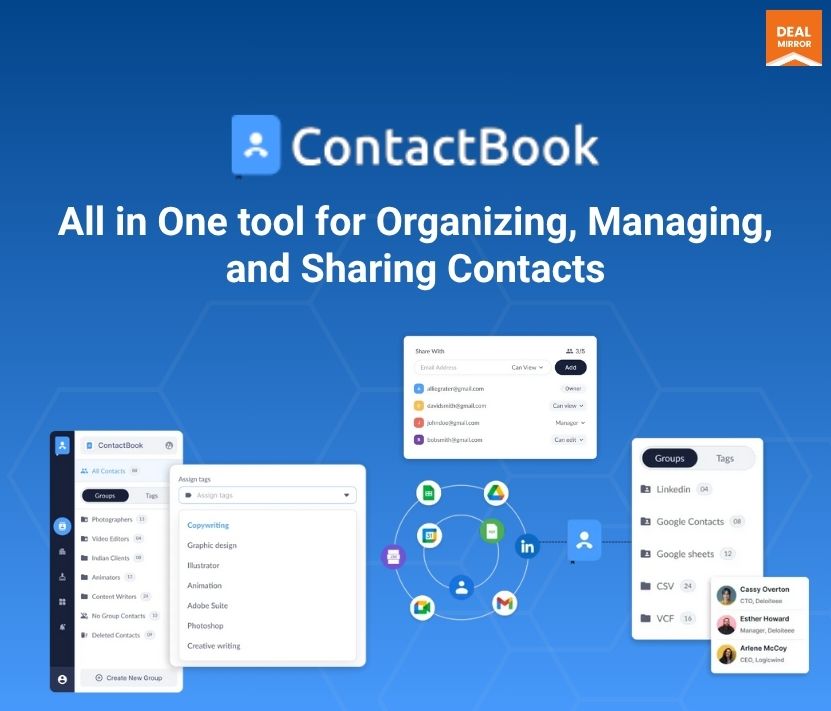
ContactBook is a powerful contact manager lifetime deal designed to help teams organize, manage, and share contacts from a single location.
The ContactBook contact-managing and sharing app allows you to share contacts with Gmail and G Suite team members effortlessly. With its Chrome extension, you can access and manage your contacts directly from your browser, adding convenience to your daily workflow.
Manage all your contacts in one place and access them from anywhere, along with your team. ContactBook also offers features such as custom tags for categorizing contacts, adding notes and attachments for enhanced context, and reminders for timely follow-ups.
You can now access the ContactBook easily with a mobile application.
Intro Video
ContactBook is a contact management tool that helps teams organize, share, and access contacts seamlessly from a single location.
ContactBook Dashboard
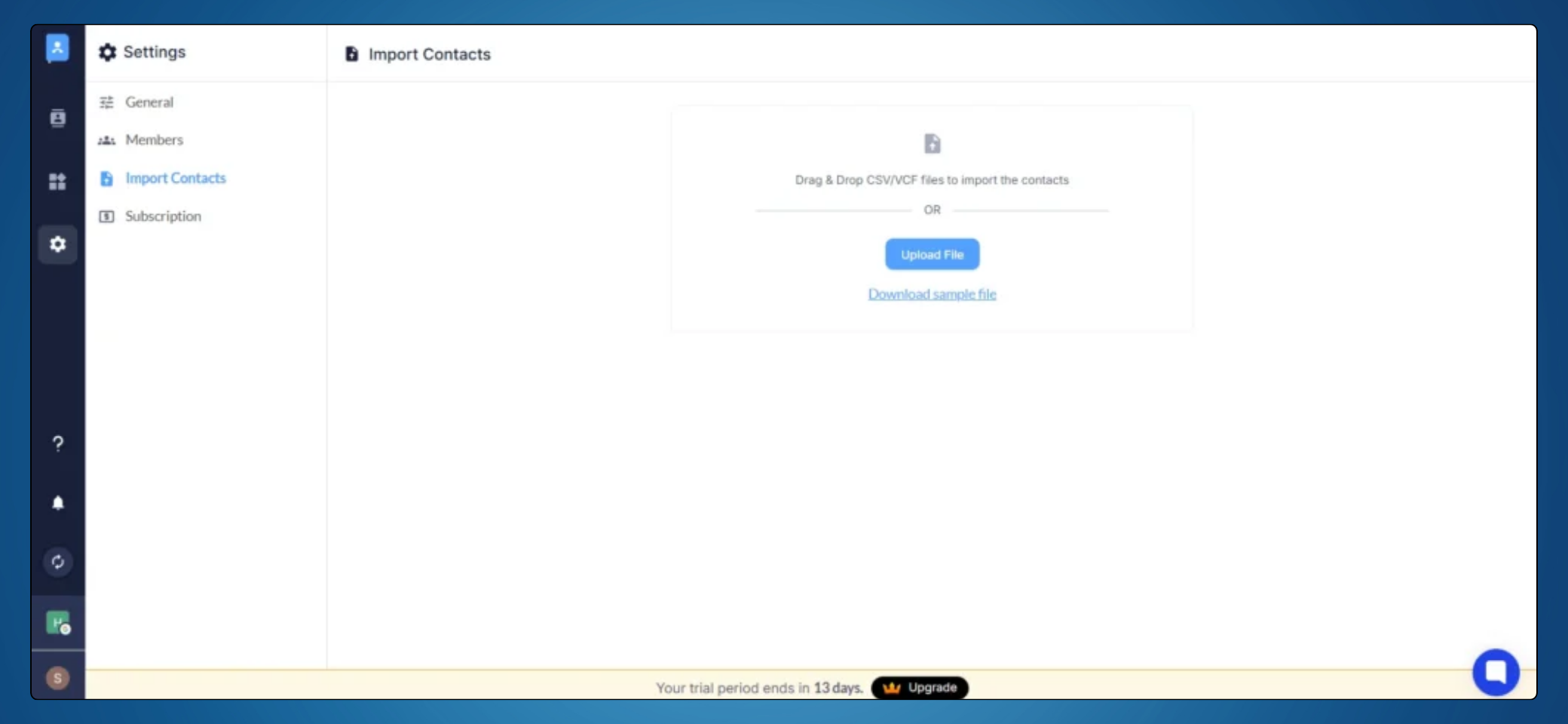
Import Contacts
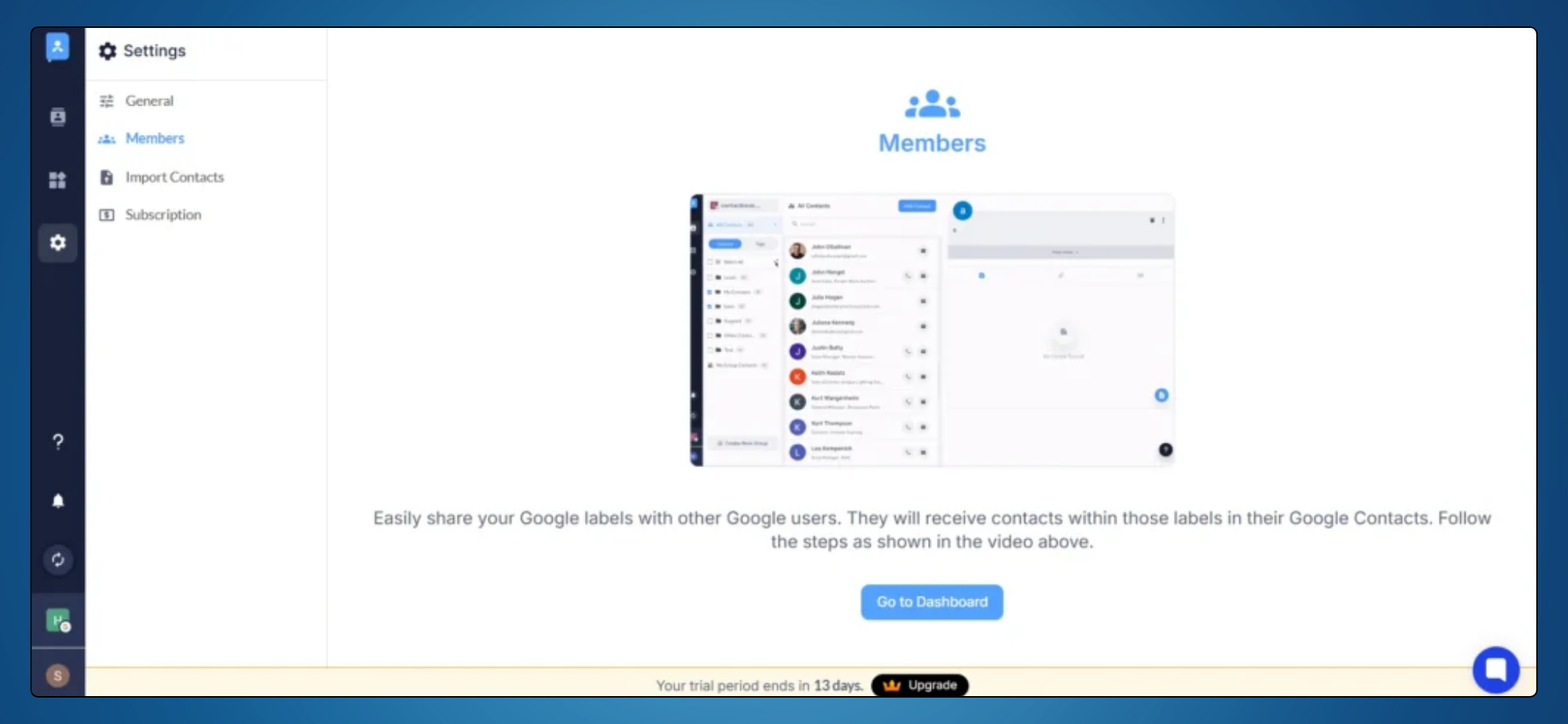
Share Contacts With Members
Why do you need ContactBook?
All Contacts in one place: Easily import your existing contacts from various sources, such as Gmail, LinkedIn, and other platforms, into a single, centralized location. This will simplify contact management and ensure access to all your essential connections in one place.
Collaborate with your team: Seamlessly share contacts just like you would with Google Drive files. Collaborate with your team to manage contacts collectively, ensuring everyone can access the most up-to-date information. Boost teamwork and streamline communication within your organisation.
Categorize with custom tags: Organise your contacts with custom tags such as expertise, location, or any other criteria that suit your needs. Effortlessly filter and search through your contacts, making finding the right person at the right time easier.
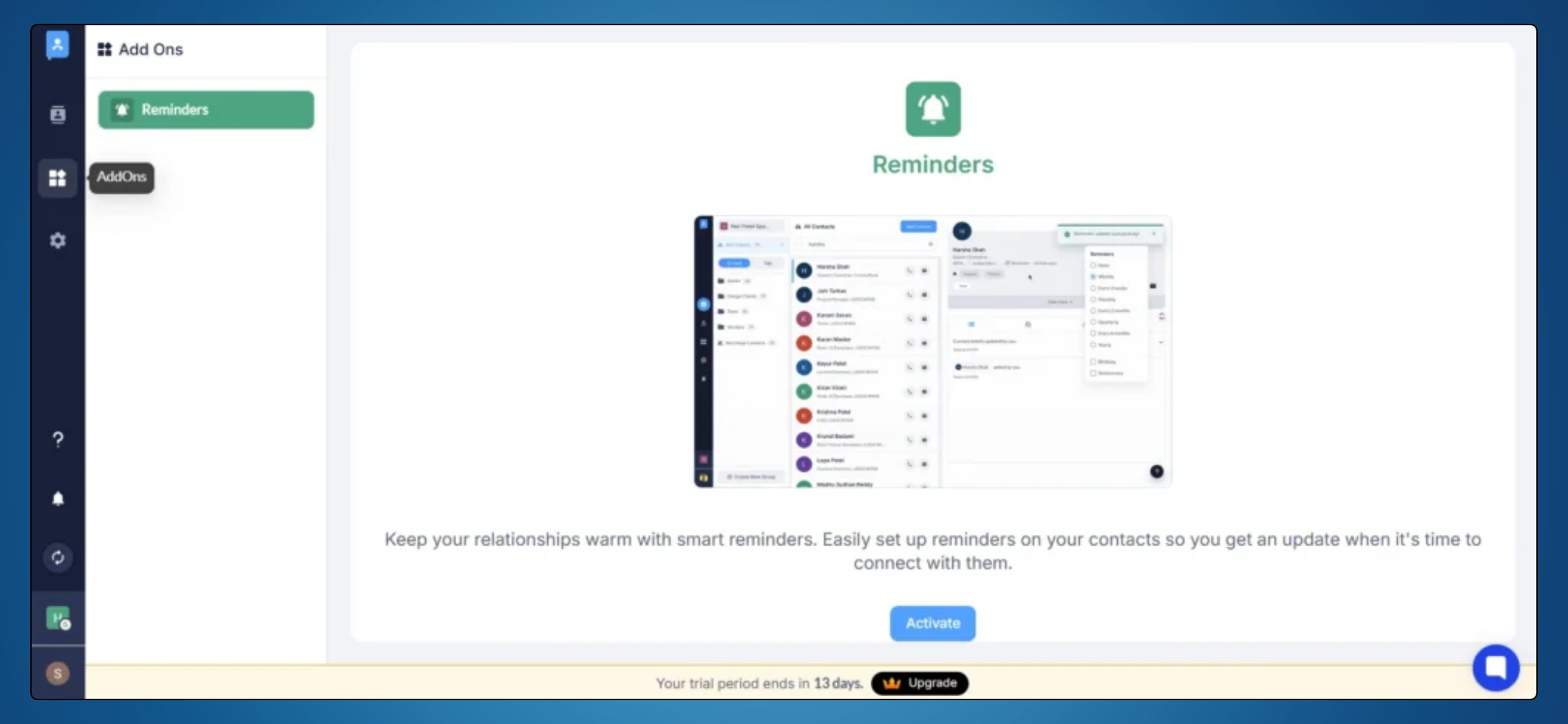
Do more with your contacts: Enhance your contact details by adding notes, attachments, and reminders. Keep track of meaningful interactions and never miss a follow-up. Ensure you always have the context to maintain strong relationships and stay connected.
Smart Reminders
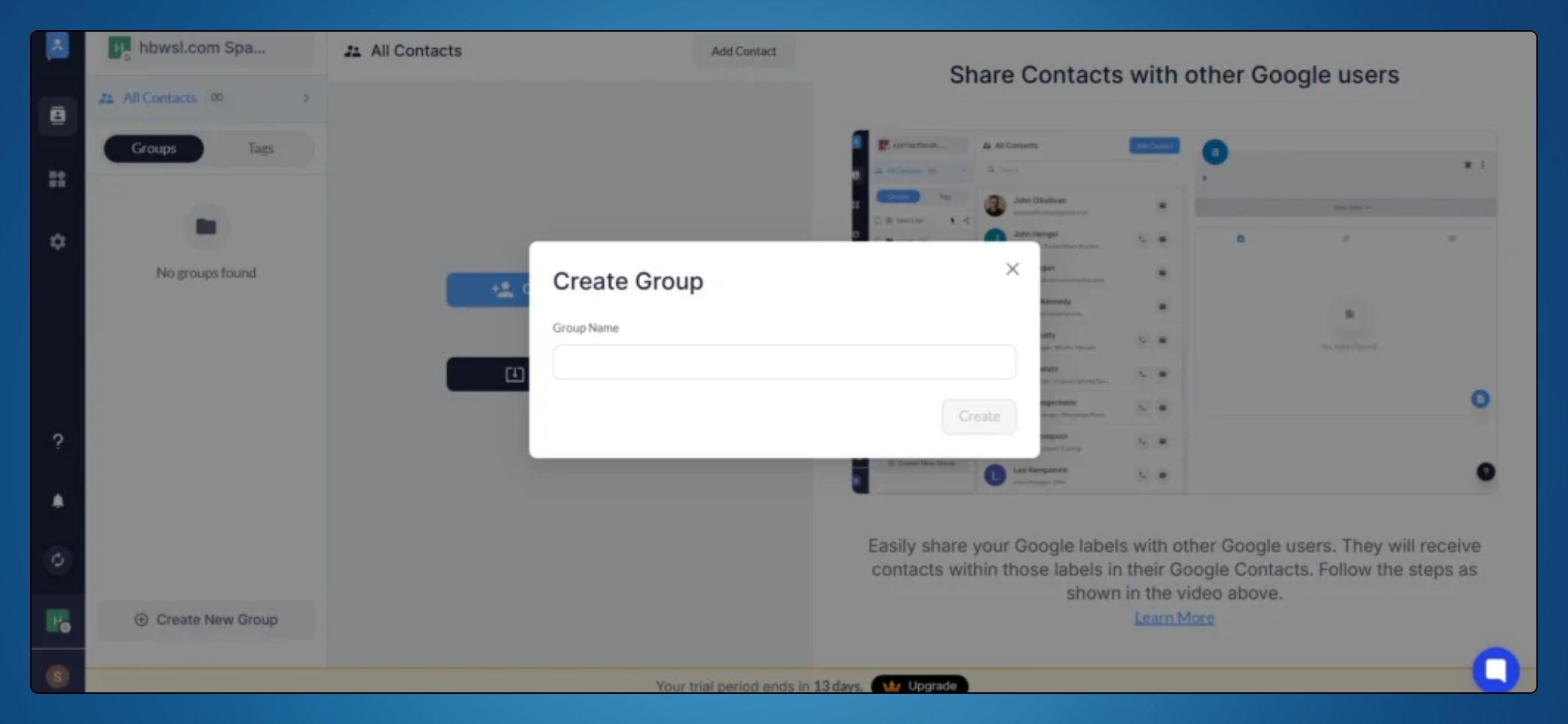
Create Contact Groups
Key Features:
Centralized Contact Management:
Organize all your business and personal contacts in one place.
Categorize, tag, and segment contacts for easy access.
Team Collaboration:
Share contacts seamlessly with team members.
Define access permissions for enhanced security.
Google Workspace Sync:
Sync contacts with Google Workspace (available under specific plans).
Automatically update and access contacts from Gmail, Google Contacts, or other integrated tools.
Dynamic Updates:
Real-time updates ensure your team always has the latest contact details.
Avoid duplicate or outdated contact entries.
Custom Fields:
Add tailored fields to store specific information for better personalization and organization.
Integration Capabilities:
Integrates with popular tools like Google Contacts, Gmail, and other CRMs.
Open API available for custom integrations.
Use Cases:
Healthcare: Organize patient and provider contacts while ensuring HIPAA-compliant sharing.
Sales Teams: Manage leads, clients, and follow-ups efficiently.
Startups & SMEs: Centralized contact management for better team collaboration.
Freelancers: Keep track of clients, vendors, and prospects easily.
Enables real-time collaboration and keeps contact information updated across teams
Simply integrate Gmail, Google Contacts, and other CRMs for enhanced productivity
Best for: Healthcare, Sales Teams, Startups, SMEs and Freelancers (Add for BNI Users here)
Alternative to: Clay, Contact Plus and Folk
ContactBook Lifetime Deal
Are you struggling with scattered data, making it difficult to manage your contacts?
ContactBook is a powerful contact manager lifetime deal designed to help teams organize, manage, and share contacts from a single location.
The ContactBook contact-managing and sharing app allows you to share contacts with Gmail and G Suite team members effortlessly. With its Chrome extension, you can access and manage your contacts directly from your browser, adding convenience to your daily workflow.
Manage all your contacts in one place and access them from anywhere, along with your team. ContactBook also offers features such as custom tags for categorizing contacts, adding notes and attachments for enhanced context, and reminders for timely follow-ups.
You can now access the ContactBook easily with a mobile application.
Intro Video
ContactBook is a contact management tool that helps teams organize, share, and access contacts seamlessly from a single location.
ContactBook Dashboard
Import Contacts
Share Contacts With Members
Why do you need ContactBook?
All Contacts in one place: Easily import your existing contacts from various sources, such as Gmail, LinkedIn, and other platforms, into a single, centralized location. This will simplify contact management and ensure access to all your essential connections in one place.
Collaborate with your team: Seamlessly share contacts just like you would with Google Drive files. Collaborate with your team to manage contacts collectively, ensuring everyone can access the most up-to-date information. Boost teamwork and streamline communication within your organisation.
Categorize with custom tags: Organise your contacts with custom tags such as expertise, location, or any other criteria that suit your needs. Effortlessly filter and search through your contacts, making finding the right person at the right time easier.
Do more with your contacts: Enhance your contact details by adding notes, attachments, and reminders. Keep track of meaningful interactions and never miss a follow-up. Ensure you always have the context to maintain strong relationships and stay connected.
Smart Reminders
Create Contact Groups
Key Features:
Centralized Contact Management:
Organize all your business and personal contacts in one place.
Categorize, tag, and segment contacts for easy access.
Team Collaboration:
Share contacts seamlessly with team members.
Define access permissions for enhanced security.
Google Workspace Sync:
Sync contacts with Google Workspace (available under specific plans).
Automatically update and access contacts from Gmail, Google Contacts, or other integrated tools.
Dynamic Updates:
Real-time updates ensure your team always has the latest contact details.
Avoid duplicate or outdated contact entries.
Custom Fields:
Add tailored fields to store specific information for better personalization and organization.
Integration Capabilities:
Integrates with popular tools like Google Contacts, Gmail, and other CRMs.
Open API available for custom integrations.
Use Cases:
Healthcare: Organize patient and provider contacts while ensuring HIPAA-compliant sharing.
Sales Teams: Manage leads, clients, and follow-ups efficiently.
Startups & SMEs: Centralized contact management for better team collaboration.
Freelancers: Keep track of clients, vendors, and prospects easily.
30-Days Money-Back Guarantee (For Non-Prime Members and Regular users)
60-Day Money-Back Guarantee (For DealMirror Prime Members Only)
Pricing
Basic LTD
One-time payment. Lifetime access.
$89.00$199.00
For 5 Users
5000 Contacts
Up to 50 shared contact groups
Cross account sharing
Space sharing up to 50 users
Import 1 Contact (Google & Microsoft) Account
Unlimited Groups & Tags
Manage permissions
Real-time Updates
Android / iOS Applications
Public Notes
Email Support
Storage for attachments
Reminders
30 days activity history
Installation and setup
Contact Backup
Pro LTD
One-time payment. Lifetime access.
$179.00$299.00
For 5 Users
25000 Contacts
Up to 100 shared contact groups
Cross account sharing
Space sharing up to 100 users
Import 3 Contact (Google & Microsoft) Account
Unlimited Groups & Tags
Manage permissions
Real-time Updates
Android / iOS Applications
Public/ Private Notes
Priroity Support
Up to 10 GB storage for attachments
Up to 5 Reminders
6 months activity history
Installation and setup
Contact Backup
Pro + (Business) LTD
One-time payment. Lifetime access.
$499.00$699.00
For 5 Users
Google Sync
Auto Sync (Every 4 Hrs)
Unlimited Contacts
Unlimited shared contact groups
Cross account sharing
Space sharing Unlimited users
Import 5 Contact (Google & Microsoft) Accounts
Unlimited Groups & Tags
Manage permissions
Real-time Updates
Android / iOS Applications
Public & Private Notes
Dedicated Support
Up to 100 GB storage for attachments
Unlimited Reminders
Lifetime activity history
Installation and setup
Contact Backup
From The Founders
Nachiket Patel
Founder
At ContactBook, our mission is simple yet powerful: to redefine how individuals and teams manage their contacts. We believe that managing connections should be effortless, secure, and collaborative.
The idea for ContactBook came from a realization that contact management often feels chaotic—spread across emails, devices, and platforms. We envisioned a solution that centralizes your contacts, enhances collaboration, and provides tools to keep your data organized and accessible, no matter where you are.
We are proud to see ContactBook evolving into a trusted platform for professionals and organizations worldwide. From seamless integrations like Google Contacts Sync to enterprise-grade features like team collaboration and advanced analytics, every enhancement we make is designed to bring value to you.
As we look ahead, we’re excited about our plans to launch a fully functional mobile app and introduce powerful integrations like Salesforce enrichment. These innovations, paired with our unwavering commitment to user satisfaction, will continue driving ContactBook to new heights.
Thank you for being a part of our journey. Together, we’re building a smarter, simpler future for contact management.
FAQ's
1. How can I contact Support?
-You can contact support at [email protected]
2. What is ContactBook?
– ContactBook is a cloud-based contact management system that allows users to store, organize, and share contact information with their team. It’s designed to provide easy access to contacts from anywhere, ensuring efficient collaboration.
3. How do I create an account on ContactBook?
-You can create an account by visiting the ContactBook website or app and signing up with your email. Some platforms may also allow sign-up via third-party services like Google or Microsoft accounts. Book a demo with us.
4. Can I share my contacts with my team?
– Yes, ContactBook is designed for collaboration. You can share contact lists with team members and manage access permissions to control who can view, edit, or manage the contacts.
5. How do I organize contacts in ContactBook?
– Contacts can be organized using tags, groups, or categories. You can also create custom fields to tailor the contact details to your needs.
6. What are custom tags, and how can I use them?
– Custom tags allow you to categorize your contacts based on specific criteria, such as expertise, location, or relationship type. This helps you filter and search through your contacts more efficiently.
7. Is there a mobile app for ContactBook?
– Yes, ContactBook is available as a mobile app for both Android and iOS. You can manage your contacts on the go, ensuring you have access to all your important information wherever you are. Download the app from the Google Play Store or the Apple App Store.
8. Can I sync ContactBook with my Google Contacts?
– Yes, ContactBook offers seamless integration with Google Contacts, allowing you to keep your contact information up-to-date across platforms.
9. What is the ContactBook Contact Extractor Chrome extension?
-The ContactBook Contact Extractor is a Chrome extension that helps you extract contact details from Gmail, LinkedIn, Twitter, Instagram, and other platforms directly into your ContactBook account, simplifying contact management.
Reviews
5 reviews for ContactBook: Effortlessly Manage & Share Contacts with Your Team Anywhere
Rated 5 out of 5
Nakul Jain –
Avail 20% OFF early bird offer discount.
Must say DealMirror offers the best price in the market.
Rated 5 out of 5
D. King –
Well, it manages all my business and personal contacts in one place.
It centralises your contacts, enhances collaboration, and provides tools to keep your data organised and accessible, no matter where you are.
Rated 5 out of 5
Choy CM –
How is this different in Google contacts?
Admin –
While Google Contacts is a basic contact storage solution, ContactBook goes beyond that by offering advanced contact management features. With ContactBook, you can:
1. Share specific contact groups with team members while keeping private contacts separate.
2. Add notes, attachments, and tags to contacts for better organisation.
3. Set reminders for follow-ups and important interactions.
4. Detect and merge duplicate contacts seamlessly.
4. Manage contacts across multiple workspaces efficiently.
It’s designed for professionals and teams who need more control, collaboration, and organisation in their contact management.
Rated 5 out of 5
Rahul Sharma –
Is this a CRM?
Admin –
ContactBook functions like a personal CRM, allowing you to efficiently manage and organise your contacts. It helps you categorise, share, and collaborate on contacts while adding notes, reminders, and attachments for better organisation. Whether you’re an individual or a team, ContactBook makes contact management seamless and efficient.
Rated 5 out of 5
Steven Goh –
I’m Dr. Steven, and I’m really excited about ContactBook! As someone who manages a lot of professional and personal contacts, this tool seems like a lifesaver. The centralized contact management and team collaboration features are exactly what I need to stay organized. I also love the idea of dynamic updates and custom fields—it’s great to have a tool that adapts to my specific needs.
I do have a few questions, though:
1. How does ContactBook handle data security, especially for sensitive industries like healthcare?
2. Can it manage large contact lists and automatically clean up duplicates?
3. Are there plans to integrate with more tools in the future?
Admin –
Thank you, Dr. Steven, for your detailed feedback and thoughtful suggestions! We’re thrilled to hear that you see value in ContactBook.app and how it can support your professional and personal contact management needs.
To answer your questions:
1. Data Security: We take security very seriously, especially for industries like healthcare. ContactBook ensures secure cloud storage, encryption, and role-based access controls to protect sensitive information. We are also exploring 2FA and audit logs to further enhance security.
2. Managing Large Contact Lists & Duplicates: Yes, ContactBook is designed to handle large-scale contact management efficiently. We are working on smart duplicate detection and cleanup to keep your contact list organized.
3. Future Integrations: Absolutely! Expanding our integrations with productivity tools like Slack, CRMs, and automation platforms is on our roadmap.
Your insights on sales pipeline tracking, analytics, AI-powered insights, and customisable automation are fantastic! While ContactBook currently focuses on contact management and team collaboration, we are actively considering these enhancements to offer even more value to businesses.







5 reviews for ContactBook: Effortlessly Manage & Share Contacts with Your Team Anywhere
Nakul Jain –
Avail 20% OFF early bird offer discount.
Must say DealMirror offers the best price in the market.
D. King –
Well, it manages all my business and personal contacts in one place.
It centralises your contacts, enhances collaboration, and provides tools to keep your data organised and accessible, no matter where you are.
Choy CM –
How is this different in Google contacts?
Admin –
While Google Contacts is a basic contact storage solution, ContactBook goes beyond that by offering advanced contact management features. With ContactBook, you can:
1. Share specific contact groups with team members while keeping private contacts separate.
2. Add notes, attachments, and tags to contacts for better organisation.
3. Set reminders for follow-ups and important interactions.
4. Detect and merge duplicate contacts seamlessly.
4. Manage contacts across multiple workspaces efficiently.
It’s designed for professionals and teams who need more control, collaboration, and organisation in their contact management.
Rahul Sharma –
Is this a CRM?
Admin –
ContactBook functions like a personal CRM, allowing you to efficiently manage and organise your contacts. It helps you categorise, share, and collaborate on contacts while adding notes, reminders, and attachments for better organisation. Whether you’re an individual or a team, ContactBook makes contact management seamless and efficient.
Steven Goh –
I’m Dr. Steven, and I’m really excited about ContactBook! As someone who manages a lot of professional and personal contacts, this tool seems like a lifesaver. The centralized contact management and team collaboration features are exactly what I need to stay organized. I also love the idea of dynamic updates and custom fields—it’s great to have a tool that adapts to my specific needs.
I do have a few questions, though:
1. How does ContactBook handle data security, especially for sensitive industries like healthcare?
2. Can it manage large contact lists and automatically clean up duplicates?
3. Are there plans to integrate with more tools in the future?
Admin –
Thank you, Dr. Steven, for your detailed feedback and thoughtful suggestions! We’re thrilled to hear that you see value in ContactBook.app and how it can support your professional and personal contact management needs.
To answer your questions:
1. Data Security: We take security very seriously, especially for industries like healthcare. ContactBook ensures secure cloud storage, encryption, and role-based access controls to protect sensitive information. We are also exploring 2FA and audit logs to further enhance security.
2. Managing Large Contact Lists & Duplicates: Yes, ContactBook is designed to handle large-scale contact management efficiently. We are working on smart duplicate detection and cleanup to keep your contact list organized.
3. Future Integrations: Absolutely! Expanding our integrations with productivity tools like Slack, CRMs, and automation platforms is on our roadmap.
Your insights on sales pipeline tracking, analytics, AI-powered insights, and customisable automation are fantastic! While ContactBook currently focuses on contact management and team collaboration, we are actively considering these enhancements to offer even more value to businesses.