Your Cart

No products in the cart.

Our Top Picks

RARHost : High-performance servers with NVMe SSD storage and LiteSpeed Web Server
RARHost
$59.00 Starter
Add to Cart
1forAll : Your All-in-One Tool For Voice, Image & Video AI
1forAll
$29.00 Tier 1
Add to Cart
We.Inc: Build Chatbots, Websites & More with AI
We.Inc
$349.00 LTD Tier 1
Add to Cart
Brand2Social : Social Media Management tool for generating automated messages
Brand2Social
$29.00 Brand
Add to Cart

Easter Sale is Live Now – Get 20% OFF Sitewide

Shop Now
00 : 00 : 00 : 00
Day Hour Min Sec
Home » Store » AskBar: AI Browser Assistant That Works on Every Webpage

AskBar: AI Browser Assistant That Works on Every Webpage

AskBar AI Browser Assistant Chrome Extension for Webpages, PDFs, and Screenshots

TL;DR

AskBar Lifetime Deal

Most online work happens inside your browser. Whether you’re reading articles, comparing software, researching competitors, reviewing documentation, analyzing reports, or studying PDFs, information is scattered across countless tabs.

Traditional AI tools create an unnecessary workflow. You constantly switch tabs, copy content, paste it into another tool, explain the context, and repeat the process every time you need help understanding information.

This not only slows productivity but also interrupts focus. Valuable insights get buried under repetitive tasks and fragmented workflows.

Ask Bar solves this problem by bringing AI directly into your browser as an AI browser assistant. Instead of moving content to AI, Ask Bar brings AI to the content you’re already viewing. Open any webpage, PDF, dashboard, or article and start asking questions instantly.

As an advanced AI browser assistant, Ask Bar understands page context, analyzes visual content, researches live information, and helps you turn information into actionable insights faster than ever.

Dashboard Images
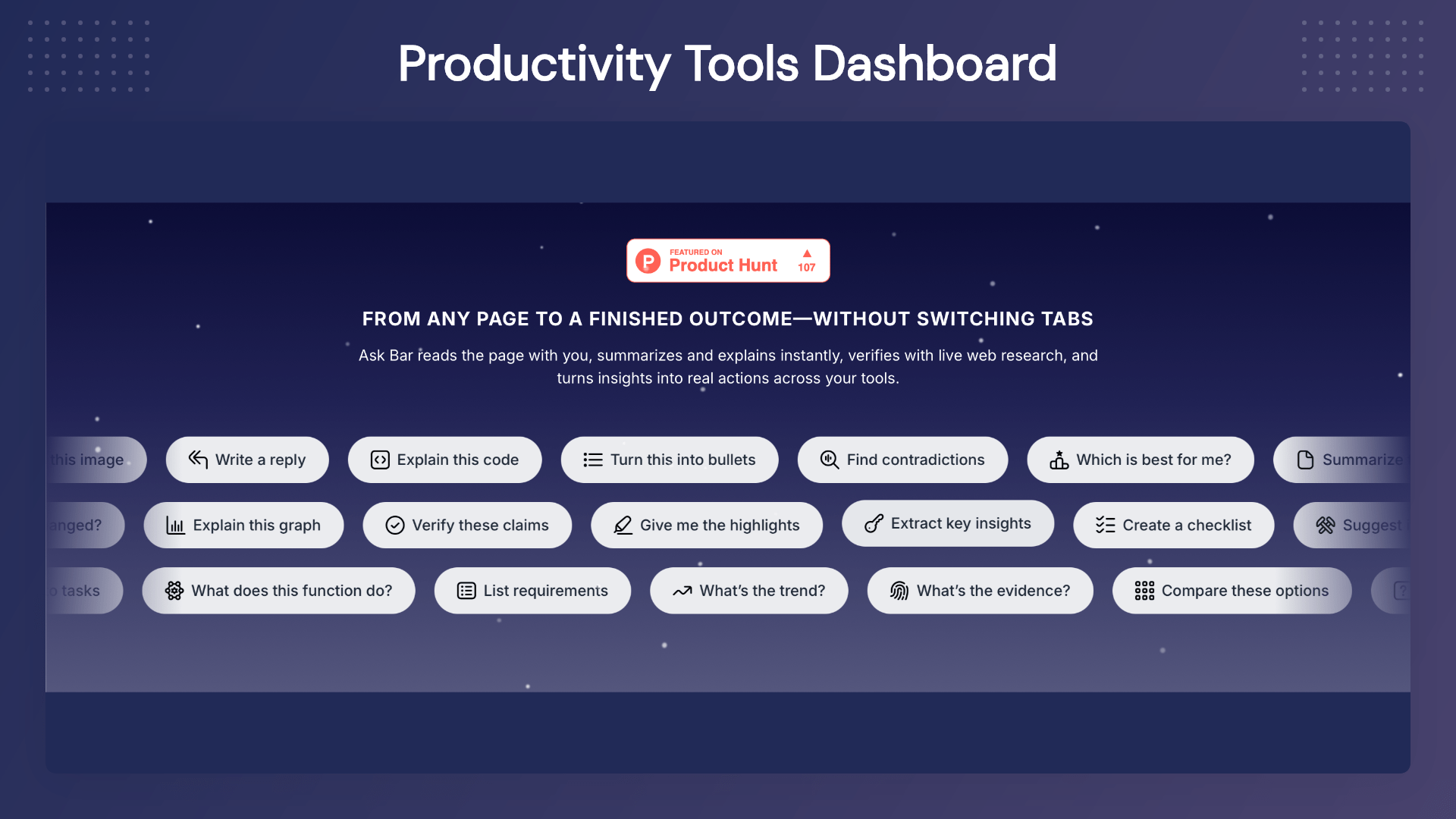
AskBar AI Browser Assistant summarizing webpages and answering questions directly inside Chrome

AskBar AI Chrome extension analyzing PDFs, articles, and documents with contextual AI assistance

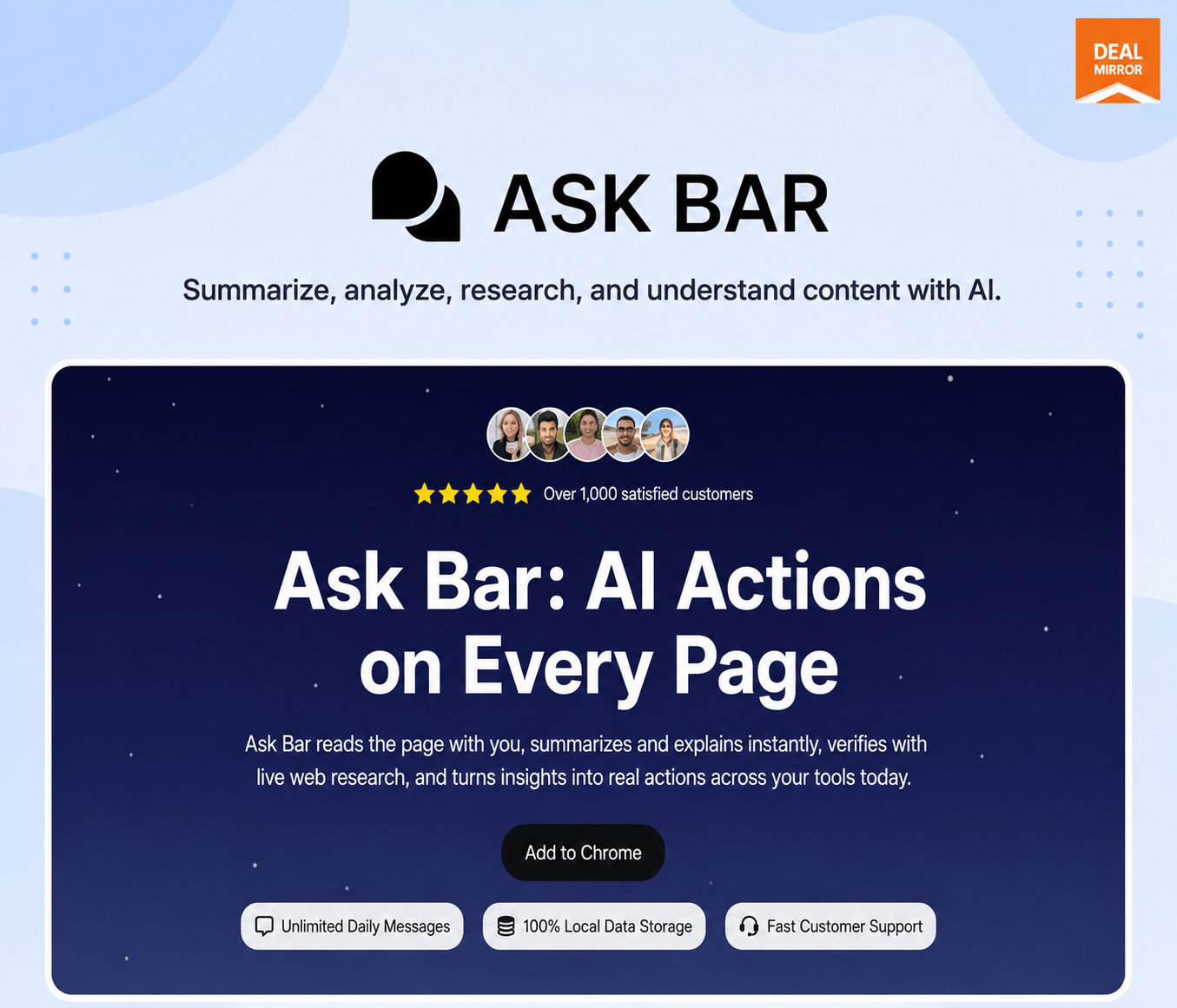
Ask Bar is an AI-powered Chrome extension designed to help users interact with any webpage using their favorite AI models.

AskBar AI Browser Assistant analyzing screenshots, dashboards, charts, and visual content in the browser

AskBar AI Browser Assistant with web research, PDF chat, and multi-model AI support including OpenAI, Gemini, Claude, Grok, and DeepSeek

Key Features

Page Context Intelligence

Ask Bar understands the content of the webpage you’re currently viewing.

Use it to:

  • Summarize lengthy articles
  • Explain complex concepts
  • Extract important information
  • Compare products and services
  • Understand technical documentation

Simply ask questions and receive contextual answers based on the page content.

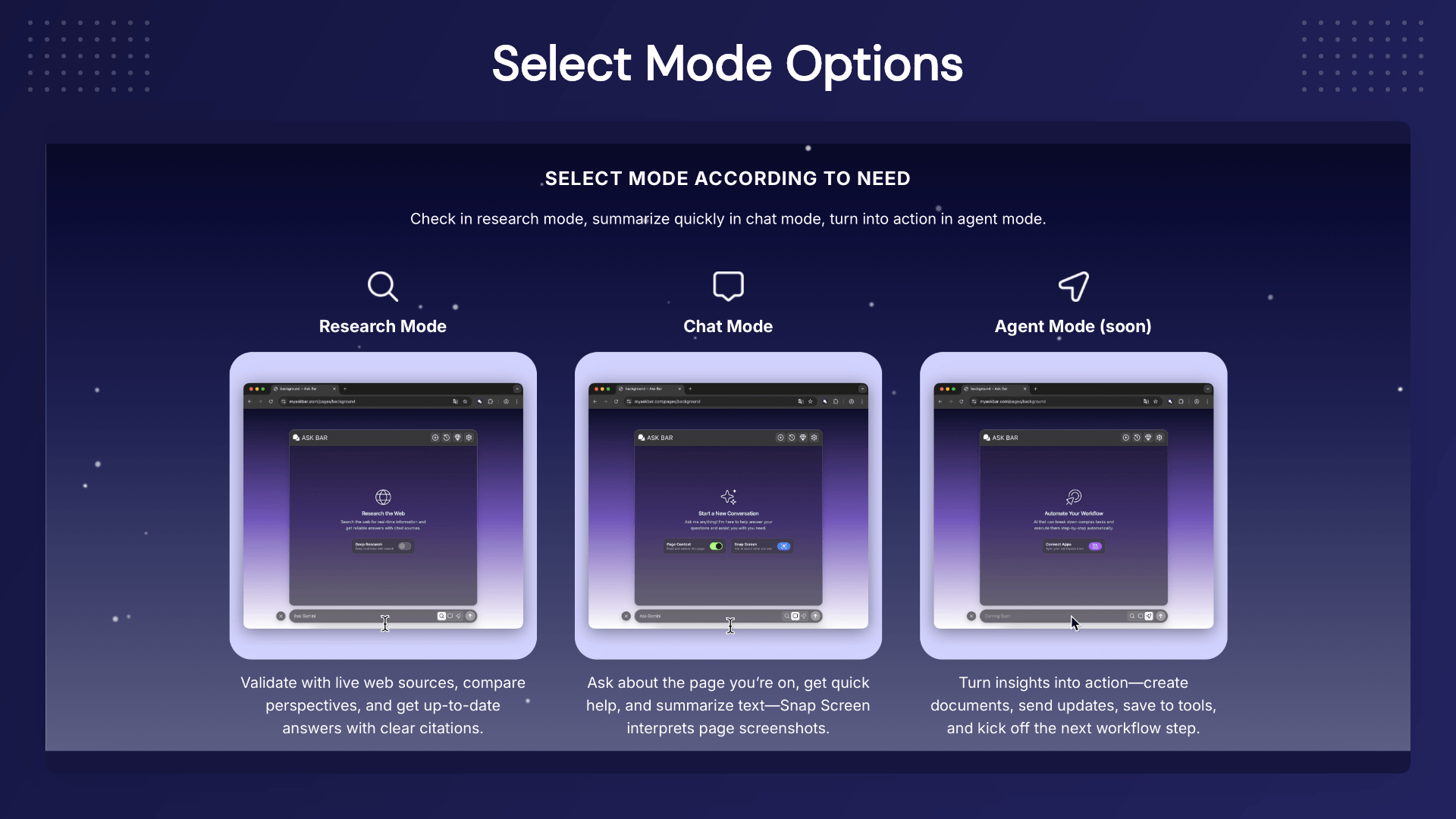
Web Research Mode

Need up-to-date information?

Web Research Mode searches live web sources and provides source-backed responses.

Perfect for:

  • Competitor research
  • Market analysis
  • Fact checking
  • Trend monitoring
  • Product comparisons

Snap Screen Visual Intelligence

Not everything can be copied as text.

Capture charts, dashboards, tables, reports, UI designs, screenshots, or visual layouts and let AI explain them instantly.

Ask questions like:

  • What does this chart show?
  • Identify trends in this dashboard
  • Extract important numbers
  • Explain this visual report

Chat With PDFs

Open any PDF in your browser and interact with it using AI.

Ask Bar helps you:

  • Summarize long documents
  • Extract key findings
  • Simplify technical content
  • Create study notes
  • Understand contracts and reports

Multi-Model AI Support

Choose the AI provider that works best for your workflow.

Supported providers include:

  • OpenAI
  • Anthropic Claude
  • Google Gemini
  • xAI Grok
  • DeepSeek

No vendor lock-in. No forced subscriptions.

Bring Your Own API Key

Connect your own AI account and stay in full control of:

  • AI provider selection
  • Usage costs
  • Model preferences
  • Future upgrades

Ideal for professionals who already use AI APIs.

Browser-Native Workflow

Ask Bar lives inside your browser, allowing you to work where you already spend most of your time.

  • No switching tabs.
  • No copy-pasting.
  • No interruptions.

Just AI assistance exactly where you need it.

AskBar AI Browser Assistant with web research, PDF chat, and multi-model AI support including OpenAI, Gemini, Claude, Grok, and DeepSeek

Use-Cases

  • Founders & Entrepreneurs: Research competitors, analyze products, and understand market trends faster.
  • Marketers: Study landing pages, generate content ideas, and monitor competitors.
  • Developers: Understand documentation, APIs, and technical resources with ease.
  • Students & Researchers: Summarize academic papers, reports, and learning materials.
  • Content Creators: Transform content into summaries, outlines, and social media ideas.
  • Customer Support Teams: Quickly review documentation and knowledge-base resources.
  • Anyone Who Works Online: If you spend time reading, researching, comparing, learning, or writing online, Ask Bar can dramatically improve your workflow.

Deal Terms:

  • Lifetime Access
  • Redeem your code within 60 days of purchase
  • 30-Days Money-Back Guarantee (For Non-Prime Members and Regular Users)
  • 60-Day Money-Back Guarantee (For DealMirror Prime Members Only)

Intro Video

Roadmap & Use Cases:

Discount code auto-applied at checkout.

AskBar: AI Browser Assistant That Works on Every Webpage

One-time payment. Lifetime access.

What you get in this deal

20 Ask Bar AI message (One-Time)
5 Ask Bar AI research (One-Time)
Unlimited web search access
Use your own API keys for models

$29.00/$299.00 90% Saving

Select Plan Check Plan Details


30 Days Money-back Guarantee

Day
Hrs
Min
Sec

TL;DR

AskBar Lifetime Deal

Most online work happens inside your browser. Whether you’re reading articles, comparing software, researching competitors, reviewing documentation, analyzing reports, or studying PDFs, information is scattered across countless tabs.

Traditional AI tools create an unnecessary workflow. You constantly switch tabs, copy content, paste it into another tool, explain the context, and repeat the process every time you need help understanding information.

This not only slows productivity but also interrupts focus. Valuable insights get buried under repetitive tasks and fragmented workflows.

Ask Bar solves this problem by bringing AI directly into your browser as an AI browser assistant. Instead of moving content to AI, Ask Bar brings AI to the content you’re already viewing. Open any webpage, PDF, dashboard, or article and start asking questions instantly.

As an advanced AI browser assistant, Ask Bar understands page context, analyzes visual content, researches live information, and helps you turn information into actionable insights faster than ever.

Dashboard Images
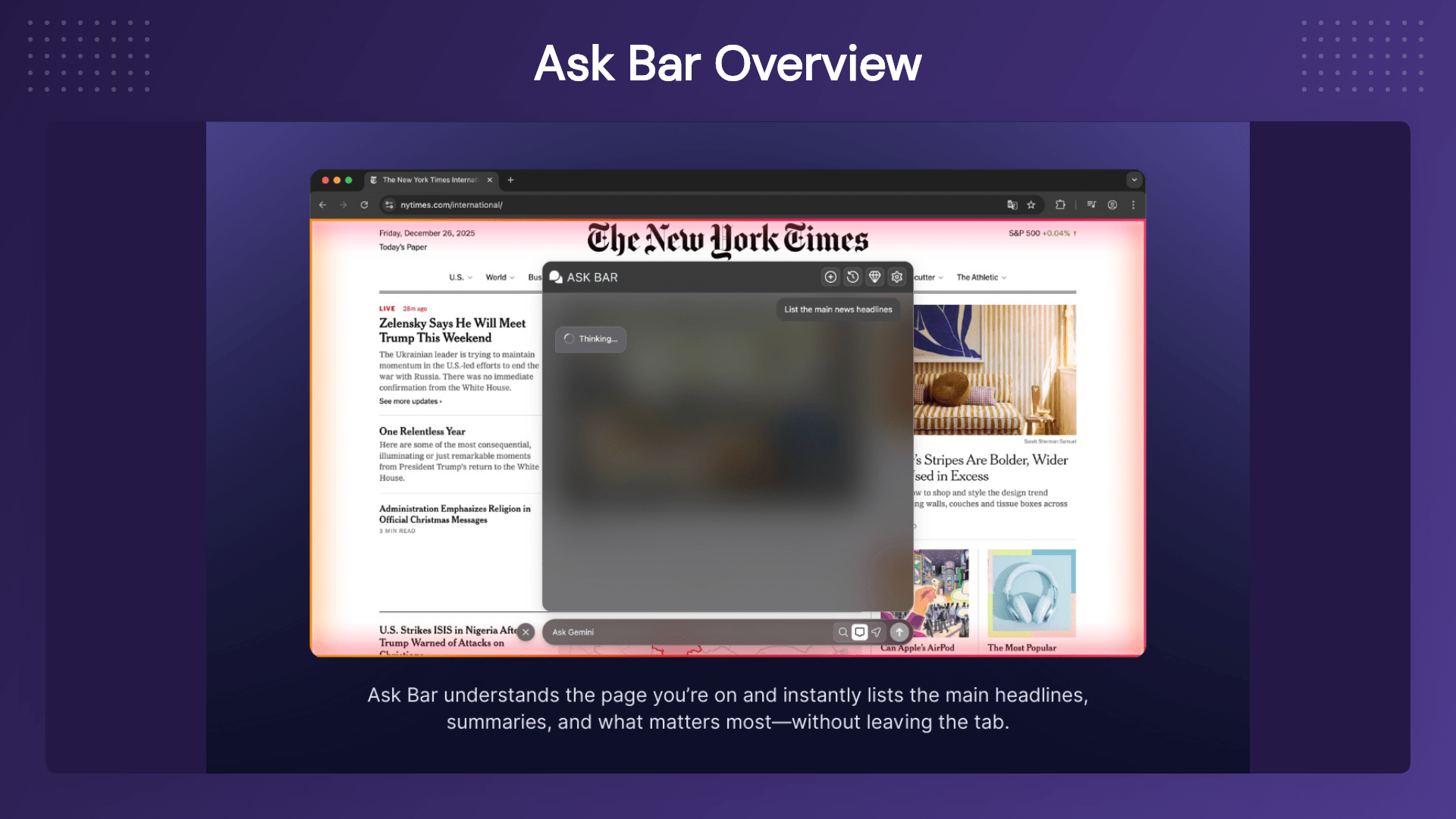
AskBar AI Browser Assistant summarizing webpages and answering questions directly inside Chrome

AskBar AI Chrome extension analyzing PDFs, articles, and documents with contextual AI assistance

Ask Bar is an AI-powered Chrome extension designed to help users interact with any webpage using their favorite AI models.
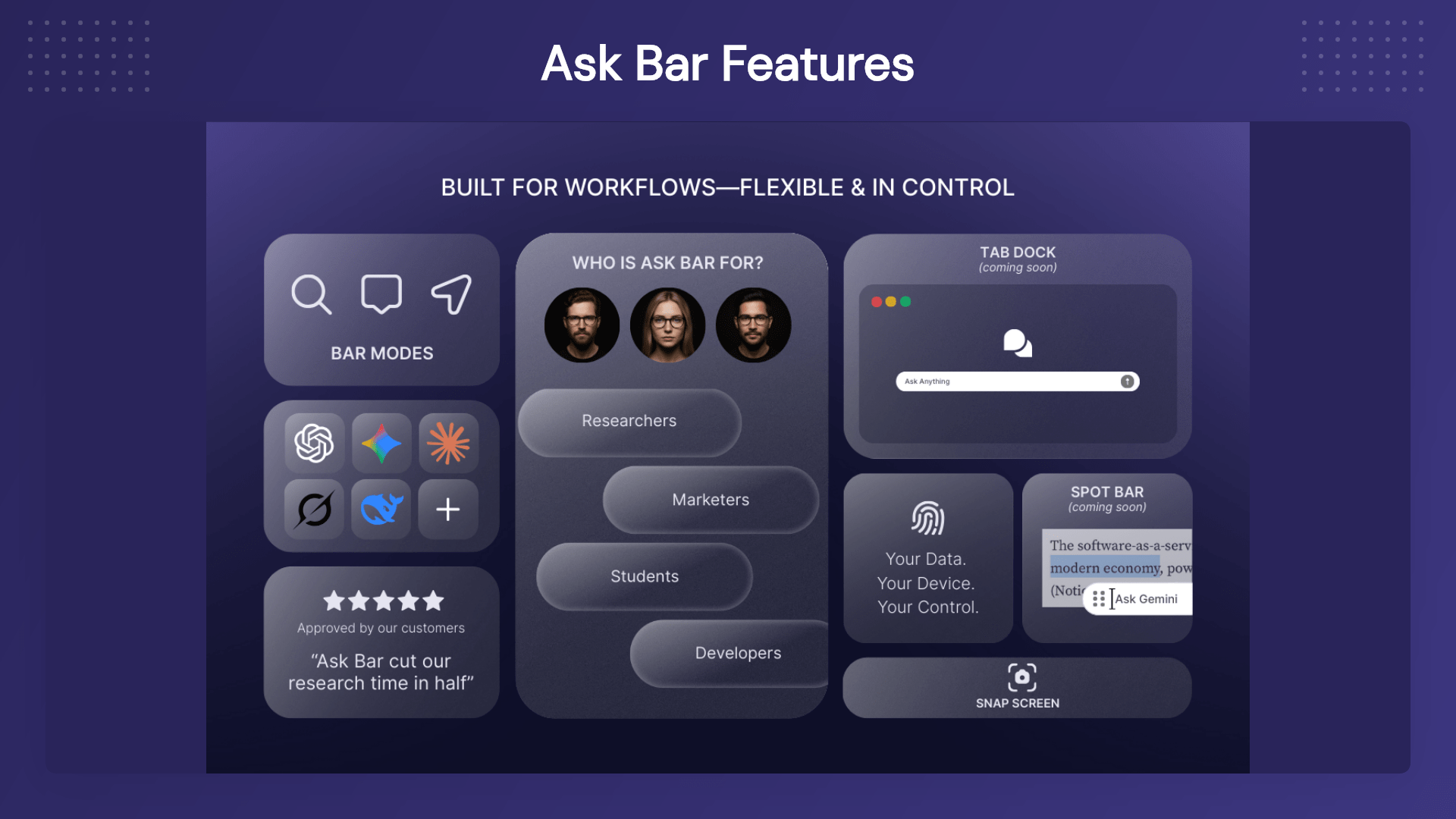
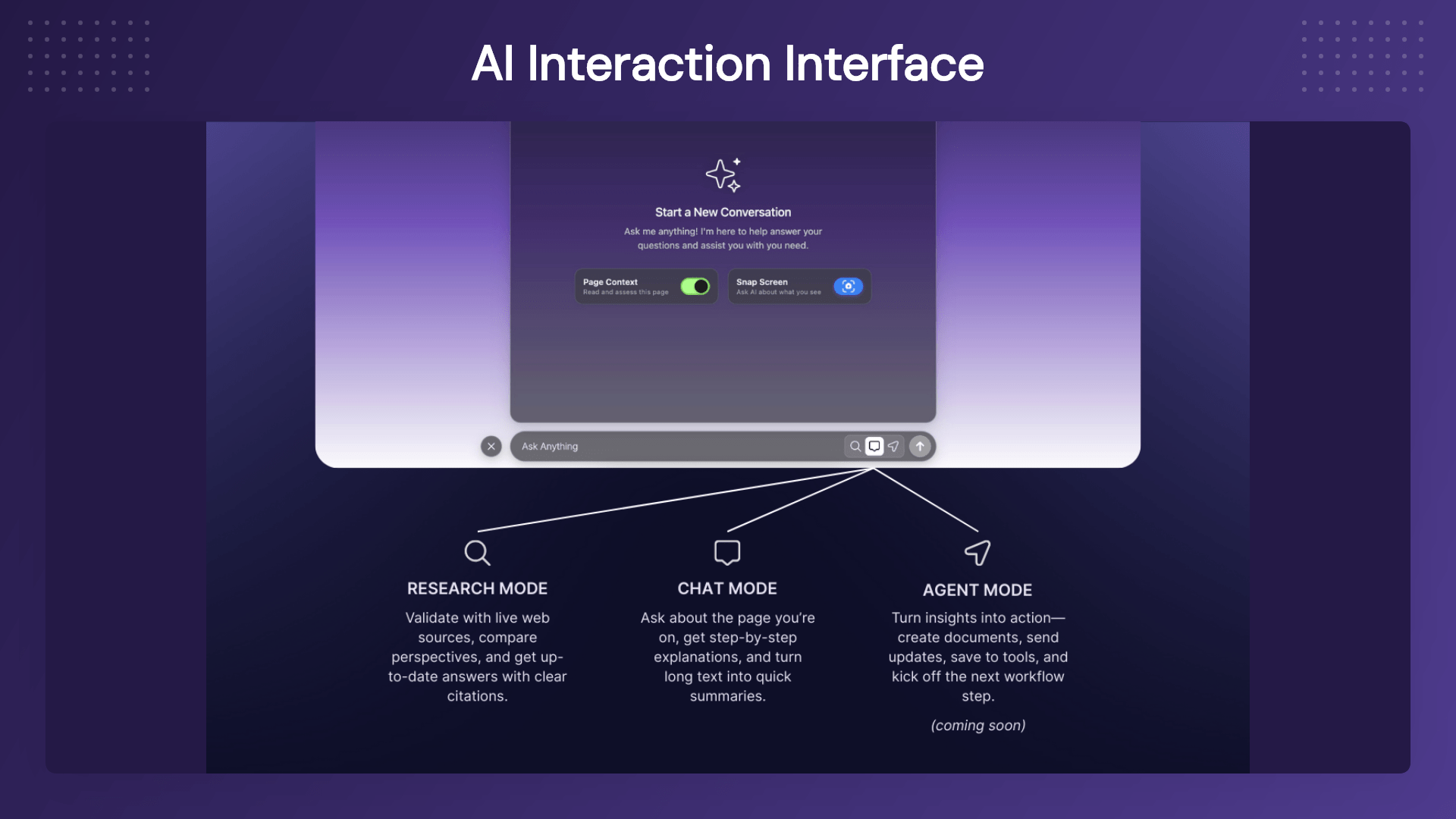
AskBar AI Browser Assistant analyzing screenshots, dashboards, charts, and visual content in the browser

AskBar AI Browser Assistant with web research, PDF chat, and multi-model AI support including OpenAI, Gemini, Claude, Grok, and DeepSeek

Key Features

Page Context Intelligence

Ask Bar understands the content of the webpage you’re currently viewing.

Use it to:

  • Summarize lengthy articles
  • Explain complex concepts
  • Extract important information
  • Compare products and services
  • Understand technical documentation

Simply ask questions and receive contextual answers based on the page content.

Web Research Mode

Need up-to-date information?

Web Research Mode searches live web sources and provides source-backed responses.

Perfect for:

  • Competitor research
  • Market analysis
  • Fact checking
  • Trend monitoring
  • Product comparisons

Snap Screen Visual Intelligence

Not everything can be copied as text.

Capture charts, dashboards, tables, reports, UI designs, screenshots, or visual layouts and let AI explain them instantly.

Ask questions like:

  • What does this chart show?
  • Identify trends in this dashboard
  • Extract important numbers
  • Explain this visual report

Chat With PDFs

Open any PDF in your browser and interact with it using AI.

Ask Bar helps you:

  • Summarize long documents
  • Extract key findings
  • Simplify technical content
  • Create study notes
  • Understand contracts and reports

Multi-Model AI Support

Choose the AI provider that works best for your workflow.

Supported providers include:

  • OpenAI
  • Anthropic Claude
  • Google Gemini
  • xAI Grok
  • DeepSeek

No vendor lock-in. No forced subscriptions.

Bring Your Own API Key

Connect your own AI account and stay in full control of:

  • AI provider selection
  • Usage costs
  • Model preferences
  • Future upgrades

Ideal for professionals who already use AI APIs.

Browser-Native Workflow

Ask Bar lives inside your browser, allowing you to work where you already spend most of your time.

  • No switching tabs.
  • No copy-pasting.
  • No interruptions.

Just AI assistance exactly where you need it.
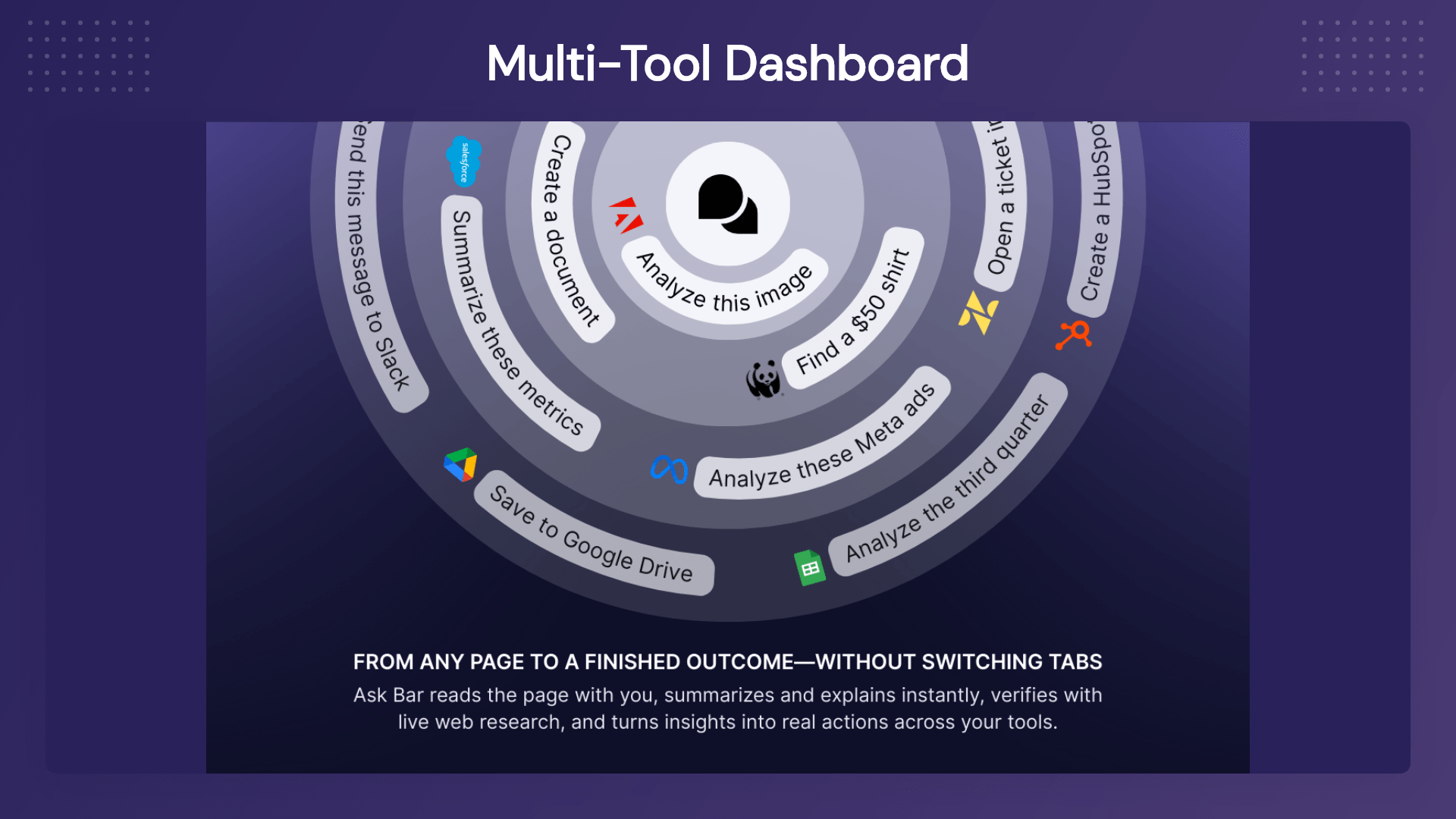
AskBar AI Browser Assistant with web research, PDF chat, and multi-model AI support including OpenAI, Gemini, Claude, Grok, and DeepSeek

Use-Cases

  • Founders & Entrepreneurs: Research competitors, analyze products, and understand market trends faster.
  • Marketers: Study landing pages, generate content ideas, and monitor competitors.
  • Developers: Understand documentation, APIs, and technical resources with ease.
  • Students & Researchers: Summarize academic papers, reports, and learning materials.
  • Content Creators: Transform content into summaries, outlines, and social media ideas.
  • Customer Support Teams: Quickly review documentation and knowledge-base resources.
  • Anyone Who Works Online: If you spend time reading, researching, comparing, learning, or writing online, Ask Bar can dramatically improve your workflow.

Deal Terms:

  • Lifetime Access
  • Redeem your code within 60 days of purchase
  • 30-Days Money-Back Guarantee (For Non-Prime Members and Regular Users)
  • 60-Day Money-Back Guarantee (For DealMirror Prime Members Only)

Pricing

Tier 1

One-time payment. Lifetime access.

$29.00$299.00


20 Ask Bar AI message (One-Time)
5 Ask Bar AI research (One-Time)
Unlimited web search access
Use your own API keys for models
Unlimited message access
Absolute 100% Local Data Storage
Rapid Priority Customer Support

From The Founders

Kadir Kırca

Founder

Hi, I’m Kadir Kırca, the founder of Ask Bar.

I built Ask Bar because I wanted AI to work where people actually spend most of their time: inside the browser.

Every day, we read articles, compare tools, review documentation, analyze PDFs, check dashboards, research competitors, and write content online. But most AI tools still require us to open another tab, copy and paste content, explain the context, and repeat the same process over and over again.

Ask Bar was created to remove that friction.

With Ask Bar, AI becomes part of the webpage you are already using. You can summarize content, ask questions about the current page, analyze screenshots, chat with PDFs, and research live information without leaving your workflow.

One of the most important decisions behind Ask Bar is the Bring Your Own Key model. I believe users should have control over the AI provider they use, the models they prefer, and the costs they manage. Instead of locking users into one provider, Ask Bar lets them connect their own API keys from supported AI providers and work with the model that fits their needs.

Ask Bar is still growing, and this DealMirror launch is an important milestone for us. We are actively improving the product, listening to feedback, and building toward deeper browser-based AI workflows.

Thank you for supporting Ask Bar early. Your feedback will directly help shape the future of the product.

— Kadir Kırca
Founder, Ask Bar

FAQ's

Q: 1. How do I contact support?

A: You can contact support at [email protected]

Q: 2. What is Ask Bar?

A: Ask Bar is an AI-powered Chrome extension that helps users summarize webpages, analyze PDFs, understand screenshots, and research live information directly from their browser.

Q: 3. Does Ask Bar include AI credits?

A: No, Ask Bar follows a Bring Your Own Key (BYOK) model. Users connect their own AI provider API keys.

Q: 4. Which AI providers are supported?

A: Ask Bar supports OpenAI, Anthropic Claude, Google Gemini, xAI Grok, and DeepSeek.

Q: 5. Can Ask Bar understand the webpage I’m viewing?

A: Yes, Its page context feature allows Ask Bar to analyze and answer questions about the current webpage.

Q: 5. Can it analyze screenshots and dashboards?

A: Yes, The Snap Screen feature can analyze charts, dashboards, tables, reports, and other visual content.

Q: 6. Can I chat with PDFs?

A: Absolutely, Ask Bar allows you to summarize, analyze, and ask questions about PDFs opened in your browser.

Q: 7. Does Ask Bar support live web research?

A: Yes, Web Research Mode provides source-backed answers using current web information.

Q: 8. Is my data stored on Ask Bar servers?

A: Ask Bar uses a local-first approach for chat and session data. Most interactions remain inside your browser.

Reviews

Reviews

There are no reviews yet.

Be the first to review “AskBar: AI Browser Assistant That Works on Every Webpage”

Questions & Answers

You need to log in to ask a question.

  • Loading questions...