Home » Store » WorkMonit: Track Screens, Time & App Usage on Employees’ Computers
WorkMonit: Track Screens, Time & App Usage on Employees’ Computers
TL;DR
Monitor your employees' work activity remotely from any device
Track time and attendance, capture total working hours, and take screenshots of every action
Alternative to ActiveTrak, Time Doctor, Hubstaff, DeskTime, Controlio, Veriato etc
Best for HR Managers, Remote Employers, IT Professionals, Software Development Teams and more
WorkMonit Lifetime Deal
Want a friendlier way to track work and bill clients? Guessing who worked, messy timesheets, and arguments over working hours waste time and make everyone stressed. Managers chase answers, remote teammates feel unfairly watched, and freelancers miss pay when proof is messy.
Meet WorkMonit, It makes tracking simple and clear. Install it in minutes, and it quietly records screen activity, app use, and active work time. Everything is saved as easy reports you can read in seconds. No long searches through spreadsheets, just clear logs that show what happened and when.
Use the reports to complete bills quickly, pay employees appropriately, and provide fair feedback. IT teams can detect dangerous behavior and safeguard critical files. HR can utilize the records to demonstrate fairness in reviews. If privacy is important, WorkMonit provides easy controls that allow you to share exactly what you need.
This technology enables teams to spend less time fighting and more time completing work. It’s designed to be simple, honest, and practical.
Demo Video
WorkMonit is an employee monitoring and time tracking software that allows teams to see work activity easily. It tracks screens, apps, websites, and work hours to help managers evaluate productivity, pay employees accurately, and keep projects on pace.
Key Features
Time Tracking: Automatically track your active work hours and breaks. You do not have to fill out timesheets by hand.
App and Website Usage: Know which apps and websites your team uses at work.
Attendance Tracking: View login, logout, and idle time in one simple dashboard.
Activity Reports: With only a few clicks, you may download clear reports for payroll, billing, and reviews.
Real-Time Monitoring: View live screens to see what is being worked on right now.
Data Safety Logs: Keep track of file access and risky acts to safeguard company data.
Easy Setup: Install fast and begin tracking in minutes, without any technical difficulties.
Remote Team Support: Manage office and remote workers from a single location.
Privacy Controls: Choose what to track and ensure that monitoring is fair and transparent.
Track employee activities unobtrusively
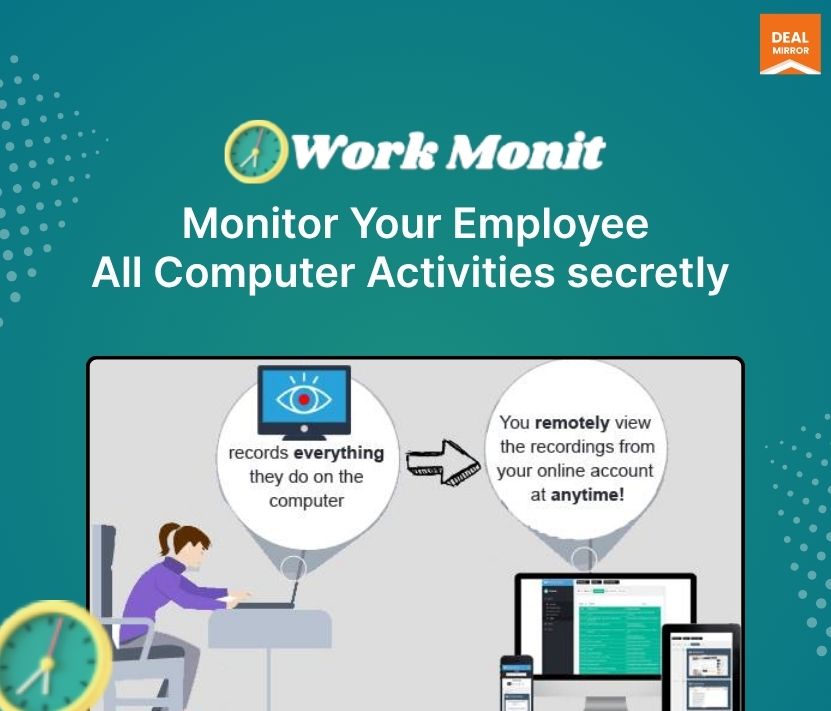
With WorkMonit, effortlessly record computer and laptop usage without detection. Once installed on their devices, you gain insights into all their actions, all while remaining incognito.
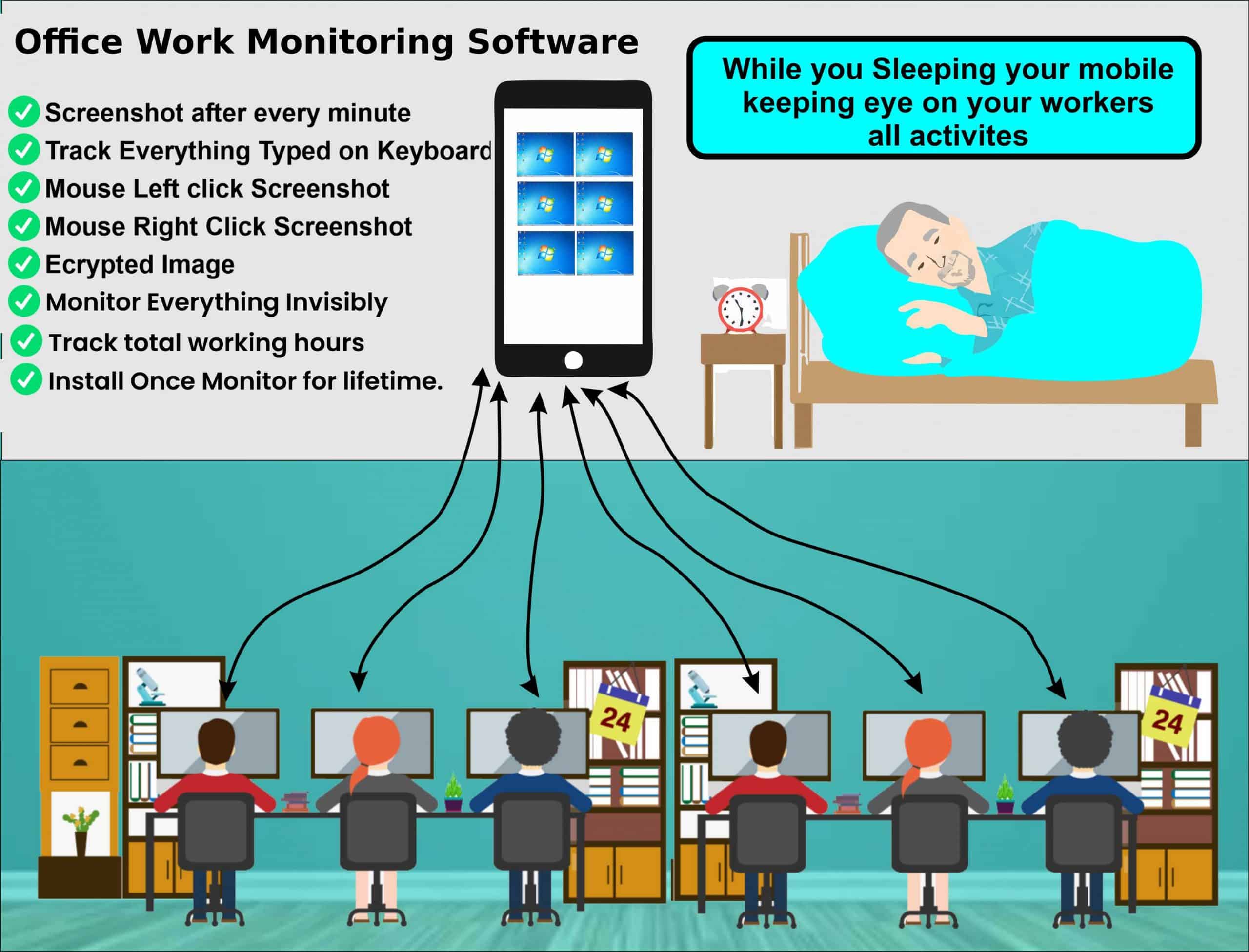
Think of WorkMonit as your silent observer for the computers you need to supervise. Access their history, view all keystrokes, and even capture screenshots of their tasks, all within an intuitive, comprehensive package.
Install in 60 seconds…
Once installed, it operates discreetly, covertly capturing and tracking activities. Access and adjust these hidden records either on the monitored device or remotely.
The remote viewing option is especially potent, granting you the ability to confidentially observe these covert logs from any device of your choice—an iPhone, iPad, Android, laptop, or PC—all without requiring physical access to their device.
Use Cases:
Software/IT: Auto-track time on tasks so devs don’t fill timesheets.
Marketing and Creative: Prove hours spent on client work with quick screenshots.
Customer Support: Replay sessions to train new hires with real examples.
Finance and Accounting: Use tracked hours to bill clients correctly.
Legal and Professional Services: Record billable time and save it for client invoices.
System Requirements:
Supports Windows XP/Vista/7/8/10/11 (32 and 64-bit)
1MB Hard disk space
Web browser and Internet connection for log transmission and viewing.
Note: WorkMonit can only be installed on any office computer or PC you own and have the authorization to monitor. It cannot be used to monitor computers you do not own and administrator access is required. Users are informed that they are installing monitoring software during the installation.
Deal Terms:
Length of access: Lifetime
Redemption deadline: 60 days from purchase
30 Days Money Back Guarantee (For Non-Prime Members/Regular Users).
Monitor your employees' work activity remotely from any device
Track time and attendance, capture total working hours, and take screenshots of every action
Alternative to ActiveTrak, Time Doctor, Hubstaff, DeskTime, Controlio, Veriato etc
Best for HR Managers, Remote Employers, IT Professionals, Software Development Teams and more
WorkMonit Lifetime Deal
Want a friendlier way to track work and bill clients? Guessing who worked, messy timesheets, and arguments over working hours waste time and make everyone stressed. Managers chase answers, remote teammates feel unfairly watched, and freelancers miss pay when proof is messy.
Meet WorkMonit, It makes tracking simple and clear. Install it in minutes, and it quietly records screen activity, app use, and active work time. Everything is saved as easy reports you can read in seconds. No long searches through spreadsheets, just clear logs that show what happened and when.
Use the reports to complete bills quickly, pay employees appropriately, and provide fair feedback. IT teams can detect dangerous behavior and safeguard critical files. HR can utilize the records to demonstrate fairness in reviews. If privacy is important, WorkMonit provides easy controls that allow you to share exactly what you need.
This technology enables teams to spend less time fighting and more time completing work. It’s designed to be simple, honest, and practical.
Demo Video
WorkMonit is an employee monitoring and time tracking software that allows teams to see work activity easily. It tracks screens, apps, websites, and work hours to help managers evaluate productivity, pay employees accurately, and keep projects on pace.
Key Features
Time Tracking: Automatically track your active work hours and breaks. You do not have to fill out timesheets by hand.
App and Website Usage: Know which apps and websites your team uses at work.
Attendance Tracking: View login, logout, and idle time in one simple dashboard.
Activity Reports: With only a few clicks, you may download clear reports for payroll, billing, and reviews.
Real-Time Monitoring: View live screens to see what is being worked on right now.
Data Safety Logs: Keep track of file access and risky acts to safeguard company data.
Easy Setup: Install fast and begin tracking in minutes, without any technical difficulties.
Remote Team Support: Manage office and remote workers from a single location.
Privacy Controls: Choose what to track and ensure that monitoring is fair and transparent.
Track employee activities unobtrusively
With WorkMonit, effortlessly record computer and laptop usage without detection. Once installed on their devices, you gain insights into all their actions, all while remaining incognito.
Think of WorkMonit as your silent observer for the computers you need to supervise. Access their history, view all keystrokes, and even capture screenshots of their tasks, all within an intuitive, comprehensive package.
Install in 60 seconds…
Once installed, it operates discreetly, covertly capturing and tracking activities. Access and adjust these hidden records either on the monitored device or remotely.
The remote viewing option is especially potent, granting you the ability to confidentially observe these covert logs from any device of your choice—an iPhone, iPad, Android, laptop, or PC—all without requiring physical access to their device.
Use Cases:
Software/IT: Auto-track time on tasks so devs don’t fill timesheets.
Marketing and Creative: Prove hours spent on client work with quick screenshots.
Customer Support: Replay sessions to train new hires with real examples.
Finance and Accounting: Use tracked hours to bill clients correctly.
Legal and Professional Services: Record billable time and save it for client invoices.
System Requirements:
Supports Windows XP/Vista/7/8/10/11 (32 and 64-bit)
1MB Hard disk space
Web browser and Internet connection for log transmission and viewing.
Note: WorkMonit can only be installed on any office computer or PC you own and have the authorization to monitor. It cannot be used to monitor computers you do not own and administrator access is required. Users are informed that they are installing monitoring software during the installation.
Deal Terms:
Length of access: Lifetime
Redemption deadline: 60 days from purchase
30 Days Money Back Guarantee (For Non-Prime Members/Regular Users).
Q 1: Does WorkMonit Lifetime Deal provide support?
-Yes, WorkMonit Lifetime Deal Offers Customer support at [email protected]
Q 2: What is WorkMonit?
-Work Monit enables you to easily record your computer and laptop activity in an underhanded. Once Work Monit is installed on their device you will see all things they did.
WorkMonit Software that works on all versions of windows. it is Designed for Businessmen and Entrepreneurs who hire the highest-paid office employees and they don’t work in their absence. WorkMonit helps to Boost their activities and to keep an eye on your computer staff.
You can see their history, see everything typed and see screenshots of their activity at any time from any where in the world.
Workmonit has two powerful features
Monitor computers by employee consent
Monitor computers secretly and invisibly
Q 3: What are the system requirements for using WorkMonit?
-WorkMonit is compatible with all versions of Windows 7, 8, 8.1, and 10. 64-bit computers are supported. To check the Windows version follow these steps:
Be at the device physically.
Click the Start button.
Type Run and click it.
In the Run window, type winver and press Enter.
The Windows version will be shown.
Device Requirements?
Must be at the device physically either you can install via TeamViewer or Anydesk.
Must have administrative access (username & password).
Must have internet at all times for real-time tracking.
Q 4: Does WorkMonit run invisibly ? Will users know it is installed ?
-Yes, WorkMonit Invisible Version runs completely invisibly, the user (Employee) will not have any idea that his computer is being monitored. However if you are monitoring by employee consent then everyting is visible to user.
Q 5: How does Work Monit work?
-WorkMonit collects all screenshots, keyloggers, time logs, and more analytics, from the target computer on which it is installed and all the analytics are accessible from the simple online dashboard that can be accessed from any device and any location. By installing WorkMonit, you confirm your intention to use this software legally, i.e. you install WorkMonit on your office devices, with the sole purpose to monitor the employee’s activities during their working hours to improve productivity and to keep eye on them.
Q 6: Is it legal to use WorkMonit?
-Absolutely! If you have hired employees for 8 hours and you are paying them handsome salaries for their time then you have the right to monitor their working activities whether they are really working for your company in your absence or they performing their own activities during working hours. WorkMonit application is designed to help Business Persons and Entrepuners to keep eye on their office workers productivity and its usage is absolutely legal.
You want to use WorkMonit as a parental control solution for monitoring your underage children.
You want to use WorkMonit as a solution for monitoring company-owned devices of which employees are aware of being monitored.
You want to install WorkMonit on your own device.
It is your responsibility to determine whether you have proper authorization to monitor the device. It is also your responsibility to determine which disclosures, notifications, or agreements may be necessary in your jurisdiction, as applied to the specific facts and circumstances in which you want to use WorkMonit. If you have questions about the legality of using WorkMonit as you intend to use it, contact legal counsel of your choice. WorkMonit cannot provide legal advice.
Q 7: Is WorkMonit icon displayed on the monitored computer?
-Work Monit hidden don’t display any icons after the installation, WorkMonit application is launched and starts working in a background mode. it is named with windows default file names so it is not detectable and it is only accessible with Hotkey and Passwords. However When you are monitoring by consent it display icon and application to user.
Q 8: How many computers can I monitor at the same time with WorkMonit?
-Please be informed that you can monitor as many computers as you have subscribed for. When you purchase one subscription, you can monitor one computer only. But you can change target device free of charge during all subscription period as many times as you wish. If you want to monitor 2 devices at a time, you need to purchase two subscriptions.
Reviews
2 reviews for WorkMonit: Track Screens, Time & App Usage on Employees’ Computers
Rated 5 out of 5
Akbar –
I’m a Businessman and very happy with the workmonit product. I can now track my employee’s activity whenever I want.
Rated 5 out of 5
Shawn –
It helped me in keeping eye on my all office staff’s computers secretly to see who is working hard to increase their work productivity.






2 reviews for WorkMonit: Track Screens, Time & App Usage on Employees’ Computers
Akbar –
I’m a Businessman and very happy with the workmonit product. I can now track my employee’s activity whenever I want.
Shawn –
It helped me in keeping eye on my all office staff’s computers secretly to see who is working hard to increase their work productivity.