Home » Store » VerifyEmail: Bulk Email Verifier for Google Sheet
VerifyEmail: Bulk Email Verifier for Google Sheet
TL;DR
Verify emails in bulk within Google Sheets and avoid duplicate or inactive emails
Protect domain reputation, resolve email bounce and invalid lead problems
Best for Email Marketers, Sales teams, CRM’s, Online Businesses Owners, Event Planners etc
lternative to Hunter, NeverBounce, ZeroBounce, EmailListVerify and more
VerifyEmail Lifetime Deal
Are you facing a high email bounce rate? Because of an invalid and inactive email address, your mail gets bounced. And if you are tired of it and want to make sure your mail is in the correct inbox, you are at the right place.
Meet VerifyEmail. The add-on for Google Sheets helps in fixing bad emails easily, right inside your sheet.
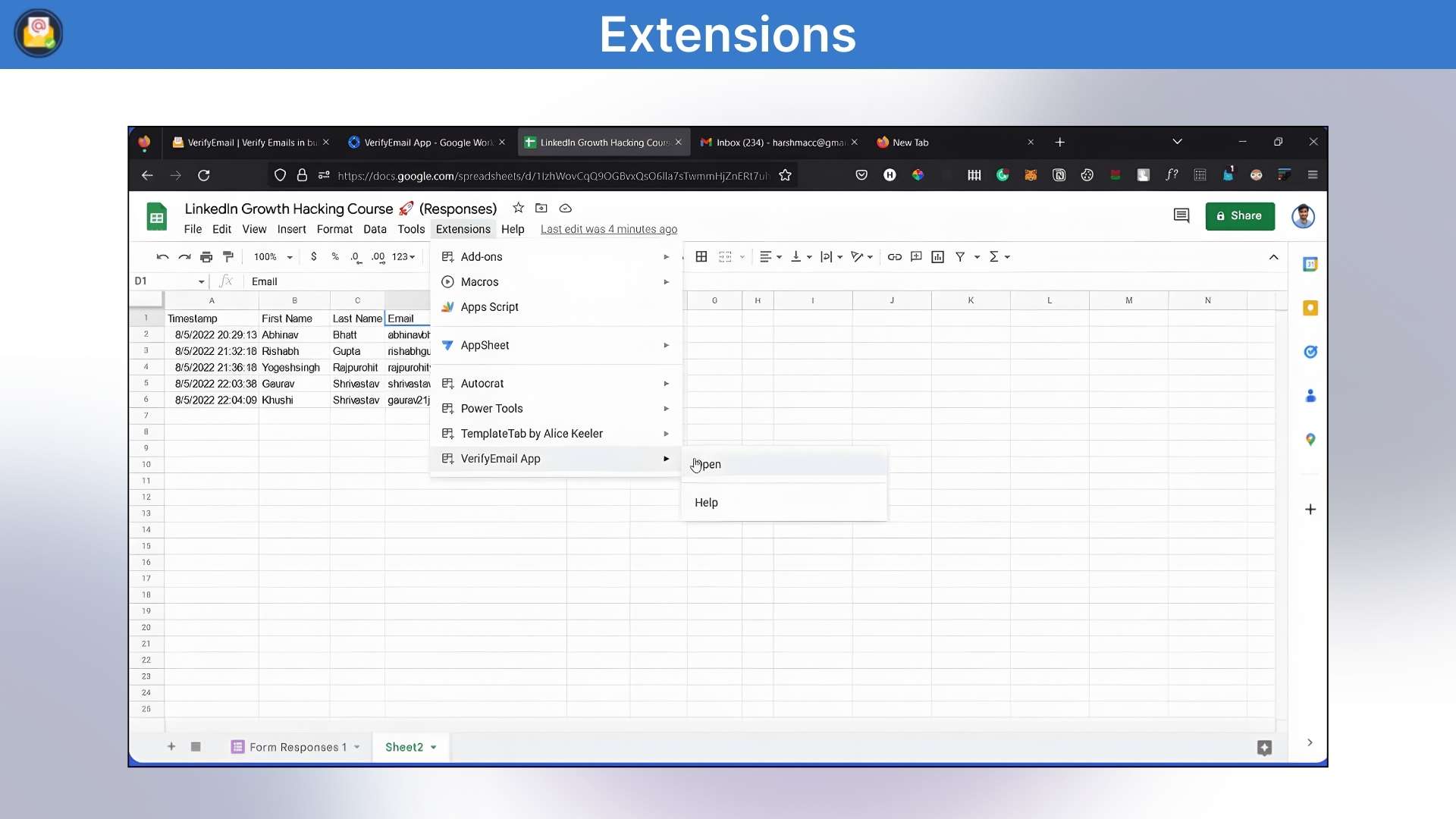
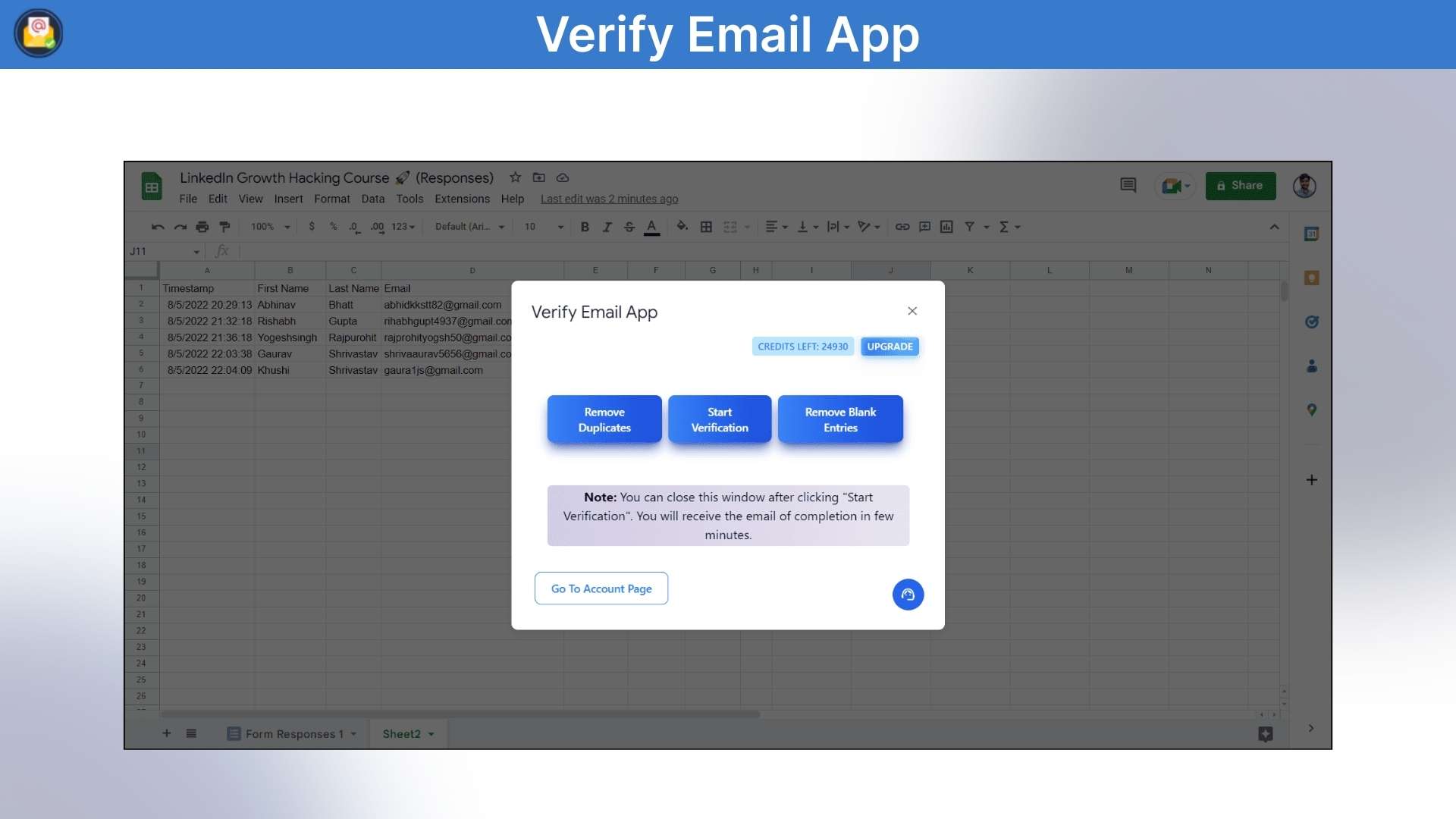
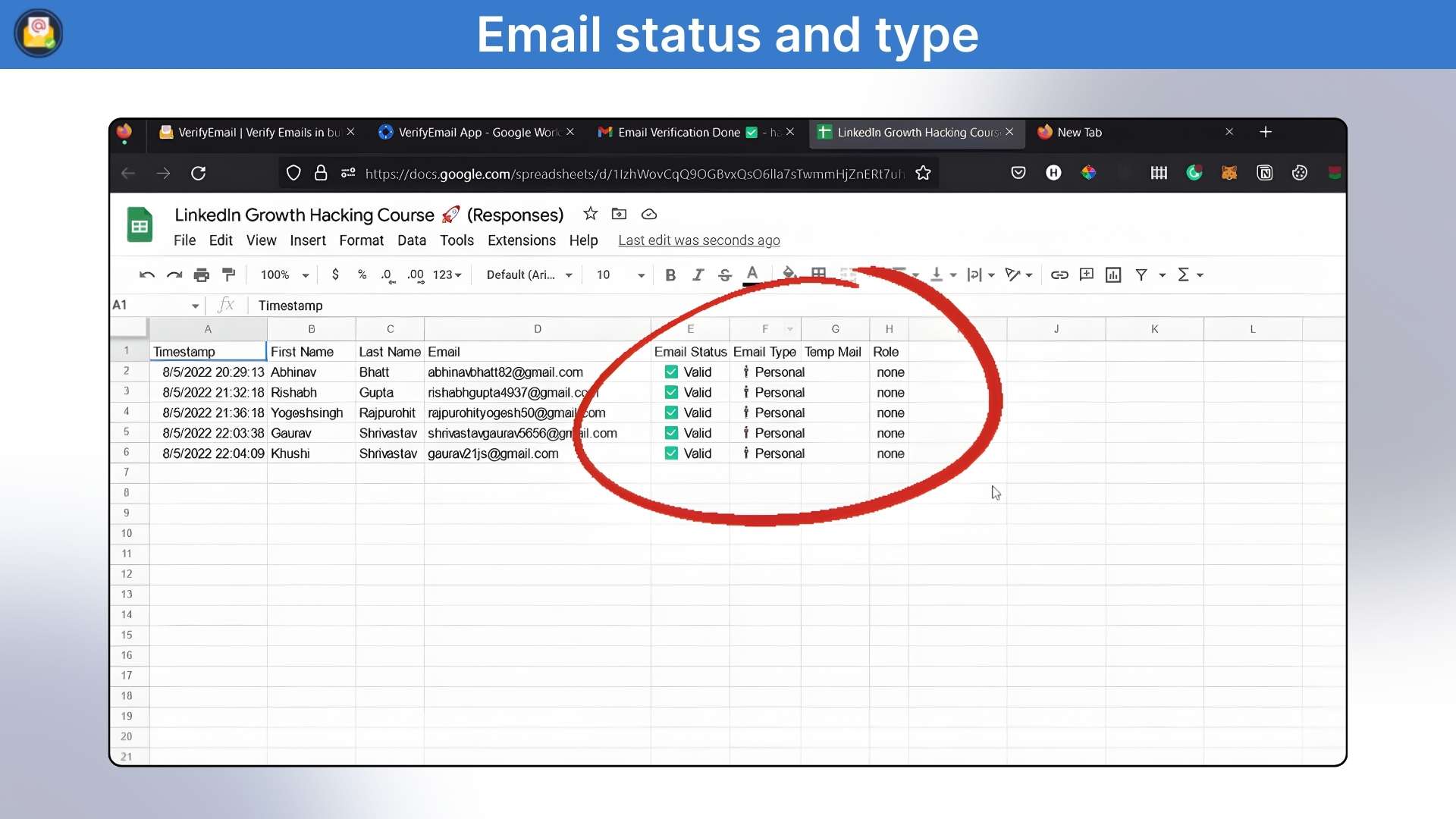
No extra email verification tools, no coding. Open your list in Google Sheets, click verify, and the add-on checks each address fast. It finds typos, fake or disposable emails, duplicates, and inactive inboxes. Then mark the bad ones so you can delete them.
That means more messages reach real people, fewer bounces, and better results. It saves you hours of manual work and stops you from spending money on contacts that don’t exist. Great for small businesses, teachers, clubs, and anyone who sends emails. Clean lists mean more replies, less stress, and better chances that your messages are seen.
Demo Video
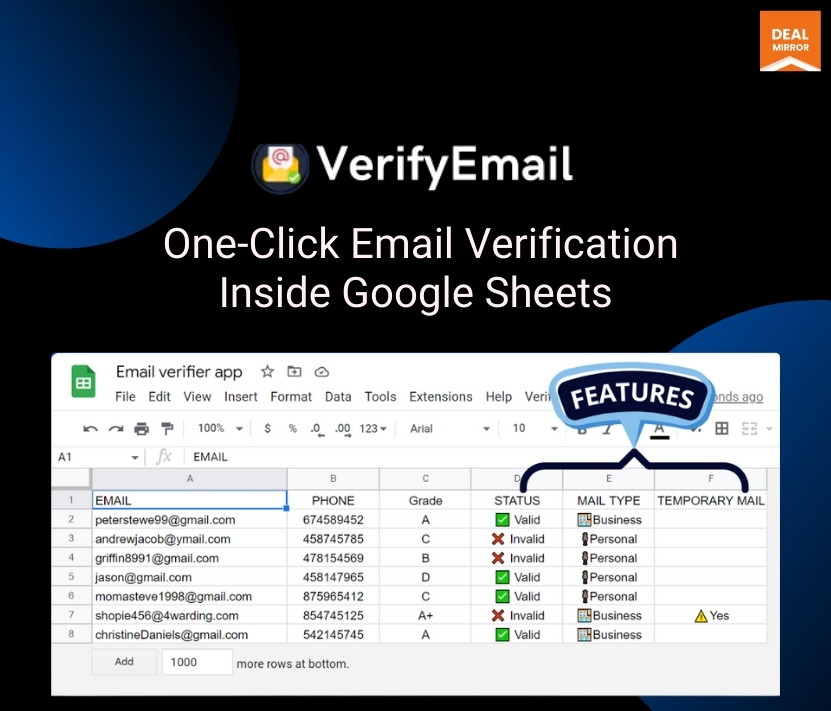
VerifyEmail is a Google Sheets add-on that automatically validates email addresses right in your spreadsheet. It detects typos, fake emails, and inactive addresses, then highlights problematic ones so you can quickly clean and improve your list accuracy.
Dashboard Overview Image
Key Features
Verifies Email Lists: VerifyEmail offers bulk email verification directly from Google Sheets, allowing businesses to quickly and easily verify their email lists.
Duplicate checker: The tool’s duplicate removal feature ensures businesses are not wasting resources on invalid or duplicate email addresses.
Greylisting Verification: VerifyEmail uses anti-greylisting techniques to accurately determine the status of an email address without compromising on turnaround time.
Syntax Validation: The tool’s syntax validation feature ensures that all email addresses are in the correct format, improving the accuracy and effectiveness of email campaigns.
Gibberish Check: VerifyEmail’s gibberish check feature helps businesses identify and remove random or invalid email addresses from their lists.
Disposable Email Verification: The tool’s disposable email verification feature checks whether email addresses are from disposable email providers, preventing spam and fraudulent emails from being sent to these addresses.
Data Privacy: VerifyEmail prioritizes data privacy and GDPR compliance, ensuring that users’ data is never shared or resold.
Use Cases
Reducing bounce rates
Protecting sender reputation
Improving email marketing ROI
Enhancing email list quality
Improve Email Marketing Campaigns
Improve Lead Generation
Integrations
Google Sheets
Deal Terms:
Length of access: Lifetime
Redemption deadline: 60 days from purchase
30 Days Money Back Guarantee (For Non-Prime Members/Regular Users).
Verify emails in bulk within Google Sheets and avoid duplicate or inactive emails
Protect domain reputation, resolve email bounce and invalid lead problems
Best for Email Marketers, Sales teams, CRM’s, Online Businesses Owners, Event Planners etc
lternative to Hunter, NeverBounce, ZeroBounce, EmailListVerify and more
VerifyEmail Lifetime Deal
Are you facing a high email bounce rate? Because of an invalid and inactive email address, your mail gets bounced. And if you are tired of it and want to make sure your mail is in the correct inbox, you are at the right place.
Meet VerifyEmail. The add-on for Google Sheets helps in fixing bad emails easily, right inside your sheet.
No extra email verification tools, no coding. Open your list in Google Sheets, click verify, and the add-on checks each address fast. It finds typos, fake or disposable emails, duplicates, and inactive inboxes. Then mark the bad ones so you can delete them.
That means more messages reach real people, fewer bounces, and better results. It saves you hours of manual work and stops you from spending money on contacts that don’t exist. Great for small businesses, teachers, clubs, and anyone who sends emails. Clean lists mean more replies, less stress, and better chances that your messages are seen.
Demo Video
VerifyEmail is a Google Sheets add-on that automatically validates email addresses right in your spreadsheet. It detects typos, fake emails, and inactive addresses, then highlights problematic ones so you can quickly clean and improve your list accuracy.
Dashboard Overview Image
Key Features
Verifies Email Lists: VerifyEmail offers bulk email verification directly from Google Sheets, allowing businesses to quickly and easily verify their email lists.
Duplicate checker: The tool’s duplicate removal feature ensures businesses are not wasting resources on invalid or duplicate email addresses.
Greylisting Verification: VerifyEmail uses anti-greylisting techniques to accurately determine the status of an email address without compromising on turnaround time.
Syntax Validation: The tool’s syntax validation feature ensures that all email addresses are in the correct format, improving the accuracy and effectiveness of email campaigns.
Gibberish Check: VerifyEmail’s gibberish check feature helps businesses identify and remove random or invalid email addresses from their lists.
Disposable Email Verification: The tool’s disposable email verification feature checks whether email addresses are from disposable email providers, preventing spam and fraudulent emails from being sent to these addresses.
Data Privacy: VerifyEmail prioritizes data privacy and GDPR compliance, ensuring that users’ data is never shared or resold.
Use Cases
Reducing bounce rates
Protecting sender reputation
Improving email marketing ROI
Enhancing email list quality
Improve Email Marketing Campaigns
Improve Lead Generation
Integrations
Google Sheets
Deal Terms:
Length of access: Lifetime
Redemption deadline: 60 days from purchase
30 Days Money Back Guarantee (For Non-Prime Members/Regular Users).
Q 2: Is there any benefit to higher credit subscriptions?
–Yes, the more credit you subscribe to, the more money you can save.
Q 3: How can I get started with the VerifyEmail app?
–To get started, you can either visit the knowledge base or watch the video at this link: https://youtu.be/HBJBZaVDRjg
Q 4: Can I get an invoice copy of my paid subscriptions?
–Yes, users can access paid subscription invoice copies from your email inbox.
Q 5: Why is my file taking so long to process?
–Typically, it takes around 2 to 4 hours to validate 10,000 mixed-domain email addresses.
Q 6: How often is email verification required?
– Depends on the freshness of the result. It is highly advisable to verify before triggering any mass email blast to minimize bounces, improve conversion rates, and stay on the good side of ISPs and regulators.
Q 7: Do you share my email lists or use them in any other way?
–No, never. No one other than you has access to your data/email lists.
Q 8: Why is my bounce rate high after cleaning?
–A lot of different things that are unrelated to whether the email address itself is good or poor can cause emails to bounce.
Here are a few instances:
Your IP is restricted.
Your content has been classified as spam.
You are going over a specific ISP’s rate limitations.
Your email is not set up under RFC standards.
Grey-listed domains are not being handled correctly by your mailing application.
You were blocked by the recipient.
The recipient blocked you.
Reviews
2 reviews for VerifyEmail: Bulk Email Verifier for Google Sheet
Rated 5 out of 5
Faheem Ashfaq –
VerifyEmail is the perfect solution for businesses that want to clean their email lists quickly and easily.
Rated 5 out of 5
David Rebello –
Helps my businesses ensure that their email lists are accurate and up-to-date.





2 reviews for VerifyEmail: Bulk Email Verifier for Google Sheet
Faheem Ashfaq –
VerifyEmail is the perfect solution for businesses that want to clean their email lists quickly and easily.
David Rebello –
Helps my businesses ensure that their email lists are accurate and up-to-date.