Home » Store » UPDF : The Next Level AI PDF Editor
UPDF : The Next Level AI PDF Editor
TL;DR
Read, annotate, edit, convert, and organize PDFs
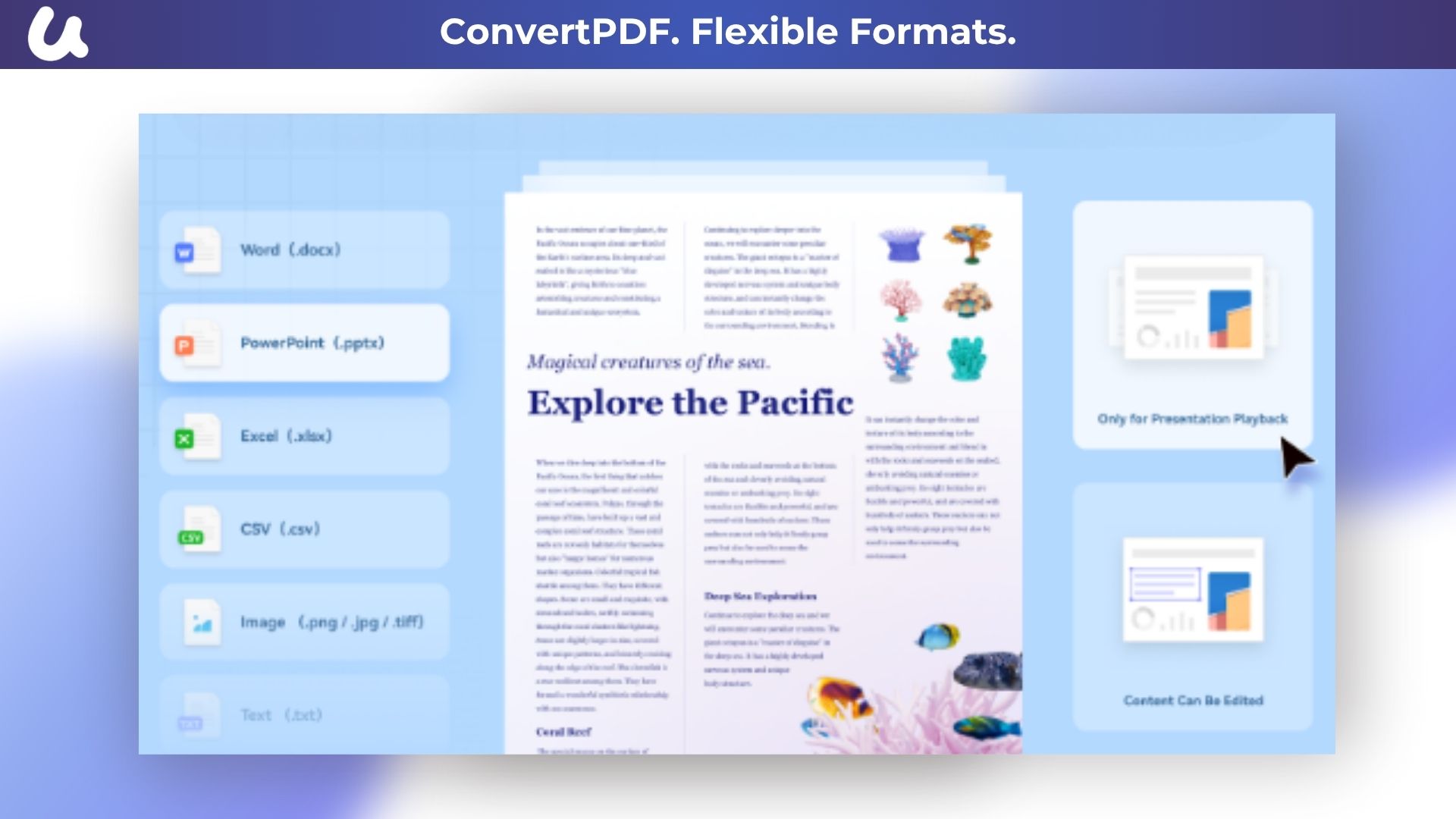
Convert any PDF to Word, Excel, Powerpoint, image, HTML, text, CSV, XML, PDF/A, etc.
Alternative to ABBYY FineReader, Adobe Acrobat Pro And Adobe Acrobat Reader
Best for Best for Consultants, Educators And Small businesses.
UPDF Lifetime Deal
UPDF Lifetime Deal is an all-in-one AI-integrated PDF editor software that you can use to AI chat with PDF, edit, annotate, convert PDFs, and more. One UPDF license allows you to use it across all platforms, including macOS/iOS/iPadOS (universal purchase).
Review Video
Introduction Video
Product Overview Images
With UPDF, you can add or delete texts and edit the text font, color, and size.
Moreover, you can add, delete, crop, rotate, replace, and extract images as well as links, watermarks, and backgrounds in PDF documents.
It is also available to protect your PDF documents by adding an open password and permission password for restricting access to the document.
You can also make annotations on PDF with many annotation tools, such as highlight, underline, strikeout, shapes, sticky notes, stickers, stamps, and so on.
Key Features
Besides, you can convert any PDF to many other formats, including Word, Excel, PowerPoint, CSV, Image, etc.
You can also organize PDF pages quickly as you desired.
It allows you to convert PDF documents to other formats or extensions without losing formats and layouts.
It supports converting a single PDF or dozens of PDFs into batches with one click.
AI Assistant
Powered by GPT-4.1 and Full DeepSeek (R1).
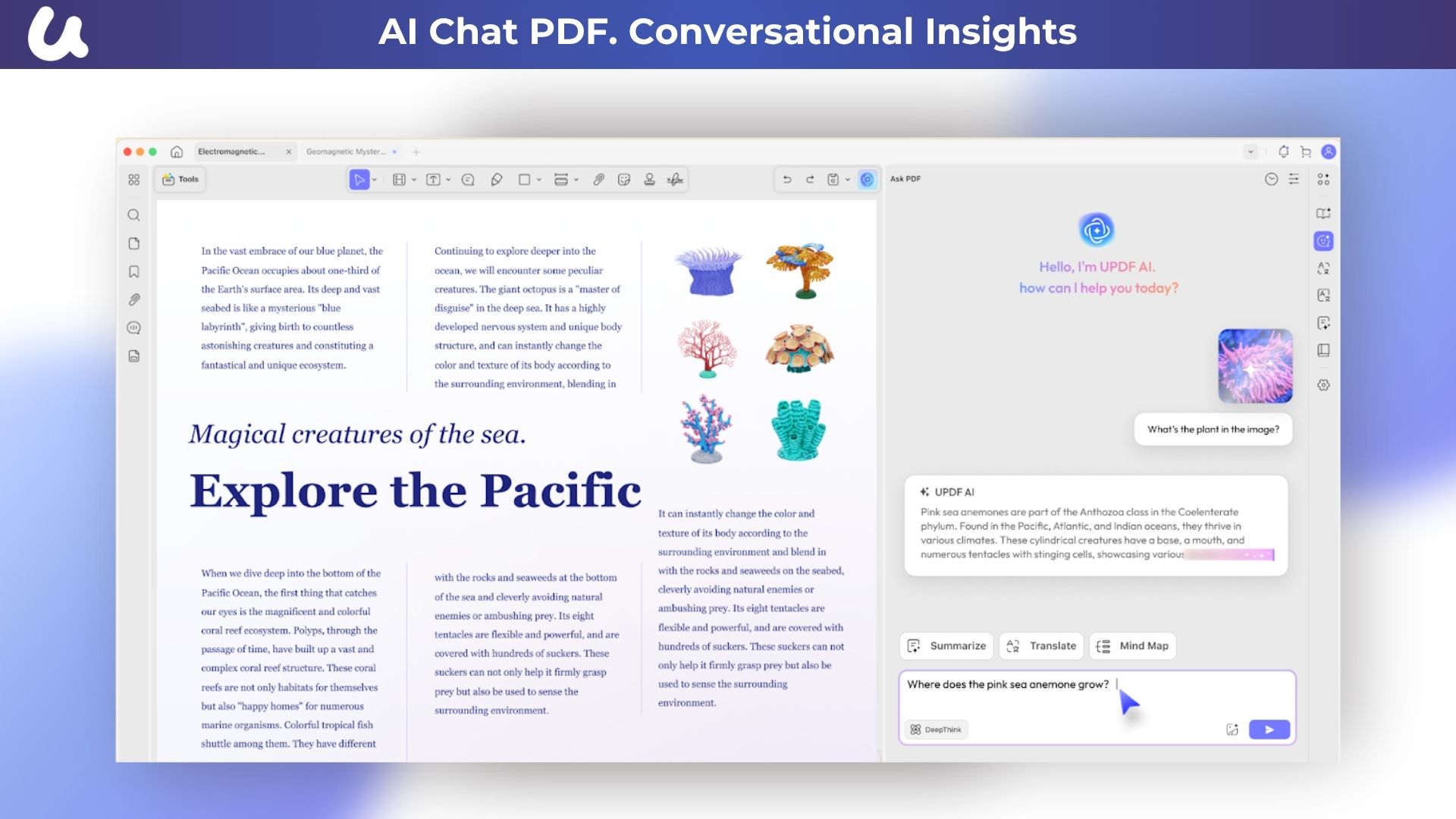
AI chat with your PDF to summarize, translate full PDFs without losing format, and get answers related to the PDFs.
Convert PDFs to mind maps.
Chat with images and ask any questions about the images.
Ask for any prompts and get answers from AI.
View PDF
Set Page Layouts:-View PDF documents in a single-page view, two-page view, scrolling, or two-page scrolling.
Dark Mode:- Enhance the reading experience without putting up pressure on the user’s eyes.
Navigate PDF Page:-Add bookmarks to your PDF to navigate the page quickly. Search for specific text across them in UPDF while viewing documents.
Multi-Tab View Ability:- Set up multiple tabs across UPDF to view PDFs in a single instant. Slideshows. Endure the perfect slideshow experience under a coupled reading aura.
Annotate PDF
Highlight, underline, strikethrough, or squiggly the text in PDFs.
Add sticky notes, text boxes, text comments, text callouts, or shapes to PDFs.
Add stamps, stickers, and signatures to PDFs.
Free-hand drawing within a PDF.
Measure PDF.
UPDF Cloud
Sync files across different devices and platforms.
OCR
Convert scanned PDFs or images into searchable and editable PDFs or vice versa.
Can recognize text in 38 languages.
Edit PDFs
Edit text in PDF to change the properties of the text, such as the color, font, size, etc.
Edit images in PDF to change the size, crop, rotate, extract, replace, delete, etc.
Add or remove links to the web or a page.
Convert PDFs
Convert PDFs to: DOCX, XLSX, and PPTX.
Convert PDFs to image: PNG, JPEG, BMP, TIFF, and GIF.
Convert PDFs to TXT, RTF, CSV, HTML, and XML.
Organize PDFs
Insert, replace, extract, split, rotate, remove, and reorder the pages in PDFs
Crop or extend page margins.
Split a long single page into multiple pages.
Protect PDFs
Add an open or permission password to protect PDFs from opening, copying, editing, and printing.
Prepare Form
Create fillable PDF forms by adding interactive form fields.
Fill PDF forms and add an e-signature.
Add digital signatures to prove the sender’s identity.
Batch Process PDFs
Support batch process to convert, merge, OCR, compress, print, create, insert, and encrypt PDFs.
Support batch process to add or remove backgrounds, watermarks, header & footer, and Bates numbering in multiple PDFs.
Batch Remove text markup, measurements, stamps, form fields, and signatures.
Read and Print PDFs
View PDF single page or two-page view/scrolling.
Text-to-speech.
Search and find text.
Slideshow PDF.
Support light and dark modes.
Add and manage bookmarks.
Print PDFs.
Create PDFs
Create a blank PDF with different backgrounds or from Word/Excel/PPT/image/CAJ/Paperwork/selection capture/window capture/screen capture/clipboard/scanner.
Plan Features
Convert PDF to Word
Convert PDF to Excel, CSV
Convert PDF to PPT
Convert PDF to Image (PNG, BMP, GIF, JPG, TIFF)
Convert PDF to Text
Convert PDF to HTML, XML
Optical Character Recognition (OCR)
Convert PDF to RTF
Convert PDF to PDF/A
Roadmap
Compressing PDF
Deal Terms
Length of access: Lifetime
Access options: Available for Windows, Mac, iOS and Android devices.
Max number of device(s): 4 (2 Desktops+2 Mobiles)
All future plan updates
30-Days Money-Back Guarantee (For Non-Prime Members and Regular users)
Convert any PDF to Word, Excel, Powerpoint, image, HTML, text, CSV, XML, PDF/A, etc.
Alternative to ABBYY FineReader, Adobe Acrobat Pro And Adobe Acrobat Reader
Best for Best for Consultants, Educators And Small businesses.
UPDF Lifetime Deal
UPDF Lifetime Deal is an all-in-one AI-integrated PDF editor software that you can use to AI chat with PDF, edit, annotate, convert PDFs, and more. One UPDF license allows you to use it across all platforms, including macOS/iOS/iPadOS (universal purchase).
Review Video
Introduction Video
Product Overview Images
With UPDF, you can add or delete texts and edit the text font, color, and size.
Moreover, you can add, delete, crop, rotate, replace, and extract images as well as links, watermarks, and backgrounds in PDF documents.
It is also available to protect your PDF documents by adding an open password and permission password for restricting access to the document.
You can also make annotations on PDF with many annotation tools, such as highlight, underline, strikeout, shapes, sticky notes, stickers, stamps, and so on.
Key Features
Besides, you can convert any PDF to many other formats, including Word, Excel, PowerPoint, CSV, Image, etc.
You can also organize PDF pages quickly as you desired.
It allows you to convert PDF documents to other formats or extensions without losing formats and layouts.
It supports converting a single PDF or dozens of PDFs into batches with one click.
AI Assistant
Powered by GPT-4.1 and Full DeepSeek (R1).
AI chat with your PDF to summarize, translate full PDFs without losing format, and get answers related to the PDFs.
Convert PDFs to mind maps.
Chat with images and ask any questions about the images.
Ask for any prompts and get answers from AI.
View PDF
Set Page Layouts:-View PDF documents in a single-page view, two-page view, scrolling, or two-page scrolling.
Dark Mode:- Enhance the reading experience without putting up pressure on the user’s eyes.
Navigate PDF Page:-Add bookmarks to your PDF to navigate the page quickly. Search for specific text across them in UPDF while viewing documents.
Multi-Tab View Ability:- Set up multiple tabs across UPDF to view PDFs in a single instant. Slideshows. Endure the perfect slideshow experience under a coupled reading aura.
Annotate PDF
Highlight, underline, strikethrough, or squiggly the text in PDFs.
Add sticky notes, text boxes, text comments, text callouts, or shapes to PDFs.
Add stamps, stickers, and signatures to PDFs.
Free-hand drawing within a PDF.
Measure PDF.
UPDF Cloud
Sync files across different devices and platforms.
OCR
Convert scanned PDFs or images into searchable and editable PDFs or vice versa.
Can recognize text in 38 languages.
Edit PDFs
Edit text in PDF to change the properties of the text, such as the color, font, size, etc.
Edit images in PDF to change the size, crop, rotate, extract, replace, delete, etc.
Add or remove links to the web or a page.
Convert PDFs
Convert PDFs to: DOCX, XLSX, and PPTX.
Convert PDFs to image: PNG, JPEG, BMP, TIFF, and GIF.
Convert PDFs to TXT, RTF, CSV, HTML, and XML.
Organize PDFs
Insert, replace, extract, split, rotate, remove, and reorder the pages in PDFs
Crop or extend page margins.
Split a long single page into multiple pages.
Protect PDFs
Add an open or permission password to protect PDFs from opening, copying, editing, and printing.
Prepare Form
Create fillable PDF forms by adding interactive form fields.
Fill PDF forms and add an e-signature.
Add digital signatures to prove the sender’s identity.
Batch Process PDFs
Support batch process to convert, merge, OCR, compress, print, create, insert, and encrypt PDFs.
Support batch process to add or remove backgrounds, watermarks, header & footer, and Bates numbering in multiple PDFs.
Batch Remove text markup, measurements, stamps, form fields, and signatures.
Read and Print PDFs
View PDF single page or two-page view/scrolling.
Text-to-speech.
Search and find text.
Slideshow PDF.
Support light and dark modes.
Add and manage bookmarks.
Print PDFs.
Create PDFs
Create a blank PDF with different backgrounds or from Word/Excel/PPT/image/CAJ/Paperwork/selection capture/window capture/screen capture/clipboard/scanner.
Plan Features
Convert PDF to Word
Convert PDF to Excel, CSV
Convert PDF to PPT
Convert PDF to Image (PNG, BMP, GIF, JPG, TIFF)
Convert PDF to Text
Convert PDF to HTML, XML
Optical Character Recognition (OCR)
Convert PDF to RTF
Convert PDF to PDF/A
Roadmap
Compressing PDF
Deal Terms
Length of access: Lifetime
Access options: Available for Windows, Mac, iOS and Android devices.
Max number of device(s): 4 (2 Desktops+2 Mobiles)
All future plan updates
30-Days Money-Back Guarantee (For Non-Prime Members and Regular users)
This purchase does not include AI Assistant. Free AI Assistant users can analyze 5 files and ask 100 questions.
Pricing
Tier 1
One-time payment. Lifetime access
$69.00$109.99
Lifetime Access
Access Options: Available for Windows, Mac, iOS and Android devices
Max number of device(s): 4 (2 Desktops+2 Mobiles)
Edit text in PDF
Edit image in PDF
Edit or add links in PDF
Convert PDF to Word, Excel,PowerPoint, Images, HTML, XML, PDF/A, Text , CSV with OCR Technology
Annotate PDF with highlights, underline, strikethought, stamps, stickers, text boxes, draw on PDF
Organize PDF Pages such as delete, rearrange, rotate, extract, and replace pages
Protect PDF by adding open password or permission password
Share PDF via a link or through email
View PDF across all devices with dark mode
Support changing the background color of PDF
FAQ's
Question – Is lifetime support available for this product? -Yes, lifetime support is available for this product for support contact – [email protected]
Questions:- Can I get an invoice for my subscription under my company name?
-Yes, you can. Just send us an email at[email protected] and we will take care of this.
Reviews
3 reviews for UPDF : The Next Level AI PDF Editor
Rated 5 out of 5
Mahi –
It allows me to view, edit, annotate, convert, protect, organize, crop, and share PDF files.
Updf tool is one of the best in the business.
Rated 5 out of 5
Abhishek Sinha –
Effortlessly split a PDF into multiple individual PDFs by page number.
Rated 5 out of 5
obronie (verified owner)–
Bought this a few years ago and I dont know these people but I just want to give them to a shoutout to this one program that I use everyday and can do anything I ever want with PDF’s






3 reviews for UPDF : The Next Level AI PDF Editor
Mahi –
It allows me to view, edit, annotate, convert, protect, organize, crop, and share PDF files.
Updf tool is one of the best in the business.
Abhishek Sinha –
Effortlessly split a PDF into multiple individual PDFs by page number.
obronie (verified owner) –
Bought this a few years ago and I dont know these people but I just want to give them to a shoutout to this one program that I use everyday and can do anything I ever want with PDF’s