Tenorshare is all-in-one software that easily lets you edit, convert, annotate, and manage PDFs. With ultra-fast performance and no compromise on quality, it preserves your original layouts, texts, images, and hyperlinks.
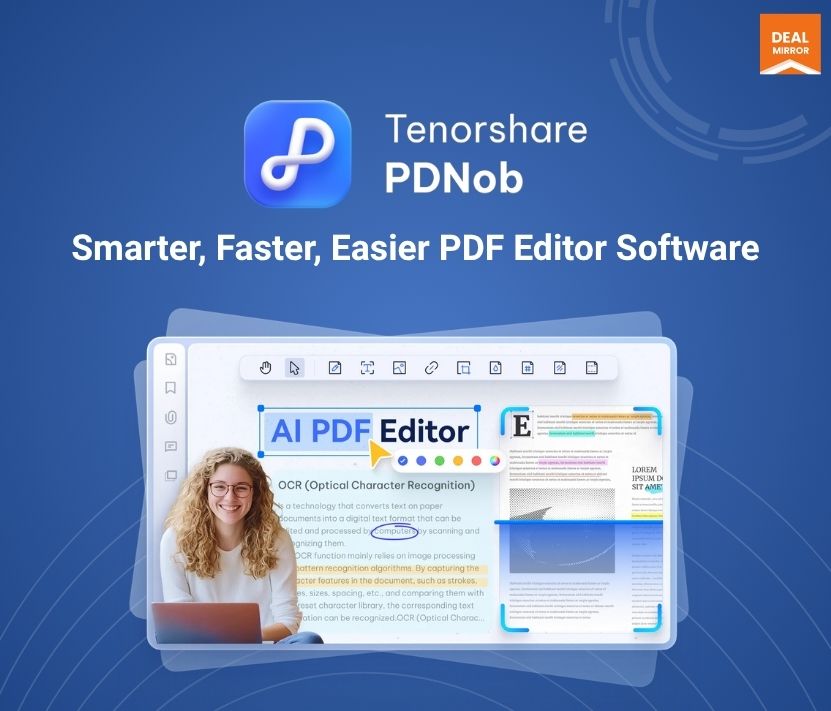
With Tenorshare, you get a feature named OCR, which utilises AI algorithms and Adaptive Document Recognition Technology, ensuring precise text recognition.
Whether you’re a professional or casual user, PDNob PDF Editor ensures an efficient experience.
This tool is user-friendly on MAC and Windows and can be easily downloaded for free.
Tenorshare PDNob PDF Editor is designed to ease your PDF editing tasks, making it the perfect tool for work and personal use.
From simple edits to complex annotations, this software provides everything you need to enhance your productivity while maintaining the integrity of your original content.
Intro Video
Tenorshare PDNob PDF Editor is an all-in-one tool for editing, converting, annotating, and managing PDFs with fast performance and high-quality results.
Tenorshare is all-in-one software that easily lets you edit, convert, annotate, and manage PDFs. With ultra-fast performance and no compromise on quality, it preserves your original layouts, texts, images, and hyperlinks.
With Tenorshare, you get a feature named OCR, which utilises AI algorithms and Adaptive Document Recognition Technology, ensuring precise text recognition.
Whether you’re a professional or casual user, PDNob PDF Editor ensures an efficient experience.
This tool is user-friendly on MAC and Windows and can be easily downloaded for free.
Tenorshare PDNob PDF Editor is designed to ease your PDF editing tasks, making it the perfect tool for work and personal use.
From simple edits to complex annotations, this software provides everything you need to enhance your productivity while maintaining the integrity of your original content.
Intro Video
Tenorshare PDNob PDF Editor is an all-in-one tool for editing, converting, annotating, and managing PDFs with fast performance and high-quality results.
The OCR engine utilises AI algorithms and Adaptive Document Recognition Technology (ADRT®), ensuring precise text recognition.
Convert PDF to Word, Excel, PPT, RTF, TXT, PNG, EPUB, JPEG, BMP, TIFF, PDF/A, etc.
Reduce the size of any PDF file without losing quality and layout
Al Read & Summarize PDF in Seconds, Chat with Your PDF
AI-Powered PDF Tools
Read & Summarise in Seconds: Quickly extract essential insights from lengthy PDFs using advanced AI.
Chat with Your PDF: Ask questions and interact with your document for unparalleled convenience.
High-Speed PDF Conversion
Convert PDF to Word, Excel, PowerPoint, and more formats with 5x faster speed and zero format loss.
Intuitive PDF Editing
Edit PDFs like a Word document—modify text, add/remove images, and adjust layouts effortlessly.
AI OCR Technology
Achieve 99% accuracy in extracting text from scanned documents or images in multiple languages.
Efficient Compression
Compress up to six PDF files simultaneously, saving time and storage space.
Flexible Annotation Tools
Highlight, underline, add sticky notes, and more for enhanced collaboration and document review.
More Features
Merge PDFs: Combine multiple files into one seamlessly.
Split PDFs: Extract specific pages or split documents as needed.
Protect & Unlock PDFs: Add or remove password protection with ease.
Preview Enhancements: Real-time previews for headers, footers, watermarks, and annotations.
High-Resolution Display: Superior clarity on screens with non-standard resolutions, such as laptops at 150% scaling.
Comparison Chart
What’s New
Enhanced interface for a smoother user experience.
Added advanced AI features for PDF summarization and interaction.
Improved batch processing for faster file handling.
Expanded document format support for conversions.
Ongoing rapid updates (every 2-3 weeks) based on user feedback.
Use Cases:
Document Editing: Edit text, annotate, and customize PDFs for office, education, or personal use.
OCR & Scanning: Convert scanned documents to editable text or searchable files.
Customization: Add watermarks, manage pages, and preview headers/footers in real time.
Productivity: Open files quickly, compress multiple files at once, and add links effortlessly.
High-Resolution Clarity: Superior display quality on high-resolution or non-standard screens.
Security: Protect documents with passwords, permissions, and digital signatures.
Ideal for businesses, students, and anyone managing PDF documents efficiently.
Supported Computer System
Windows : Windows 11 and 10; x64 bit.
Mac : masOS: 15(macOS Sequoia), 14(macOS Sonoma), 13(macOS Ventura), 12(macOS Monterey), 11.5(macOS Big Sur), 10.15(macOS Catalina).
Deal Terms
Lifetime Access
Redeem your code within 60 days of purchase
30-Days Money-Back Guarantee (For Non-Prime Members and Regular users)
60-Day Money-Back Guarantee (For DealMirror Prime Members Only)
Improve Prompt
Simplify
Rephrase
Grammar & Spelling
Friendly
Explain
Improve Writing
Make Longer
Make Shorter
Humanize
Summarize
dfdf
Selected Actions
Pricing
Windows/Mac
One-time payment. Lifetime access.
$49.99$199.99
1200 AI credits (One time credits)
Lifetime access to all features
Lifetime access for Windows & macOS
Lifetime free updates
No watermark
From The Founders
Tenorshare
Founder
Dear Customers,
Thank you for choosing Tenorshare. Founded in 2007, our mission has always been to provide innovative and reliable solutions that simplify technology for you. Whether it’s AI-powered tools or office software, we’re committed to delivering products that save you time and effort.
Your trust and feedback drive everything we do. We’re committed to providing products that solve your tech challenges, backed by 24/7 customer support and frequent updates to ensure you always have the best tools at your fingertips.
We’re excited to continue growing with you and will always prioritize your needs as we innovate and improve.
Thank you for being a part of our journey.
Warm regards,
Founder, Tenorshare
Improve Prompt
Simplify
Rephrase
Grammar & Spelling
Friendly
Explain
Improve Writing
Make Longer
Make Shorter
Humanize
Summarize
dfdf
Selected Actions
FAQ's
1. How do I contact support?
– You can contact support at [email protected]
2. What operating systems does PDNob PDF Editor support? – PDNob PDF Editor supports Windows 10/11 (64-bit) and macOS 10.15 or later.
3. Is PDNob PDF Editor updated regularly?
– Yes, PDNob PDF Editor is frequently updated to ensure compatibility with the latest operating systems, introduce new features, improve performance, and fix bugs. You can check for updates on their website to stay up to date.
4. How does PDNob PDF Editor protect my documents?
– PDNob PDF Editor offers robust security features, including password protection, permission settings, and digital signatures, ensuring your sensitive documents remain secure from unauthorized access.
Improve Prompt
Simplify
Rephrase
Grammar & Spelling
Friendly
Explain
Improve Writing
Make Longer
Make Shorter
Humanize
Summarize
dfdf
Selected Actions
Reviews
3 reviews for Tenorshare PDNob PDF Editor: Easy & Fast PDF Editing Lifetime Deal
Rated 5 out of 5
Amanda C –
This editor is good for basic PDF tasks, such as editing text, merging files, and adding annotations.
Rated 5 out of 5
Sophia A. –
“Fast, Easy, and So Efficient!”
I’ve tried multiple PDF editors, but Tenorshare PDNob PDF Editor stands out! The lifetime deal is a steal for the features you get. The interface is user-friendly, and I can easily edit text, add annotations, and make adjustments to my PDFs in just a few clicks.
Rated 5 out of 5
Olivia W. –
PDNob PDF Editor is a reliable tool for handling PDFs. It lets you edit text, add annotations, and even convert files with ease. While it doesn’t have all the advanced features of Adobe Acrobat, it’s perfect for everyday use at a fraction of the cost.








3 reviews for Tenorshare PDNob PDF Editor: Easy & Fast PDF Editing Lifetime Deal
Amanda C –
This editor is good for basic PDF tasks, such as editing text, merging files, and adding annotations.
Sophia A. –
“Fast, Easy, and So Efficient!”
I’ve tried multiple PDF editors, but Tenorshare PDNob PDF Editor stands out! The lifetime deal is a steal for the features you get. The interface is user-friendly, and I can easily edit text, add annotations, and make adjustments to my PDFs in just a few clicks.
Olivia W. –
PDNob PDF Editor is a reliable tool for handling PDFs. It lets you edit text, add annotations, and even convert files with ease. While it doesn’t have all the advanced features of Adobe Acrobat, it’s perfect for everyday use at a fraction of the cost.