Home » Store » Swing2App : One Point Solution For All App Creators 179 Plan
Swing2App : One Point Solution For All App Creators 179 Plan
One-time payment. Lifetime access.
What you get in this deal
What you get in this deal
Stack Upto 10 Codes
1 Website can convert to App
Add your logo and App Icon
High-Performance Native UI
Ready to Publish APK
Can upload Google play store
Hurry! Only 00 Licence are left
$
$
% Saving
30 Day Money-back Guarantee
Day
Hrs
Min
Sec
TL;DR
In this smartphone era, most of the people love to spend their time on a mobile platform, whether it’s shopping, entertainment, bill payment, or social media.
But what if you could increase your, or your client’s, conversion,return customer and retention rates, as well as engagement, without the need to add anything to your website?
Apart from that various popular brands such as Airbnb, Zillow, Dropbox, Google Docs, Starbucks, etc. have initially released a website and then launched their mobile application.
Why these firms have followed this approach?
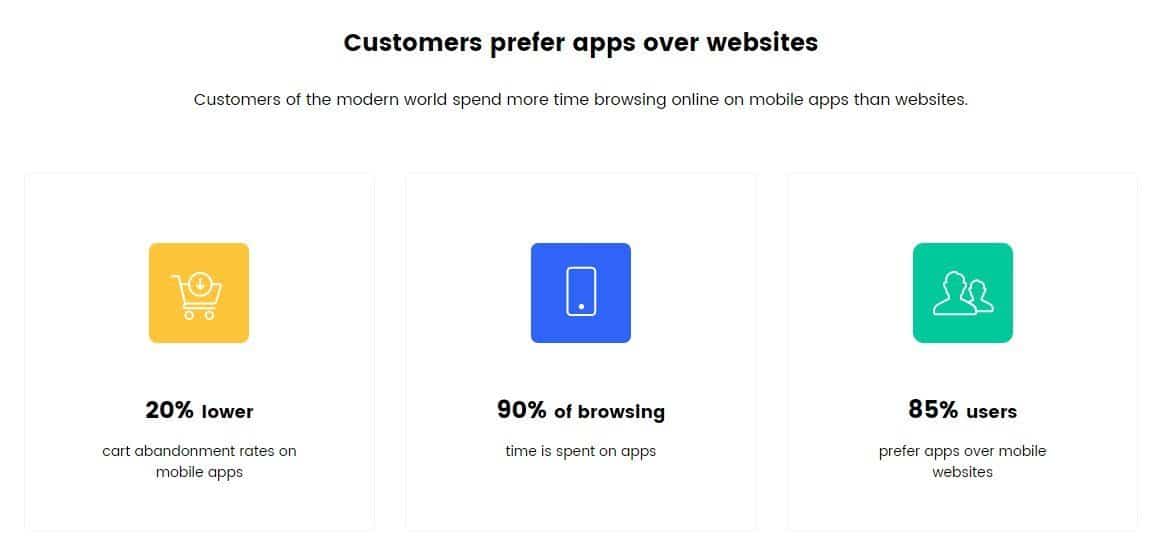
Because the statistics reveal that mobile apps are used more as compared to web apps:
87% of users love to spend time on the apps, while just 13% spend time on the web.
Mobile Apps are expected to hit $188.9 billion in revenue in 2020.
After shopping on a website, 42% of consumers use a shopping app or a communication app.
83% of B2B marketers demand that mobile apps are an essential part of content marketing.
Retail apps conversation rate is 120% higher as compared to the website.
Swing2App is an app creation platform that aims to offer exemplary services to enable everyone to develop an app in a few simple steps without any coding knowledge.
Are you still confused about whether you want to convert your website to an app or not?
Then, here we will provide a list of essential reasons for the same.
Smartphones are present as well as the future of technology.
Reliability across multiple screen sizes.
An App puts your website in front of potential and current users.
Mobile Apps provide extended functionality.
An App sets you apart from your competitors.
Offline Capabilities.
Quick Navigation.
Swing2App is one of the fastest-growing app building platforms. Helping your businesses to develop their mobile apps without any coding skills or programming knowledge.
Dashboard View
STEP.1 Web View App Production
We will tell you how to make a WebView app (a web app made by walking a website) and how to release it to the store.
Swing2App Lifetime Deal is a user-created app builder, and you must create your app with the app-creation tool provided by Swing2App.
If you sign up as a member after accessing the homepage, the app production page will open, and you can make the app for free right away!
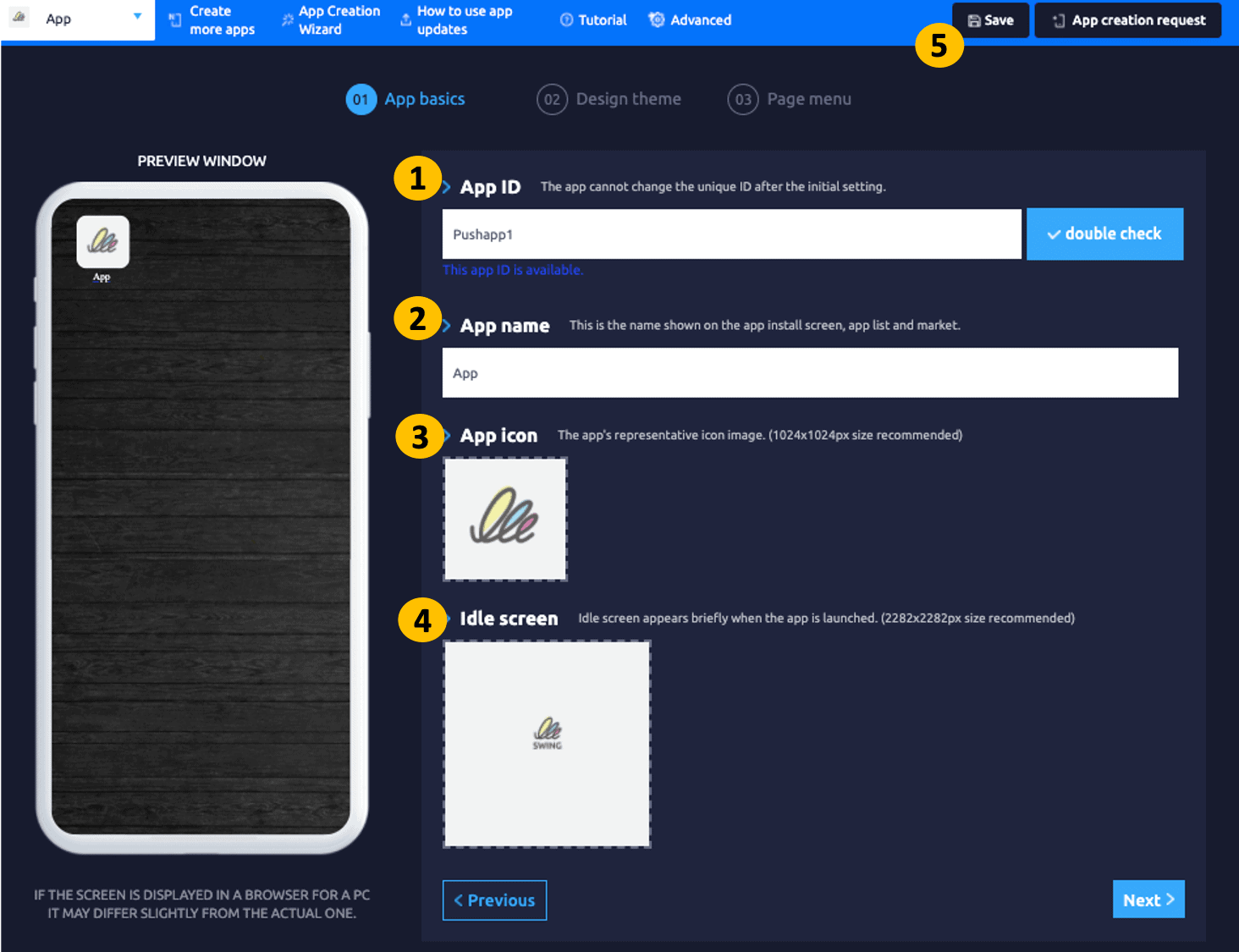
Step A: Basic App Information
After logging in to the Swing2App homepage, [Maker(V2)] Step 1 Basic Information
Enter the App ID → App name → App icon image → App standby screen image, and save.
Step B: Design Theme
*Prototype: Select ‘WebView only’
*Design skin color: You don’t need to select a color.
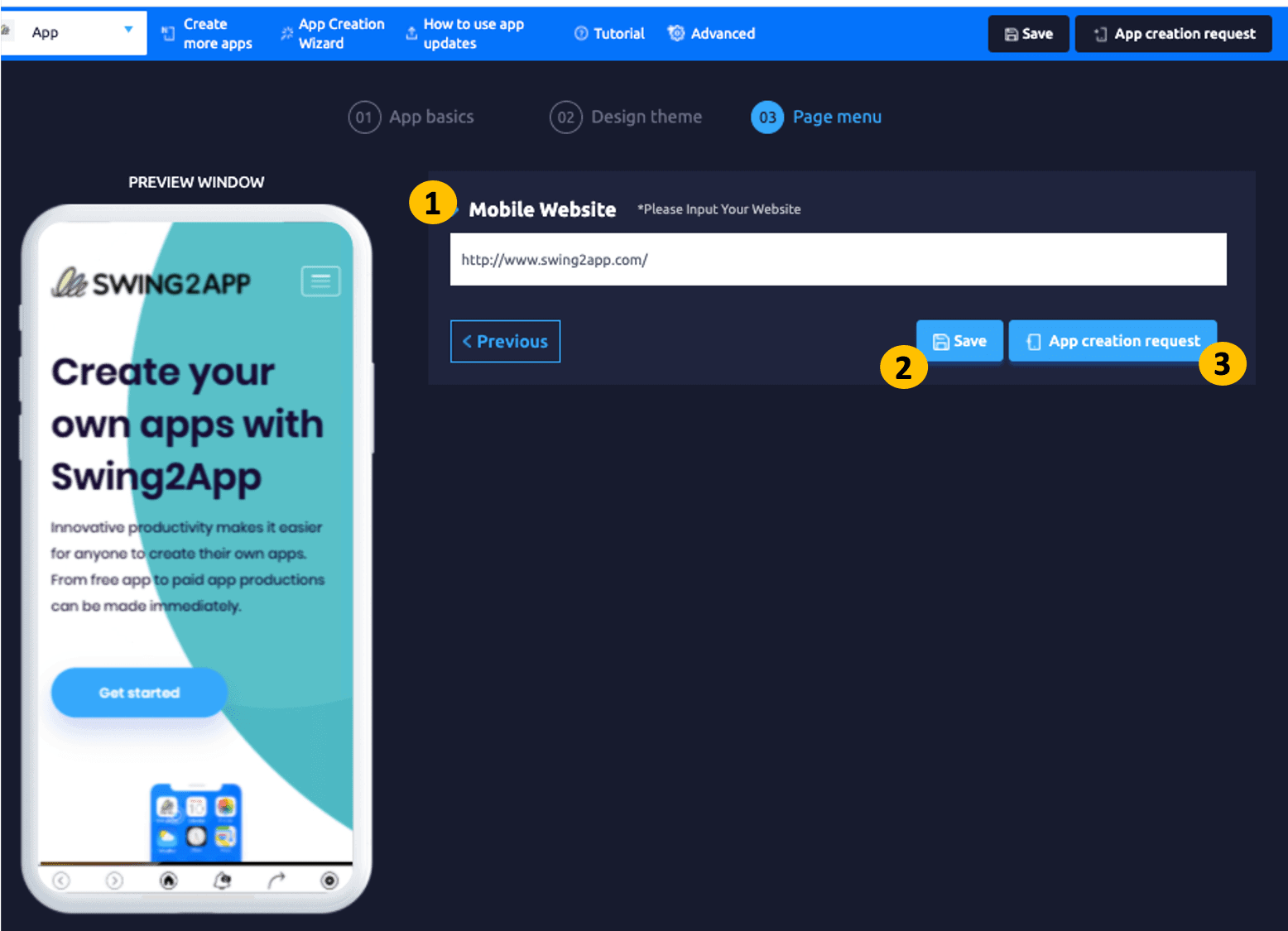
Step C: Page Menu
Select the Home Screen and select the web link in the Page menu.
Enter URL address in weblink field.
Select the Save button.
Click on the App Creation button for app production.
STEP.2 Check the App
*WebViews apps can only be found on Android phones. (You can’t check on iPhone.)
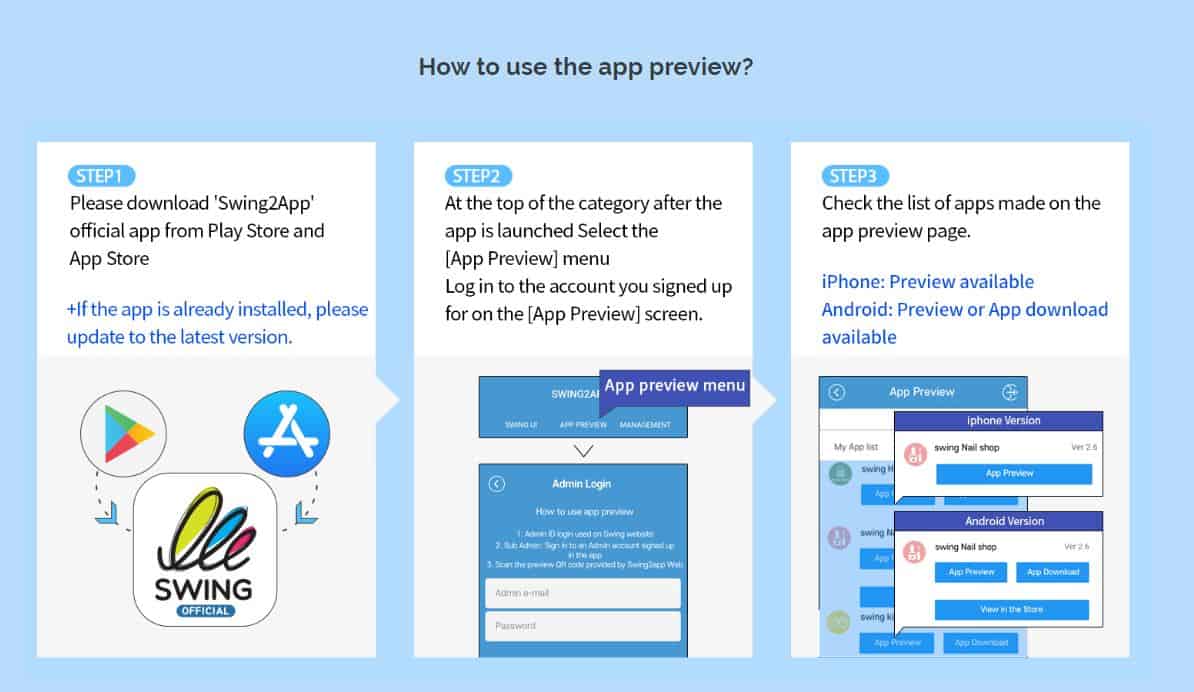
Download and check the app you created on Swing2App Official App – [App Preview].
STEP. 3 Store Upload Request
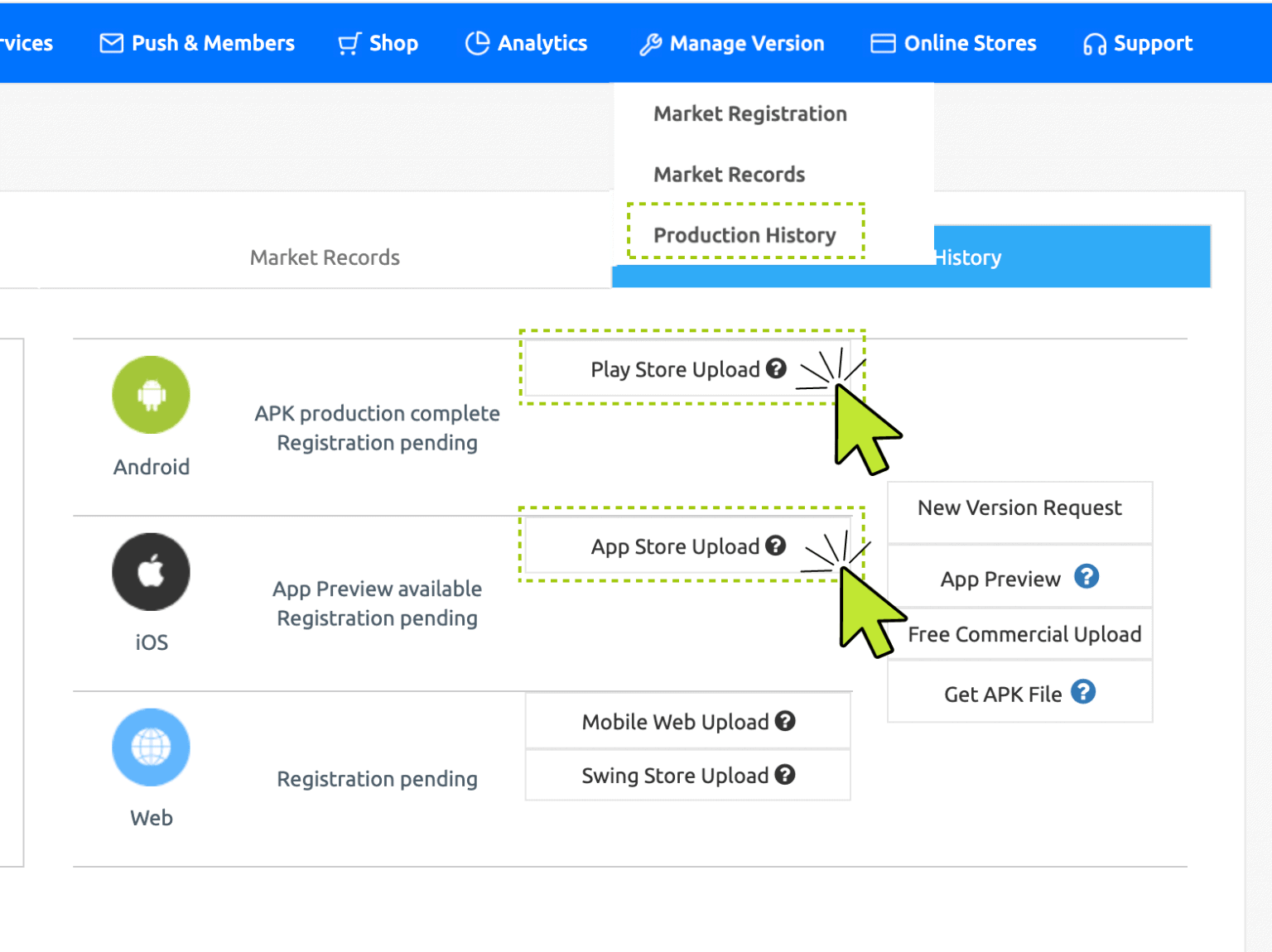
* Go to App Operation → Version Control → App Production History menu, and select the [Apply for Uploading Play Store] or [Apply for Uploading App Store] button in the Market Registration field.
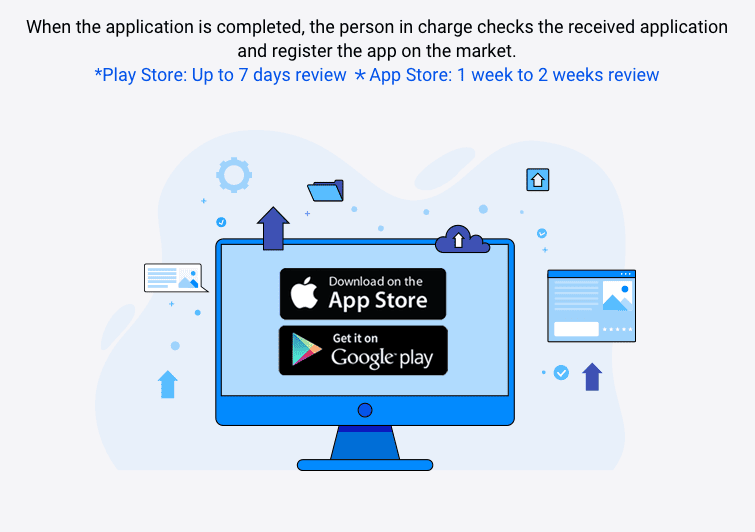
An application pop-up will appear, and you must fill in the content according to the application form and submit the upload request to the Swing2App.





 Hurry Up !! Grab this Lifetime Deal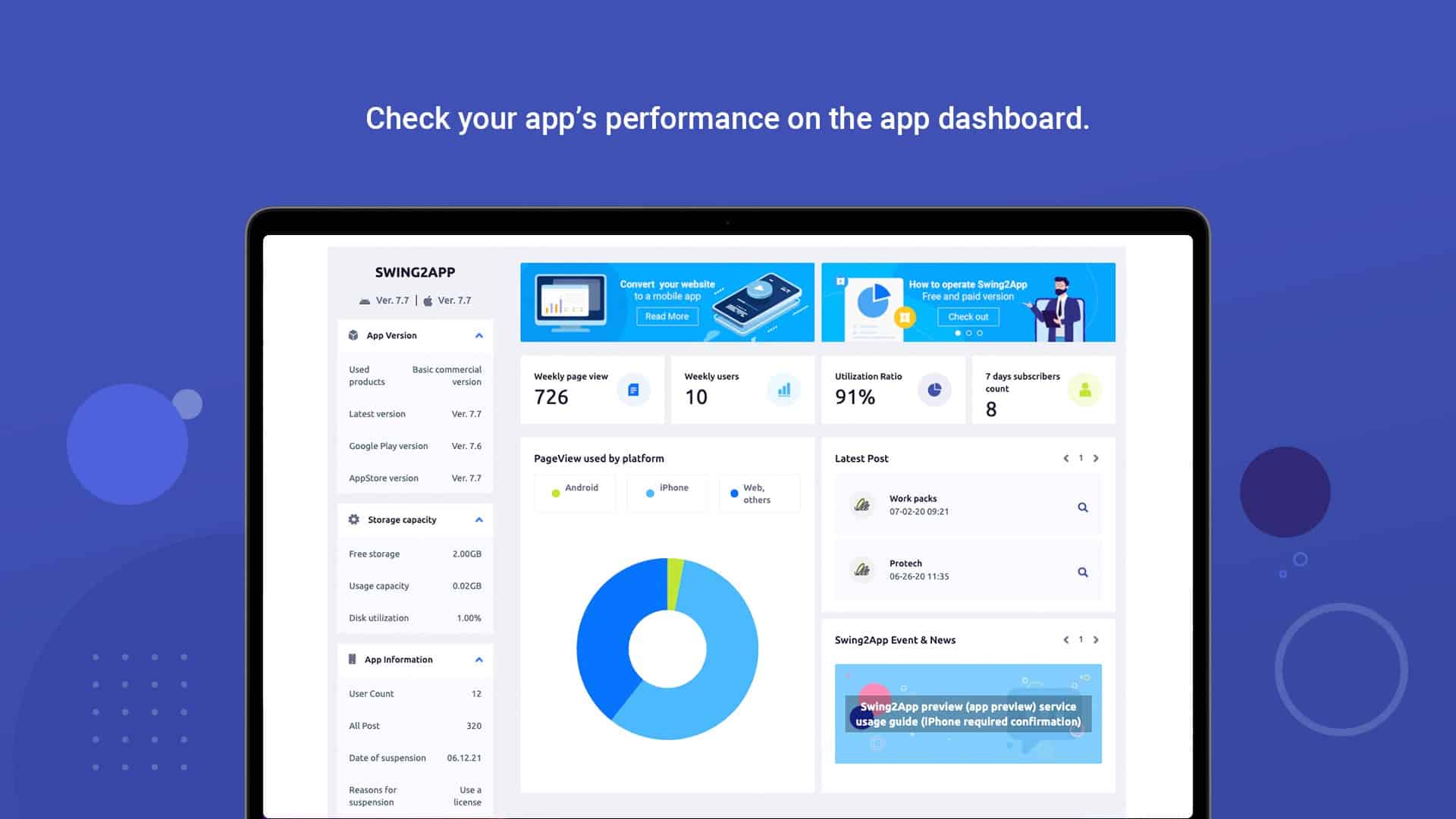



Reviews
There are no reviews yet.