Home » Store » Spendify 2.0: AI-Powered Subscription Intelligence Platform For Expense Management
Spendify 2.0: AI-Powered Subscription Intelligence Platform For Expense Management
TL;DR
Upload your statements, and get AI-powered insights, spending habits, and budgeting tools
No bank linking tool that analyzes statements, tracks habits, and helps you budget smarter
Best For Students, Freelancers, Business Owners, & Individuals, E-commerce Owners, etc
Alternative to: Rolly AI, Mint, YNAB, Spendee, MoneyWiz
Spendify Lifetime deal
Have you ever looked at your bank statement and thought, “How did all my money disappear?”
Not to worry anymore.
That’s where Spendify comes in, an expense manager lifetime deal that reads your bank statements in which no bank-linking is required and gives you powerful insights, budgeting that actually works, and features to safeguard and grow your money.
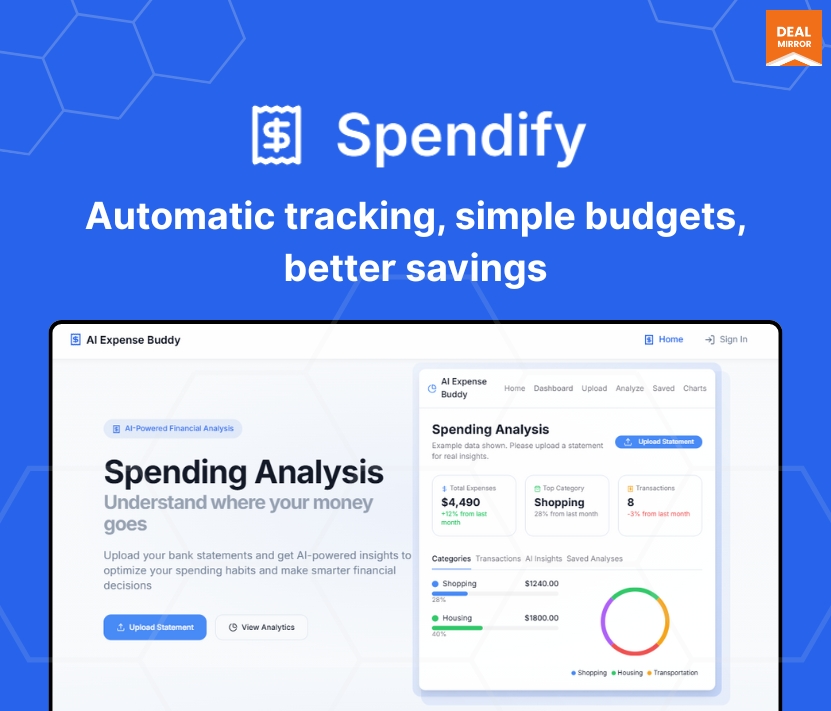
Spendify analyzes your bank statements, categorizes transactions, tracks your spending habits, and offers AI-powered insights, all without linking your bank account.
Whether you’re a student, freelancer, or small business owner, Spendify helps you take control of your finances with easy uploads, clear visualizations, and intelligent advice.
What It Does
Spendify is an intelligent personal finance assistant that analyses your bank statements (PDF, CSV, TXT), auto-categorizes expenses, tracks trends over time, gives security and health scores, and offers personalized tips and tools for smarter budgeting—all through an easy-to-use, fully mobile-optimized web app.
Spendify 2.0 Updates
Spendify 2.0 brings a smarter, fully automated way to manage money and subscriptions. With AI Full Parse, it reads your bank statements line by line, detects hidden subscriptions, price increases, and spending patterns, and turns messy data into clear insights. You can merge multiple statements, forecast future bills, build AI-powered budgets, and manage subscriptions in one place. Plus, AI Invoice lets you create professional invoices from simple prompts or transactions. Everything works together to give you full financial clarity with almost zero effort.
Intro Video
Spendify 2.0 is a smart, AI-powered expense manager that helps you track and manage your finances without linking your bank account.
Overview Images
Spendify 2.0 Feature Updates
AI Full Parse: Transforms raw bank statements into structured, actionable financial intelligence. This feature fully analyses uploaded bank statements line by line, extracting, categorising, and interpreting all financial data automatically.
AI Invoice: Tell Spendify what you need in simple words, and it makes a clean invoice for you. Pick one of three designs, add your logo and colours, then change any detail with the easy editor. Ready in under 30 seconds.
Subscription Manager 2.0: Take control of every recurring charge with an AI-powered manager that auto-detects subscriptions from your statements, gives smart recommendations to cut costs (30%+ savings) by cancelling duplicates and unused plans, and keeps you organized with a visual payment calendar and an analytics dashboard that shows exactly when bills hit and where your money goes.
AI Insights 2.0: Combine all your bank statements into one easy view and get a complete picture of your money. Its AI scans the merged data to surface smart insights, forecast future income and expenses (about 95% accuracy), and give a real-time financial health score so you can spot trends, plan ahead, and stay financially stable.
AI Budget Builder: Create a budget in seconds using AI. Just share your goals or let the system read your spending habits, and it builds a simple, personalized plan for you. Set savings and debt goals automatically, adjust as you go, and start fast with ready-made budget templates that fit any lifestyle.
Key Features
1. Easy Statement Upload
– Upload up to 50, 200, or unlimited bank-statement documents per month, depending on your plan—no manual entry, no logging into your bank. Spendify parses all transaction data automatically and accurately.
2. Categories Analysis
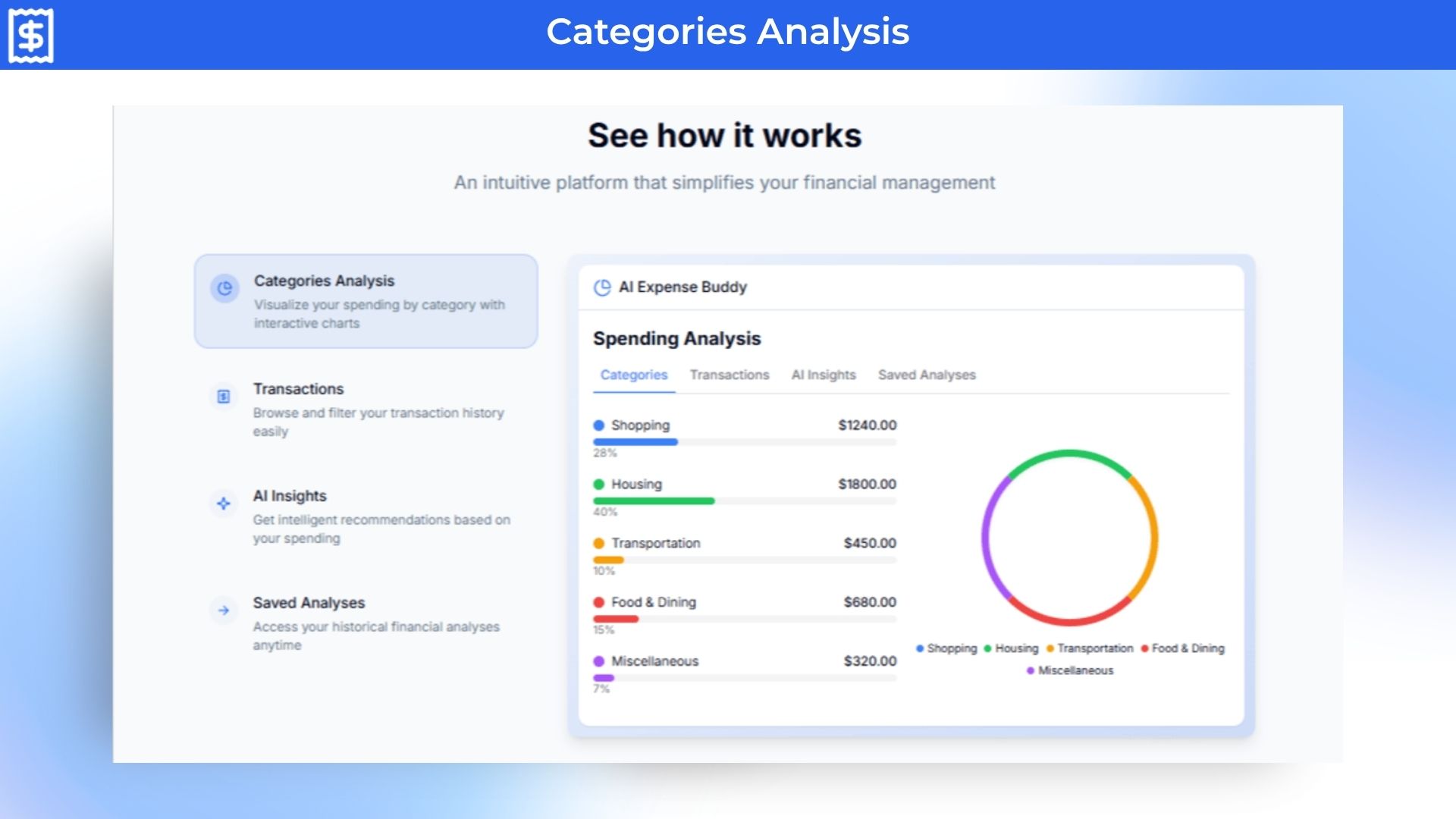
– Visualize your spending with interactive charts. See how much goes to Housing, Food, Shopping, Transportation, and more—instantly identifying budget leaks with clarity.
3. Transactions Dashboard
– Filter and review every transaction in a clean, searchable table. Quickly find date, merchant, category, and amount so nothing slips through the cracks.
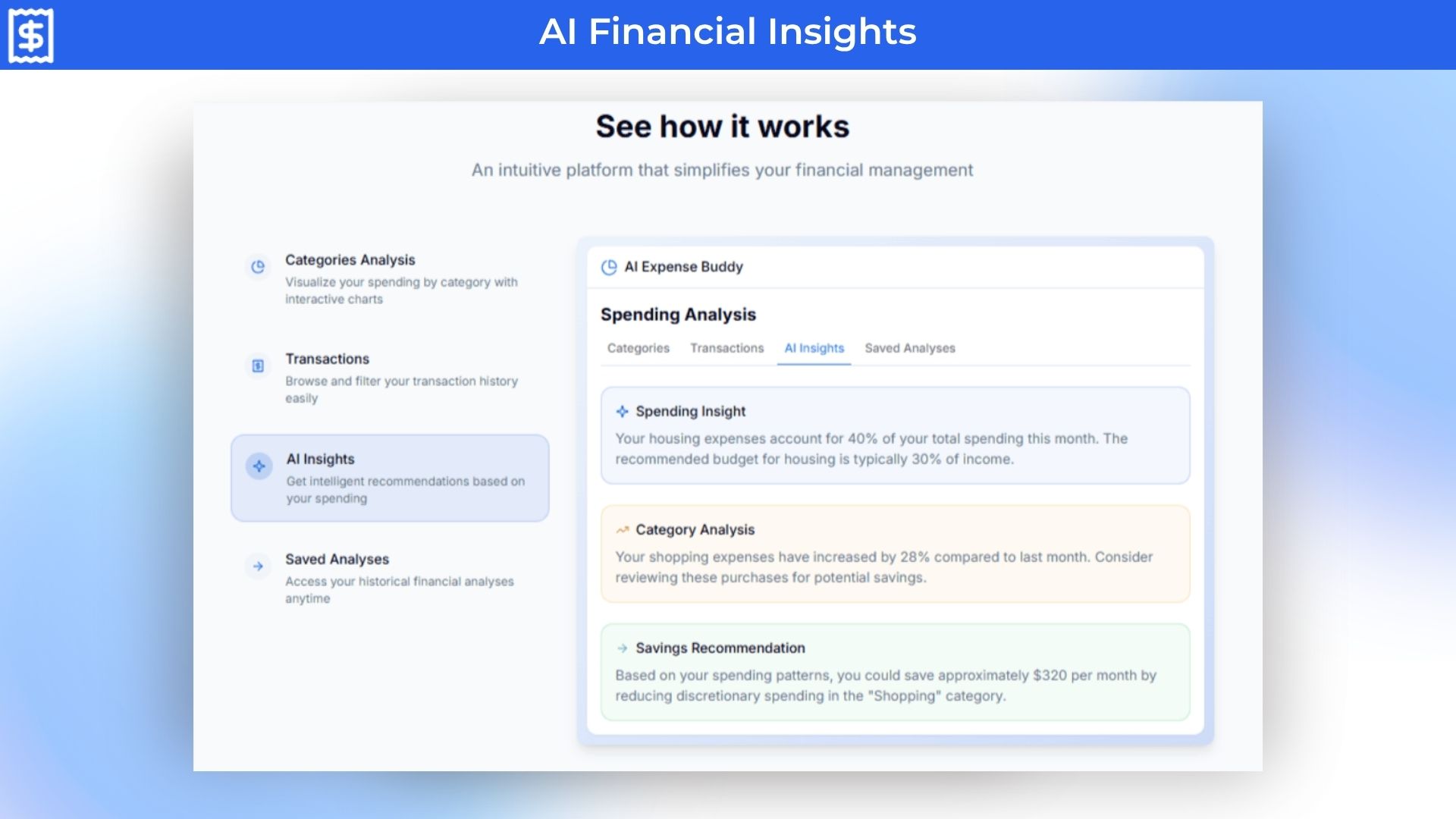
4. AI Financial Insights
Get intelligent feedback on your spending:
“Housing costs are 40% of your income—above recommended levels.”
“Your Shopping category is up 28% from last month.”
“Cut discretionary spending by $320/month to improve savings.”
5. Budget Planner
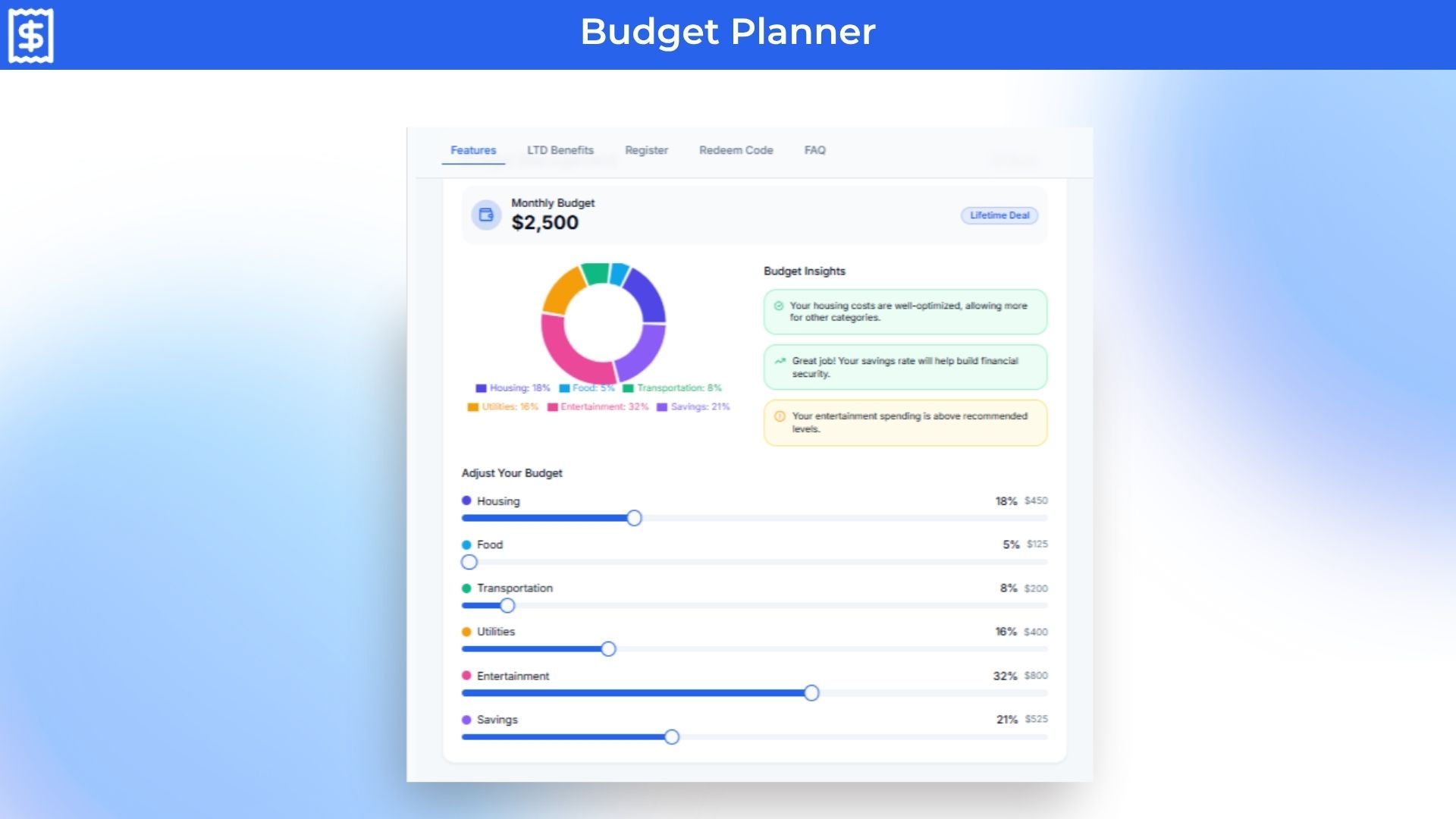
– Set category budgets using intuitive sliders—and get AI-backed suggestions to optimize spending habits. Want to save more or reduce waste? Spendify prompts you in real time.
6. Financial Goals
– Define goals like “Save $500 in 3 months” or “Cut food spending by 20%.” Watch progress bars move as you get closer.
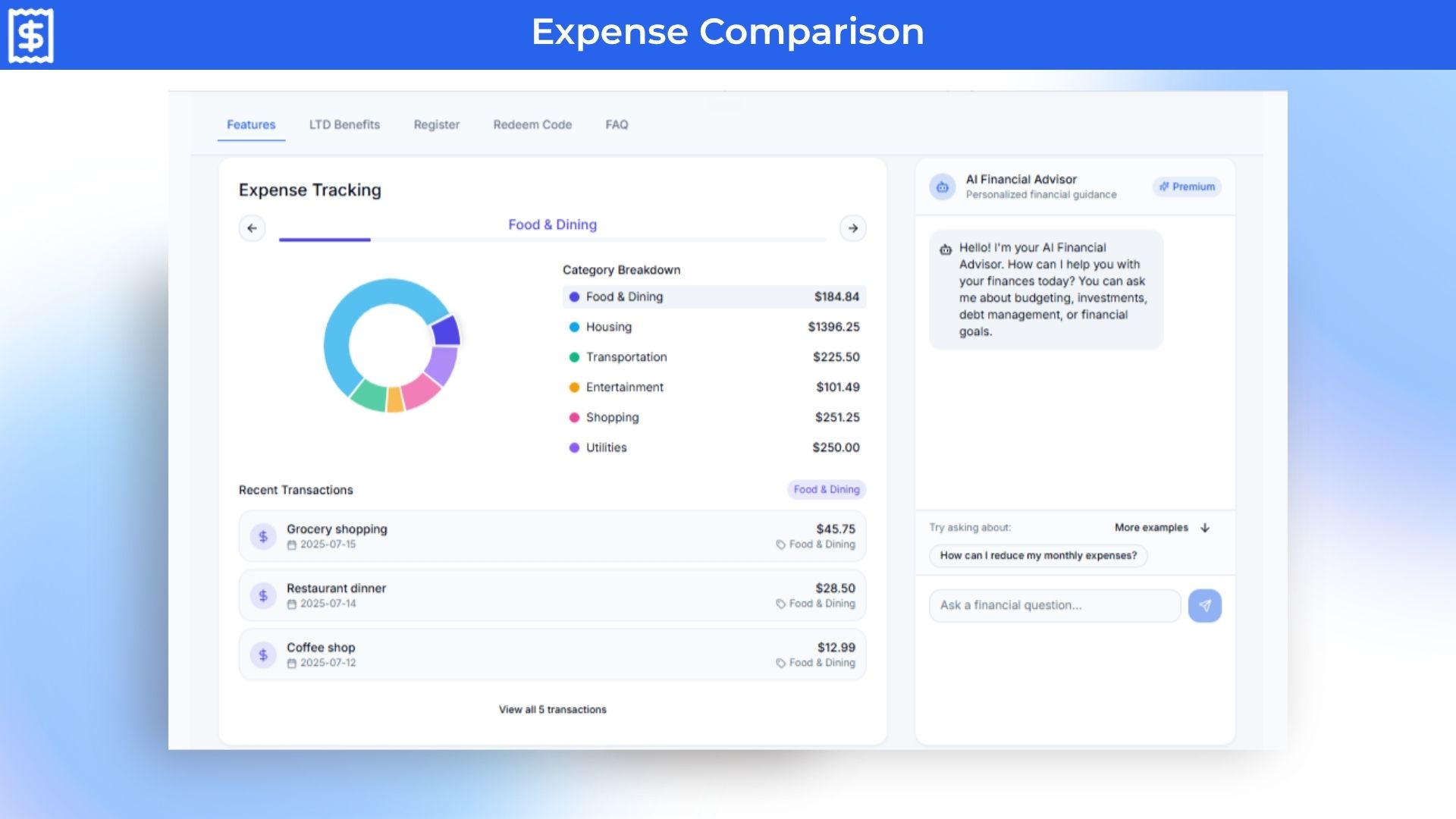
7. Expense Comparison
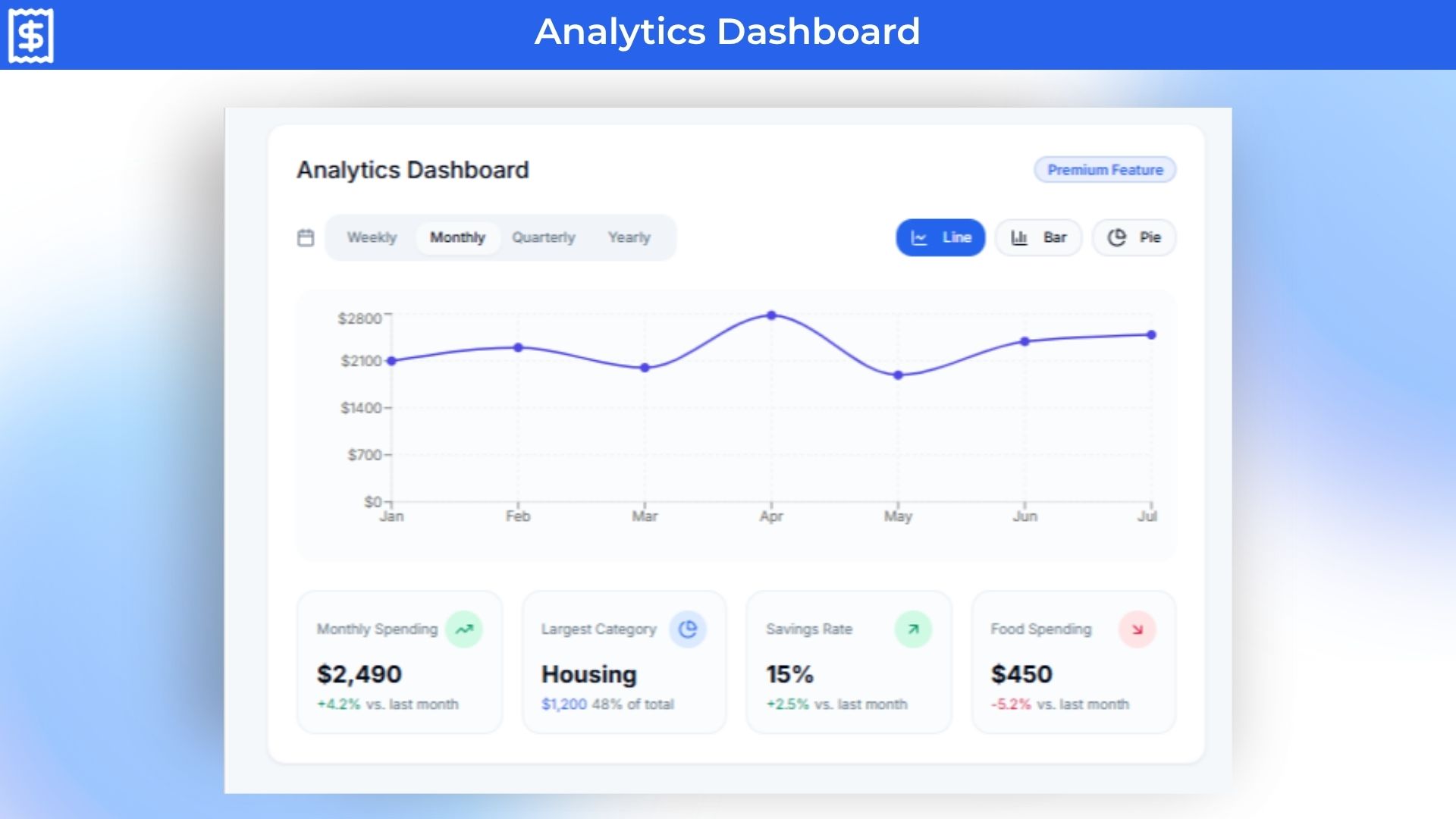
– See how your spending changes over time or between categories. Pinpoint growth areas and adjust budgets month-to-month.
8. Alerts & Notifications
– Get proactive nudges when you go over your budget, surpass a threshold, or have an unusual transaction—so you’re always in the loop.
9. Saved Analyses Archive
– Store and revisit past statements, insights, and goals. Revisit trends, track progress, and stay motivated with financial history at your fingertips.
10. Advanced Financial Analysis (Ultimate Tier)
Security Score (0–100) with flagged transactions and safety tips
Recurring Payments tab to identify subscriptions and auto-payments
Cash Flow trends showing net inflow vs outflow over time
Merchant Breakdown for vendor-level spending transparency
Health Score reflecting financial wellness
Tax Analysis that auto-tags tax-relevant charges
11. AI Financial Advisor (Premium & Basic)
Type questions like:
“How can I optimize next month’s budget?”
“Am I paying too much for subscriptions?”
“How do I build an emergency fund?”
Get personalized, data-driven advice instantly—with the insight of a real finance coach.
Why Spendify Beats the Alternatives
Forget tying your finances to a bank or filling out receipts—Spendify reads statements directly. No login needed, no spreadsheets, no manual categorization.
Here’s how it stands out:
Automated uploads vs manual entry – No typing, no scanning—just upload and go.
Holistic analytics are not just snapshots—charts, trend analysis, cash flow, health, security, and tax insights.
AI-powered advice instead of static insights—Spendify adapts and proposes real solutions.
Tiered plans for real-life usage—budget appropriately for your needs.
Privacy-first by design—no bank linking, full statement control.
Use Cases:
Students tracking daily expenses and food budgets.
Freelancers separating business vs personal spending.
Young professionals setting financial goals and reducing recurring subscriptions.
Micro-entrepreneurs understanding profit/loss from statement uploads.
Deal Terms:
Lifetime Access
Redeem your code within 60 days of purchase
30-Days Money-Back Guarantee (For Non-Prime Members and Regular users)
60-Day Money-Back Guarantee (For DealMirror Prime Members Only)
Intro Video
Roadmap & Use Cases:
Discount code auto-applied at checkout.
Spendify 2.0: AI-Powered Subscription Intelligence Platform For Expense Management
One-time payment. Lifetime access.
What you get in this deal
Upload up to 50 statements/month Basic AI categorization 10 saved analyses AI Transaction Categorization
Upload your statements, and get AI-powered insights, spending habits, and budgeting tools
No bank linking tool that analyzes statements, tracks habits, and helps you budget smarter
Best For Students, Freelancers, Business Owners, & Individuals, E-commerce Owners, etc
Alternative to: Rolly AI, Mint, YNAB, Spendee, MoneyWiz
Spendify Lifetime deal
Have you ever looked at your bank statement and thought, “How did all my money disappear?”
Not to worry anymore.
That’s where Spendify comes in, an expense manager lifetime deal that reads your bank statements in which no bank-linking is required and gives you powerful insights, budgeting that actually works, and features to safeguard and grow your money.
Spendify analyzes your bank statements, categorizes transactions, tracks your spending habits, and offers AI-powered insights, all without linking your bank account.
Whether you’re a student, freelancer, or small business owner, Spendify helps you take control of your finances with easy uploads, clear visualizations, and intelligent advice.
What It Does
Spendify is an intelligent personal finance assistant that analyses your bank statements (PDF, CSV, TXT), auto-categorizes expenses, tracks trends over time, gives security and health scores, and offers personalized tips and tools for smarter budgeting—all through an easy-to-use, fully mobile-optimized web app.
Spendify 2.0 Updates
Spendify 2.0 brings a smarter, fully automated way to manage money and subscriptions. With AI Full Parse, it reads your bank statements line by line, detects hidden subscriptions, price increases, and spending patterns, and turns messy data into clear insights. You can merge multiple statements, forecast future bills, build AI-powered budgets, and manage subscriptions in one place. Plus, AI Invoice lets you create professional invoices from simple prompts or transactions. Everything works together to give you full financial clarity with almost zero effort.
Intro Video
Spendify 2.0 is a smart, AI-powered expense manager that helps you track and manage your finances without linking your bank account.
Overview Images
Spendify 2.0 Feature Updates
AI Full Parse: Transforms raw bank statements into structured, actionable financial intelligence. This feature fully analyses uploaded bank statements line by line, extracting, categorising, and interpreting all financial data automatically.
AI Invoice: Tell Spendify what you need in simple words, and it makes a clean invoice for you. Pick one of three designs, add your logo and colours, then change any detail with the easy editor. Ready in under 30 seconds.
Subscription Manager 2.0: Take control of every recurring charge with an AI-powered manager that auto-detects subscriptions from your statements, gives smart recommendations to cut costs (30%+ savings) by cancelling duplicates and unused plans, and keeps you organized with a visual payment calendar and an analytics dashboard that shows exactly when bills hit and where your money goes.
AI Insights 2.0: Combine all your bank statements into one easy view and get a complete picture of your money. Its AI scans the merged data to surface smart insights, forecast future income and expenses (about 95% accuracy), and give a real-time financial health score so you can spot trends, plan ahead, and stay financially stable.
AI Budget Builder: Create a budget in seconds using AI. Just share your goals or let the system read your spending habits, and it builds a simple, personalized plan for you. Set savings and debt goals automatically, adjust as you go, and start fast with ready-made budget templates that fit any lifestyle.
Key Features
1. Easy Statement Upload
– Upload up to 50, 200, or unlimited bank-statement documents per month, depending on your plan—no manual entry, no logging into your bank. Spendify parses all transaction data automatically and accurately.
2. Categories Analysis
– Visualize your spending with interactive charts. See how much goes to Housing, Food, Shopping, Transportation, and more—instantly identifying budget leaks with clarity.
3. Transactions Dashboard
– Filter and review every transaction in a clean, searchable table. Quickly find date, merchant, category, and amount so nothing slips through the cracks.
4. AI Financial Insights
Get intelligent feedback on your spending:
“Housing costs are 40% of your income—above recommended levels.”
“Your Shopping category is up 28% from last month.”
“Cut discretionary spending by $320/month to improve savings.”
5. Budget Planner
– Set category budgets using intuitive sliders—and get AI-backed suggestions to optimize spending habits. Want to save more or reduce waste? Spendify prompts you in real time.
6. Financial Goals
– Define goals like “Save $500 in 3 months” or “Cut food spending by 20%.” Watch progress bars move as you get closer.
7. Expense Comparison
– See how your spending changes over time or between categories. Pinpoint growth areas and adjust budgets month-to-month.
8. Alerts & Notifications
– Get proactive nudges when you go over your budget, surpass a threshold, or have an unusual transaction—so you’re always in the loop.
9. Saved Analyses Archive
– Store and revisit past statements, insights, and goals. Revisit trends, track progress, and stay motivated with financial history at your fingertips.
10. Advanced Financial Analysis (Ultimate Tier)
Security Score (0–100) with flagged transactions and safety tips
Recurring Payments tab to identify subscriptions and auto-payments
Cash Flow trends showing net inflow vs outflow over time
Merchant Breakdown for vendor-level spending transparency
Health Score reflecting financial wellness
Tax Analysis that auto-tags tax-relevant charges
11. AI Financial Advisor (Premium & Basic)
Type questions like:
“How can I optimize next month’s budget?”
“Am I paying too much for subscriptions?”
“How do I build an emergency fund?”
Get personalized, data-driven advice instantly—with the insight of a real finance coach.
Why Spendify Beats the Alternatives
Forget tying your finances to a bank or filling out receipts—Spendify reads statements directly. No login needed, no spreadsheets, no manual categorization.
Here’s how it stands out:
Automated uploads vs manual entry – No typing, no scanning—just upload and go.
Holistic analytics are not just snapshots—charts, trend analysis, cash flow, health, security, and tax insights.
AI-powered advice instead of static insights—Spendify adapts and proposes real solutions.
Tiered plans for real-life usage—budget appropriately for your needs.
Privacy-first by design—no bank linking, full statement control.
Use Cases:
Students tracking daily expenses and food budgets.
Freelancers separating business vs personal spending.
Young professionals setting financial goals and reducing recurring subscriptions.
Micro-entrepreneurs understanding profit/loss from statement uploads.
Deal Terms:
Lifetime Access
Redeem your code within 60 days of purchase
30-Days Money-Back Guarantee (For Non-Prime Members and Regular users)
60-Day Money-Back Guarantee (For DealMirror Prime Members Only)
Pricing
Basic
One-time payment. Lifetime access.
$39.00$99.00
Upload up to 50 statements/month
Basic AI categorization
10 saved analyses
AI Transaction Categorization
AI Financial Insights
Budget Comparison Tool
Saved Analyses Archive
Chart visualizations
Goal setting
Premium
One-time payment. Lifetime access.
$89.00$199.00
200 statement uploads/month
Full budgeting,
50 saved analyses
AI financial advisor (10 monthly queries)
AI Transaction Categorization
AI Financial Insights
Budget Comparison Tool
Saved Analyses Archive
Chart visualizations
Goal setting
Custom Categories
Ultimate
One-time payment. Lifetime access.
$299.00$499.00
Unlimited uploads and AI queries
Unlimited saved analyses
Priority feature requests & roadmap access
AI financial advisor (unlimited monthly queries)
AI Transaction Categorization
AI Financial Insights
Budget Comparison Tool
Saved Analyses Archive
Chart visualizations
Goal setting
Custom Categories
From The Founders
Muhammad Aliyu
Founder
Hello and welcome!
I created Spendify because I was frustrated with how hard it was to make sense of my bank statements. I didn’t want to link my bank. I didn’t want to manually enter data. I just wanted an app that would read my statement and give me insights — clearly, safely, and smartly.
Whether you’re a student, freelancer, or small business owner, I built Spendify to help you manage money smarter, without stress.
Excited to have you onboard — and can’t wait to hear what you think!
Muhammad Aliyu Founder, Spendify
FAQ's
Q 1 : How do I contact support? A: You can contact support at- [email protected]
Q 2 : Do I need to link my bank account? A: No, You simply upload your statement in PDF, CSV, or TXT format — Spendify handles the rest.
Q 3 : What types of banks are supported? A: Any bank statement in standard PDF, CSV, or TXT format is supported. No bank linking needed.
Q 4 : Is the AI advisor truly helpful? A: Yes, their financial AI identifies overspending, offers budgeting tips, and suggests savings opportunities based on your real data.
Q 5 : Will I lose my data if I upgrade? A: No, all insights and uploads are saved under your account.
Q 6 : Are mobile apps available? A: Not yet, but they’re launching soon for Android and iOS. In the meantime, the web app is fully mobile-friendly.
Reviews
2 reviews for Spendify 2.0: AI-Powered Subscription Intelligence Platform For Expense Management
Rated 5 out of 5
Miriam A –
“Spendify helped me realize I was spending 28% of my income on food deliveries. The AI suggested a weekly budget — and it worked!”
Rated 5 out of 5
Damilola A –
Way better than manually tracking in Excel. Upload and done.







2 reviews for Spendify 2.0: AI-Powered Subscription Intelligence Platform For Expense Management
Miriam A –
“Spendify helped me realize I was spending 28% of my income on food deliveries. The AI suggested a weekly budget — and it worked!”
Damilola A –
Way better than manually tracking in Excel. Upload and done.