1. How do I contact support?
– You can direct customer support web chat or email [email protected]—we love hearing from you!
2. What is Signdoc.io?
– Signdoc.io is a secure, cloud‑based e‑signature platform that lets you send, sign, and manage documents online—no printing, scanning, or faxing required.
3. How does Signdoc.io work?
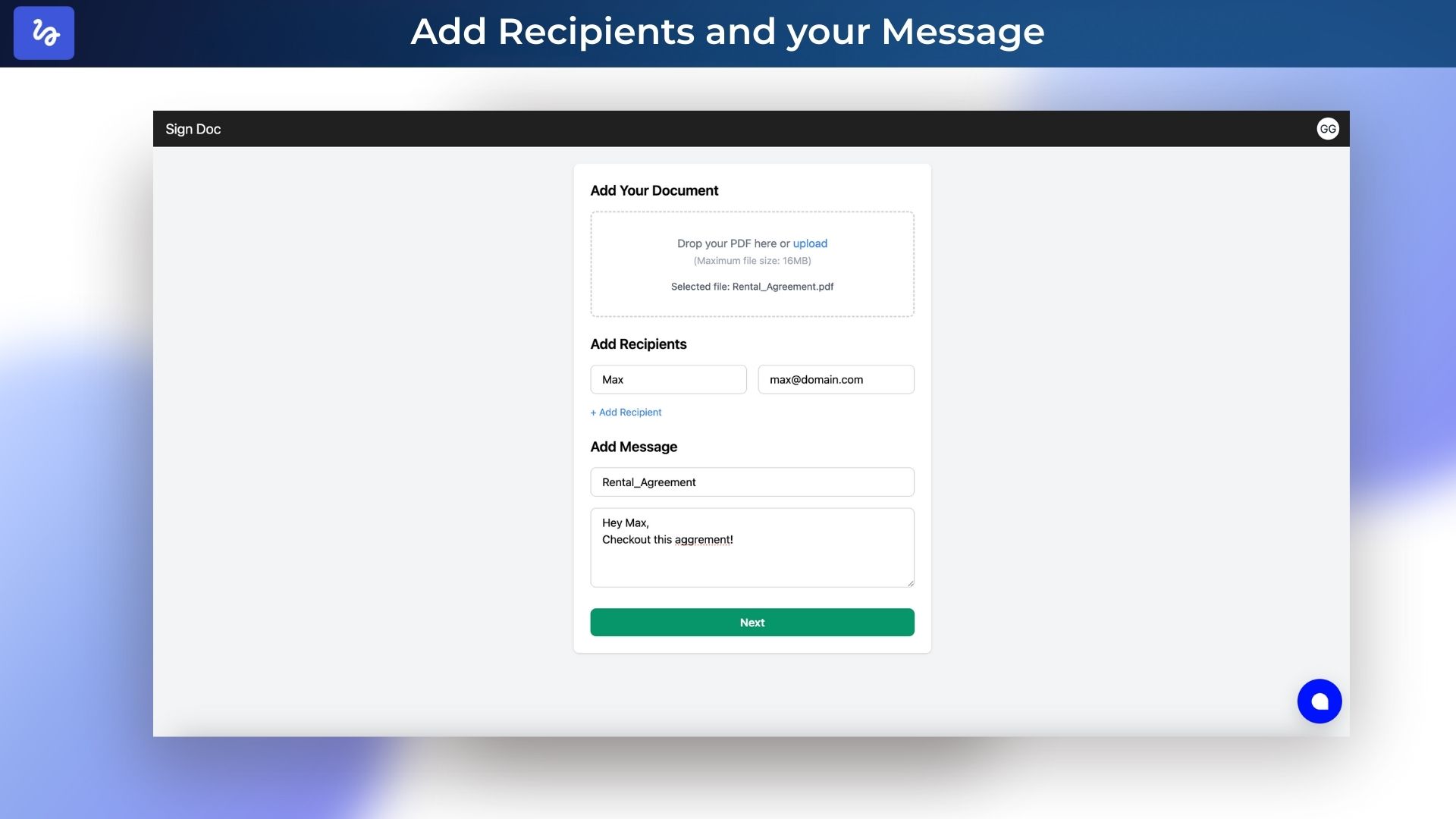
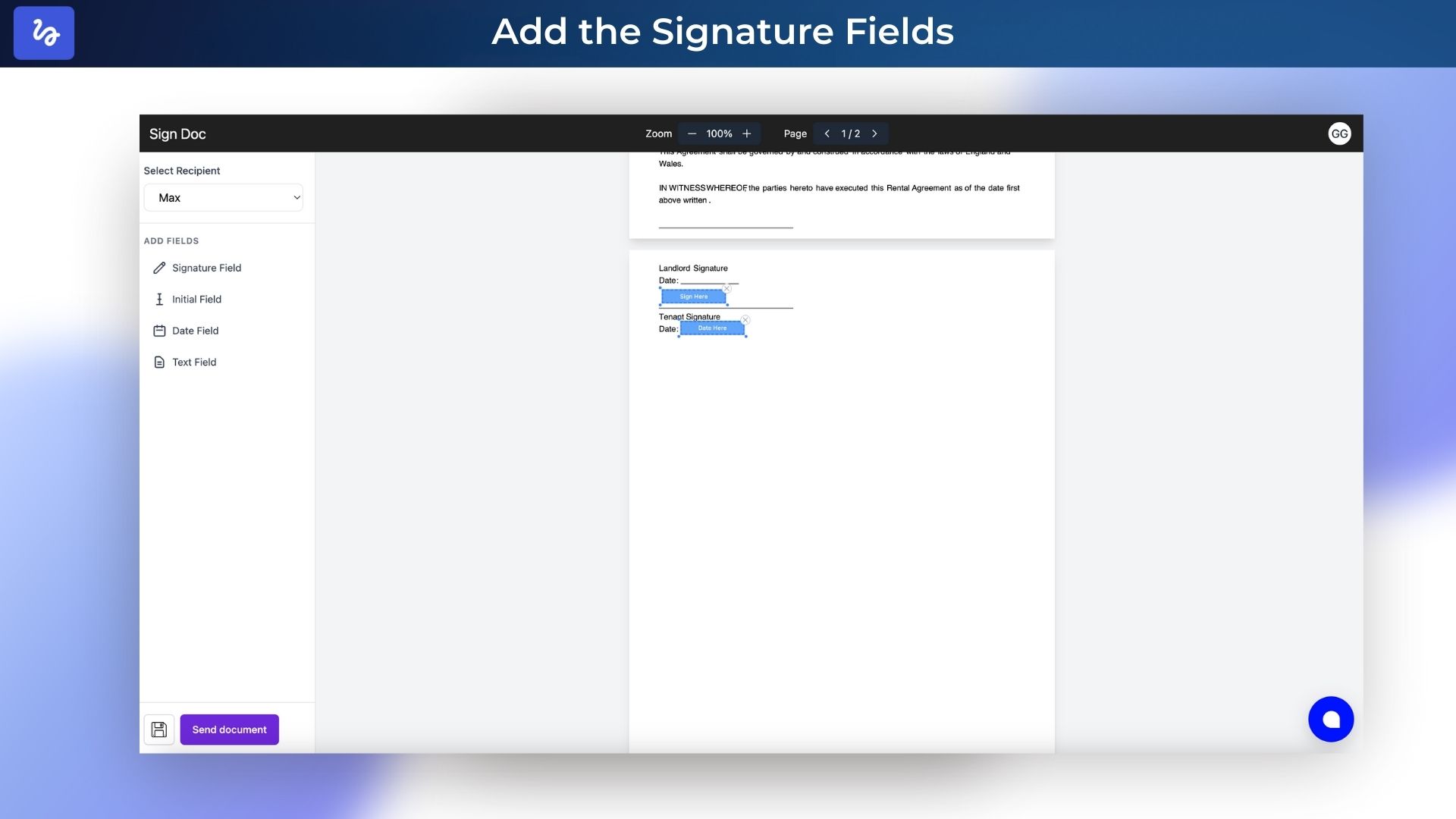
– Upload your document, add signature fields, enter recipient emails, and click “Send.” Recipients get a link to review and sign; you get notified when all signatures are complete.
4. How do I create an account?
– Visit signdoc.io, click “Sign Up,” enter your name, email, and password, then confirm your email. You’re ready to start sending documents.
5. What document formats are supported?
– They support PDF, we are looking to support Word (DOC/DOCX) and image files (PNG, JPG) soon , . All uploads are automatically converted to a signable PDF.
6. How do I upload documents?
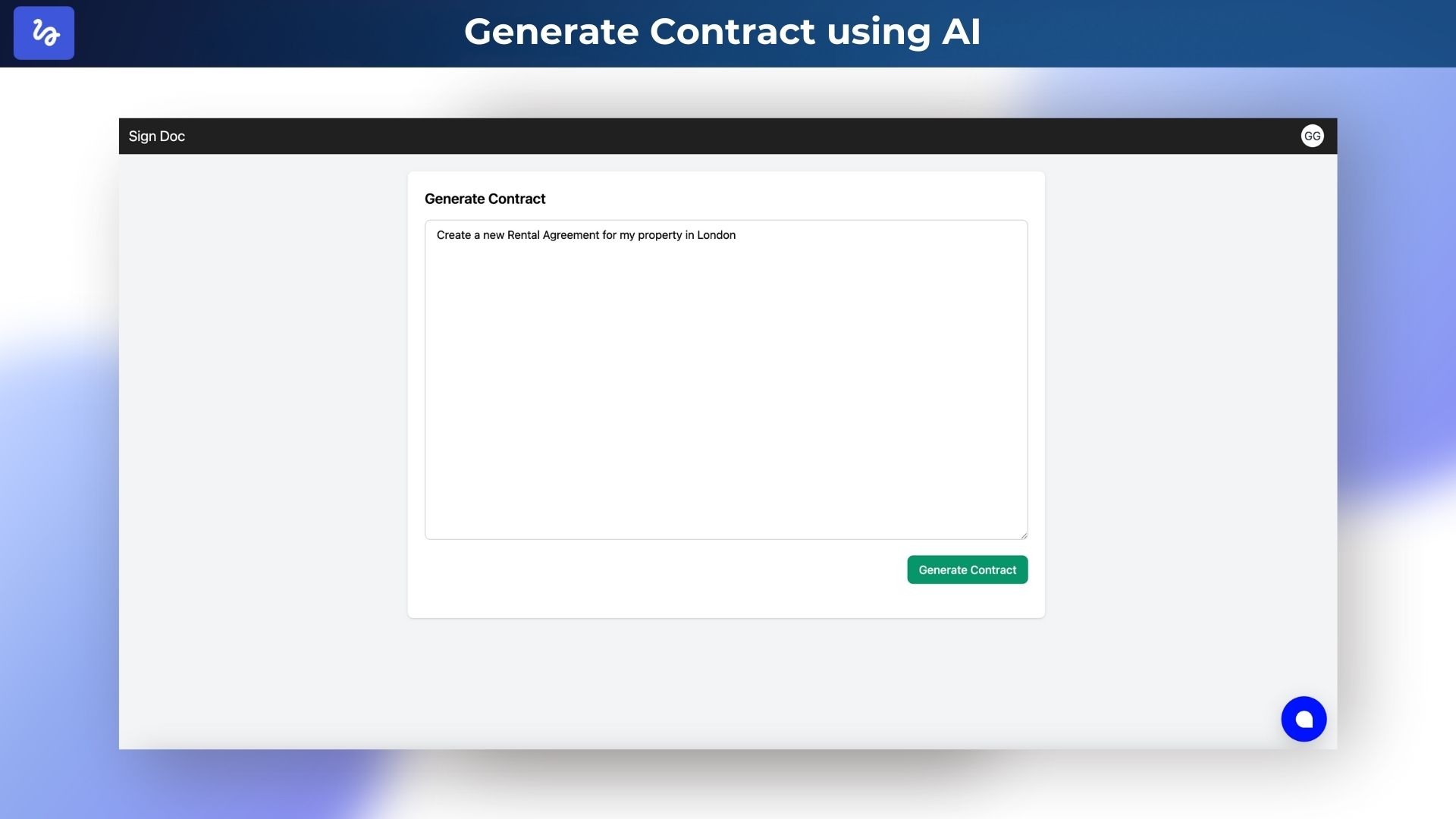
– From your dashboard, click “New Document,” or ask the AI to generate a new contract
7. How do recipients sign a document?
– Recipients click the secure link in their email, follow on‑screen prompts to add their signature, initials, or date, and click “Finish.” No account is required.
8. Is an e‑signature legally binding?
– Yes—Signdoc.io complies with e‑signature laws worldwide (ESIGN Act, eIDAS), providing audit trails and tamper‑evident seals for legal enforceability.
9. What security measures are in place?
– They use AES‑256 encryption in transit and at rest, GDPR and CCPA compliant, and detailed audit logs to keep your documents safe.
10. Does Signdoc.io integrate with other tools?
– Not yet but we will make sure to be able soon to connect with Google Workspace, Microsoft 365, Dropbox, and Slack. Also They are going to built REST API or Zapier integration to automate your workflows.
11. How are signed documents stored and accessed?
– Signed PDFs are stored securely in your Signdoc.io dashboard. Download, email, or export them to your integrated cloud storage at any time.
12. What happens if a recipient doesn’t sign?
– You can send automated reminders or cancel the request. Unanswered requests expire after your chosen time period.
13. Can I track document status?
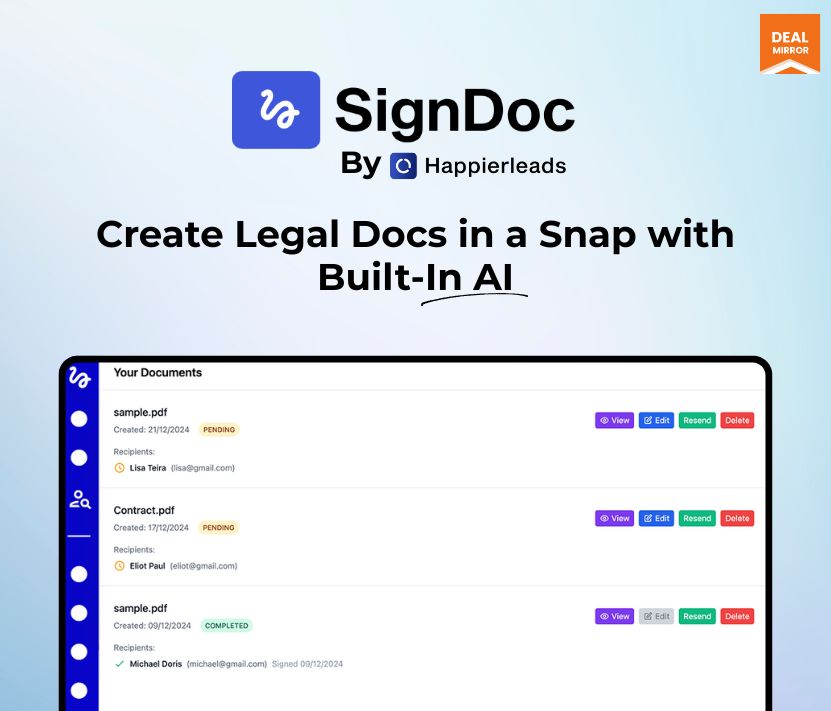
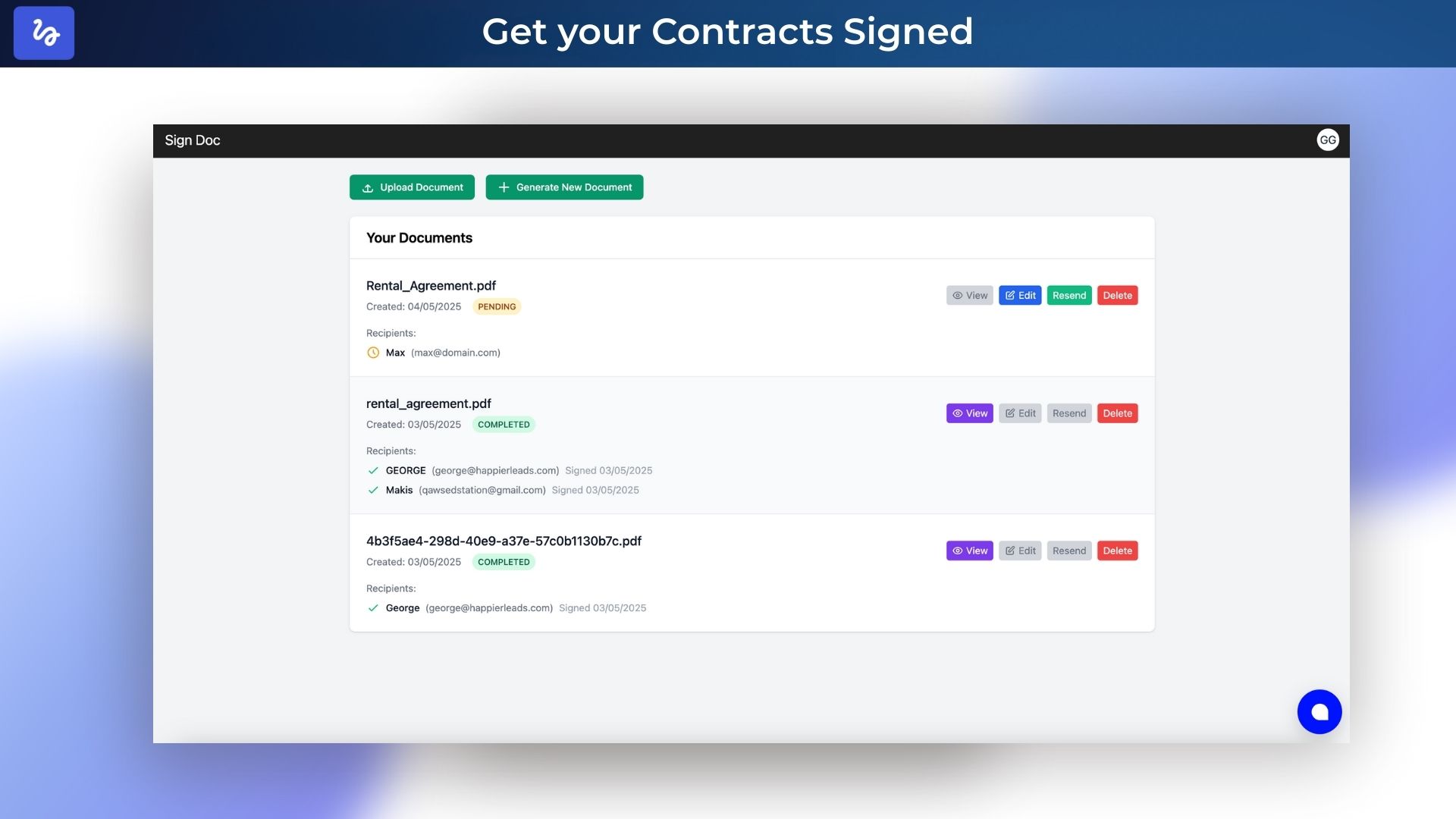
– Yes—your dashboard shows “Sent,” “Viewed,” “Signed,” and “Completed” statuses in real time, with timestamps for every action.
14. Is there a free trial?
– Yes—all paid plans include a 7‑day free trial—no credit card required. You can test advanced features before you commit.
15. How do I manage team members?
– Under “Members,” invite by email so more people , viewing, and managing documents.
16. Can I add form fields beyond signatures?
– Yes—insert text fields, dates, and initials to collect any information you need alongside signatures.
17. How do I export signed documents?
– Click the document in your dashboard, click View and then click the download button.






5 reviews for SignDoc : AI-Powered E-Signature Tool to Quickly Draft Legal-Grade Documents
Asad Raza –
Are emails branded?
Admin –
You can write your custom message in the email. But we do not support changing logos and colors. We are using generic emails at the moment. We are looking into custom branding but not in this current version.
Regi De Brosse –
Is this approved and used in the US with docs?
Admin –
SignDoc is safe because:
1. Documents are encrypted during upload, storage, and access.
2. Audit trails record every action—who signed, when, and where.
3. Signer identity is verified via email.
4. Documents can’t be edited after signing, ensuring integrity.
5. We never sell or share your data—you stay in control.
6. Both you and the other party you always receive a copy of the signed PDF on your emails
Ngoc Nguyen –
What kind of format file do you support?
Admin –
We support PDF, and we have shown we will support DOCX. We also have AI that can generate the contracts in real time.
Dan Stephenson –
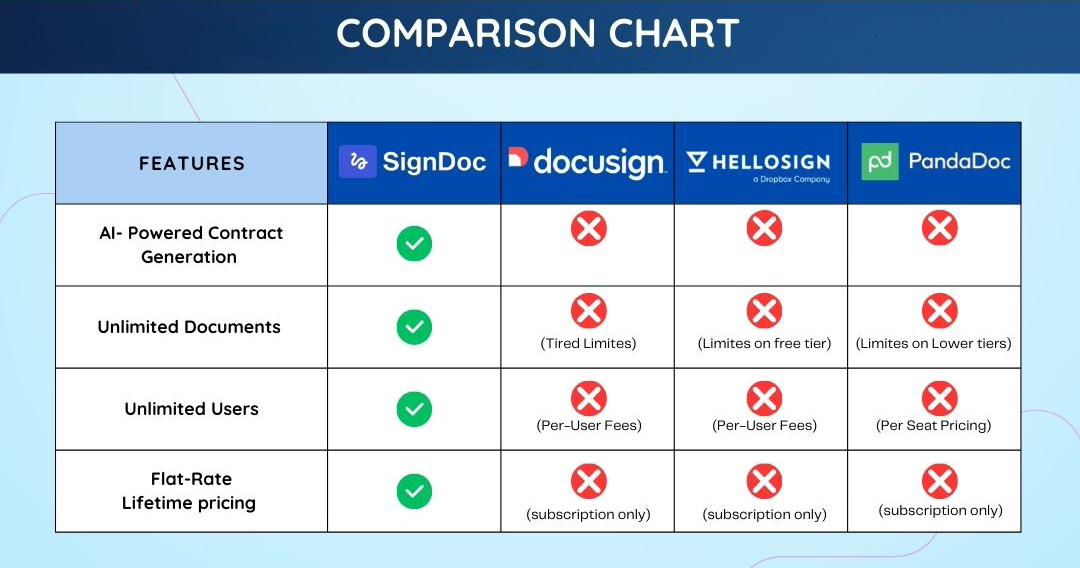
Does unlimited users include team members?
Shivam Sharma –
Yes, that plan includes team members. (Team members and users mean the same thing for us.)
Trevor Lowing –
Great value. Basic functionality is there. Founder should engage customers more for feedback.