Your Cart

No products in the cart.

Shop Now
00 : 00 : 00 : 00
Day Hour Min Sec
Home » Store » ServerKade : A Cloud Server Control Panel for WordPress & PHP Hosting

ServerKade : A Cloud Server Control Panel for WordPress & PHP Hosting

TL;DR

 ServerKade Lifetime Deal 

Want to provide your customers better website experience by making it fast, secure, and easy to use?

Meet ServerKade, cloud server control panel lifetime deal, a platform designed by developers for the developers. 

An SSH-first, developer-friendly control panel that makes hosting WordPress on your own servers fast, secure, and simple. 

Rather than installing heavy control-panel software, ServerKade connects to any VPS or on-prem machine over SSH and automates the essential setup, SSL, cron jobs, caching, WP-CLI, and PHP tuning, so you skip hectic manual steps. 

Developers get git-push deployments, one-click staging clones, PHP version switching, detailed deployment logs, and a programmable REST API and CLI for automation. 

You can manage dozens of client sites from a single dashboard while maintaining full access and avoiding vendor lock-in. 

Built to boost performance and reliability and managed hosting without sacrificing control, ServerKade speeds up deployments, reduces downtime risk, and makes site management repeatable. 

Dashboard Images

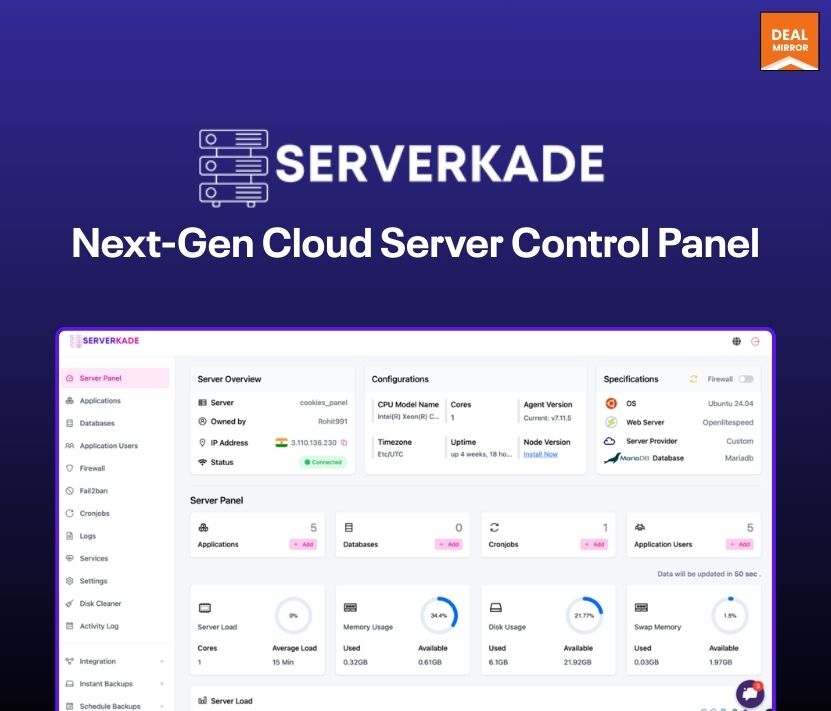
ServerKade — a cloud control panel that connects to your servers over SSH and automates WordPress and PHP site management.

Key Features:

  • SSH-first provisioning — Connect any VPS or on-prem server securely over SSH; ServerKade runs commands remotely, so there’s no heavyweight control-panel install and minimal surface area to maintain.
  • Bring-Your-Own-Server — Use servers from any cloud vendor or your own hardware and retain full root access; you’re never locked into proprietary stacks or forced migrations.
  • Automatic site setup — New sites get SSL, cron jobs, WP-CLI, caching presets, and recommended PHP tuning automatically, cutting hours of manual configuration to minutes.
  • Git push deployments — Hook your repository and deploy on push or via manual triggers; predictable, repeatable deployments that fit into your existing workflow.
  • PHP version switching — Switch PHP versions per site with a few clicks and safe rollbacks, so you can test compatibility and upgrade progressively.
  • Unified dashboard — A single pane of glass to view and manage multiple sites and servers, so teams can monitor health, deployments, and settings without hopping between providers.
  • AI Bot BlockerProtect your application from unwanted AI crawlers and automated bots. Enabling this feature blocks access to your app from known AI scraping tools using smart detection rules, helping you maintain privacy and reduce server load.
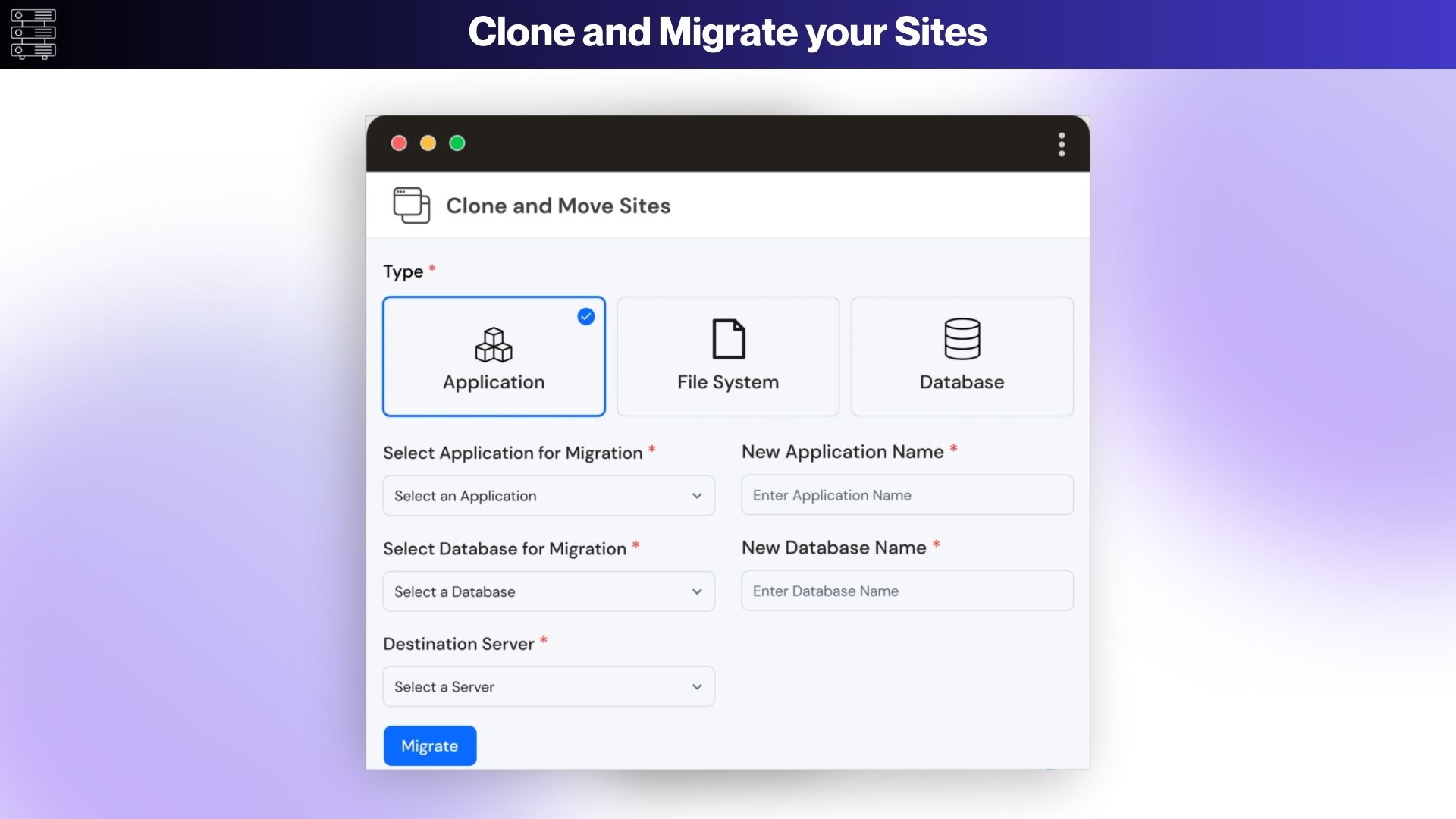
Use Cases:

  • Git Deployments – Push code from your repo and deploy automatically.
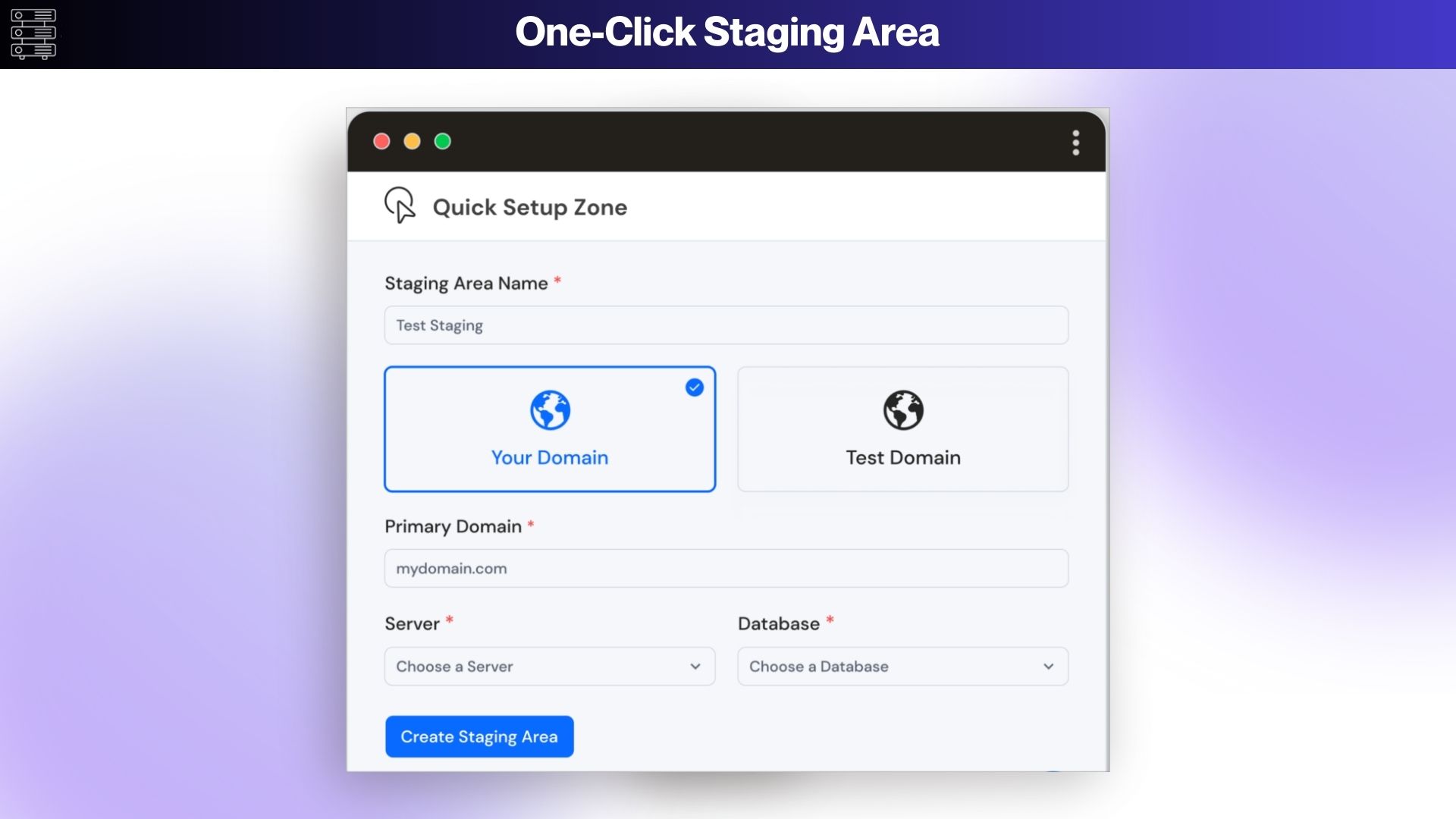
  • Staging Clones – Create exact staging copies for safe testing and client review.
  • PHP Version Switching – Test and roll out PHP upgrades per site with one click.
  • Unified Dashboard – Manage all sites and servers from a single pane of glass.
  • Detailed Deployment Logs – Trace builds and troubleshoot failures instantly.
  • Automated Provisioning – Provision servers and sites quickly via SSH or API.

One Click Installer:

  • WordPress: Perfect for blogs, websites, and online stores.
  • PrestaShop: An ideal solution for creating powerful e-commerce stores.
  • Moodle: A comprehensive learning platform for educators and institutions.
  • Joomla: A flexible and user-friendly content management system.
  • Mautic: An open-source marketing automation platform.
  • Akaunting: A free, open-source accounting software for businesses.
  • CraftCMS: A flexible, user-friendly CMS for building custom websites.
  • Nextcloud: A self-hosted collaboration and file-sharing platform.
  • Statamic: A flat-file CMS for modern, fast, and flexible websites.
  • UptimeKuma: It is a monitoring tool designed to help users keep track of the uptime status and performance of their websites and services.
  • Node-RED: It’s a flow-based development tool for visual programming, primarily used for wiring together hardware devices, APIs, and online services in new and innovative ways.
  • N8N: It is an open-source workflow automation tool that allows users to connect various applications and automate repetitive tasks.
  • NodeBB: It provides a range of features and customization options that make it suitable for various community and discussion forum needs.

Deal Terms

All Plans Included:

  • Unlimited Applications/Sites
  • One click Auto-Installer
  • Automatic SSL Certificates
  • Install Custom SSL Certificate
  • Secure PHPMyAdmin Access
  • MySQL Database Management
  • Set Custom PHP-CLI Version
  • Simple Firewall (On/Off)
  • Staging Sites
  • Multiple Application Domains
  • Server Health Monitor
  • Advanced Log Viewer
  • SSH Access Management
  • Multiple PHP Versions
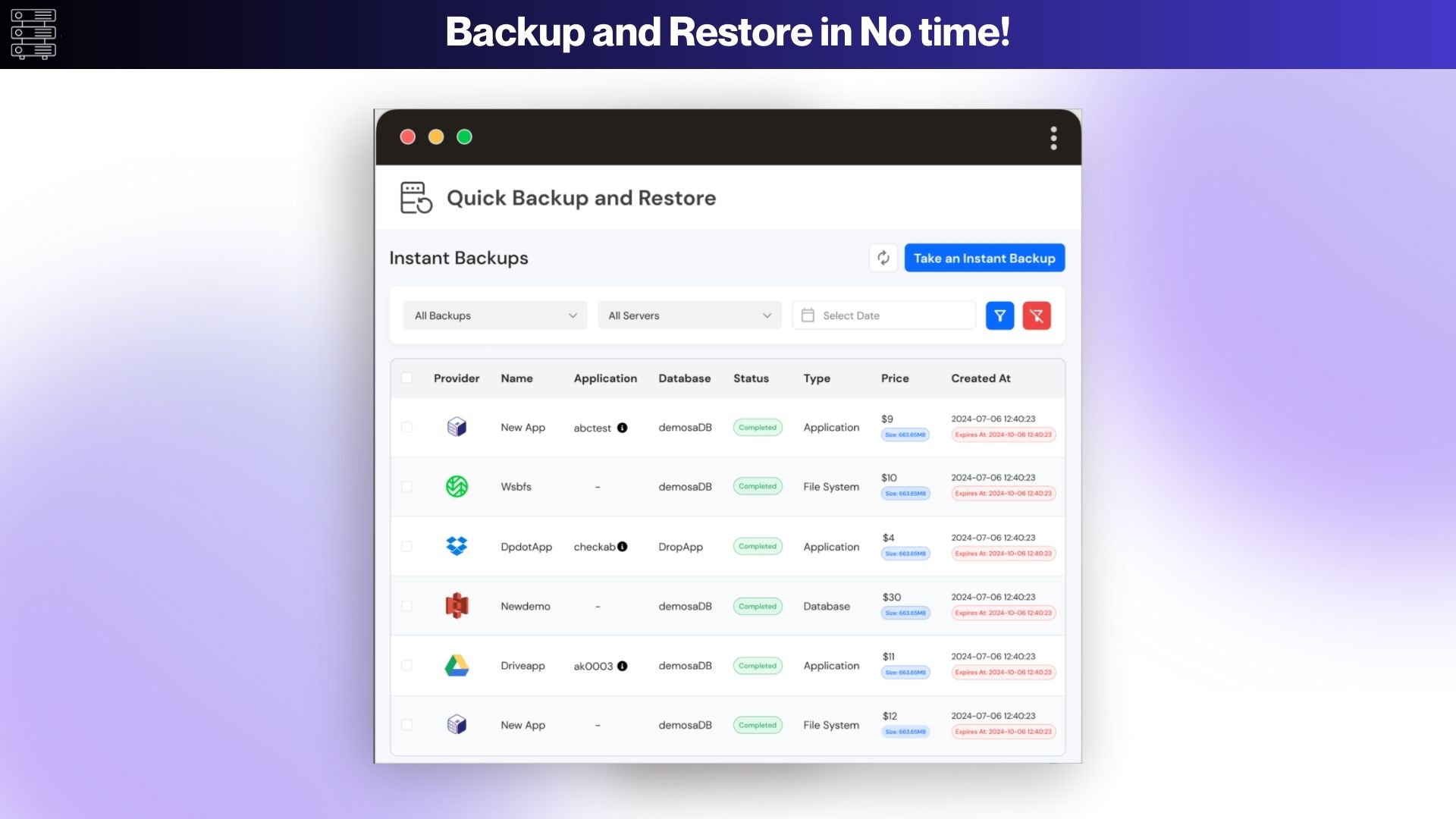
  • Automatic/Manual Backups
  • Temporary Domains For Migration Or Testing
  • Server Health Monitor
  • Server Load Monitor
  • Cronjob Management
  • MySQL Query Monitor
  • Custom PHP Settings
  • Service Management
  • Enable/Disable Applications/Sites
  • Application Uptime Monitoring
  • Remote Database Access
  • Advanced Firewall Management
  • Custom Webroot
  • WordPress With Remote Database
  • File Manager
  • Git Deployments
  • Openlitespeed
  • Two-Way Staging Sync
  • AI Bot Blocker

Intro Video

Roadmap & Use Cases:

Discount code auto-applied at checkout.

ServerKade : A Cloud Server Control Panel for WordPress & PHP Hosting

One-time payment. Lifetime access.

What you get in this deal

All Above Features Included
Connect Up to 2 Servers
Unlimited Applications
Log Monitoring Suite

$49.00/$99.00 51% Saving

Select Plan Check Plan Details


30 Days Money-back Guarantee

Day
Hrs
Min
Sec

TL;DR

 ServerKade Lifetime Deal 

Want to provide your customers better website experience by making it fast, secure, and easy to use?

Meet ServerKade, cloud server control panel lifetime deal, a platform designed by developers for the developers. 

An SSH-first, developer-friendly control panel that makes hosting WordPress on your own servers fast, secure, and simple. 

Rather than installing heavy control-panel software, ServerKade connects to any VPS or on-prem machine over SSH and automates the essential setup, SSL, cron jobs, caching, WP-CLI, and PHP tuning, so you skip hectic manual steps. 

Developers get git-push deployments, one-click staging clones, PHP version switching, detailed deployment logs, and a programmable REST API and CLI for automation. 

You can manage dozens of client sites from a single dashboard while maintaining full access and avoiding vendor lock-in. 

Built to boost performance and reliability and managed hosting without sacrificing control, ServerKade speeds up deployments, reduces downtime risk, and makes site management repeatable. 

Dashboard Images

ServerKade — a cloud control panel that connects to your servers over SSH and automates WordPress and PHP site management.

Key Features:

  • SSH-first provisioning — Connect any VPS or on-prem server securely over SSH; ServerKade runs commands remotely, so there’s no heavyweight control-panel install and minimal surface area to maintain.
  • Bring-Your-Own-Server — Use servers from any cloud vendor or your own hardware and retain full root access; you’re never locked into proprietary stacks or forced migrations.
  • Automatic site setup — New sites get SSL, cron jobs, WP-CLI, caching presets, and recommended PHP tuning automatically, cutting hours of manual configuration to minutes.
  • Git push deployments — Hook your repository and deploy on push or via manual triggers; predictable, repeatable deployments that fit into your existing workflow.
  • PHP version switching — Switch PHP versions per site with a few clicks and safe rollbacks, so you can test compatibility and upgrade progressively.
  • Unified dashboard — A single pane of glass to view and manage multiple sites and servers, so teams can monitor health, deployments, and settings without hopping between providers.
  • AI Bot BlockerProtect your application from unwanted AI crawlers and automated bots. Enabling this feature blocks access to your app from known AI scraping tools using smart detection rules, helping you maintain privacy and reduce server load.

Use Cases:

  • Git Deployments – Push code from your repo and deploy automatically.
  • Staging Clones – Create exact staging copies for safe testing and client review.
  • PHP Version Switching – Test and roll out PHP upgrades per site with one click.
  • Unified Dashboard – Manage all sites and servers from a single pane of glass.
  • Detailed Deployment Logs – Trace builds and troubleshoot failures instantly.
  • Automated Provisioning – Provision servers and sites quickly via SSH or API.

One Click Installer:

  • WordPress: Perfect for blogs, websites, and online stores.
  • PrestaShop: An ideal solution for creating powerful e-commerce stores.
  • Moodle: A comprehensive learning platform for educators and institutions.
  • Joomla: A flexible and user-friendly content management system.
  • Mautic: An open-source marketing automation platform.
  • Akaunting: A free, open-source accounting software for businesses.
  • CraftCMS: A flexible, user-friendly CMS for building custom websites.
  • Nextcloud: A self-hosted collaboration and file-sharing platform.
  • Statamic: A flat-file CMS for modern, fast, and flexible websites.
  • UptimeKuma: It is a monitoring tool designed to help users keep track of the uptime status and performance of their websites and services.
  • Node-RED: It’s a flow-based development tool for visual programming, primarily used for wiring together hardware devices, APIs, and online services in new and innovative ways.
  • N8N: It is an open-source workflow automation tool that allows users to connect various applications and automate repetitive tasks.
  • NodeBB: It provides a range of features and customization options that make it suitable for various community and discussion forum needs.

Deal Terms

All Plans Included:

  • Unlimited Applications/Sites
  • One click Auto-Installer
  • Automatic SSL Certificates
  • Install Custom SSL Certificate
  • Secure PHPMyAdmin Access
  • MySQL Database Management
  • Set Custom PHP-CLI Version
  • Simple Firewall (On/Off)
  • Staging Sites
  • Multiple Application Domains
  • Server Health Monitor
  • Advanced Log Viewer
  • SSH Access Management
  • Multiple PHP Versions
  • Automatic/Manual Backups
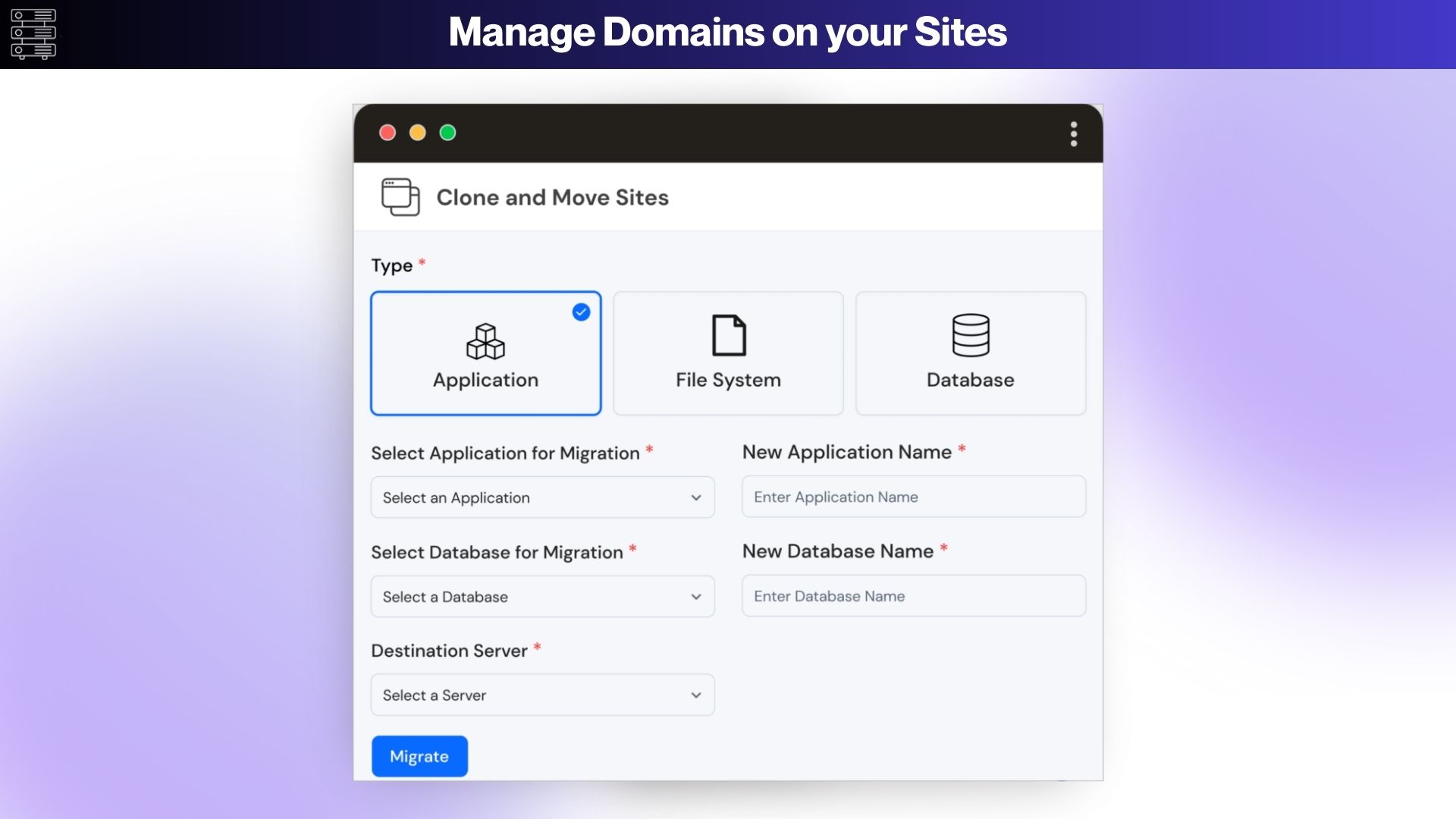
  • Temporary Domains For Migration Or Testing
  • Server Health Monitor
  • Server Load Monitor
  • Cronjob Management
  • MySQL Query Monitor
  • Custom PHP Settings
  • Service Management
  • Enable/Disable Applications/Sites
  • Application Uptime Monitoring
  • Remote Database Access
  • Advanced Firewall Management
  • Custom Webroot
  • WordPress With Remote Database
  • File Manager
  • Git Deployments
  • Openlitespeed
  • Two-Way Staging Sync
  • AI Bot Blocker

Pricing

Tier 1

One-time payment. Lifetime access.

$49.00$99.00


All Above Features Included
Connect Up to 2 Servers
Unlimited Applications
Log Monitoring Suite
Future Updates
Standard Support
Team Management

Tier 2

One-time payment. Lifetime access.

$199.00$299.00


All Above Features Included
Connect Up to 10 Servers
Unlimited Applications
Log Monitoring Suite
Future Updates
Standard Support
Team Management

Tier 3

One-time payment. Lifetime access.

$399.00$599.00


All Above Features Included
Connect Up to 30 Servers
Unlimited Applications
Log Monitoring Suite
Future Updates
Priority Support
Team Management

FAQ's

Q 1 : How do I contact support?

– You can contact support at [email protected]

Q 2 : What services does “ServerKade” offer?

– ServerKade is the future of cloud hosting and server management for WordPress users, streamlining the way you host, deploy, manage or update your websites like never before!

Q 3 : What’s the ServerKade tech stack?

– ServerKade servers are provisioned with OLS+ PHP + Nginx + MySQL tech stack. Each site is isolated within its own container. They also add Redis and FastCGI object caching, some default Firewall rules, extra security enhancements to make sure all WordPress sites are fast, secure and have thoughtful enhancements

Q 4 : Do I need technical experience to use ServerKade?

– You need some kind of technical experience to understand how it works but to use this you can do it as a beginner.

Q 5 : Can I manage a server if I am not using any major cloud platform?

– As long as your server does not host any site currently and is running on Ubuntu 20.04, 22.04 or 24.04, You can connect it with ServerKade and host your projects on it.

Q 6 : What programming languages and frameworks are supported?

– They currently provide management for PHP and Javascript based sites. You can comfortably host WordPress, Laravel, Vue.js and other similar frameworks.

Q 7 : How does ServerKade handle backups and restores?

– ServerKade offers a flexible backup system where you can add an external backup provider and set up automated backups and restore accordingly (restore is coming soon).

Q 8 : Do I pay the cloud server provider directly, or are there additional costs through ServerKade?

– You will have to handle the monthly/yearly cost of your cloud server by yourself. Apart from that, there won’t be any additional cost except for the ServerKade subscription.

Q 9 : Do you provide support in case a site is down?

– As your server management team, they can help you solve issues as they arise on your server. While they cannot provide support for site-level errors, they will help you solve them too.

Reviews

Reviews

There are no reviews yet.

Be the first to review “ServerKade : A Cloud Server Control Panel for WordPress & PHP Hosting”
Dealmirror