Q 1: Does Sendgomail LTD Provide support?
– Sendgomail provides 24*7 customer support. You can contact them via live chat OR drop us an email at [email protected] via email.
Q 2: Is Sendgomail GDPR compliant?
–Sendgomail is fully GDPR compliant. Find more details Here.
Q 3: What is SendgoMail, and how does it work?
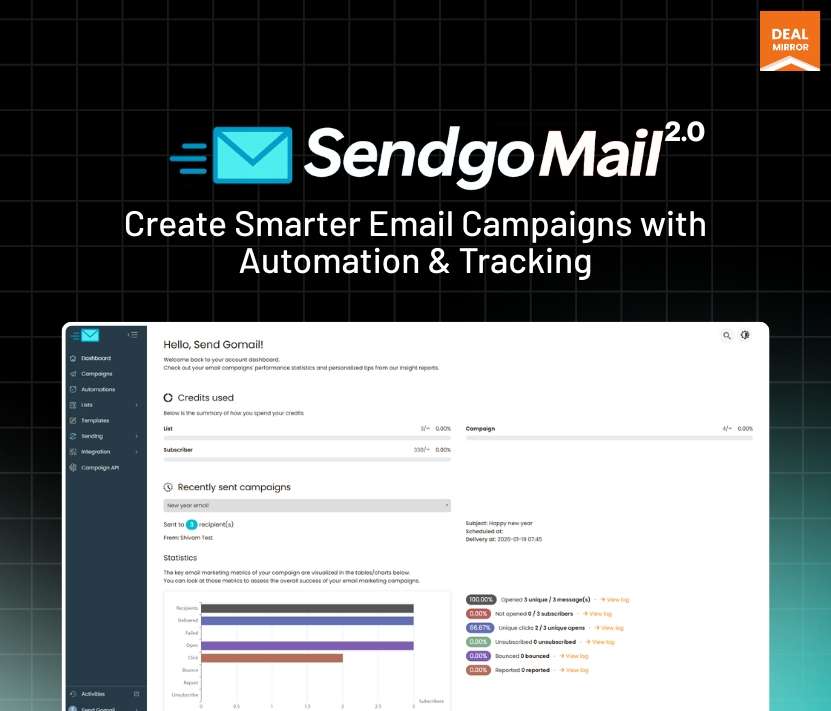
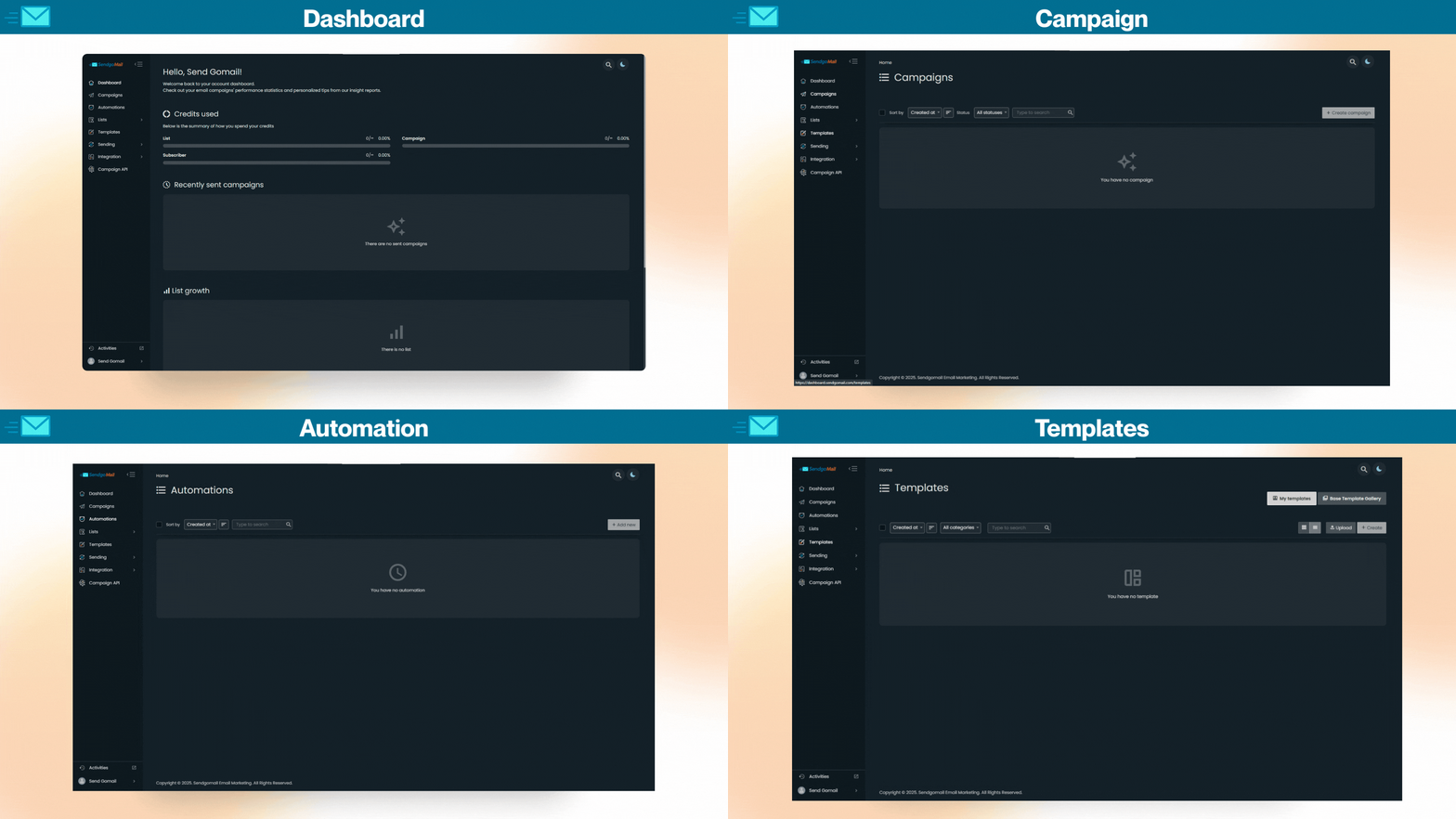
SendgoMail is an all-in-one email marketing and automation software that helps businesses create personalized email campaigns, automate follow-ups, and track performance in real time, all from a single platform.
It works by allowing you to:
- Design and send personalized emails using built-in tools
- Connect your own SMTP (like Gmail, Outlook, Amazon SES, etc.) for better deliverability
- Automate email sequences such as welcome emails, follow-ups, and promotions
- Track real-time performance: including opens, clicks, bounces, and conversions
- Manage campaigns and contacts without relying on multiple tools
SendgoMail gives you full control over email sending, automation, and analytics, making it an ideal email marketing automation platform for marketers, agencies, and small businesses looking to run high-performance email campaigns without monthly limits.
Q 4: Can I connect my own SMTP (like Amazon SES, Mailgun, etc.)?
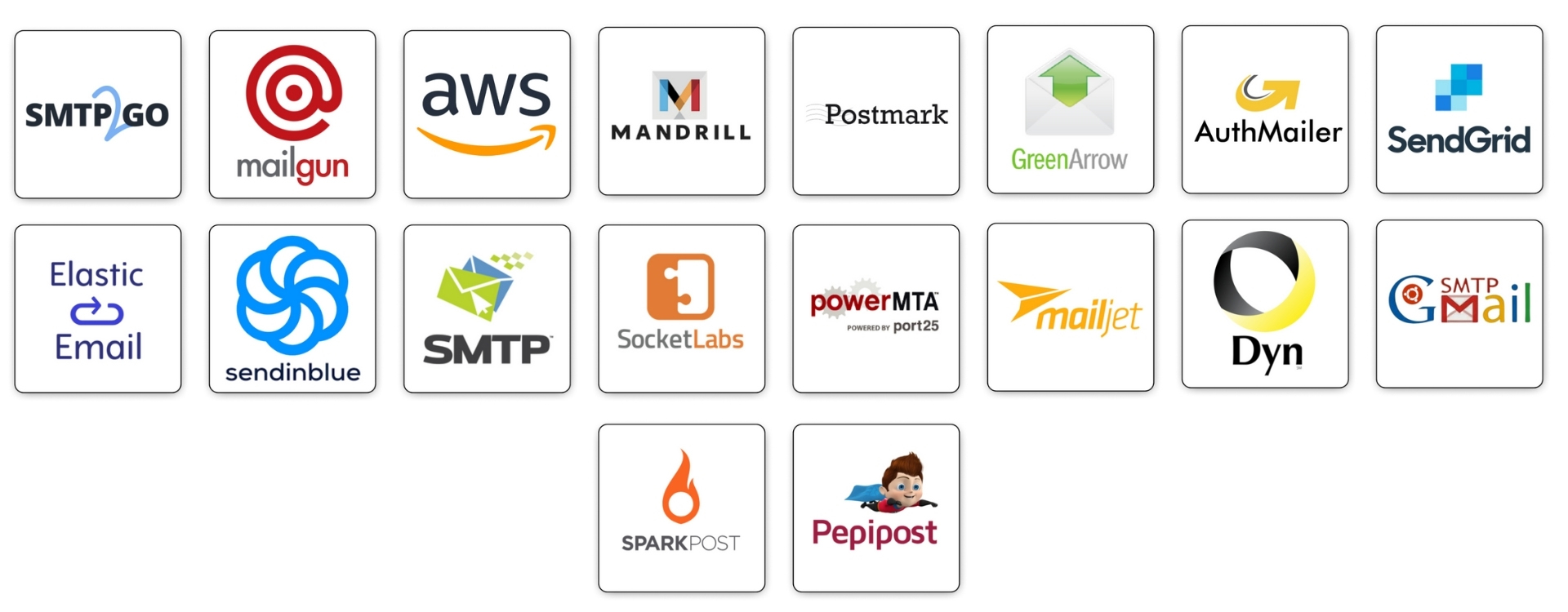
–Yes, SendgoMail lets you connect to 50+ SMTP services, including Amazon SES, Mailgun, SendGrid, Pepipost, and more. You can also add your own SMTP to get full control over delivery and sending reputation.
Q 5: Is SendgoMail suitable for small businesses and startups?
–Yes, SendgoMail is designed to be simple and affordable, making it ideal email marketing software for small businesses, startups, freelancers, and online e-commerce stores that want professional email marketing without high costs.
Q 6: Does SendgoMail support email automation and drip campaigns?
–Absolutely, You can build automated workflows such as welcome emails, follow-ups, reminders, and drip campaigns to engage your audience without manual effort.
Q 7: How does SendgoMail track email performance?
–SendgoMail provides real-time tracking for email opens, clicks, bounces, and delivery status, so you can instantly see what’s working and optimize your campaigns.
Q 8: Can I import my existing email list into SendgoMail?
–Yes, You can easily upload contacts from Excel or CSV files. SendgoMail automatically removes duplicates and prepares your list for sending campaigns in minutes.
Q 9: How is SendgoMail different from Mailchimp or ConvertKit?
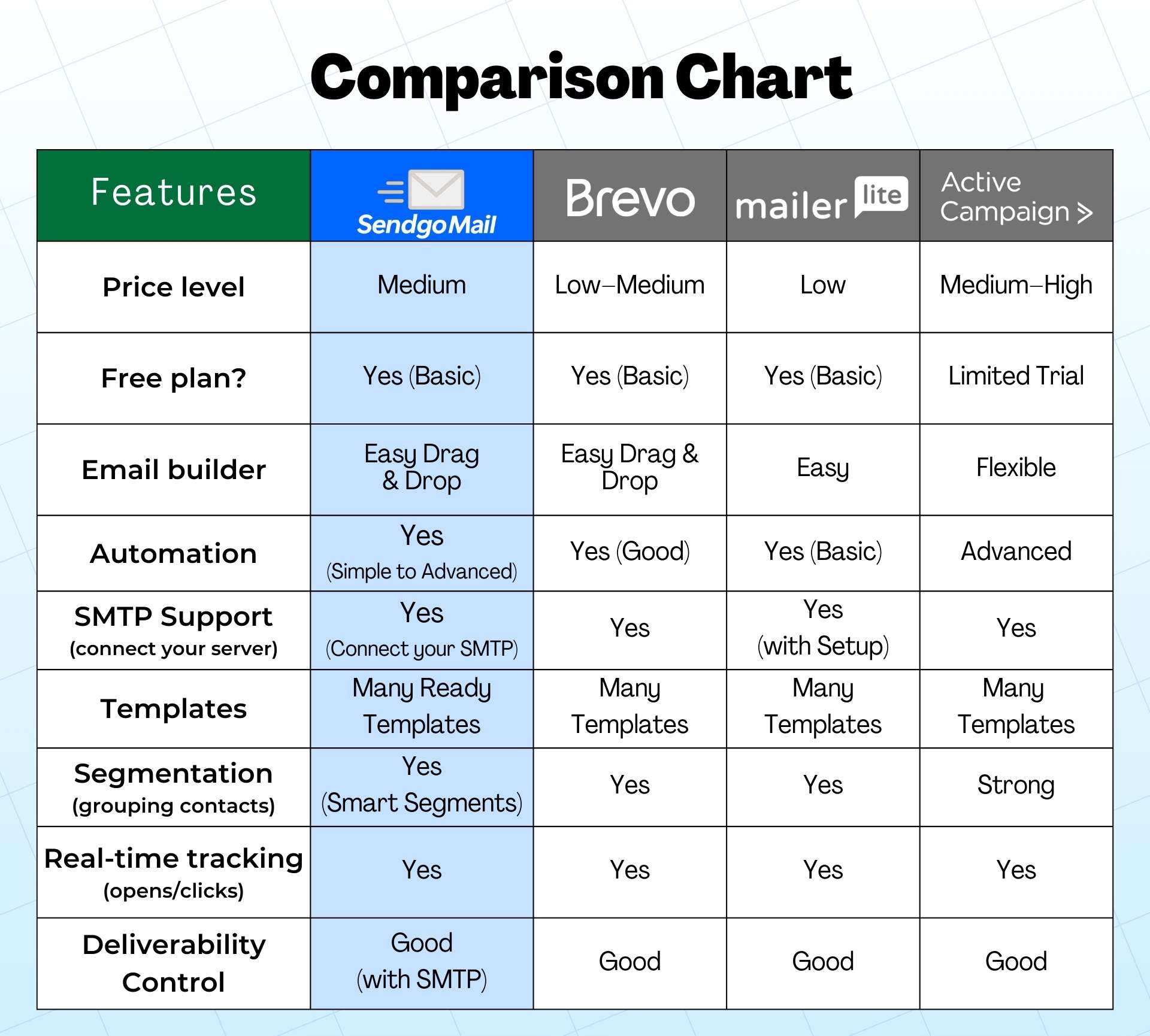
–Unlike many monthly tools, SendgoMail offers a lifetime deal, lets you use your own SMTP for better deliverability, and provides full control over automation, tracking, and segmentation from one dashboard.
Q 10: Can I personalize my email marketing campaigns?
–Absolutely, You can add subscriber names, custom fields, dynamic blocks, and personalized offers so every recipient feels like the email was written just for them. This improves engagement, opens, and clicks.





29 reviews for SendgoMail: Generate 10x Revenue with Advanced Email Marketing
tuantang.lf –
Hi, do you integrate with Woocommerce?
DM-Admin –
Currently, Woocommerce integration is not there but it’s in the roadmap and available soon.
I hope that helps :)
DM-Admin –
With the highest plan limit on subscribers that is 3 lakh which is 1 lakh for each sub-accounts or customer accounts, you will get one admin account and 3 customer or sub-accounts. you can send unlimited emails to those 1 lakh subscribers.
The admin account is only for managing your account. you can send messages through sub-accounts or customer accounts.
DM-Admin –
With the Agency plan limit on subscribers that is 300k Subscribers which is 100k Subscribers for each sub-accounts or customer accounts, you will get one admin account and 3 customer or sub-accounts. you can send unlimited emails to those 100k subscribers.
The admin account is only for managing your account. you can send messages through sub-accounts or customer accounts.
So, you can send messages to 300k Subscribers, not 600k Subscribers.
DM-Admin –
No, If you wish to upgrade to a higher plan, we will add your $ 49 plan credentials to your higher plan itself, you need to pay a higher plan amount with a 25 % discount itself.
Suppose you wanted to upgrade to a $ 149 plan:-
We will add 40k Subscribers credential in your $ 149 plan so, now you have 140k Subscribers in your accounts $ 149 plans accounts.
And if you have prime membership yearly subscription and upgrade to a higher plan your account remains activated even after the cancellation of your prime membership subscription.
Biswajit Pradhan –
Is it a SAAS? or installed on my server? What is the sending speed if I am trying to send out a 100k email at once using multiple delivery servers?
Admin –
Hi Biswajit,
Sendgomail is a SAAS tool so you don’t have to install anything on your server. At the moment multiple SMTP rotation options are not there but it’s in the roadmap and available in next updates.
Admin –
You can stack lifetime codes only till the deal is active on our platform.
Admin –
Yes, that’s possible. You can stack as many codes of $19, $49, or $149 to your existing account.
Rahul Jain –
How to upload new email templates to SendGoMail?
Admin –
Check out this video – https://youtu.be/-2Nk6Tc0sys
Srinidhi –
I am looking for a detailed video for SMTP connection?
Admin –
Check this video to know more https://youtu.be/z3uS44W4xXQ
Gary Beckham –
Do sendgomail offer any trial?
Admin –
Yes, you can check the free plan listed on the official website of Sendgomail.
Ali Imran –
How to set up an email server?
Admin –
You can find more details here – https://sendgomail.com/help-and-support/
Steve Rickson –
I am an email marketer try so many tools but didn’t satisfied with any of them.
Recently saw a deal mirror sendgomail ad on Facebook and try sendgomail. Sendgomail solves all my problems and I must say it is an all-in-one email marketing solution for everyone.
Joe Burns –
How to integrate with pabbly or integraomat to add a subscriber in a list without import or add manually?
Admin –
At the moment integrations are not available with Sendgomail but it’s in our roadmap and we’ll try to make them live asap.
Jason Sangha –
Really good to know that in sendgomail I can connect my own SMTP services like SMTP accounts to send out my emails through Amazon AWS, Sendgrid, Sendinblue, Mailgun, Mailjet, SMTP Gmail ElasticEmail, SpartPost..etc.
Jiimmy Paul –
How to add an Elastic Email server?
Admin –
We’ve recorded a video for your help – https://youtu.be/iy-c9M2-QFs
Admin –
Watch this video to know more – https://youtu.be/ucAWdfZqXII
remi59267 –
Hello if I reach the maximum sending limit of one of my SMTPs, does your application automatically switch to one of the other SMTPs which is still available?
When will the integration with WordPress / Woocommerce be expected?
Best regards
DM-Admin –
This option will be available soon.
Michael Wessels –
How to connect Zapier for SendGoMail?
Admin –
Yes, it is added recently as new updates and you can see How to connect Zapier for SendGoMail video link.
Remi –
When one of our SMTPs reaches the send limit, does the software automatically synchronize with another empty / available SMTP?
Admin –
This feature is not available at the moment in our tool so right now you have to select the SMTP manually. (Thank you for your suggestion and surely we’ll take this into consideration)
Remi –
Can the mailing list be synchronized with newsletter unsubscriptions? (i.e. automatically remove the email from the list of a person who unsubscribes from our newsletters)
Admin –
It can’t remove the particular email instead of that it can’t send the email to those users who unsubscribe from your newsletter.
Remi –
Is it WordPress / Woocommerce compatible or do we have to manually export the mailing lists?
Admin –
Yes, that’s possible via Sendgomail API.
Remi –
Can we automate an order confirmation or a welcome message in the event of a purchase by an Internet user or registration? How long does it take for the message to be sent? Can we also automate this to add the user to a mailing list?
Admin –
Yes, you can do that as we’ve a feature called Automation that helps you to set the triggers as per your need.
Jaya Parmar –
If I reach the maximum sending limit of one of my SMTPs, does your application automatically switch to one of the other SMTPs which is still available?
Admin –
This option will be available soon.
Rajesh Sharma –
When will the integration with WordPress / Woocommerce be expected?
Admin –
Integration with WordPress / Woocommerce will be available soon.
Jake –
Any plan to integrate pabbly connect?
Admin –
Yes pabbly connect integration is in our roadmap.
Jake –
Will it use multiple email providers when sending a email campaign??
Admin –
Yes, it will use multiple sending servers, you can configure it from subscriber list settings.
Jake –
I would just like to confirm that SendGoMail will work like MailChimp or MailerLite i.e. with a gmail account and not a domain name or SMTP server.
Admin –
No, you need to add other smtp server to send emails.
Alexa –
Is it possible to merge data from a contact list into an email?
I see you call them”tags” and there are a few fields that can be merged: Contact Name, Contact City etc.
I haven’t seen any option please give me solution how to connect my wordpress landing page with sandgomail
Admin –
First you have to create list then you will see the embed option.
Tofeqir –
I have brought life time package sendgomail but i don’t know can i connect word-press landing page with sendgomail??
Admin –
You can connect with api, api can be used in wordpress form.
Abdul Nazar –
My sendgomail app is very slow to sending messages.
Can you please check on this??
Admin –
We checked, there is no speed restriction on server side, there might have sending speed limit on SMTP provider, you should ask with them.
Emmanuel –
I saw your sendgomail offer at DealMirror and I am considering picking it up.
Quick concern—what about if I exceed the 50,000 subscribers offered by the Tier 2 plan?
1. – How much shall I pay now to get more subscribers? Or how much shall I pay when I would like to increase the number of subscribers beyond 50,000?
2. Which new features do you plan to introduce?
Can you share the link to your roadmap?
Admin –
Sendgomail development roadmap is:
* Added: more widgets for builder
* Added: one-time login token generation (via API)
* Fixed: better SSL detection for shared hosting environment
* Fixed: better multi-process support & detection
* Fixed: faster authentication process
* Fixed: fixed Chrome browser glithes
* Fixed: better compatibility with different types of HTML email templates
* Fixed: email builder not working with legacy versions of Internet Explorer
* Fixed: better AWS bounce/feedback handling
* Fixed: sending domain verification not working properly with certain DNS providers
* Fixed: faster web page load in general
* Fixed: performance issue on servers with limited memory
* Fixed: email builder not working well with SVG
* Fixed: better compatibility with older versions of Thunderbird
* Added: tracking domain support
* Added: tracking domain with HTTPS support
* Added: purify users’ HTML content
* Added: strict password reset policy
* Added: spam scoring improved
* Added: new Amazon Web Service regions support
* Added: more automation delay options
* Added: more timezone converting options
* Added: RSS feed support with advanced template engine
* Fixed: DNS record for tracking domain may not correctly show up
* Fixed: email attachement improved
* Fixed: list subscription performance improved
* Fixed: better load performance for JS/CSS
* Fixed: delivery attempt tracking improved
* Fixed: default template missing
* Fixed: SendGrid subaccount issue
* Fixed: PayPal integration error while checking out
* Fixed: click tracking error for Automation
* Fixed: Pro builder loading performance
* Fixed: SPF cannot be verified
* Fixed: translation cache issue
* Added: send test email for system email
* Added: autofill support for tags
+ Fixed: automation elements are not well organized
+ Fixed: PayPal integration: sync not working correctly
+ Fixed: Elasicemail API no longer works correctly
+ Fixed: templates compatibility issues with Edge and Firefox
+ Fixed: default sending speed is too low
+ Fixed: quota tracking does not work correctly
+ Fixed: plan status shown correctly
+ Added: plat visibility setting support
+ Added: thumbnail update support
+ Added: classic email builder support
+ Added: automation for list’s segments
+ Added: subscription notification for admin
+ Added: notification management dashboard
* Fixed: sending identity not working in certain cases
* Fixed: better SMTP error handling
* Fixed: automation visual designer not loading correctly
* Added: allowing switching to basic email builder
* Added: allowing viewing of available identities list
* Added: file manager for basic email builder
* Updated: faster loading of builder components
* Updated: drop “use sending server’s default FROM email address”
* Added: new drag & drop email builder
* Added: new automation workflow visual designer
Andy –
Can you explain the difference between ‘subscribers’ and ‘lists’?
We have an app with a growing user base. We send them emails from time to time as updates. Is this a list?
Or did they subscribe somehow?
Admin –
A subscriber is an internet user who allows a specific brand to send regular emails to them.
A subscriber list is a collection of subscribers; you group subscribers to differentiate between various products or other matters.
When sending an email campaign, you can choose the list to which you want to send the emails.
Pranav –
Despite adding all the necessary sending servers and domains, we are experiencing difficulties in sending our emails successfully.
We conducted a test and everything seemed to work perfectly. However, today, when we scheduled the delivery of 500 emails, only 80 were successfully delivered, while the remaining ones failed to go through.
We would greatly appreciate it if you could investigate this matter and help us in identifying where we went wrong.
Admin –
To increase email delivery rate, you should clean your email list before sending them.
Alen –
Can I use sendgomail to send outbound cold campaign?
Also, how can I have multiple sub accounts with max subscribers of 300k or more??
Admin –
Sending outbound cold campaign or spamming are prohibited in Sendgomail.
aftabn357 –
Can I do cold emailing?
And if not, why?
Also in in these lifetime plan every month on 1st my limit will be renew and existing contacts will be there or should I need to remove them to add other?
Shivam Zoho –
You can’t use Sendgomail for cold emailing since this email service is for promotional emails similar to Mailchimp and SendinBlue.
Apart from that can you clarify about what limits you are talking about so that I can give you an appropriate answer?
Regards,
Team Hostverge !!