Home » Store » Scramble Cloud: Securely Save, Share & Manager Files at One Place
Scramble Cloud: Securely Save, Share & Manager Files at One Place
TL;DR
Organise, share and manage all your files in a centralised place
Its 256-bit encryption and ISO certified environment keep all your data safe & secure
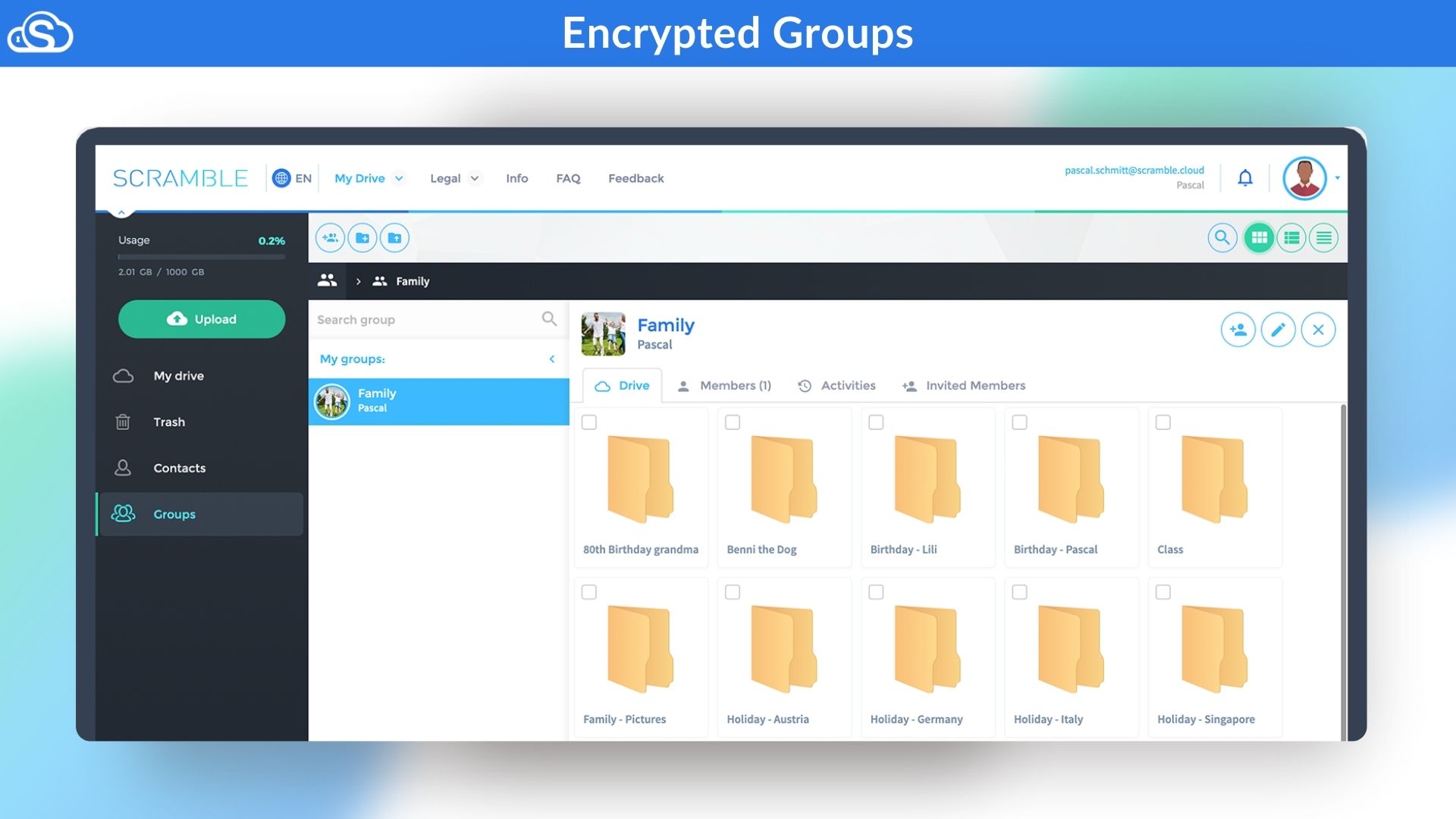
Create groups and bring all your friends and family members under one roof
Best for Media, Agencies, E-commerce, Retailers, Education Industry & more
Scramble Cloud Lifetime Deal
Sharing files while unsure if your data is safe, confusion with multiple versions, and all projects getting delayed due to slow transfers or using tools that do not fulfill compliance requirements.
And if you are tired of sharing files through scattered and unsafe tools and looking for a solution to help you save, share, and manage all the data securely? You are in the right place.
Meet Scramble Cloud, an Encrypted Cloud Storage solution that solves all your data-sharing challenges by providing your team with a secure, end-to-end encrypted cloud. It integrates seamlessly with Microsoft Office tools, so your workflow stays the same, only your files become much safer.
With zero-knowledge AES-256 encryption, only your team can read your data, and everything is stored in ISO-certified European data centres to help with audits and rules.
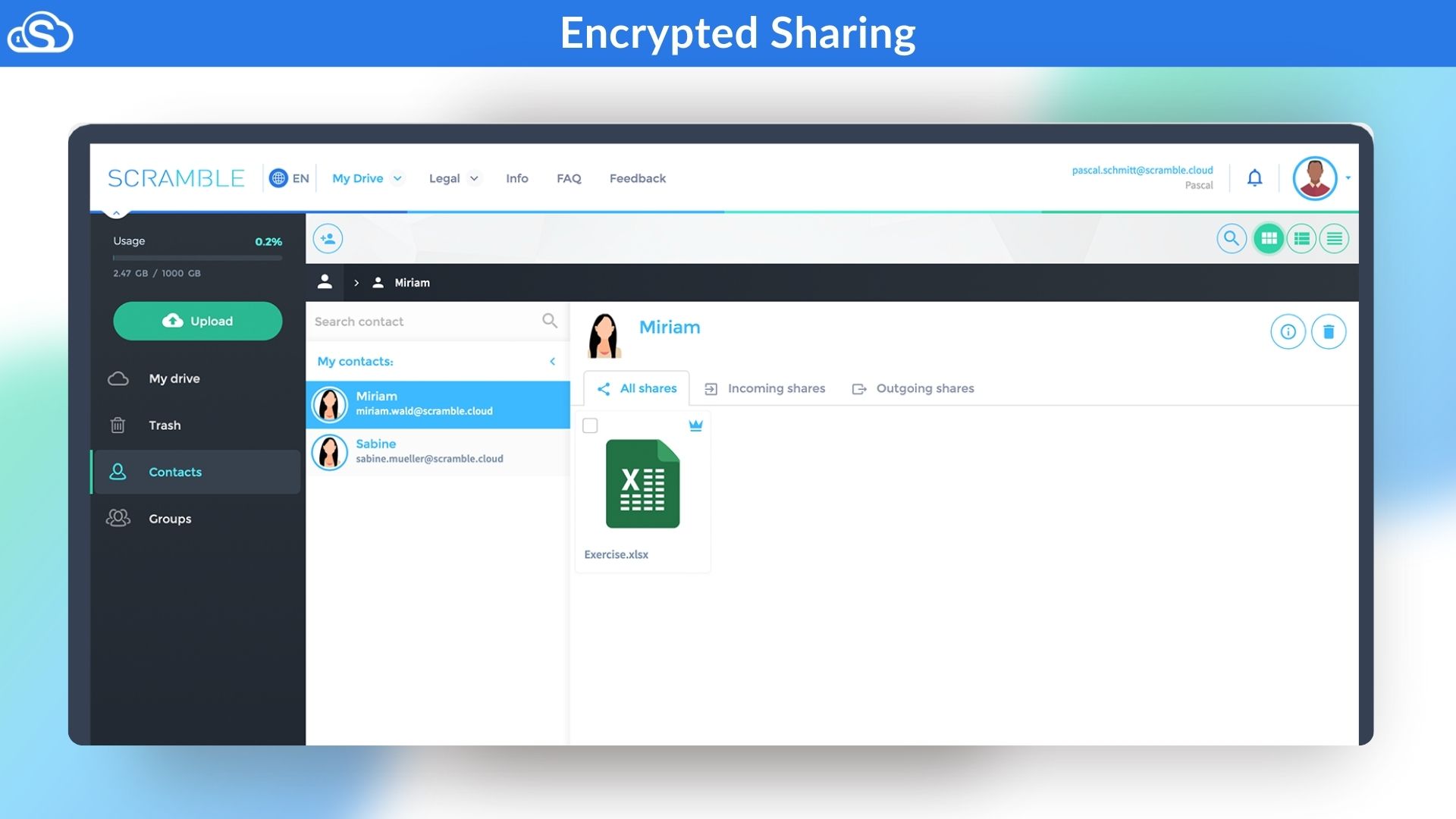
Sharing is simple and controlled: use it inside Teams and Outlook, send protected links or whole folders with one click, and set clear group permissions so the right people see the right files.
Creatives get encrypted video streaming and large-file transfers, admins get easy onboarding and clear controls, and everyone gets faster, less messy collaboration.
In short, Scramble Cloud brings privacy, compliance, and smooth teamwork together — secure storage that’s easy to use and keeps client data protected without changing how your team works.
Demo Video
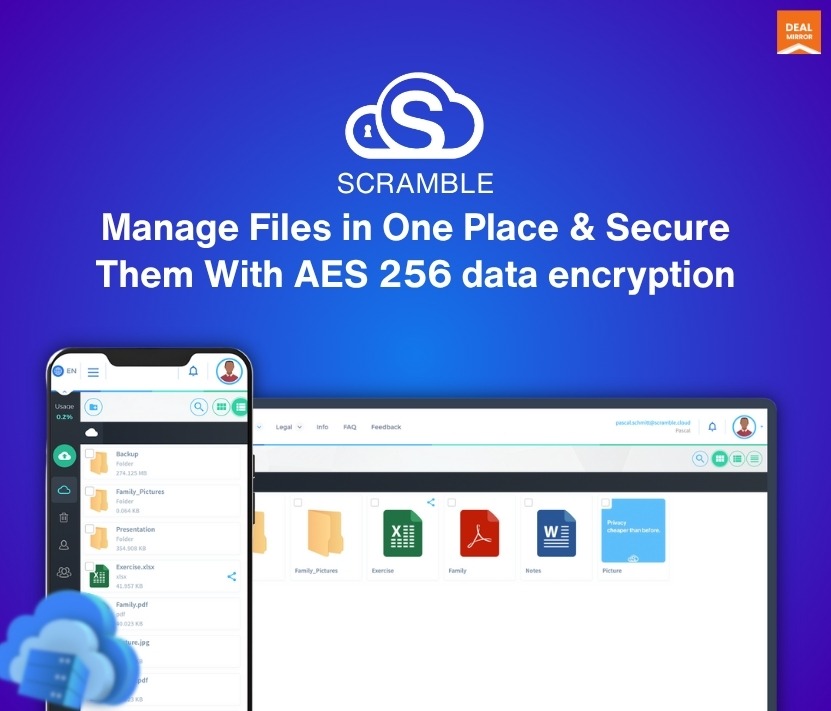
Scramble Cloud is a cloud-based file sharing for business. With this single tool, you can save, share, and manage all your files in one place, within a secure ISO-certified environment and AES 256-bit encryption. Create groups with friends and family that offer full control over access.
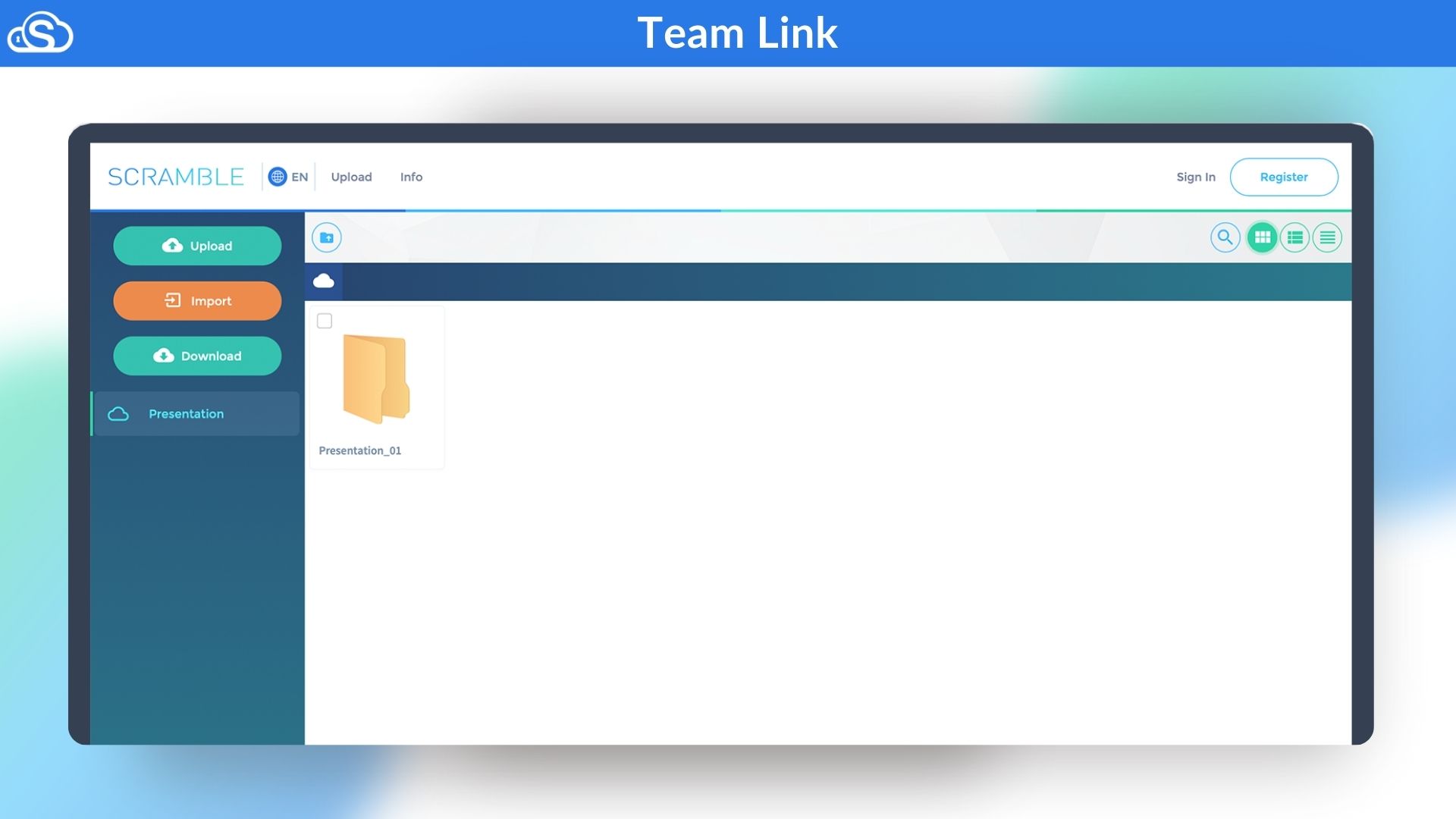
Dashboard Images
Key Features
Full Privacy: Your files are completely safe and private. Only your team can open them, not even Scramble can see what’s inside. Every file is protected with strong end-to-end encryption.
Easy Sharing: Share any file or folder with just one click. You can send protected links to teammates or clients and decide who can view, edit, or download them.
Microsoft Friendly: Scramble Cloud works perfectly with Microsoft Teams and Outlook. You can share and access files right where you already work — no new tools to learn.
Safe Storage: All your data is stored securely with an ISO-certified tool. This helps your team stay compliant with laws like GDPR.
Simple Controls: Admins can easily set permissions, manage users, and control who has access to what — all from one clean dashboard.
Fast Transfers: Send or receive large files quickly, even big videos, without worrying about upload limits or extra costs.
Use-Cases
Teams Working Remotely: Keep your files safe and easy to access from anywhere. Share important documents or videos securely with your teammates without worrying about leaks.
Businesses Handling Client Data: Store contracts, reports, and private client information in a fully encrypted space. Share them safely with clients using protected links.
Creative Agencies: Send and receive large video or image files without limits or delays. Stream and preview files securely while keeping client projects private.
Companies Focused on Compliance: Stay worry-free with storage in certified European data centres. Scramble helps meet GDPR and other data protection rules easily.
Admins Managing Access: Control who can view, edit, or download files in just a few clicks. Keep sensitive folders limited to the right people only.
Organise, share and manage all your files in a centralised place
Its 256-bit encryption and ISO certified environment keep all your data safe & secure
Create groups and bring all your friends and family members under one roof
Best for Media, Agencies, E-commerce, Retailers, Education Industry & more
Scramble Cloud Lifetime Deal
Sharing files while unsure if your data is safe, confusion with multiple versions, and all projects getting delayed due to slow transfers or using tools that do not fulfill compliance requirements.
And if you are tired of sharing files through scattered and unsafe tools and looking for a solution to help you save, share, and manage all the data securely? You are in the right place.
Meet Scramble Cloud, an Encrypted Cloud Storage solution that solves all your data-sharing challenges by providing your team with a secure, end-to-end encrypted cloud. It integrates seamlessly with Microsoft Office tools, so your workflow stays the same, only your files become much safer.
With zero-knowledge AES-256 encryption, only your team can read your data, and everything is stored in ISO-certified European data centres to help with audits and rules.
Sharing is simple and controlled: use it inside Teams and Outlook, send protected links or whole folders with one click, and set clear group permissions so the right people see the right files.
Creatives get encrypted video streaming and large-file transfers, admins get easy onboarding and clear controls, and everyone gets faster, less messy collaboration.
In short, Scramble Cloud brings privacy, compliance, and smooth teamwork together — secure storage that’s easy to use and keeps client data protected without changing how your team works.
Demo Video
Scramble Cloud is a cloud-based file sharing for business. With this single tool, you can save, share, and manage all your files in one place, within a secure ISO-certified environment and AES 256-bit encryption. Create groups with friends and family that offer full control over access.
Dashboard Images
Key Features
Full Privacy: Your files are completely safe and private. Only your team can open them, not even Scramble can see what’s inside. Every file is protected with strong end-to-end encryption.
Easy Sharing: Share any file or folder with just one click. You can send protected links to teammates or clients and decide who can view, edit, or download them.
Microsoft Friendly: Scramble Cloud works perfectly with Microsoft Teams and Outlook. You can share and access files right where you already work — no new tools to learn.
Safe Storage: All your data is stored securely with an ISO-certified tool. This helps your team stay compliant with laws like GDPR.
Simple Controls: Admins can easily set permissions, manage users, and control who has access to what — all from one clean dashboard.
Fast Transfers: Send or receive large files quickly, even big videos, without worrying about upload limits or extra costs.
Use-Cases
Teams Working Remotely: Keep your files safe and easy to access from anywhere. Share important documents or videos securely with your teammates without worrying about leaks.
Businesses Handling Client Data: Store contracts, reports, and private client information in a fully encrypted space. Share them safely with clients using protected links.
Creative Agencies: Send and receive large video or image files without limits or delays. Stream and preview files securely while keeping client projects private.
Companies Focused on Compliance: Stay worry-free with storage in certified European data centres. Scramble helps meet GDPR and other data protection rules easily.
Admins Managing Access: Control who can view, edit, or download files in just a few clicks. Keep sensitive folders limited to the right people only.
30-Days Money-Back Guarantee (For Non-Prime Members and Regular users)
60-Day Money-Back Guarantee (For DealMirror Prime Members Only)
Pricing
License Tier 1
One-time payment. Lifetime access.
$89.00$199.00
500GB Cloud Storage
Encryption
Unlimited file size
Unlimited bandwidth
Usable on all devices
License Tier 2
One-time payment. Lifetime access.
$129.00$499.00
2TB Cloud Storage
Encryption
Unlimited file size
Unlimited bandwidth
Usable on all devices
From The Founders
Thorben Zumfeld
Founder
Dear Privacy-Conscious User,
In today’s digital world, your data is constantly at risk—whether from hackers, corporations, or even the very cloud services that claim to protect it. At Scramble Cloud, we believe privacy should never be a luxury—it should be a right.
That’s why we built a truly private, end-to-end encrypted cloud storage solution where no one but you can access your files—not even us.
With zero-knowledge encryption and hosting in ISO 27001-certified EU data centers, your sensitive information remains secure, compliant, and untouchable by third parties.
And because security shouldn’t come at an outrageous price, we’ve made Scramble Cloud one of the most affordable options on the market. Unlike services like Dropbox that charge you over $100 per year for 2 TB of storage, we offer the same and other amounts for a single, one-time payment.
No subscriptions, no hidden fees—just lifetime access to truly private cloud storage.
If you value security, affordability, and complete control over your data, Scramble Cloud is built for you.
Stay private. Stay protected.
Thorben Zumfeld
FAQ's
1. Does ScrambleCloud provide customer support?
– ScrambleCloud offer customer support via email at [email protected]
2. What is cloud storage?
– Cloud storage allows you to store files online so that you can access them anytime, anywhere. Your data is stored securely on servers in a data center that is available around the clock. With Scramble, files are only stored in encrypted form, making them unreadable without the right key.
3. What are the advantages of cloud storage?
– Cloud storage offers flexibility as you can access your data from any internet-enabled device. It facilitates sharing and collaboration, saves on physical storage devices, and offers scalable storage space. While data on a faulty hard disk can be lost, data stored in the cloud remains accessible through regular backups, even if your local hardware fails.
4. How can I access the data in my cloud storage?
– With Scramble cloud storage, you have access to your data anytime, anywhere. Whether laptop, tablet, or smartphone, your files are always just a click away. Our cross-platform solution ensures flexible working in real time, regardless of the device.
5. What distinguishes the Scramble Cloud from other providers in terms of security?
– While many cloud providers either offer no encryption at all or only use server-side encryption, we at Scramble rely on comprehensive end-to-end encryption. With server-side encryption, there is a risk that providers and hackers can access your data, as the incident with Microsoft’s Cloud Master Key 2023 showed.
With end-to-end encryption, we ensure that your files never leave your end device unencrypted. Each account receives its own master key so that neither we nor other parties, including companies or authorities, can view your unencrypted data.
6. Where is my data stored?
– Your data is stored on servers within Germany that comply with the strict GDPR requirements. They are also located in ISO 27001-certified data centers that guarantee the highest security standards.
Thanks to end-to-end encryption, only unreadable data fragments are stored on the servers, which can only be decrypted using your account and the corresponding master key.
Reviews
8 reviews for Scramble Cloud: Securely Save, Share & Manager Files at One Place
Rated 5 out of 5
HM Shuja –
Is it possible to set a password and expiry time for sharing?
Admin –
Yes, you can create download links with a type of password. For that, you just set the option that the file key is not included in the URL. The file key is a long a text and works exactly like a password. Pretty easy todo.
You can also set options that links are destroyed at a specific date or after X time opened.
Rated 5 out of 5
Luis Ruben –
This is pretty cool. I use Dropbox to send videos to OpusClip. Would this do the job as well?
Admin –
You could simply test it. Register at Scramble.cloud for free and test cloud storage to see if it fits your needs. 🙂
Rated 5 out of 5
Choy CM –
What is upload and download speed?
Do you have Vault?
Admin –
Our servers are in Europe. Depends on your internet connection and location. But also the power of your device is important for the process, because local encryption/decryption needs power.
Rated 5 out of 5
Tom Harty –
Any API available or planned for uploading and accessing the files stored?
Admin –
As we are an end-to-end encrypted cloud software, your files needs to be encrypted in a predefined procedure. Just open an API, and sending files to the API is not possible together with E2E as long as your software using our API doesn’t do exactly the same as our client software does. It would cause broken files, which are not usable with our clients.
For this reason we do not have any API right now. But we will release in Q2 2025 an Webdav Client. Together with WebDAV and RClone (for example), you would be able to reach something similar without having technical problems. Depends on your use case, of course.
WebDAV will be a local server that has our encryption logic included. So when files are sent to the server, the server will encrypt them in the correct way and send them to our API.
Rated 5 out of 5
Mayank –
I’ve had a very good experience with Scramble.cloud so far. Uploading large files – even several gigabytes – works reliably and without major slowdowns. The progress display is clear, and the ability to pause and resume uploads or downloads is a practical feature.
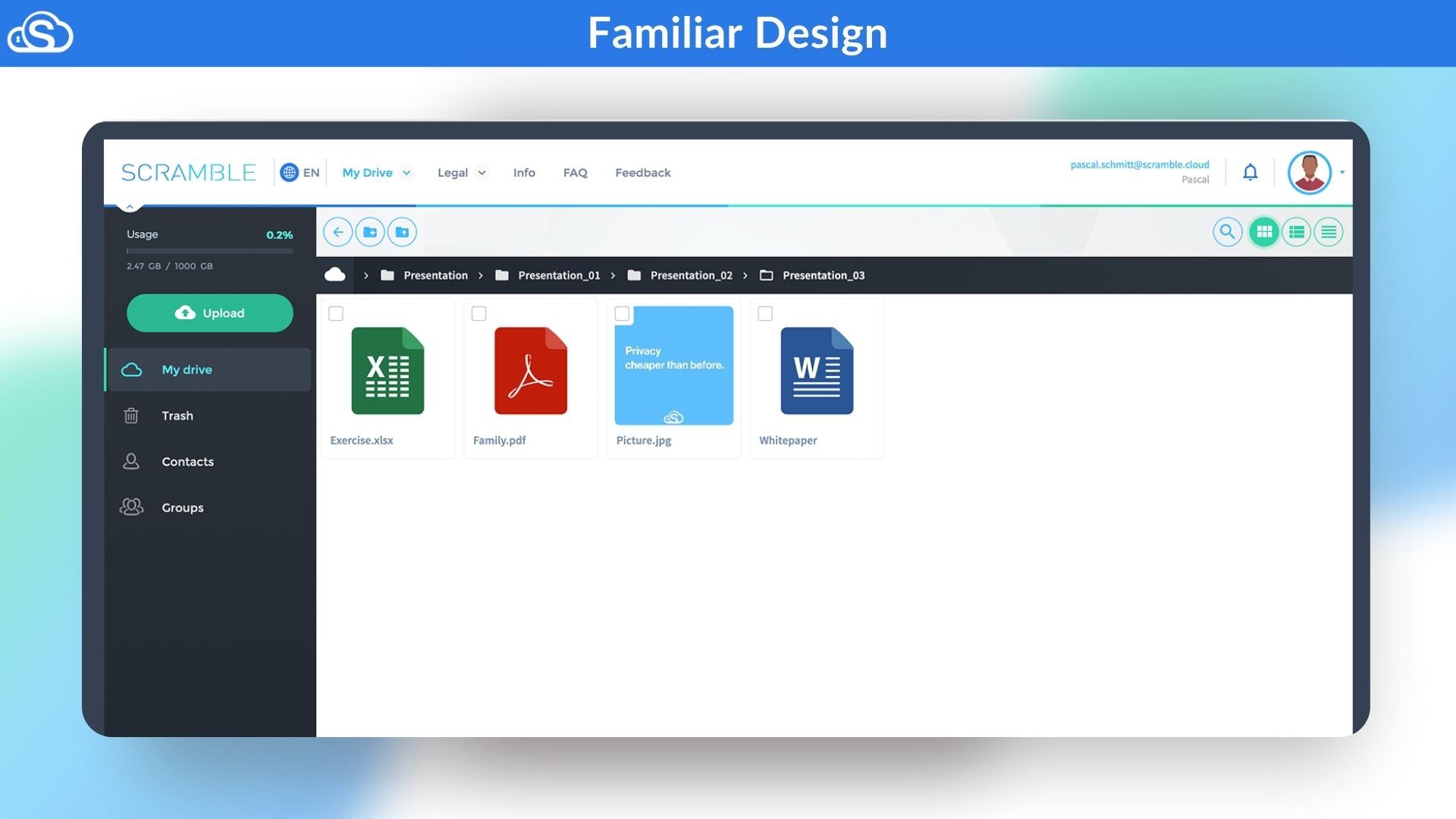
The interface is straightforward and easy to navigate, with a clean, professional design. It also seems clear that data privacy and security are taken seriously, which I definitely appreciate.
If you’re looking for a solid solution to transfer large files securely and efficiently, Scramble.cloud is definitely worth checking out.
Rated 4 out of 5
yakjingheng (verified owner)–
I’ve purchased the 2tb code in april and it’s been working wonderfully, everything is well developed and UI looks good. Webdav works seamlessly and the only issue is that failed uploads won’t have an option to auto retry, once failed I will have to readd manually to the queue.
Rated 5 out of 5
Gudrun Smith (verified owner)–
Hallo Thorben,
erst einmal liebe Grüße aus der Nachbarstadt Lehrte. Wenn du mal Lust auf einen Kaffee hast, melde dich. Ich musste doch sehr lachen als ich sah wo Scramble seinen Sitz hat. ;)
I bought Scramble today and everything’s works fine until now As I use Dropbox as well, I am transferring some files over to Scramble and than I might try to share some files with my husband to try it out.
Because I want to use it long-term I have immediately bought Tier 2. And now I have a question for Thorben. Gibt es eine Möglichkeit Speicher nachzukaufen (Is there a way to purchase additional memory)?
Further, I am glad to have found a memory storage with its servers in Germany.
Rated 5 out of 5
linked-sites.com –
Solid, very decent speed, and easy to use cloud storage! I have used other well known services, and I do not see any reason to continue with them.
Do not waste time and purchase this one; I guarantee you will not regret it.






8 reviews for Scramble Cloud: Securely Save, Share & Manager Files at One Place
HM Shuja –
Is it possible to set a password and expiry time for sharing?
Admin –
Yes, you can create download links with a type of password. For that, you just set the option that the file key is not included in the URL. The file key is a long a text and works exactly like a password. Pretty easy todo.
You can also set options that links are destroyed at a specific date or after X time opened.
Luis Ruben –
This is pretty cool. I use Dropbox to send videos to OpusClip. Would this do the job as well?
Admin –
You could simply test it. Register at Scramble.cloud for free and test cloud storage to see if it fits your needs. 🙂
Choy CM –
What is upload and download speed?
Do you have Vault?
Admin –
Our servers are in Europe. Depends on your internet connection and location. But also the power of your device is important for the process, because local encryption/decryption needs power.
Tom Harty –
Any API available or planned for uploading and accessing the files stored?
Admin –
As we are an end-to-end encrypted cloud software, your files needs to be encrypted in a predefined procedure. Just open an API, and sending files to the API is not possible together with E2E as long as your software using our API doesn’t do exactly the same as our client software does. It would cause broken files, which are not usable with our clients.
For this reason we do not have any API right now. But we will release in Q2 2025 an Webdav Client. Together with WebDAV and RClone (for example), you would be able to reach something similar without having technical problems. Depends on your use case, of course.
WebDAV will be a local server that has our encryption logic included. So when files are sent to the server, the server will encrypt them in the correct way and send them to our API.
Mayank –
I’ve had a very good experience with Scramble.cloud so far. Uploading large files – even several gigabytes – works reliably and without major slowdowns. The progress display is clear, and the ability to pause and resume uploads or downloads is a practical feature.
The interface is straightforward and easy to navigate, with a clean, professional design. It also seems clear that data privacy and security are taken seriously, which I definitely appreciate.
If you’re looking for a solid solution to transfer large files securely and efficiently, Scramble.cloud is definitely worth checking out.
yakjingheng (verified owner) –
I’ve purchased the 2tb code in april and it’s been working wonderfully, everything is well developed and UI looks good. Webdav works seamlessly and the only issue is that failed uploads won’t have an option to auto retry, once failed I will have to readd manually to the queue.
Gudrun Smith (verified owner) –
Hallo Thorben,
erst einmal liebe Grüße aus der Nachbarstadt Lehrte. Wenn du mal Lust auf einen Kaffee hast, melde dich. Ich musste doch sehr lachen als ich sah wo Scramble seinen Sitz hat. ;)
I bought Scramble today and everything’s works fine until now As I use Dropbox as well, I am transferring some files over to Scramble and than I might try to share some files with my husband to try it out.
Because I want to use it long-term I have immediately bought Tier 2. And now I have a question for Thorben. Gibt es eine Möglichkeit Speicher nachzukaufen (Is there a way to purchase additional memory)?
Further, I am glad to have found a memory storage with its servers in Germany.
linked-sites.com –
Solid, very decent speed, and easy to use cloud storage! I have used other well known services, and I do not see any reason to continue with them.
Do not waste time and purchase this one; I guarantee you will not regret it.