PomptAtlas 2 Year Deal
Do you want to utilize AI like a pro but struggling on what prompt to give or the prompts you gave does not give the desired result.
Well, in that case you are not alone.
Say hello to PromptAtlas, AI prompt builder 2 Year Deal, the no‑code prompt workspace designed to help craft better AI prompts, in seconds.
Whether you’re experimenting with ChatGPT, Gemini, Claude, or Mistral AI, PromptAtlas brings all your work into one single dashboard.
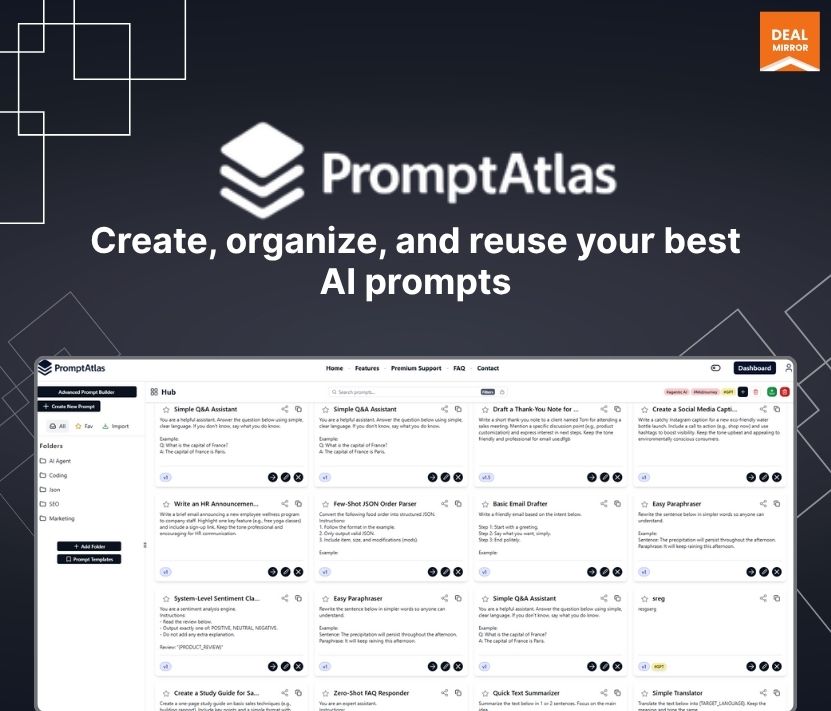
With PromptAtlas, you can create, organize, and refine prompts with powerful folder and tagging systems, version control, and smart search so you’ll never lose a great idea.
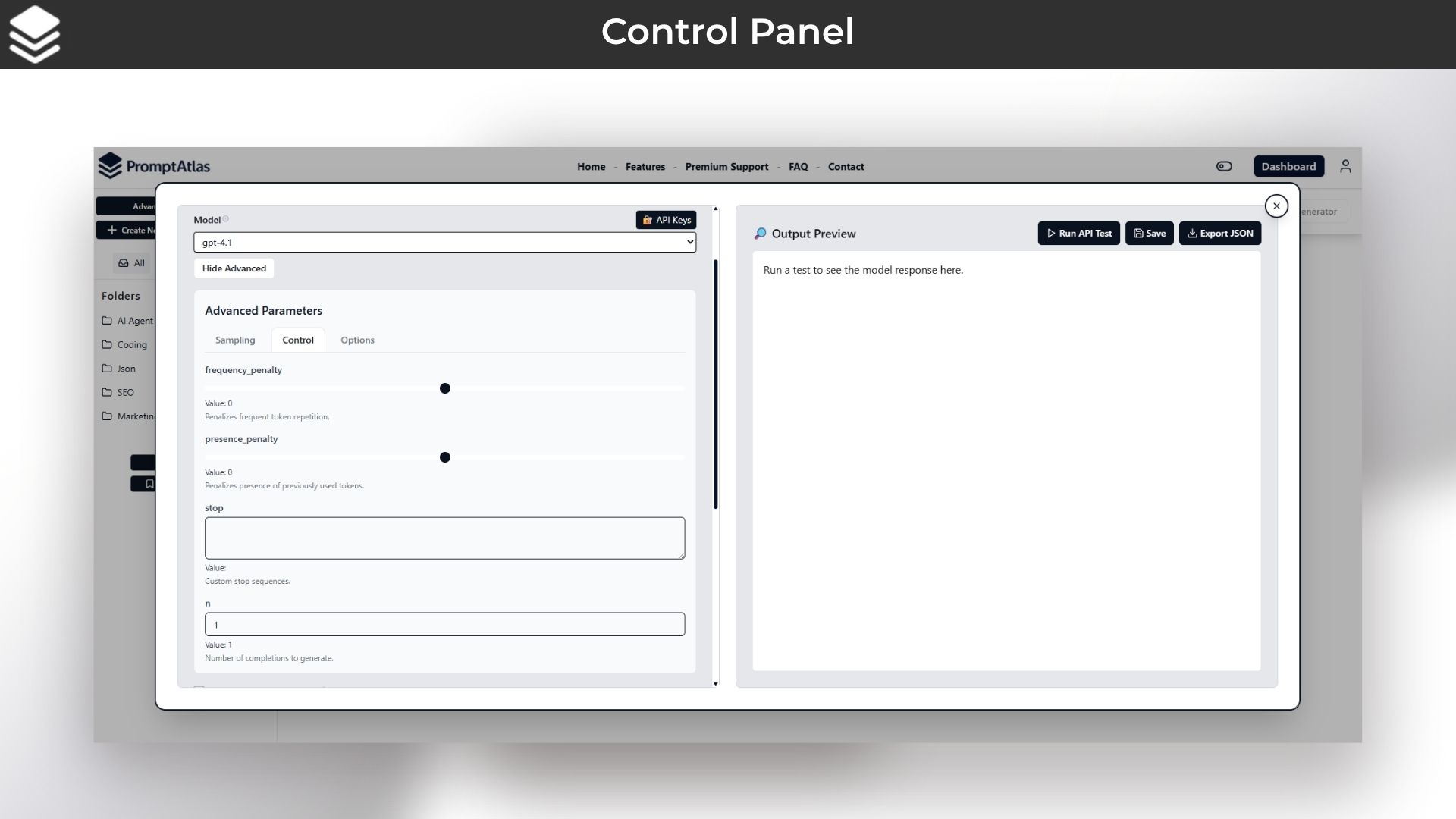
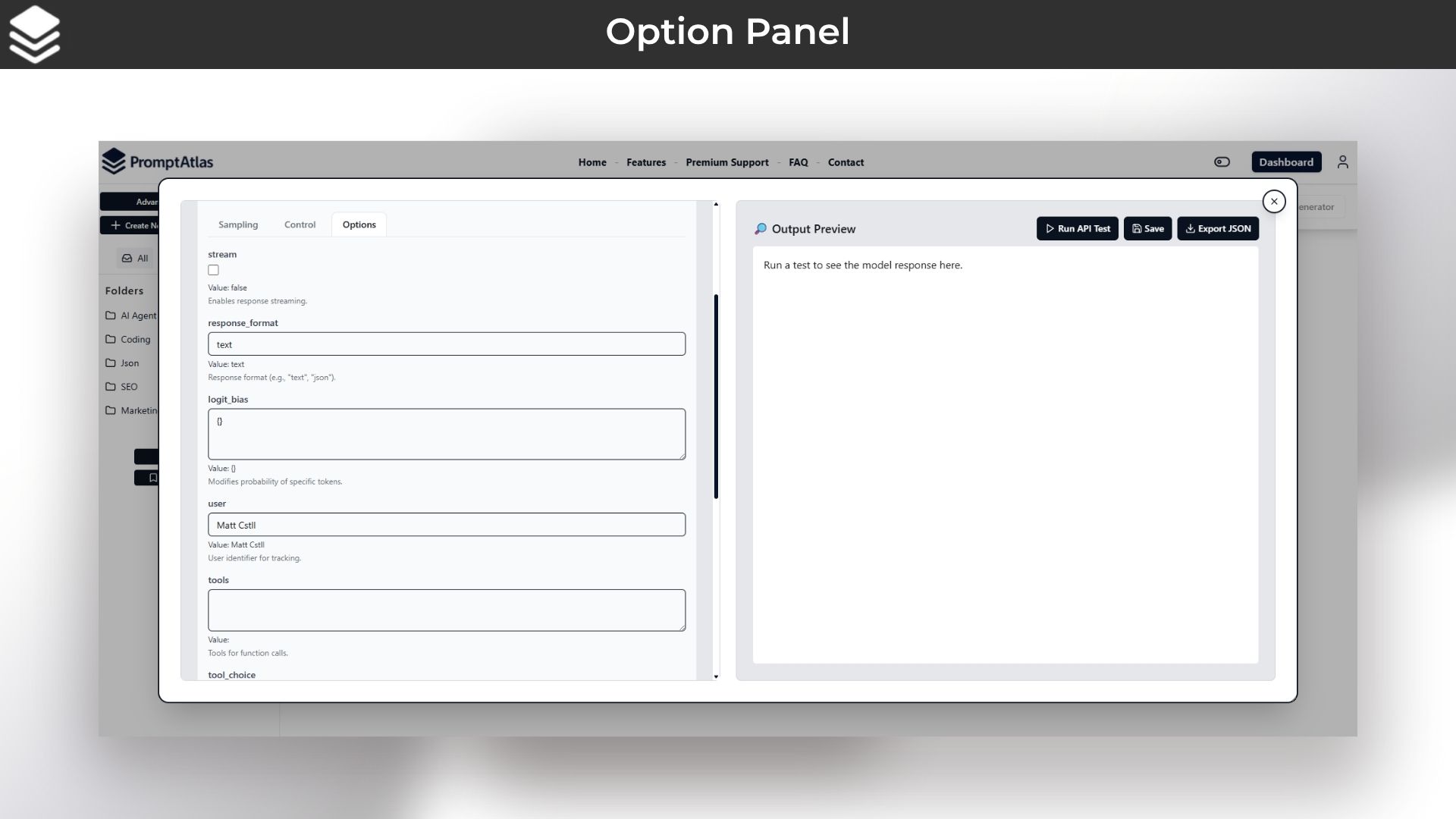
You can instantly test and fine‑tune prompts right in the browser with real‑time API integration and expert controls, temperature, max tokens, stop sequences, and more.
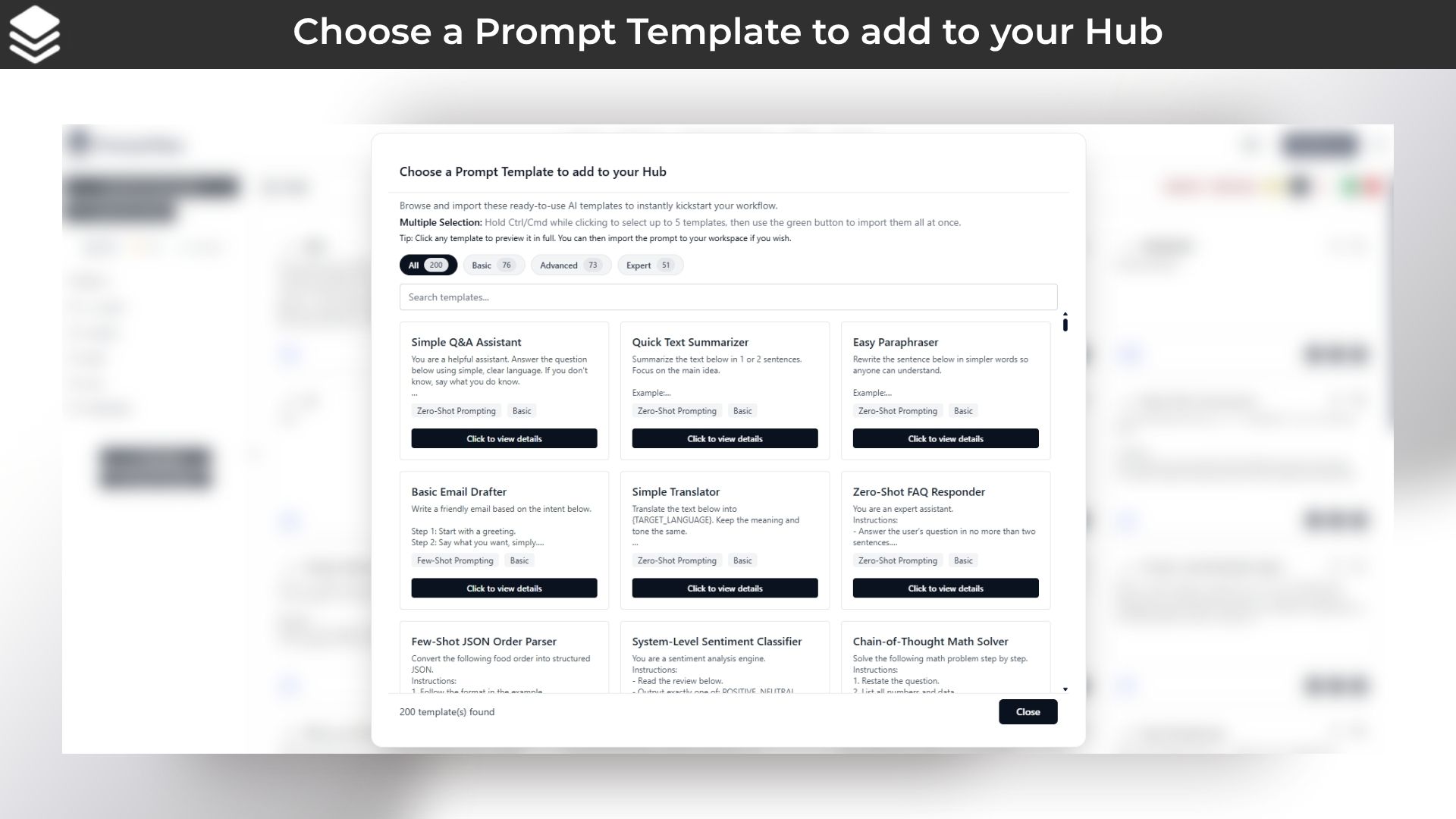
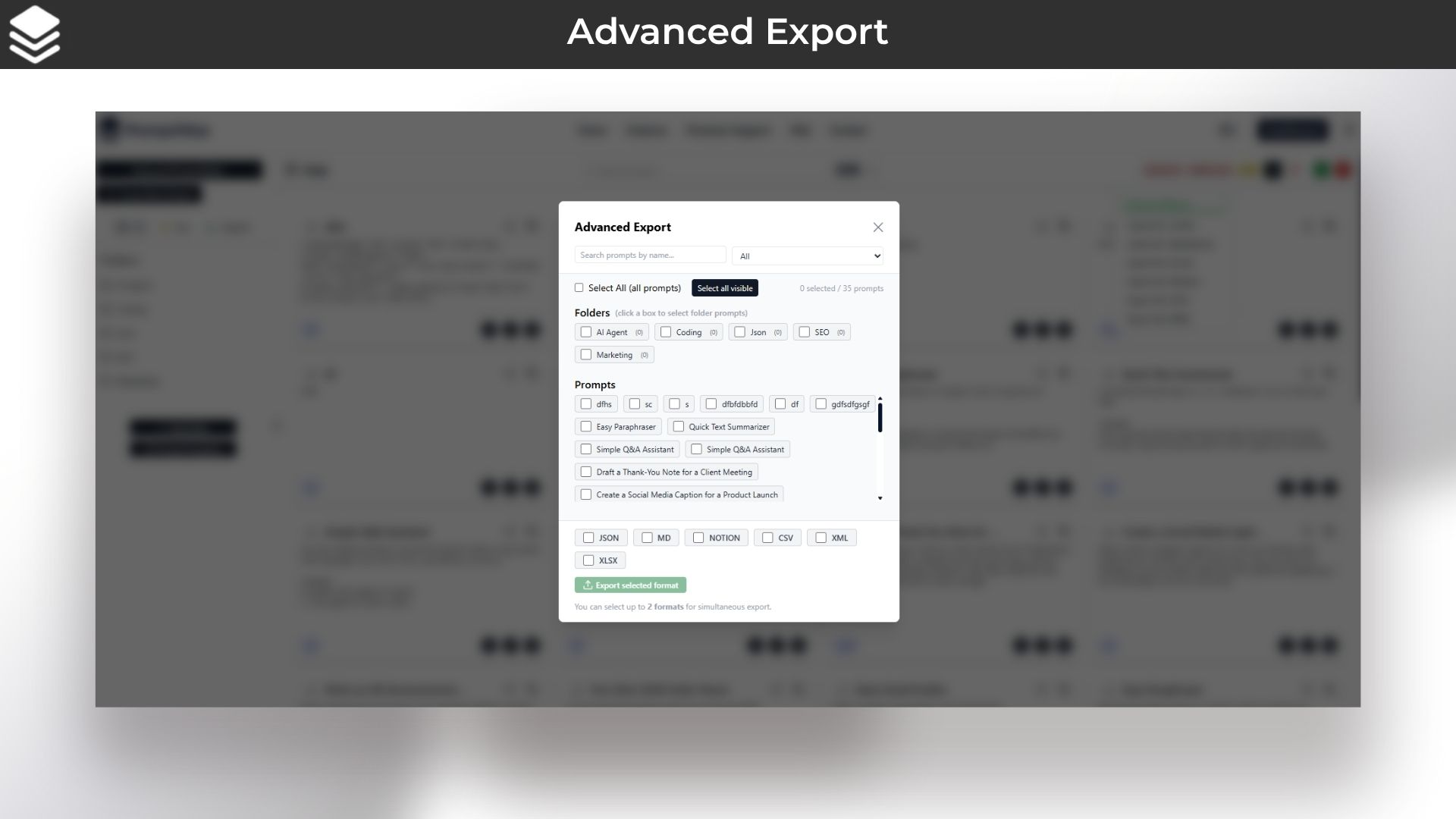
You can choose from 200 + ready‑to‑use templates or build your own from scratch, then export in any format you need. Save time, boost creativity, and scale your AI workflows.
Overview Images
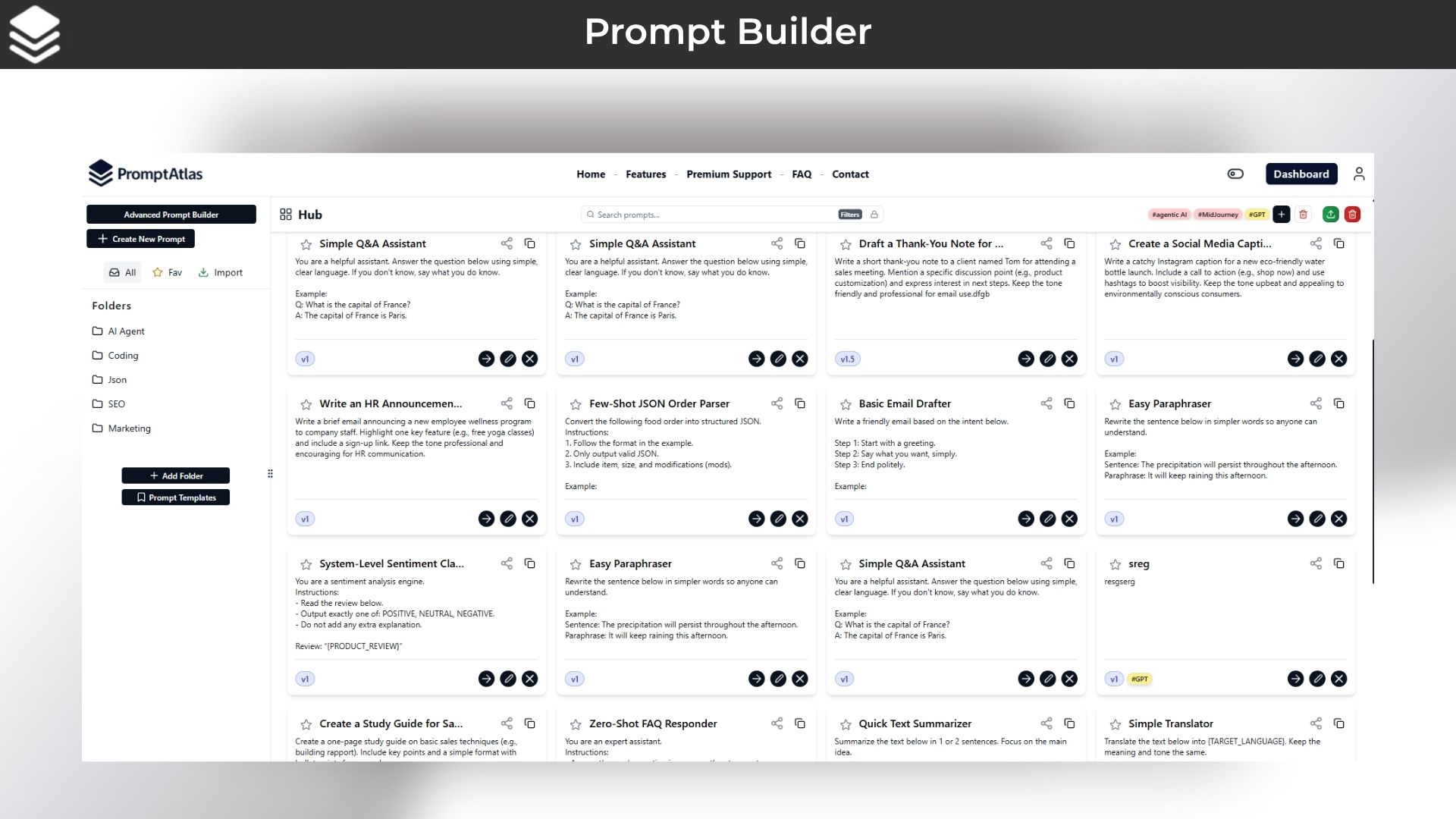
PromptAtlas is your one‑stop workspace for creating and organizing AI prompts.
Key Features
1. No‑Code Prompt Workspace
– Create and edit AI prompts in a visual, drag‑and‑drop interface—no programming skills needed.
2. 200+ Free Templates
Jumpstart your projects with ready‑to‑use prompts for chatbots, content generation, coding help, and more.
3. Smart Folders & Tags
Organize prompts into folders and label them however you like, so everything stays neat and easy to find.
4. Prompt Versioning
Automatically track every change you make. Roll back to previous versions at any time—never lose a good idea.
5. Real‑Time API Testing
Connect to OpenAI, Google Gemini, Anthropic Claude, Mistral AI, and others. Adjust temperature, max tokens, stop sequences, and see responses instantly.
6. Advanced Search & Filters
Find the right prompt in seconds using keywords, tags, dates, or recent activity filters.
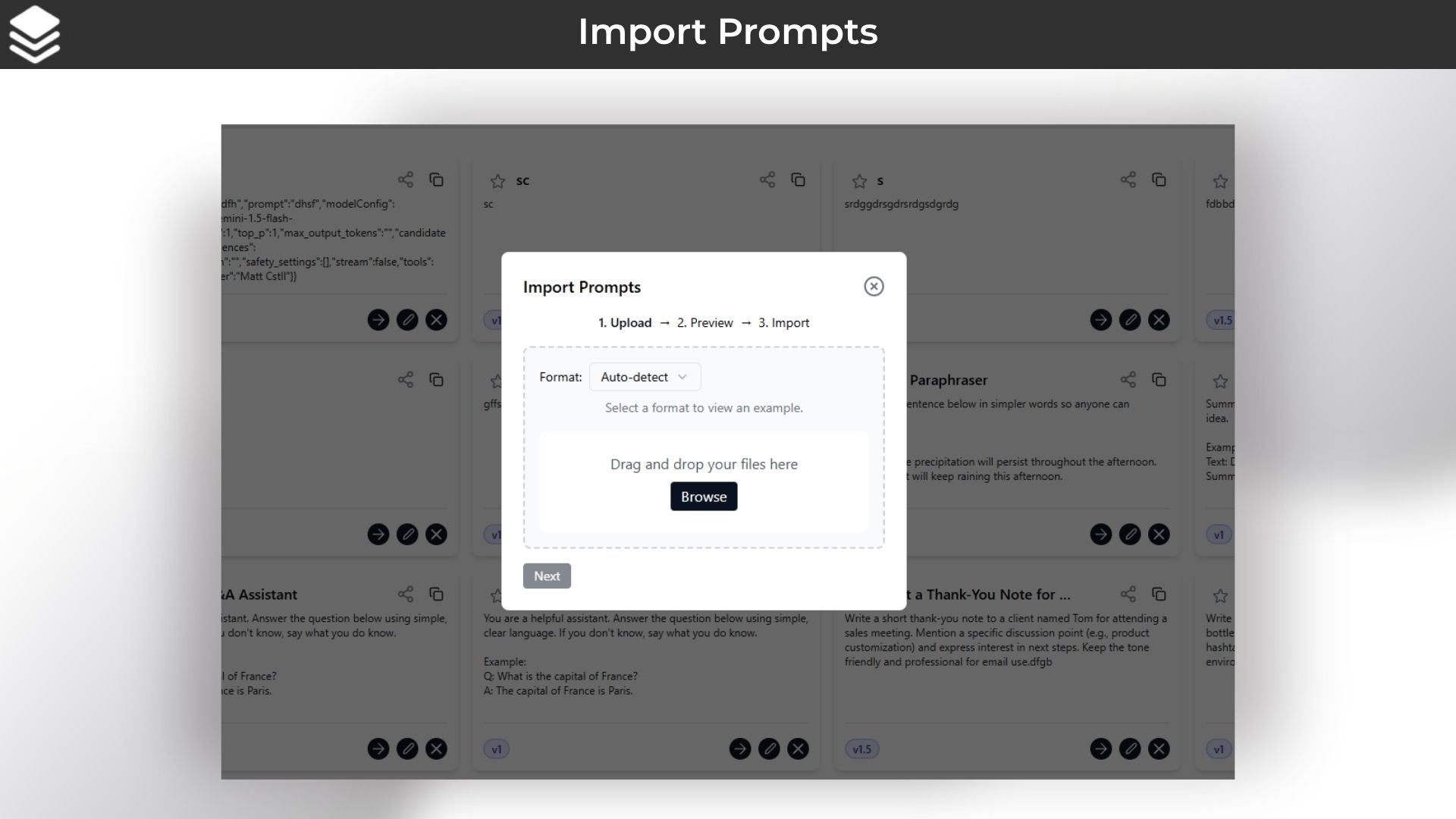
7. Import & Export
Bring in prompts from TXT, PDF, JSON, Markdown, Notion, CSV, DOCX, and more. Export your work in any format you need.
8. Collaboration Tools
Share prompts with teammates, sync edits in real time, and keep everyone on the same page (coming soon).
9. Priority Support
Get fast, dedicated help whenever you need it, plus a personal onboarding walkthrough.
Use Cases
- Content Creation : Write blog posts, social media captions, or marketing emails by crafting and testing prompts until you get the perfect tone and style.
- Customer Support Bots : Build and refine chatbot prompts that answer common questions, handle complaints, or guide users—then organize them for quick updates.
- Code Assistance : Generate code snippets, debug errors, or ask for explanations by creating prompts tailored to your programming language and framework.
- Brainstorming Ideas : Use prompt templates to spark new ideas for products, visuals, or campaigns. Save and revisit your favorite prompts whenever inspiration strikes.
- Team Collaboration : Share prompt folders with coworkers, get feedback, and co‑edit in real time so everyone stays aligned on project goals.
- Training & Onboarding : Create prompt guides and examples for new hires or clients. Tag and version them so they can learn best practices step by step.
- Academic Research : Draft literature review questions, summarize articles, or generate hypotheses by experimenting with different prompt structures and saving the best results.
- Personal Projects : Tinker with creative writing, game dialogues, or hobby projects. Keep all your prompts organized and accessible anytime.
Product Roadmap
- New collaborative features & GET/POST API to use your prompts directly in other tools are to come by the end of 2025.
Deal Terms:
- 2 Year Access
- Redeem your code within 60 days of purchase
- 30-Days Money-Back Guarantee (For Non-Prime Members and Regular users)
- 60-Day Money-Back Guarantee (For DealMirror Prime Members Only)





3 reviews for PromptAtlas : Organize, Optimize & Scale Your AI Prompts
Alex Johnson –
PromptAtlas transformed how I organize my prompts. Its intuitive folders and tagging system keep everything in order.
Samantha Lee –
The version history feature gives me full confidence to experiment without losing past work.
Emily Carter –
“Powerful search finds the exact prompt I need in seconds — my workflow has never been smoother.”