1. What support options are available?
We provide comprehensive support through our knowledge base, tutorials, and customer support team. If you have any questions, feel free to reach out via (ticket system) https://support.panoidview.com/
2. What is Panoid View?
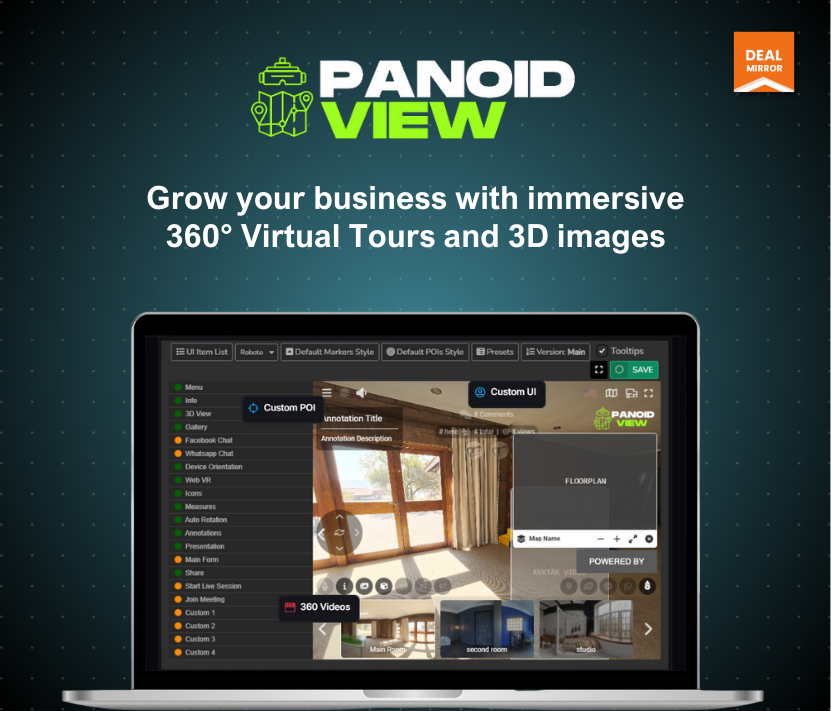
Panoid View is an innovative platform that enables users to create and share immersive 360º virtual tours. It’s perfect for showcasing properties, interiors, and spaces interactively, making it an essential tool for marketing and sales.
3. Who can use Panoid View?
Panoid View is designed for businesses and individuals in industries like real estate, hospitality, tourism, retail, and more. Anyone looking to present their spaces dynamically and interactively can benefit from Panoid View.
4. How does the 360º virtual tour work?
Using our platform, you can upload 360º images, customize the tour, and share it with your audience. The tours are interactive and responsive, adapting seamlessly to user movements on smartphones, tablets, and desktops.
5. What devices are supported?
Panoid View works on most modern devices, including smartphones, tablets, and computers. The tours are optimized for smooth performance across all major web browsers.
6. Do I need technical skills to use Panoid View?
Not at all! Panoid View is user-friendly and designed for people of all skill levels. With our intuitive interface, you can create a professional-looking tour in minutes without any coding experience.
7. Can I share the virtual tours with my clients?
Yes! Once your tour is ready, you can easily share it via a link or embed it on your website for your clients to explore.
8. How many tours can I create?
Our plans allow for a certain number of tours per month, with storage limits to ensure fair usage. Check your plan details for specific limits.
9. Can I update or edit my tours after creating them?
Yes, you can make changes to your tours at any time. Simply log in, access your project, and make the necessary edits.
10. Are my tours secure?
Absolutely. We take security seriously and ensure that all your data and projects are stored safely.
11. How do I get started?
Getting started is easy! Sign up on their website, upload your 360º images, and start creating your first virtual tour today.








5 reviews for Panoid View: Single Platform for 360-degree Interactive Virtual Tours
Sarah Martinez –
The 360º virtual tours are so immersive that potential buyers feel like they’re walking through the space in person, leading to a significant boost in engagement and inquiries.
Harshit Saxena –
Great! I availed of the early bird offer yesterday.
I must say DealMirror brings an amazing offer to us at a low price.
Amanda Lee –
I am an interior designer. Panoid Views It allows me to present designs interactively, impressing clients with every detail.
James Clark –
My clients can explore every corner of a venue from their devices, making decision-making easier, and praises the responsive viewer for its immersive experience.
Luchini –
Despite FAQ nº8, It’s very confusing. The plan details of Tier 2 state a 10 Total Tours limit, whereas it includes 20 New Tours Monthly. Could you please explain exactly how many tours can we create (share and publish) and How does it correlate with the storage quota limit ? Thx in advance,
Shivam Sharma –
Tier 2 you can create / delete up to 20 tours / projetcs per month ambut store 10 tour only there is no confusion at all and the offer is as stated on our landing page,