Q 1: How do I contact support?
A: You can contact support at [email protected]
Q 2: What’s the difference between standard and smart campaigns?
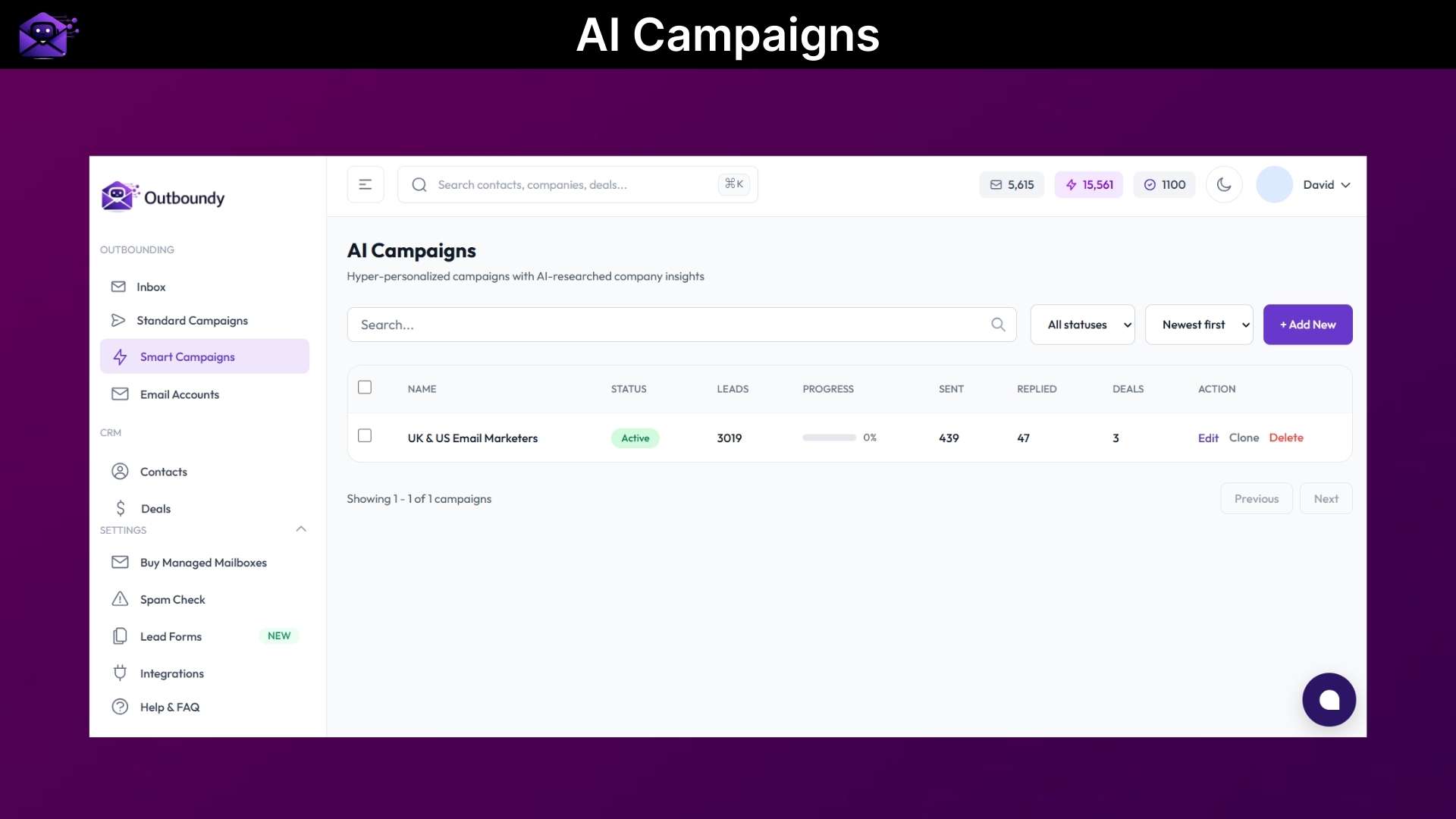
A: Standard campaigns let you write all emails yourself using templates with variables like {{firstName}}. The same message goes to everyone. Smart Campaigns use AI to research each lead’s company website and write unique, personalized emails for every prospect. Standard is best when you have proven templates. Smart is best for scaling personalized outreach without writing individual emails.
Q 3: Can I edit AI-generated emails?
A: Not yet, but you can preview them before launching. An edit feature is on the roadmap.
Q 4: How does AI research work?
A: We scrape each lead’s company website (portfolio pages, case studies, about pages, blog posts) and use that context to write relevant, personalized emails that reference their specific business, clients, and achievements.
Q 5: What email providers are supported?
A: Gmail (via app password or OAuth) and any email provider with SMTP/IMAP access (Outlook, Yahoo, custom domains, etc.).
Q 6: How many emails can I send per day?
A: This depends on your email provider’s limits and your account’s daily sending limit setting. We recommend starting low (20-50/day) and gradually increasing to warm up your account.
Q 7: What are credits used for?
A: Credits are used for email verification only. Verifying email addresses before sending helps protect your sender reputation and reduce bounces.
Q 8: Do Smart Campaigns use credits?
A: No, Smart campaigns use AI to generate emails but do not consume credits. Credits are only used when you verify email addresses.
Q 9: What does bring-your-own-key (BYOK) mean?
A: AI-powered features like email personalization and prospect research require an API key from a supported LLM provider (OpenAI, Anthropic, Google Gemini, etc.). You add your key in settings, and the AI features work using your key. This gives you full control over which AI provider you use and what it costs. Most users spend $5-20/month on API usage depending on volume.
Q 10: Do I need an API key to use Outboundy?
A: No, you can use Outboundy without an API key for standard email campaigns, CRM, warmup, sequences, and all non-AI features. The API key is only needed if you want the AI to research prospects and generate personalized emails for you.
Q 11: What AI providers are supported?
A: OpenAI (GPT-4, GPT-4o, etc.), Anthropic (Claude), Google Gemini, and other OpenAI-compatible providers. We regularly add support for new models as they become available.
Q 12: Will I receive future updates?
A: Yes, all future updates, new features, and improvements are included for lifetime deal customers at no additional cost. You get the same product as our monthly subscribers.
Q 13: How do I send emails through Outboundy?
A: You connect your own email accounts (Gmail, Outlook, or custom SMTP) to Outboundy. Emails send through your own email infrastructure, which gives you full control over deliverability and sender reputation.
Q 14: Is there a limit on contacts or leads?
A: No, there is no limit on the number of contacts or leads you can store. The limit is on emails sent per month based on your tier.
Q 15: Does Outboundy include email warmup?
A: Yes, all tiers include access to the email warmup pool, which gradually builds your sender reputation to improve inbox placement.
Q 16: What integrations are available?
A: Native integrations with HubSpot, Apollo.io, Snov.io, and Gmail. Zapier connection for 5,000+ app integrations. Full REST API for custom workflows.






4 reviews for Outboundy: AI-Powered Cold Email Outreach Software
Eric_W –
As a startup founder, Outboundy has been a great tool for me in my outreach efforts. For a while, I found myself spending a lot of time researching and writing emails to potential leads. However, the AI does most of the work in this tool. I simply reviewed the email and got the campaign going. For someone like me in a startup and doing my own outreach, this tool has been a great help. For someone in a company doing outbound sales and B2B lead gen, this tool makes the entire outreach process much easier.
Jenny.smith –
As someone in charge of outreach for a number of clients, Outboundy has been super helpful. The ability to create a campaign, automate follow-ups, and track replies in one place makes the entire process much easier. Additionally, the fact that it can integrate well with other tools and email accounts makes it even better. For someone like me in charge of outreach and using a number of tools, this makes the entire process much easier. For someone in a company looking to do lead gen or sales outreach, this tool is definitely worth checking out.
William E. –
I’ve tried a number of cold email tools over the past few years, and Outboundy was one tool that really surprised me. What I like most about this tool is that it helps with research for each lead and crafting personalized emails, as opposed to generic ones. It can really save a lot of time, especially when running outbound campaigns. I also like that the tool allows for seamless email sequence and follow-up automation, as well as a CRM that helps organize everything in one place. If you are running B2B outreach or lead gen campaigns, I think this tool can really make things easier for you.
Abhinav B. –
Outboundy is one of the few cold email tools that actually focuses on meaningful personalization. I was able to import my lead list, and the AI was able to assist with crafting emails that felt natural, as opposed to robotic. I also like that I can use their inbox rotation tool, as this helps with maintaining a good sender reputation. I think this tool can really help with cold email marketing.