AI-powered automatic object tracking for video editing
Pin text/effects to moving subjects without manual keyframing
Perfect for Content creators, Marketing Agencies & Video Editors, product reviewers, and more
Alternative to KAPWING, Flixer, Filmora, MotionArray, etc
Nero Motion Tracker Lifetime Deal
Editing moving objects by hand is slow and frustrating. Pinning labels or blurring faces means endless keyframes, missed frames, and exported video that looks worse after heavy edits. Plus, handling privacy in public footage is risky when your tools aren’t precise or fast.
Meet Nero Motion Tracker, a video editor tool with motion tracking. This AI-powered video editing tool turns those messy tasks into a three-step workflow: upload, track, and export. It offers three smart modes: Segment for pixel-accurate object tracking, Face for automatic face detection and blur, and Zone for quick area coverage, so you get the right balance of speed and accuracy.
Pin text, clip art, or effects to moving subjects without manual keyframing, and rely on NVIDIA GPU acceleration for fast processing.
Exports finish as high-quality MP4 files, so you don’t lose sharpness. Whether you’re a vlogger blurring crowds, a tutorial creator hiding credentials, or a reviewer tagging specs on a product, Nero Motion Tracker simplifies editing and protects privacy. It’s fast, reliable, and easy to use.
Intro Video
Nero Motion Tracker is a professional video editing software that transforms manual editing into automatic accuracy using AI technology. It enables effortless face and object tracking, privacy protection, and dynamic text placement.
Dashboard Images
Key Features
Segment Tracking for Precise Object Follow: Track people or objects throughout your video with accurate segmentation that stays locked even when movement or appearance changes.
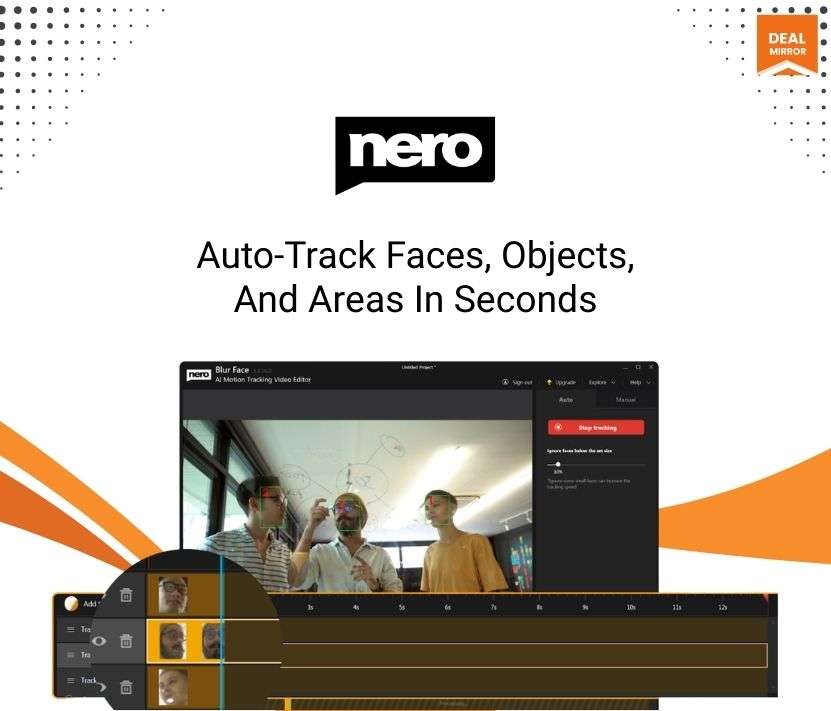
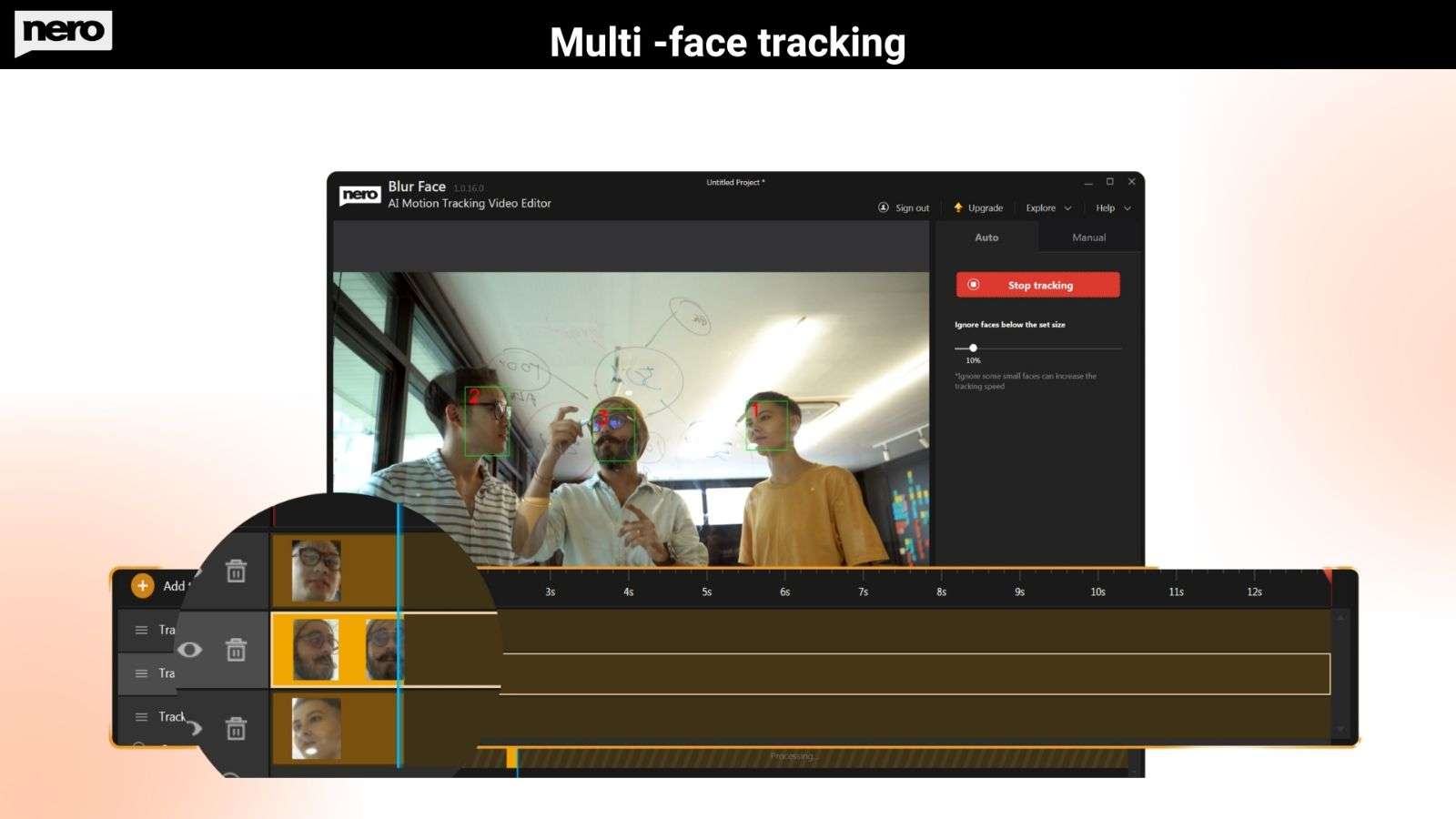
Automatic Face Tracking and Blurring: Detect and follow faces automatically and apply blur or mosaic effects instantly to protect identities in your videos.
Zone Tracking for Quick Coverage: Select specific areas to track and cover fast, perfect for hiding license plates, sensitive information, or screen details.
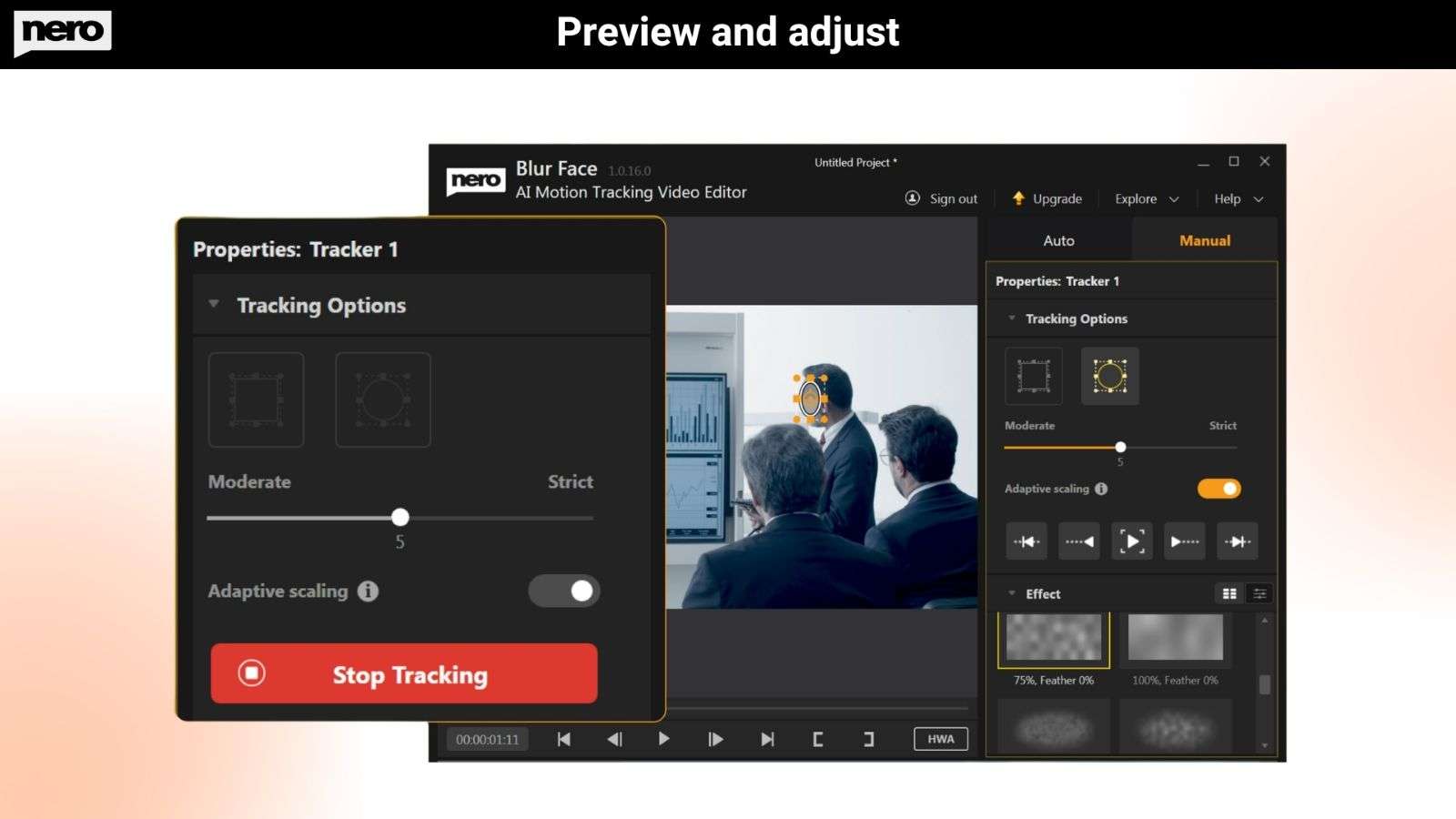
Pin Text & Effects to Moving Subjects: Attach text, graphics, or effects to moving objects without manual keyframing or complex editing steps.
GPU-Accelerated Fast Processing: Powered by NVIDIA GPU acceleration to deliver faster tracking and smoother editing performance.
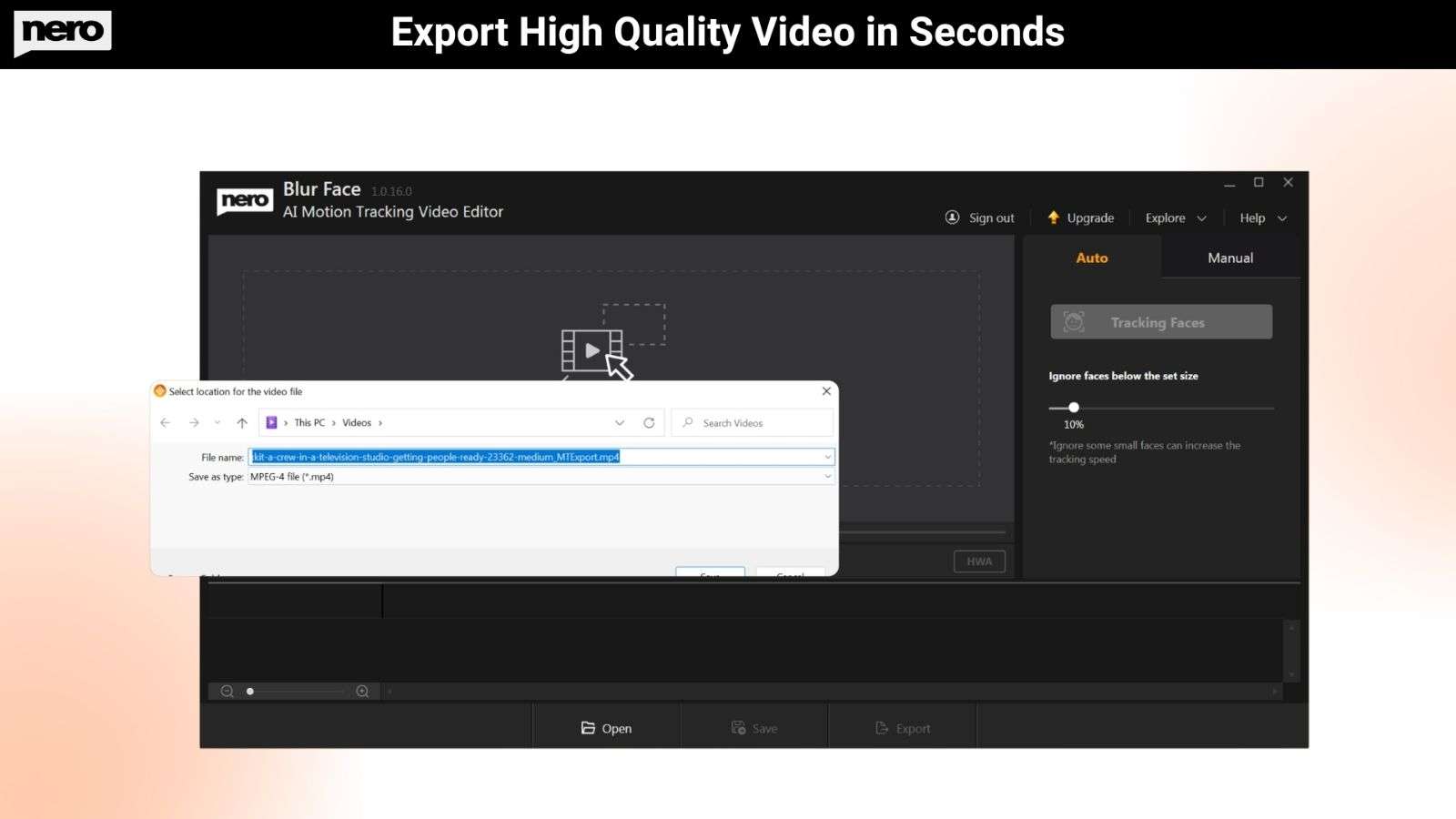
High-Quality MP4 Export: Export videos in MP4 format without losing original video quality.
Simple 3-Step Workflow: Upload your video, track motion automatically, and export your final video in just a few clicks.
Built for Content Creators: Ideal for vloggers, tutorial creators, and product reviewers who need fast tracking and easy privacy protection.
Use Cases:
License Plate Concealment: Automatically detect and blur vehicle license plates in dashcam footage or street videos.
Social Media Content: Track and add dynamic text or graphics that follow subjects’ movements for engaging posts.
Surveillance Footage Editing: Redact identities in security camera footage for legal or compliance purposes.
Real Estate Videos: Blur personal photos, documents, or identifiable information visible in property tours.
Event Coverage: Selectively blur faces of attendees who didn’t consent to appear in promotional videos.
AI-powered automatic object tracking for video editing
Pin text/effects to moving subjects without manual keyframing
Perfect for Content creators, Marketing Agencies & Video Editors, product reviewers, and more
Alternative to KAPWING, Flixer, Filmora, MotionArray, etc
Nero Motion Tracker Lifetime Deal
Editing moving objects by hand is slow and frustrating. Pinning labels or blurring faces means endless keyframes, missed frames, and exported video that looks worse after heavy edits. Plus, handling privacy in public footage is risky when your tools aren’t precise or fast.
Meet Nero Motion Tracker, a video editor tool with motion tracking. This AI-powered video editing tool turns those messy tasks into a three-step workflow: upload, track, and export. It offers three smart modes: Segment for pixel-accurate object tracking, Face for automatic face detection and blur, and Zone for quick area coverage, so you get the right balance of speed and accuracy.
Pin text, clip art, or effects to moving subjects without manual keyframing, and rely on NVIDIA GPU acceleration for fast processing.
Exports finish as high-quality MP4 files, so you don’t lose sharpness. Whether you’re a vlogger blurring crowds, a tutorial creator hiding credentials, or a reviewer tagging specs on a product, Nero Motion Tracker simplifies editing and protects privacy. It’s fast, reliable, and easy to use.
Intro Video
Nero Motion Tracker is a professional video editing software that transforms manual editing into automatic accuracy using AI technology. It enables effortless face and object tracking, privacy protection, and dynamic text placement.
Dashboard Images
Key Features
Segment Tracking for Precise Object Follow: Track people or objects throughout your video with accurate segmentation that stays locked even when movement or appearance changes.
Automatic Face Tracking and Blurring: Detect and follow faces automatically and apply blur or mosaic effects instantly to protect identities in your videos.
Zone Tracking for Quick Coverage: Select specific areas to track and cover fast, perfect for hiding license plates, sensitive information, or screen details.
Pin Text & Effects to Moving Subjects: Attach text, graphics, or effects to moving objects without manual keyframing or complex editing steps.
GPU-Accelerated Fast Processing: Powered by NVIDIA GPU acceleration to deliver faster tracking and smoother editing performance.
High-Quality MP4 Export: Export videos in MP4 format without losing original video quality.
Simple 3-Step Workflow: Upload your video, track motion automatically, and export your final video in just a few clicks.
Built for Content Creators: Ideal for vloggers, tutorial creators, and product reviewers who need fast tracking and easy privacy protection.
Use Cases:
License Plate Concealment: Automatically detect and blur vehicle license plates in dashcam footage or street videos.
Social Media Content: Track and add dynamic text or graphics that follow subjects’ movements for engaging posts.
Surveillance Footage Editing: Redact identities in security camera footage for legal or compliance purposes.
Real Estate Videos: Blur personal photos, documents, or identifiable information visible in property tours.
Event Coverage: Selectively blur faces of attendees who didn’t consent to appear in promotional videos.
Privacy protection shouldn’t take hours of manual work. We built Nero Motion Tracker to automate what matters—so creators can focus on their stories, not tedious editing.
Q 2: What are the recommended system specifications for segment tracking?
– For the best compatibility and performance, we strongly recommend using NVIDIA graphics cards with at least 6GB VRAM. While other cards may work, NVIDIA GPUs provide the most stable experience for AI-based motion tracking.
Q 3: I am using an AMD graphics card, and the tracking fails or crashes. What should I do?
– When running on AMD graphics cards, the application uses DirectML for hardware acceleration. However, because Microsoft has not updated DirectML components recently, this often leads to compatibility gaps with current AMD graphics card drivers. This can result in tracking failures or AMD driver application crashes.
Solutions:
Try restarting the application and running the tracking again.
If the issue persists, switch to the software tracking method within the settings to bypass hardware acceleration issues.
Q 4: Can I use Intel Graphics for Segment Tracking?
-You may encounter performance issues when running Segment Tracking on Intel platforms. If you wish to use an Intel graphics card:
Update Drivers: Please ensure your GPU driver is updated to the absolute latest version.
Potential Issues: Without the latest drivers, you may experience symptoms such as the inability to detect the tracking object or extremely slow tracking speeds.
Reviews
2 reviews for Nero Motion Tracker: AI-Powered Automatic Object Tracker
Rated 5 out of 5
Matt T. –
I bought the Nero Motion Tracker recently, and honestly, it has simplified my video editing process quite a bit.
I am into video tutorials and YouTube content creation, and sometimes I need to apply the blur effect on faces and track objects in the video when they are moving. This tool is doing the job quite perfectly.
The AI motion tracking feature is quite surprising and works quite well, too. I applied it to a video scene where the person was moving in the video, and the tracking was quite smooth and accurate.
The best part is that you can apply the blur effect, mosaic effect, and even your own effects directly to the object being tracked, which is quite useful when you want to apply the blur effect on the face in the video.
The other great feature that I found quite useful is the precision tracking. This tool is not just about drawing a box and tracking the object; it can track complex objects and change the tracking frame by frame, which is quite useful when you want to track the object in the video.
Overall, if you’re a YouTuber, video editor, and content creator, the Nero Motion Tracker is quite a powerful and useful video motion tracking tool that can help you create quite professional videos without the need to invest in video editing tools.
Rated 5 out of 5
Tommy_V –
I purchased Nero Motion Tracker from the online shopping website DealMirror and have been using it for quite some time now.
The face detection and object tracking feature is also very cool. It locks in on the subject quickly and maintains tracking even when the object is moving quickly in front of the camera. This feature is very useful when you need to blur faces, hide sensitive information, or add effects to objects that are moving in your video.
What I found useful in this tool is that it is very user-friendly and beginner-friendly.
Even if you are not very knowledgeable in video editing or are not a professional video editor, you can easily use this tool to import your video, select your object, and start tracking it in just a few minutes.
Overall, I highly recommend this tool to anyone looking for AI video editing tools with motion tracking features.






2 reviews for Nero Motion Tracker: AI-Powered Automatic Object Tracker
Matt T. –
I bought the Nero Motion Tracker recently, and honestly, it has simplified my video editing process quite a bit.
I am into video tutorials and YouTube content creation, and sometimes I need to apply the blur effect on faces and track objects in the video when they are moving. This tool is doing the job quite perfectly.
The AI motion tracking feature is quite surprising and works quite well, too. I applied it to a video scene where the person was moving in the video, and the tracking was quite smooth and accurate.
The best part is that you can apply the blur effect, mosaic effect, and even your own effects directly to the object being tracked, which is quite useful when you want to apply the blur effect on the face in the video.
The other great feature that I found quite useful is the precision tracking. This tool is not just about drawing a box and tracking the object; it can track complex objects and change the tracking frame by frame, which is quite useful when you want to track the object in the video.
Overall, if you’re a YouTuber, video editor, and content creator, the Nero Motion Tracker is quite a powerful and useful video motion tracking tool that can help you create quite professional videos without the need to invest in video editing tools.
Tommy_V –
I purchased Nero Motion Tracker from the online shopping website DealMirror and have been using it for quite some time now.
The face detection and object tracking feature is also very cool. It locks in on the subject quickly and maintains tracking even when the object is moving quickly in front of the camera. This feature is very useful when you need to blur faces, hide sensitive information, or add effects to objects that are moving in your video.
What I found useful in this tool is that it is very user-friendly and beginner-friendly.
Even if you are not very knowledgeable in video editing or are not a professional video editor, you can easily use this tool to import your video, select your object, and start tracking it in just a few minutes.
Overall, I highly recommend this tool to anyone looking for AI video editing tools with motion tracking features.