Nero AI Video Upscaler Lifetime Deal
Do you want to edit a video or photo but aren’t sure which tool to use, or do they all seem the same and work the same?
Everyone has once faced this, where they want to edit a good photo or video but end up investing hours and not getting the desired end result.
What if I tell you that you can do it in seconds with the power of AI?
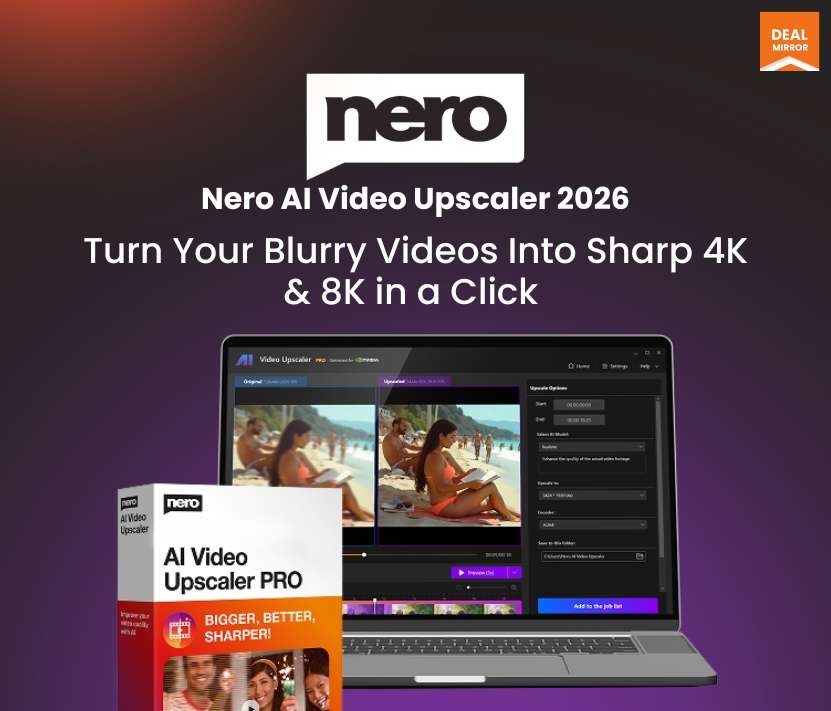
Introducing the Nero AI Video Upscaler 2026 Lifetime Deal, which is the AI Video Enhancer Software that is not only designed to streamline every step of your creative process but is also packed with 541 state‑of‑the‑art tools. it brings professional‑grade Video Editing (Nero Video, Screen Recorder), advanced photo enhancement (Nero PhotoSnap with AI‑driven background removal, face enhancement, colorization, and noise reduction), and robust
data backup and file management into a single Windows application.
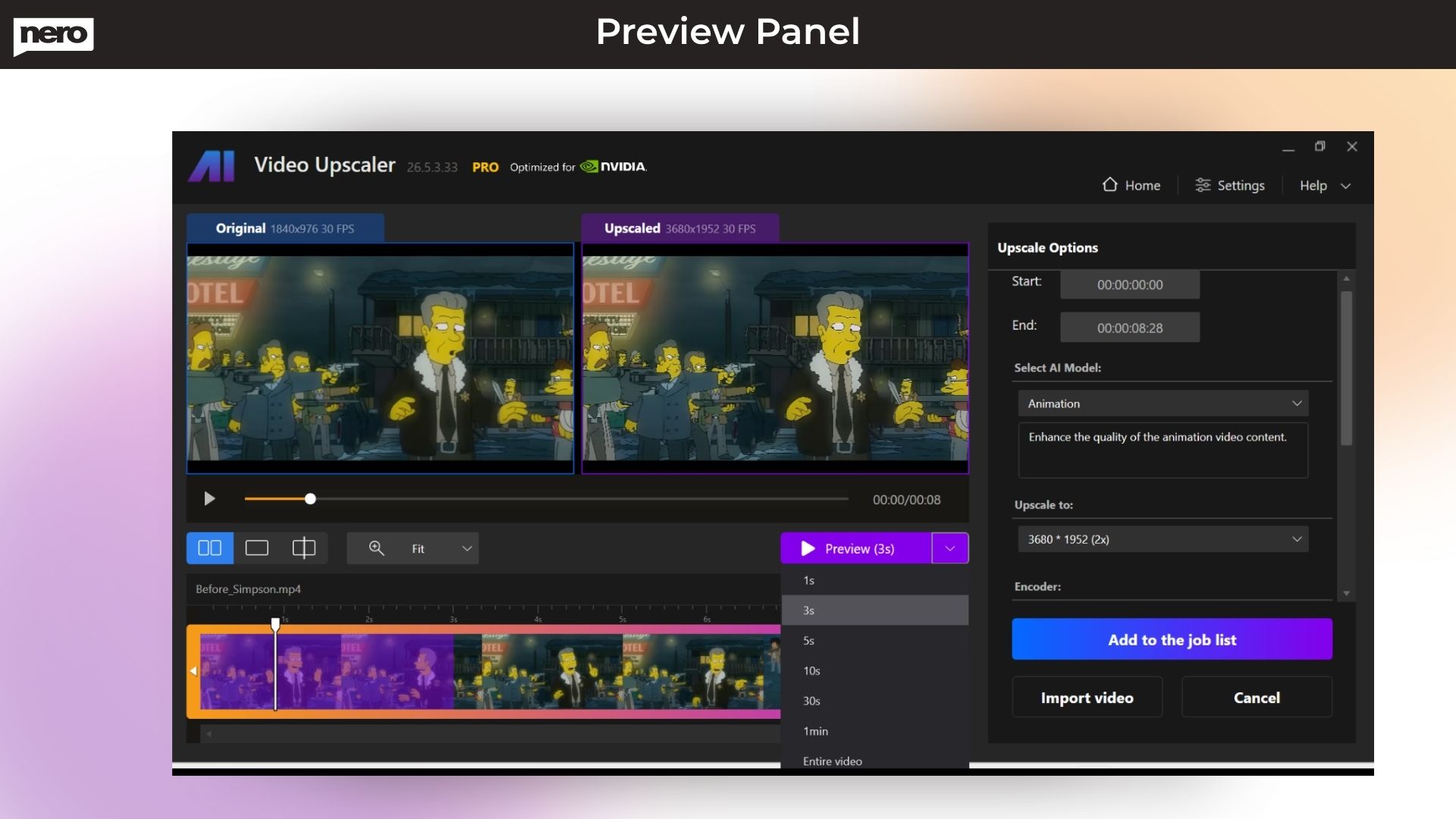
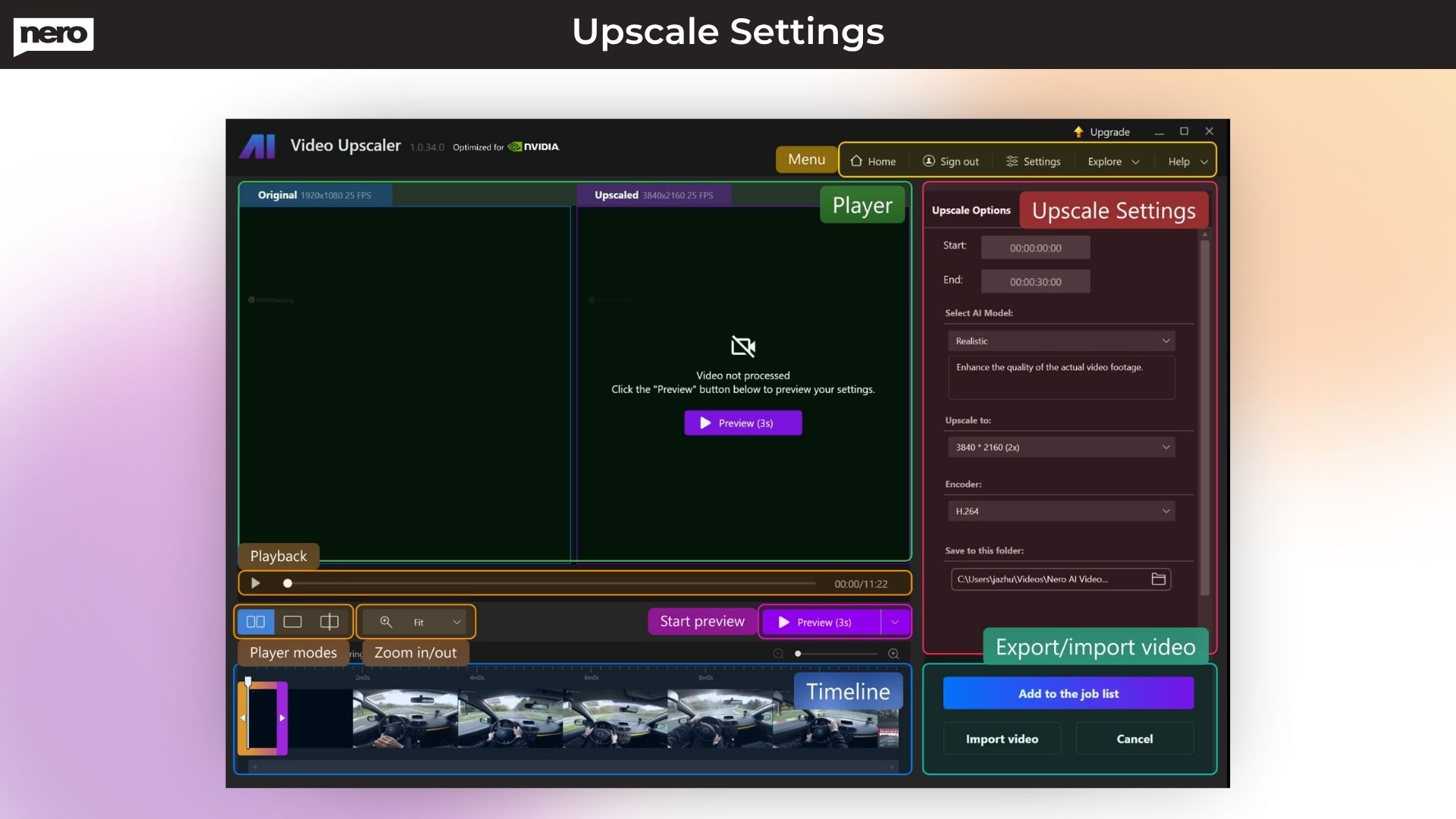
With its new 2026 version, Nero Video Upscaler Tool provides amazing features such as real-time quality preview, with which you can see a real-time side-by-side comparison of the original video and the upscaled/enhanced version.
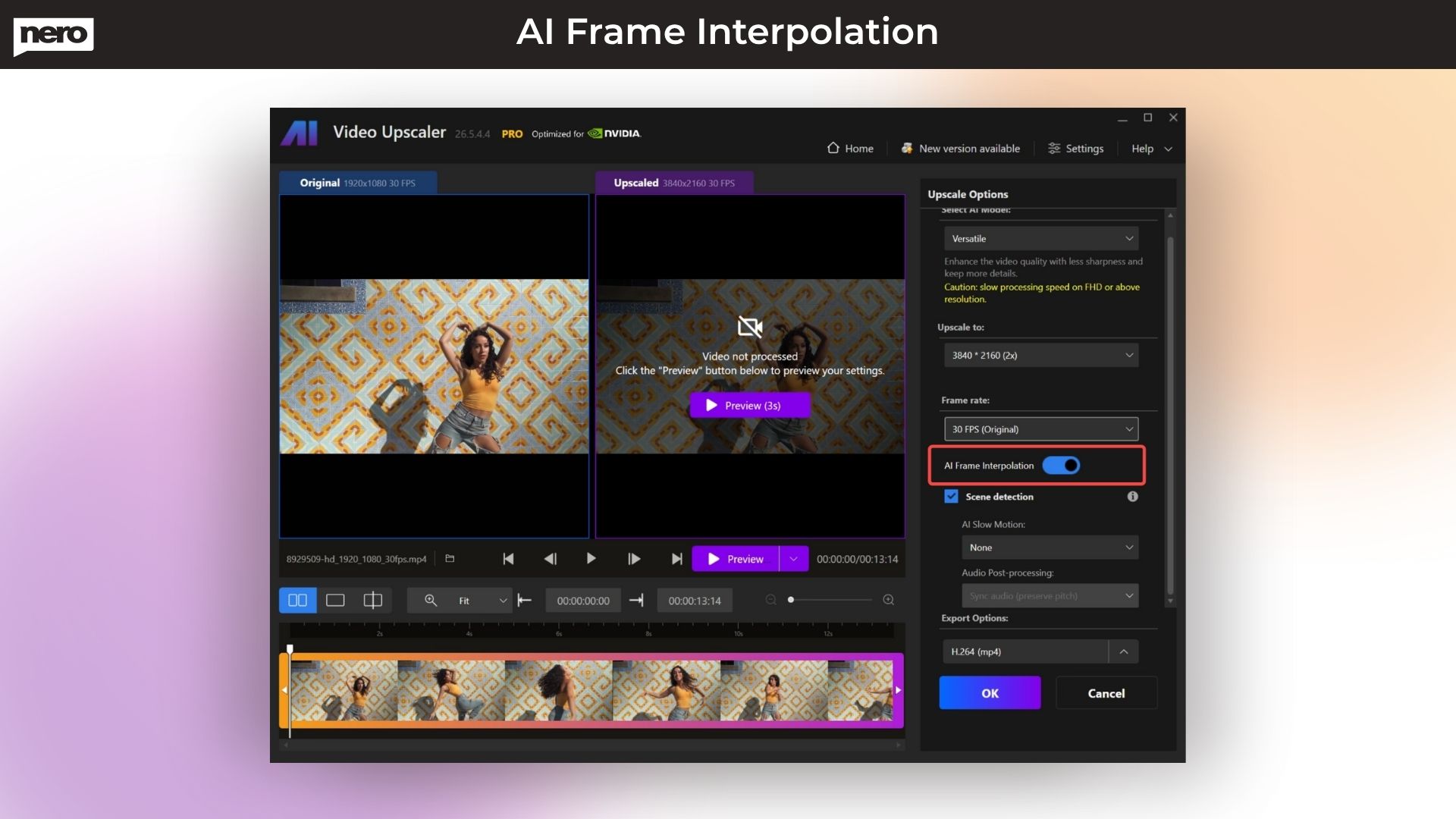
Its AI frame interpretation analyzes your video frames and fills in the gaps to increase the frame rate, making your videos look smoother and more fluid. Nero’s new version 2026 also provides a face enhancement model, video color adjustment, and upscale preset that lets you craft your own presets or choose from factory presets to start your project quickly.
With Nero’s AI online, you can turn small pictures into big, clear ones using Pro Pass credits. The Nero Start dashboard is like your control panel, keeping all updates and tools in one spot.


One-time payment. Lifetime access.
30 Days Money-back Guarantee
Nero AI Video Upscaler Lifetime Deal
Do you want to edit a video or photo but aren’t sure which tool to use, or do they all seem the same and work the same?
Everyone has once faced this, where they want to edit a good photo or video but end up investing hours and not getting the desired end result.
What if I tell you that you can do it in seconds with the power of AI?
Introducing the Nero AI Video Upscaler 2026 Lifetime Deal, which is the AI Video Enhancer Software that is not only designed to streamline every step of your creative process but is also packed with 541 state‑of‑the‑art tools. it brings professional‑grade Video Editing (Nero Video, Screen Recorder), advanced photo enhancement (Nero PhotoSnap with AI‑driven background removal, face enhancement, colorization, and noise reduction), and robust
data backup and file management into a single Windows application.
With its new 2026 version, Nero Video Upscaler Tool provides amazing features such as real-time quality preview, with which you can see a real-time side-by-side comparison of the original video and the upscaled/enhanced version.
Its AI frame interpretation analyzes your video frames and fills in the gaps to increase the frame rate, making your videos look smoother and more fluid. Nero’s new version 2026 also provides a face enhancement model, video color adjustment, and upscale preset that lets you craft your own presets or choose from factory presets to start your project quickly.
With Nero’s AI online, you can turn small pictures into big, clear ones using Pro Pass credits. The Nero Start dashboard is like your control panel, keeping all updates and tools in one spot.


$139.00$195.00
We didn’t build this for studios. We built it for people who want their videos to look better — fast, simple, and beautiful.
That’s it.
How do I contact support?
A: You can contact support at- [email protected] (CS Team)
What is Nero AI Video Upscaler 2026?
A: Nero AI Video Upscaler 2026 is an advanced AI video enhancer that upscales videos to 4K/8K, boosts FPS up to 120, enhances faces, improves color, and revives old or low-quality videos with AI.
How do I import videos?
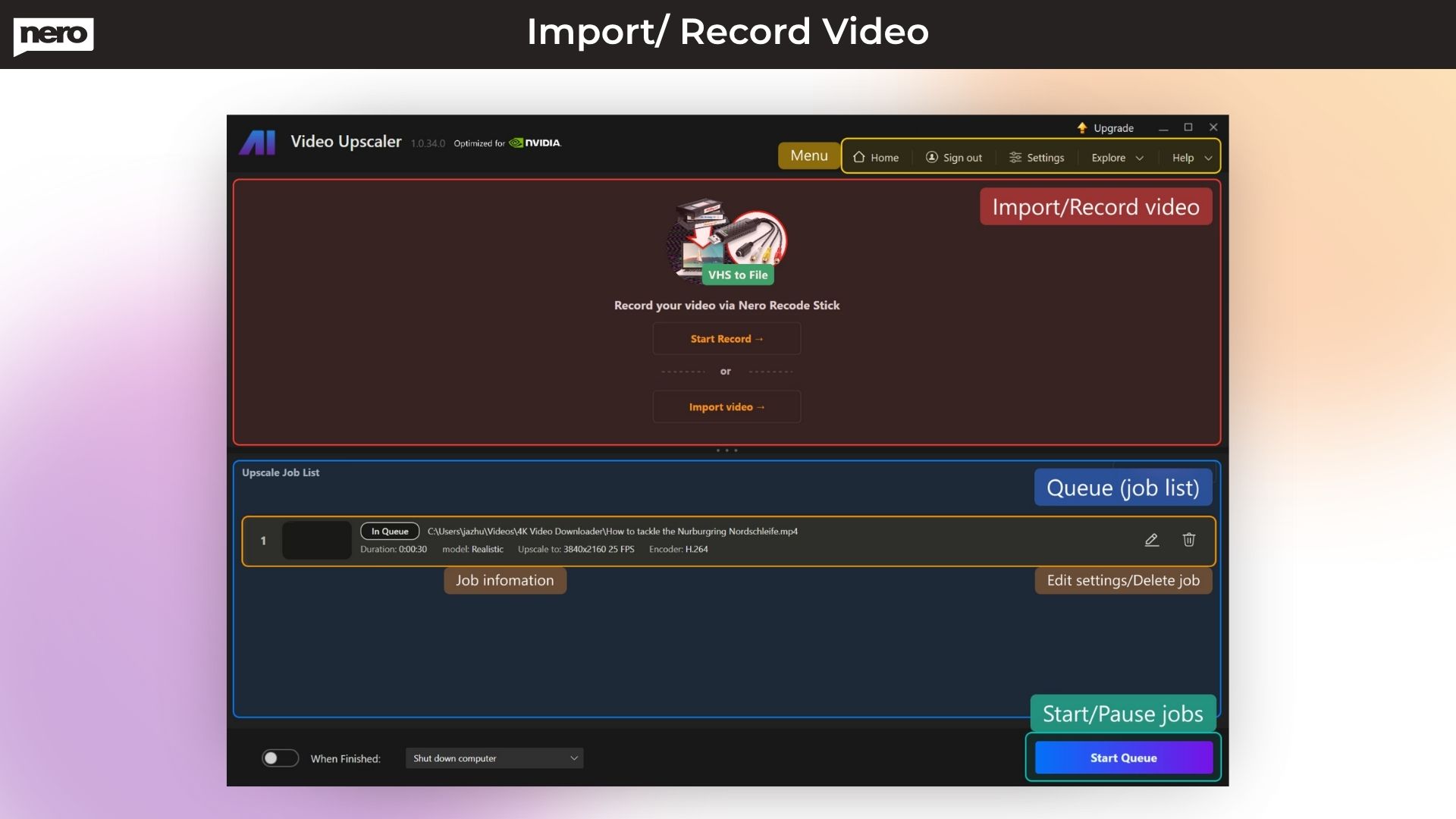
A: You can import by clicking Import Video or by dragging and dropping files. You can also start a recording via Nero Recode Stick or a connected camera.
Is Nero AI Video Upscaler beginner-friendly?
A: Yes. Nero is designed to give professional results with one click, making it ideal for beginners, editors, marketers, photographers, and content creators.
Can I use Nero AI Video Upscaler for commercial projects?
A: Yes, the lifetime deal allows full commercial usage for client projects, agencies, and business purposes.
Which video formats are supported?
A: Nero supports all major formats, including MP4, MOV, AVI, MKV, 3GP, H.264, HEVC, AV1, VP9, and MPEG-2.
Export is available in MP4 (H.264 / H.265 HEVC).
(*AV1/HEVC may require Microsoft Video Extensions.)
What AI upscaling models does Nero offer?
A: Nero provides five AI models for different video types:
What output resolutions can I upscale to?
A: You can upscale videos from 720×576 all the way up to 7680×4320 (8K) with 11 preset resolution options.
How do I start a full upscale or batch processing?
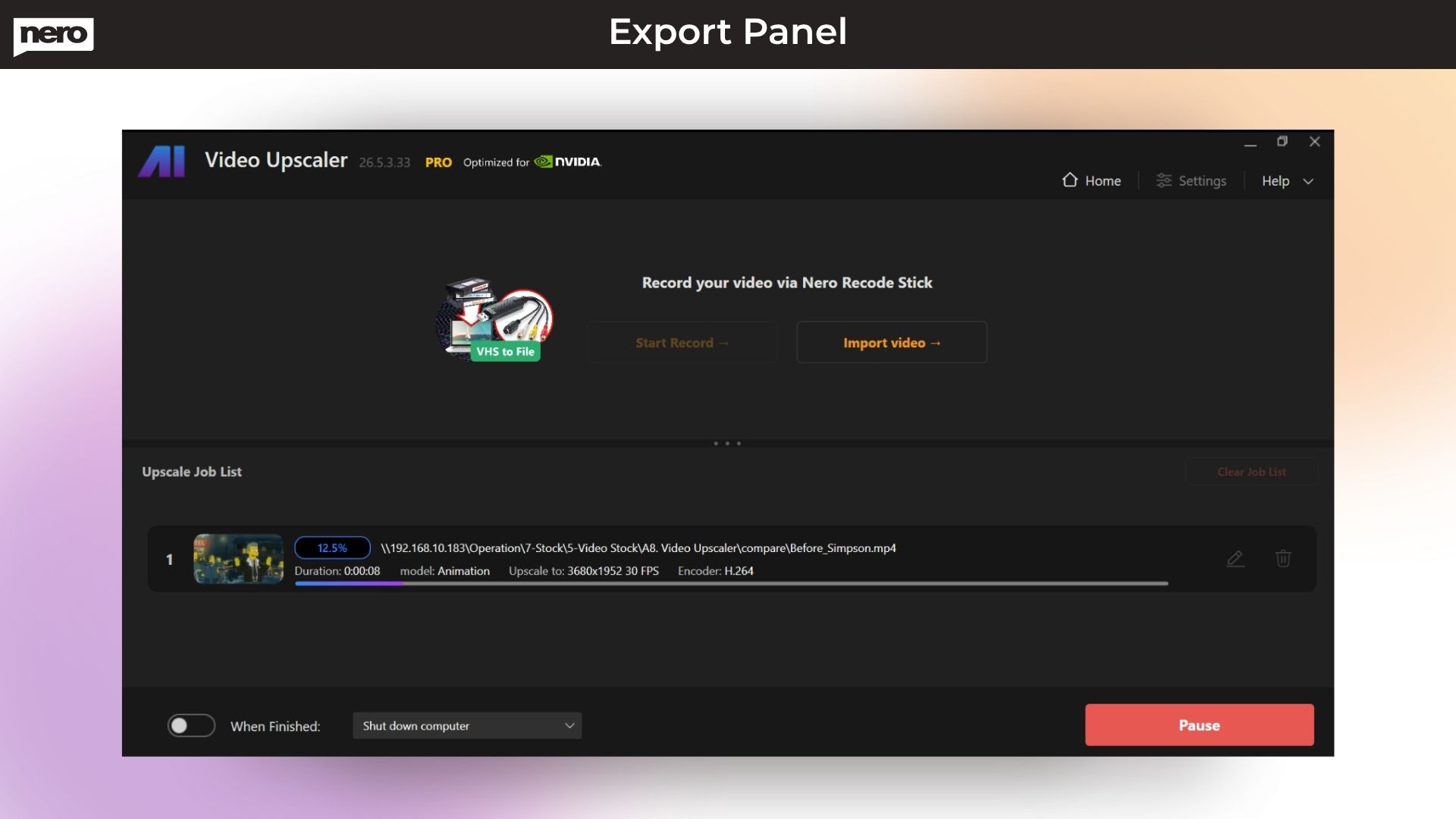
A: Once you finalize your settings, click Upscale Now, then select Start Queue to batch-process multiple videos at once.
Does this software work for old or blurry videos?
A: Absolutely. Nero’s AI models are designed to enhance low-quality, old, noisy, or low-resolution videos and make them clearer, sharper, and smoother.
Can I pause or edit an ongoing job?
A: Yes. You can pause processing, edit settings, and resume.
Does Nero AI Video Upscaler improve both resolution and FPS?
A: Yes. Nero can—
3 reviews for Nero AI Video Upscaler 2026: Make Blurry Videos Sharp & Clear with AI
Steve Litchfield –
It reduces noise and grain, so it’s not just the resolution that improves – the entire video feels refreshed.
DIY Video Editor –
With the right AI model, I was able to turn 720p clips, into clean, crisp 4K.
Mysolutions.tech –
I was able to upscale old home footage to 1080p with great results, much better than I expected.