Home » Store » Mailtimer : Create Countdown Timers
Mailtimer : Create Countdown Timers
TL;DR
Add life to your email campaigns with a creative interactive countdown timer.
Boost your clicks-through rates and boost your website visits.
Alternative to: Sendtric, CountdownMail, and other's.
Best for: Anyone who wants to create a Timer that best matches their brand.
Mailtimer Lifetime Deal
Create eye-catching countdown timers that boost your sales, conversions, and click-through rates!
Creating a countdown timer encourages you to act now or risk missing out. This will enhance your click-through rates and increase website traffic. And, it works for both email campaigns & landing pages.
You don’t need to be a designer to create beautiful timers for your marketing campaigns.
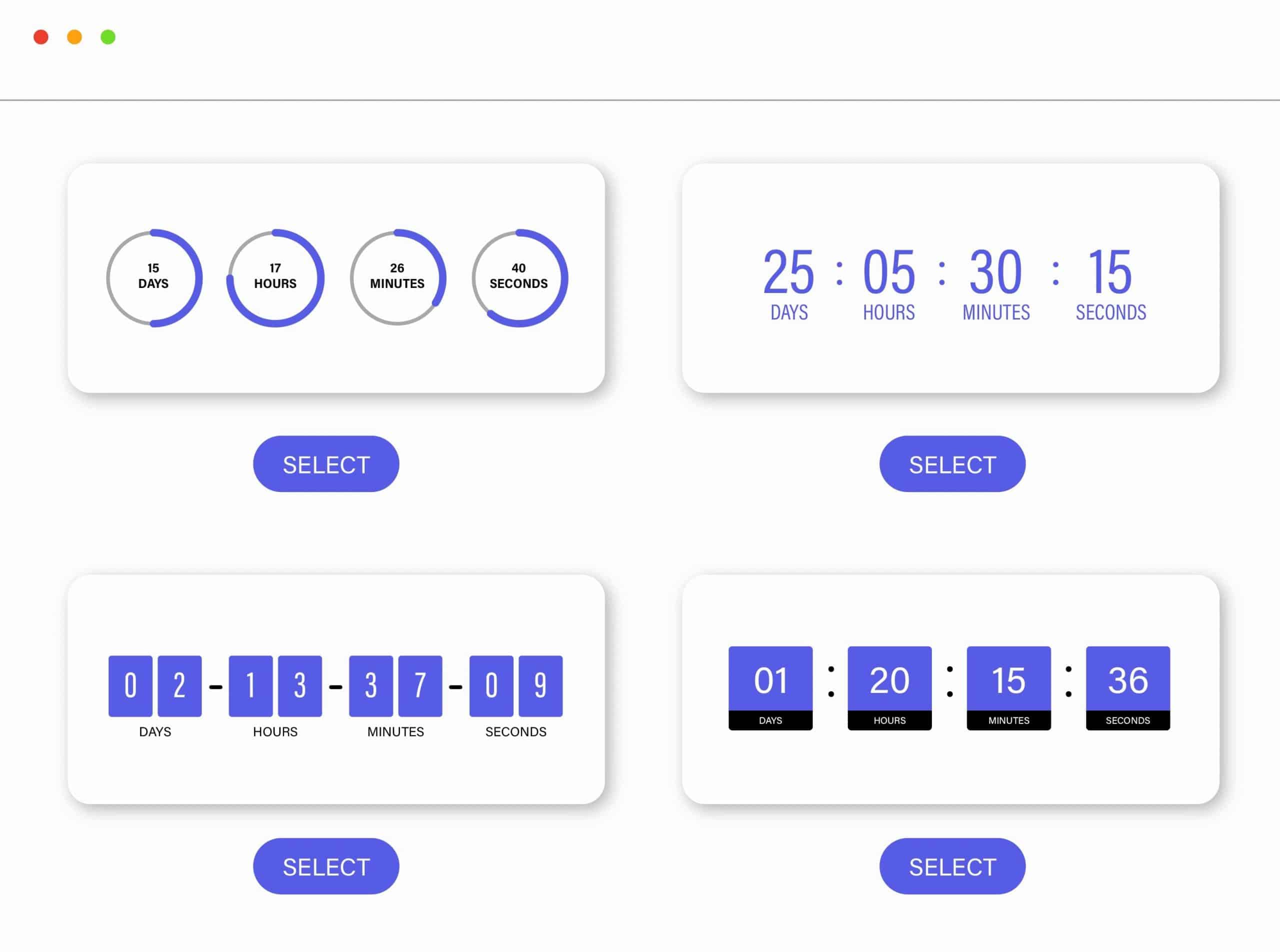
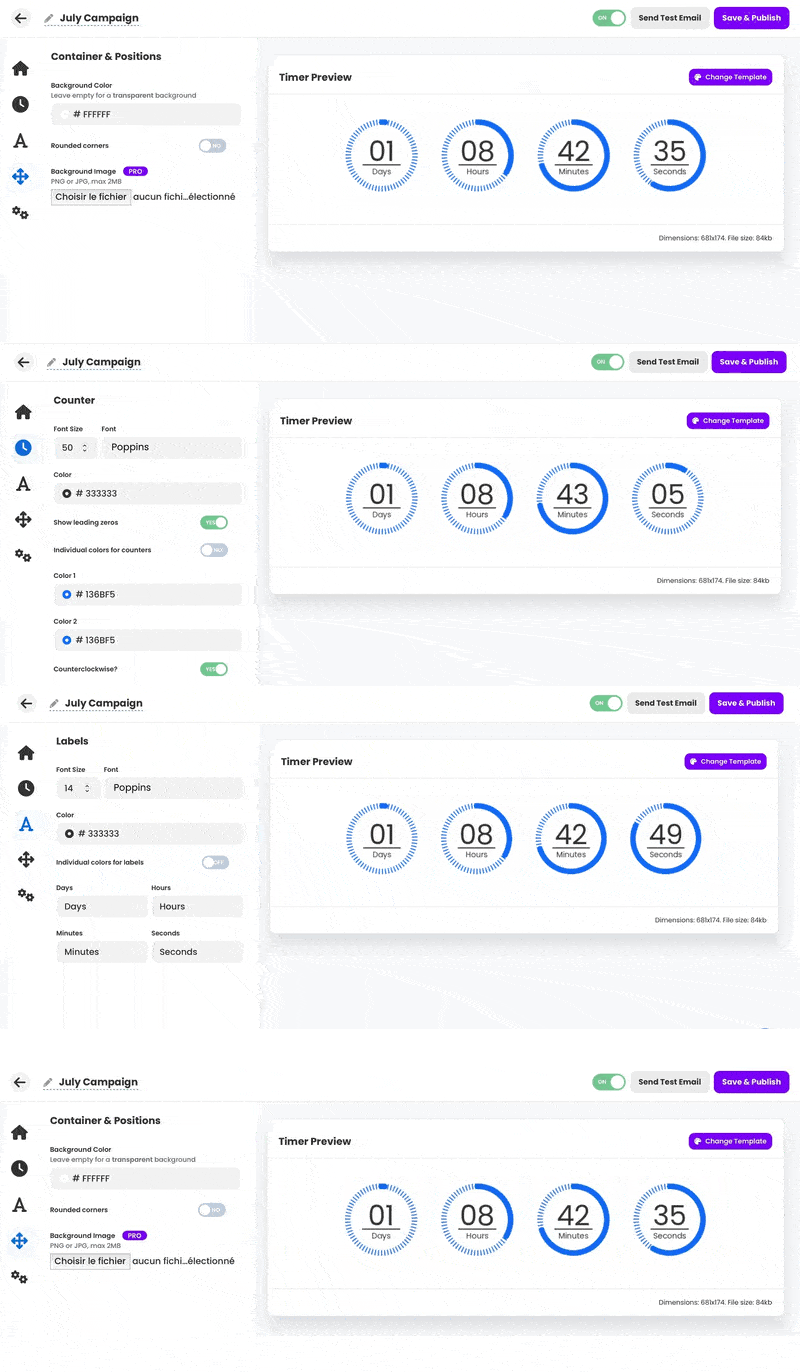
Choose a template from our growing gallery and use 60+ customization settings to create a unique countdown timer that best matches your brand.
Introducing Mailtimer Lifetime Deal
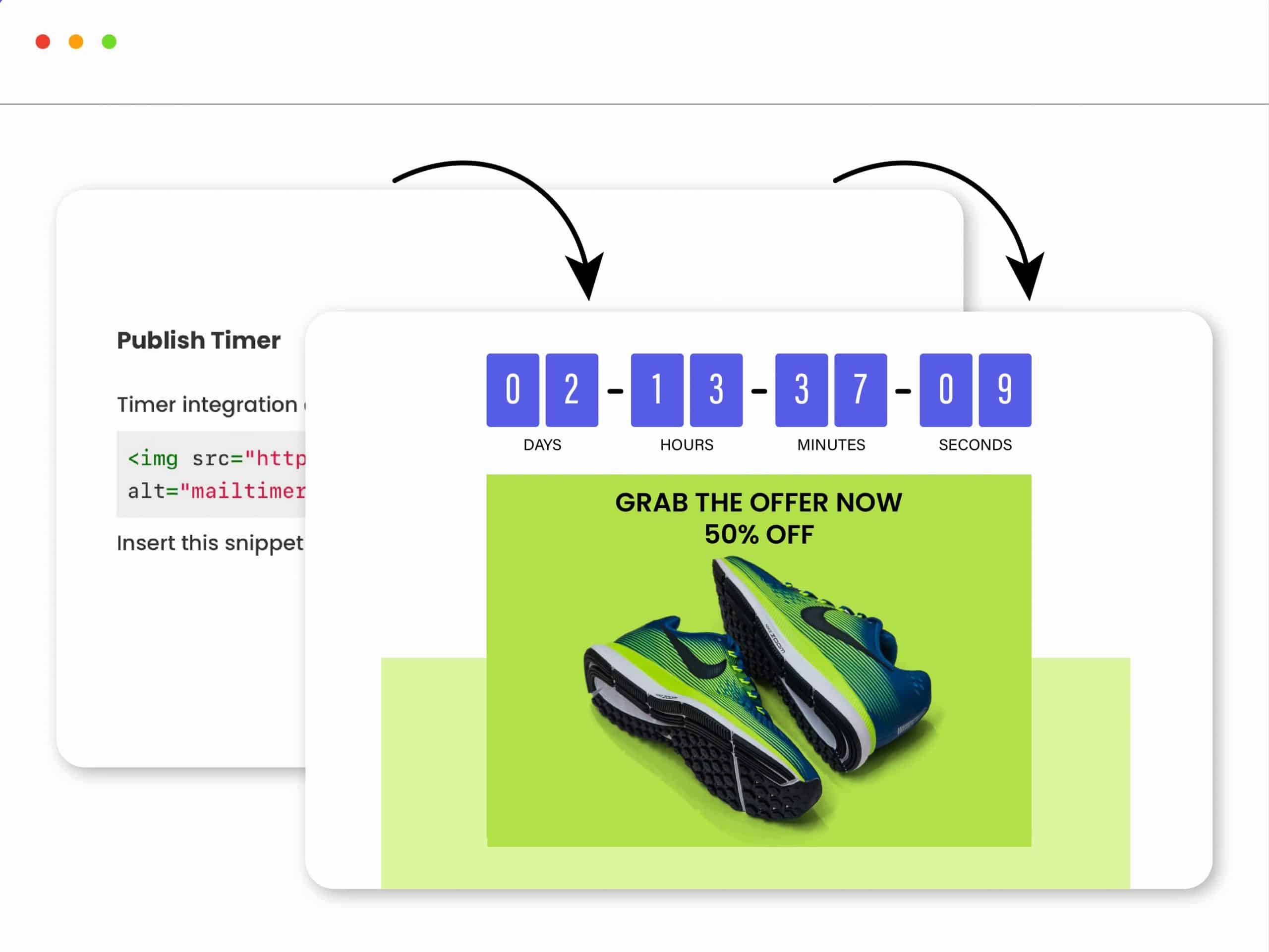
Mailtimer was built with simplicity and usability in mind, so you can easily create beautiful timers. Just copy-paste the generated snippet right into your email template.
It supports 4 timer types:
Standard: Set an expiration date and time.
Evergreen: Run the timer when the email is opened.
Evergreen: Run the timer when the email is sent.
Dynamic: Set the expiration date and time dynamically using a variable.
Intro Video
Product Overview Images
Countdown timers for emails that boost your sales
Create countdown timers that encourage visitors to act now or risk missing out
Choose from our pre-made templates and tweak them as you please with our customization features
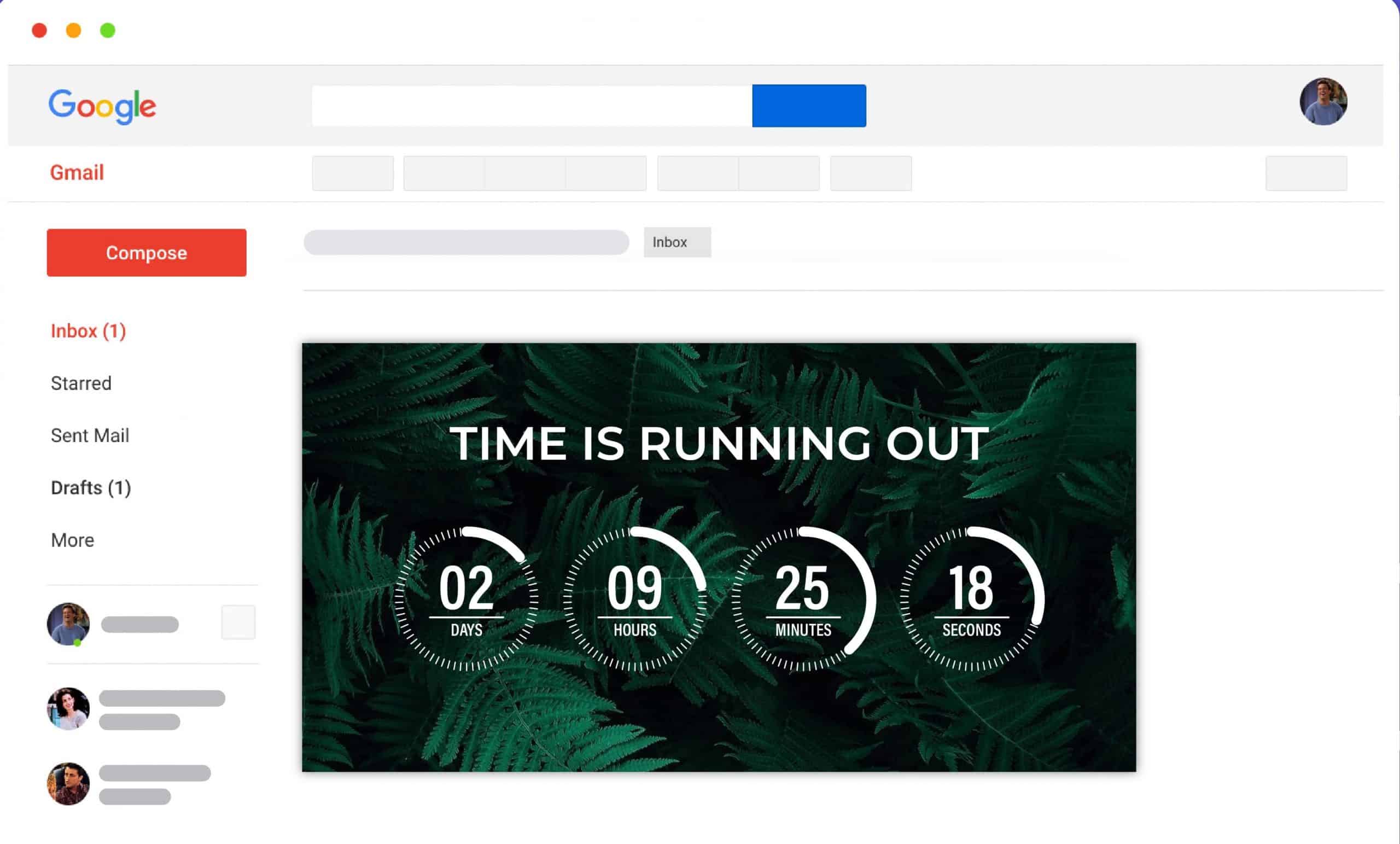
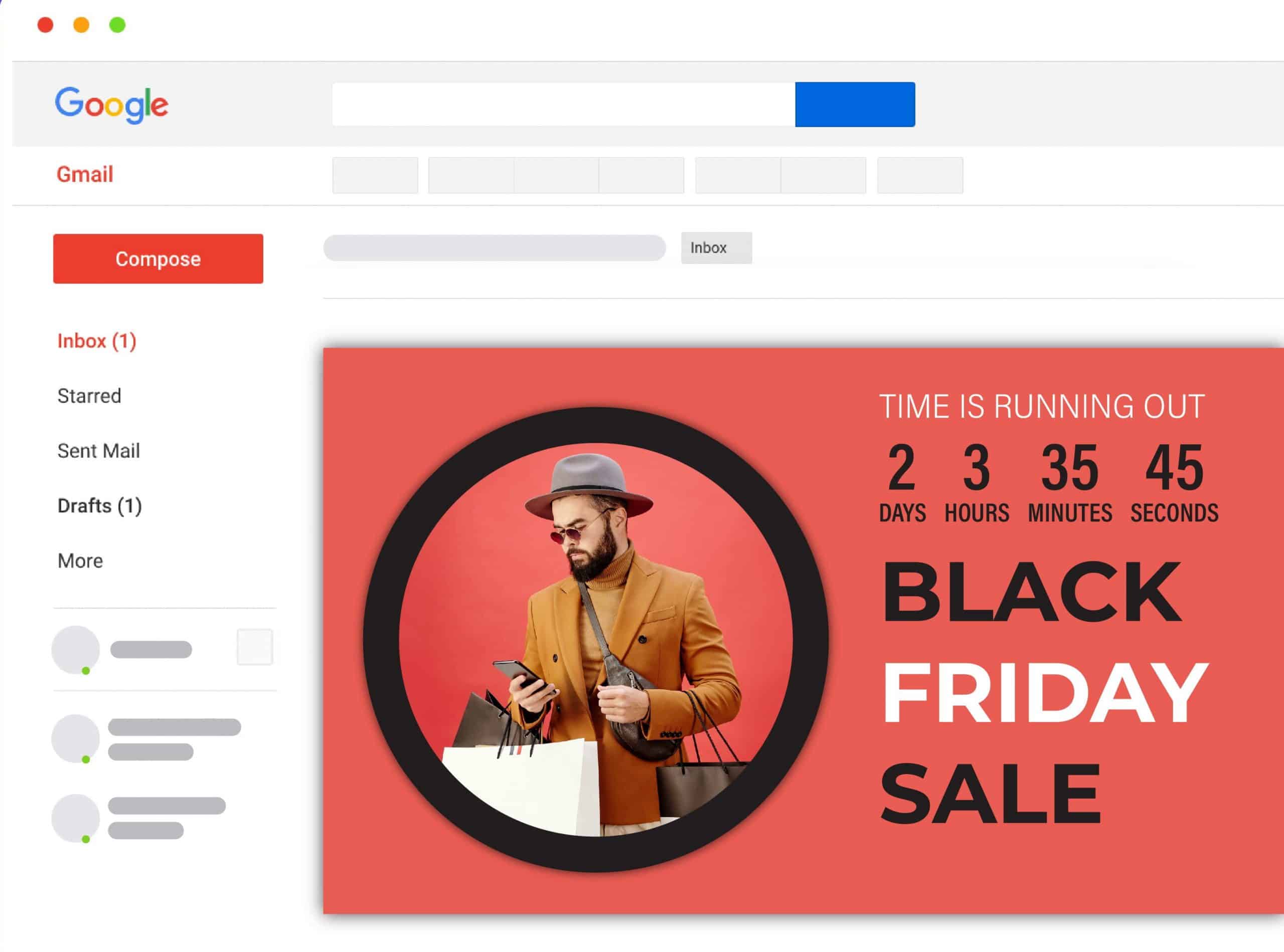
Works for emails and websites: Pick a template, set the expiration date, and copy-paste the generated snippet.
Dashboard Images
Mailtimer Features:
No-code: Create beautifully designed timers in minutes without writing code.
Free: Our core service will always be free.
Highly Customizable: Customize colors, fonts, and styles to perfectly match your brand.
4 Timer Types:
Create standard or evergreen timers. Start the countdown once the email is opened, sent, or set it dynamically for each customer.
Real-time Updates: Deadline changed? Edit the timer on-the-fly, even if it was already sent.
Fast Loading: Our timers are optimized for fast loading.
Mobile and desktop ready: Looks great across all devices.
Multi-language: Create your timer in any language.
Real-time analytics: Track your email campaigns in real-time.
INTEGRATE WITH THE TOOLS YOU ALREADY USE
Product Roadmap:
Some important milestones:
– Agency account: manage timers with your teammates
– Ability to create folders
– Add more timer templates
– Add more timer customization settings
– Timers Gallery: beautifully designed pre-made timers
All Tiers Include:
Branding removed
Four Timer types for any use case including evergreen timers
Four Timer expiration behaviors
Real-time views & clicks analytics
Multiple timer templates
Deal Terms:
Length of access: Lifetime.
Redemption deadline: 60 days from purchase.
60-day money-back guarantee.
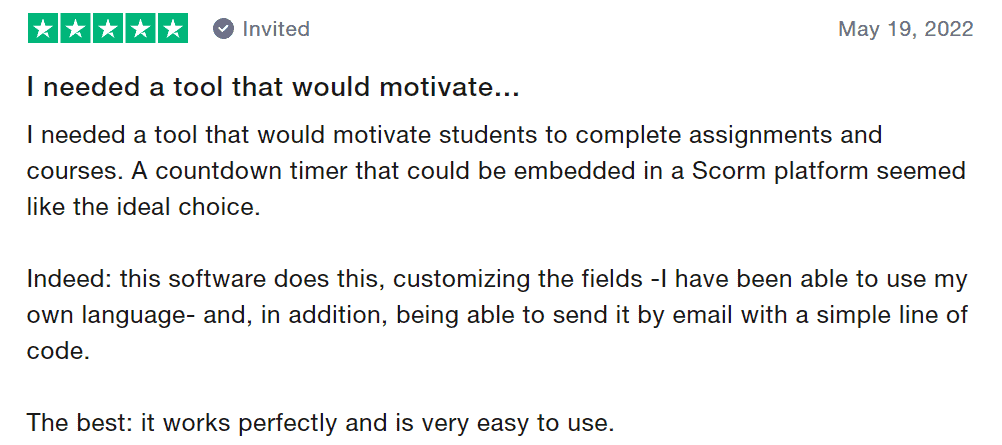
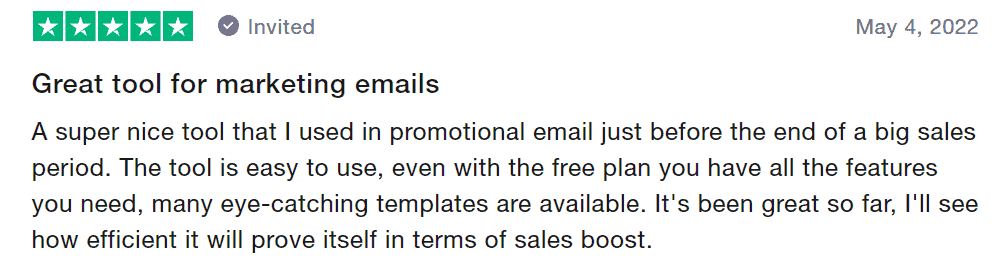
Vendor Testimonial
Our Customers Love Us Here are some precious words from our customers
View Honest Reviews on
Stacking info:
1 code = 100K timer views
2 codes = 500K timer views
3 codes = 1M timer views
4 codes = 3M timer views
5 codes = 15M timer views, PLUS the following: Dynamic links (clickable timers) + timers with background images + custom fonts + custom domains.
Intro Video
Roadmap & Use Cases:
Discount code auto-applied at checkout.
Mailtimer : Create Countdown Timers
One-time payment. Lifetime access.
What you get in this deal
30 Days Money-back Guarantee
Day
Hrs
Min
Sec
TL;DR
Add life to your email campaigns with a creative interactive countdown timer.
Boost your clicks-through rates and boost your website visits.
Alternative to: Sendtric, CountdownMail, and other's.
Best for: Anyone who wants to create a Timer that best matches their brand.
Mailtimer Lifetime Deal
Create eye-catching countdown timers that boost your sales, conversions, and click-through rates!
Creating a countdown timer encourages you to act now or risk missing out. This will enhance your click-through rates and increase website traffic. And, it works for both email campaigns & landing pages.
You don’t need to be a designer to create beautiful timers for your marketing campaigns.
Choose a template from our growing gallery and use 60+ customization settings to create a unique countdown timer that best matches your brand.
Introducing Mailtimer Lifetime Deal
Mailtimer was built with simplicity and usability in mind, so you can easily create beautiful timers. Just copy-paste the generated snippet right into your email template.
It supports 4 timer types:
Standard: Set an expiration date and time.
Evergreen: Run the timer when the email is opened.
Evergreen: Run the timer when the email is sent.
Dynamic: Set the expiration date and time dynamically using a variable.
Intro Video
Product Overview Images
Countdown timers for emails that boost your sales
Create countdown timers that encourage visitors to act now or risk missing out
Choose from our pre-made templates and tweak them as you please with our customization features
Works for emails and websites: Pick a template, set the expiration date, and copy-paste the generated snippet.
Dashboard Images
Mailtimer Features:
No-code: Create beautifully designed timers in minutes without writing code.
Free: Our core service will always be free.
Highly Customizable: Customize colors, fonts, and styles to perfectly match your brand.
4 Timer Types:
Create standard or evergreen timers. Start the countdown once the email is opened, sent, or set it dynamically for each customer.
Real-time Updates: Deadline changed? Edit the timer on-the-fly, even if it was already sent.
Fast Loading: Our timers are optimized for fast loading.
Mobile and desktop ready: Looks great across all devices.
Multi-language: Create your timer in any language.
Real-time analytics: Track your email campaigns in real-time.
INTEGRATE WITH THE TOOLS YOU ALREADY USE
Product Roadmap:
Some important milestones:
– Agency account: manage timers with your teammates
– Ability to create folders
– Add more timer templates
– Add more timer customization settings
– Timers Gallery: beautifully designed pre-made timers
All Tiers Include:
Branding removed
Four Timer types for any use case including evergreen timers
Four Timer expiration behaviors
Real-time views & clicks analytics
Multiple timer templates
Deal Terms:
Length of access: Lifetime.
Redemption deadline: 60 days from purchase.
60-day money-back guarantee.
Vendor Testimonial
Our Customers Love Us Here are some precious words from our customers
View Honest Reviews on
Stacking info:
1 code = 100K timer views
2 codes = 500K timer views
3 codes = 1M timer views
4 codes = 3M timer views
5 codes = 15M timer views, PLUS the following: Dynamic links (clickable timers) + timers with background images + custom fonts + custom domains.
Pricing
From The Founders
FAQ's
Reviews
13 reviews for Mailtimer : Create Countdown Timers
Rated 5 out of 5
Prakhar –
Very easy to use!! UI is also awesome!!
Rated 5 out of 5
Richard –
Using Mailtimer, I can easily create countdown timers for my emails and landing pages work.
Rated 5 out of 5
Rio Mastri –
This so powerfull for engagements
Rated 5 out of 5
Yeimi Arroyo –
What happens if we go over the limits?
Admin –
Thank you for your question! Once the limit is reached, your timer won’t show up in emails. You should either wait for the next month or upgrade your plan.
Rated 5 out of 5
Andy Lim –
Can I embed the timer on any platform?
Admin –
The timer is simply an IMG HTML tag, so yes, you can embed it on any email template/website.
Rated 5 out of 5
Phan Vũ Hoàng –
I love the look of the timers – very nicely polished!!!
Rated 5 out of 5
Julian Wolf –
I am VERY interesting and if it matches I will buy Tier 5. However, I have many hopes and I am sure not all will be fulfilled. Can you just tell me about the following feature wishes?
1. Integrations/Webhooks
Can I start a timer with a Webhook and/or send the timer-starting date to another software with a webhook? Can I send a webhook the moment the timer starts?
2. Timers in eMails
Will the (grafical) times work in emails? The software I use at the moment renders a 2-minute-gif with the timer and every time the subscriber opens the mail the gif is reloaded, so this is a very easy and stable system of having the image of the timer in an email.
3. Hybrid-Timers
Can I start a timer mixed between “fixed date” and “ongoing date”? Something like: “Timer should end on the first Sunday after being started but should last a minimum of 48 hours”? Or “Timer should run until upcoming Friday @ 22:00” so the timer is fixed to run out on the first Friday after the user clicked on the email/watched the page?
4. Tracking
If the user clicks on a link in the email, will the timer on the website be aligned to the timer in his email? Will the timer still be correct if he leaves the page and comes back the next day (without using the link again)?
Admin –
Julian Wolf Hi Julian, Great questions!
1. Yes, we have a public API, You can create timers programmatically.
2. Mailtimer was created to be used in marketing emails, so yes! 🙂 every time the subscriber opens the mail the GIF is re-generated and he always sees the actual countdown.
3. You can either set up the end date or the duration from the moment when the timer is opened/sent.
4. Yes, if you use a Standard timer with a fixed end date.
Rated 5 out of 5
Fira Lasa –
Hi, from what I understand, I can embed a countdown timer from MailTimers directly into a web page. Will this affect my website’s performance?
Admin –
Hi! Your understanding is correct 🙂 It will not affect your website’s performance as it’s just a lightweight animation.
Rated 5 out of 5
Steve Calvin –
What’s the best way to use this yet avoid bans in IG?
Admin –
InstaChamp is a Meta-approved messaging automation tool for replying to comments, story mentions and reactions, and DMs.
It’s a way to instantly gratify your Instagram and Facebook engagers, and run campaigns that will grow your followers and leads (an example here).
If you do end up with a post that has so many comments that InstaChamp is auto-responding to thousands of comments an hour, the Messenger API may turn off due to throttling issues. This happened to John Lee in that example, but it isn’t a ban.
After a couple of hours or so, the messaging automation was turned back on.
Rated 5 out of 5
Keven Malan –
Is it possible to auto-reply by time and date? for example for replies in DM and comments.
Admin –
There are no time or date filters in the autoresponders. But there is a frequency cap.
You could set the frequency cap to 1 hour, or 1 day — and then someone won’t receive a given autoresponder more frequently than that cap.
Rated 5 out of 5
Priya Sharma –
Do I need to warm up my account before starting automation using instachamp?
How specifically does this help grow the user baser?
Admin –
Great question!
1: Meta rewards engagement in its algorithms. Comments are one of the highest forms of engagement, so if there are lots of comments on a post, the algo will start serving that to all the account’s followers — then discover and suggested content feeds.
More exposure, more opportunities for people to see your content, and for the right people, to follow you. The tactic for this strategy is to post comments incentivizing content. See this example: https://www.instagram.com/p/Cd-0PjqDkNm/
2: Since Meta rewards engagement in its algorithms, if you have a messaging history with someone, then you will be exposed more to that person in their feed.
This increases your account reach to that individual, and likely, in the other exposure algos. Creating more convos means more reach!
3: Story Mentions are a positive testimonial of your brand shared to that individual’s network — exposure that will get you seen by more users like that person. The tactic here is to incentivize story mentions.
This is great, especially for in-person events, such as a musician at a concert sharing to the audience from the stage that they will get some bonus material when someone mentions them in their story.
13 reviews for Mailtimer : Create Countdown Timers
Prakhar –
Very easy to use!! UI is also awesome!!
Richard –
Using Mailtimer, I can easily create countdown timers for my emails and landing pages work.
Rio Mastri –
This so powerfull for engagements
Yeimi Arroyo –
What happens if we go over the limits?
Admin –
Thank you for your question! Once the limit is reached, your timer won’t show up in emails. You should either wait for the next month or upgrade your plan.
Andy Lim –
Can I embed the timer on any platform?
Admin –
The timer is simply an IMG HTML tag, so yes, you can embed it on any email template/website.
Phan Vũ Hoàng –
I love the look of the timers – very nicely polished!!!
Julian Wolf –
I am VERY interesting and if it matches I will buy Tier 5. However, I have many hopes and I am sure not all will be fulfilled. Can you just tell me about the following feature wishes?
1. Integrations/Webhooks
Can I start a timer with a Webhook and/or send the timer-starting date to another software with a webhook? Can I send a webhook the moment the timer starts?
2. Timers in eMails
Will the (grafical) times work in emails? The software I use at the moment renders a 2-minute-gif with the timer and every time the subscriber opens the mail the gif is reloaded, so this is a very easy and stable system of having the image of the timer in an email.
3. Hybrid-Timers
Can I start a timer mixed between “fixed date” and “ongoing date”? Something like: “Timer should end on the first Sunday after being started but should last a minimum of 48 hours”? Or “Timer should run until upcoming Friday @ 22:00” so the timer is fixed to run out on the first Friday after the user clicked on the email/watched the page?
4. Tracking
If the user clicks on a link in the email, will the timer on the website be aligned to the timer in his email? Will the timer still be correct if he leaves the page and comes back the next day (without using the link again)?
Admin –
Julian Wolf Hi Julian, Great questions!
1. Yes, we have a public API, You can create timers programmatically.
2. Mailtimer was created to be used in marketing emails, so yes! 🙂 every time the subscriber opens the mail the GIF is re-generated and he always sees the actual countdown.
3. You can either set up the end date or the duration from the moment when the timer is opened/sent.
4. Yes, if you use a Standard timer with a fixed end date.
Fira Lasa –
Hi, from what I understand, I can embed a countdown timer from MailTimers directly into a web page. Will this affect my website’s performance?
Admin –
Hi! Your understanding is correct 🙂 It will not affect your website’s performance as it’s just a lightweight animation.
Steve Calvin –
What’s the best way to use this yet avoid bans in IG?
Admin –
InstaChamp is a Meta-approved messaging automation tool for replying to comments, story mentions and reactions, and DMs.
It’s a way to instantly gratify your Instagram and Facebook engagers, and run campaigns that will grow your followers and leads (an example here).
If you do end up with a post that has so many comments that InstaChamp is auto-responding to thousands of comments an hour, the Messenger API may turn off due to throttling issues. This happened to John Lee in that example, but it isn’t a ban.
After a couple of hours or so, the messaging automation was turned back on.
Keven Malan –
Is it possible to auto-reply by time and date? for example for replies in DM and comments.
Admin –
There are no time or date filters in the autoresponders. But there is a frequency cap.
You could set the frequency cap to 1 hour, or 1 day — and then someone won’t receive a given autoresponder more frequently than that cap.
Priya Sharma –
Do I need to warm up my account before starting automation using instachamp?
Admin –
No, this is Meta approved and ready to go!
Aslam Khan –
Do you have a team in workspaces?
Admin –
Join our Facebook Group! https://www.facebook.com/groups/MobileMonkey/
Richard Joseph –
How specifically does this help grow the user baser?
Admin –
Great question!
1: Meta rewards engagement in its algorithms. Comments are one of the highest forms of engagement, so if there are lots of comments on a post, the algo will start serving that to all the account’s followers — then discover and suggested content feeds.
More exposure, more opportunities for people to see your content, and for the right people, to follow you. The tactic for this strategy is to post comments incentivizing content. See this example: https://www.instagram.com/p/Cd-0PjqDkNm/
2: Since Meta rewards engagement in its algorithms, if you have a messaging history with someone, then you will be exposed more to that person in their feed.
This increases your account reach to that individual, and likely, in the other exposure algos. Creating more convos means more reach!
3: Story Mentions are a positive testimonial of your brand shared to that individual’s network — exposure that will get you seen by more users like that person. The tactic here is to incentivize story mentions.
This is great, especially for in-person events, such as a musician at a concert sharing to the audience from the stage that they will get some bonus material when someone mentions them in their story.