Home » Store » Groupbox : Secure Team Collaboration & Task Management
Groupbox : Secure Team Collaboration & Task Management
TL;DR
Stay updated with all messages even unread and see all mentioned at one place
Boost team productivity with real-time collaboration and customized workspace
Best for marketing, engineering, product, customer support, and education teams across industries
Alternative to Trello, ClickUp, Notion, Airtable, Basecamp, Slack, Swit
Groupbox Lifetime Deal
It can be hectic to stay updated on team messages, tasks, and upcoming events, important mentions while you’re working.
And if you are also facing the same challenge again and again?
Not anymore.
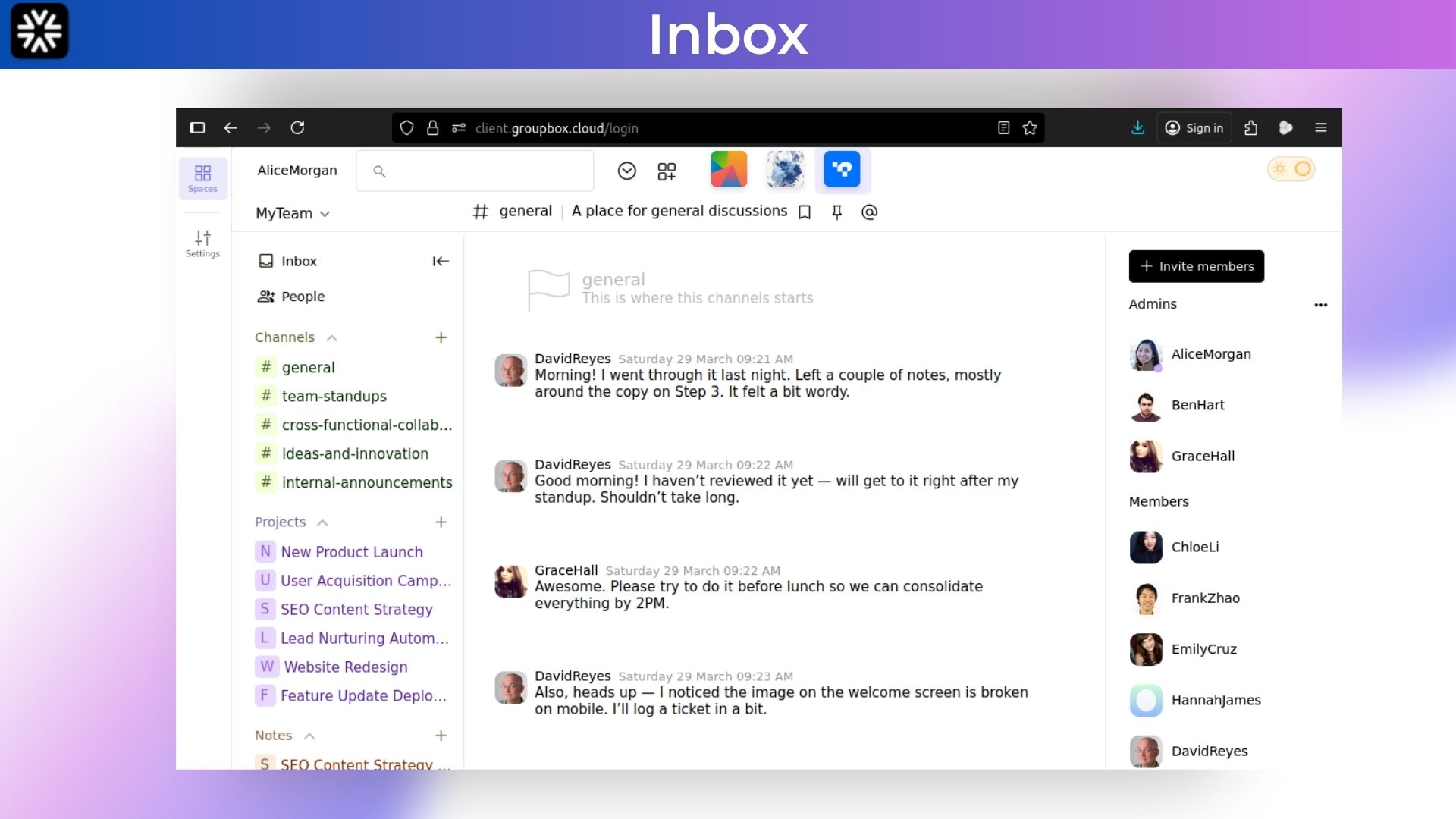
Meet Groupbox, best team collaboration software lifetime deal which is a secure workspace. Imagine logging into one platform where you can send quick messages, share important files, and manage your to‑do lists easily.
With Groupbox, you set up custom workspaces that mirror how your team actually works. You can create dedicated spaces for projects, departments, or special initiatives, then tailor permissions so everyone has just the right level of access.
With GroupBox, you can drag and drop files straight into conversations, turn messages into tasks with a click, and see real‑time updates as teammates make changes.
Your data is safe with data encryption and enterprise grade security. Plus every action is logged with version control so you know exactly who did what and when.
Intro Video
Groupbox is your secure team hub that brings messaging, task tracking, and file sharing into one simple workspace.
Overview Images
Key Features:
1. Unified Workspace
– Access messaging, task tracking, file sharing, notes, and live collaboration in one secure interface.
2. Custom Workspaces
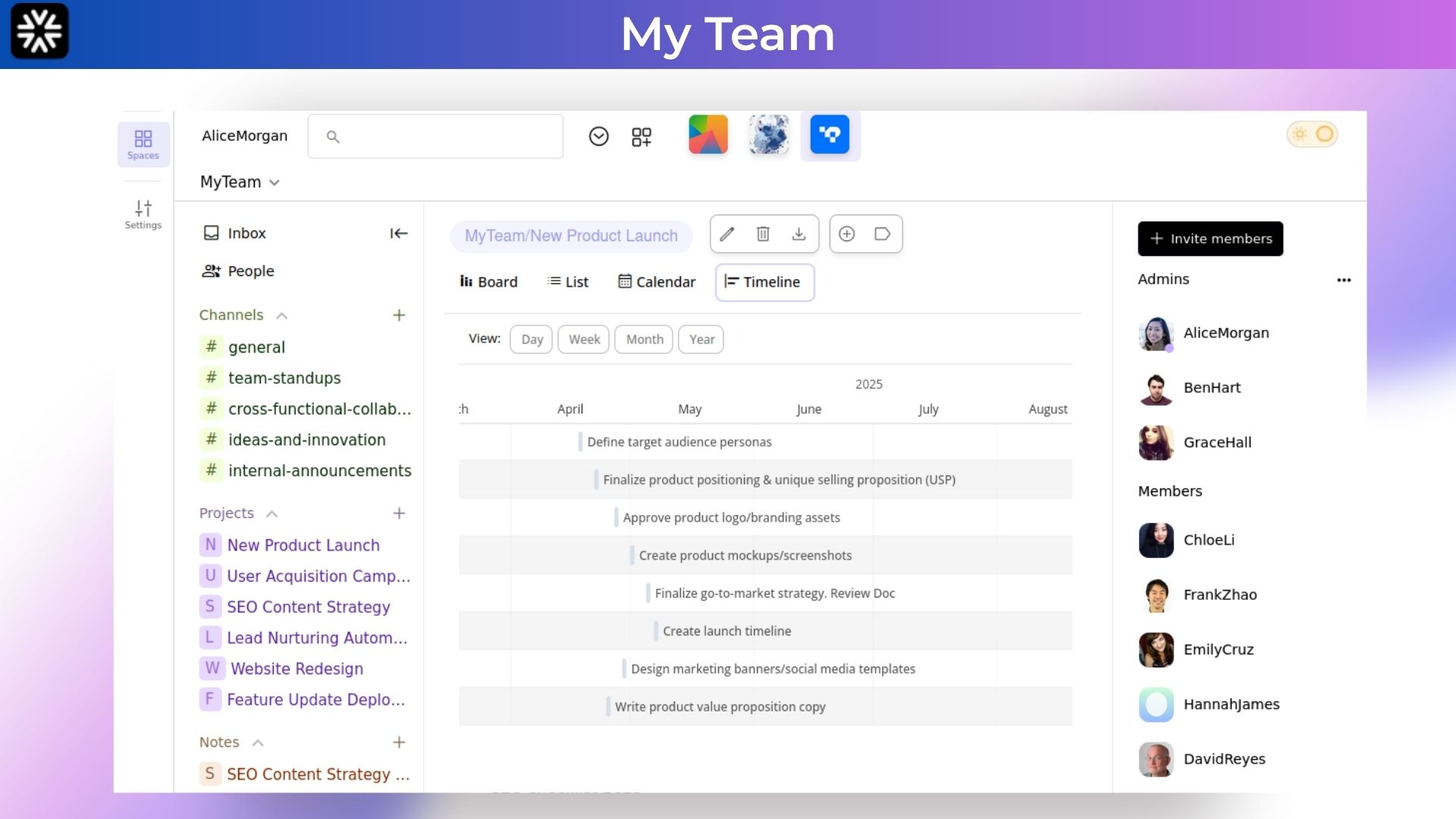
– Tailor layouts, permissions, and workflows for each project, department, or team—no complexity required.
3. Secure Messaging & Chat
– Real‑time team chat with end‑to‑end encryption to keep conversations private and protected.
4. Task Management
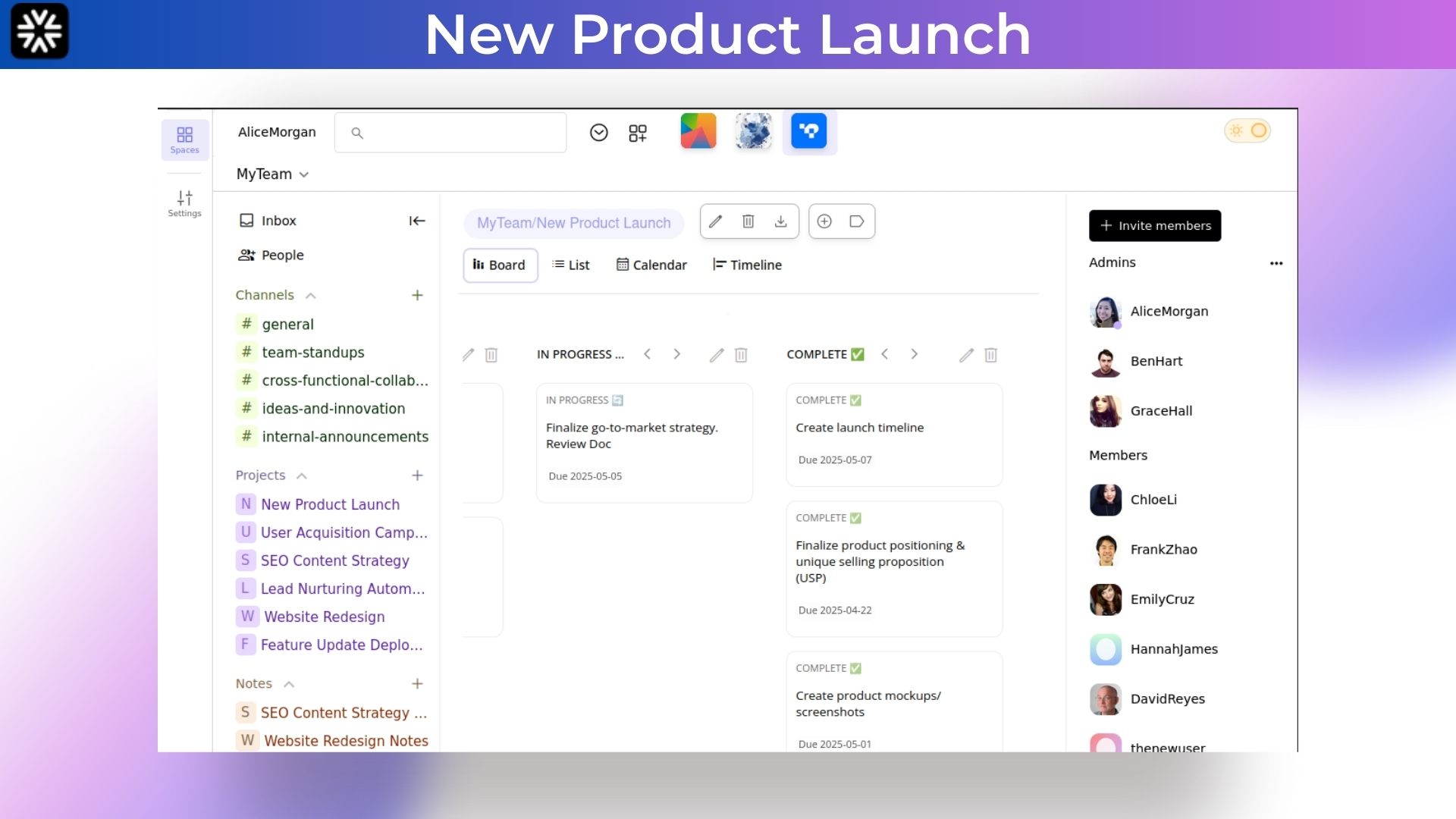
– Convert messages into‑dos, assign tasks, set due dates, and monitor progress—all without leaving the chat.
5. Fast, Secure File Sharing
– Upload and share high‑resolution images, videos, documents, and more, with enterprise‑grade encryption in transit and at rest.
6. Built‑In Notes & Wikis
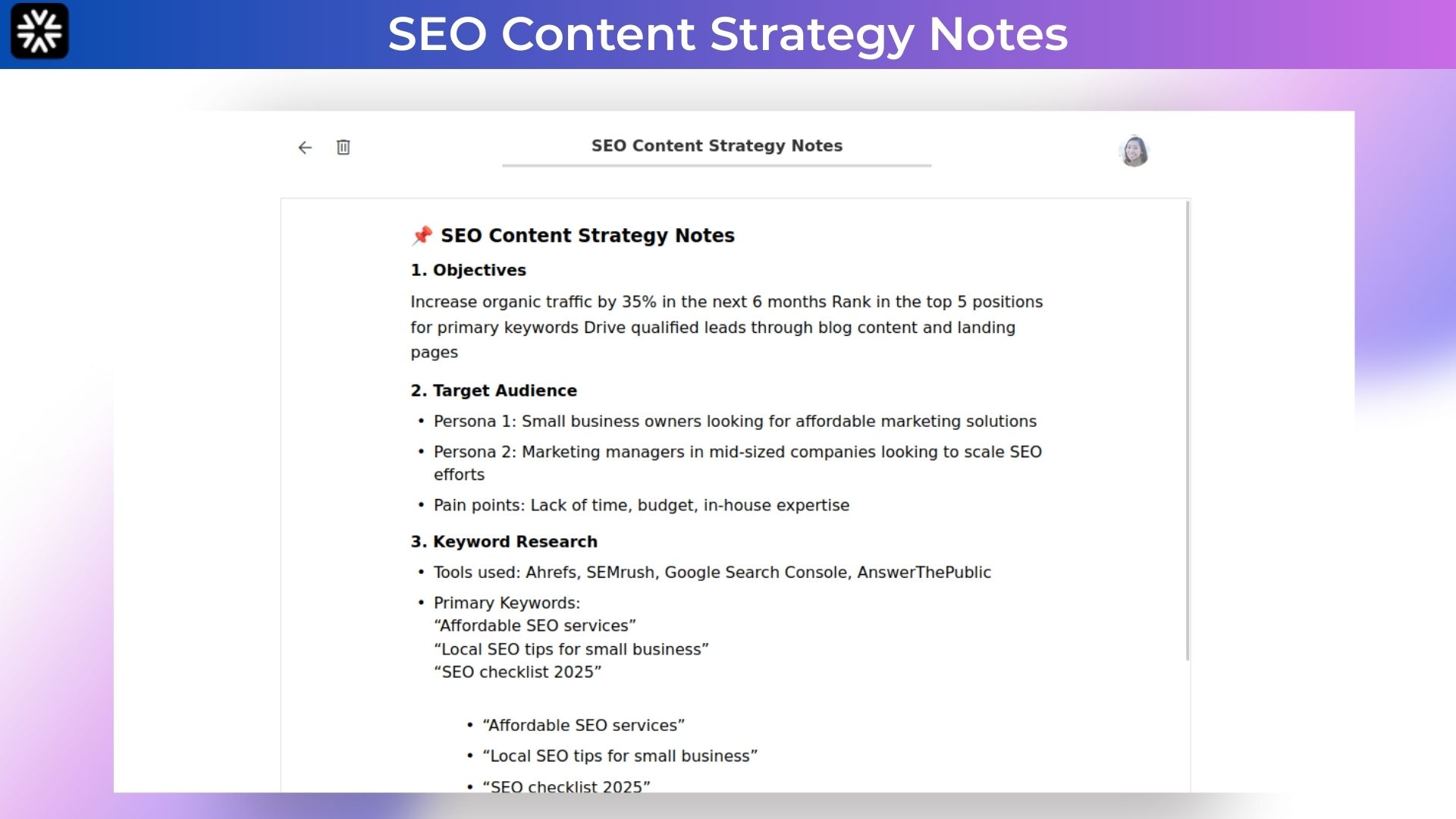
– Create and organize meeting notes, guidelines, or knowledge bases directly within your workspaces.
7. Multi‑Team Support
– Manage multiple teams or groups with separate workspaces, members, and access controls.
8. Activity Logs & Audit Trails
– Keep track of every action—who did what and when—for full transparency and accountability.
9. Remote‑First Design
– Real‑time updates and responsive web access keep in‑office, hybrid, and fully remote teams aligned.
Use Cases:
Marketing Campaign Planning : Create a dedicated workspace for each campaign. Share creative briefs, draft copy, and design files. Convert feedback into tasks, assign them to team members, and track progress until launch—all in one place.
Software Development Sprints : Spin up a workspace for your sprint. Post user stories and bug reports in chat channels, turn them into tasks with due dates, and upload code snippets or documentation. Developers, QA, and product managers stay aligned in real time.
Customer Support Coordination : Organize support requests by creating channels per client or issue type. Agents can share screenshots, tag teammates for escalations, and log resolved tickets in a built‑in wiki for future reference.
Classroom & Training Management : Teachers or trainers set up workspaces for each course or cohort. Share lecture notes, upload assignments, andrun live Q&A sessions. Students submit homework directly in chat, and instructors give feedback right alongside.
NGO Project Collaboration : Coordinate field teams and headquarters in one secure environment. Share sensitive documents, assign tasks for fundraising or outreach, and keep audit trails for compliance—all with enterprise‑grade encryption.
Content Creation Workflow : Writers, editors, and designers collaborate on articles, videos, or social posts. Store source materials, draft versions, a nd final assets in smart folders. Turn review comments into action items and maintain version history for every asset.
Event Planning & Logistics : Plan conferences, workshops, or virtual meetups in a single workspace. Track venue bookings, speaker lineups, and promotional tasks. Share schedules and materials with stakeholders, and update timelines in real time.
Lightweight CRM for Small Teams : Keep track of leads and customer interactions without a bulky CRM. Create channels for each prospect, share meeting notes, assign follow‑up tasks, and store contact files securely.
Executive Dashboards & Reporting : Share weekly reports and KPIs in a private executive workspace. Automatically collect analytics summaries and discuss strategy without juggling emails or spreadsheets.
Product Roadmap (2025):
Q3: Public Templates, Cloud storage capabilities (within)
Q4: Mobile App, AI Integration, Public Sharing
Deal Terms:
Lifetime Access
Redeem your code within 60 days of purchase
30-Days Money-Back Guarantee (For Non-Prime Members and Regular users)
60-Day Money-Back Guarantee (For DealMirror Prime Members Only)
Intro Video
Roadmap & Use Cases:
Discount code auto-applied at checkout.
Groupbox : Secure Team Collaboration & Task Management
One-time payment. Lifetime access.
What you get in this deal
1 User - Cards Calendar Gantt & List Views Shared Notes
Stay updated with all messages even unread and see all mentioned at one place
Boost team productivity with real-time collaboration and customized workspace
Best for marketing, engineering, product, customer support, and education teams across industries
Alternative to Trello, ClickUp, Notion, Airtable, Basecamp, Slack, Swit
Groupbox Lifetime Deal
It can be hectic to stay updated on team messages, tasks, and upcoming events, important mentions while you’re working.
And if you are also facing the same challenge again and again?
Not anymore.
Meet Groupbox, best team collaboration software lifetime deal which is a secure workspace. Imagine logging into one platform where you can send quick messages, share important files, and manage your to‑do lists easily.
With Groupbox, you set up custom workspaces that mirror how your team actually works. You can create dedicated spaces for projects, departments, or special initiatives, then tailor permissions so everyone has just the right level of access.
With GroupBox, you can drag and drop files straight into conversations, turn messages into tasks with a click, and see real‑time updates as teammates make changes.
Your data is safe with data encryption and enterprise grade security. Plus every action is logged with version control so you know exactly who did what and when.
Intro Video
Groupbox is your secure team hub that brings messaging, task tracking, and file sharing into one simple workspace.
Overview Images
Key Features:
1. Unified Workspace
– Access messaging, task tracking, file sharing, notes, and live collaboration in one secure interface.
2. Custom Workspaces
– Tailor layouts, permissions, and workflows for each project, department, or team—no complexity required.
3. Secure Messaging & Chat
– Real‑time team chat with end‑to‑end encryption to keep conversations private and protected.
4. Task Management
– Convert messages into‑dos, assign tasks, set due dates, and monitor progress—all without leaving the chat.
5. Fast, Secure File Sharing
– Upload and share high‑resolution images, videos, documents, and more, with enterprise‑grade encryption in transit and at rest.
6. Built‑In Notes & Wikis
– Create and organize meeting notes, guidelines, or knowledge bases directly within your workspaces.
7. Multi‑Team Support
– Manage multiple teams or groups with separate workspaces, members, and access controls.
8. Activity Logs & Audit Trails
– Keep track of every action—who did what and when—for full transparency and accountability.
9. Remote‑First Design
– Real‑time updates and responsive web access keep in‑office, hybrid, and fully remote teams aligned.
Use Cases:
Marketing Campaign Planning : Create a dedicated workspace for each campaign. Share creative briefs, draft copy, and design files. Convert feedback into tasks, assign them to team members, and track progress until launch—all in one place.
Software Development Sprints : Spin up a workspace for your sprint. Post user stories and bug reports in chat channels, turn them into tasks with due dates, and upload code snippets or documentation. Developers, QA, and product managers stay aligned in real time.
Customer Support Coordination : Organize support requests by creating channels per client or issue type. Agents can share screenshots, tag teammates for escalations, and log resolved tickets in a built‑in wiki for future reference.
Classroom & Training Management : Teachers or trainers set up workspaces for each course or cohort. Share lecture notes, upload assignments, andrun live Q&A sessions. Students submit homework directly in chat, and instructors give feedback right alongside.
NGO Project Collaboration : Coordinate field teams and headquarters in one secure environment. Share sensitive documents, assign tasks for fundraising or outreach, and keep audit trails for compliance—all with enterprise‑grade encryption.
Content Creation Workflow : Writers, editors, and designers collaborate on articles, videos, or social posts. Store source materials, draft versions, a nd final assets in smart folders. Turn review comments into action items and maintain version history for every asset.
Event Planning & Logistics : Plan conferences, workshops, or virtual meetups in a single workspace. Track venue bookings, speaker lineups, and promotional tasks. Share schedules and materials with stakeholders, and update timelines in real time.
Lightweight CRM for Small Teams : Keep track of leads and customer interactions without a bulky CRM. Create channels for each prospect, share meeting notes, assign follow‑up tasks, and store contact files securely.
Executive Dashboards & Reporting : Share weekly reports and KPIs in a private executive workspace. Automatically collect analytics summaries and discuss strategy without juggling emails or spreadsheets.
Product Roadmap (2025):
Q3: Public Templates, Cloud storage capabilities (within)
Q4: Mobile App, AI Integration, Public Sharing
Deal Terms:
Lifetime Access
Redeem your code within 60 days of purchase
30-Days Money-Back Guarantee (For Non-Prime Members and Regular users)
60-Day Money-Back Guarantee (For DealMirror Prime Members Only)
Pricing
Solo
One-time payment. Lifetime access.
$45.00$99.00
1 User - Cards
Calendar
Gantt & List Views
Shared Notes
Real-time Chat & Channels
Role-Based Permissions
Up to 50 GB individual storage per user
Team
One-time payment. Lifetime access.
$129.00$199.00
5 User - Cards
Calendar
Gantt & List Views
Shared Notes
Real-time Chat & Channels
Role-Based Permissions
Up to 50 GB individual storage per user
Agency
One-time payment. Lifetime access.
$249.00$999.00
15 User - Cards
Calendar
Gantt & List Views
Shared Notes
Real-time Chat & Channels
Role-Based Permissions
Up to 50 GB individual storage per user
From The Founders
Groupbox
Founder
Groupbox was built to give growing teams an affordable, all-in-one platform to collaborate, manage tasks, and share files.
FAQ's
1. How do I contact support? – You can contact support at- [email protected]
2. What is Groupbox?
– Groupbox is an all-in-one collaboration platform that brings together project management, file sharing, messaging, and productivity tools. It’s designed for teams and organizations that want a unified, secure, and efficient workspace.
3. Who is Groupbox for?
– Groupbox is ideal for:
Remote and hybrid teams
Schools and training institutions
Creative agencies and studios
NGOs and nonprofit groups
Small to mid-sized businesses
4. Can I manage multiple teams or workspaces?
– Yes, Groupbox supports multi-team structures. Each team or group can have its own private workspaces, files, members, and communication channels.
5. Does it support large media and file sharing?
– Yes, Groupbox is optimized for fast, secure file uploads and sharing, including high-resolution images, video, audio, and documents.
7. How is data secured on Groupbox?
– We use enterprise-grade security protocols, including encryption in transit and at rest. Role-based access control and activity logs ensure your data remains protected and traceable.
Reviews
3 reviews for Groupbox : Secure Team Collaboration & Task Management
Rated 5 out of 5
V. Motsi –
As a digital content creator working with multiple collaborators, Groupbox keeps me organized. I love how fast I can share content, gather feedback, and move from draft to publish without the usual back-and-forth.
Rated 5 out of 5
S. Maphosa –
From coordinating our field agents to managing sensitive documents, everything is now in one place. It’s secure, and extremely easy to use.
Rated 5 out of 5
G. Singh –
We needed a centralized, secure, and intuitive platform for cross-departmental communication. This tool delivered beyond expectations. It’s now a key part of our digital strategy at ICC Zimbabwe.







3 reviews for Groupbox : Secure Team Collaboration & Task Management
V. Motsi –
As a digital content creator working with multiple collaborators, Groupbox keeps me organized. I love how fast I can share content, gather feedback, and move from draft to publish without the usual back-and-forth.
S. Maphosa –
From coordinating our field agents to managing sensitive documents, everything is now in one place. It’s secure, and extremely easy to use.
G. Singh –
We needed a centralized, secure, and intuitive platform for cross-departmental communication. This tool delivered beyond expectations. It’s now a key part of our digital strategy at ICC Zimbabwe.