Home » Store » Fluig AI: AI Diagram Generator to Instantly Turn Ideas into Clear Visuals
Fluig AI: AI Diagram Generator to Instantly Turn Ideas into Clear Visuals
TL;DR
AI tool that turns text, code, or files into clean, professional diagrams
Easily drop your content in and let AI generate clear visuals instantly
Ideal for Marketers, agencies, businesses, companies of all sizes
Alternative to: Miro, Mapify, Mymap.ai
Fluig AI Lifetime deal
Are you struggling to turn your documents, notes, or scattered ideas into clear, structured diagrams?
Do you wish you could present your thoughts visually in a way that’s simple, impactful, and easy for everyone to understand?
You’re not alone and now, there’s a smarter way to do it.
Meet Fluig lifetime deal, An ai diagram generator that transforms messy ideas, unstructured files, even code or URLs, into sharp, professional diagrams within seconds. With Fluig, you can instantly create visual formats like mind maps, flowcharts, timelines, fishbone diagrams, architecture diagrams, Kanban boards, class diagrams, tables, and even full-length articles.
Fluig is perfect for brainstorming, planning, organizing, or presenting information, enhances clarity, encourages creativity, and saves hours of manual work. Its intelligent input processor allows you to drop in text, files, or code, and the AI takes care of the rest; structuring it into easy-to-understand visuals. You can even switch between diagram formats with just one click.
Fluig also includes powerful features like real-time collaboration, simple sharing, and flexible export options, making it an all-in-one visual communication tool for teams, creators, developers, educators, and strategists alike.
Intro Video
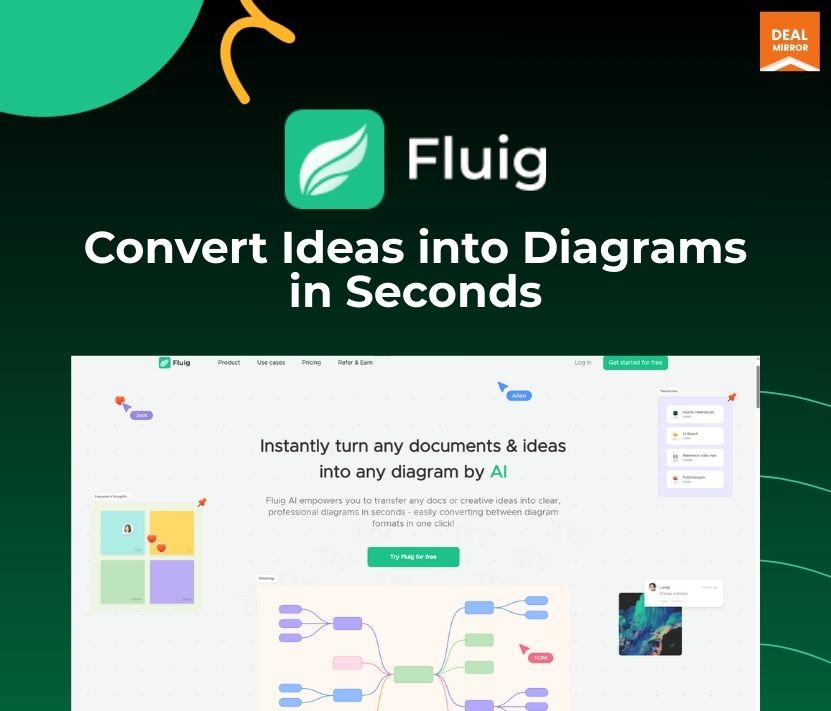
Fluig is an AI-powered tool that instantly turns text, code, or files into clear, professional diagrams like flowcharts, mind maps, tables, and more.
Dashboard Images
Key Features
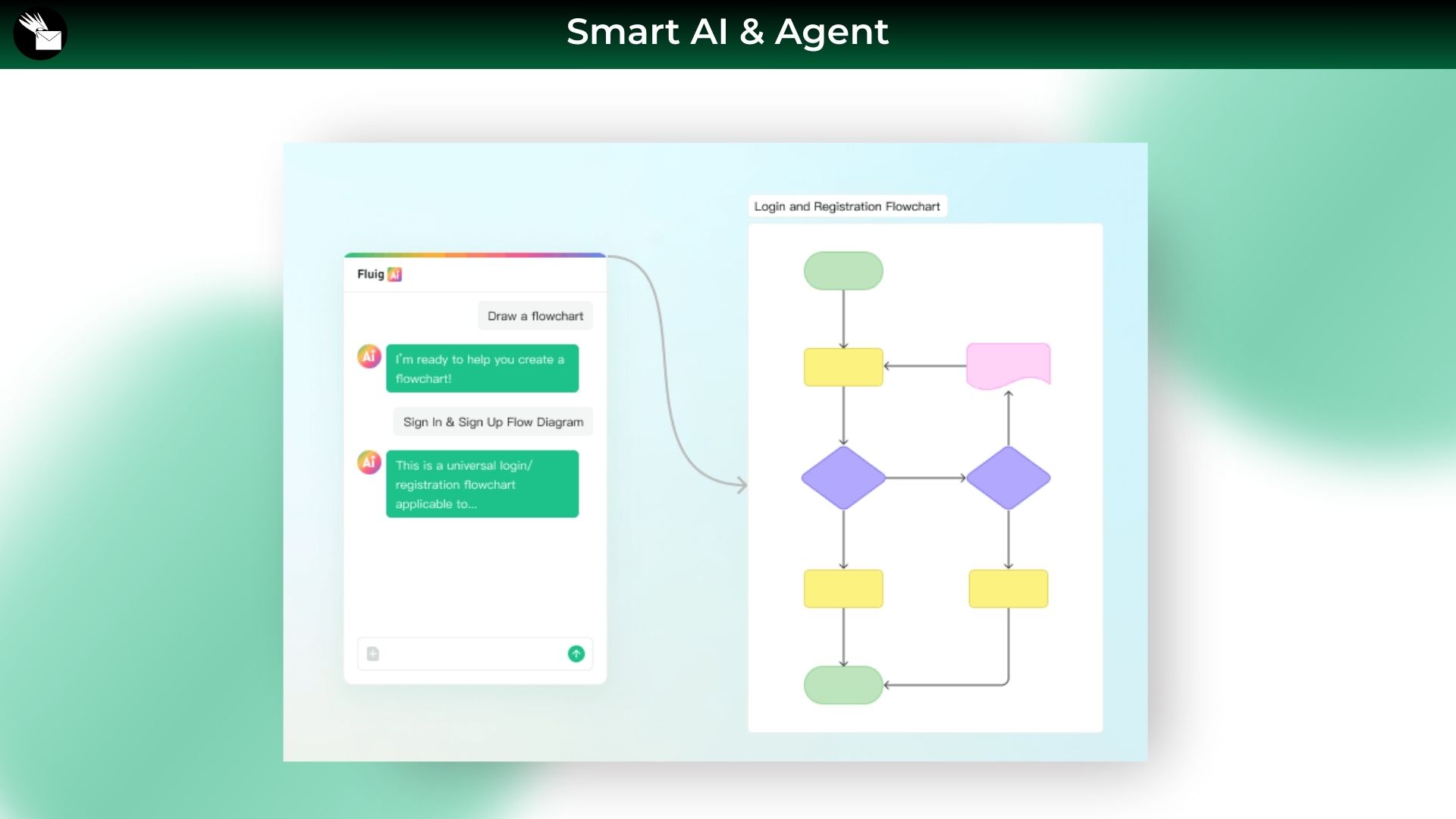
AI-driven diagramming – Generate diagrams instantly just by chatting with AI. No manual building needed.
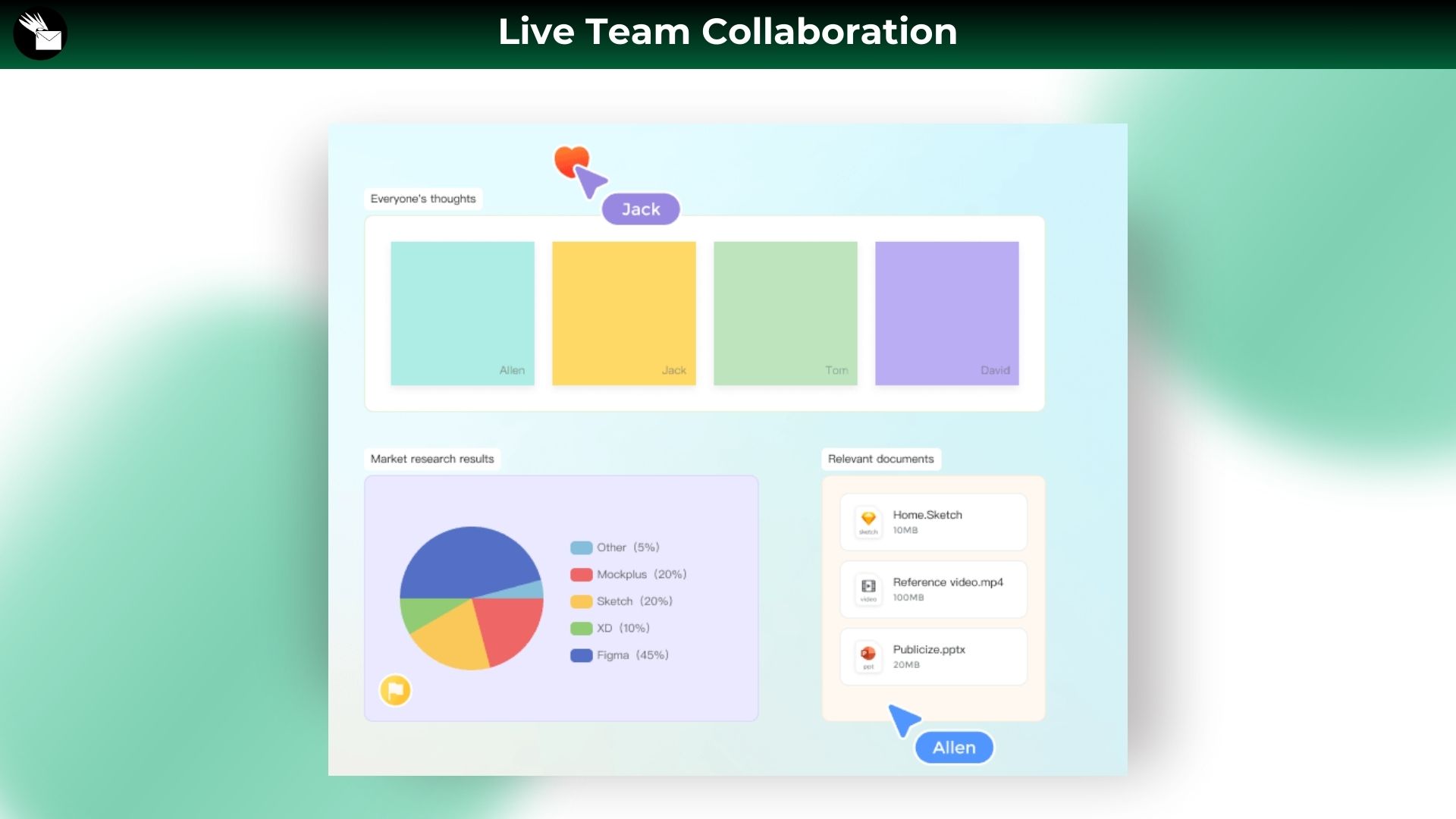
Live team collaboration – Collaborate in real-time—edit, share, and build diagrams together with your team in a shared space.
Multimodal input options – Beyond AI chats, also input files, images, URLs, and even code to generate the visuals you need.
Flexible Output & Conversion – Generate multiple diagram types from one prompt and convert between formats with ease.
Instantly turn any docs & ideas into diagrams by AI -Fluig AI empowers you to transform ideas, docs and even codes into clear, professional diagrams—like mind maps, flowcharts, tables, Kanbans, and more—in just seconds!
AI Mind Mapping – Organize thoughts and brainstorm ideas quickly using clean, structured AI-generated mind maps.
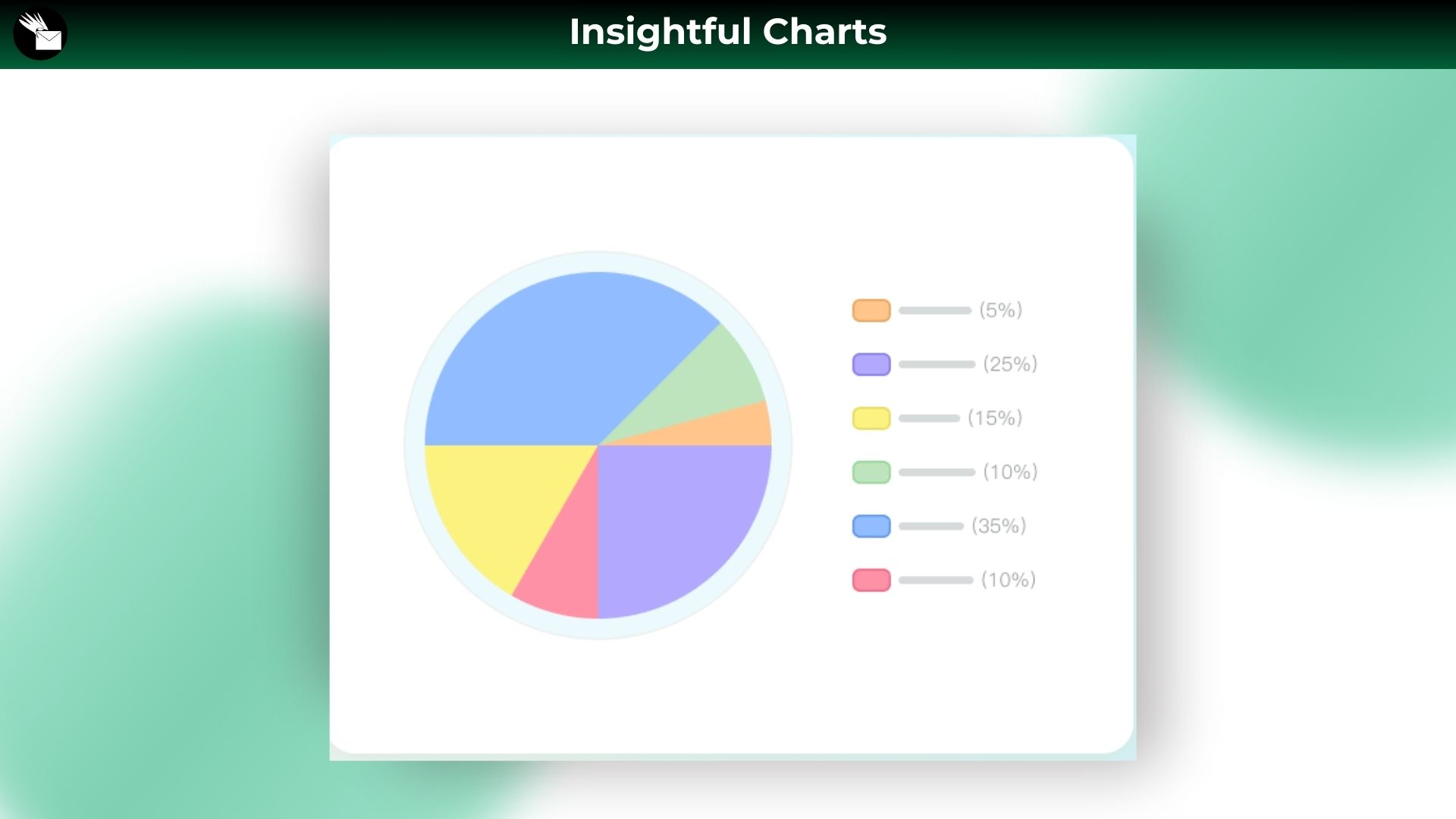
AI Data Visualization – Turn raw data into insightful visual charts with just a prompt.
AI Flowcharts – Easily map out and communicate your workflows, steps or processes with clean, AI-generated flowcharts.
Easy Export & Sharing – Export diagrams as image, PDF, or editable files—or share via a single link.
With a powerful AI-driven capability, which is completely different from traditional diagram tools, like Miro, FigJam and Lucidchart, Fluig helps you and your team work smarter and faster, together – like a genius.
Use Cases:
Startup Founders & Product Managers who need fast, AI-assisted brainstorming and visual planning tools to move from idea to execution in hours, not weeks.
Design & Development Teams who want to collaborate on flowcharts, mind maps, and user journeys in real time—with AI helping convert ideas into structured visuals instantly.
UX Research & User Flows: Generate mind maps from user research, convert them into detailed user flows with AI, and share with your team for feedback—all in one platform.
Project Planning & Task Breakdown: Start with a big idea, use AI to break it into tasks or milestones, then visualize the timeline with flowcharts or tree maps. One-click switch between formats.
Team Brainstorming Sessions: Whether remote or hybrid, collaborate on a shared whiteboard, let AI suggest ideas, cluster themes, and turn messy thinking into clear next steps.
Marketing Campaign Mapping: Plan funnels, customer journeys, or email automation flows visually. AI helps organize the logic, you fine-tune the creative.
Client Presentations & Strategy Diagrams: Create high-level plans or architecture diagrams tailored to clients. Use AI to clean up structure and export polished visuals fast.
Documentation & SOP Visualization: Turn internal processes or standard operating procedures into editable diagrams. Use AI to transform bullet points into visual flows in seconds.
Education & Training Materials: Teachers or trainers can create mind maps, concept diagrams, and learning flows powered by AI to simplify complex topics for students.
AI-Powered Diagram Conversion: Already have a mind map? Instantly turn it into a flowchart or task board. Fluig adapts your content to fit the format you need.
Deal Terms:
Lifetime Access
Redeem your code within 60 days of purchase
30-Days Money-Back Guarantee (For Non-Prime Members and Regular users)
60-Day Money-Back Guarantee (For DealMirror Prime Members Only)
Intro Video
Roadmap & Use Cases:
Discount code auto-applied at checkout.
Fluig AI: AI Diagram Generator to Instantly Turn Ideas into Clear Visuals
What you get in this deal
150K AI credits Unlimited Files Unlimited Version history Switch themes
AI tool that turns text, code, or files into clean, professional diagrams
Easily drop your content in and let AI generate clear visuals instantly
Ideal for Marketers, agencies, businesses, companies of all sizes
Alternative to: Miro, Mapify, Mymap.ai
Fluig AI Lifetime deal
Are you struggling to turn your documents, notes, or scattered ideas into clear, structured diagrams?
Do you wish you could present your thoughts visually in a way that’s simple, impactful, and easy for everyone to understand?
You’re not alone and now, there’s a smarter way to do it.
Meet Fluig lifetime deal, An ai diagram generator that transforms messy ideas, unstructured files, even code or URLs, into sharp, professional diagrams within seconds. With Fluig, you can instantly create visual formats like mind maps, flowcharts, timelines, fishbone diagrams, architecture diagrams, Kanban boards, class diagrams, tables, and even full-length articles.
Fluig is perfect for brainstorming, planning, organizing, or presenting information, enhances clarity, encourages creativity, and saves hours of manual work. Its intelligent input processor allows you to drop in text, files, or code, and the AI takes care of the rest; structuring it into easy-to-understand visuals. You can even switch between diagram formats with just one click.
Fluig also includes powerful features like real-time collaboration, simple sharing, and flexible export options, making it an all-in-one visual communication tool for teams, creators, developers, educators, and strategists alike.
Intro Video
Fluig is an AI-powered tool that instantly turns text, code, or files into clear, professional diagrams like flowcharts, mind maps, tables, and more.
Dashboard Images
Key Features
AI-driven diagramming – Generate diagrams instantly just by chatting with AI. No manual building needed.
Live team collaboration – Collaborate in real-time—edit, share, and build diagrams together with your team in a shared space.
Multimodal input options – Beyond AI chats, also input files, images, URLs, and even code to generate the visuals you need.
Flexible Output & Conversion – Generate multiple diagram types from one prompt and convert between formats with ease.
Instantly turn any docs & ideas into diagrams by AI -Fluig AI empowers you to transform ideas, docs and even codes into clear, professional diagrams—like mind maps, flowcharts, tables, Kanbans, and more—in just seconds!
AI Mind Mapping – Organize thoughts and brainstorm ideas quickly using clean, structured AI-generated mind maps.
AI Data Visualization – Turn raw data into insightful visual charts with just a prompt.
AI Flowcharts – Easily map out and communicate your workflows, steps or processes with clean, AI-generated flowcharts.
Easy Export & Sharing – Export diagrams as image, PDF, or editable files—or share via a single link.
With a powerful AI-driven capability, which is completely different from traditional diagram tools, like Miro, FigJam and Lucidchart, Fluig helps you and your team work smarter and faster, together – like a genius.
Use Cases:
Startup Founders & Product Managers who need fast, AI-assisted brainstorming and visual planning tools to move from idea to execution in hours, not weeks.
Design & Development Teams who want to collaborate on flowcharts, mind maps, and user journeys in real time—with AI helping convert ideas into structured visuals instantly.
UX Research & User Flows: Generate mind maps from user research, convert them into detailed user flows with AI, and share with your team for feedback—all in one platform.
Project Planning & Task Breakdown: Start with a big idea, use AI to break it into tasks or milestones, then visualize the timeline with flowcharts or tree maps. One-click switch between formats.
Team Brainstorming Sessions: Whether remote or hybrid, collaborate on a shared whiteboard, let AI suggest ideas, cluster themes, and turn messy thinking into clear next steps.
Marketing Campaign Mapping: Plan funnels, customer journeys, or email automation flows visually. AI helps organize the logic, you fine-tune the creative.
Client Presentations & Strategy Diagrams: Create high-level plans or architecture diagrams tailored to clients. Use AI to clean up structure and export polished visuals fast.
Documentation & SOP Visualization: Turn internal processes or standard operating procedures into editable diagrams. Use AI to transform bullet points into visual flows in seconds.
Education & Training Materials: Teachers or trainers can create mind maps, concept diagrams, and learning flows powered by AI to simplify complex topics for students.
AI-Powered Diagram Conversion: Already have a mind map? Instantly turn it into a flowchart or task board. Fluig adapts your content to fit the format you need.
Deal Terms:
Lifetime Access
Redeem your code within 60 days of purchase
30-Days Money-Back Guarantee (For Non-Prime Members and Regular users)
60-Day Money-Back Guarantee (For DealMirror Prime Members Only)
Pricing
Annual
$99.00$207.00
150K AI credits
Unlimited Files
Unlimited Version history
Switch themes
Watermark-free export
Super HD Exported image quality
AI knowledge library
AI Deep think
Lifetime
$539.00$599.00
Unlimited AI Pack (Enjoy unlimited AI usage for a whole lifetime)
Unlimited Files
Unlimited Version history
Switch themes
Watermark-free export
Super HD Exported image quality
AI knowledge library
AI Deep think
From The Founders
Anni
Founder
The fact is, visuals—like diagrams and pictures—speak louder than words. When you use them to communicate and collaborate, you save time, cut confusion, and get to the point faster.
If you can quickly turn ideas into visuals—within seconds—while brainstorming, planning, or working with your team, your productivity skyrockets!
We believe everyone should have the power to think and work like a genius.
That’s why we created Fluig AI, an AI-driven diagram tool that helps complete beginners to create professional diagrams in just seconds by AI. Pretty cool, right?
Here is how to visualize your ideas with Fluig in seconds:
Simply type your idea or drop a file, and let Fluig AI do the rest.
Fluig AI can instantly generate mind maps, flowcharts, fishbone diagrams, timelines, architecture diagrams, class diagrams, kanban boards, tables, documents, code, articles and more content based on your needs.
And yes, you can convert between diagram types anytime you want.
Whether you’re a product manager, designer, entrepreneur, student, marketer, tech enthusiast, or professional from any field, —Fluig AI helps you work like a genius.
FAQ's
1. How do I contact support? – You can contact support at- [email protected]
2. What is Fluig and how does it work?
– Fluig is AI-native tool that turns your documents or ideas into clear, professional diagrams in seconds — including mind maps, flowcharts, cards, kanbans, tables, and even structured text.Just chat naturally with AI, and Fluig handles the rest. No learning curve, no design skills needed.
3. Can Fluig really turn documents into diagrams automatically?
– Yes, In addition to natural language prompts, Fluig can also analyze your documents —from PDFs and Word docs to web pages — and instantly turn them into intuitive, shareable diagrams with just one click.
4. What kind of content and diagrams can Fluig generate?
– Fluig is an AI-powered diagram generator that can instantly transforms your ideas into mind maps, flowcharts, tables, cards, Kanbans, and even structured text content — all in just seconds.
5. Can use Fluig AI to convert between diagram formats?
– Yes, With Fluig AI, you can easily convert between different diagram and text formats—like turning a mind map into a flowchart, a kanban into a table, or even diagrams back into structured text. It’s fast, flexible, and all done with just a few clicks.
6. How is Fluig AI different from other AI tools for productivity or diagramming?
– Fluig AI is purpose-built for idea visualization and team collaboration. Unlike general AI tools, it instantly turns your thoughts or documents into structured diagrams—like mind maps, flowcharts, and tables—just by using natural language. No design or tech skills needed.
7. What makes Fluig different from other diagramming tools like Miro, FigJam, Mymap, Mapify, Scrintal, Napkin, Xmind, and more?
– Fluig stands out from traditional diagramming tools in following ways:
AI-driven experience – Unlike tools like Miro or FigJam that rely on manual setup, Fluig lets you turn your ideas, chats, or documents into diagrams instantly with AI.
Chat-based refinement – Unlike Mapify or Mymap, which require extra steps to further edit details, Fluig lets you refine and update your diagrams in the same chat flow— also use it as your dedicated diagram agent!
Zero learning curve – No need for templates or training. Just chat naturally, and Fluig turns your input into professional diagrams in seconds.
Smart format conversion – Fluig makes it easy to switch between diagram types like mind maps, flowcharts, kanbans, and even text—automatically.
Manual tools available – Get used to the manual setup of traditional diagram tools like Scrintal, Napkin and Xmind, Fluig also offers manual editing tools so you can build diagrams from scratch, your way.
8. What are the AI credits of Fluig and how are they used?
– AI credits are used whenever you generate or regenerate a diagram in Fluig.
9. Can I edit the diagrams after AI generates them?
– You can continuously refine the details using AI chats or make direct changes with the editing toolbar in the bottom-left corner. It’s all up to you!
10. Do I need design or tech skills to use Fluig?
– Not at all, Fluig starts with simple AI chats—just like talking to a friend, no matter whether you’re a product manager, designer, developer, student, or anyone else, no design or technical skills are needed.
11. Is Fluig secure for sensitive documents or data?
– Yes, Your files and AI knowledge are protected with role-based access permissions, keeping everything safe from the start — even when you invite others to your team.
Reviews
1 review for Fluig AI: AI Diagram Generator to Instantly Turn Ideas into Clear Visuals
Rated 5 out of 5
Muieen Cader (verified owner)–
Has been a strong product for summarizing books and helping to synthesize thick documents for myself. Support has been very responsive over slack.






1 review for Fluig AI: AI Diagram Generator to Instantly Turn Ideas into Clear Visuals
Muieen Cader (verified owner) –
Has been a strong product for summarizing books and helping to synthesize thick documents for myself. Support has been very responsive over slack.