Q 1: How do I contact support?
A: You can contact support at [email protected]
Q 2: How do I put Dropboard on my website?
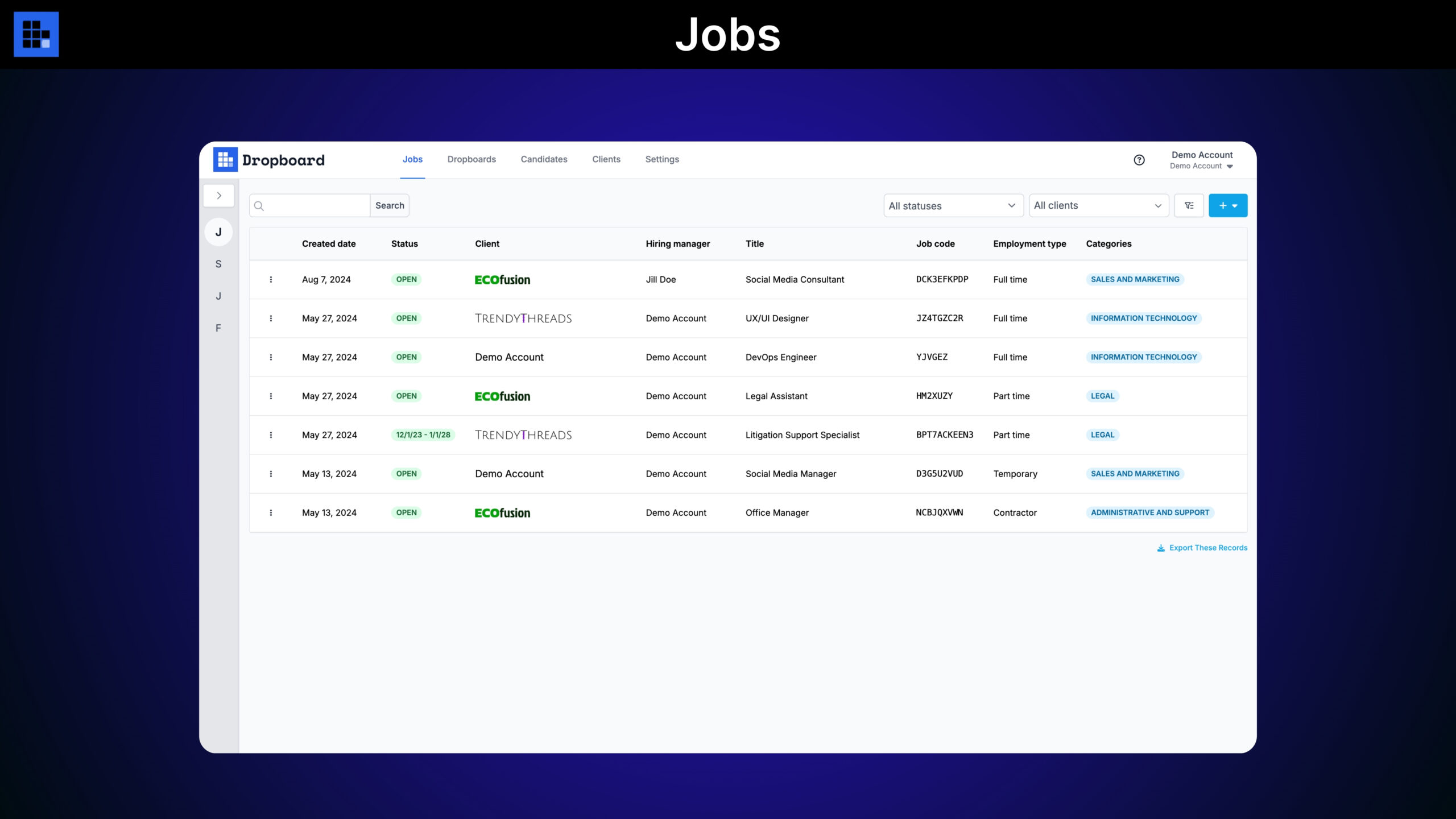
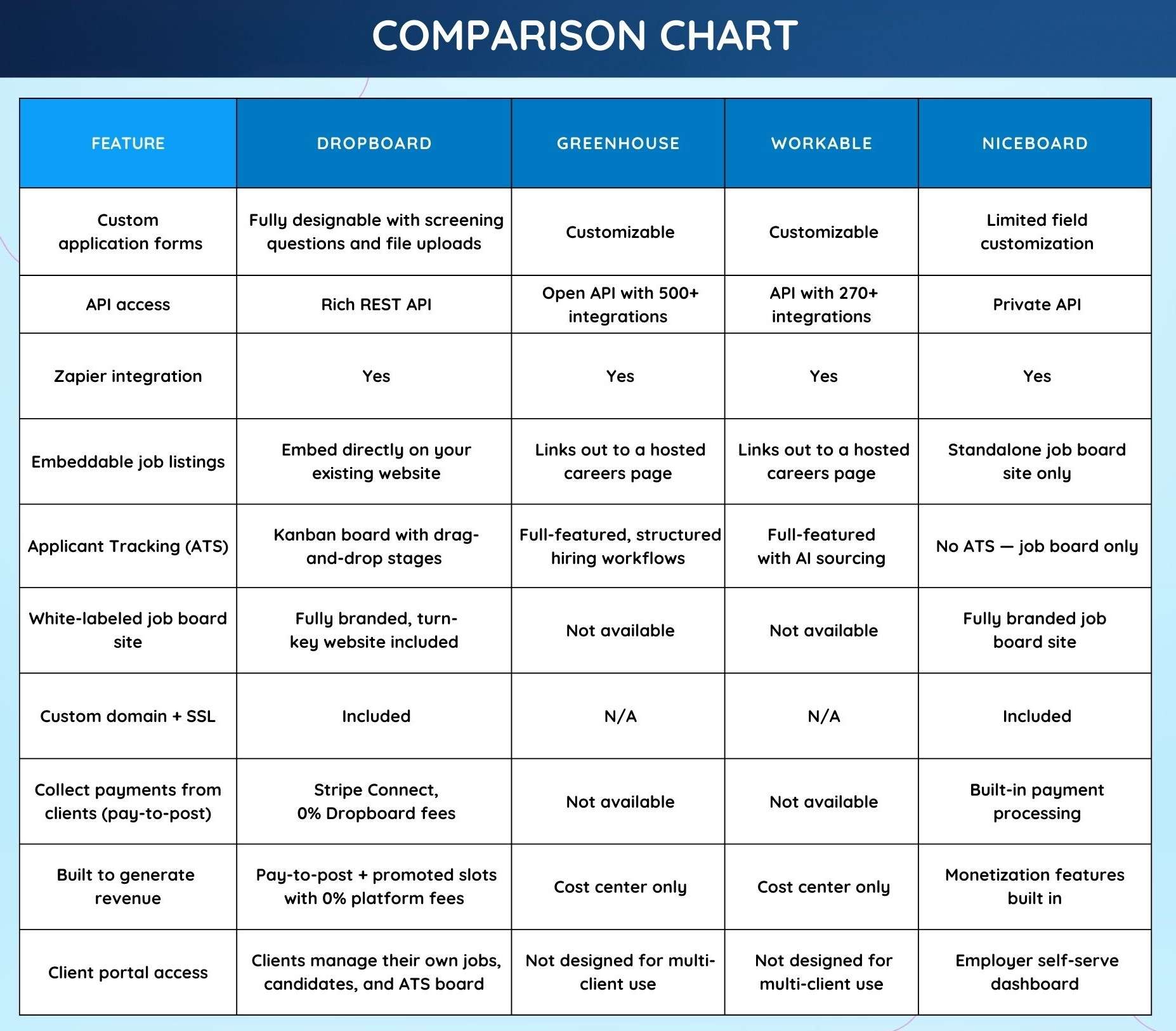
A: After creating a “Dropboard” using the live-preview designer (where you customize colors, text, spacing, and more), you’ll receive a small embed script. Copy and paste that script into the HTML of any page on your website, and Dropboard will fill that space with your open job listings. Candidates can browse and apply without ever leaving your site.
Tier 2 creates an entire turnkey website for you in addition to embeddable jobs.
Q 3: What can I do with the Applicant Tracking System (ATS)?
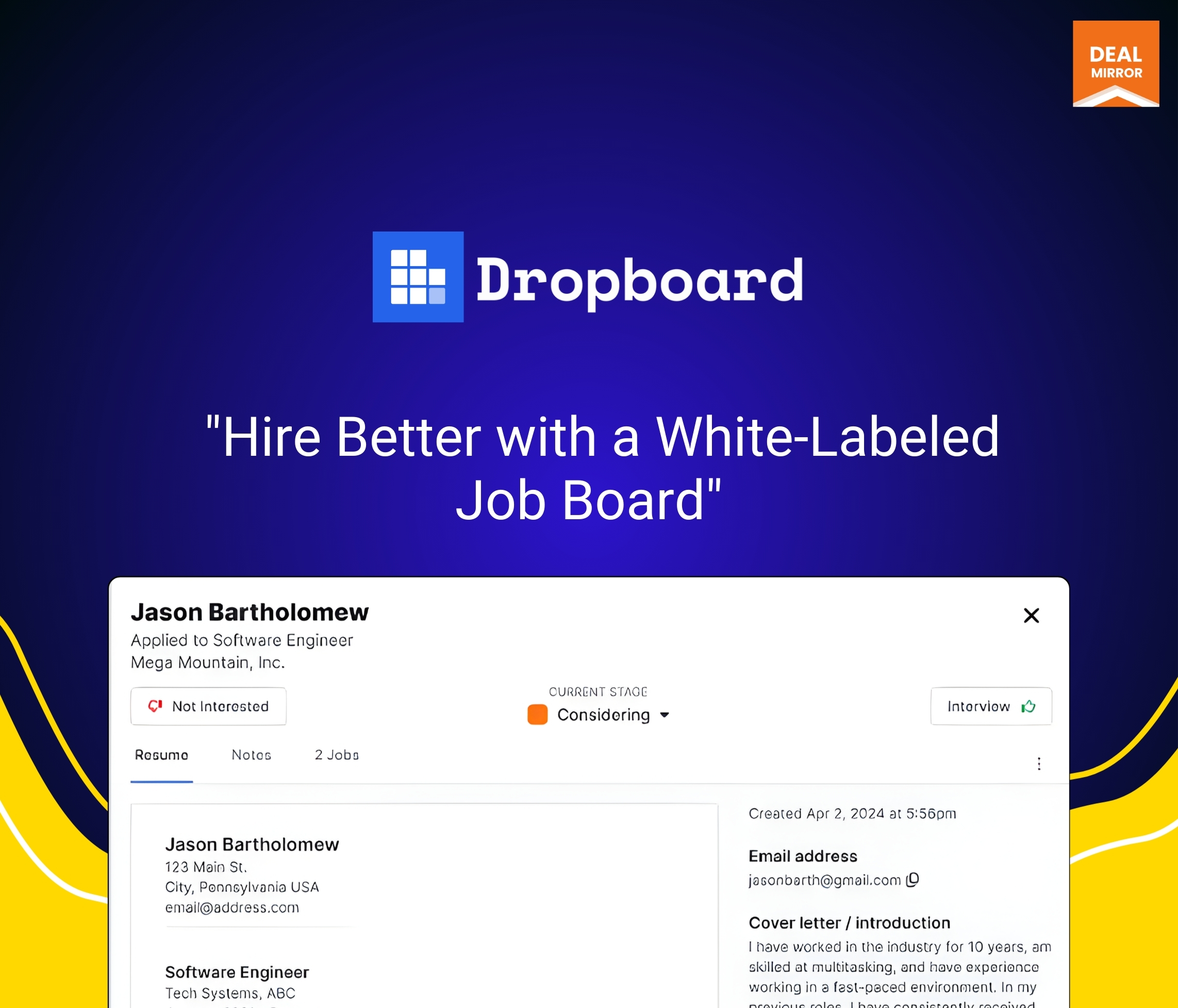
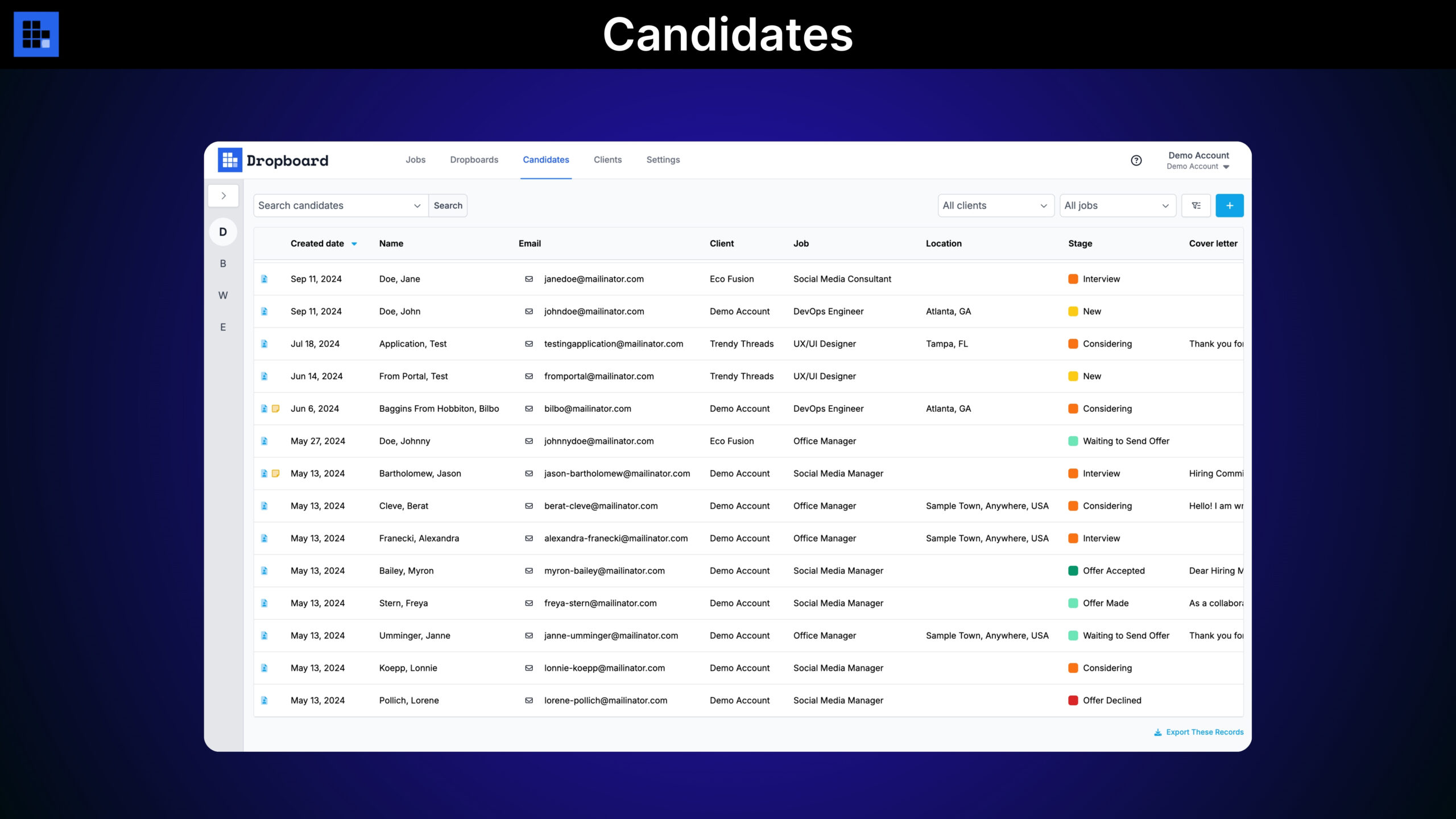
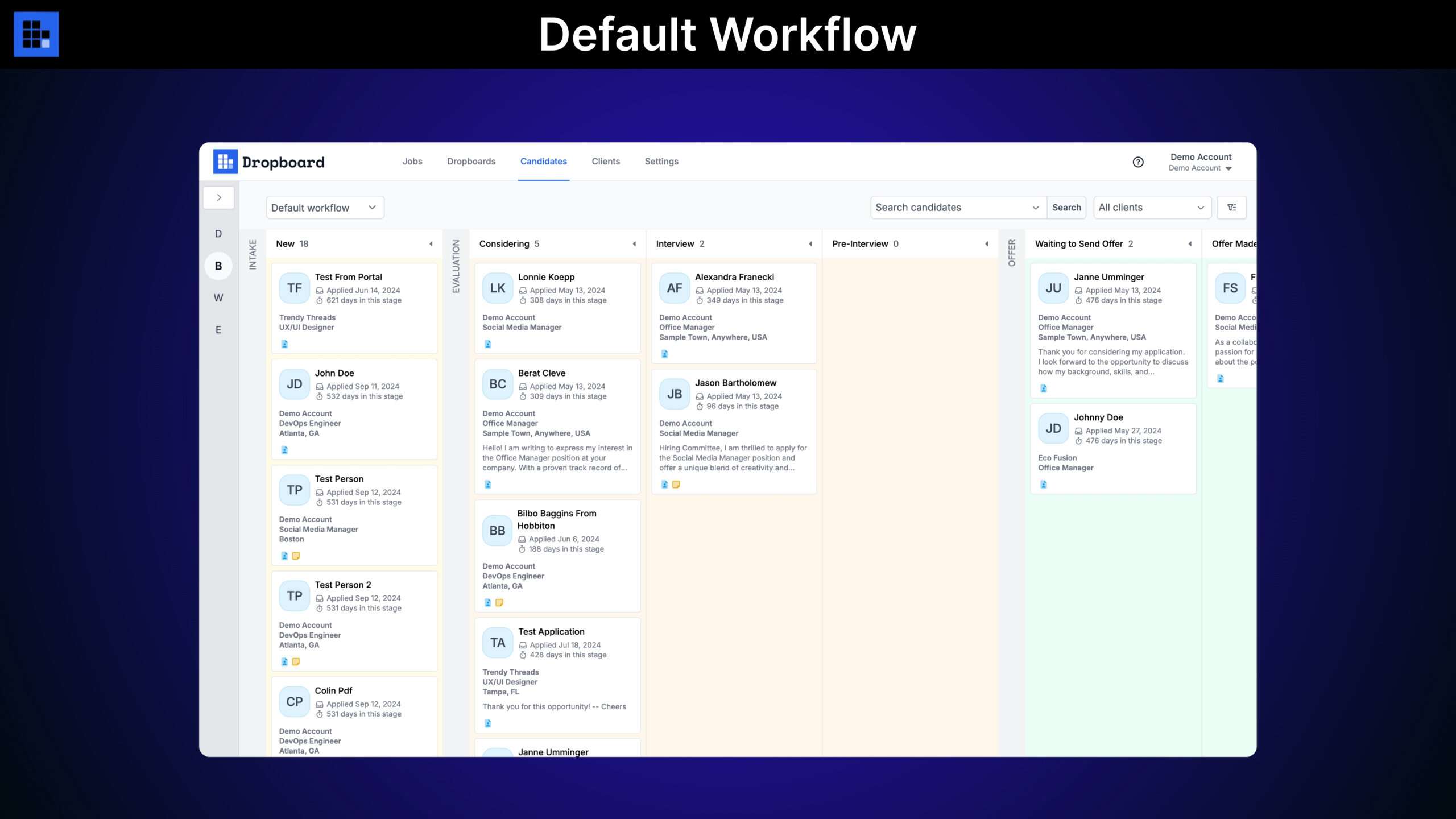
A: Dropboard’s ATS lets you design a custom hiring workflow with the exact stages that match your process. Candidates are displayed on a Kanban board, and you can drag them from one stage to the next as they progress. When you open a candidate’s panel, their resume loads instantly (Dropboard auto-converts and optimizes resumes, so there’s no downloading). Your team can also take notes, add attributes, and upload attachments directly on each candidate’s profile.
Q 4: What does “white-labeled job board” mean, and how does it work?
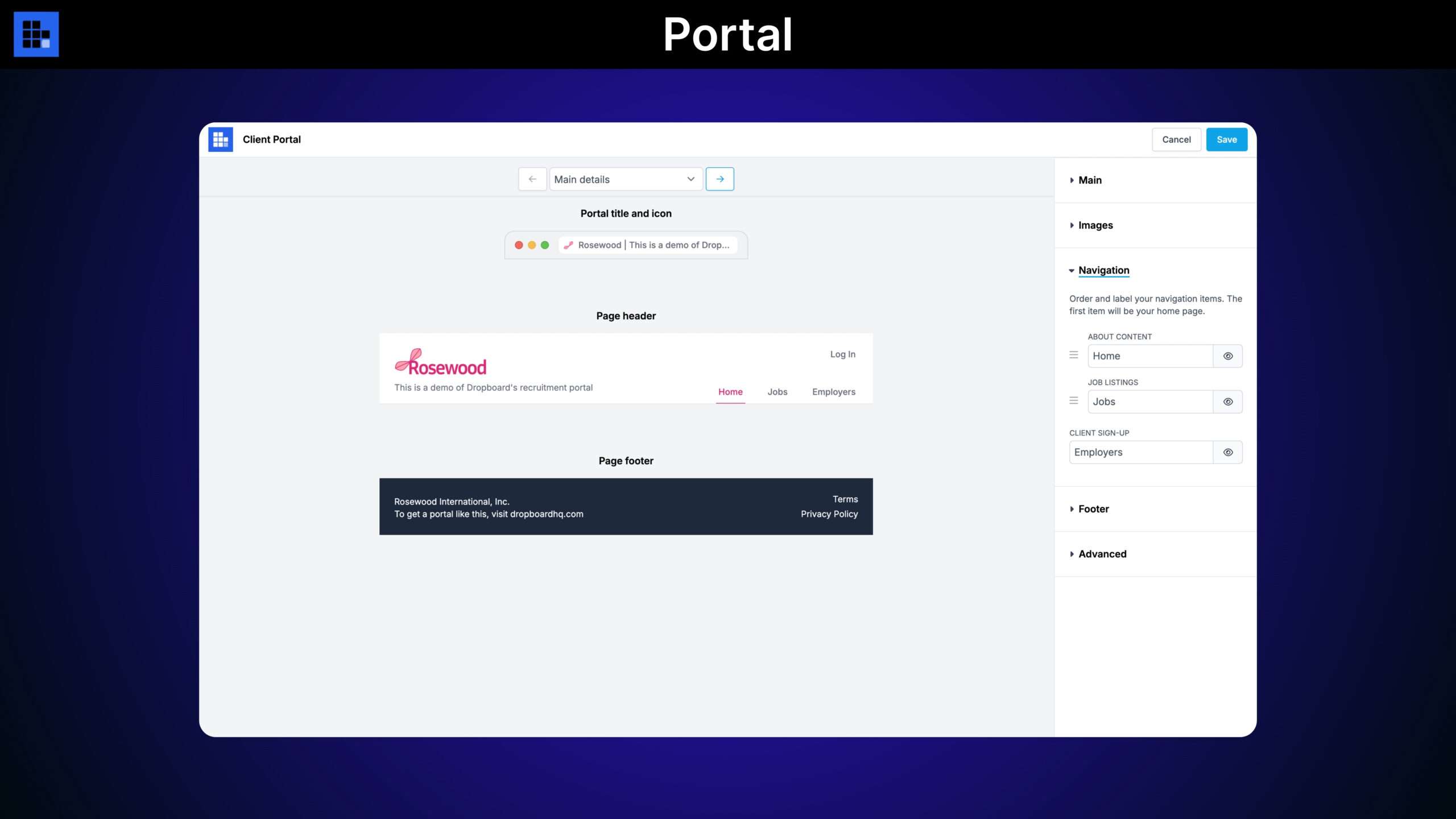
A: With the Tier 2 (Recruiter) license, Dropboard gives you a fully branded, standalone job board website hosted on your own custom domain with SSL security, with no Dropboard branding visible to your visitors. You can invite clients to join and manage their own jobs and candidates, or enable a sign-up form so new clients can request access that you approve or decline. You control ATS workflows, client permissions, and even whether client job edits require your approval before going public.
Q 5: Can I charge clients to post jobs on my board?
A: Yes, on the Tier 2 license, you connect your own Stripe account and can immediately begin collecting payments from clients to post jobs, with 0% transaction fees taken by Dropboard. You can design different pricing plans for different clients, set posting limits and restrictions per plan, and enable promoted job slots so clients can pay an additional fee to boost their listing’s visibility. Dropboard handles the round-robin, distributed placement of promoted jobs for you automatically.
Q 6: Does Dropboard support other languages and international use?
A: Yes, Dropboard offers multi-language support, so you can customize the interface for non-English audiences. The platform is also GDPR compliant and provides tools to help you manage your own GDPR compliance obligations, such as handling candidate data responsibly.
Q 7: What integrations are available to connect Dropboard with other tools?
A: Dropboard integrates with Zapier, which connects it to thousands of apps through a drag-and-drop interface. Zapier triggers fire in real time; for example, you can automatically schedule interviews or send assessments when a new candidate applies. Dropboard also supports SendGrid, Postmark, and Amazon SES for custom outbound email, plus a rich REST API for building custom automations beyond what Zapier offers.






3 reviews for Dropboard: Talent Acquisition Software With White Labeling Portal
Rahul J. –
As a startup, we needed a simple application tracking system that wasn’t overly complex. That’s exactly what we found with Dropboard. It allows us to track applicants and keep them at different stages of the hiring process. Everything is organized in one place, saving us a lot of time as opposed to traditional email-based recruiting.
Michael K. –
It was really easy to add job listings to our website with Dropboard. I like how everything can be customized, from the job description section to the application section. I think the best part about this tool is that applicants can directly apply from the page without being redirected anywhere else. If you are looking for a job board software or recruitment tool for your company’s website, I think this one is great.
natalie_c –
I’ve been using Dropboard for a few weeks now, and I must say that it has greatly simplified our hiring process. I added our job board to our site, and we’ve been receiving applications right away. It’s very clean, and I think that managing candidates with their workflow is very organized. I think that for small businesses, which don’t want to deal with complicated HR software, Dropboard is great. Highly recommended.