Home » Store » DockFlow : Instantly Switch Between Multiple macOS Dock Layouts
DockFlow : Instantly Switch Between Multiple macOS Dock Layouts
TL;DR
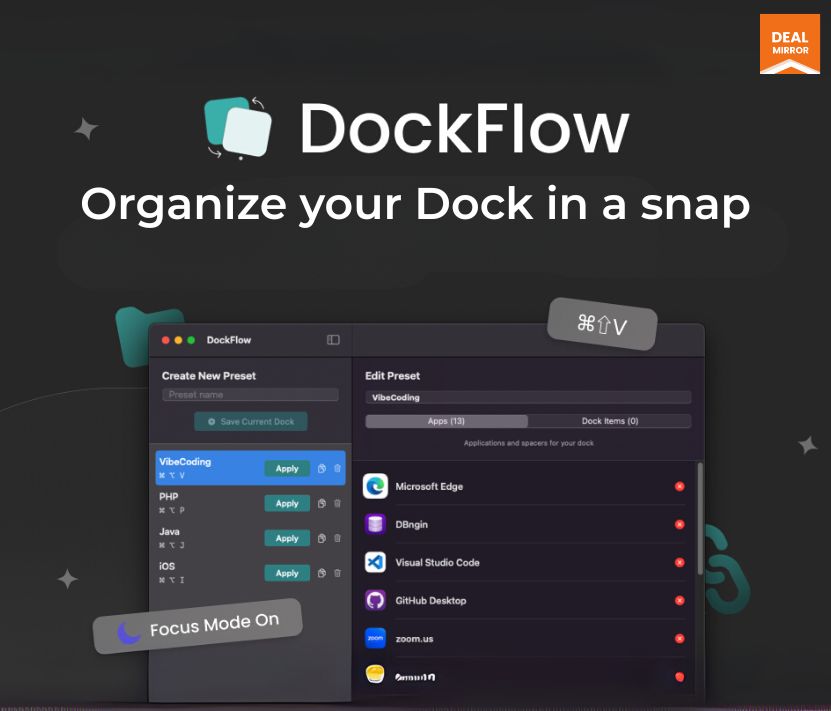
DockFlow lets you save and switch between multiple Dock setups on macOS with one click or shortcut.
Lightweight, fast, and works natively with macOS, no permissions, no learning curve.
Includes automation via CLI & Shortcuts app for full control and seamless context switching.
Perfect for multitaskers, organize your Dock by workflow: coding, design, writing, or entertainment.
DockFlow Lifetime deal
Are you tired of constantly rearranging your Mac Dock every time you switch tasks?
Whether you’re coding in the morning, designing after lunch, or relaxing with entertainment apps in the evening, DockFlow is here to streamline your workflow.
Say hello to DockFlow lifetime deal, macOS dock organizer gives you access to a simple yet powerful macOS productivity tool that lets you create, save, and instantly switch between multiple Dock configurations with just a click or custom shortcut. It’s like having a dedicated workspace for every role you play: no friction, no clutter.
DockFlow is laser-focused on one problems, which is eliminating Dock chaos. It lives discreetly in your Mac’s menu bar and requires no special permissions. You can build tailored presets for work, writing, design, or play, and move between them seamlessly using DockFlow’s intuitive interface or even automate it via CLI or the Apple Shortcuts app. It’s built for professionals who shift between projects and need their digital tools to keep up.
DockFlow doesn’t replace or modify your Dock, instead it works with macOS’s native Dock for maximum stability, speed, and compatibility.
How does it work?
Step 1: Setup your dock layout
Just open the apps you use for your workflow.
Step 2: Give it a name and save
In the app, enter a name like ‘Design’ and click ‘Save Current Dock’.
Step 3: Ta-da! Your Dock is set!
Change your dock layout anytime, with a single click.
Demo Video
DockFlow is a macOS productivity tool that lets you create, save, and instantly switch between multiple Dock layouts for different workflows.
Key Features:
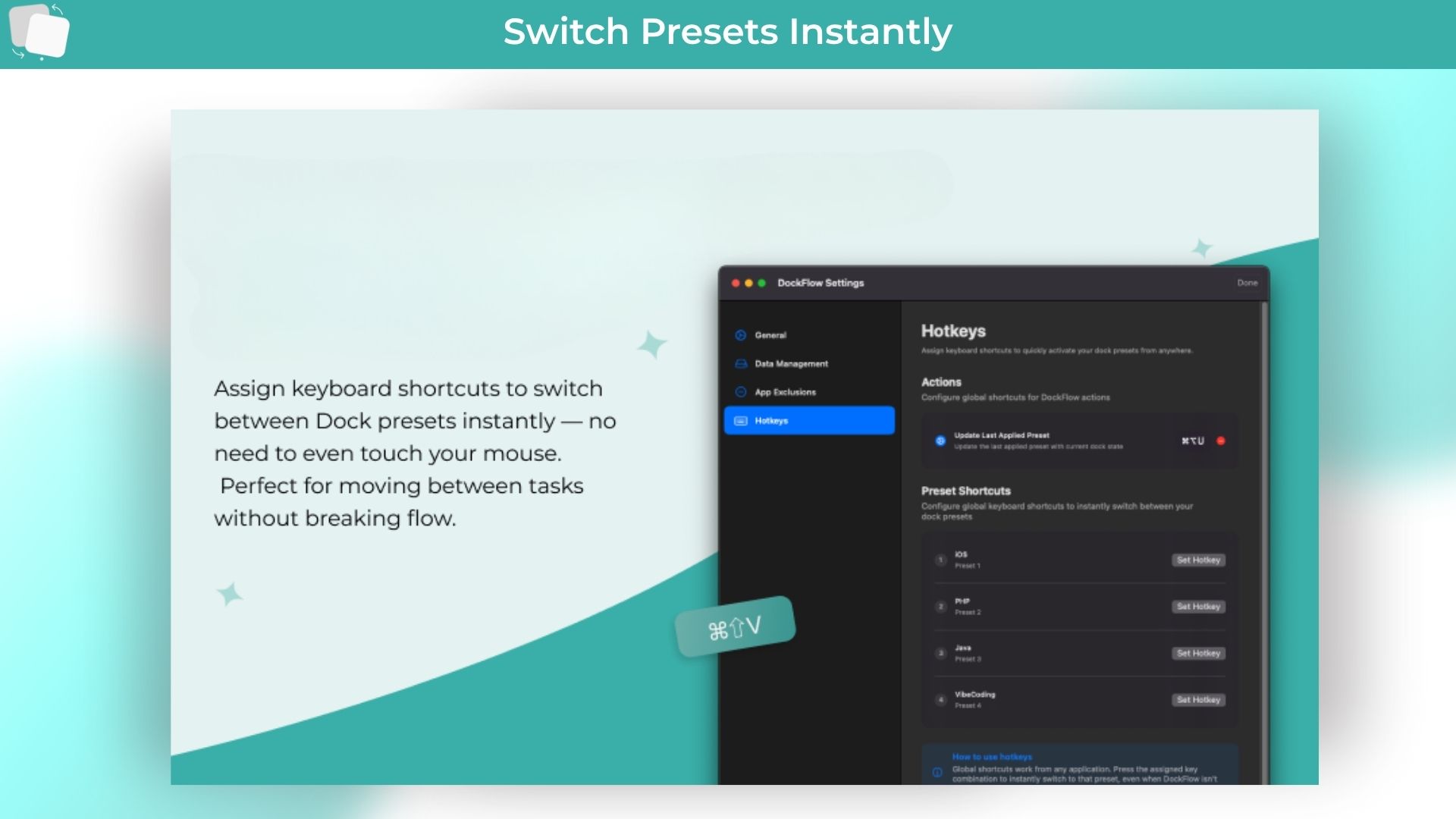
1. Hotkey setup:
Still switching manually?
You can set your hotkeys to switch your dock instantly. Just open the settings- “Press Hotkeys” – set your hotkey.
2. Folders, Files and Links:
Not just your apps.
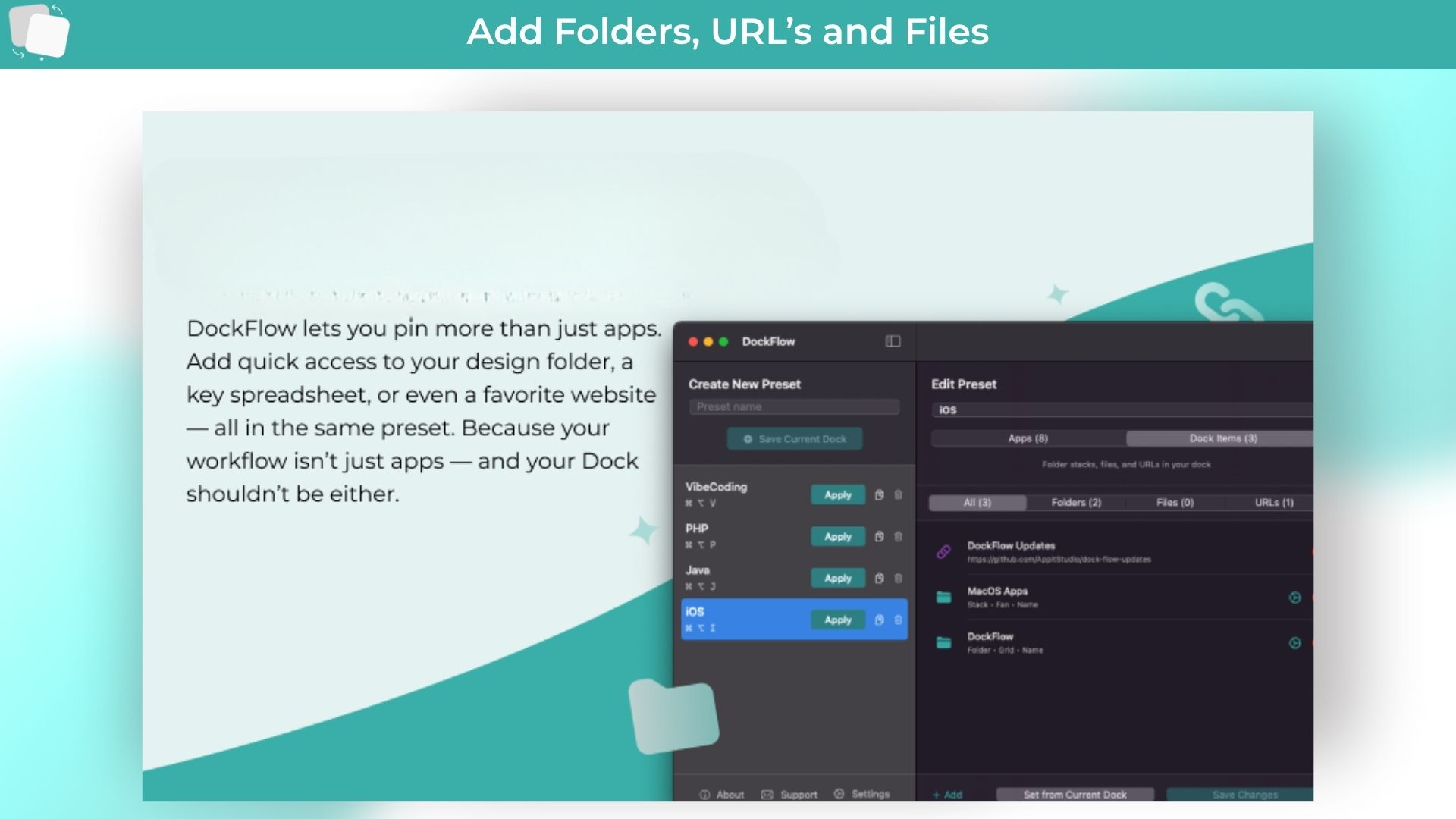
Folders, files, or even website links- customize your Dock with the exact tools and resources you use every day.
3. Add Spaces:
Group apps your way.
Insert blank spaces to your group your apps visually- so everything looks clean and your brain stays calm.
4. Automation and CLI:
Built for power users.
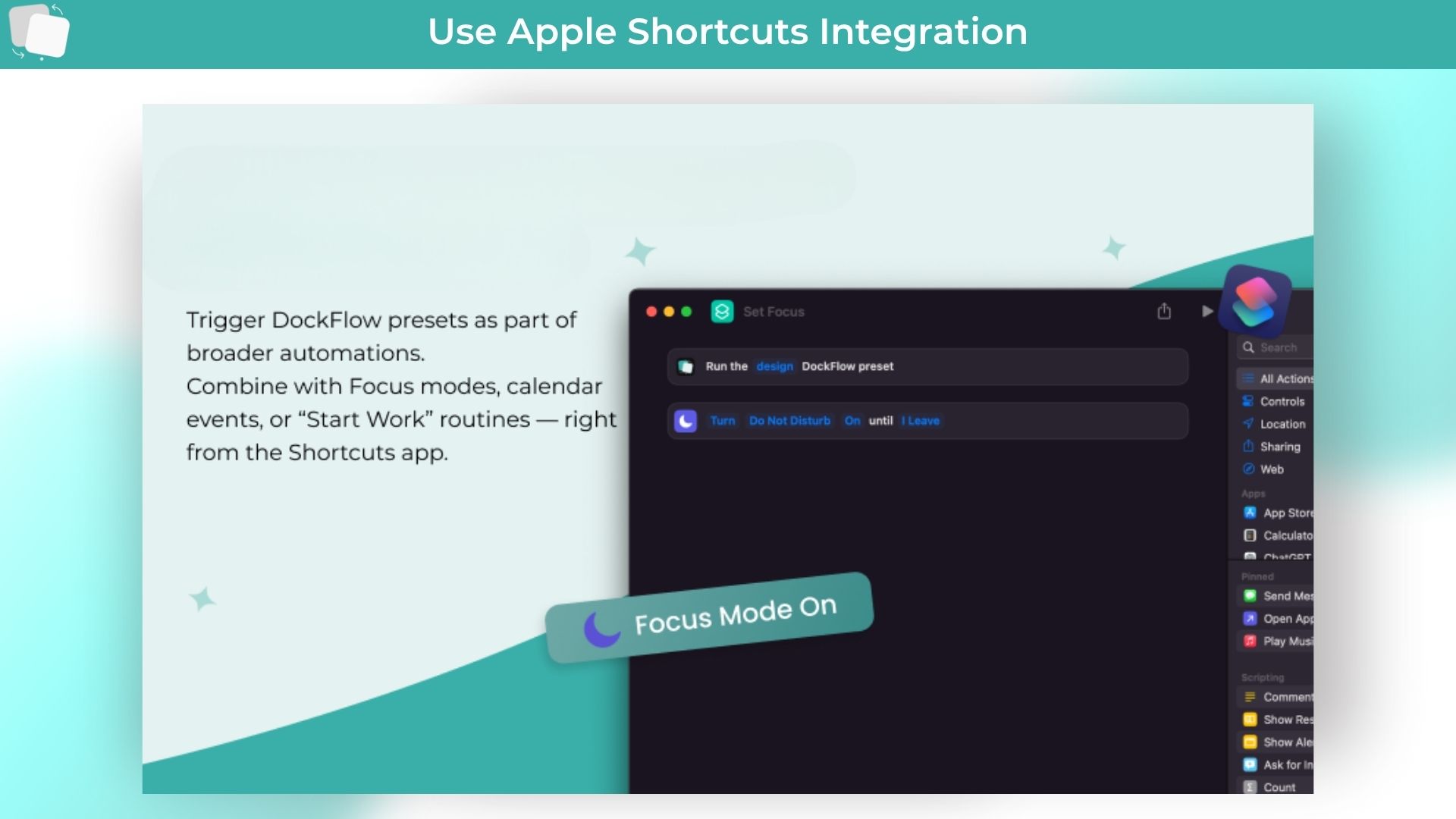
Unlock DocFlow’s full potential with Shortcuts integration. Advanced CLI tools for productivity experts.
Use Cases:
For Multi-Domain Developers
For Creative Professionals benefit
For Designers
For Content Creators and Writers
For Project Managers and Consultants
For Educators and Students
The common thread across all use cases is the need to maintain focus and reduce friction when switching between different types of work or different projects within the same domain.
Product Roadmap (2025):
Adding an actions model to allow users to set actions per app that will run after the dock switching.
Building a public library for Dock presets and automations for users to share and optimize their work routing, and expose them to different tools in their domain.
Deal Terms:
Lifetime Access
Redeem your code within 60 days of purchase
30-Days Money-Back Guarantee (For Non-Prime Members and Regular users)
60-Day Money-Back Guarantee (For DealMirror Prime Members Only)
Intro Video
Roadmap & Use Cases:
Discount code auto-applied at checkout.
DockFlow : Instantly Switch Between Multiple macOS Dock Layouts
One-time payment. Lifetime access.
What you get in this deal
Lifetime Access Unlimited Docks Fast support Better Productivity
DockFlow lets you save and switch between multiple Dock setups on macOS with one click or shortcut.
Lightweight, fast, and works natively with macOS, no permissions, no learning curve.
Includes automation via CLI & Shortcuts app for full control and seamless context switching.
Perfect for multitaskers, organize your Dock by workflow: coding, design, writing, or entertainment.
DockFlow Lifetime deal
Are you tired of constantly rearranging your Mac Dock every time you switch tasks?
Whether you’re coding in the morning, designing after lunch, or relaxing with entertainment apps in the evening, DockFlow is here to streamline your workflow.
Say hello to DockFlow lifetime deal, macOS dock organizer gives you access to a simple yet powerful macOS productivity tool that lets you create, save, and instantly switch between multiple Dock configurations with just a click or custom shortcut. It’s like having a dedicated workspace for every role you play: no friction, no clutter.
DockFlow is laser-focused on one problems, which is eliminating Dock chaos. It lives discreetly in your Mac’s menu bar and requires no special permissions. You can build tailored presets for work, writing, design, or play, and move between them seamlessly using DockFlow’s intuitive interface or even automate it via CLI or the Apple Shortcuts app. It’s built for professionals who shift between projects and need their digital tools to keep up.
DockFlow doesn’t replace or modify your Dock, instead it works with macOS’s native Dock for maximum stability, speed, and compatibility.
How does it work?
Step 1: Setup your dock layout
Just open the apps you use for your workflow.
Step 2: Give it a name and save
In the app, enter a name like ‘Design’ and click ‘Save Current Dock’.
Step 3: Ta-da! Your Dock is set!
Change your dock layout anytime, with a single click.
Demo Video
DockFlow is a macOS productivity tool that lets you create, save, and instantly switch between multiple Dock layouts for different workflows.
Key Features:
1. Hotkey setup:
Still switching manually?
You can set your hotkeys to switch your dock instantly. Just open the settings- “Press Hotkeys” – set your hotkey.
2. Folders, Files and Links:
Not just your apps.
Folders, files, or even website links- customize your Dock with the exact tools and resources you use every day.
3. Add Spaces:
Group apps your way.
Insert blank spaces to your group your apps visually- so everything looks clean and your brain stays calm.
4. Automation and CLI:
Built for power users.
Unlock DocFlow’s full potential with Shortcuts integration. Advanced CLI tools for productivity experts.
Use Cases:
For Multi-Domain Developers
For Creative Professionals benefit
For Designers
For Content Creators and Writers
For Project Managers and Consultants
For Educators and Students
The common thread across all use cases is the need to maintain focus and reduce friction when switching between different types of work or different projects within the same domain.
Product Roadmap (2025):
Adding an actions model to allow users to set actions per app that will run after the dock switching.
Building a public library for Dock presets and automations for users to share and optimize their work routing, and expose them to different tools in their domain.
Deal Terms:
Lifetime Access
Redeem your code within 60 days of purchase
30-Days Money-Back Guarantee (For Non-Prime Members and Regular users)
60-Day Money-Back Guarantee (For DealMirror Prime Members Only)
Pricing
Mac
One-time payment. Lifetime access.
$10.99$49.99
Lifetime Access
Unlimited Docks
Fast support
Better Productivity
Unlock Lifetime Access
Valid for one mac device
macOS 13.5+ Supported
From The Founders
DockFlow
Founder
I built DockFlow out of pure frustration.
Every time I switched between projects: Coding in Java, working on PHP stuff, or just handling my personal finances,
I found myself wasting time rearranging my macOS Dock. It completely disrupted my flow and distracted me from my focus.
I didn’t want another heavy tool with a long setup or learning curve.
I just needed something simple that did one thing really well: let me switch Dock setups instantly.
That’s the whole idea behind DockFlow: no fluff, no bloat, just a fast and lightweight tool that solves real daily pain.
DockFlow doesn’t need any permissions because I wanted to keep things clean, private, and efficient. It utilizes Apple’s built-in Dock system, with no tricks or hacks. So it respects your Mac’s performance and your setup.
I also chose a one-time purchase model because I hate subscription pressure. It lets me focus on building the features that matter without turning DockFlow into a bloated mess just to justify monthly payments.
User feedback has played an enormous role in shaping DockFlow. Features like folder support and custom hotkeys were introduced directly from the community, and I’ll continue to listen.
The goal is to keep DockFlow valuable and straightforward, rather than turning it into another overly complicated app.
Ultimately, this is all about helping you stay focused. If DockFlow can save you a few seconds here and there and remove that constant minor annoyance of organizing your Dock, I’ve done my job.
Q. How does DockFlow work with the native macOS Dock?
– DockFlow utilizes Apple’s native Dock functionality rather than replacing it with a custom implementation. This approach ensures optimal performance, system compatibility, and eliminates the need for special permissions while maintaining the familiar Dock behavior users expect.
Q. Can I assign keyboard shortcuts to different Dock presets?
– Yes, DockFlow supports custom hotkeys for each saved preset, enabling instant switching without opening the application interface.
This feature is particularly valuable for users who frequently alternate between different workflows throughout their workday.
Q. Does DockFlow support folders and files in addition to applications?
– Recent updates have added comprehensive support for folders, links, and files, allowing users to include folder stacks in their Dock presets.
This enhancement enables more comprehensive workflow customization, extending beyond application management.
Q. Will switching between presets affect my running applications?
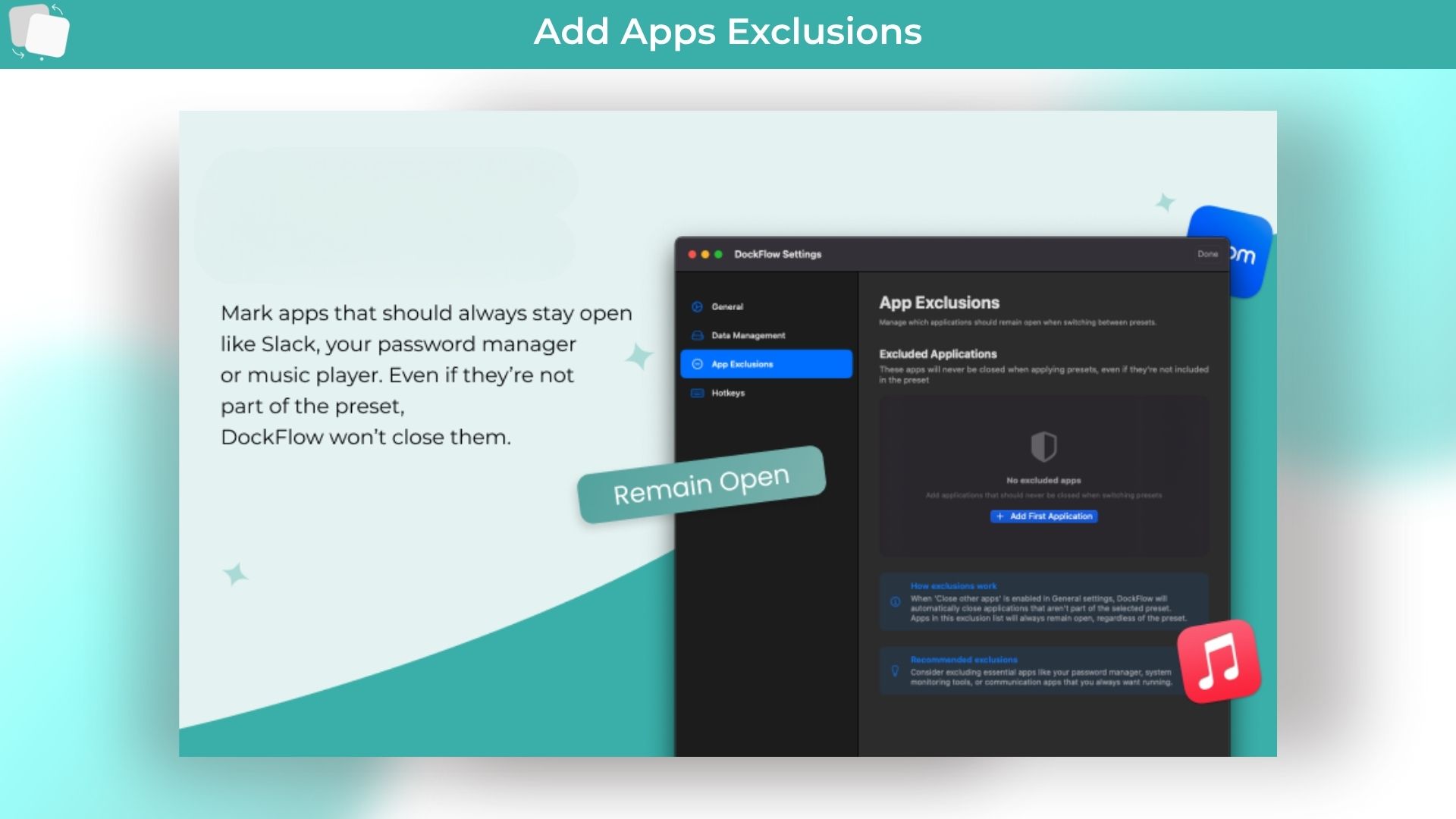
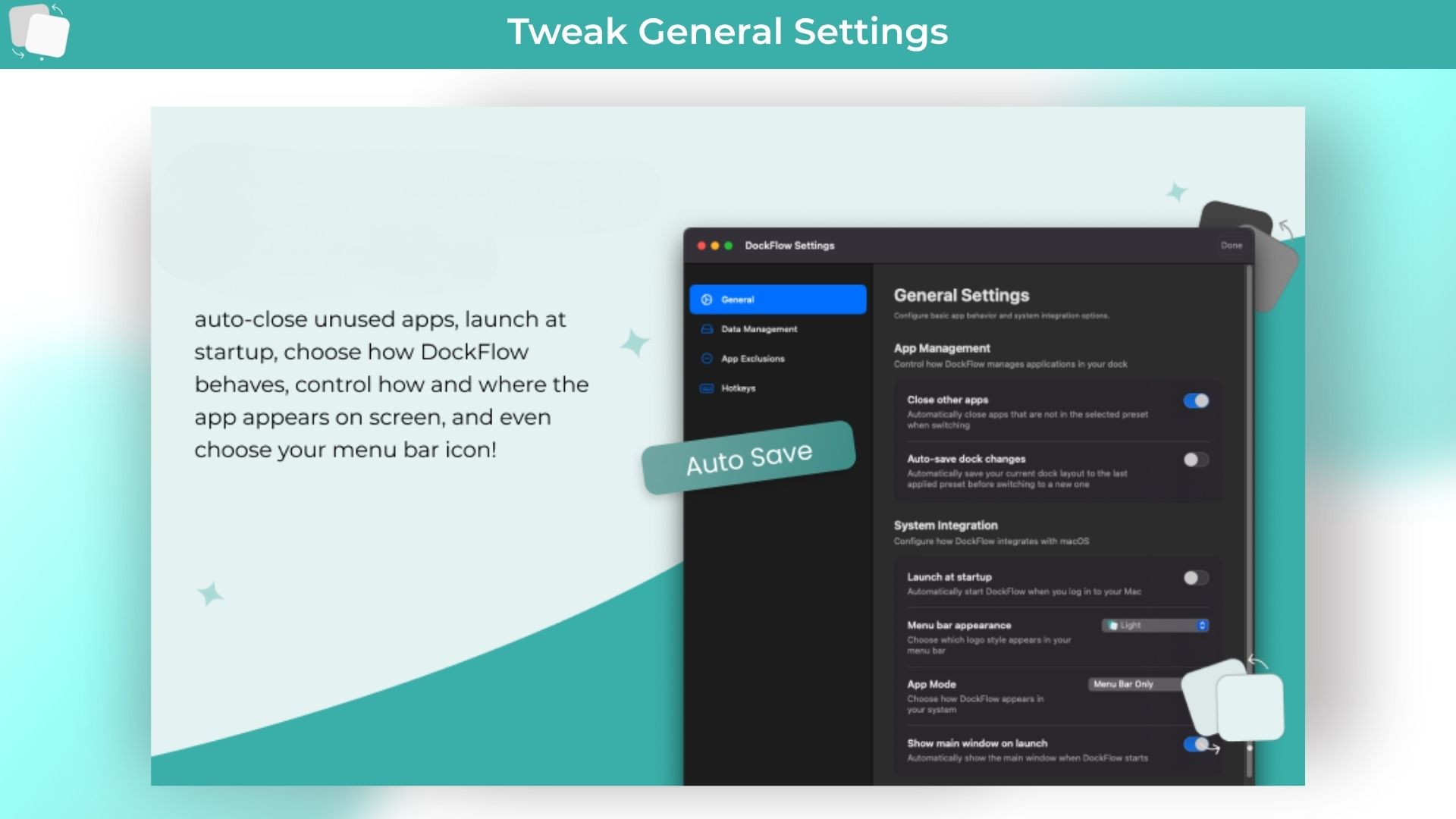
– DockFlow offers configurable behavior for handling running applications. Users can choose to automatically quit applications that aren’t part of the current preset, or simply reorganize the Dock layout while keeping all applications running.
Q. What macOS versions are supported? – DockFlow requires macOS 13.5 or later. The application is designed to work seamlessly across different Mac hardware configurations and integrates well with other macOS productivity features.
Reviews
4 reviews for DockFlow : Instantly Switch Between Multiple macOS Dock Layouts
Rated 5 out of 5
Robin –
“DockFlow feels like a game-changer for anyone juggling multiple workflows, turning the Dock into a smart, adaptive tool instead of a static strip of icons.”
Rated 5 out of 5
Sri ram –
DockFlow nails a pain point most devs just accept as normal. Love how it transforms the Dock into something dynamic and actually workflow friendly, it’s like muscle
memory for your workspace.
Rated 5 out of 5
Yahiya Khan –
“This is such a relatable pain point, and I love how you turned it into something actionable. The context switching problem is real, especially when you’re juggling multiple roles or projects.”
Rated 5 out of 5
John T. –
I’m especially impressed by how it tackles the challenge of context switching with such a clean and streamlined design. It’s a whole new level of productivity!





4 reviews for DockFlow : Instantly Switch Between Multiple macOS Dock Layouts
Robin –
“DockFlow feels like a game-changer for anyone juggling multiple workflows, turning the Dock into a smart, adaptive tool instead of a static strip of icons.”
Sri ram –
DockFlow nails a pain point most devs just accept as normal. Love how it transforms the Dock into something dynamic and actually workflow friendly, it’s like muscle
memory for your workspace.
Yahiya Khan –
“This is such a relatable pain point, and I love how you turned it into something actionable. The context switching problem is real, especially when you’re juggling multiple roles or projects.”
John T. –
I’m especially impressed by how it tackles the challenge of context switching with such a clean and streamlined design. It’s a whole new level of productivity!