Home » Store » CursorClip: Auto-Zoom Screen Recorder for macOS
CursorClip: Auto-Zoom Screen Recorder for macOS
TL;DR
Simply follow the cursor and highlight important info with auto-zoom & make screen recordings that actually gets views
Generate engaging product demos, etc., by recording your webcam alongside your screen
Best for YouTubers, Freelancers, Marketing, E-learning, Small Business Owners etc
Alternative to ScreenStudio, Screen Charm, Descript, Camtasia, Loom, OBS Studio, etc
CursorClip Lifetime Deal
Ever wanted to make a presentation or product demo or just a small tutorial on your macOS by recording the screen but got stuck multiple times for multiple reasons? Maybe the screen does not zoom to the exact point that you want to highlight, or maybe it’s a simple webcam and screen recording error?
Well, we have all been there, but not to worry anymore!!!
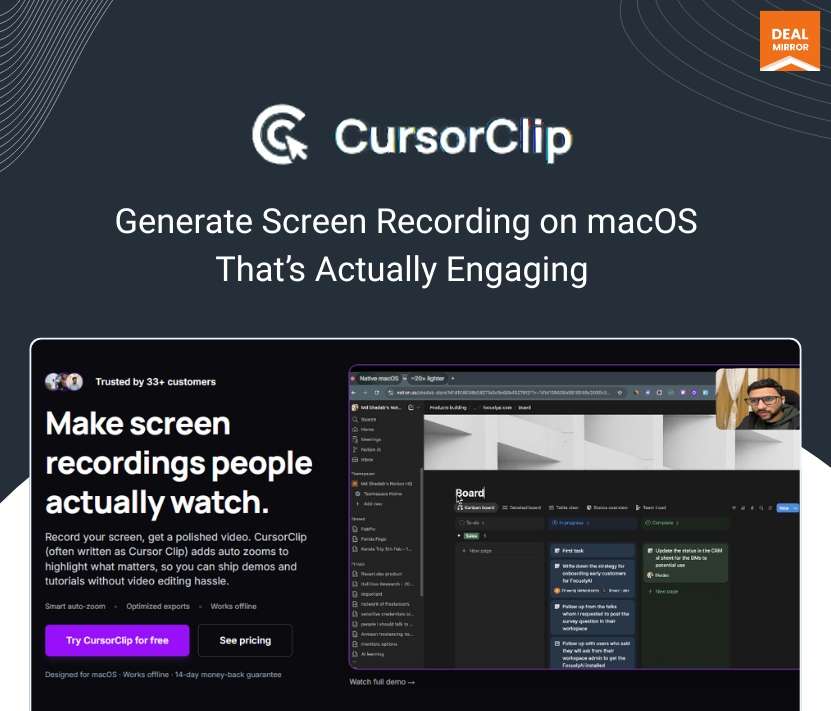
Meet CursorClip. A tool designed for macOS users to help them make screen recordings people actually watch.
With its auto zoom feature, all you need to do is move the cursor to the detail you want to highlight, and the video automatically zooms in for focus, so you can create a video to highlight the exact point you want to show; it lets the audience have a clear idea and makes the video more engaging.
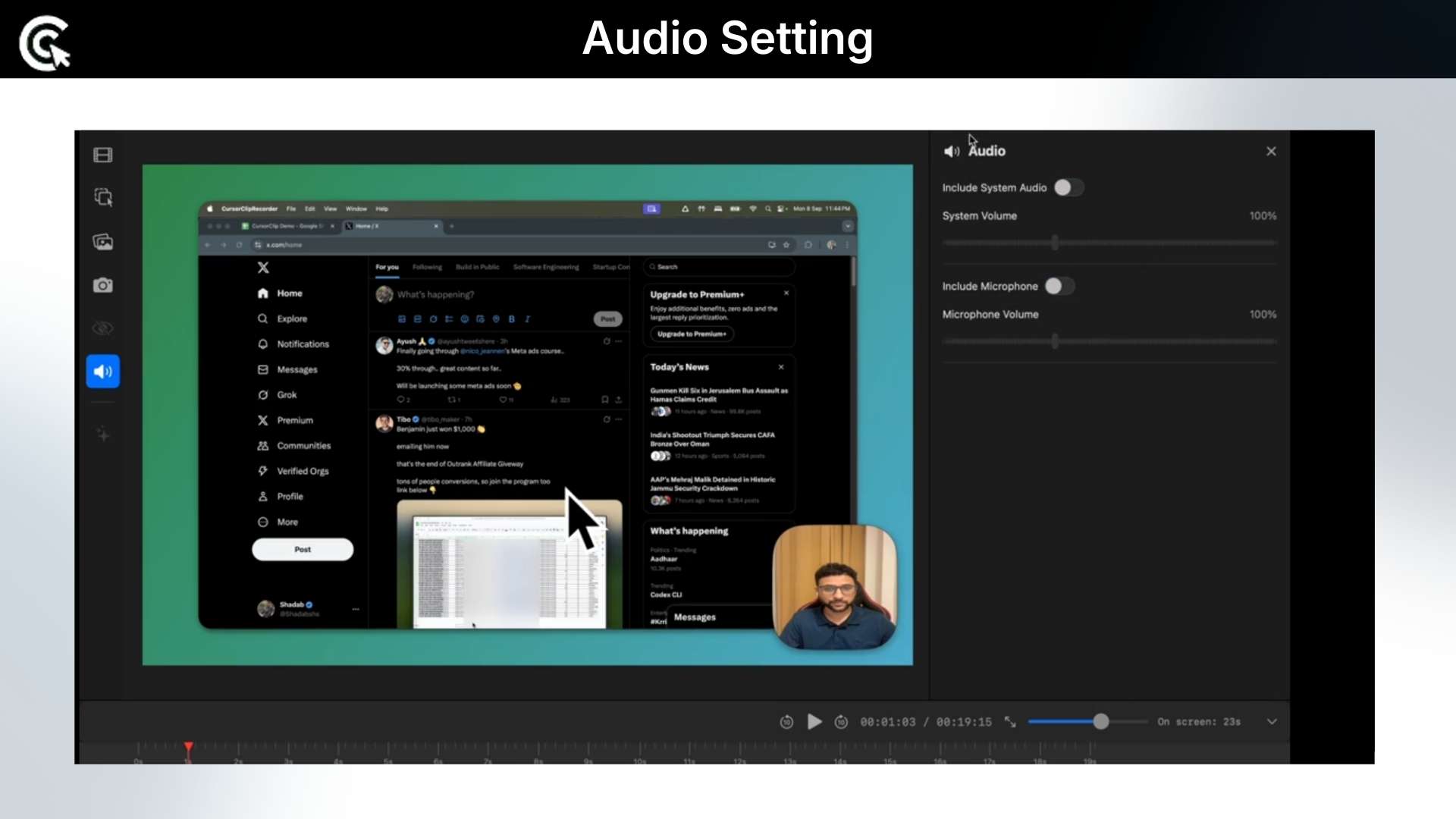
Not just this, with CursorClip you can record your webcam alongside your screen, so you can provide engaging product demos, tutorials, and walkthroughs.
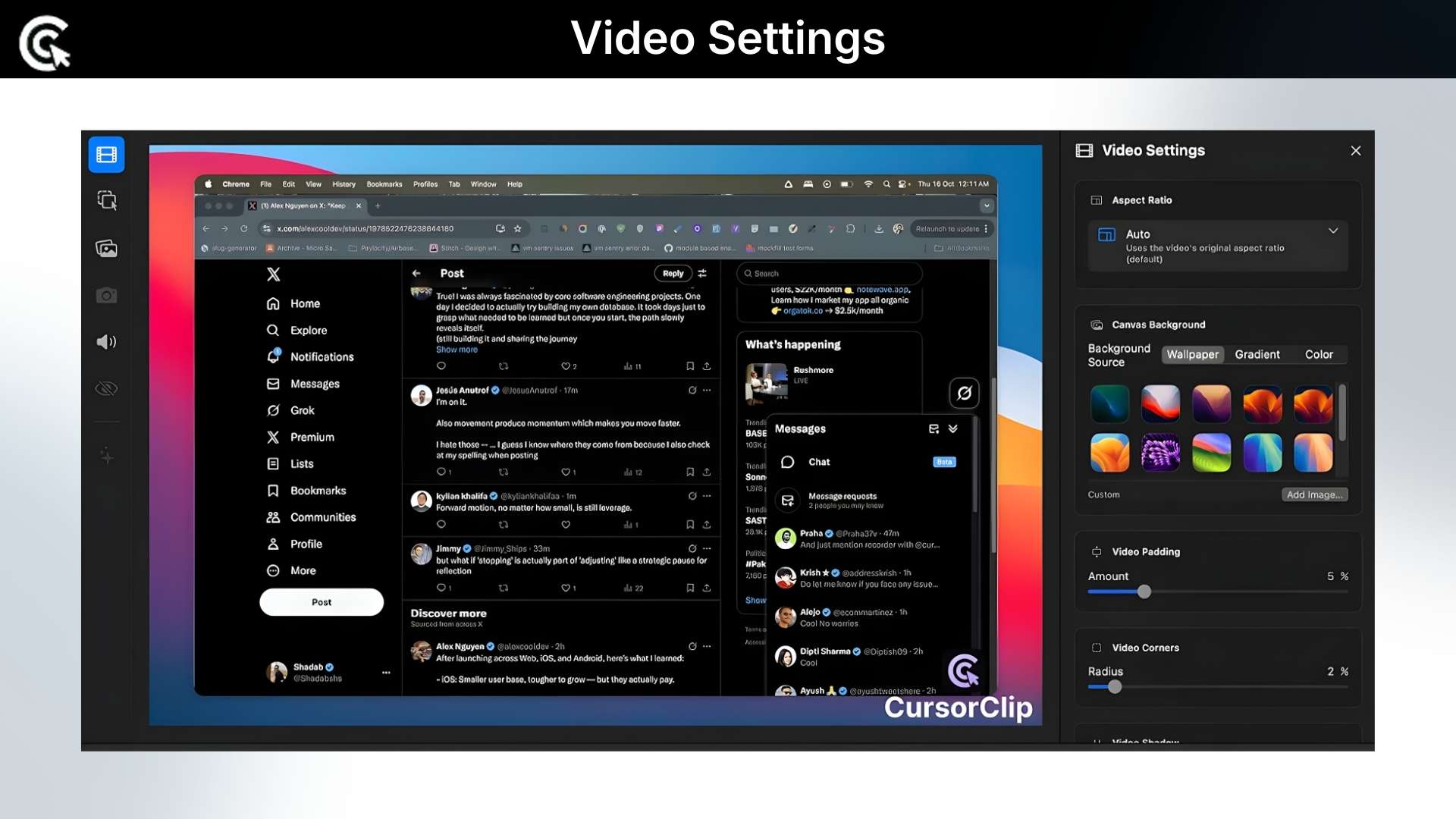
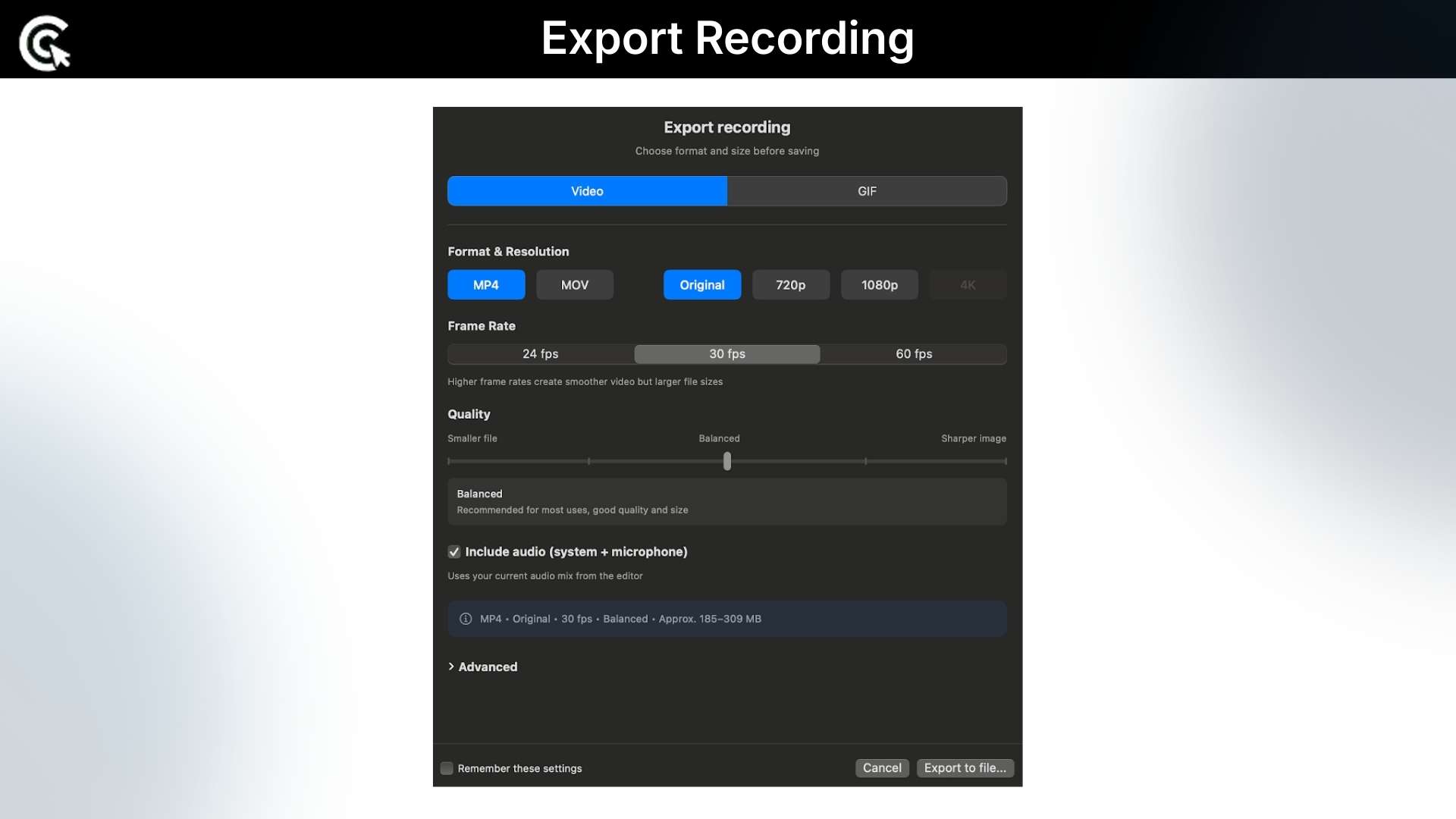
And customize your recorded video background for attention-grabbing demos. When the video is ready, simply export it in various formats up to 4K 60 fps, and it’s ready to share on social media.
CursorClip’s simple yet powerful video editor provides control, zoom effects, lets you remove or manually add zoom points, and lets you edit the recording with an intuitive editor.
Intro Video
CursorClip is a lightweight macOS screen recorder that follows your cursor and automatically adds cinematic zooms. It lets you record your screen and webcam alongside, export it as a video or GIF, and get ready-to-share demos easily.
Dashboard Images
Key Features
AutoZoom that follows your cursor: Wherever your cursor moves, CursorClip’s camera follows. It automatically zooms in on key actions, clicks, and inputs, so viewers stay focused on what matters instead of getting lost in a full-screen blur.
Camera capture for human connection: Record your webcam alongside your screen to add personality and trust to your demos, tutorials, and walkthroughs.
Custom backgrounds for standout videos: Customize clean, branded, or eye-catching backgrounds for your camera to create a more polished visual style.
Easily Export Videos: Export your videos in various formats up to 4K or as optimized for social media sharing.
Ultra-light native macOS app (18 MB): CursorClip is a native macOS app, around 18 MB, compared to other tools that weigh in at 350 MB or more. It launches quickly, runs smoothly, and doesn’t bog down your Mac while you’re recording.
Use Cases:
Founders & indie makers: Perfect for shipping quick, professional demos for landing pages and investor updates.
Educators & YouTubers: Great for recording concise, easy-to-follow tutorials where the action is always zoomed in on the relevant part of the screen.
Marketers & agencies: Ideal for product walkthroughs, client reports, campaign overviews, and UX reviews.
Developers & designers: Capture feature updates, UI changes, bug reproductions, and prototypes with zero editing overhead.
Deal Terms:
Length of access: Lifetime
Redemption deadline: 60 days from purchase
30 Days Money Back Guarantee (For Non-Prime Members/Regular Users).
Simply follow the cursor and highlight important info with auto-zoom & make screen recordings that actually gets views
Generate engaging product demos, etc., by recording your webcam alongside your screen
Best for YouTubers, Freelancers, Marketing, E-learning, Small Business Owners etc
Alternative to ScreenStudio, Screen Charm, Descript, Camtasia, Loom, OBS Studio, etc
CursorClip Lifetime Deal
Ever wanted to make a presentation or product demo or just a small tutorial on your macOS by recording the screen but got stuck multiple times for multiple reasons? Maybe the screen does not zoom to the exact point that you want to highlight, or maybe it’s a simple webcam and screen recording error?
Well, we have all been there, but not to worry anymore!!!
Meet CursorClip. A tool designed for macOS users to help them make screen recordings people actually watch.
With its auto zoom feature, all you need to do is move the cursor to the detail you want to highlight, and the video automatically zooms in for focus, so you can create a video to highlight the exact point you want to show; it lets the audience have a clear idea and makes the video more engaging.
Not just this, with CursorClip you can record your webcam alongside your screen, so you can provide engaging product demos, tutorials, and walkthroughs.
And customize your recorded video background for attention-grabbing demos. When the video is ready, simply export it in various formats up to 4K 60 fps, and it’s ready to share on social media.
CursorClip’s simple yet powerful video editor provides control, zoom effects, lets you remove or manually add zoom points, and lets you edit the recording with an intuitive editor.
Intro Video
CursorClip is a lightweight macOS screen recorder that follows your cursor and automatically adds cinematic zooms. It lets you record your screen and webcam alongside, export it as a video or GIF, and get ready-to-share demos easily.
Dashboard Images
Key Features
AutoZoom that follows your cursor: Wherever your cursor moves, CursorClip’s camera follows. It automatically zooms in on key actions, clicks, and inputs, so viewers stay focused on what matters instead of getting lost in a full-screen blur.
Camera capture for human connection: Record your webcam alongside your screen to add personality and trust to your demos, tutorials, and walkthroughs.
Custom backgrounds for standout videos: Customize clean, branded, or eye-catching backgrounds for your camera to create a more polished visual style.
Easily Export Videos: Export your videos in various formats up to 4K or as optimized for social media sharing.
Ultra-light native macOS app (18 MB): CursorClip is a native macOS app, around 18 MB, compared to other tools that weigh in at 350 MB or more. It launches quickly, runs smoothly, and doesn’t bog down your Mac while you’re recording.
Use Cases:
Founders & indie makers: Perfect for shipping quick, professional demos for landing pages and investor updates.
Educators & YouTubers: Great for recording concise, easy-to-follow tutorials where the action is always zoomed in on the relevant part of the screen.
Marketers & agencies: Ideal for product walkthroughs, client reports, campaign overviews, and UX reviews.
Developers & designers: Capture feature updates, UI changes, bug reproductions, and prototypes with zero editing overhead.
Deal Terms:
Length of access: Lifetime
Redemption deadline: 60 days from purchase
30 Days Money Back Guarantee (For Non-Prime Members/Regular Users).
Hey Everyone, Me and Surya are the founders of CursorClip. We both have been building products and indie hacking for a few years, and we love to build products that give users a delightful experience. We are excited for you to use CursorClip and record amazing videos.
Looking forward to hearing any feedback or feature requests you all have.






3 reviews for CursorClip: Auto-Zoom Screen Recorder for macOS
Aman –
Tried the app, loved the easiness and experience on the run, will use this extensively for sure.
Rishabh Garg –
Got the cursor clip deal. Using it and loving it so far. It’s so good and smooth; the best part is it’s lightweight.
Vaibhav Arora –
Recently got CursorClip. Really happy with such a great product at this price point.