Home » Store » CopyMagic : AI-Powered Clipboard Manager for macOS
CopyMagic : AI-Powered Clipboard Manager for macOS
TL;DR
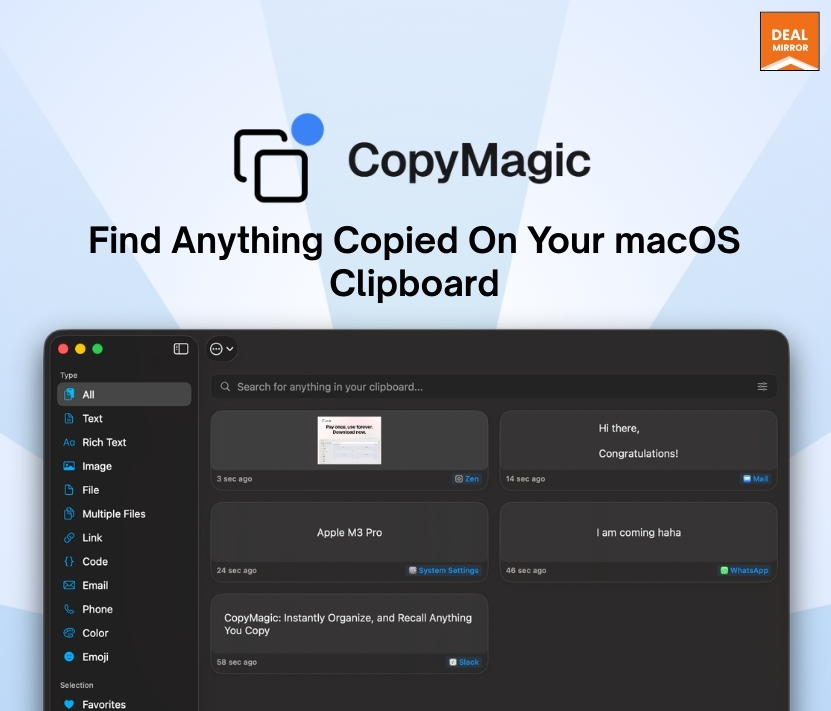
Find anything you've ever copied in seconds with AI‑powered search
CopyMagic works offline and does not require any separate account; it ensures data security
Best for E-Commerce Owners, Retailers, Developers, Small Businesses, Solopreneurs & more
Alternative to Macce, PastePal, and CopyClip
CopyMagic Lifetime Deal
Ever copied something very important and lost it in your clipboard with other links, or double-copied the same thing again and again?
It makes your clipboard messy and bulky, and it’s hard to find the exact link you are looking for on time.
And if you are looking for the ultimate solution for this, you are at the right place. Meet CopyMagic, an AI-powered clipboard manager for Mac OS. With CopyMagic, you can save all the time you waste on searching for that one link.
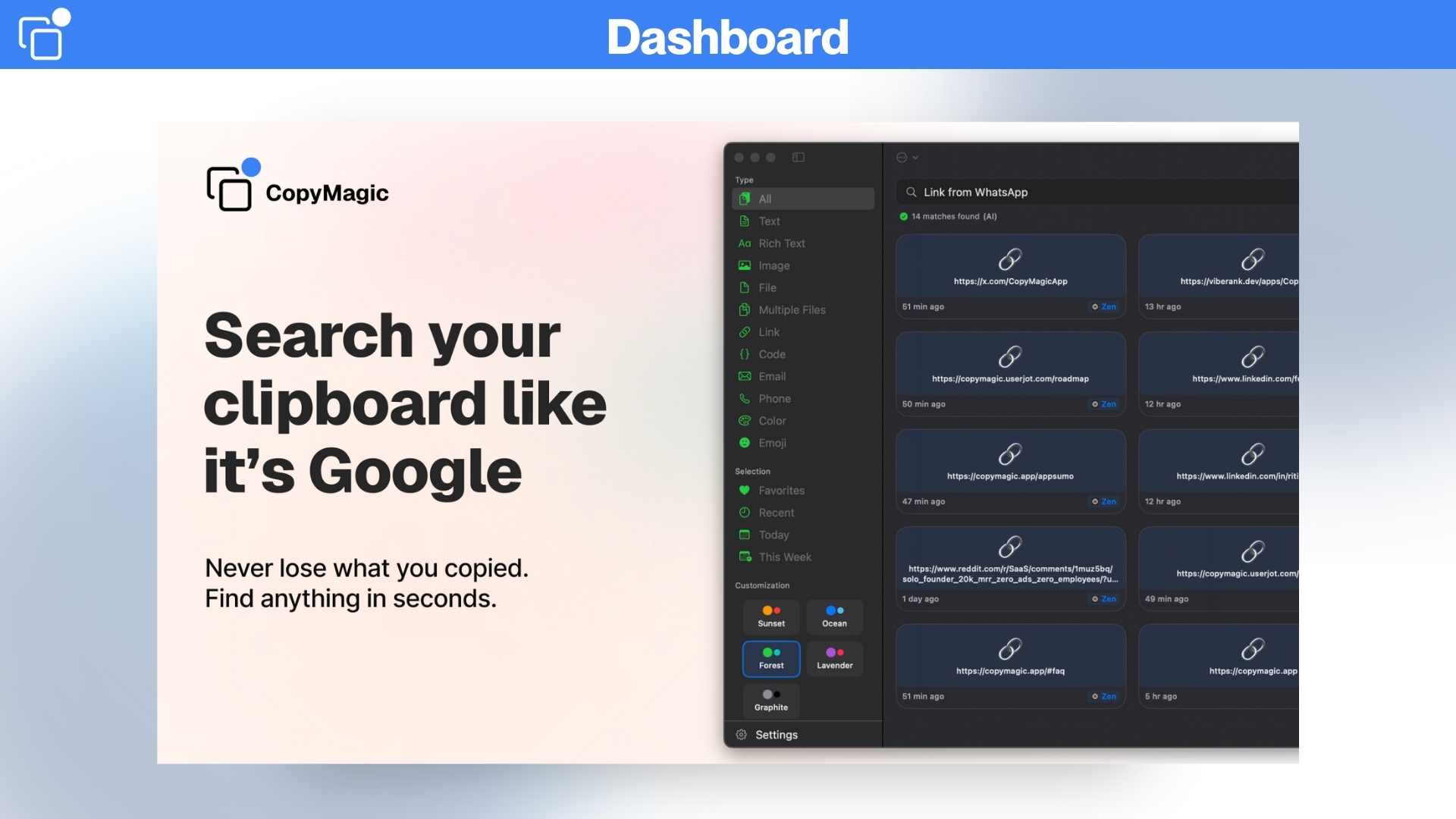
Simply type, search, and find anything in seconds, and the best part is that it works as a simple Google Search.
CopyMagic offers smart search across the entire clipboard, a keyboard-first experience with a menu bar app, and ensures data privacy.
With its local-first privacy, everything stays on your Mac clipboard manager, and your data is safe and secure. Your history is always available to you, even without the internet, as CopyMagic works offline by default.
You can even blacklist apps with CopyMagic, and it also provides customizable keyboard shortcuts that let you open your clipboard in seconds, and above all, it works with text, links, and copied media, so you can copy without any boundaries.
Intro Video
CopyMagic is the best productivity-boosting clipboard manager for Mac. It keeps your clipboard sorted and organized, so you can find anything you’ve copied in seconds. It also works offline, ensuring your data stays safe and secure.
Overview Images
Key Features:
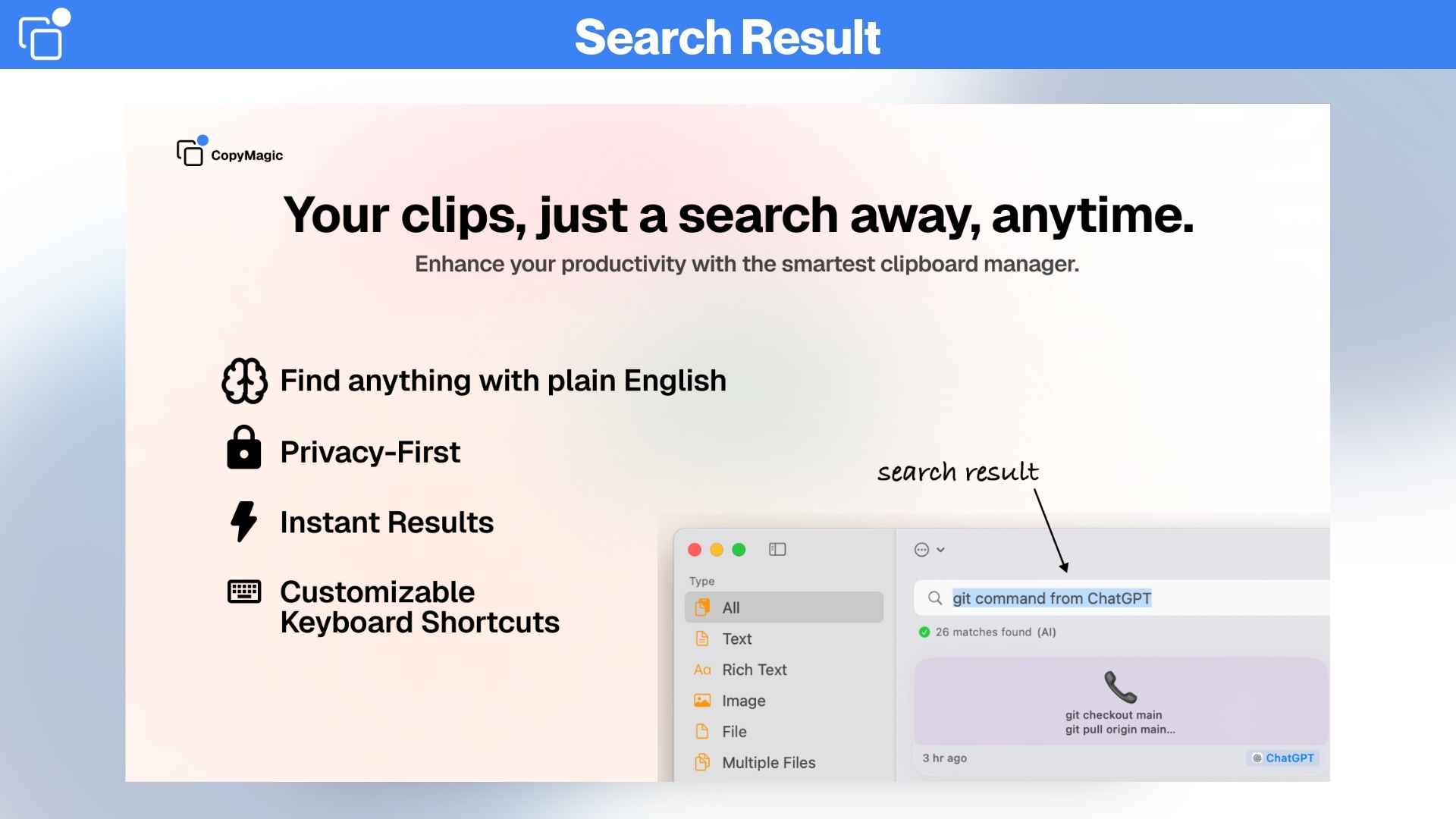
Instant search: Find past copies fast using keywords or short phrases.
Semantic (AI) search: Search by meaning, not just exact words, to find related clips faster.
Private and local-first: Your clipboard stays on your Mac (no uploads to the cloud).
Works offline: Everything works without an internet connection.
Blacklist Apps: Ignore passwords, tokens, and API keys from certain apps.
Know what you copied and where: Links, code, text, and files all remain clearly labeled with the source app and time, so you can pick the right one.
Use Cases:
Research & Academia: Collect quotes, citations, and reference links for papers and notes.
HR & Recruiting: Save candidate snippets, outreach templates, and interview questions for quick use.
Sales & Outreach: Pull up email templates, prospect notes, and product links during outreach.
Legal & Compliance: Keep contract clauses, templates, and redlines handy while drafting.
E-commerce & Affiliates: Store product links, coupon codes, and short product descriptions to paste into listings.
Find anything you've ever copied in seconds with AI‑powered search
CopyMagic works offline and does not require any separate account; it ensures data security
Best for E-Commerce Owners, Retailers, Developers, Small Businesses, Solopreneurs & more
Alternative to Macce, PastePal, and CopyClip
CopyMagic Lifetime Deal
Ever copied something very important and lost it in your clipboard with other links, or double-copied the same thing again and again?
It makes your clipboard messy and bulky, and it’s hard to find the exact link you are looking for on time.
And if you are looking for the ultimate solution for this, you are at the right place. Meet CopyMagic, an AI-powered clipboard manager for Mac OS. With CopyMagic, you can save all the time you waste on searching for that one link.
Simply type, search, and find anything in seconds, and the best part is that it works as a simple Google Search.
CopyMagic offers smart search across the entire clipboard, a keyboard-first experience with a menu bar app, and ensures data privacy.
With its local-first privacy, everything stays on your Mac clipboard manager, and your data is safe and secure. Your history is always available to you, even without the internet, as CopyMagic works offline by default.
You can even blacklist apps with CopyMagic, and it also provides customizable keyboard shortcuts that let you open your clipboard in seconds, and above all, it works with text, links, and copied media, so you can copy without any boundaries.
Intro Video
CopyMagic is the best productivity-boosting clipboard manager for Mac. It keeps your clipboard sorted and organized, so you can find anything you’ve copied in seconds. It also works offline, ensuring your data stays safe and secure.
Overview Images
Key Features:
Instant search: Find past copies fast using keywords or short phrases.
Semantic (AI) search: Search by meaning, not just exact words, to find related clips faster.
Private and local-first: Your clipboard stays on your Mac (no uploads to the cloud).
Works offline: Everything works without an internet connection.
Blacklist Apps: Ignore passwords, tokens, and API keys from certain apps.
Know what you copied and where: Links, code, text, and files all remain clearly labeled with the source app and time, so you can pick the right one.
Use Cases:
Research & Academia: Collect quotes, citations, and reference links for papers and notes.
HR & Recruiting: Save candidate snippets, outreach templates, and interview questions for quick use.
Sales & Outreach: Pull up email templates, prospect notes, and product links during outreach.
Legal & Compliance: Keep contract clauses, templates, and redlines handy while drafting.
E-commerce & Affiliates: Store product links, coupon codes, and short product descriptions to paste into listings.
I built CopyMagic because I wasn’t satisfied with the traditional clipboard managers available on macOS.
All they did was store my copies. I wanted my clipboard manager to be more powerful and intuitive… So I built it.
CopyMagic is a clipboard manager where you can just search for what you remember instead of memorizing exact keywords. It is fast, clean, and reliable, without the clutter that most “power tools” come with.
For example, if you copied “Q3 Marketing Plan” weeks ago but only recall typing that it was in Slack, CopyMagic will instantly surface that result. You don’t have to remember the exact phrase, just what’s stuck in your head.
Everything runs offline, locally on your Mac. No sign-ups, no accounts, no syncing. Not even analytics tracking. Your clipboard stays yours entirely.
A clipboard manager that you can search like Google.
A tool that respects your workflow and makes you faster from day one.
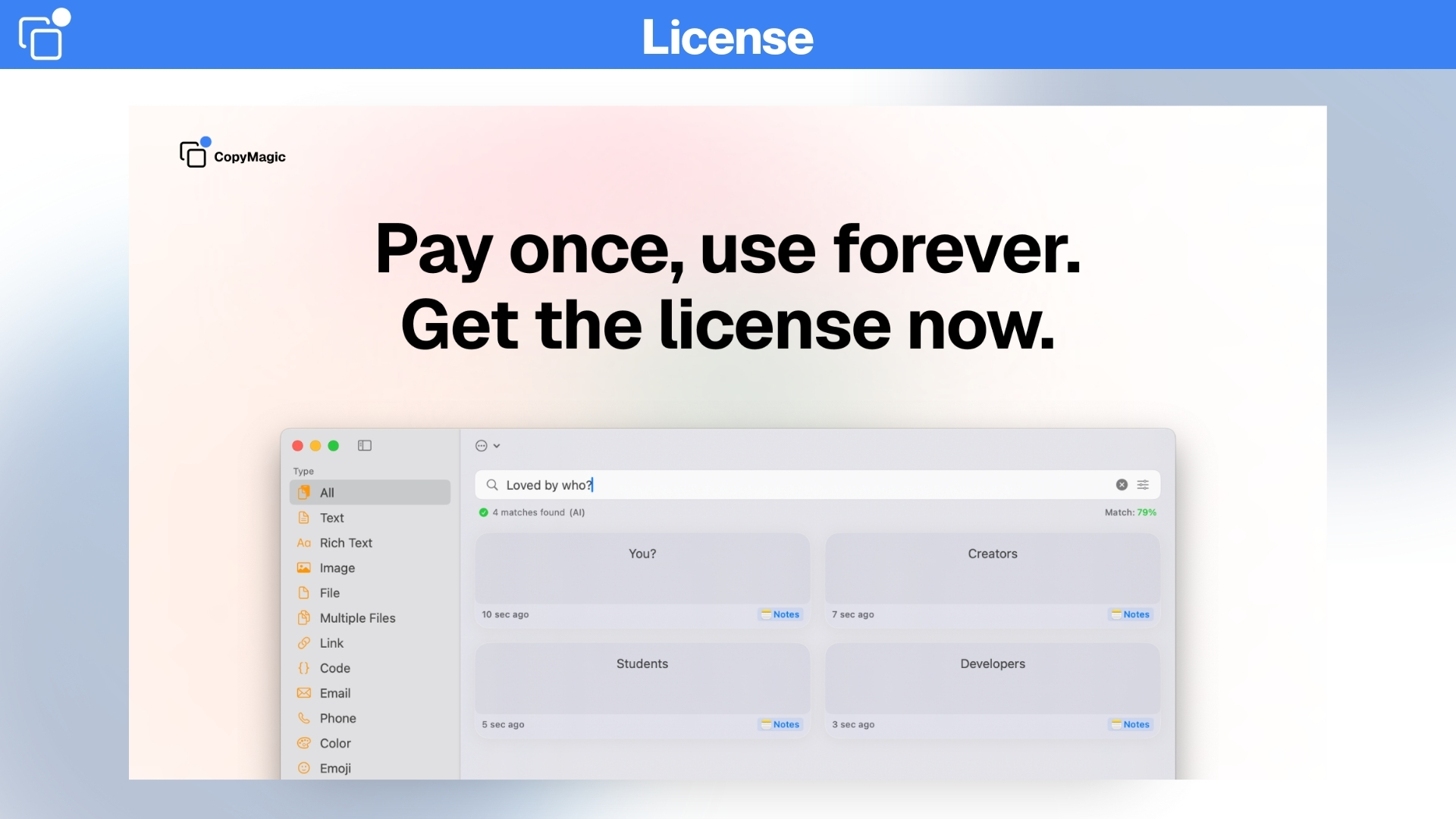
A simple, one-time purchase. No subscriptions, but with access to future updates & priority support.
CopyMagic is the kind of app I wished existed for myself, and I’m thrilled to finally share it with you. If it saves you even a few minutes (and frustrations) every day, then it’s done its job.
Ritik Sahni
FAQ's
Q 1 : How do I contact support? – You can contact support at [email protected]
Q 2 : Does CopyMagic work offline?
– Yes, CopyMagic runs entirely on your Mac. There’s no cloud and no server; your clipboard stays on your device.
Q 3 : Do you track or store any clipboard data?
– No, They do not collect, track, or upload your clipboard content. Everything stays on your device. See their Privacy Policy for details.
Q 4 : Can I hide sensitive items like passwords?
– Yes, Mark any item as Secret to keep it hidden while browsing, perfect for public places. Reveal only when you need to paste.
Q 5 : Does CopyMagic support images?
– Yes, CopyMagic keeps image clips in your history with thumbnails so you can find and paste them quickly.
Q 6 : How does semantic search work?
– Instead of matching exact keywords, CopyMagic understands intent. Ask naturally — like ‘url from Slack yesterday and it uses meaning and context (type, source app, time) to find the right item.
Q 7 : Which macOS versions are supported?
– CopyMagic currently supports macOS 13.5 (Ventura) and above.
Reviews
7 reviews for CopyMagic : AI-Powered Clipboard Manager for macOS
Rated 5 out of 5
Ashutosh D. –
Amazing product, I have been using this as my daily driver for storing clipboard items.
Rated 5 out of 5
Shubhra A. –
Really helpful for someone like me.
Rated 5 out of 5
Manar O. –
App is truly impressive.
Rated 4 out of 5
aq2052368 –
I’ve used PastePal and a few other clipboard apps for Mac. They’re good for saving history, but CopyMagic just feels smarter. It’s almost like having Google search built into your clipboard. The interface is clean and simple, with no distractions. If you want a clipboard tool that actually helps you work faster and stay organized, this one really makes a difference.
Rated 5 out of 5
Anmol Shetty –
I’ve tried a lot of clipboard apps before, and most of them just save whatever you copy. CopyMagic feels different. The AI search is honestly amazing. I don’t have to remember the exact words anymore; I just type what I sort of remember, and it finds it right away.
What I like most is that it works offline and keeps everything on my Mac. There’s no cloud syncing and no strange permissions to worry about. If you want a clipboard manager for Mac that’s powerful but still simple to use, this is easily one of the best I’ve tried.
Rated 5 out of 5
Frey Chu –
One of the main reasons I switched to CopyMagic was privacy. Everything runs locally on my Mac. There are no accounts to create, no tracking, and no analytics. That’s pretty rare these days.
It’s also lightweight and fast, and the keyboard shortcuts make it really easy to use. Out of all the clipboard managers I’ve tried on Mac, this one feels the most secure and privacy-friendly.
Rated 5 out of 5
Jitin S. –
What really convinced me was the lifetime deal. No subscription, no monthly payments—just pay once and you’re done. The app is clean, easy to use, and does exactly what it says it will. I also love that it works offline. Even when I’m traveling without internet, everything I’ve copied is still there and easy to access. If you’re looking for a great clipboard manager for Mac in 2026, CopyMagic is definitely worth checking out.






7 reviews for CopyMagic : AI-Powered Clipboard Manager for macOS
Ashutosh D. –
Amazing product, I have been using this as my daily driver for storing clipboard items.
Shubhra A. –
Really helpful for someone like me.
Manar O. –
App is truly impressive.
aq2052368 –
I’ve used PastePal and a few other clipboard apps for Mac. They’re good for saving history, but CopyMagic just feels smarter. It’s almost like having Google search built into your clipboard. The interface is clean and simple, with no distractions. If you want a clipboard tool that actually helps you work faster and stay organized, this one really makes a difference.
Anmol Shetty –
I’ve tried a lot of clipboard apps before, and most of them just save whatever you copy. CopyMagic feels different. The AI search is honestly amazing. I don’t have to remember the exact words anymore; I just type what I sort of remember, and it finds it right away.
What I like most is that it works offline and keeps everything on my Mac. There’s no cloud syncing and no strange permissions to worry about. If you want a clipboard manager for Mac that’s powerful but still simple to use, this is easily one of the best I’ve tried.
Frey Chu –
One of the main reasons I switched to CopyMagic was privacy. Everything runs locally on my Mac. There are no accounts to create, no tracking, and no analytics. That’s pretty rare these days.
It’s also lightweight and fast, and the keyboard shortcuts make it really easy to use. Out of all the clipboard managers I’ve tried on Mac, this one feels the most secure and privacy-friendly.
Jitin S. –
What really convinced me was the lifetime deal. No subscription, no monthly payments—just pay once and you’re done. The app is clean, easy to use, and does exactly what it says it will. I also love that it works offline. Even when I’m traveling without internet, everything I’ve copied is still there and easy to access. If you’re looking for a great clipboard manager for Mac in 2026, CopyMagic is definitely worth checking out.