Home » Store » Chorde: Send Voice Recording Directly From Gmail & Outlook
Chorde: Send Voice Recording Directly From Gmail & Outlook
TL;DR
Get this Gmail and Outlook extension that lets you send voice notes in seconds
Chorde lets you generate a text version of recordings, and customise the email button
Enhances productivity with 4x faster communication via voice mail
Best for Small Businesses, Retailers, Entrepreneurs, Solo-preneurs, and more
Chorde Lifetime Deal
Does writing emails feel slow and boring? Do you wish your messages could sound more friendly and personal?
What if you could just talk to your customers instead of typing? Yes, it’s true; instead of sending long emails, you can just record a note and send it.
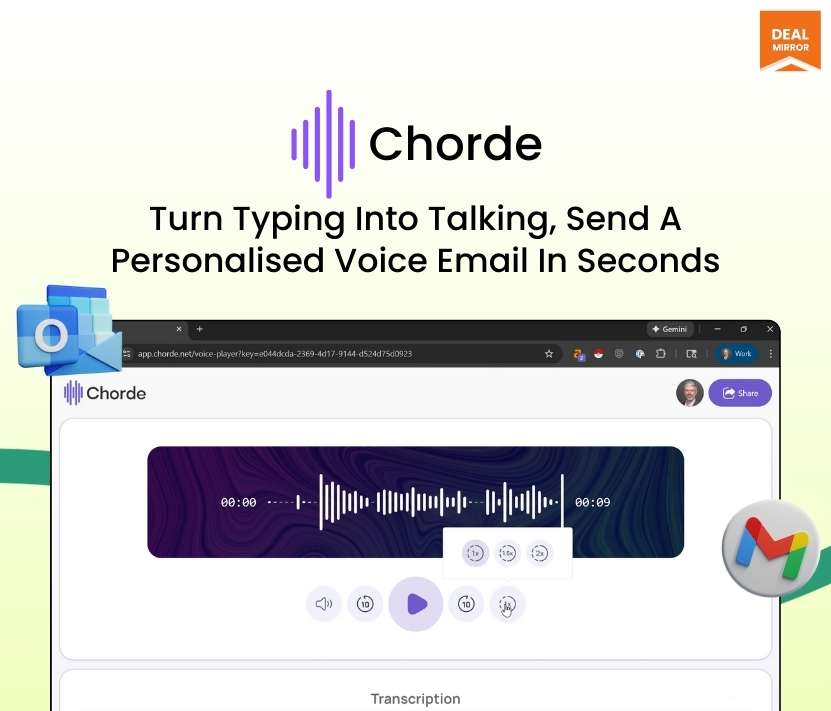
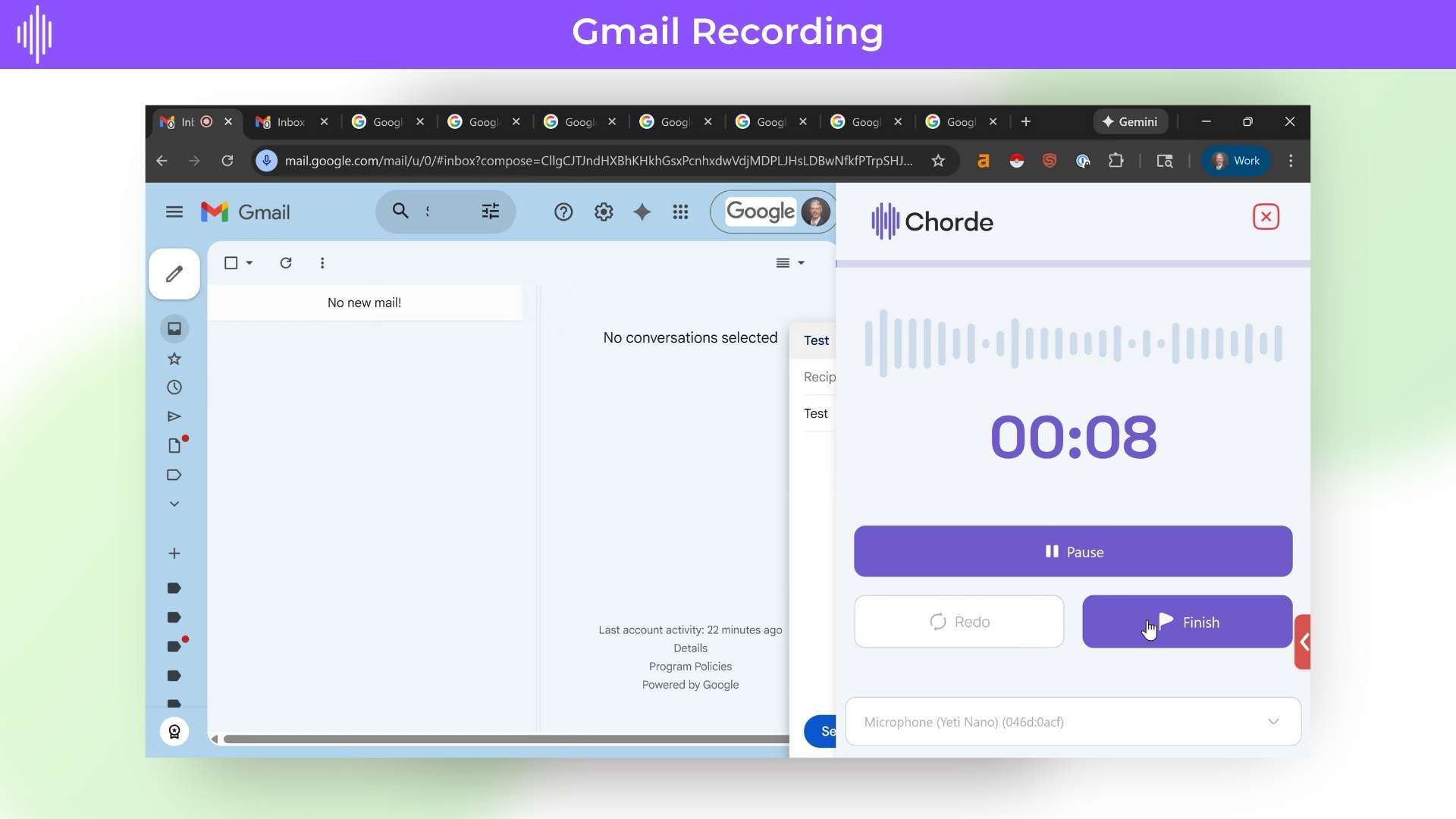
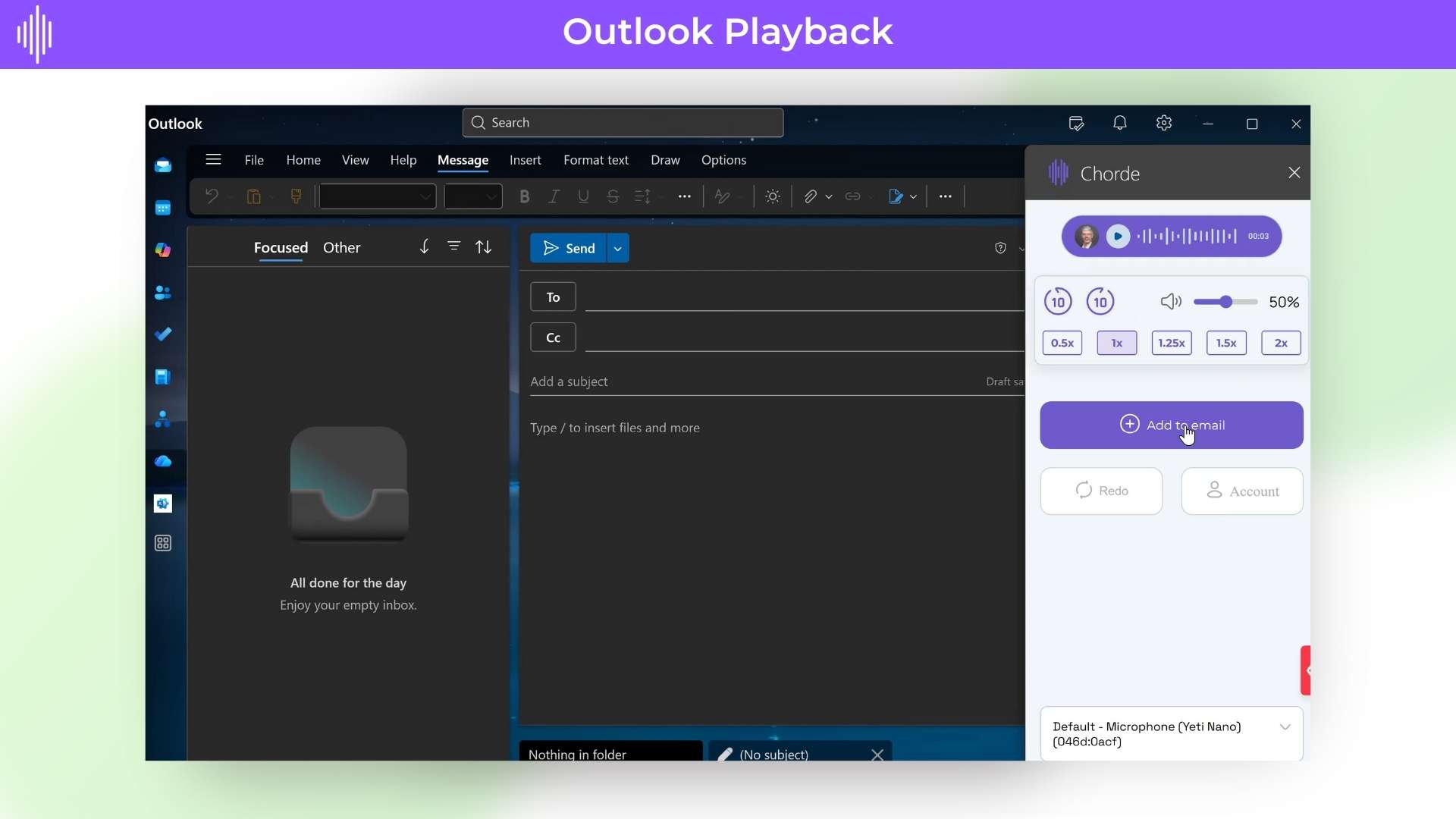
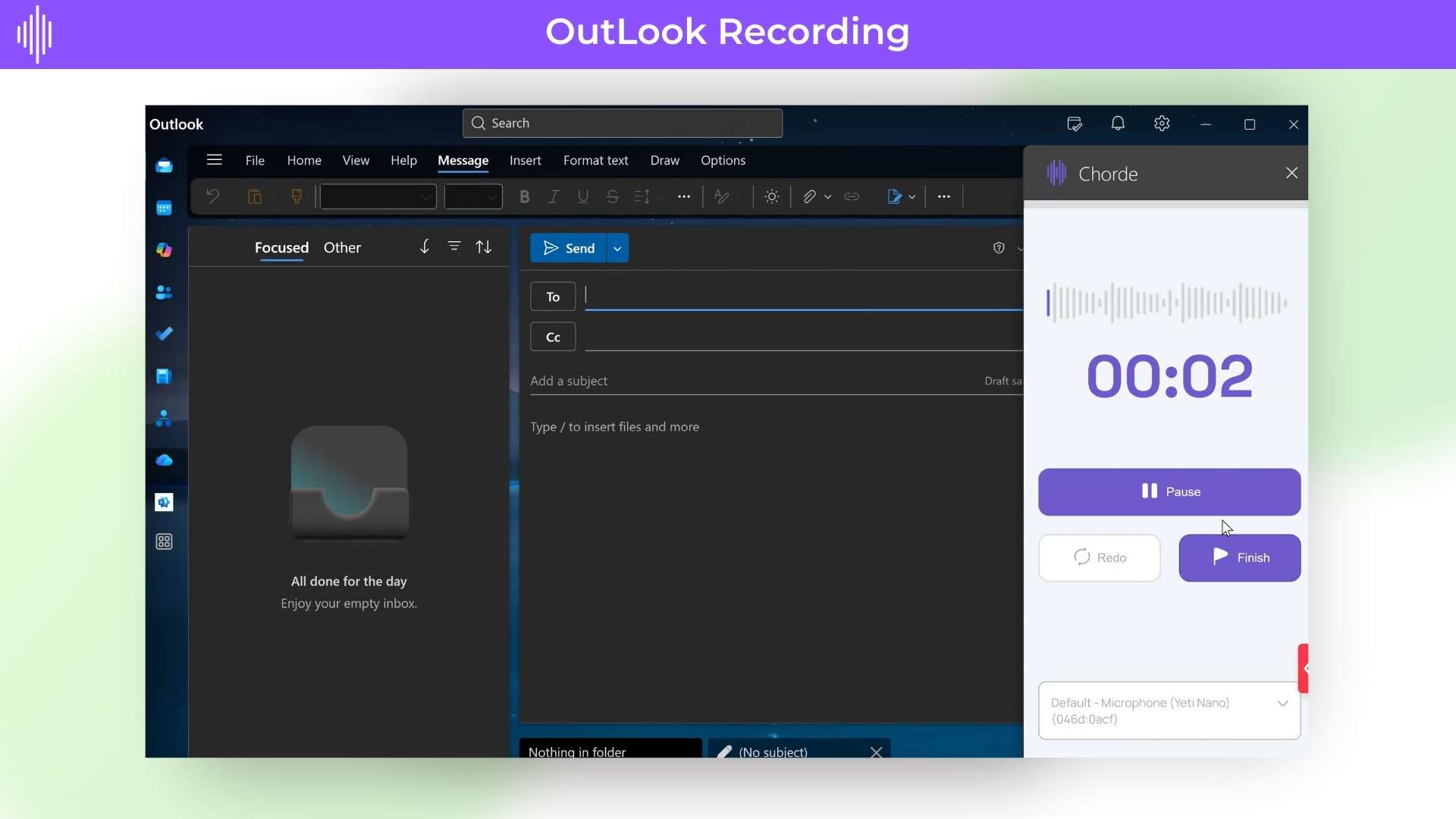
Meet Chorde, a voice email lifetime deal. A Gmail and Outlook extension that helps you personalize your email reach. Now you simply click a button, record your message with your own voice, and send it right from your E-mail or Outlook.
The person getting it just clicks once to hear you speak. No typing, no confusing words, just your warm, friendly voice.
People love hearing a real voice. It builds trust and feels authentic. Plus, you can work up to 4 times faster because speaking is much quicker than typing!
Send your first voice email in just three clicks. You can even see when someone has listened to it.
Chorde even lets you customise your email buttons to match your brand requirements and needs. It also provides text versions of recordings, making it easier for recipients to scan or reference key points without replaying audio, enhancing accessibility and usability.
Demo Video
Chorde is an extension for Gmail and Outlook that lets you send voice notes instead of long emails, which work 10X faster and feel more personalized and authentic.
Overview Images
Key Features
Simple 3-Click Recording: Record and send your voice in just three clicks. No more typing out long emails. Save time and speak your message naturally.
Automatic Text Transcripts: Get a written version of your recording automatically. This lets recipients read while they listen (or if they can’t play audio), making your message clear for everyone.
Personalize Your Player: Make the play button look like you! Add your profile picture or company logo to the voice message. It looks professional and builds a friendly connection.
Know When They Listen: Get a notification the moment your voice email is played. You’ll see how much they listened to, so you know the perfect time to follow up.
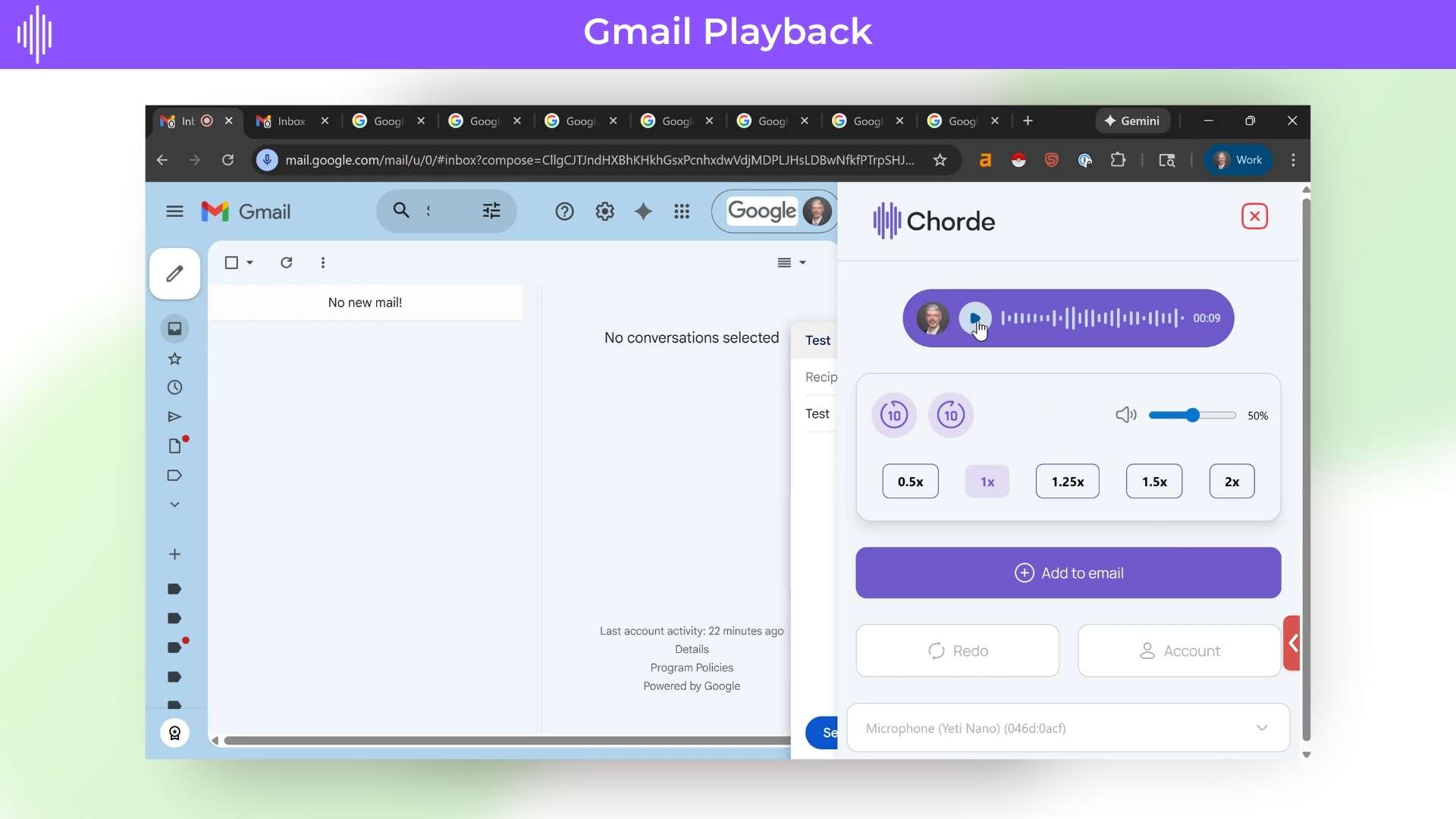
Plays Instantly, No App Needed: Recipients can listen directly in their email. They don’t have to download anything or leave their inbox, making it super easy for them to hear you.
Use Cases:
Sales & Outreach: Send a voice note instead of a cold email to get noticed.
Freelancers & Consultants: Record your feedback or proposals to save time and build trust.
Local Businesses & Retail: Answer questions with a friendly voice to feel more approachable.
Teachers & Coaches: Use your voice to encourage students, not just type comments.
Customer Support: Solve issues faster with clear voice instructions.
Product Roadmap (2025):
We have a lot of exciting features ahead for Chorde.
Here are the highlights:
Mobile App Support for iOS and Android.
Pinned recordings that never get archived, supporting bulk email campaigns with voice messages.
Templates that let a standard recording begin with a personalised greeting.
Video support that lets you send video recordings as easily as voice recordings.
New channels beyond email, such as voice recordings in Google Docs/Sheets/Slides, social media platforms, and any website.
Deal Terms:
Length of access: Lifetime
Redemption deadline: 60 days from purchase
30-Days Money-Back Guarantee (For Non-Prime Members and Regular users)
Get this Gmail and Outlook extension that lets you send voice notes in seconds
Chorde lets you generate a text version of recordings, and customise the email button
Enhances productivity with 4x faster communication via voice mail
Best for Small Businesses, Retailers, Entrepreneurs, Solo-preneurs, and more
Chorde Lifetime Deal
Does writing emails feel slow and boring? Do you wish your messages could sound more friendly and personal?
What if you could just talk to your customers instead of typing? Yes, it’s true; instead of sending long emails, you can just record a note and send it.
Meet Chorde, a voice email lifetime deal. A Gmail and Outlook extension that helps you personalize your email reach. Now you simply click a button, record your message with your own voice, and send it right from your E-mail or Outlook.
The person getting it just clicks once to hear you speak. No typing, no confusing words, just your warm, friendly voice.
People love hearing a real voice. It builds trust and feels authentic. Plus, you can work up to 4 times faster because speaking is much quicker than typing!
Send your first voice email in just three clicks. You can even see when someone has listened to it.
Chorde even lets you customise your email buttons to match your brand requirements and needs. It also provides text versions of recordings, making it easier for recipients to scan or reference key points without replaying audio, enhancing accessibility and usability.
Demo Video
Chorde is an extension for Gmail and Outlook that lets you send voice notes instead of long emails, which work 10X faster and feel more personalized and authentic.
Overview Images
Key Features
Simple 3-Click Recording: Record and send your voice in just three clicks. No more typing out long emails. Save time and speak your message naturally.
Automatic Text Transcripts: Get a written version of your recording automatically. This lets recipients read while they listen (or if they can’t play audio), making your message clear for everyone.
Personalize Your Player: Make the play button look like you! Add your profile picture or company logo to the voice message. It looks professional and builds a friendly connection.
Know When They Listen: Get a notification the moment your voice email is played. You’ll see how much they listened to, so you know the perfect time to follow up.
Plays Instantly, No App Needed: Recipients can listen directly in their email. They don’t have to download anything or leave their inbox, making it super easy for them to hear you.
Use Cases:
Sales & Outreach: Send a voice note instead of a cold email to get noticed.
Freelancers & Consultants: Record your feedback or proposals to save time and build trust.
Local Businesses & Retail: Answer questions with a friendly voice to feel more approachable.
Teachers & Coaches: Use your voice to encourage students, not just type comments.
Customer Support: Solve issues faster with clear voice instructions.
Product Roadmap (2025):
We have a lot of exciting features ahead for Chorde.
Here are the highlights:
Mobile App Support for iOS and Android.
Pinned recordings that never get archived, supporting bulk email campaigns with voice messages.
Templates that let a standard recording begin with a personalised greeting.
Video support that lets you send video recordings as easily as voice recordings.
New channels beyond email, such as voice recordings in Google Docs/Sheets/Slides, social media platforms, and any website.
Deal Terms:
Length of access: Lifetime
Redemption deadline: 60 days from purchase
30-Days Money-Back Guarantee (For Non-Prime Members and Regular users)
I’m on a mission to make communication more “natural”—starting with voice emails! I believe nothing creates a real, human connection quite like a real, human voice.
But email does a terrible job of supporting voice communication, even though it’s the most commonly used form of digital communication today.
So I created Chorde to make it crazy-easy for anyone to send voice messages in email directly from Gmail or Outlook.
Q 2: Does Chorde embed the audio file into the email as an attachment?
-No, that would be a bad experience for the email recipient. An audio file attachment consumes storage in the recipient’s email account. And the email recipient would have to have audio player software installed to play the voice message. Overall, it would be an unpleasant experience for the email recipient.
Instead, Chorde adds an attractive image button to the email you send. When the recipient clicks the image button, they are taken to a page in their web browser that includes an online audio player. They can click to play, pause, or change speed. This is a much friendlier user experience for the email recipient to listen to your message.
Q 3: Can email recipients listen to a single message an unlimited number of times?
-Yes, there is no limit to the number of times email recipients can play a voice message.
Q 4: What happens when I reach the storage limit for my plan?
– Each plan stores a limited number of voice recordings. Once your plan reaches that limit, the oldest recording is deleted whenever a new recording is made.
Q 5: What kinds of notifications can I get when someone listens to a voice recording?
-Chorde offers two kinds of notifications Email notifications and desktop notifications. You can turn each type of notification on or off. When email notifications are on, you receive an email whenever someone listens to one of your voice messages.
When desktop notifications are on and your Chrome browser is open, you receive a browser notification whenever someone listens to one of your voice messages. Each notification includes the percentage of the recording that was played.
Reviews
3 reviews for Chorde: Send Voice Recording Directly From Gmail & Outlook
Rated 5 out of 5
Sophie Turner –
Chorde feels more human than text emails. I use it for quick explanations and follow-ups, and people respond much faster.
Rated 5 out of 5
Jason Miller –
I like being able to personalize the player with my photo and logo. It looks professional and adds a personal touch that regular emails just don’t have.
Rated 5 out of 5
Daniel Foster –
Chorde lets me record and send a voice message in just a few clicks. It’s much faster than typing long emails and helps me communicate more naturally with prospects.






3 reviews for Chorde: Send Voice Recording Directly From Gmail & Outlook
Sophie Turner –
Chorde feels more human than text emails. I use it for quick explanations and follow-ups, and people respond much faster.
Jason Miller –
I like being able to personalize the player with my photo and logo. It looks professional and adds a personal touch that regular emails just don’t have.
Daniel Foster –
Chorde lets me record and send a voice message in just a few clicks. It’s much faster than typing long emails and helps me communicate more naturally with prospects.