Home » Store » ChatSlide AI : Build your Slides and Video in just one-click
ChatSlide AI : Build your Slides and Video in just one-click
TL;DR
Add voiceover and convert to video when you need
Get an instant productivity boost for your knowledge sharing workflow!
Best for: professionals who seek for content creation & research organization
Alternative to: Tome, Gamma and Perplexity
ChatSlide AI Lifetime Deal
Would you like to quickly create animated videos with avatars, add voice styles and tones, and create slideshows from any source?
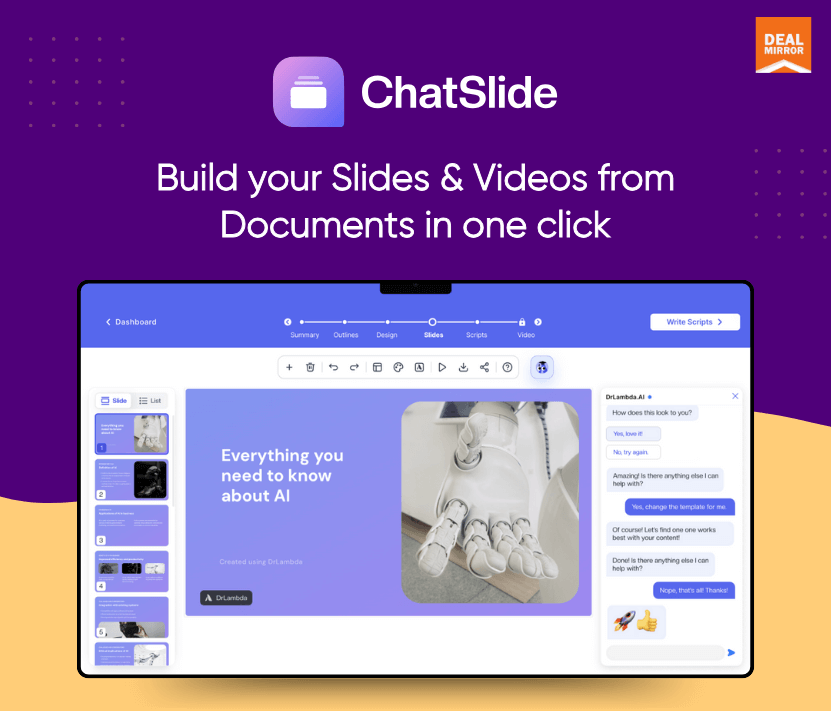
Introducing ChatSlide AI, an innovative AI-powered tool that streamlines the content creation process, allowing anyone to easily create professional-level presentations and videos. With a single click, ChatSlide converts your web pages, PDF documents, or video content into visually appealing slides and videos.
Transform ordinary information into visually appealing presentations suitable for eLearning, training, professional meetings, client pitches, marketing materials, and more.
The tool outputs the reformatted content into document form in addition to slides. Apart from its versatility, ChatSlide stands out for its easy-to-use interface. The creation process is streamlined when the user can communicate with the AI through chat, as it does not require a great deal of software or design expertise.
Intro Video
Employ the digital avatar who speaks for you
ChatSlide is an AI-powered tool that turns any web page, PDF, or video into a ready-to-use slide video. ChatSlide offers AI avatars that you can customize according to you; it also has multilingual support.
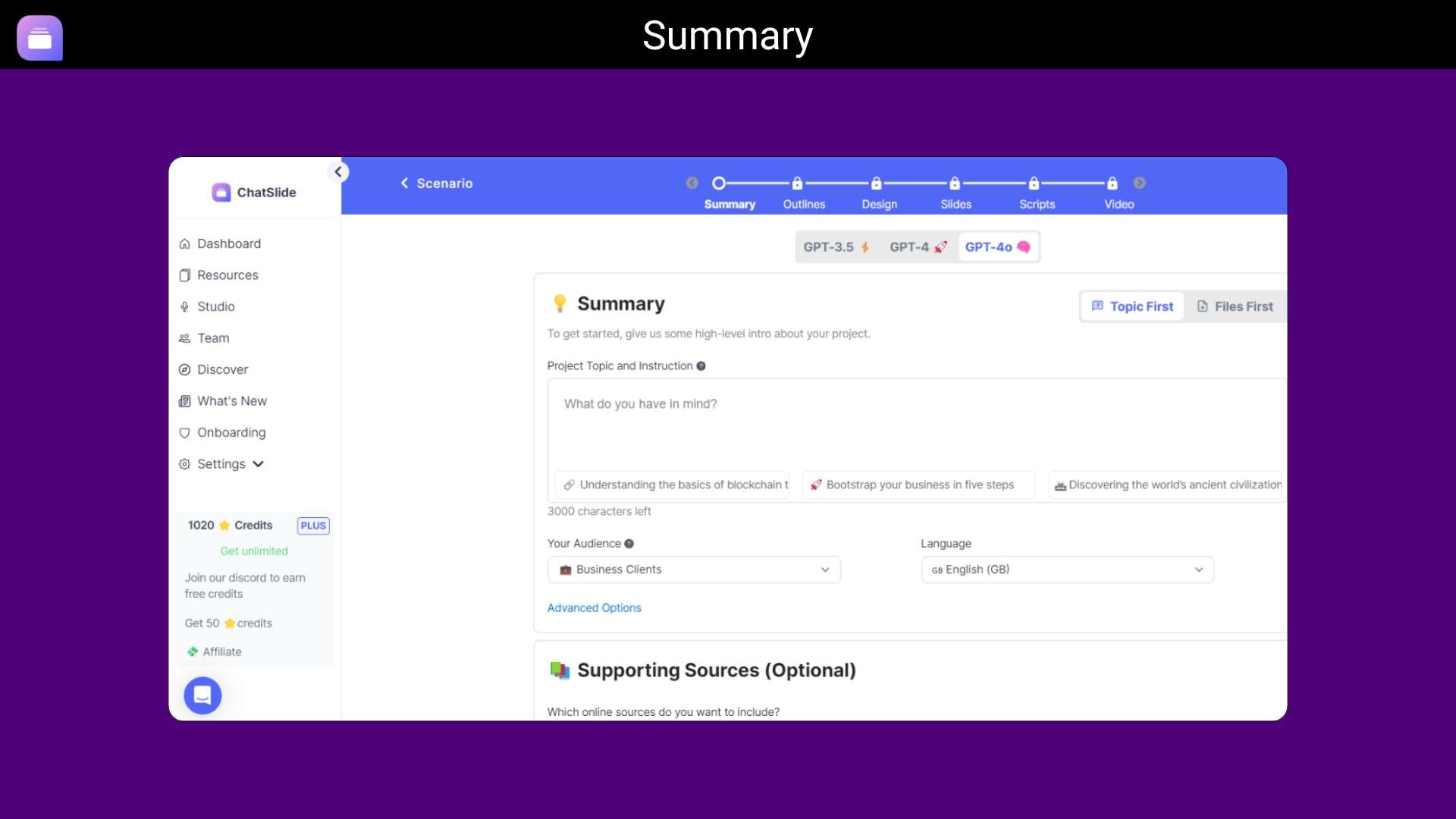
Dashboard Overview
Key Features
One-Click Conversion: Easily create presentation slides from any document or online content.
Customized Digital Avatar: Construct a virtual representation of yourself in presentations.
Endorsements from Users: Recommended by more than 210,000 content users.
Multilingual Support: To accommodate users from all over the world, it supports several languages.
New Updates
AI Image & Video Studio: Generate stunning images with Google Imagen 4 and create AI videos with Gemini Veo, all inside ChatSlide. Choose your model, set aspect ratios, and save generated media directly to your project resources.
Professional AI Avatars: ChatSlide now has 500+ professional avatars with gender filtering. You can now train your own custom avatar from a video or use ChatSlide’s built-in Azure avatars for a more professional presentation.
GPT-4o—Now Free for Everyone: Every user now gets GPT-4o as the default AI model at no extra credit cost. Smarter outlines, sharper slide content, and better chat assistant responses, all powered by OpenAI’s most capable model, included in every plan.
Use Case:
Slides: Say goodbye to 7 windows open and copy-pasting; ChatSlide is your one-stop choice for slide creation workflow.
Social Post: Streamline your content creation process via a social post generator for Instagram, X, etc.
Video: Upgrade your slides into video with customized voiceovers and scripts for your audience. Best for teaching or sharing knowledge.
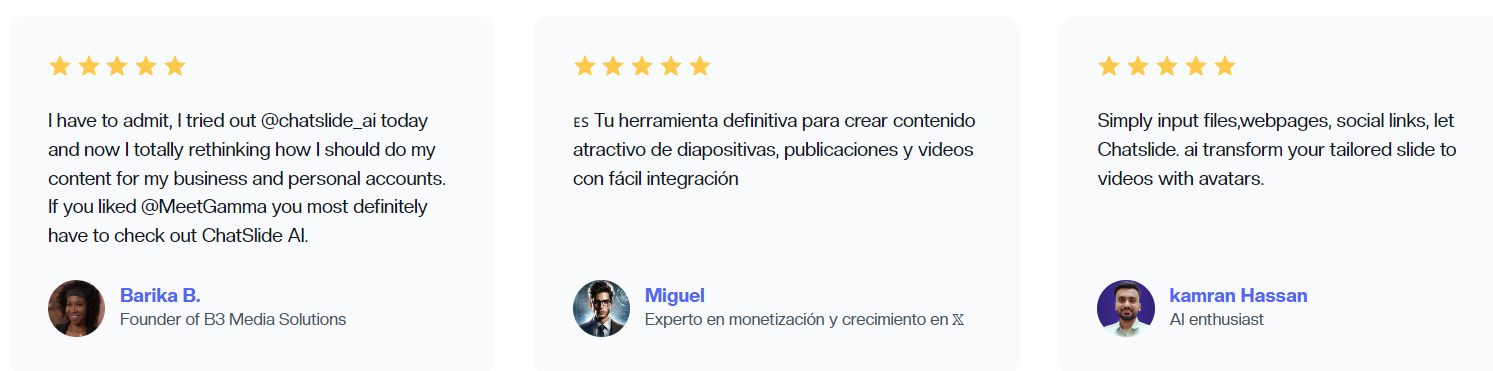
Customer Reviews
Credit Usage:
1 social post = 10 credits
1 slide deck project = starting from 20 credits, depending on the number of pages
1 video project with voiceover = starting from 20 credits
– Using Hi-Fi voices will increase the cost to 40
– Using Avatar will increase the cost to 400
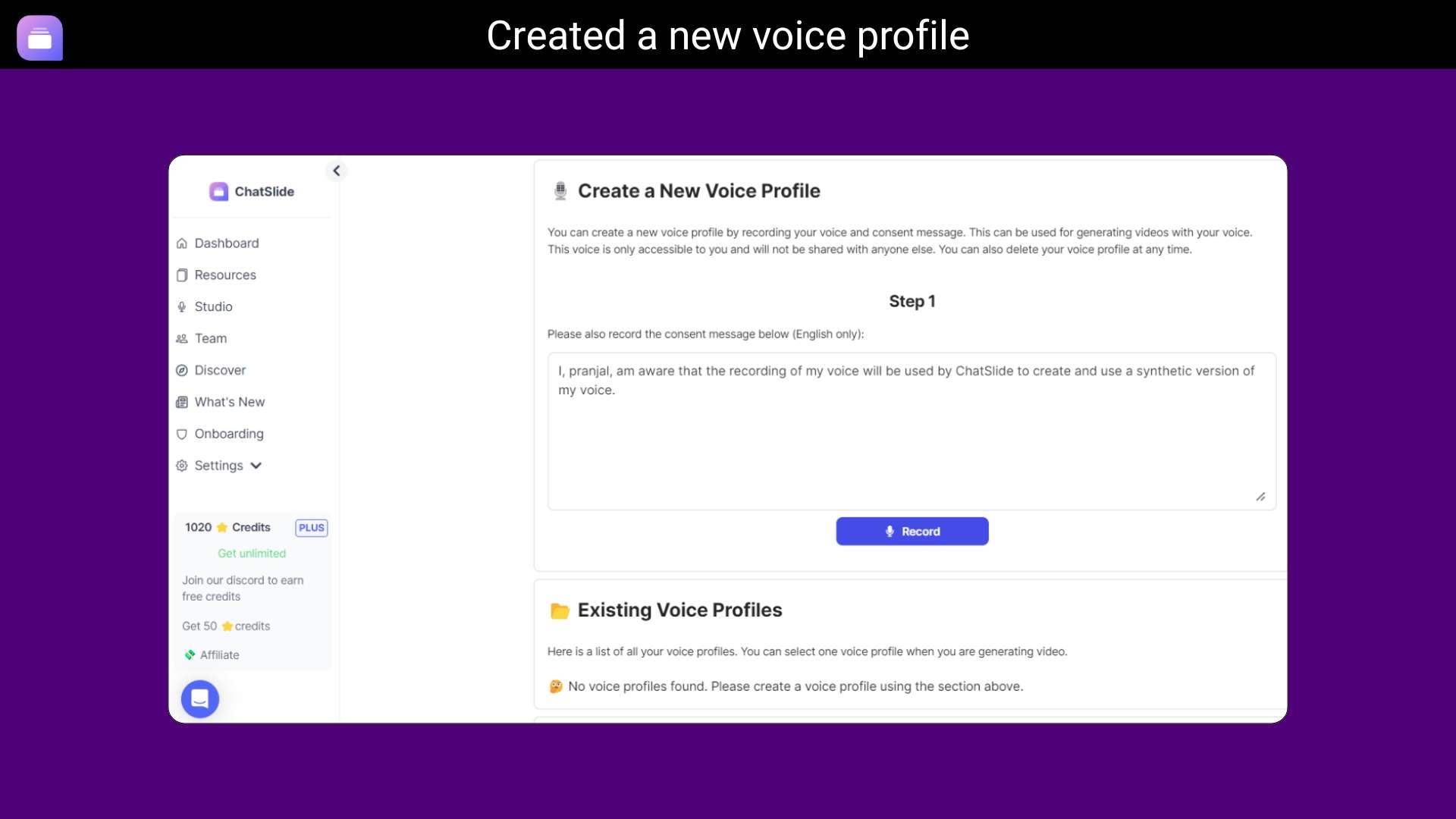
– Using cloned voice will increase the cost to 300
1 image request = 5 credits
1 chatbot interaction:
– Free for GPT-3.5
– 5 credits for GPT-4.o
Deal Terms:
Length of access: Lifetime
Redemption deadline: 60 days from purchase
30 Days Money Back Guarantee (For Non-Prime Members/Regular Users).
Get an instant productivity boost for your knowledge sharing workflow!
Best for: professionals who seek for content creation & research organization
Alternative to: Tome, Gamma and Perplexity
ChatSlide AI Lifetime Deal
Would you like to quickly create animated videos with avatars, add voice styles and tones, and create slideshows from any source?
Introducing ChatSlide AI, an innovative AI-powered tool that streamlines the content creation process, allowing anyone to easily create professional-level presentations and videos. With a single click, ChatSlide converts your web pages, PDF documents, or video content into visually appealing slides and videos.
Transform ordinary information into visually appealing presentations suitable for eLearning, training, professional meetings, client pitches, marketing materials, and more.
The tool outputs the reformatted content into document form in addition to slides. Apart from its versatility, ChatSlide stands out for its easy-to-use interface. The creation process is streamlined when the user can communicate with the AI through chat, as it does not require a great deal of software or design expertise.
Intro Video
Employ the digital avatar who speaks for you
ChatSlide is an AI-powered tool that turns any web page, PDF, or video into a ready-to-use slide video. ChatSlide offers AI avatars that you can customize according to you; it also has multilingual support.
Dashboard Overview
Key Features
One-Click Conversion: Easily create presentation slides from any document or online content.
Customized Digital Avatar: Construct a virtual representation of yourself in presentations.
Endorsements from Users: Recommended by more than 210,000 content users.
Multilingual Support: To accommodate users from all over the world, it supports several languages.
New Updates
AI Image & Video Studio: Generate stunning images with Google Imagen 4 and create AI videos with Gemini Veo, all inside ChatSlide. Choose your model, set aspect ratios, and save generated media directly to your project resources.
Professional AI Avatars: ChatSlide now has 500+ professional avatars with gender filtering. You can now train your own custom avatar from a video or use ChatSlide’s built-in Azure avatars for a more professional presentation.
GPT-4o—Now Free for Everyone: Every user now gets GPT-4o as the default AI model at no extra credit cost. Smarter outlines, sharper slide content, and better chat assistant responses, all powered by OpenAI’s most capable model, included in every plan.
Use Case:
Slides: Say goodbye to 7 windows open and copy-pasting; ChatSlide is your one-stop choice for slide creation workflow.
Social Post: Streamline your content creation process via a social post generator for Instagram, X, etc.
Video: Upgrade your slides into video with customized voiceovers and scripts for your audience. Best for teaching or sharing knowledge.
Customer Reviews
Credit Usage:
1 social post = 10 credits
1 slide deck project = starting from 20 credits, depending on the number of pages
1 video project with voiceover = starting from 20 credits
– Using Hi-Fi voices will increase the cost to 40
– Using Avatar will increase the cost to 400
– Using cloned voice will increase the cost to 300
1 image request = 5 credits
1 chatbot interaction:
– Free for GPT-3.5
– 5 credits for GPT-4.o
Deal Terms:
Length of access: Lifetime
Redemption deadline: 60 days from purchase
30 Days Money Back Guarantee (For Non-Prime Members/Regular Users).
Q: 1. Does ChatSlide provide support?
– Yes, ChatSlide offers customer support at [email protected]
Q: 2. What formats are supported for download?
– Users can upload files under 10 MB in formats including PDF, TXT, DOC, DOCX, PPT, PPTX, or link documents from Google Drive, OneDrive, Notion, and DropBox. Users can also download slides in PDF and PPTX formats, or social posts in PNG format.
The 10MB limit is for one file, we enable users to store a total of 10GB files in our system. Paid users can upload multiple files to one project.
Reviews
2 reviews for ChatSlide AI : Build your Slides and Video in just one-click
Rated 5 out of 5
Olivia Brown –
ChatSlide AI is useful for creating slides and videos quickly, but it doesn’t always offer the level of customization I need.
Rated 5 out of 5
Sophia R. –
ChatSlide AI has been an incredible asset for preparing teaching materials and presentations. The one-click functionality is perfect for creating engaging slides and videos effortlessly. The user interface is intuitive, and the quality of the slides is impressive. It’s a huge time-saver and has made my content creation process much more efficient.






2 reviews for ChatSlide AI : Build your Slides and Video in just one-click
Olivia Brown –
ChatSlide AI is useful for creating slides and videos quickly, but it doesn’t always offer the level of customization I need.
Sophia R. –
ChatSlide AI has been an incredible asset for preparing teaching materials and presentations. The one-click functionality is perfect for creating engaging slides and videos effortlessly. The user interface is intuitive, and the quality of the slides is impressive. It’s a huge time-saver and has made my content creation process much more efficient.