Home » Store » AdCaddy: One Brief, Every Ad Format, Every Platform
AdCaddy: One Brief, Every Ad Format, Every Platform
TL;DR
Generate customized ad creative with AI in seconds
Organize ad formats by campaign type, funnel stage, or platform
Best for Digital Marketers, Solopreneurs, Social Media Managers, Ad Agencies, etc
Alternatives to Creatopy, AdCreative.ai, Smartly.io, and Bannerflow
AdCaddy Lifetime Deal
Running paid advertising campaigns across multiple platforms? You already know the pain: creating dozens of ad variants in different sizes, each with specific aspect ratios, safe zones, and platform requirements.
What if you could design your ad creative once and instantly export every size you need, perfectly formatted for Meta, Google, LinkedIn, TikTok, Pinterest, and more?
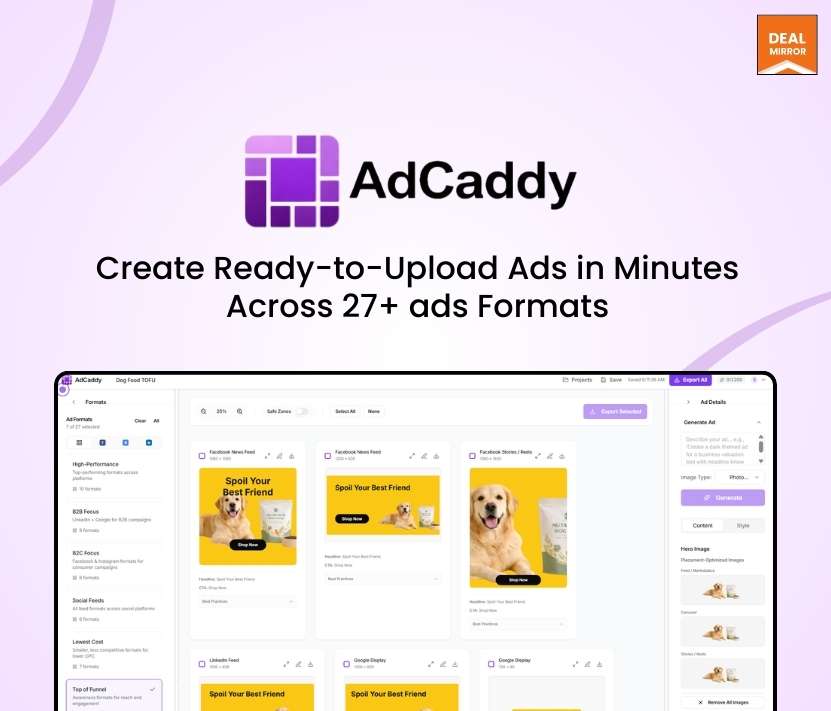
Meet AdCaddy, an AI ad image generator. Designed to streamline your entire ad production workflow. With one unified interface, you can produce ad creative variants that work everywhere without having to reposition the elements, resize the canvas, or figure out the best practices for each one.
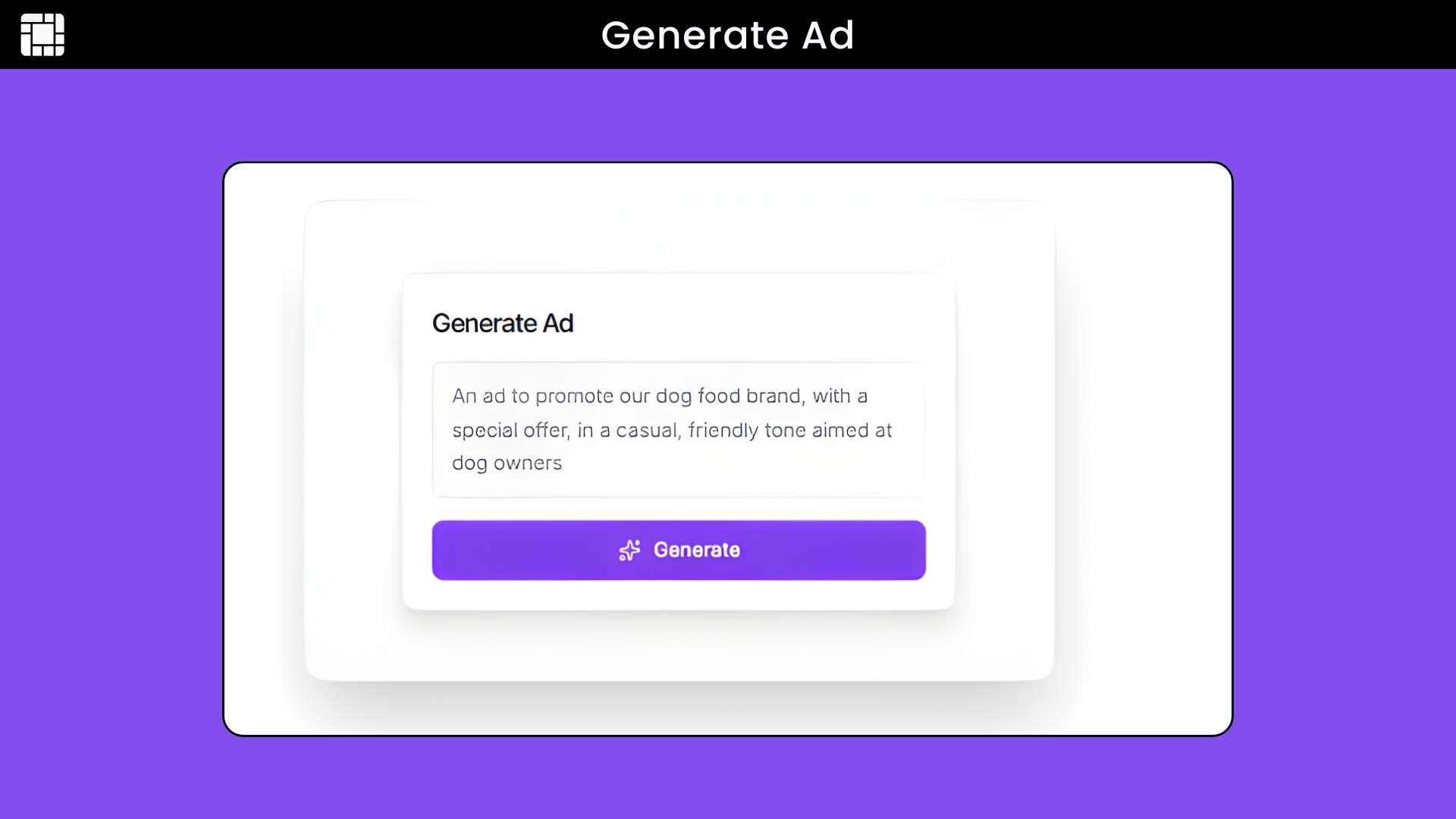
Simply enter your campaign brief, and AdCaddy’s AI generates professional copy and eye-catching ad campaign images tailored to your brand.
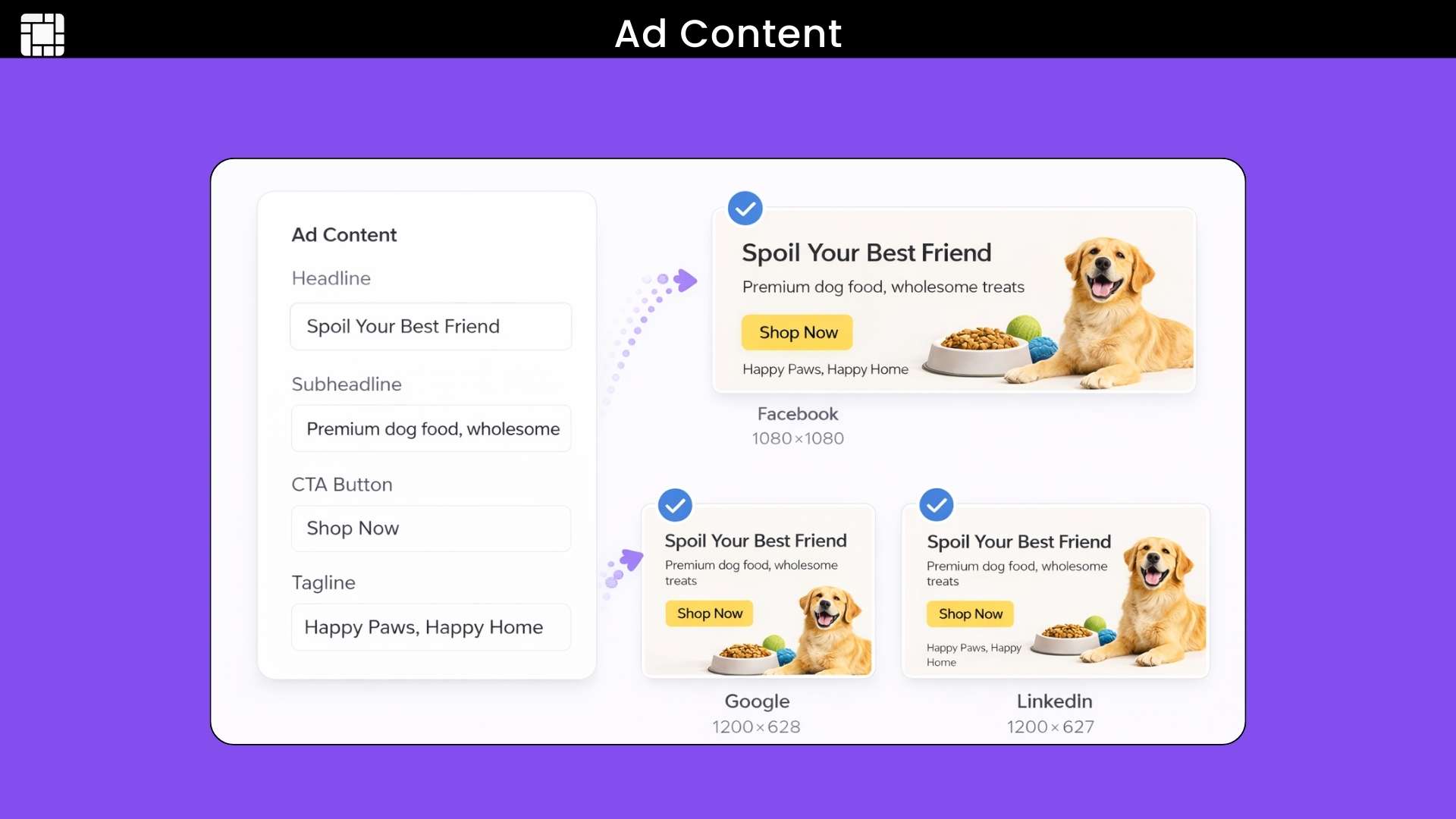
Select your target platforms, design once in the intuitive editor, and export all ad format variants as perfectly formatted PNG files ready for upload to your preferred ad platforms.
AdCaddy removes image backgrounds with one click and displays platform-specific safe zones, so you know exactly where text will be cropped, and stores your brand palettes (colors, fonts, and logos) for easy switching between brands.
Whether you’re running A/B tests, refreshing campaign creatives, or launching new products, AdCaddy puts multi-platform ad image creation on autopilot. Give it your brief, design it once, and export every size, perfectly formatted.
Intro Video
AdCaddy is a simple and easy-to-use ad creative generator AI tool that helps you create ads for many platforms without extra work. Instead of designing the same ad again and again for different sizes, you design once and export ready-to-use formats for Google, Facebook, LinkedIn, and more.
Overview Images
Key Features
AI Ad Generation: Enter a campaign brief, and AdCaddy automatically generates copy and hero images tailored to your brand and offer.
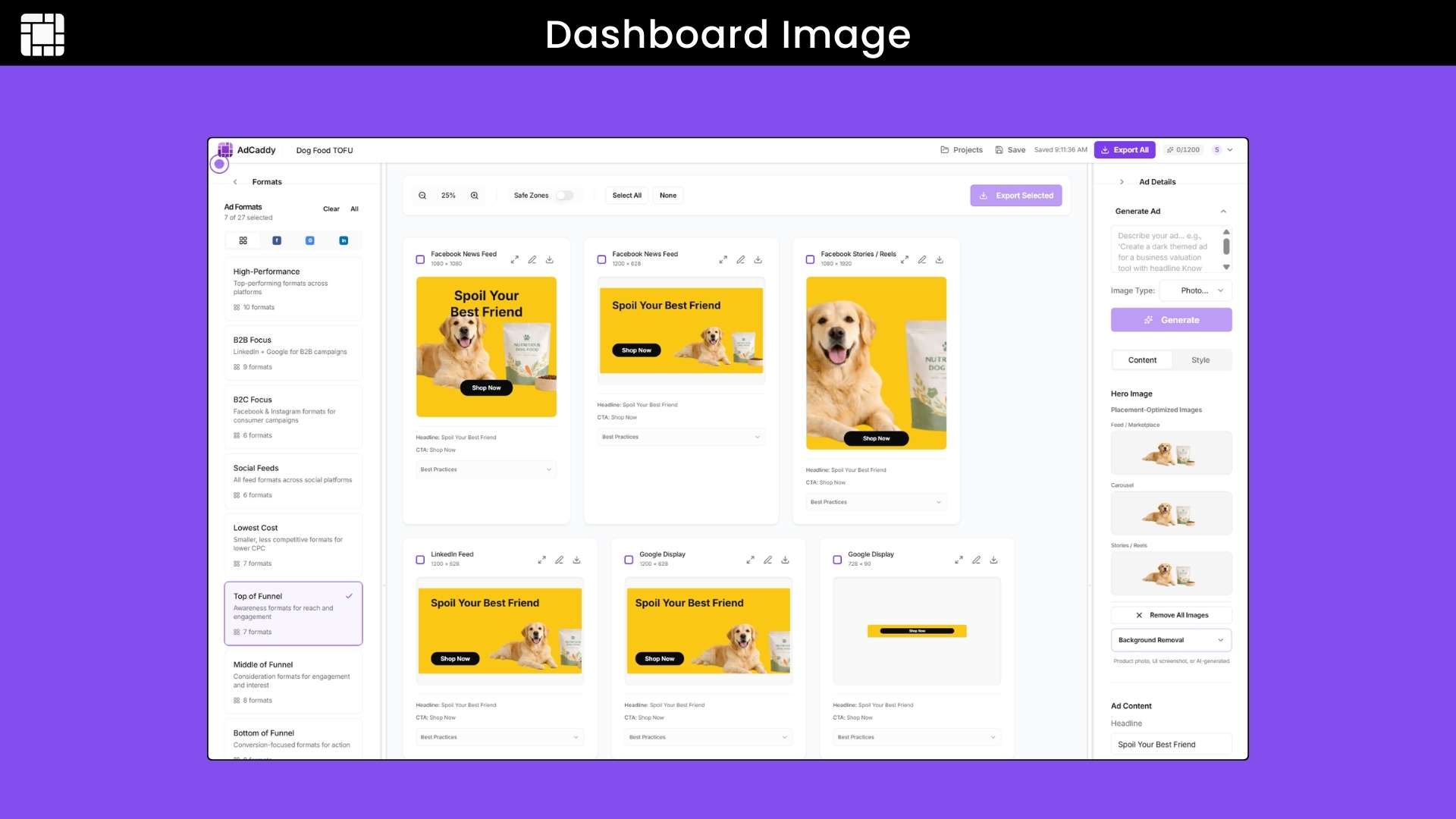
27+ Ad Formats: Support for Meta (Facebook, Instagram), Google (Search, Display, YouTube), LinkedIn, and coming soon TikTok, Pinterest, X, Snapchat, and more, organized by platform and campaign type.
One Input, Every Size: Design your creative once and instantly export correctly formatted variants for every selected placement with accurate aspect ratios and dimensions.
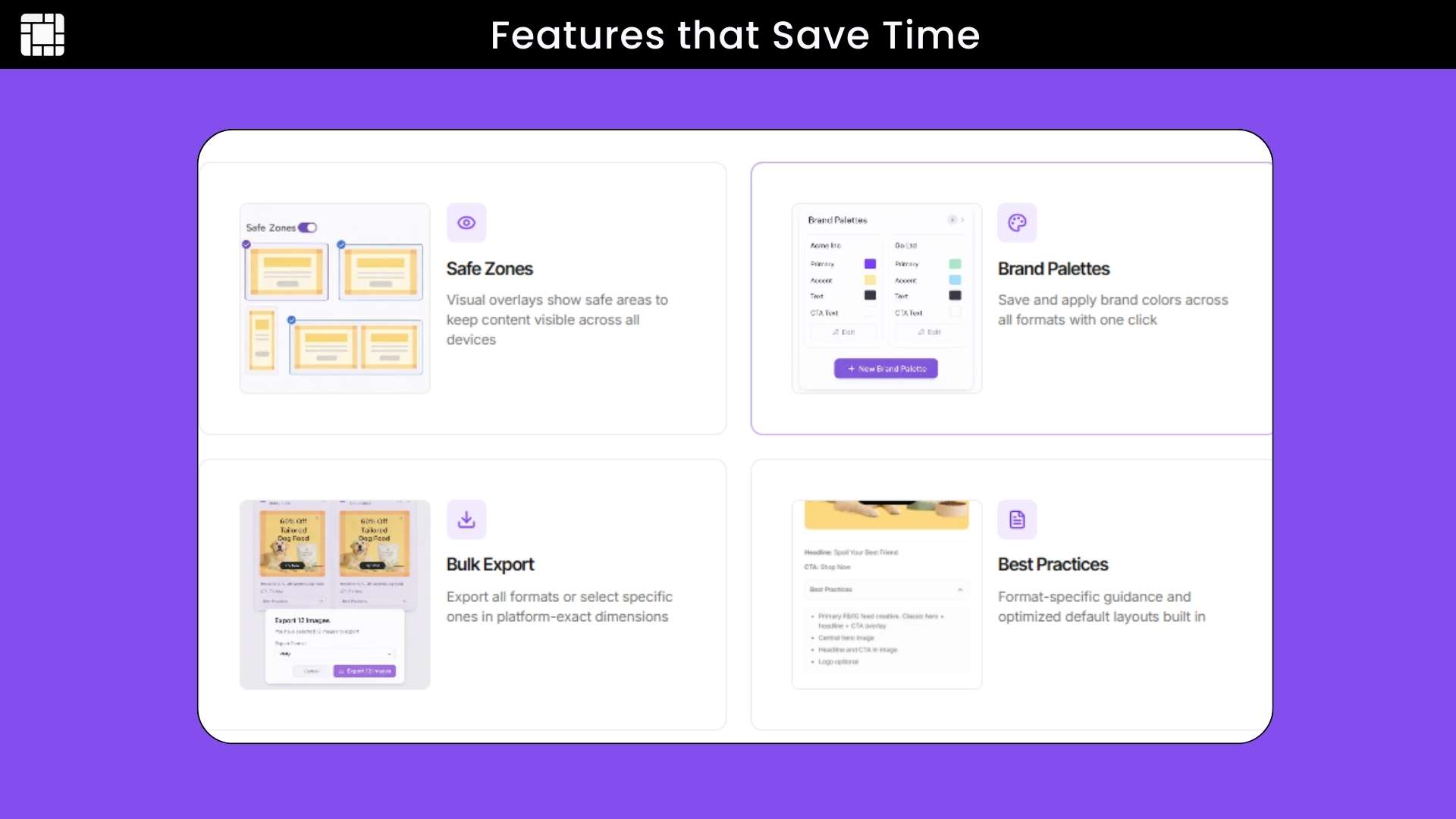
Brand Palettes: Save your brand colors, fonts, and logos for instant access. Maintain consistent creative across all campaigns without re-uploading assets.
Background Removal: Remove image backgrounds from product photos or hero images with one click, directly in your browser—no external tools needed.
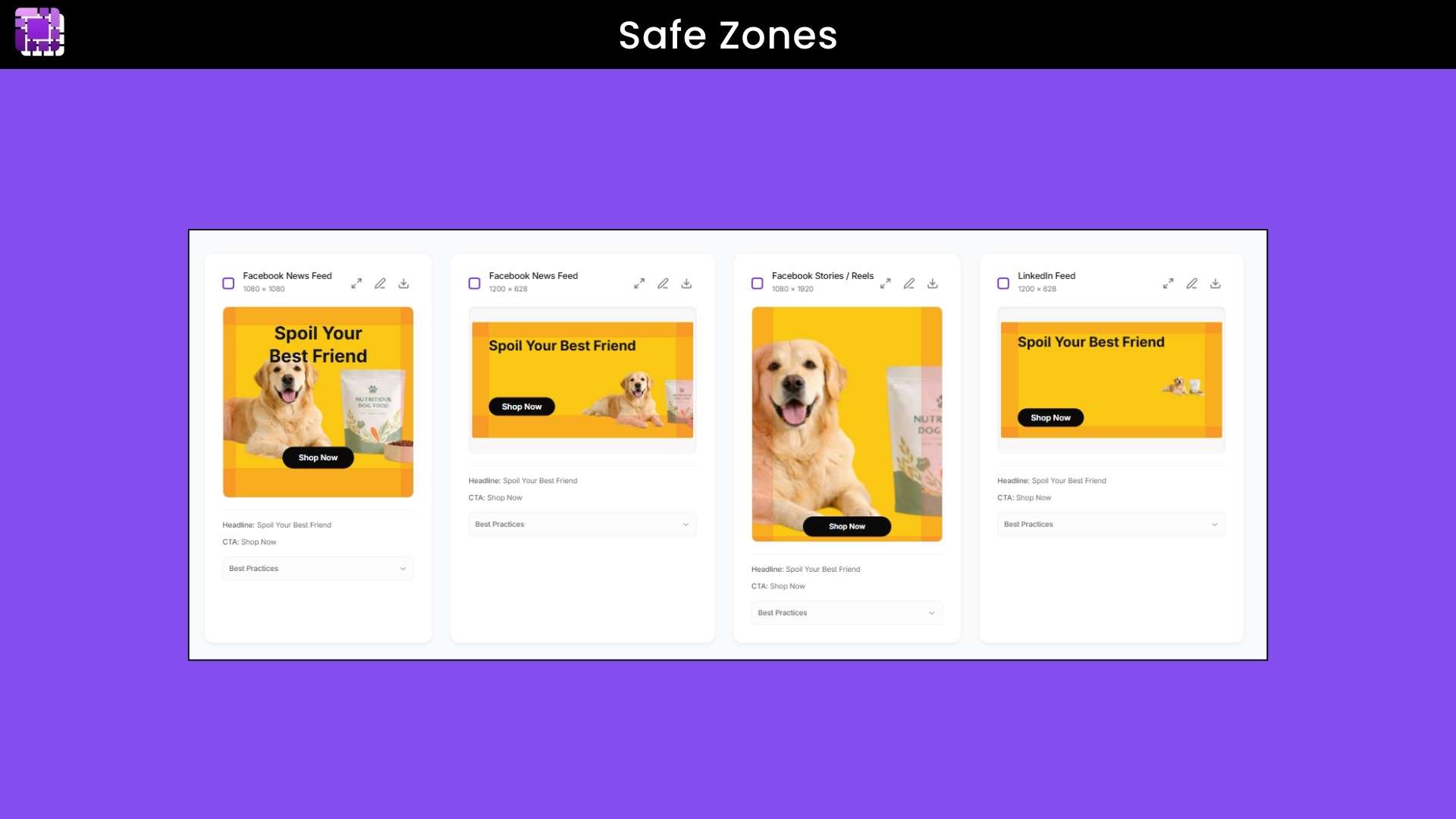
Safe Zone Overlays: See exactly where platform-specific safe zones are on each ad format. Know precisely where text and logos will be cropped before you export.
Batch Export: Download all your ad variants as individual PNG files or as a single ZIP archive with one click. Perfect for uploading directly to ad platforms.
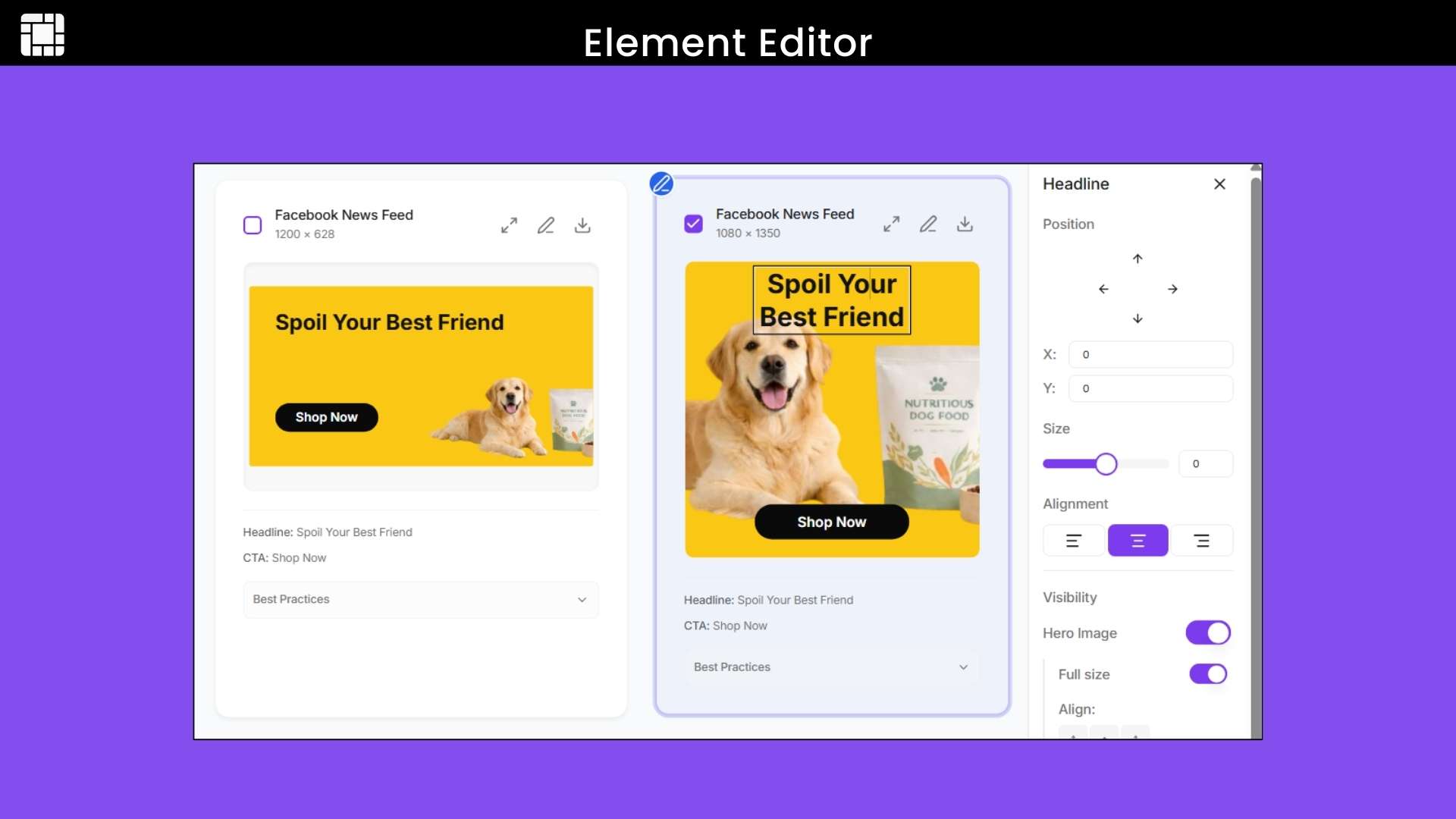
Intuitive Editor: Simple interface makes it easy to position elements, adjust text, swap images, and fine-tune your creative without design experience.
Campaign Organization: Organize your ads by campaign, platform, or objective. Easily revisit past creatives for A/B tests or creative refreshes.
Real-Time Preview: See how your ad will look on each platform in real time as you design, ensuring pixel-perfect results before export.
Best Practices Platform-placement-specific best practices are built in, ensuring your creative gets approved the first time.
Use Cases:
E‑Commerce: Create product ad creatives for Google, Facebook, and Instagram in minutes without worrying about sizes or layouts.
Agencies: Generate multiple ad versions for clients quickly and keep every placement platform‑ready.
Marketing Teams: Turn one campaign idea into ads for many platforms without redesigning each one.
Startups: Launch ads fast with clean, professional creatives without hiring a designer.
Education: Promote courses and events with ready‑to‑upload ads for social and search platforms.
Generate customized ad creative with AI in seconds
Organize ad formats by campaign type, funnel stage, or platform
Best for Digital Marketers, Solopreneurs, Social Media Managers, Ad Agencies, etc
Alternatives to Creatopy, AdCreative.ai, Smartly.io, and Bannerflow
AdCaddy Lifetime Deal
Running paid advertising campaigns across multiple platforms? You already know the pain: creating dozens of ad variants in different sizes, each with specific aspect ratios, safe zones, and platform requirements.
What if you could design your ad creative once and instantly export every size you need, perfectly formatted for Meta, Google, LinkedIn, TikTok, Pinterest, and more?
Meet AdCaddy, an AI ad image generator. Designed to streamline your entire ad production workflow. With one unified interface, you can produce ad creative variants that work everywhere without having to reposition the elements, resize the canvas, or figure out the best practices for each one.
Simply enter your campaign brief, and AdCaddy’s AI generates professional copy and eye-catching ad campaign images tailored to your brand.
Select your target platforms, design once in the intuitive editor, and export all ad format variants as perfectly formatted PNG files ready for upload to your preferred ad platforms.
AdCaddy removes image backgrounds with one click and displays platform-specific safe zones, so you know exactly where text will be cropped, and stores your brand palettes (colors, fonts, and logos) for easy switching between brands.
Whether you’re running A/B tests, refreshing campaign creatives, or launching new products, AdCaddy puts multi-platform ad image creation on autopilot. Give it your brief, design it once, and export every size, perfectly formatted.
Intro Video
AdCaddy is a simple and easy-to-use ad creative generator AI tool that helps you create ads for many platforms without extra work. Instead of designing the same ad again and again for different sizes, you design once and export ready-to-use formats for Google, Facebook, LinkedIn, and more.
Overview Images
Key Features
AI Ad Generation: Enter a campaign brief, and AdCaddy automatically generates copy and hero images tailored to your brand and offer.
27+ Ad Formats: Support for Meta (Facebook, Instagram), Google (Search, Display, YouTube), LinkedIn, and coming soon TikTok, Pinterest, X, Snapchat, and more, organized by platform and campaign type.
One Input, Every Size: Design your creative once and instantly export correctly formatted variants for every selected placement with accurate aspect ratios and dimensions.
Brand Palettes: Save your brand colors, fonts, and logos for instant access. Maintain consistent creative across all campaigns without re-uploading assets.
Background Removal: Remove image backgrounds from product photos or hero images with one click, directly in your browser—no external tools needed.
Safe Zone Overlays: See exactly where platform-specific safe zones are on each ad format. Know precisely where text and logos will be cropped before you export.
Batch Export: Download all your ad variants as individual PNG files or as a single ZIP archive with one click. Perfect for uploading directly to ad platforms.
Intuitive Editor: Simple interface makes it easy to position elements, adjust text, swap images, and fine-tune your creative without design experience.
Campaign Organization: Organize your ads by campaign, platform, or objective. Easily revisit past creatives for A/B tests or creative refreshes.
Real-Time Preview: See how your ad will look on each platform in real time as you design, ensuring pixel-perfect results before export.
Best Practices Platform-placement-specific best practices are built in, ensuring your creative gets approved the first time.
Use Cases:
E‑Commerce: Create product ad creatives for Google, Facebook, and Instagram in minutes without worrying about sizes or layouts.
Agencies: Generate multiple ad versions for clients quickly and keep every placement platform‑ready.
Marketing Teams: Turn one campaign idea into ads for many platforms without redesigning each one.
Startups: Launch ads fast with clean, professional creatives without hiring a designer.
Education: Promote courses and events with ready‑to‑upload ads for social and search platforms.
AdCaddy was built to make ad creation easier, faster, and less stressful. Instead of spending hours resizing, fixing layouts, and worrying about rejections, you can now create ready-to-use ads in minutes.
My goal is simple: save your time, remove the guesswork, and help you focus on running better campaigns, not fighting design tools. AdCaddy is made to do one job well—turn your ideas into clean, platform-ready ads.
I’ll keep improving it based on real user feedback, so if something feels off or missing, just let me know. I’m here to help.
Thanks for using AdCaddy. I can’t wait to see the ads you create.
A: No, most tools either generate ideas or let you design. AdCaddy does both. It generates the ad (copy + image + layout), then lets you edit it properly and export all the variants you need.
Q 3: Will the ads actually look on-brand?
A: Yes, as long as you give it your brand inputs. Fonts, colors, logos, and tone. AdCaddy isn’t guessing blindly. And unlike many tools, you can manually adjust layouts if something’s slightly off.
Q 4: What if I don’t like what the AI generates?
A: Then you edit it. Nothing is locked. You can move elements, change copy, swap images, and tweak spacing. You’re not stuck regenerating over and over, hoping for a better result.
Q 5: Does AdCaddy support all the common ad formats?
A: Yes, you select from presets for platforms like Meta, Google (including Demand Gen), LinkedIn, etc. AdCaddy generates and exports all the variants for you in one go.
Q 6: Do I have to enter custom dimensions for every size?
A: No, that’s the point. Presets are built in. You don’t need to remember dimensions or create them one by one.
Q 7: Does AdCaddy charge per export or per download?
A: No, there are no export credits. If you generate 100 variants, you export 100 variants. The price doesn’t change.
Reviews
4 reviews for AdCaddy: One Brief, Every Ad Format, Every Platform
Rated 5 out of 5
Jitin S. –
We handle paid advertising for several clients, and AdCaddy has dramatically improved our creative workflow. Brand presets alone save us a huge amount of time, and exporting all placements in one click is exactly what agencies need. Our designers now focus on strategy and concepts instead of manual resizing. If you run a digital marketing agency, this tool is a no-brainer.
Rated 5 out of 5
Harish Singh –
I am not a professional designer, but AdCaddy makes my product advertisements look like they were made by one. The AI-generated ad language and imagery are very effective, and I appreciate that I can still personally adjust everything. Being able to export both Google Ads and Facebook Ads formats saves me a lot of time. It has made running paid ads far more efficient.
Rated 5 out of 5
Sarah L. –
I used to rely on Canva, background remover apps, and multiple resizing tools just to launch a single campaign. Now everything is streamlined inside AdCaddy. I can go from idea to live ads in minutes. If you’re managing your own paid ads, this tool removes a massive amount of friction from the process.
Rated 5 out of 5
Garima Jain –
As an early-stage firm, we don’t have an in-house designer, yet we still require high-quality advertisements. AdCaddy enabled us to develop campaigns rapidly while maintaining consistent branding across Meta, Google, and LinkedIn. The AI offers us a solid foundation, and the editing tools make fine-tuning simple. It’s ideal for small teams who require professional results with minimal overhead.





4 reviews for AdCaddy: One Brief, Every Ad Format, Every Platform
Jitin S. –
We handle paid advertising for several clients, and AdCaddy has dramatically improved our creative workflow. Brand presets alone save us a huge amount of time, and exporting all placements in one click is exactly what agencies need. Our designers now focus on strategy and concepts instead of manual resizing. If you run a digital marketing agency, this tool is a no-brainer.
Harish Singh –
I am not a professional designer, but AdCaddy makes my product advertisements look like they were made by one. The AI-generated ad language and imagery are very effective, and I appreciate that I can still personally adjust everything. Being able to export both Google Ads and Facebook Ads formats saves me a lot of time. It has made running paid ads far more efficient.
Sarah L. –
I used to rely on Canva, background remover apps, and multiple resizing tools just to launch a single campaign. Now everything is streamlined inside AdCaddy. I can go from idea to live ads in minutes. If you’re managing your own paid ads, this tool removes a massive amount of friction from the process.
Garima Jain –
As an early-stage firm, we don’t have an in-house designer, yet we still require high-quality advertisements. AdCaddy enabled us to develop campaigns rapidly while maintaining consistent branding across Meta, Google, and LinkedIn. The AI offers us a solid foundation, and the editing tools make fine-tuning simple. It’s ideal for small teams who require professional results with minimal overhead.